Currency Strength Meter
Free MT5 Currency Strength Meter: 8 currency lines from up to 28 pairs, a ranking panel and gap alerts. Lab repaint test: 0 of 2638 signals changed.
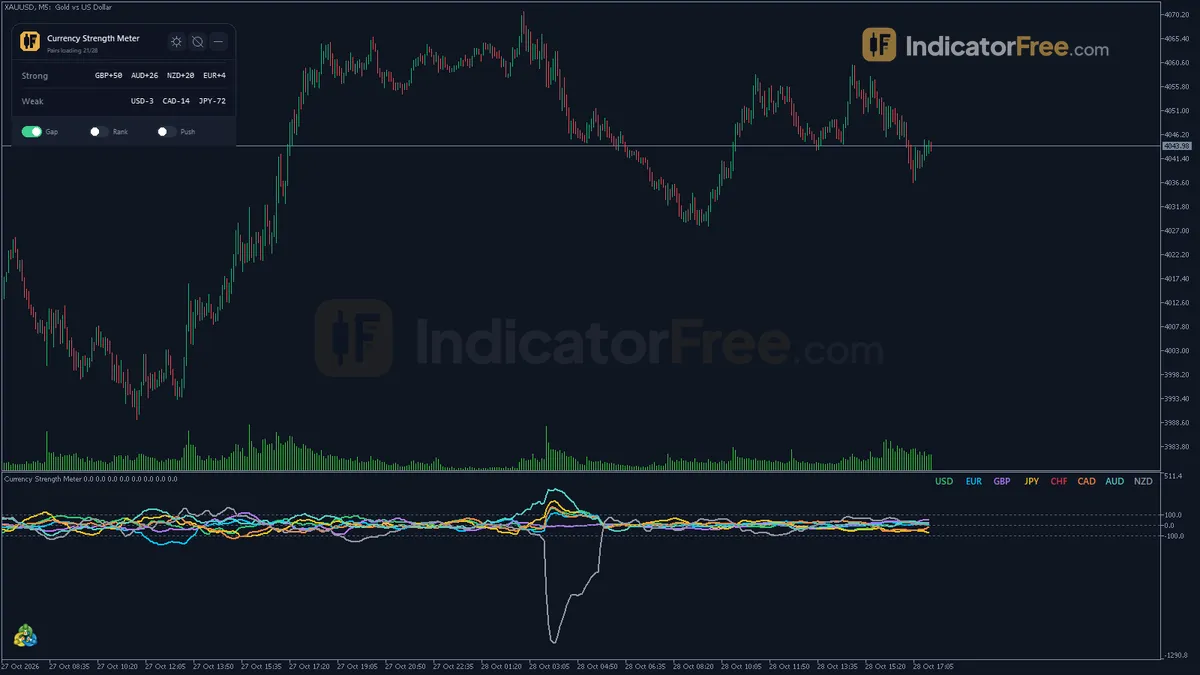
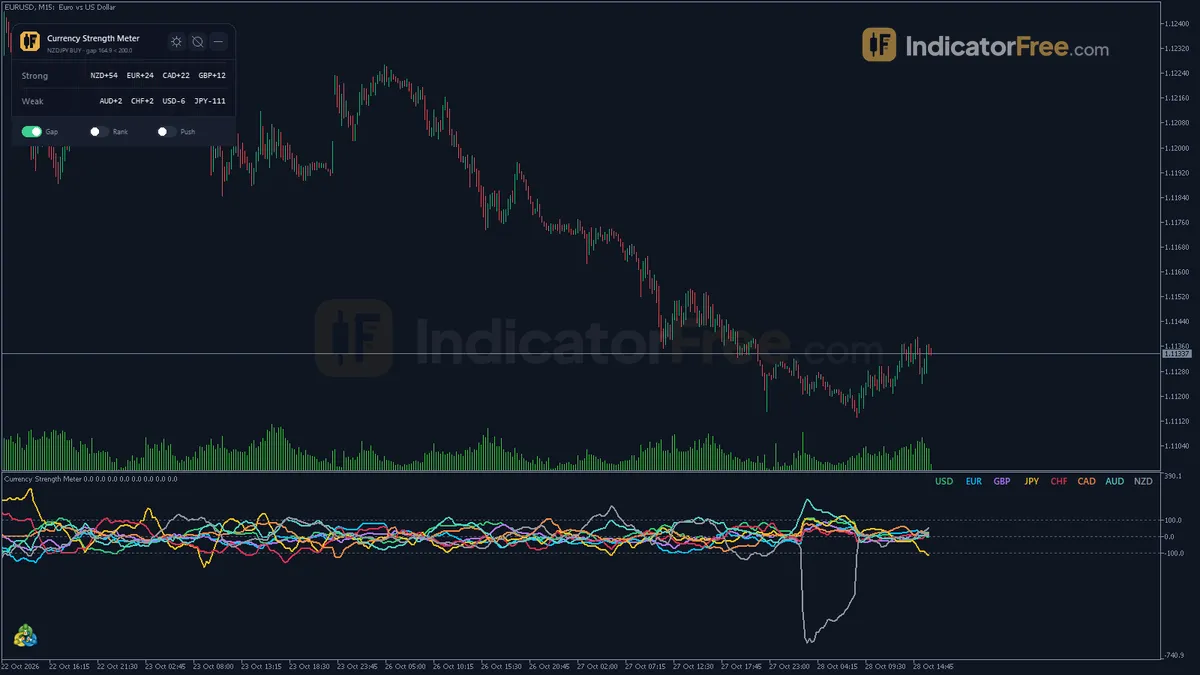
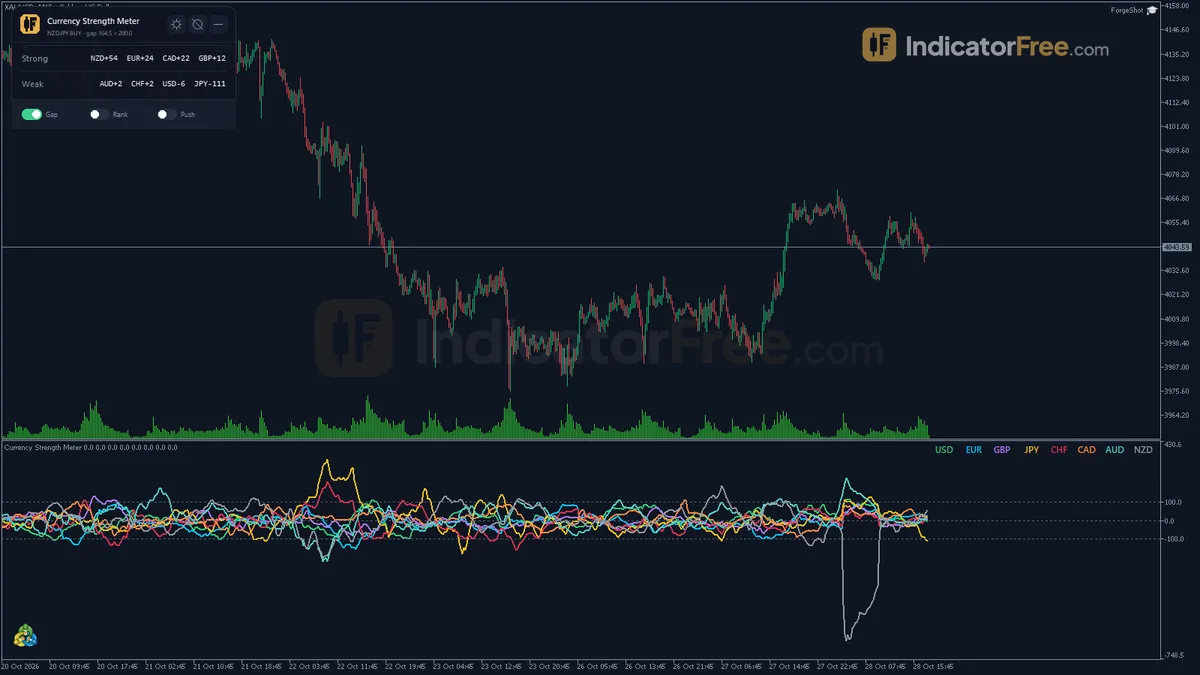
- Repainted
- 0 / 2,638
- Signals / week
- —
- Tested on
- XAUUSD M15
- Tested
- 2026-10-19
Overview
The Currency Strength Meter is a free MT5 indicator. It draws eight strength lines (USD, EUR, GBP, JPY, CHF, CAD, AUD and NZD) in a separate window under any chart, built from up to 28 major pairs. In the Lab's repaint test, 0 of 2638 logged signals changed after their bar closed. It helps you choose which pair to look at by setting the strongest currency against the weakest.
What the eight lines and the panel show
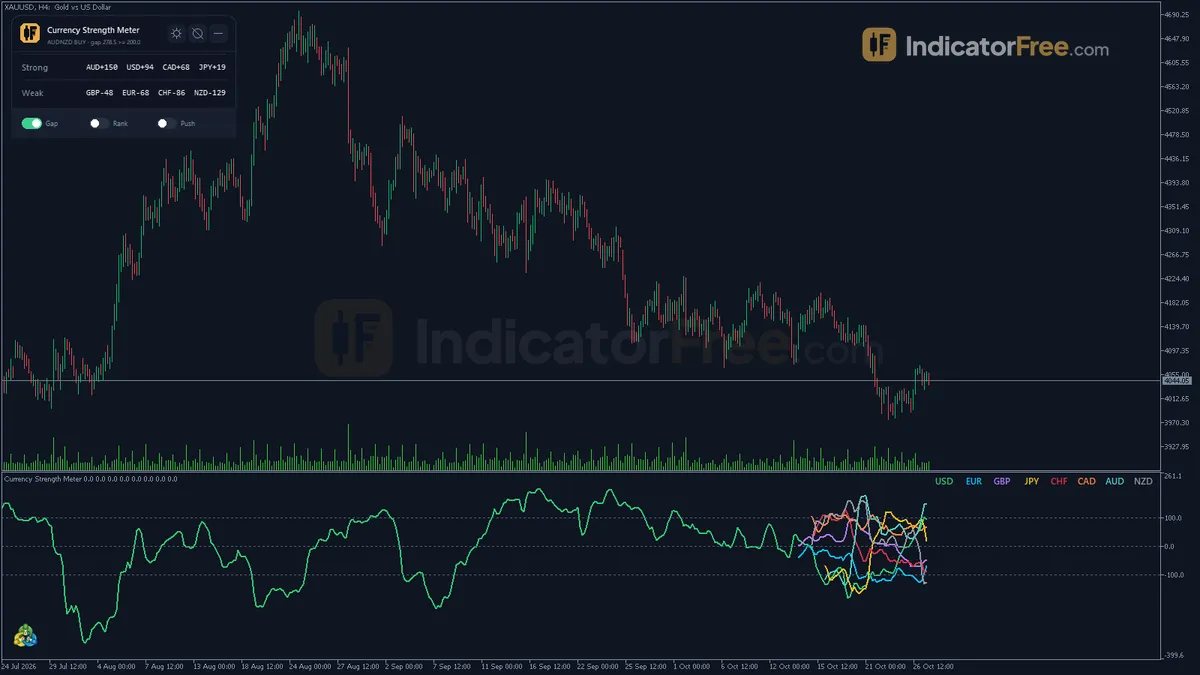
Currency strength is how much one currency has gained or lost against the other seven over a set number of bars. The glossary covers the idea in full. This tool gives each currency its own line in the subwindow. With the default Scale normalization, the leading line averages about 100. A reading of 50 therefore means roughly half of a typical leader's move, not 50 pips.
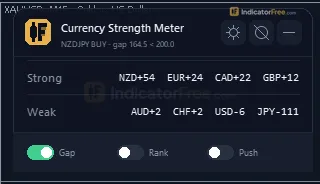
The Ranking panel on the chart reads the last closed bar. It shows:
- the strongest vs weakest pair
- all eight currencies ranked by strength, with marks where a rank changed
- the strongest-minus-weakest gap, compared with your AlertGap
- the number of pairs the indicator found at your broker
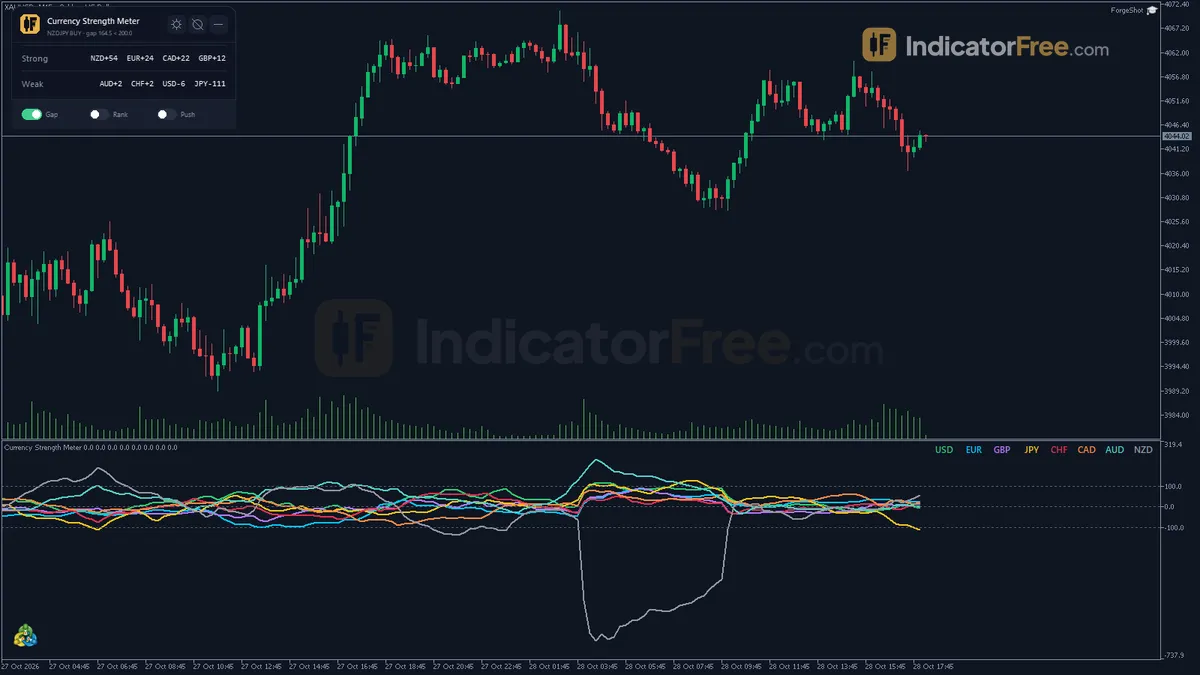
The gap is the number the alerts work from. The picture below is an illustration of a typical gap alert, not a Lab result: the spread between the top and bottom currency widens and the alert fires on the first closed bar at or above AlertGap.
How the Lab tested it
The Lab tested version 1.03 (166.8 KB) on MT5 build 6230 on 2026-10-19. The repaint test ran on an XAUUSD M15 chart from 2026-07-20 to 2026-10-16, using Raw Trading Ltd real ticks. The Lab logged 2638 signals. 0 of them changed afterwards, and the largest signal delay was 0 bars.
What this means for you: the ranking, the gap and the alerts are fixed once a bar closes. The history you scroll back through shows what you would have seen live, and each alert arrives at the close of the bar it describes, not bars later. What it does not mean: the Lab did not measure whether trades in the suggested pair went on to win. No hit rate exists for this tool.
Who it is for
It suits traders who watch several majors and crosses and want a quick, closed-bar answer to "which currency is leading and which is lagging right now?" It is less useful if you trade one pair only, or if you mainly trade gold or indices. The lines cover only the eight currencies listed.
How it works
- 1
- 2Each return is added to the pair's base currency and subtracted from its quote currency, then averaged per currency.
Raw strength = (sum of returns as base - sum as quote) / pairs used - 3With scale mode, strength is divided by the 200-bar average of the largest absolute strength.
Strength = 100 x Raw / average of max abs Raw over 200 barsInputs: Normalize - 4Smooths each currency line with an exponential moving average.
S = S_prev + alpha x (Value - S_prev), alpha from the Smooth periodInputs: Smooth - 5Ranks currencies on the last closed bar and compares strongest minus weakest with the gap level to suggest a pair.
Gap = strongest - weakestInputs: AlertGap, AlertOnGap, AlertOnRankChange
Specifications
- Platform
- MetaTrader 5
- Version
- 1.03
- Type
- Indicator
- Window
- Separate window
- Draws
- 8 lines, 1 panel
- Alerts
- popup, push, sound, email
- Repaints
- No (0 of 2,638 signals changed)
- Inputs
- 27
- Tested on
- MT5 build 6230 · 2026-10-19
Repaint test
No repaint detected. In a 20 Jul 2026 – 16 Oct 2026 test on XAUUSD M15 (Raw Trading Ltd real ticks), 2,638 signals were logged at bar close and re-read at the end of the test: 0 changed. Arrows print on the bar that closes the signal, with no delay.
IndicatorFree — tested 2026-10-19 · MT5 build 6230 · Raw Trading Ltd real ticks. Results come from historical data, not live trading, and do not guarantee future results.
What it draws
- A line (USD Strength) from buffer 0.
- A line (EUR Strength) from buffer 1.
- A line (GBP Strength) from buffer 2.
- A line (JPY Strength) from buffer 3.
- A line (CHF Strength) from buffer 4.
- A line (CAD Strength) from buffer 5.
- A line (AUD Strength) from buffer 6.
- A line (NZD Strength) from buffer 7.
- An on-chart panel (Ranking); values shown in the panel are not exposed as buffers.
Inputs
| Input | Default | What it does |
|---|---|---|
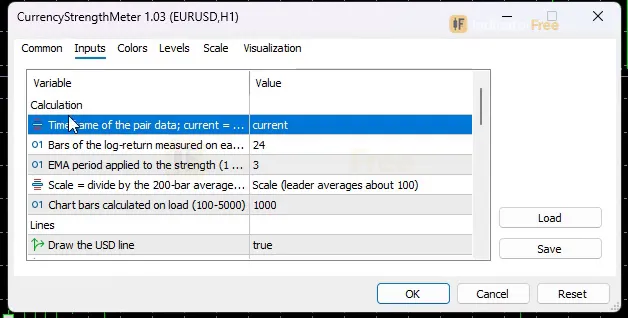
| CalcTF | CURRENT | Timeframe of the pair data; current = chart timeframe |
| Lookback | 24 | Bars of the log-return measured on each pair (2-500) |
| Smooth | 3 | EMA period applied to the strength (1 = off, max 50) |
| Normalize | Scale (leader averages about 100) | Scale = divide by the 200-bar average of the largest strength |
| MaxBars | 1000 | Chart bars calculated on load (100-5000) |
| ShowUSD | true | Draw the USD line |
| ShowEUR | true | Draw the EUR line |
| ShowGBP | true | Draw the GBP line |
| ShowJPY | true | Draw the JPY line |
| ShowCHF | true | Draw the CHF line |
| ShowCAD | true | Draw the CAD line |
| ShowAUD | true | Draw the AUD line |
| ShowNZD | true | Draw the NZD line |
| LineWidth | 2 | Line width in pixels (1-4) |
| AlertOnGap | true | Alert when strongest minus weakest reaches AlertGap on a closed bar |
| AlertGap | 200 | Strongest minus weakest gap that triggers the alert (5-400 with Scale; a usual gap is 100-200) |
| AlertOnRankChange | false | Alert when the strongest or the weakest currency changes |
| AlertPopup | true | Send alerts as terminal popup |
| AlertPush | false | Send alerts as push notification |
| AlertEmail | false | Send alerts by email |
| AlertSound | false | Play a sound with each alert |
| AlertSoundFile | alert.wav | Sound file played when AlertSound is on |
| ShowPanel | true | Show the ranking panel on the chart |
| Theme | Dark | Chart color theme |
| RestoreTheme | true | Restore the original chart colors on removal |
| PanelCorner | Left Upper | Chart corner where the panel starts |
| PanelScale | 1 | Panel size multiplier |
How to read it
Reading the strength lines
- Above zero: the currency gained against the basket over the last Lookback bars. Below zero: it lost.
- Slope: a rising line means the currency is gaining now. A line that flattens while it is still on top means the move is ageing.
- Distance between two lines: this shows how far apart those two currencies have moved. The top line and the bottom line together make the widest spread, and that is the pair the panel suggests.
If eight lines are too busy, set any of ShowUSD, ShowEUR, ShowGBP, ShowJPY, ShowCHF, ShowCAD, ShowAUD or ShowNZD to false. LineWidth (1-4) makes the lines you keep easier to see.
How one strength value is built
Each value goes through five steps, shown below. The return of each pair counts for its base currency and against its quote currency. Each currency's result is averaged over the pairs found, then scaled and smoothed.
- 1Pair returnsUp to 28 pairs on CalcTF: 100 x ln(Close now / Close Lookback bars ago)
- 2Split by currencyAdded to the base, subtracted from the quote, averaged over the pairs used
- 3Scale100 x Raw / 200-bar average of the largest absolute strength
- 4SmoothEMA with the Smooth period (1 = off)
- 5Rank and gapLast closed bar: 8 currencies ranked, strongest minus weakest compared with AlertGap
The glossary explains the log return and the EMA used in these steps.
The inputs to change first
- CalcTF (default CURRENT) sets which timeframe the pair data comes from. If you leave it on CURRENT, the meter changes whenever you switch the chart timeframe. Setting a fixed timeframe keeps the same strength picture on every chart.
- Lookback (default 24, range 2-500) is how many bars each return covers. Shorter values react sooner and swap ranks more often. Longer values show the slower, bigger picture.
- Smooth (default 3, 1 = off, max 50) is the EMA on each line. Higher values give calmer lines that turn later.
- AlertGap (default 200, range 5-400 with Scale) is the gap that triggers the alert. A usual gap is 100-200, so the default 200 fires only when the spread is unusually wide.
- MaxBars (default 1000, range 100-5000) is how many bars are calculated when the indicator loads. Raise it to scroll back further. Lower it if loading feels slow.
- ShowPanel, PanelCorner, PanelScale place and size the ranking panel. Theme recolors the chart, and RestoreTheme (on by default) puts your own colors back when you remove the indicator.
Alerts and where they appear
Two alert triggers are available:
- AlertOnGap (on by default) fires when the gap reaches AlertGap on a closed bar.
- AlertOnRankChange (off by default) fires when the strongest or the weakest currency changes.
Alerts are delivered in four ways:
- AlertPopup (on): a popup in the MT5 terminal.
- AlertPush (off): a push notification to the MT5 mobile app.
- AlertEmail (off): an email.
- AlertSound (off): plays the file named in AlertSoundFile (default alert.wav).
Push and email go through the terminal's own notification and email settings.
A decision rule for the gap signal
Only look at the suggested pair when all three of these hold on the last closed bar:
- The gap is at or above your AlertGap, or at least 100 if you lowered alerts.
- The panel shows no rank change mark on the strongest or the weakest currency.
- The suggested pair's own chart is moving the same way: up if the strong currency is the base, down if it is the quote.
Skip it when the top and bottom have just swapped, or when the gap is below 100. In those cases the two currencies are not far apart yet.
A common misread
The strongest line at its highest point is not a fresh buy. Each line is a return over the last Lookback bars, smoothed by an EMA, so it peaks after much of the move has already happened. A line that still ranks first but has stopped rising is the warning sign. A second misread is trading a pair made of two currencies that are both near the top, for example ranks 1 and 2. Their lines sit close together, so the pair itself has little to move on.
Installation
- 1Download CurrencyStrengthMeter.ex5 from the button above (Google Drive).
- 2In MetaTrader 5: File → Open Data Folder → MQL5 → Indicators. Copy CurrencyStrengthMeter.ex5 there.
- 3Restart MT5 or right-click Indicators in Navigator → Refresh.
- 4Drag Currency Strength Meter onto a chart. For push alerts, enable "Allow push notifications" under Tools → Options → Notifications.
- Tested on MT5 build 6230.
Key terms and guides
- Broker
- A broker is the company that opens your trading account, holds your deposit, quotes you buy and sell prices and carries out your orders. It earns money through spreads, commissions or overnight fees.
- Every tick based on real ticks
- Every tick based on real ticks is the MT5 Strategy Tester mode that replays the actual bid and ask ticks your broker recorded, with the real changing spread, instead of ticks the tester invents from 1-minute bars.
- Spread
- The spread is the gap between the price you can buy at (the ask) and the price you can sell at (the bid) at the same moment. It is a cost you pay on every trade, built into the price instead of charged as a separate fee.
- Win rate
- Win rate is the share of your closed trades that ended in profit: winning trades divided by total trades, times 100. On its own it does not show whether a strategy makes money, because it ignores how big the wins and losses are.
- Pip
- A pip is the standard unit for measuring how far a currency price moves: 0.0001 on most forex pairs and 0.01 on pairs quoted in Japanese yen. Traders count stops, targets and spreads in pips.
User reviews
No reviews yet. Members who download the tool can review it here.
Sign in and download the tool to review it.
Build a checklist with it
Currency Strength Meter does one job on the chart: entry signal. Put it on the same chart as the tools below and the IndicatorFree panels merge into one checklist card, ordered trend, zone, signal, risk.
- Trend / contextBreak of StructureCurrency Strength Meter tells you when; this tells you which way the market leans, so you can skip signals against it.
- Zone / levelLiquidity MapShows the zones and levels, so you can see whether a signal from Currency Strength Meter fires at a level worth trading.
The Lab has not tested these combinations. Each tool is tested on its own; the card only lines up what each one says. Free members get 2 new tools a day. If one has to wait until tomorrow, install BlackBox to raise the limit to 5 a day (20 on a live account).
FAQ
Does Currency Strength Meter repaint?
No repaint detected. In a 20 Jul 2026 – 16 Oct 2026 test on XAUUSD M15 (Raw Trading Ltd real ticks), 2,638 signals were logged at bar close and re-read at the end of the test: 0 changed. Arrows print on the bar that closes the signal, with no delay.
Why can’t my EA read the zones?
Zones and the panel are chart objects, not indicator buffers, so iCustom() does not return them.
How do I get alerts on my phone?
Enter your MetaQuotes ID under Tools → Options → Notifications, tick "Enable push notifications", and keep the push alert input on.
Why does it open in a separate window?
It plots values on their own scale, so MT5 draws it below the price chart.
Does it work on other pairs?
Tested on XAUUSD only; other symbols not tested.
Which timeframe should I use the Currency Strength Meter on?
The Lab ran its repaint test on M15 and did not compare results across timeframes, so there is no best timeframe on record. Choose the timeframe you trade on, or fix CalcTF to a higher timeframe so the ranking stays the same when you switch charts.
Why does the panel show fewer than 28 pairs?
The panel counts the pairs it found at your broker. If some are missing, each currency is averaged over fewer pairs, so ranks for the currencies with missing pairs are less reliable.
Can I attach it to a gold chart?
Yes. It runs in its own subwindow on any chart, and the Lab's test chart was XAUUSD M15. The lines only measure the eight currencies, though, so they show USD strength but not gold strength.
Why did I not get a gap alert?
The default AlertGap of 200 is at the top of the usual 100-200 range, and alerts only fire on closed bars. Only the popup is on by default. Push, email and sound must be switched on with AlertPush, AlertEmail and AlertSound.
How do I get an alert when the leading currency changes?
Set AlertOnRankChange to true. It fires when the strongest or the weakest currency changes, through whichever alert channels you have switched on.
Changelog
- 1.03Rebuilt from scratch: eight currency strength lines (USD, EUR, GBP, JPY, CHF, CAD, AUD, NZD) in a separate window, calculated from up to 28 pairs on closed candles only, with log-return math, optional Scale. · 2026-10-19
Final verdict
Verdict: a clean closed-bar ranking tool, not an entry system
Strengths:
- It calculates from closed candles, and the repaint result above backs that up. What the panel and alerts reported in the past is what they would have reported live.
- Using up to 28 pairs keeps one odd pair from deciding a currency's rank.
- Scale normalization makes the gap comparable from week to week.
- The alerts cover popup, push, email and sound.
Limits:
- It tells you which currencies have moved, not which will move next. Every line trails price by design.
- The Lab has not tested whether trading the suggested pair makes money.
- Scale divides by the last 200 bars. After a quiet stretch, a modest move can read as a large gap.
- If your broker lacks some of the 28 pairs, each currency is averaged over fewer pairs. Check the pair count in the panel before you trust a rank.
- It draws no arrows, stops or targets.
Skip it if you trade one pair only, you trade gold or indices as your main market, or you want a tool that tells you exactly where to enter.
Settings to start with
Keep the defaults first: Lookback 24, Smooth 3, Scale, AlertGap 200. They are what the Lab ran. The values below are untested starting points. None of them was tested by the Lab, so compare each with the default before relying on it:
- On an M5 chart, set CalcTF to H1. The ranking then reflects the session's bigger move and stops reacting to every 5-minute bar.
- If 200 rarely fires, try AlertGap 150. That sits inside the usual 100-200 gap.
- For a slower swing read on H4, try Lookback 48. To check how much the EMA delays the lines, set Smooth to 1 and compare.
The summary below sets out when the tool fits and when it does not.
- –You trade several majors and crosses and need to pick one
- –Your broker offers most of the 28 pairs (check the count in the panel)
- –You want a closed-bar alert when currencies spread apart
- –You confirm the suggested pair on its own chart before acting
- –You trade a single pair only
- –Gold, indices or exotics are your main market
- –You want entry arrows, stops or targets
- –You need a tested win rate before using a tool
Install: copy the file into the MQL5/Indicators folder, refresh the Navigator and drag it onto any chart.