Market Structure Shift
Free MT5 indicator that marks a Market Structure Shift after a liquidity sweep and displacement. Lab repaint test: 0 of 201 signals changed.
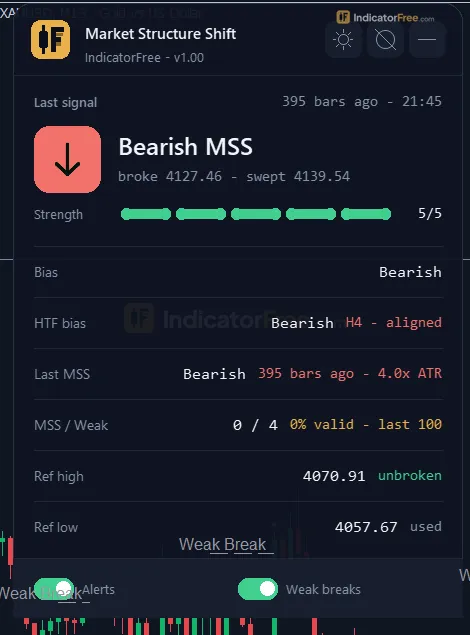
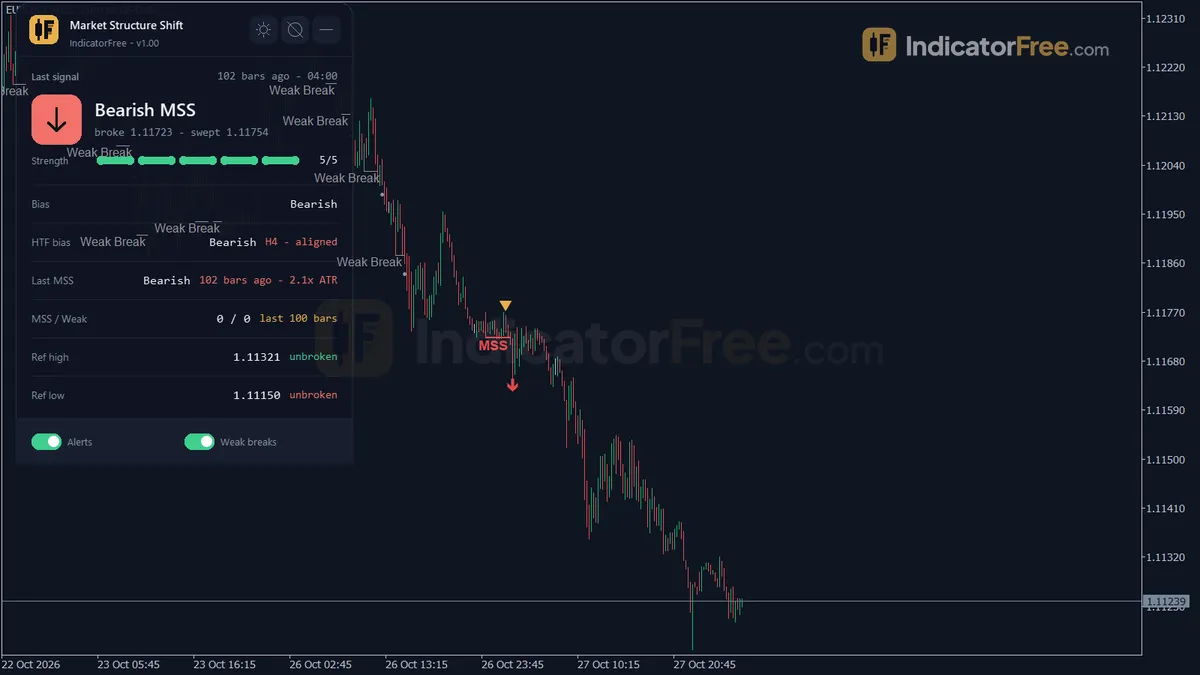
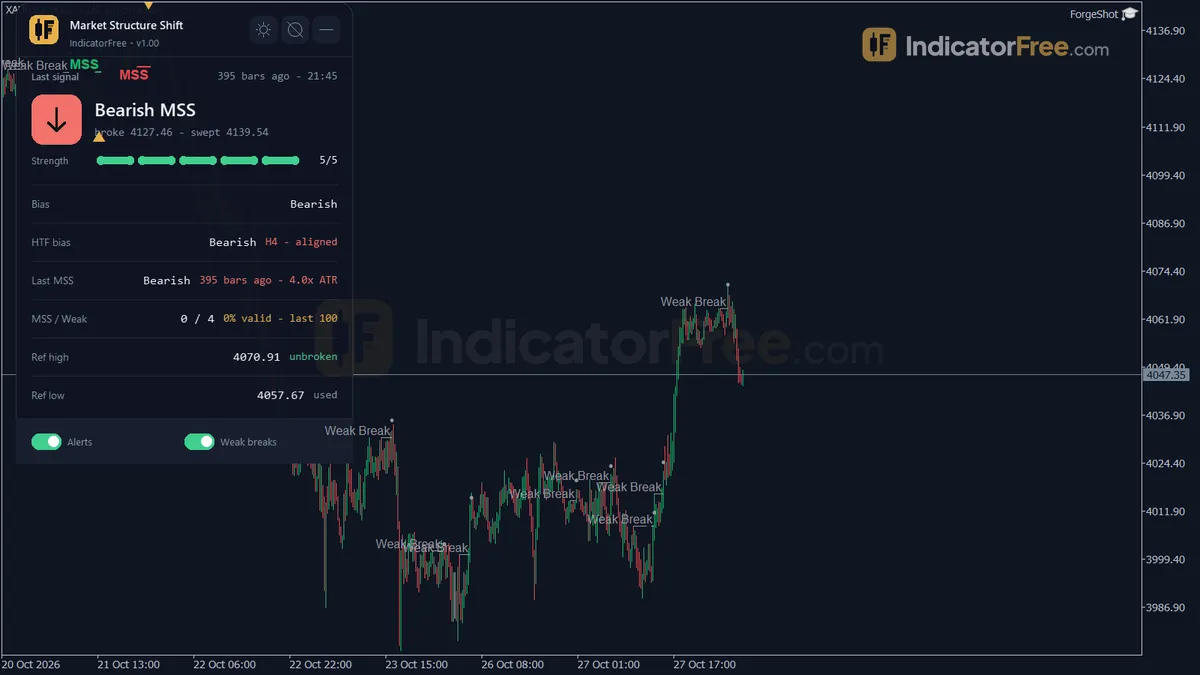
- Repainted
- 0 / 201
- Signals / week
- ≈ 15.9
- Tested on
- EURUSD M15
- Tested
- 2026-10-05
Overview
Market Structure Shift is a free MT5 indicator that puts an arrow on the price chart when structure flips. It fires when a closed bar breaks the last swing high or low, a liquidity sweep came first, and a strong displacement candle confirms the break. In the Lab's repaint test on EURUSD M15, 0 of 201 signals changed after they appeared.
It is for smart money traders who want fixed rules, not their eyes, to tell a real shift from a liquidity grab. It works on the charts and timeframes you already watch.
What a Market Structure Shift is
A market structure shift (MSS) is the first break against the current swing structure that has real force behind it. This tool's version is strict: the bar must close beyond the swing, liquidity on the other side must be swept first, and a big-bodied candle must confirm the break.
What it draws on your chart
- Bullish MSS / Bearish MSS arrows: the full setup of sweep, closed-bar break and displacement. Each one flips the structure bias.
- Weak Break arrows (grey): the swing broke against the bias, but the sweep or the displacement was missing. The bias does not change.
- Broken Swing Level lines at each broken swing, plus "MSS" and "Weak Break" text labels.
- Gold triangles on the sweep bar that an MSS used.
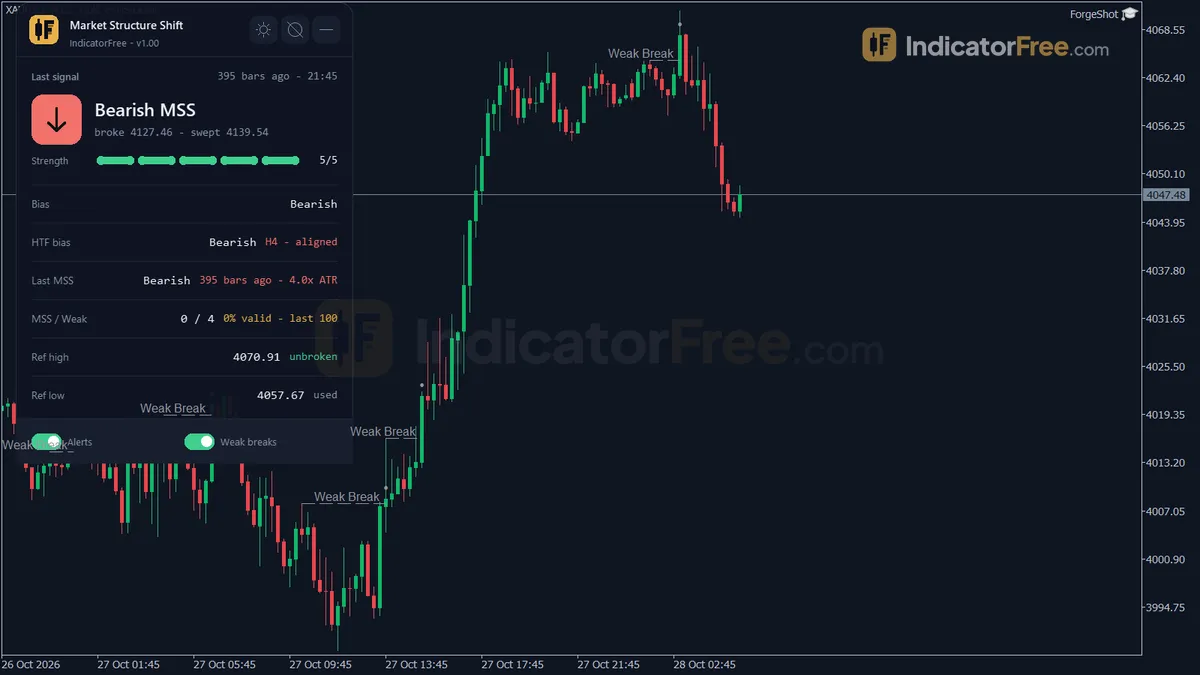
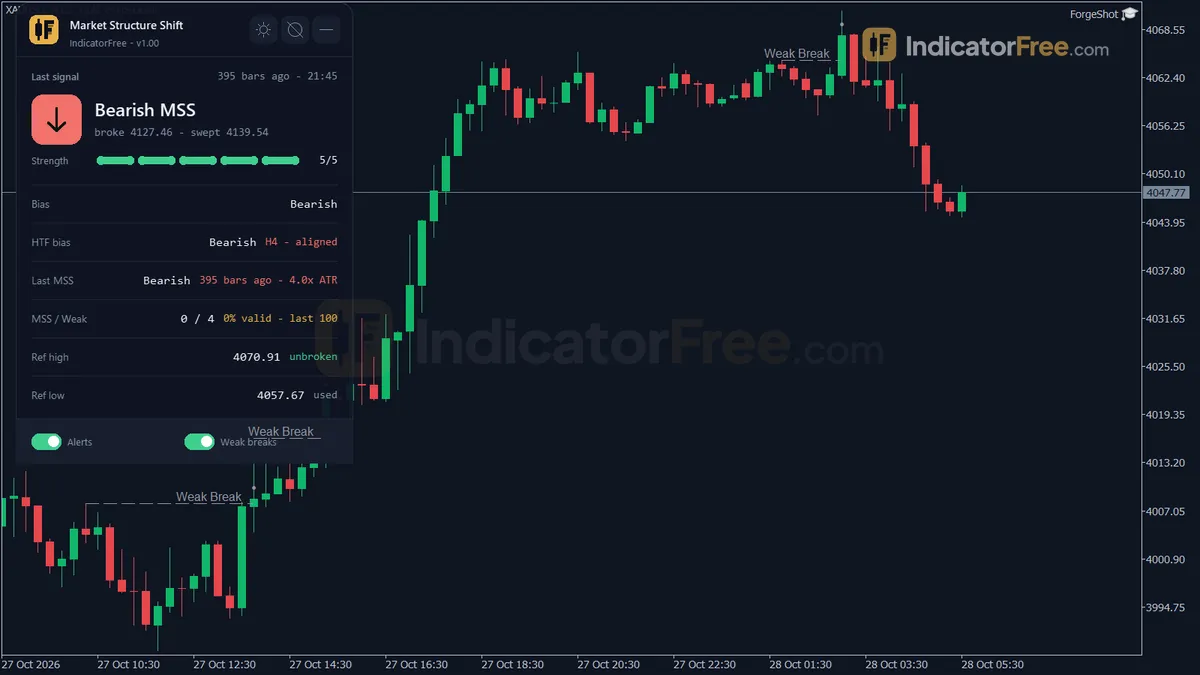
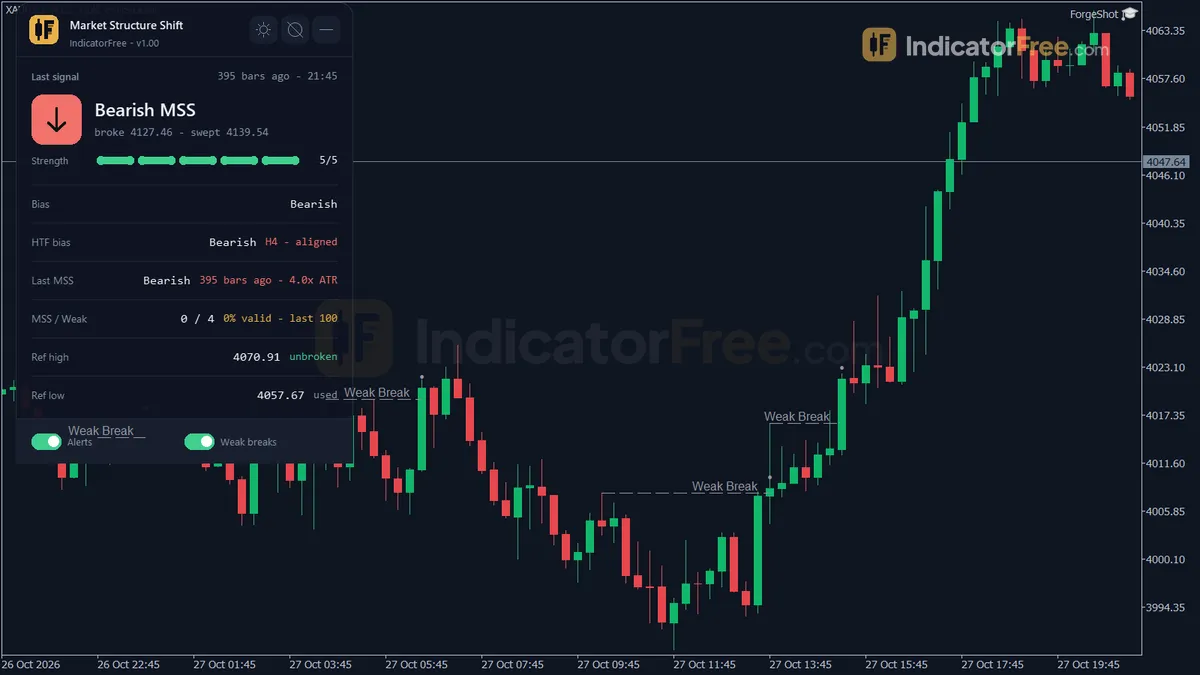
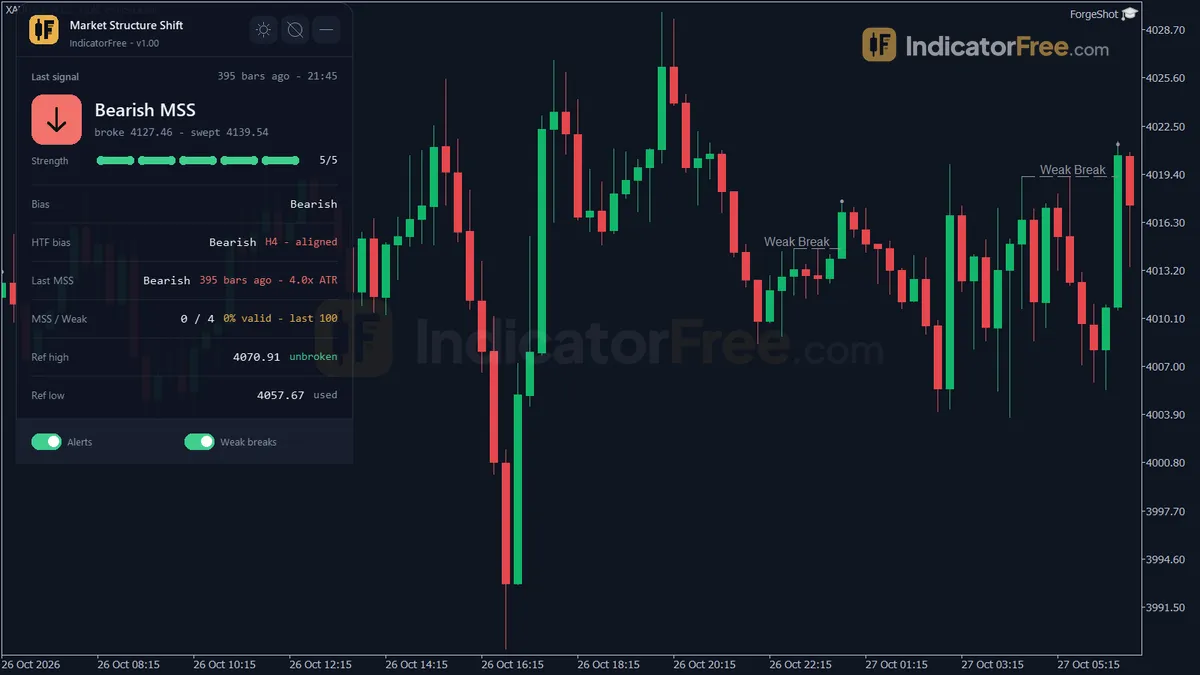
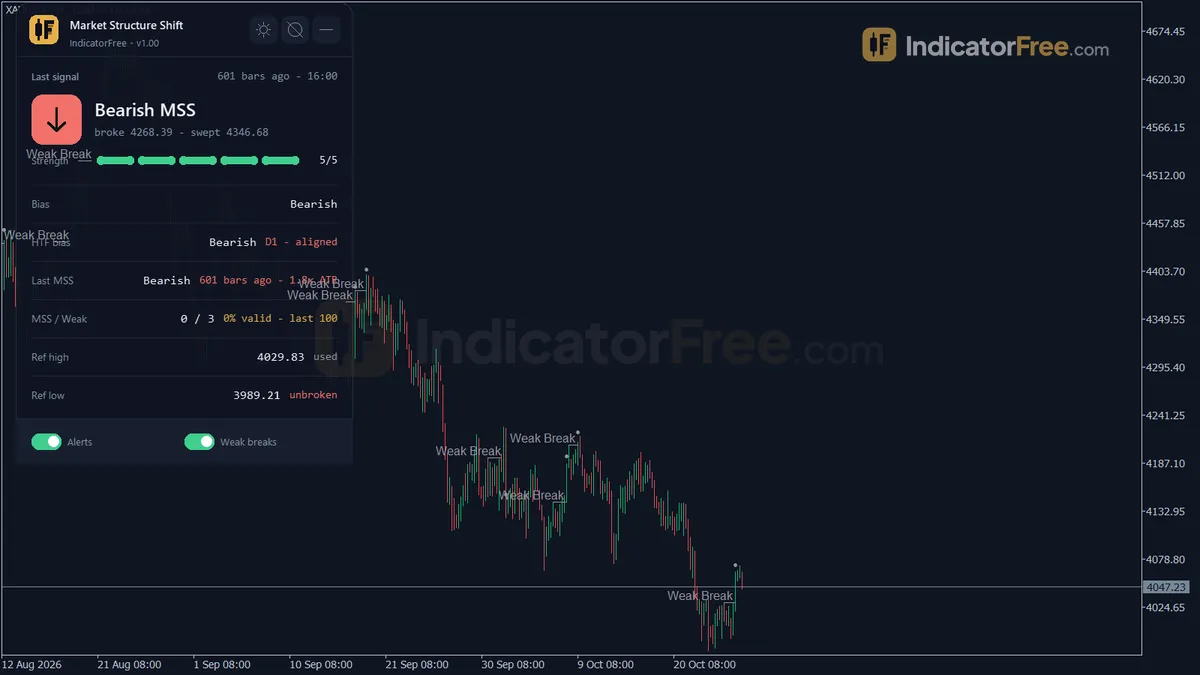
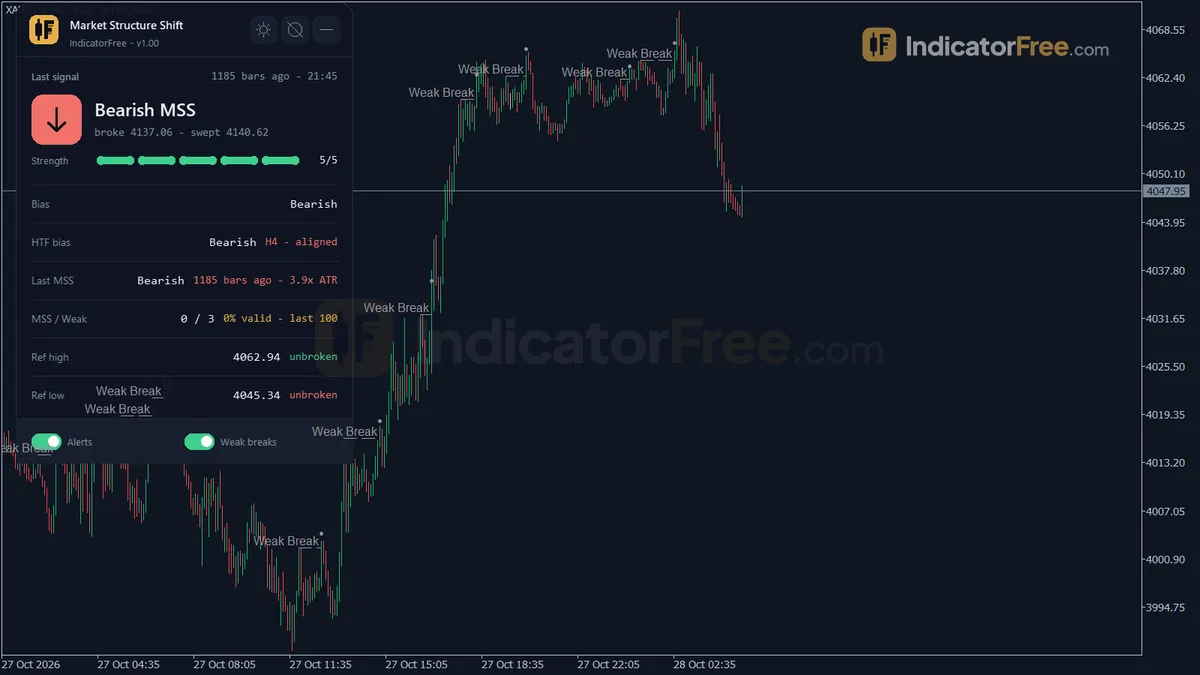
- A Structure panel showing the last MSS (broken level, sweep level and strength), the current bias, the higher-timeframe bias, bars since the last MSS, MSS and weak break counts over the last 100 bars, and the current reference swing high and low.
The illustration below shows one bullish MSS from start to finish. The bias is bearish. One candle wicks under the swing low and closes back above it: that is the sweep. Two bars later, a large bullish candle closes above the swing high, so all three conditions are met.
How the Lab tested it
The Lab ran version 1.00 on MT5 build 6230, on EURUSD M15 from 2026-07-06 to 2026-10-02, with Raw Trading Ltd real ticks. It logged 201 arrows of all four types and compared each one with the finished chart. 0 of 201 changed, and the longest arrow delay was 0 bars. What you see on a closed bar is what history will show.
The Lab then checked every arrow: did price move 1 ATR in the arrow's direction before it moved 1 ATR against it? Across all 201 arrows, 46.8% did, which is slightly worse than a coin flip. The median time to a hit was 2 bars, and only 1% of signals reached neither level within 20 bars. Either way, the outcome usually shows up fast.
What this means for you: each MSS type fired only six times in three months. That is far too few to show an edge in either direction, so treat the MSS results as unknown, not as good or bad. Weak breaks made up 189 of the 201 arrows, and both directions came in below 50%. They show you what structure is doing. They are not entries.
Who it suits and who should skip it
It suits traders who already work from a structure bias and want a strict, rule-based trigger with alerts, so they don't have to watch every candle.
Skip it if you want frequent entries, if you need order blocks or fair value gaps drawn for you (it draws neither), or if you want a tool with a tested edge that you can trade on its own.
How it works
- 1
- 2Looks for a liquidity sweep of a swing within the sweep lookback before the break, when a sweep is required.Inputs: RequireSweep, SweepLookback
- 3Checks for a displacement candle in the last bars, with body size at least a multiple of ATR.
Body >= DisplacementATRMult x ATR within DisplacementLookback barsInputs: RequireDisplacement, DisplacementATRMult, DisplacementLookback - 4A confirmed shift is drawn as a full signal. Breaks lacking a sweep or displacement can show as weak.Inputs: ShowWeakBreaks, AlertWeakBreak
- 5Runs the same engine on a higher timeframe to get its bias, shown on the panel.Inputs: UseHigherTF, HigherTFOverride
Specifications
- Platform
- MetaTrader 5
- Version
- 1.00
- Type
- Indicator
- Window
- Main chart
- Draws
- 4 arrows, 2 zones, 1 panel
- Alerts
- popup, push, sound
- Repaints
- No (0 of 201 signals changed)
- Inputs
- 20
- Tested on
- MT5 build 6230 · 2026-10-05
Repaint test
No repaint detected. In a 6 Jul 2026 – 2 Oct 2026 test on EURUSD M15 (Raw Trading Ltd real ticks), 201 signals were logged at bar close and re-read at the end of the test: 0 changed. Arrows print on the bar that closes the signal, with no delay.
IndicatorFree — tested 2026-10-05 · MT5 build 6230 · Raw Trading Ltd real ticks. Results come from historical data, not live trading, and do not guarantee future results.
Signal statistics
Over 6 Jul 2026 – 2 Oct 2026 on EURUSD M15, the indicator printed 201 arrows. After 46.8% of them, price moved 1×ATR(14) in the arrow's direction before moving 1×ATR against it (median 2 bars). 1% reached neither level within 20 bars.
This measures price movement after the arrow, not a trading result. It includes no spread, commission, stop loss or position sizing.
What it draws
- Arrows (Bullish MSS) from buffer 0, drawn on the closed bar.
- Arrows (Bearish MSS) from buffer 1, drawn on the closed bar.
- Arrows (Bullish Weak Break) from buffer 2, drawn on the closed bar.
- Arrows (Bearish Weak Break) from buffer 3, drawn on the closed bar.
- Rectangles (Broken Swing Level) drawn as chart objects, not buffers — they are not readable by iCustom() in an EA.
- Rectangles (MSS Labels) drawn as chart objects, not buffers — they are not readable by iCustom() in an EA.
- An on-chart panel (Structure); values shown in the panel are not exposed as buffers.
Inputs
| Input | Default | What it does |
|---|---|---|
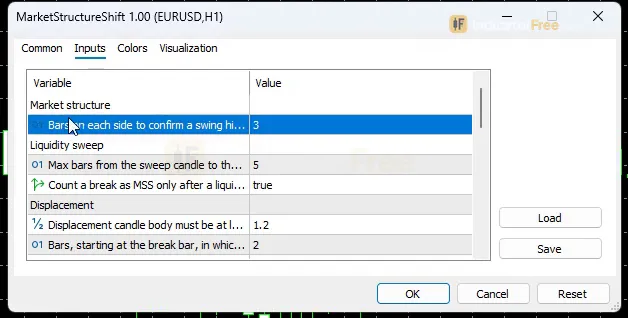
| SwingBars | 3 | Bars on each side to confirm a swing high/low, also the confirmation lag (2-10) |
| SweepLookback | 5 | Max bars from the sweep candle to the structure break; also the swing window searched for liquidity (1-20) |
| RequireSweep | true | Count a break as MSS only after a liquidity sweep in the opposite direction |
| DisplacementATRMult | 1.2 | Displacement candle body must be at least this multiple of ATR (0.5-3.0) |
| DisplacementLookback | 2 | Bars, starting at the break bar, in which the displacement candle may appear (1-5) |
| ATRPeriod | 14 | ATR period for the displacement filter (5-50) |
| RequireDisplacement | true | Count a break as MSS only with a displacement candle |
| ShowWeakBreaks | true | Mark breaks against the bias that miss the sweep or displacement (grey, bias unchanged) |
| AlertWeakBreak | false | Also alert on Weak Breaks |
| UseHigherTF | true | Show the structure bias of a higher timeframe on the panel |
| HigherTFOverride | CURRENT | Higher timeframe; Current = auto (below H4 -> H4, H4-H12 -> D1, D1 -> W1, W1 -> MN1) |
| EnableAlertPopup | true | Show a popup alert on a new MSS |
| EnablePush | false | Send a push notification to the MT5 mobile app on a new MSS |
| EnableSound | false | Play a sound on a new MSS |
| AlertCooldownBars | 1 | Minimum bars between two alerts (0 = no limit) |
| MaxHistoryBars | 1500 | Bars of history scanned to rebuild the structure (300-5000) |
| ShowDashboard | true | Show the status panel |
| PanelScale | 1 | Panel size multiplier (DPI is applied automatically) |
| Theme | Dark | Chart color theme |
| RestoreTheme | true | Restore the original chart colors when the indicator is removed |
How to read it
Install: copy the downloaded file (109.3 KB) into the MQL5\Indicators folder of your MT5 data folder, refresh the Navigator and drag the indicator onto a chart. It draws on the price chart, not in a subwindow.
Reading each arrow
- Bullish MSS: the bias is bearish, and a closed bar closes above the last unbroken swing high. Within
SweepLookbackbars before or on that bar, price wicked below a recent swing low and closed back at or above it. A candle body of at leastDisplacementATRMult× ATR appears on the break bar, or a bullish one appears within the nextDisplacementLookback−1 bars. The bias flips to bullish. - Bearish MSS: the mirror image. The bias is bullish, a bar closes below the last unbroken swing low, a recent swing high was swept (wick above, close back at or below it), and a displacement candle confirms the break. The bias flips to bearish.
- Weak Break (grey): the same closed-bar break against the bias, but the sweep or the displacement is missing. The bias stays the same.
On EURUSD M15 in the Lab test, each MSS direction fired 0.5 times per week. Bullish Weak Breaks fired 3.7 times per week and Bearish Weak Breaks 11.2 times, for 15.9 arrows per week in total. Most arrows you see will be grey.
The common misread: a grey arrow is not a reversal
The most common mistake is to trade a Weak Break as if the trend had turned. You can spot one three ways: the arrow is grey, its label reads "Weak Break", and the bias on the panel has not changed. A Weak Break only tells you a swing gave way without a sweep or without force behind the break.
A second trap is timing. A swing high or low is only confirmed SwingBars bars after it prints. So the level an arrow breaks was not on your chart at the moment the swing formed.
Lines, labels and the Structure panel
Broken Swing Level lines are never removed while the indicator runs. On a chart left open for days with weak breaks shown, the lines pile up. The text labels and gold sweep triangles are deleted and rebuilt only when you reload the indicator, change an input or switch timeframe.
The panel shows a higher-timeframe bias when UseHigherTF is on. With HigherTFOverride set to CURRENT, the higher timeframe is picked for you: below H4 it uses H4, H4 to H12 uses D1, D1 uses W1, and W1 uses MN1. ShowDashboard turns the panel off. PanelScale resizes it, and DPI is applied automatically.
Inputs to change first
| Input | Default (range) | What changing it does |
|---|---|---|
SweepLookback | 5 (1-20) | Max bars from the sweep to the break, and the swing window searched for liquidity. Higher lets older sweeps count, so you get more MSS. Lower is stricter. |
DisplacementATRMult | 1.2 (0.5-3.0) | Minimum displacement body as a multiple of ATR. Higher means only bigger candles count, so you get fewer MSS. |
DisplacementLookback | 2 (1-5) | How many bars, starting at the break bar, the displacement candle can take to appear. At 1, it must be the break bar itself. |
SwingBars | 3 (2-10) | Bars on each side that confirm a swing. Higher gives bigger swings and fewer breaks, but a longer confirmation lag. |
RequireSweep / RequireDisplacement | true | Turn one off and breaks without that condition count as MSS. You get more arrows, but not the setup the Lab tested. |
ShowWeakBreaks | true | Turn it off to hide the grey arrows and keep only MSS on the chart. |
MaxHistoryBars | 1500 (300-5000) | How many bars of history are scanned to rebuild the structure. |
ATRPeriod (14, range 5-50) sets the ATR that the displacement filter measures against.
Alerts
Alerts fire on a new MSS. A popup is on by default (EnableAlertPopup). EnablePush sends the alert to the MT5 mobile app linked to your terminal, and EnableSound plays a sound. Both are off by default. AlertWeakBreak adds alerts for grey arrows too. Leave it off unless you want around 15 alerts a week on an M15 chart. AlertCooldownBars (default 1, 0 = no limit) sets the minimum number of bars between two alerts.
A decision rule for each signal
This rule is a suggested way to use the tool, not a Lab result:
- Bullish MSS: consider a long only if the panel's higher-timeframe bias also points up. If it points down, the shift goes against the bigger trend, so skip it or wait for a pullback.
- Bearish MSS: the same rule in reverse. Act only when the higher-timeframe bias also points down.
- Weak Break: never an entry. Read it as "structure is being tested, bias unchanged". If several weak breaks in a row go against the bias, get ready for an MSS, but don't act before one prints.
Installation
- 1Download MarketStructureShift.ex5 from the button above (Google Drive).
- 2In MetaTrader 5: File → Open Data Folder → MQL5 → Indicators. Copy MarketStructureShift.ex5 there.
- 3Restart MT5 or right-click Indicators in Navigator → Refresh.
- 4Drag Market Structure Shift onto a chart. For push alerts, enable "Allow push notifications" under Tools → Options → Notifications.
- Tested on MT5 build 6230.
Key terms and guides
- Trade setup
- A trade setup is the full set of conditions that must be in place before you enter a trade: the market context, a price area, an entry trigger, a stop-loss level and a target, all decided in advance.
- Liquidity
- Liquidity is how easily you can buy or sell without moving the price. On a chart, traders also use the word for the clusters of stop-loss and pending orders that sit above swing highs and below swing lows.
- Swing high
- A swing high is a candle whose high is above the highs of the candles on both sides of it. It marks a peak where buyers stopped pushing and price turned lower, at least for a while.
- Displacement
- Displacement is a sudden, one-sided price move. It is made of one to three large-bodied candles that close beyond a recent swing level and often leave a fair value gap behind, which shows that large orders pushed the market.
- Swing low
- A swing low is a candle whose low sits below the lows of the candles on both sides of it. It marks a turning point where selling stopped and price bounced, and traders use it as a floor for reading trend and placing stops.
- Market structure
- Market structure is the pattern of swing highs and swing lows price leaves on a chart. Higher highs and higher lows mark an uptrend, lower highs and lower lows mark a downtrend, and a break of that pattern warns the trend may be changing.
- Guide: What Is a Fair Value Gap in Forex? How to Spot and Trade One
- Guide: How to Read Candlestick Charts: Bodies, Wicks and Shapes Explained
More on this subject: Price action & SMC guide, terms and tools
User reviews
No reviews yet. Members who download the tool can review it here.
Sign in and download the tool to review it.
Build a checklist with it
Market Structure Shift does one job on the chart: trend / context. Put it on the same chart as the tools below and the IndicatorFree panels merge into one checklist card, ordered trend, zone, signal, risk.
- Zone / levelBollinger BandsAdds where price is: the zones and levels that Market Structure Shift does not draw.
- Entry signalInside Bar BreakoutAdds the entry signal: the moment to act once Market Structure Shift has set the scene.
The Lab has not tested these combinations. Each tool is tested on its own; the card only lines up what each one says. Free members get 2 new tools a day. If one has to wait until tomorrow, install BlackBox to raise the limit to 5 a day (20 on a live account).
FAQ
Does Market Structure Shift repaint?
No repaint detected. In a 6 Jul 2026 – 2 Oct 2026 test on EURUSD M15 (Raw Trading Ltd real ticks), 201 signals were logged at bar close and re-read at the end of the test: 0 changed. Arrows print on the bar that closes the signal, with no delay.
Can I use Market Structure Shift in an EA?
Yes. Read buffer 0 (Bullish MSS) with iCustom() on bar 1 — the last closed bar.
Why can’t my EA read the zones?
Zones and the panel are chart objects, not indicator buffers, so iCustom() does not return them.
How do I get alerts on my phone?
Enter your MetaQuotes ID under Tools → Options → Notifications, tick "Enable push notifications", and keep the push alert input on.
Does it work on other pairs?
Tested on EURUSD only; other symbols not tested.
Which timeframes and symbols can I run Market Structure Shift on?
It runs on any MT5 symbol and timeframe, but the Lab tested only EURUSD M15. The displacement filter is measured in ATR, so the candle-size threshold adjusts to each symbol's volatility. Results on other markets and timeframes have not been tested.
Can I backtest it before trading with it?
When it loads, it rebuilds structure over the last MaxHistoryBars bars (up to 5000). You can scroll back and see how price moved after every past MSS and Weak Break. Arrows don't change once their bar has closed, so this history matches what you would have seen live.
Why did my labels and arrows change after I edited a setting?
Changing an input or the timeframe deletes the labels and gold sweep triangles and rebuilds them with the new rules, so different settings give you different marks. Reloading the indicator does the same thing.
Does it change my chart colors?
Yes. The Theme input (Dark by default) recolors the chart. With RestoreTheme left on true, your original colors come back when you remove the indicator.
Changelog
- 1.00Initial release: Market Structure Shift indicator for MT5. Tracks confirmed swing-point structure bias and marks a Market Structure Shift (MSS) only when a closed-bar break is preceded by a liquidity sweep and confirmed. · 2026-10-05
Final verdict
Verdict: a strict MSS marker that holds still, not a signal system
What it does well is narrow and real. It turns a judgment call into three checkable conditions, it acts only on closed bars, and its arrows held still in the repaint test. The panel puts the bias, the higher-timeframe bias and the last broken level in one place, so you can see where structure stands at a glance.
What it does not prove is just as important. The full MSS setup fired so rarely in the test that nobody can tell from it whether MSS arrows have an edge. The weak breaks, which make up most arrows, did no better than chance. The Lab tested only EURUSD M15. The tool gives you no entry zone, stop or target. Swings are confirmed late, and broken-level lines build up on charts you leave open.
Settings to start with
- On M15, start with the defaults. That is the setup the Lab tested.
- If you only trade MSS arrows, set
ShowWeakBreaksto false for a cleaner chart, and turn onEnablePushso you don't have to watch. - On M5, try
SweepLookback8 to give sweeps a little more room on faster bars. This is not tested by the Lab, so compare it with the default on your own history. - On H4 and above, try
SwingBars5 to mark only the larger swings. This is also untested, so compare it with the default of 3.
The figure below sums up when the tool fits and when it doesn't.
- –You already trade from a structure bias and want a strict trigger
- –You want an alert only when sweep, break and displacement line up
- –You check the higher-timeframe bias before acting
- –You read grey arrows as context, not entries
- –You want several entries a day from one chart
- –You need order blocks or fair value gaps drawn for you
- –You want a stand-alone tool with a proven edge
- –You would trade every arrow, including grey Weak Breaks
The tool tells you when structure shifted but not where to enter. One idea to try is adding Order Block Locator: after an MSS, you would wait for price to pull back into an order block that points the same way as the shift. The Lab has not tested the pair, so check it on your own history first.