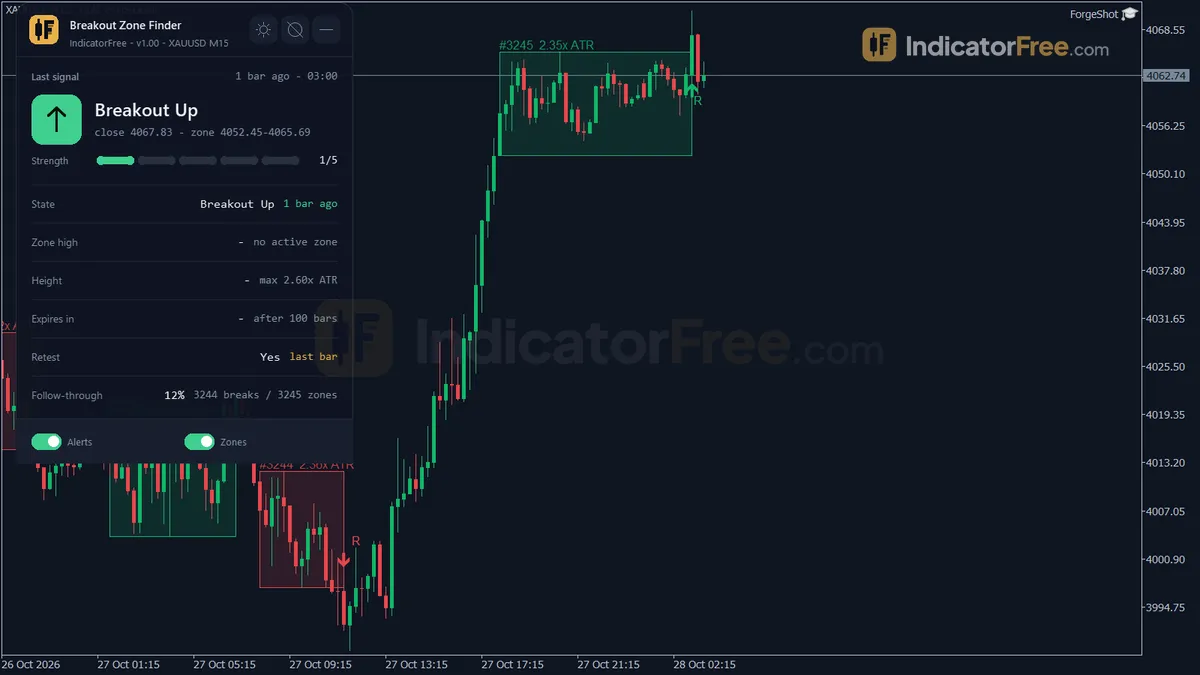
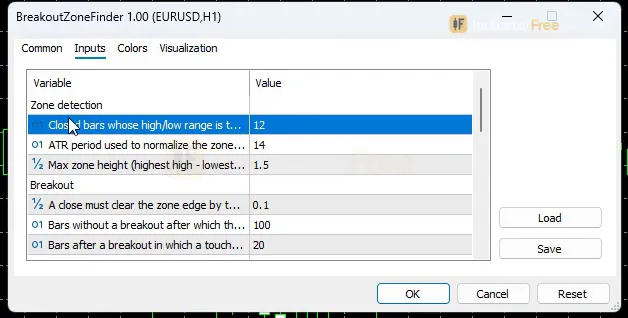
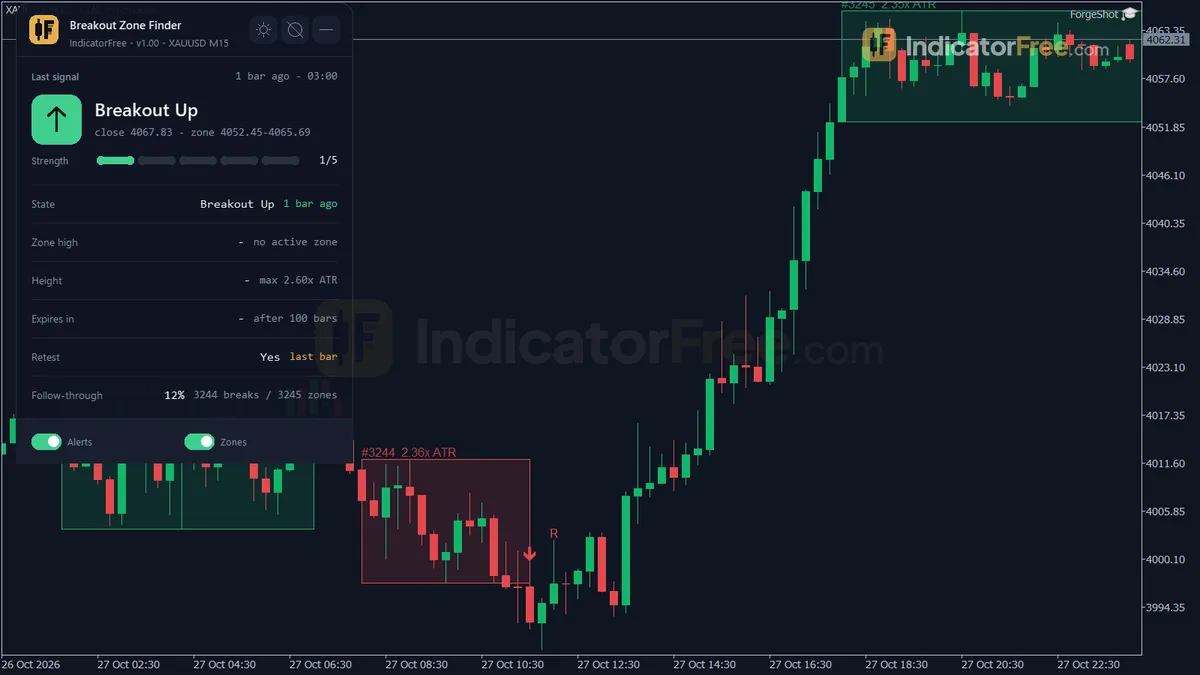
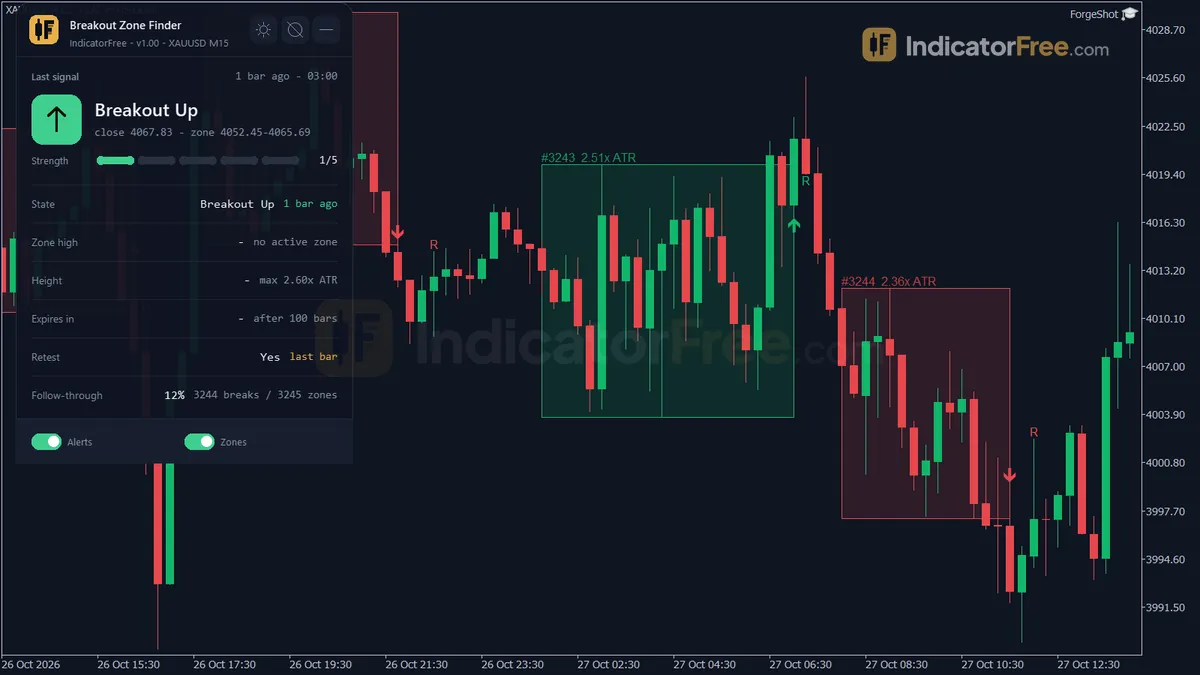
Screenshots from a real MT5 chart · 9 · scroll sideways
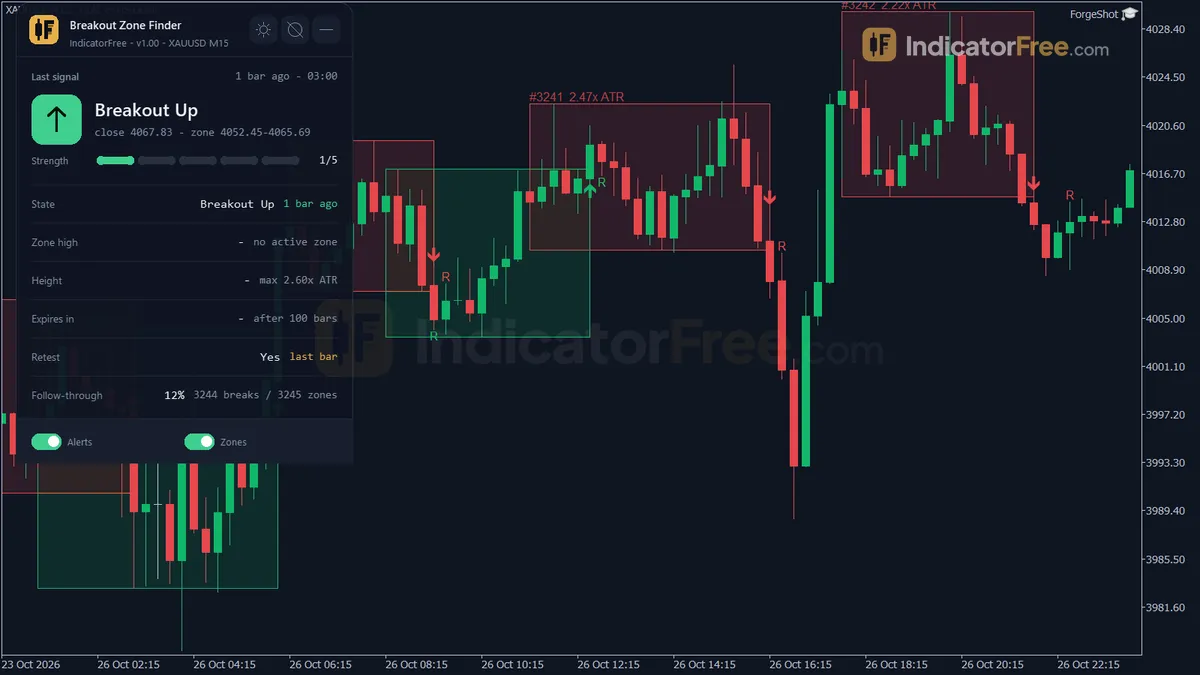
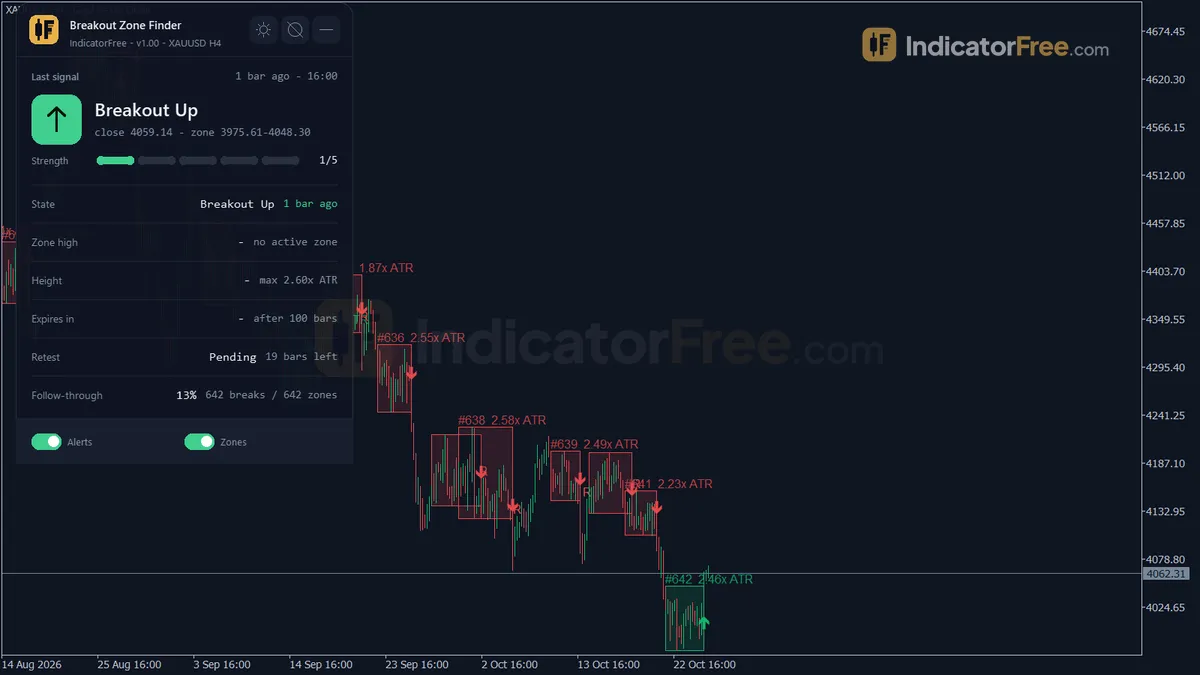
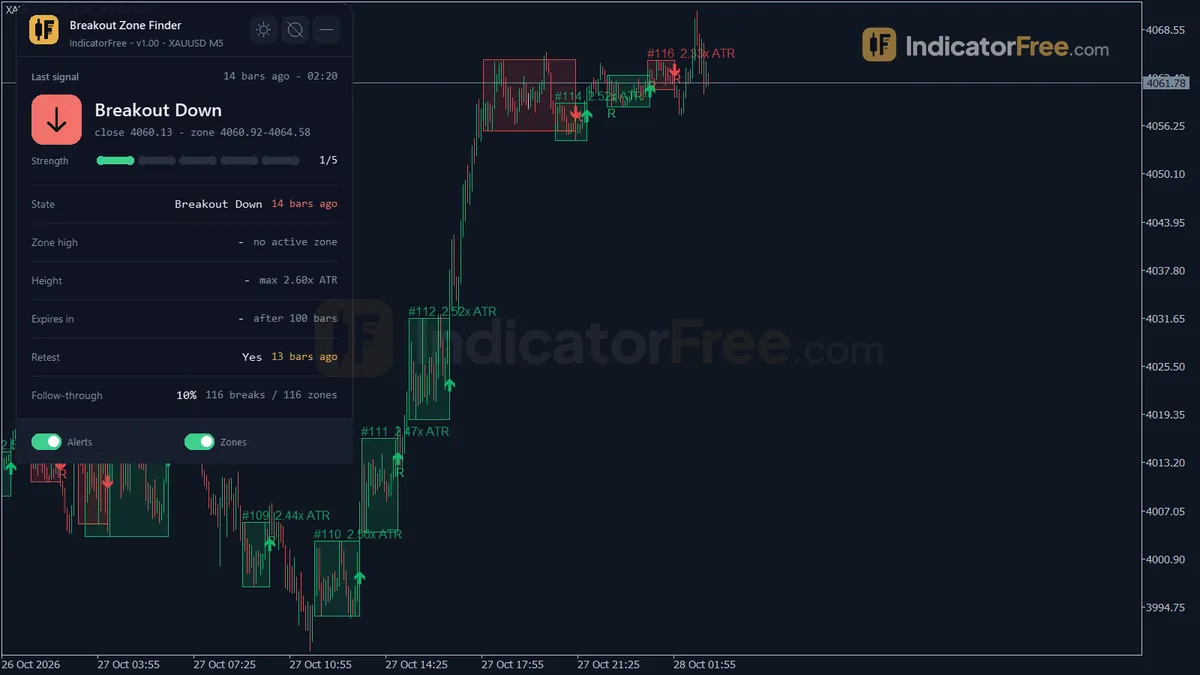
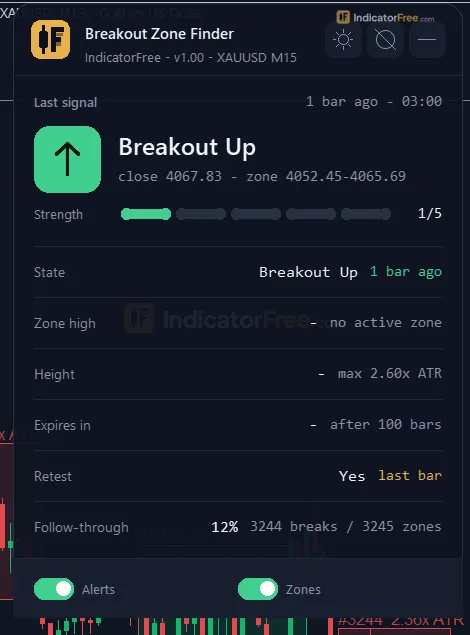
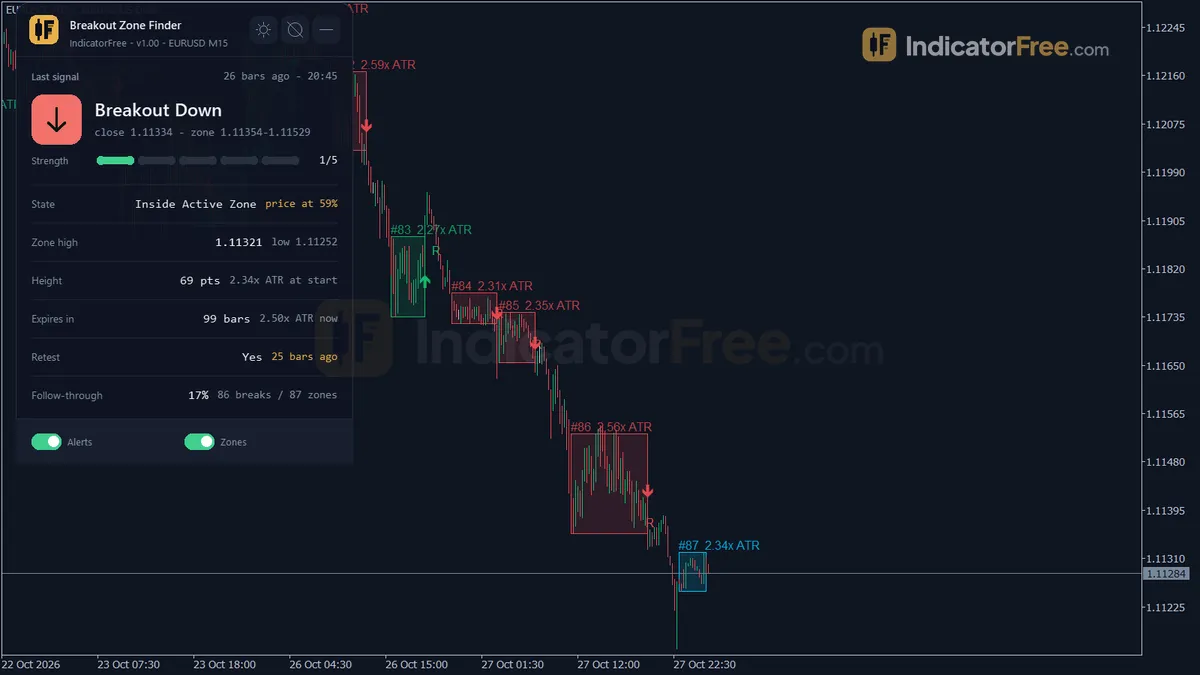
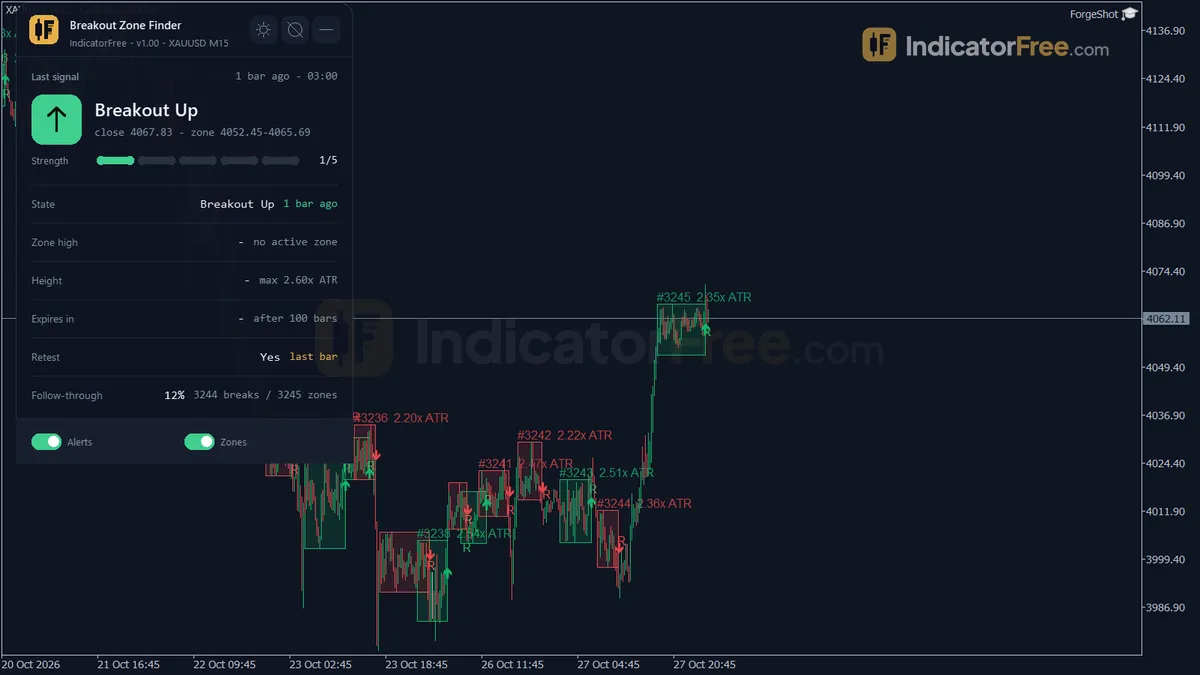
Breakout Zone Finder inputs window in MetaTrader 5 with the default settingsBreakout Zone Finder Breakout Up arrow on XAUUSD M15, 27 Oct 2026 18:00Breakout Zone Finder Breakout Up arrow on XAUUSD M15, 27 Oct 2026 08:00Breakout Zone Finder Breakout Up arrow on XAUUSD M15, 26 Oct 2026 17:45Breakout Zone Finder on XAUUSD H4 (another timeframe)Breakout Zone Finder on XAUUSD M5 (another timeframe)Breakout Zone Finder on-chart panel: last signal and statusBreakout Zone Finder on EURUSD M15Breakout Zone Finder zoomed out on XAUUSD M15: several weeks of history
Test verdictPassed
Repainted
0 / 198
Signals / week
≈ 15.6
Tested on
EURUSD M15
Tested
2026-10-05
Download free · Google DriveFree account needed · sign in with Google in one clickFree — share it freely. Just don’t sell, crack or modify it. Licencev1.00 · 103.2 KB · .ex5
Lab pick — built by the lab, not from a member request. Want something like it? Request a tool
Overview
Breakout Zone Finder is a free MT5indicator for intraday range-breakout traders, drawn on the main price chart. It draws a box around compression zones: groups of bars whose total high-to-low range is small compared with ATR. When a bar closes beyond the box by an ATR buffer, it prints an up or down arrow. In the Lab's repaint test, 0 of 198 arrows changed after they appeared.
Instead of drawing the range, the break and the retest by hand, you get all three marked as they happen.
What it puts on your chart
Breakout Zone boxes. Each box marks one compression zone, which is a form of consolidation. The box is cyan while active, green or red after a break and gray dashed once it expires. Broken and expired boxes stay on the chart until the zone limit is reached.
Breakout Up / Breakout Down arrows. One arrow per confirmed break, printed on the closing bar.
Zone Tag and Retest Mark labels. The tag names the zone. An R appears when price comes back to touch the broken edge.
Status panel. A dashboard showing the current state of the active zone and the last breakout.
Version 1.00 is a 103.2 KB file, tested by the Lab on MT5 build 6230 on 2026-10-05.
How the Lab tested it
The Lab ran the indicator on EURUSD M15 from 2026-07-06 to 2026-10-02 using real tick data from Raw Trading Ltd. Every arrow was logged as it appeared, 198 in total, and each signal was then followed to see which happened first: price moving 1 ATR in the arrow's direction, or 1 ATR against it.
What the numbers mean for you
No repaint, no lag: 0 of 198 signals changed and the maximum arrow delay was 0 bars. An arrow you see on a closed bar is the arrow the history will show. It does not move or vanish later.
46.9% reached 1 ATR in their direction first. That is just under a coin flip. Taking every arrow blindly gives you no edge, so use the arrows as a trigger inside your own plan, not as the plan.
Fast outcomes: in this sample the median signal touched 1 ATR (for or against) within 2 bars, and only 2% went 20 bars without reaching 1 ATR either way.
About 15.6 arrows a week on EURUSD M15 (7.8 in each direction).
How it works
1
Reads ATR for each closed bar.ATR = average True Range over ATRPeriodInputs: ATRPeriod
2
Forms a consolidation zone when the high-low range of the last bars is small compared with ATR.Range = highest High - lowest Low over ZoneBars | zone if Range <= MaxZoneATRMult x ATR x sqrt(ZoneBars / 4)Inputs: ZoneBars, MaxZoneATRMult
3
While the zone is active, keeps its upper and lower edges and tracks each new close.Zone High and Zone Low fixed from formationInputs: ZoneExpireBars
4
A close beyond one edge by a buffer marks a breakout, no breakout before the expiry marks the zone expired.Up: Close > Zone High + BreakoutBufferATR x ATR | Down: Close < Zone Low - BreakoutBufferATR x ATRInputs: BreakoutBufferATR
5
After a breakout, counts a retest if price returns to the zone edge within the retest window.Retest: Low <= Zone High + buffer within RetestBarsInputs: RetestBars
Specifications
Platform
MetaTrader 5
Version
1.00
Type
Indicator
Window
Main chart
Draws
2 arrows, 3 zones, 1 panel
Alerts
popup, push, sound
Repaints
No (0 of 198 signals changed)
Inputs
20
Tested on
MT5 build 6230 · 2026-10-05
Repaint test
Signals logged live
198
Changed after close
0
Arrow delay
None
No repaint detected. In a 6 Jul 2026 – 2 Oct 2026 test on EURUSD M15 (Raw Trading Ltd real ticks), 198 signals were logged at bar close and re-read at the end of the test: 0 changed. Arrows print on the bar that closes the signal, with no delay.
IndicatorFree — tested 2026-10-05 · MT5 build 6230 · Raw Trading Ltd real ticks. Results come from historical data, not live trading, and do not guarantee future results.
Signal statistics
Price moved 1×ATR in the signal direction first46.9%
Price moved 1×ATR against it first51.1%
Neither within 20 bars2%
Over 6 Jul 2026 – 2 Oct 2026 on EURUSD M15, the indicator printed 198 arrows. After 46.9% of them, price moved 1×ATR(14) in the arrow's direction before moving 1×ATR against it (median 2 bars). 2% reached neither level within 20 bars.
This measures price movement after the arrow, not a trading result. It includes no spread, commission, stop loss or position sizing.
What it draws
Arrows (Breakout Up) from buffer 2, drawn on the closed bar.
Arrows (Breakout Down) from buffer 3, drawn on the closed bar.
Rectangles (Breakout Zone) drawn as chart objects, not buffers — they are not readable by iCustom() in an EA.
Rectangles (Zone Tag) drawn as chart objects, not buffers — they are not readable by iCustom() in an EA.
Rectangles (Retest Mark) drawn as chart objects, not buffers — they are not readable by iCustom() in an EA.
An on-chart panel (Status); values shown in the panel are not exposed as buffers.
Inputs
Input
Default
What it does
ZoneBars
12
Closed bars whose high/low range is tested for compression (5-30)
ATRPeriod
14
ATR period used to normalize the zone height and the breakout buffer (5-50)
MaxZoneATRMult
1.5
Max zone height (highest high - lowest low) in ATR to count as compression (0.5-3.0)
BreakoutBufferATR
0.1
A close must clear the zone edge by this x ATR to confirm a breakout (0.0-0.5)
ZoneExpireBars
100
Bars without a breakout after which the zone expires and turns gray (20-500)
RetestBars
20
Bars after a breakout in which a touch back to the broken edge is marked "R" (5-100)
MaxZonesStored
50
Max zones kept on the chart; the oldest one is deleted (10-200)
MaxSpreadPoints
0
0 = off; >0 = skip breakout alerts while the spread (points) is above this value
EnableAlertPopup
true
Popup alert on a breakout (and on a new zone if enabled)
EnableAlertPush
false
Push notification to the phone
EnableAlertSound
false
Play a sound
AlertOnNewZone
false
Also alert when a new compression zone is formed
ColorZoneActive
C'0,200,255'
Edge color of the active zone
ColorZoneBreakUp
C'18,183,106'
Edge and arrow color after a breakout up
ColorZoneBreakDown
C'229,72,77'
Edge and arrow color after a breakout down
ColorZoneExpired
C'150,150,160'
Edge color of an expired zone (dashed)
ShowDashboard
true
Show the status panel
PanelScale
1
Panel size multiplier (DPI is applied automatically)
Theme
Dark
Chart color theme
RestoreTheme
true
Restore the original chart colors when the indicator is removed
How to read it
How a zone forms
On every closed bar, the indicator looks at the last ZoneBars bars (default 12). It takes the highest high minus the lowest low of those bars. If that height is no more than MaxZoneATRMult × ATR (default 1.5 × ATR(14)), the bars count as compressed and a box is drawn around them.
Because the height is measured in ATR, the same settings work on a quiet pair and on a volatile one. The test is always "tight compared with recent volatility", never a fixed number of pips.
Reading the box colors
Box edge
Meaning
Cyan (ColorZoneActive)
Active zone. Breakout arrows can only fire from this state.
Green (ColorZoneBreakUp)
Broken upward. The box is locked and no new arrows come from it.
Red (ColorZoneBreakDown)
Broken downward. The box is locked.
Gray, dashed (ColorZoneExpired)
No break within ZoneExpireBars bars. The zone is dead.
The chart keeps up to MaxZonesStored boxes (default 50). When a new one is added, the oldest box is deleted together with its Zone Tag and Retest Mark.
Reading the arrows
A Breakout Up arrow needs a bar to close above the zone high plus BreakoutBufferATR × ATR (default 0.1 × ATR). Breakout Down is the mirror image below the zone low. The figure shows how a typical signal looks.
Illustration of a typical signal: compression box, wick poke without arrow, confirmed Breakout Up and R retestIllustration
The most common misread: a wick that pokes through the box is not a breakout. If the bar closes back inside, or closes outside by less than the buffer, no arrow appears. That is deliberate, not a missed signal. Likewise, price leaving a gray box gives no arrow, because the zone had already expired.
The R retest mark
An R marks a retest: a touch back to the broken edge within RetestBars bars (default 20). The Lab measured arrows only, so retest entries are untested.
The status panel
The panel shows:
the last breakout signal and the current state;
the active zone's high and low;
the zone height in points and in ATR;
the bars left before the zone expires;
whether the last breakout has been retested.
Check the zone height in ATR before trusting a break: it tells you how tight the coil really was. Turn the panel off with ShowDashboard, resize it with PanelScale, and pick the chart colors with Theme. If RestoreTheme is on, your original chart colors come back when you remove the indicator.
The inputs to change first
Input
Default (range)
What changing it does
ZoneBars
12 (5-30)
More bars means longer, rarer zones. Fewer bars means short, frequent coils.
MaxZoneATRMult
1.5 (0.5-3.0)
A lower value accepts only very tight ranges and gives fewer zones. A higher value accepts looser ranges.
BreakoutBufferATR
0.1 (0.0-0.5)
A higher value means fewer, later arrows that need a firmer close. 0.0 fires on any close beyond the edge.
ZoneExpireBars
100 (20-500)
How long an unbroken zone stays live before it turns gray.
RetestBars
20 (5-100)
How long after a break a touch back still earns an R.
MaxSpreadPoints
0 = off
Above this spread, breakout alerts are skipped. Arrows still print.
Alerts
The indicator can alert you in three ways:
EnableAlertPopup (on by default) opens the terminal's alert window.
EnableAlertPush sends a notification to your phone's MT5 app.
EnableAlertSound plays a sound.
Turn on AlertOnNewZone to be told when a box forms. That gives you time to prepare before the break.
Install: copy the .ex5 file into your MQL5\Indicators folder, refresh the Navigator and drag the indicator onto a chart.
Suggested rules (not tested by the Lab)
Take a Breakout Up arrow only if it fired from a cyan box, the higher timeframe is not falling, and the panel's zone height in ATR is well below MaxZoneATRMult (1.5). As an untested starting point, try requiring 1.0 ATR or less and compare it with taking every arrow.
Take a Breakout Down arrow only with an extra filter of your own, such as a falling higher timeframe or a level below with room to run. The reason: in the Lab's EURUSD M15 test, down arrows reached 1 ATR first less often than up arrows (42.4% vs 51.5%, see the verdict).
Treat a close back inside the box as a failed breakout. If neither the 1 ATR target nor a close back inside the box has happened after about 2-3 bars, the trade is outside the typical pattern in the Lab sample. That is a reason to reassess or exit. This is our rule, not a Lab result.
Installation
1Download BreakoutZoneFinder.ex5 from the button above (Google Drive).
2In MetaTrader 5: File → Open Data Folder → MQL5 → Indicators. Copy BreakoutZoneFinder.ex5 there.
3Restart MT5 or right-click Indicators in Navigator → Refresh.
4Drag Breakout Zone Finder onto a chart. For push alerts, enable "Allow push notifications" under Tools → Options → Notifications.
A range breakout happens when price closes beyond the high or low of a sideways range, so a quiet market starts moving in one direction. Traders buy above the top or sell below the bottom.
An indicator buffer is the list of numbers an indicator stores, one value per candle, for each line, histogram or arrow it draws. Expert Advisors and alerts read these buffers to get the indicator's values.
An indicator is a calculation applied to past price or volume data and drawn on a chart as a line, histogram, arrow or zone. It summarises what the market has already done; it does not predict what comes next.
MetaTrader 5 (MT5) is a trading platform made by MetaQuotes that brokers give to clients for reading charts, placing orders and running automated strategies in forex, metals, indices, stocks and whatever other markets that broker offers.
Anche se il mercato è chiuso mi ha già tracciato tutti i livelli in maniera chiara e pulita, installazione molto semplice Io lo sto usando anche su Nikkei
IndicatorFree team: Grazie mille per la tua utile recensione. Ti auguro transazioni di successo!
Breakout Zone Finder does one job on the chart: zone / level. Put it on the same chart as the tools below and the IndicatorFree panels merge into one checklist card, ordered trend, zone, signal, risk.
Trend / contextDMIAdds the trend side: which way the market leans before you act on Breakout Zone Finder.
Entry signalBox BreakoutAdds the entry signal: the moment to act once Breakout Zone Finder has set the scene.
The Lab has not tested these combinations. Each tool is tested on its own; the card only lines up what each one says. Free members get 2 new tools a day. If one has to wait until tomorrow, install BlackBox to raise the limit to 5 a day (20 on a live account).
FAQ
Does Breakout Zone Finder repaint?+
No repaint detected. In a 6 Jul 2026 – 2 Oct 2026 test on EURUSD M15 (Raw Trading Ltd real ticks), 198 signals were logged at bar close and re-read at the end of the test: 0 changed. Arrows print on the bar that closes the signal, with no delay.
Can I use Breakout Zone Finder in an EA?+
Yes. Read buffer 2 (Breakout Up) with iCustom() on bar 1 — the last closed bar.
Why can’t my EA read the zones?+
Zones and the panel are chart objects, not indicator buffers, so iCustom() does not return them.
How do I get alerts on my phone?+
Enter your MetaQuotes ID under Tools → Options → Notifications, tick "Enable push notifications", and keep the push alert input on.
Does it work on other pairs?+
Tested on EURUSD only; other symbols not tested.
Do arrows fire on the open bar?+
No. The condition is a bar close beyond the zone edge plus the buffer, so the arrow belongs to the closed bar.
Which timeframe is best for Breakout Zone Finder?+
Only EURUSD M15 has Lab results. On other timeframes, judge it on your own chart before you trade it.
Does it work on gold, indices or crypto?+
The zone height and breakout buffer are measured in ATR, so the rules adjust to each symbol's volatility, but the Lab has results only for EURUSD M15. MaxSpreadPoints is in raw points, though, so set it separately for each symbol.
How do I get breakout alerts on my phone only?+
Set EnableAlertPush to true and EnableAlertPopup to false. Your MT5 terminal must also be linked to the mobile app through its notification settings, otherwise push alerts never arrive.
The chart is filling up with old boxes. How do I clean it?+
Lower MaxZonesStored (minimum 10); the oldest boxes and their labels are deleted first.
Changelog
1.00Initial release: ATR-filtered compression zone detection (ZoneBars x MaxZoneATRMult), ATR-buffered breakout confirmation with up/down arrows, automatic zone expiry (ZoneExpireBars) that fades unbroken zones to. · 2026-10-09
Final verdict
A clean, honest breakout marker, not a signal service
Breakout Zone Finder does its mechanical job well. Zones follow one clear ATR rule, arrows only print on a closed bar, and nothing repaints: 0 of 198 arrows changed, so what you see in history is what alerts would have fired. The arrows on their own are not an edge, though. The real split shows up when you compare directions.
Signals that reached 1 ATR in their direction before 1 ATR against (EURUSD M15, 2026-07-06 to 2026-10-02)Illustration
Breakout Up (99 signals)
51.5%
Breakout Down (99 signals)
42.4%
Scale zoomed in to show the difference (bars do not start at zero).
Up arrows reached 1 ATR first 51.5% of the time, and 0% of them stalled for 20 bars. Down arrows managed 42.4%, and 4% of them went nowhere for 20 bars.
This is one pair over roughly three months. The gap may come from how EURUSD traded in that period rather than from the tool itself. What it does tell you is that the down side needs the stricter filter on this data.
Where it falls short
The Lab tested one symbol on one timeframe, so results on gold, indices or M1-M5 are unknown.
It also finds compression by bar count, wherever it happens. It is not an opening-range tool: there is no session or time window, no previous-day or pre-market high/low, and no gap shading.
Who should use Breakout Zone Finder and who should skip it
Use it if you
–Trade consolidation breakouts and want them marked automatically
–Already have a directional bias and need a timing trigger
–Want alerts on confirmed closes, not on wicks
–Like entering on retests after a break
Skip it if you
–Want buy/sell arrows to follow without any filter
–Trade session opening ranges at fixed times
–Need supply/demand pattern labels or daily levels
Settings to start with
On EURUSD M15, keep the defaults. They are exactly what the Lab tested.
The ideas below are not tested by the Lab. Compare each one with the default on your own chart:
On M5: try ZoneBars 30 (the maximum), which covers 150 minutes against 180 minutes for the M15 default.
If down breaks keep failing: raise BreakoutBufferATR to 0.2 (this also filters up arrows).
On a 5-digit EURUSD feed: set MaxSpreadPoints to 15, so news-spike alerts stay quiet.