DMI
Free DMI indicator for MT5: +DI, -DI and ADX in a sub-window, with cross arrows filtered by ADX. 0 of 1463 signals changed in the Lab repaint test.
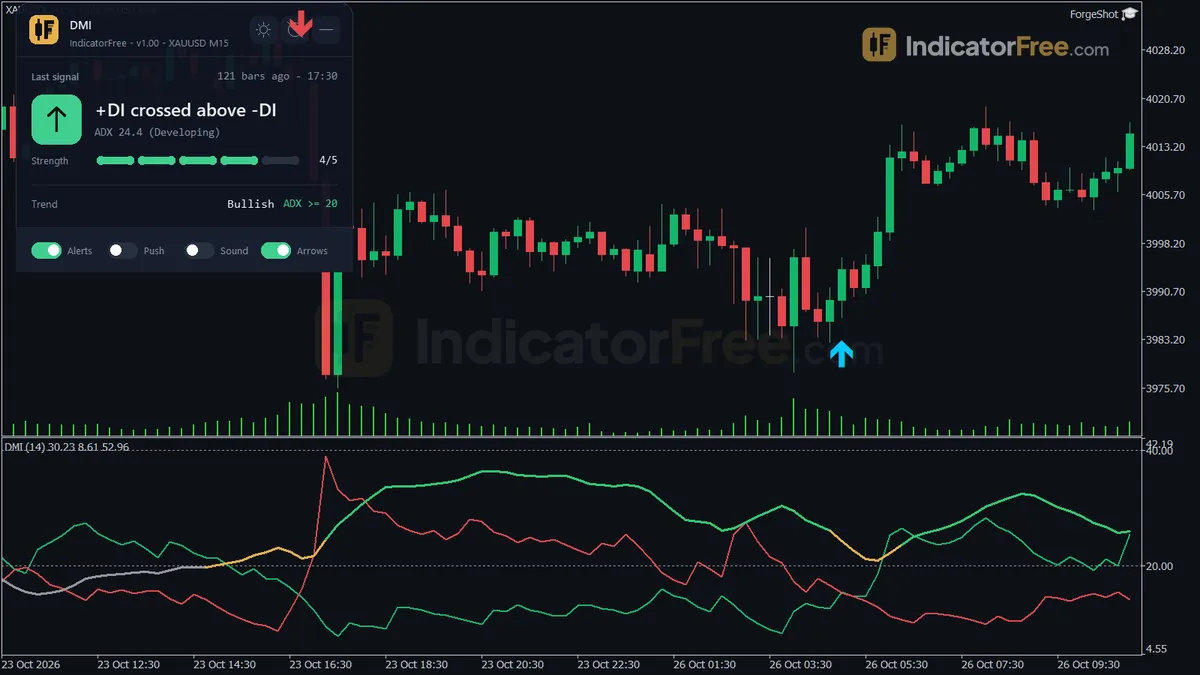
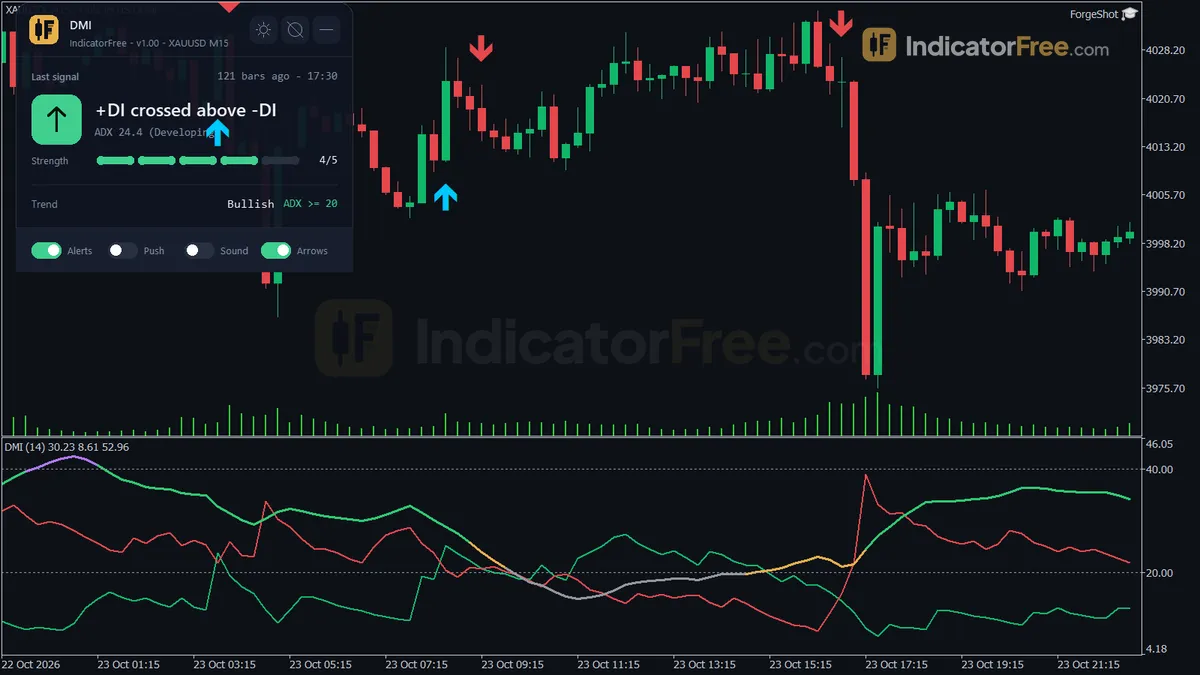
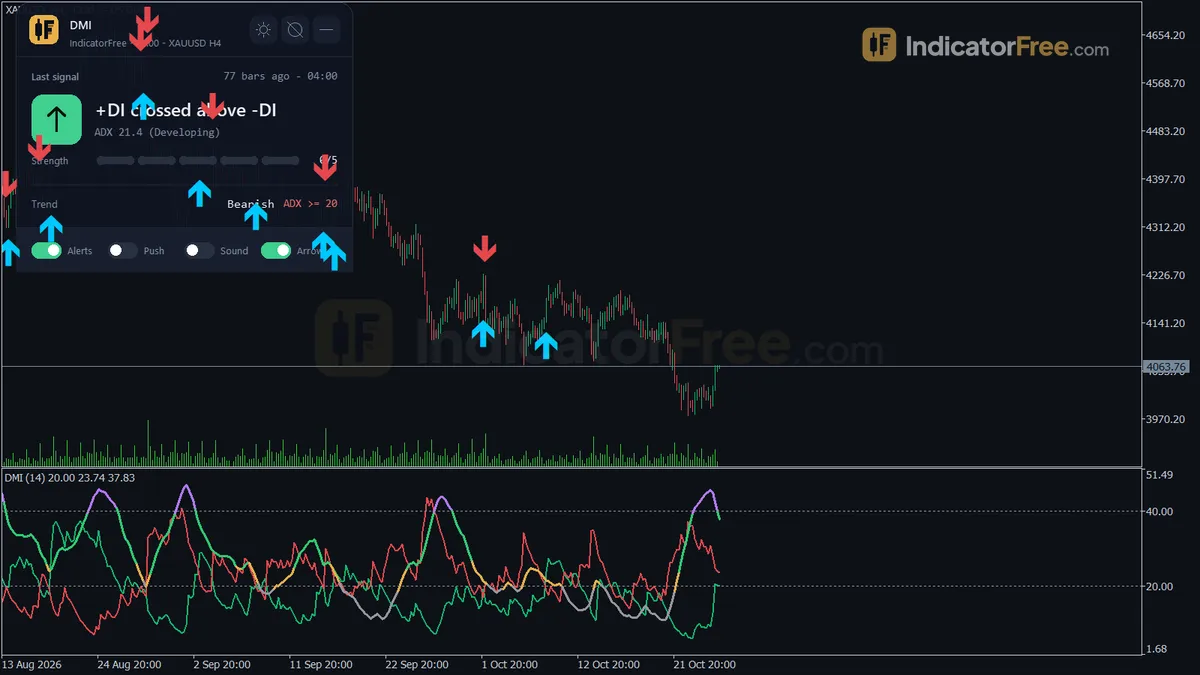
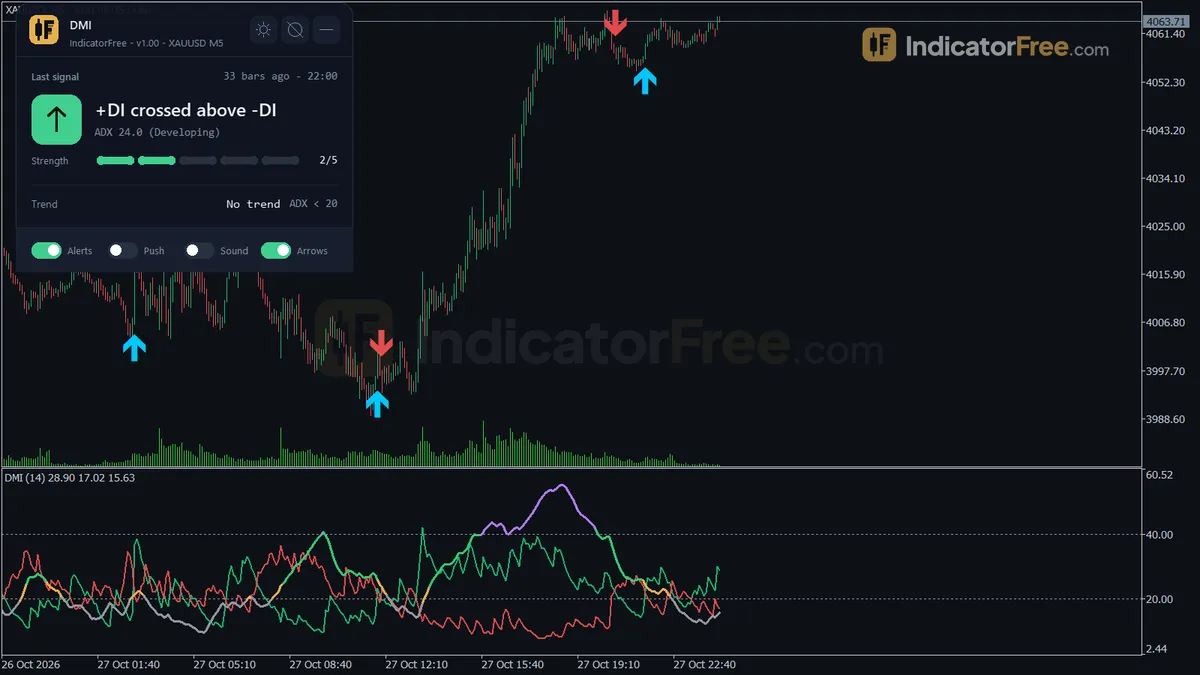
- Repainted
- 0 / 1,463
- Signals / week
- —
- Tested on
- EURUSD M15
- Tested
- 2026-10-09
Overview
DMI is a free MT5 indicator for traders who already trade DI crosses. It plots +DI, -DI and ADX in a sub-window, and it puts an arrow on the main chart when +DI and -DI cross, but only if ADX is at or above your threshold. In the Lab's repaint test on EURUSD M15, 0 of 1463 logged signals changed after they appeared.
It puts the ADX filter, alerts and a status panel in one tool.
What DMI draws on your chart
The Directional Movement Index (DMI) compares upward and downward price movement. +DI tracks the upside, -DI tracks the downside, and the Average Directional Index (ADX) measures how strong the move is in either direction.
This version draws:
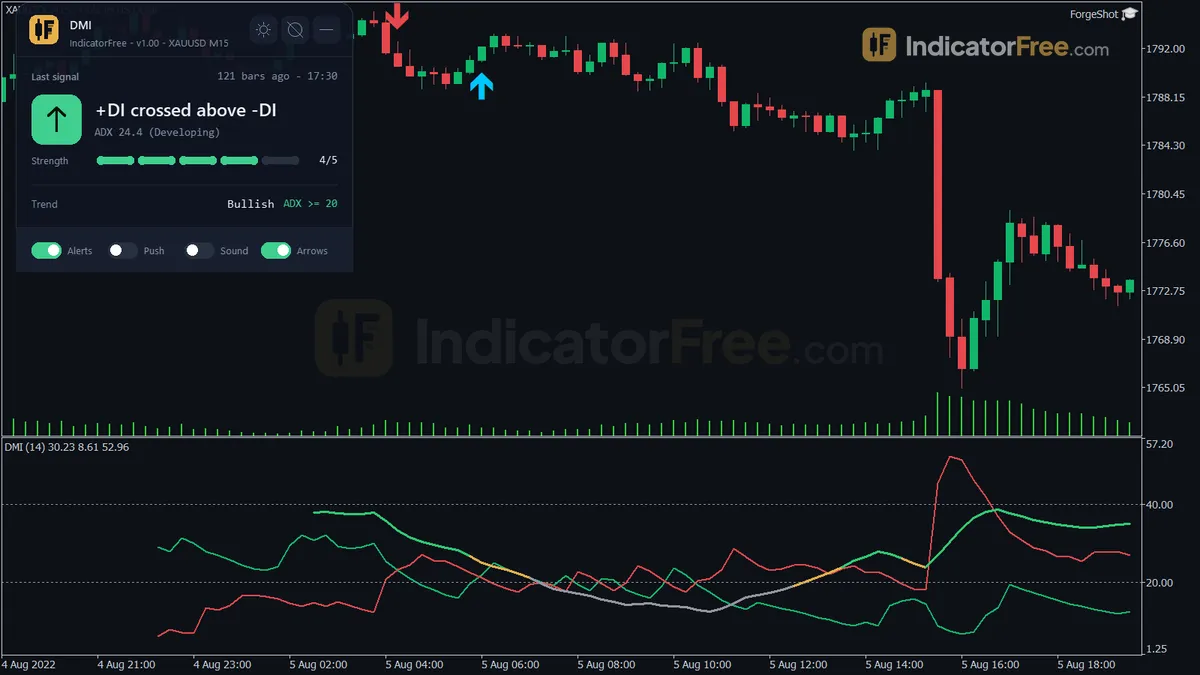
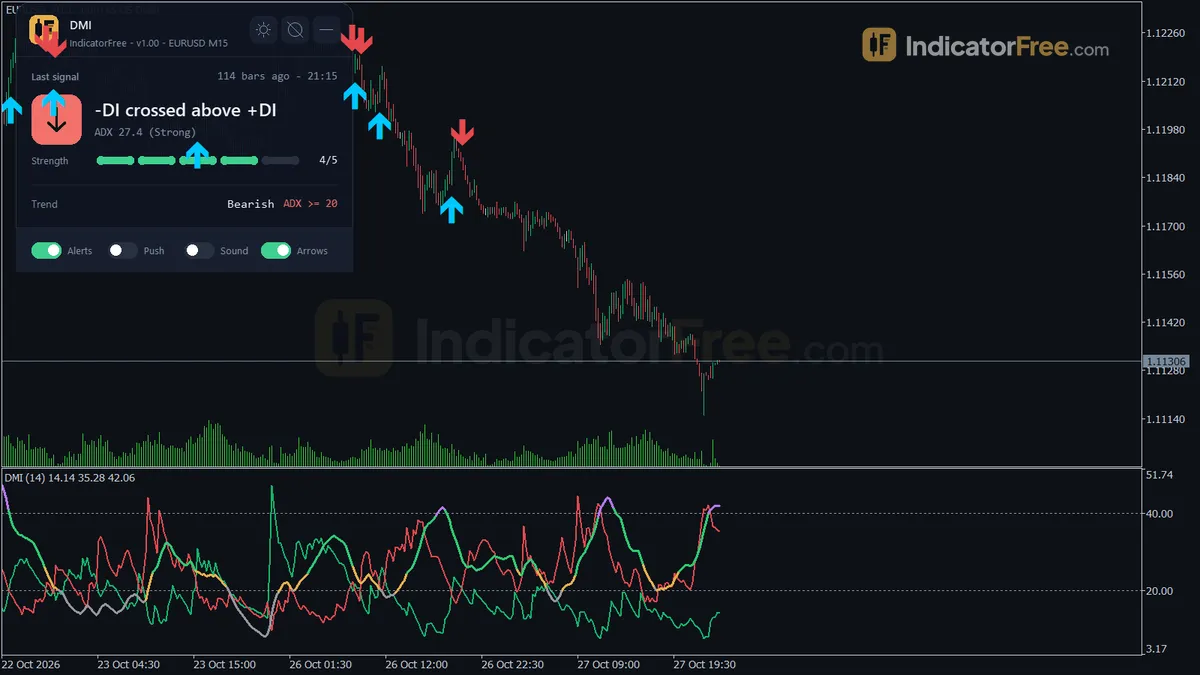
- Sub-window lines: +DI, -DI and ADX, using Wilder smoothing. The ADX line changes color across 4 strength zones (Weak, Developing, Strong, Very Strong), with level lines at 20 and 40.
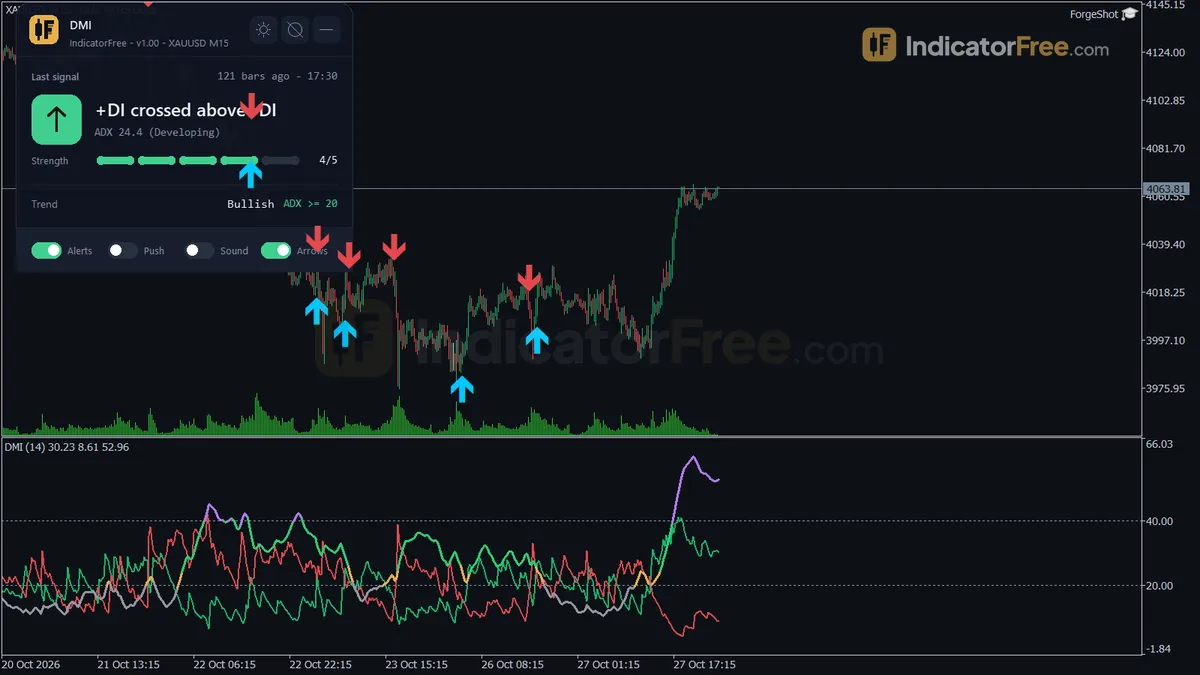
- Arrows on the price chart: a Bullish DI Cross or Bearish DI Cross arrow on the bar where the filtered cross closed. Each arrow only appears after the ADX filter passes.
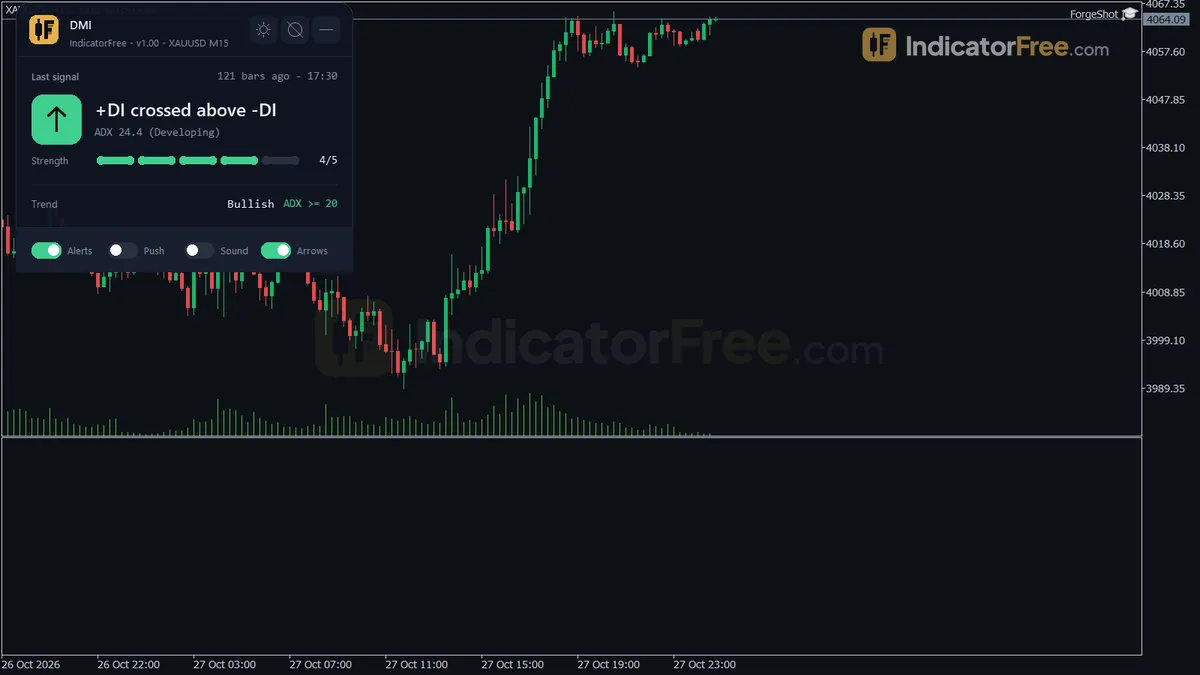
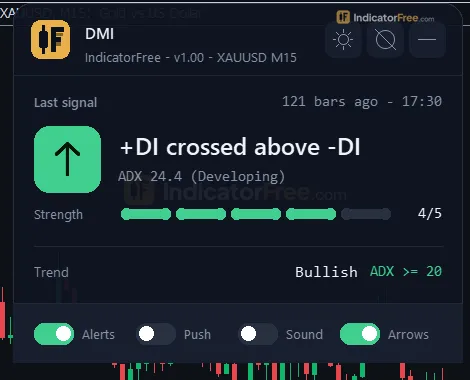
- The Trend panel: a status box on the chart. Its fields are explained under How it works.
The figure below shows where the arrows sit on price.
How the Lab tested it
The Lab ran version 1.00 on MT5 build 6230 (tested 2026-10-09). The test used EURUSD on M15 from 2026-07-09 to 2026-10-08, with real tick data from Raw Trading Ltd.
- 1463 signals logged, 0 changed. No arrow moved or disappeared after it was drawn. The arrows you see on past bars are the same ones you would have seen live.
- Maximum arrow delay: 0 bars. Each arrow appeared on the bar that met the condition, as soon as that bar closed.
This test checks that signals stay put. It does not check whether they make money: the Lab did not measure what price did after each arrow.
Who DMI is for
DMI is for trend traders on any timeframe who use +DI / -DI crosses as an entry trigger and want weak-trend crosses filtered out automatically. It also helps if you want an alert when a filtered cross happens, so you don't have to watch the sub-window all day.
How it works
- 1Computes True Range and up and down directional movement per bar and smooths them with the Wilder method.
Smoothed = prev - prev / N + new valueInputs: DmiPeriod - 2Converts them to +DI and -DI, then DX and ADX as the Wilder average of DX.
+DI = 100 x smoothed +DM / smoothed TR | DX = 100 x abs(+DI - -DI) / (+DI + -DI) - 3Buys when +DI crosses above -DI, sells on the opposite cross, only if ADX is at or above the minimum.
Signal if ADX >= AdxMinThresholdInputs: AdxMinThreshold, ShowCrossArrows - 4Optionally checks the same DI relationship on a higher timeframe, arrows are filled only when it agrees.
Higher timeframe agrees if +DI > -DI for buyInputs: UseMtfConfirm, MtfTimeframe
Specifications
- Platform
- MetaTrader 5
- Version
- 1.00
- Type
- Indicator
- Window
- Separate window
- Draws
- 3 lines, 2 arrows, 1 panel
- Alerts
- popup, push, sound
- Repaints
- No (0 of 1,463 signals changed)
- Inputs
- 13
- Tested on
- MT5 build 6230 · 2026-10-09
Repaint test
No repaint detected. In a 9 Jul 2026 – 8 Oct 2026 test on EURUSD M15 (Raw Trading Ltd real ticks), 1,463 signals were logged at bar close and re-read at the end of the test: 0 changed. Arrows print on the bar that closes the signal, with no delay.
IndicatorFree — tested 2026-10-09 · MT5 build 6230 · Raw Trading Ltd real ticks. Results come from historical data, not live trading, and do not guarantee future results.
What it draws
- A line (+DI) from buffer 0.
- A line (-DI) from buffer 1.
- A line (ADX) from buffer 2.
- Arrows (Bullish DI Cross) from buffer ?, drawn on the closed bar.
- Arrows (Bearish DI Cross) from buffer ?, drawn on the closed bar.
- An on-chart panel (Trend); values shown in the panel are not exposed as buffers.
Inputs
| Input | Default | What it does |
|---|---|---|
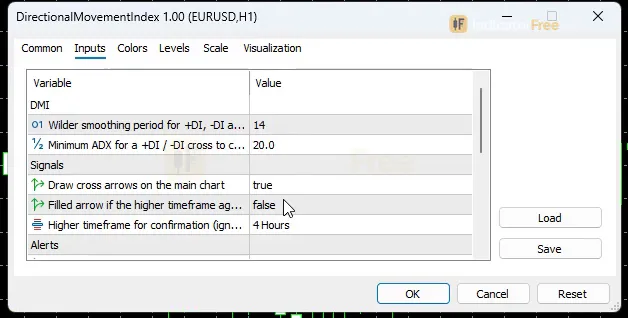
| DmiPeriod | 14 | Wilder smoothing period for +DI, -DI and ADX (5-50) |
| AdxMinThreshold | 20 | Minimum ADX for a +DI / -DI cross to count as a signal (10-40) |
| ShowCrossArrows | true | Draw cross arrows on the main chart |
| UseMtfConfirm | false | Filled arrow if the higher timeframe agrees, hollow if not |
| MtfTimeframe | H4 | Higher timeframe for confirmation (ignored if not above the chart timeframe) |
| EnableAlert | true | Popup alert on a new filtered cross |
| EnablePush | false | Push notification on a new filtered cross |
| EnableSound | false | Play a sound on a new filtered cross |
| SoundFile | alert.wav | Sound file (terminal Sounds folder) |
| ShowDashboard | true | Show the on-chart status panel |
| PanelScale | 1 | Panel size multiplier (DPI is applied automatically) |
| Theme | Dark | Chart color theme |
| RestoreTheme | true | Restore the original chart colors when removed |
How to read it
Install: copy the 97.9 KB file into your terminal's MQL5\Indicators folder, refresh the Navigator, and drag DMI onto a chart.
Reading +DI, -DI and ADX
- +DI above -DI: upward movement is stronger than downward movement over the DmiPeriod window.
- -DI above +DI: downward movement is stronger.
- ADX: how strong the move is, not which way it goes. The line's color shows its zone: Weak, Developing, Strong or Very Strong. The 20 and 40 lines mark the main steps.
A common misread is treating a rising ADX as bullish. ADX rises in strong downtrends too. Always read direction from which DI line is on top, and read strength from ADX.
When an arrow appears, and when it does not
The indicator only checks closed bars:
- Bullish DI Cross: +DI was at or below -DI on the previous closed bar, is above it on the last closed bar, and ADX on that bar is at or above AdxMinThreshold.
- Bearish DI Cross: the same, with -DI crossing above +DI.
If the lines cross while ADX is under the threshold, you will see the cross in the sub-window but you will get no arrow and no alert. The figure shows both cases with the default threshold of 20.
Reading the Trend panel
With ShowDashboard on, the panel lists:
- the last filtered DI cross, how many bars ago it happened, and its strength;
- the trend state;
- the ADX value and its zone;
- the current +DI and -DI values;
- bars since the last DI cross;
- whether the higher timeframe agrees.
The panel shows bars since the last DI cross, not only filtered ones. If that number is smaller than the bars-ago of the last filtered cross, the lines have crossed again under the threshold. The trend may be turning, but it isn't strong enough to signal yet.
The inputs that change the signals
| Input | Default | What changing it does |
|---|---|---|
| AdxMinThreshold | 20 (range 10-40) | Lower lets crosses in quieter markets through, so you get more arrows. Higher keeps only crosses with a stronger trend behind them, so you get fewer arrows. |
| DmiPeriod | 14 (range 5-50) | Lower makes the lines react faster and cross more often. Higher smooths them, so you get fewer and later crosses. |
| UseMtfConfirm | false | When on, arrows are filled if the higher timeframe agrees and hollow if it doesn't. |
| MtfTimeframe | H4 | The timeframe used for that check. It is ignored if it isn't above your chart timeframe. |
The other inputs only change how the tool looks. ShowCrossArrows turns the price-chart arrows on or off. PanelScale resizes the panel (DPI is applied automatically). Theme sets the chart colors, and RestoreTheme puts your original colors back when you remove the indicator.
Alerts
Alerts fire only on a new filtered cross, meaning a cross that passed the ADX filter. A popup alert is on by default (EnableAlert). Push notifications (EnablePush) and sound (EnableSound, which plays SoundFile from the terminal Sounds folder, default alert.wav) are off until you switch them on.
A decision rule for each arrow
- Bullish DI Cross: treat it as a long idea only if ADX keeps rising on the next bar and, with UseMtfConfirm on, the arrow is filled. Skip it if ADX turns down or the arrow is hollow.
- Bearish DI Cross: the same rule for shorts. A filled arrow plus a rising ADX is the setup; a hollow arrow or a falling ADX is a skip.
- Entry: if you wait for ADX to rise on the next bar, your earliest entry is the open of the bar after that.
This rule is a suggestion; the Lab did not test it.
Installation
- 1Download DirectionalMovementIndex.ex5 from the button above (Google Drive).
- 2In MetaTrader 5: File → Open Data Folder → MQL5 → Indicators. Copy DirectionalMovementIndex.ex5 there.
- 3Restart MT5 or right-click Indicators in Navigator → Refresh.
- 4Drag DMI onto a chart. For push alerts, enable "Allow push notifications" under Tools → Options → Notifications.
- Tested on MT5 build 6230.
Key terms and guides
- Entry Trigger
- An entry trigger is the specific event on the chart, such as a candle closing past a level or price breaking a small swing, that tells you to open the trade now instead of only watching the setup.
- Higher Timeframe
- A higher timeframe is any chart period longer than the one you trade on, such as the daily chart for someone trading the 1-hour chart. Traders use it to see the bigger trend and the main price levels around their smaller-chart trades.
- ADX
- ADX (Average Directional Index) is a trend-strength indicator that scores from 0 to 100 how strongly price is trending, in either direction, while its +DI and -DI lines show whether buyers or sellers are in control.
- Trend
- A trend is the main direction price keeps moving in over a period. In an uptrend price makes higher highs and higher lows. In a downtrend it makes lower highs and lower lows.
More on this subject: Trend & moving averages guide, terms and tools
User reviews
No reviews yet. Members who download the tool can review it here.
Sign in and download the tool to review it.
Build a checklist with it
DMI does one job on the chart: trend / context. Put it on the same chart as the tools below and the IndicatorFree panels merge into one checklist card, ordered trend, zone, signal, risk.
- Zone / levelAsian Session RangeAdds where price is: the zones and levels that DMI does not draw.
- Entry signalEngulfing Pattern FinderAdds the entry signal: the moment to act once DMI has set the scene.
The Lab has not tested these combinations. Each tool is tested on its own; the card only lines up what each one says. Free members get 2 new tools a day. If one has to wait until tomorrow, install BlackBox to raise the limit to 5 a day (20 on a live account).
FAQ
Does DMI repaint?
No repaint detected. In a 9 Jul 2026 – 8 Oct 2026 test on EURUSD M15 (Raw Trading Ltd real ticks), 1,463 signals were logged at bar close and re-read at the end of the test: 0 changed. Arrows print on the bar that closes the signal, with no delay.
Can I use DMI in an EA?
Yes. Read buffer ? (Bullish DI Cross) with iCustom() on bar 1 — the last closed bar.
Why can’t my EA read the zones?
Zones and the panel are chart objects, not indicator buffers, so iCustom() does not return them.
How do I get alerts on my phone?
Enter your MetaQuotes ID under Tools → Options → Notifications, tick "Enable push notifications", and keep the push alert input on.
Why does it open in a separate window?
It plots values on their own scale, so MT5 draws it below the price chart.
Does it work on other pairs?
Tested on EURUSD only; other symbols not tested.
What is the best timeframe for the DMI indicator on MT5?
The Lab has not named a best timeframe. Its repaint test covered EURUSD M15 only. The indicator runs on any timeframe, but on lower timeframes the lines likely cross more often, so in our expectation you will see more skipped crosses and more whipsaws.
Why did the lines cross in the sub-window but the arrow came one bar later?
The arrow is drawn on the bar where the cross closed. You see it when the next bar opens. The Lab counts that as 0 bars of delay.
Can I use DMI on gold, indices or crypto?
Yes. It works on any symbol your terminal charts, because it is calculated from that symbol's price bars. The Lab's test used EURUSD only, so check its arrows on your symbol's history before you rely on them.
How do I get DMI alerts on my phone?
Set EnablePush to true. Then enter your MetaQuotes ID from the mobile app in the terminal's notification settings. You will only get a push for new crosses that pass the ADX filter.
What do the hollow and filled arrows mean when UseMtfConfirm is off?
Nothing about the higher timeframe. Filled and hollow only carry that meaning with UseMtfConfirm on: filled means MtfTimeframe agrees, hollow means it does not. With it off (the default), every arrow is simply a cross that passed the ADX filter.
Changelog
- 1.00Initial release: Wilder-accurate +DI, -DI and ADX in a sub-window, with the ADX line colored across 4 strength zones (Weak/Developing/Strong/Very Strong) and level lines at 20/40. · 2026-10-09
Final verdict
Lab verdict: a clean DI-cross filter, not a full system
DMI does one job well. It turns +DI / -DI crosses into arrows only when ADX is at or above your threshold (default 20), and those arrows don't repaint (0 of 1463 signals changed in the Lab test). The ADX filter, the higher-timeframe check, the panel and the alerts all live in one tool, so you don't have to stack three indicators to get the same view.
What it cannot do
- It gives no stop loss, no take profit and no exit signal. An opposite arrow is a new signal, not a planned exit.
- It lags by design. Wilder smoothing and the closed-bar check mean the arrow comes after the turn has already started.
- It whipsaws when ADX hovers near the threshold. Crosses can switch between counted and skipped from one bar to the next.
- Only one symbol and one timeframe were tested: EURUSD on M15. On other symbols and timeframes, the behavior has not been checked by the Lab.
Use it or skip it
The figure sums up when DMI fits your trading.
- –You trade trend continuation or trend starts
- –You want weak-trend DI crosses filtered out
- –You want alerts on filtered crosses instead of watching the sub-window
- –You will add your own stop and exit rules
- –You trade range reversals or fades
- –You need an entry-to-exit system in one tool
- –You want signals before the bar closes
- –The market is quiet and ADX sits near your threshold for hours
Settings to start with
Start with the defaults (DmiPeriod 14, AdxMinThreshold 20).
If you get too many arrows in choppy sessions, try AdxMinThreshold 25. If you trade M15, try UseMtfConfirm on with MtfTimeframe H1. Both are untested starting points, not Lab results, so compare them with the default on your own chart.
An idea to pair with it
As an idea the Lab has not tested, you could check a Bearish DI Cross against Downtrend before acting on it.