EMA Trend Wall
Free EMA Trend Wall indicator for MT5: 200 EMA with an ATR band, cross and retest arrows, status panel. Lab repaint test: 0 of 290 signals changed.
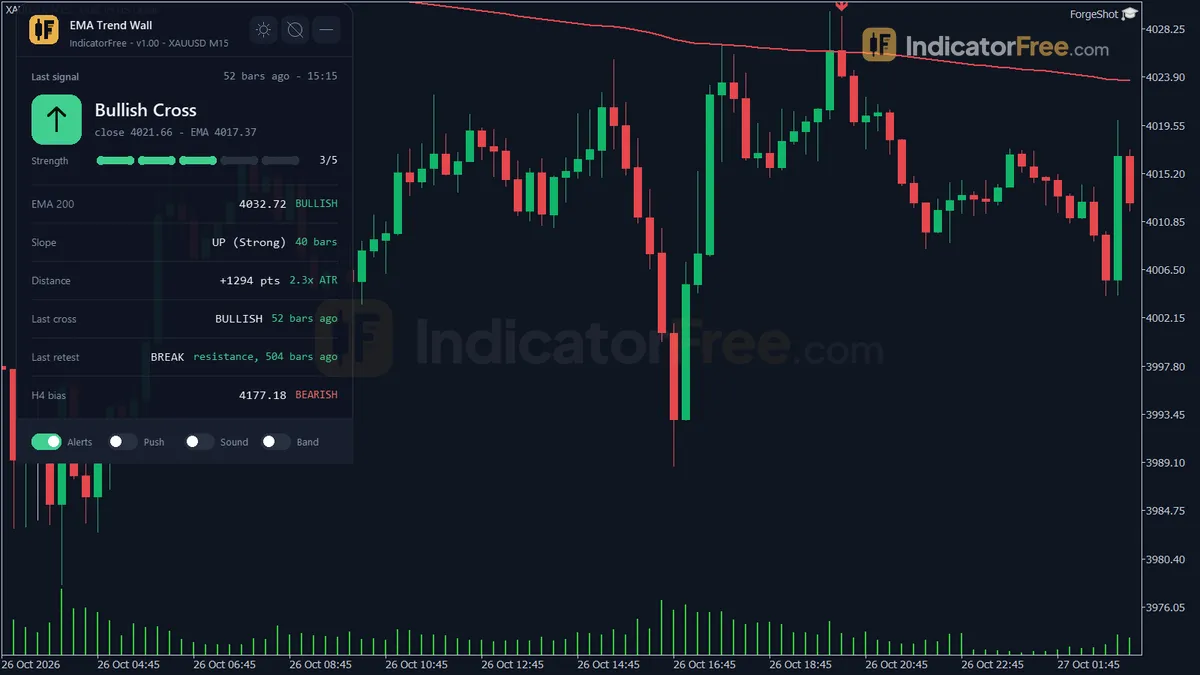
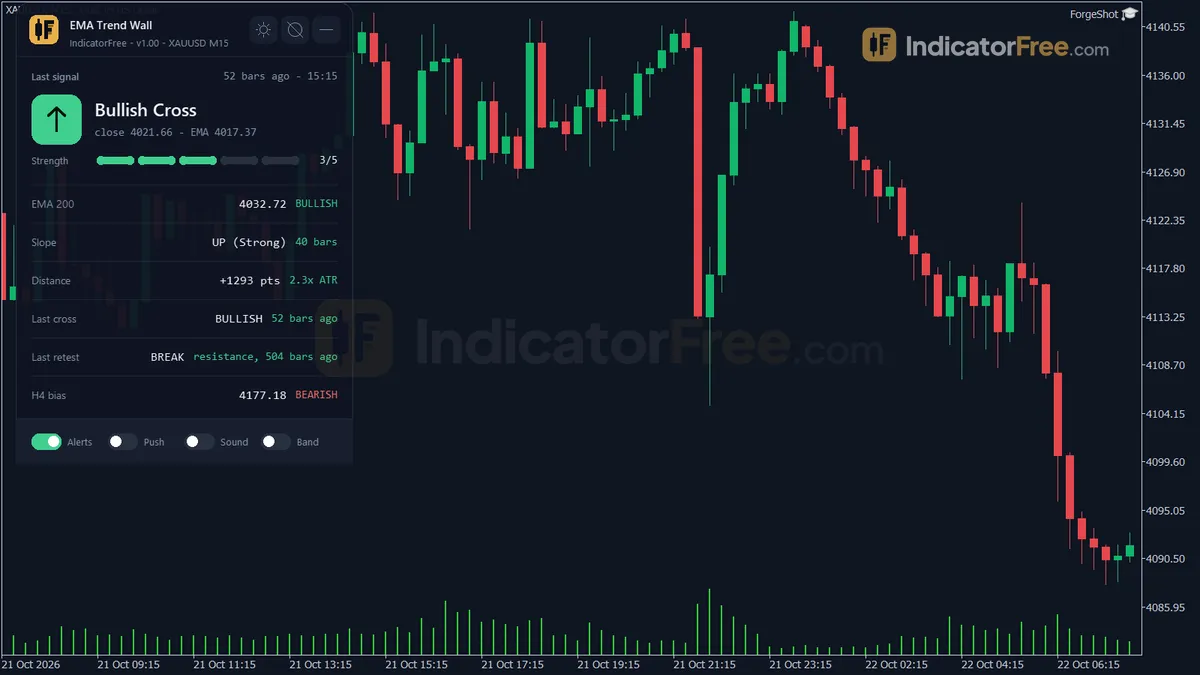
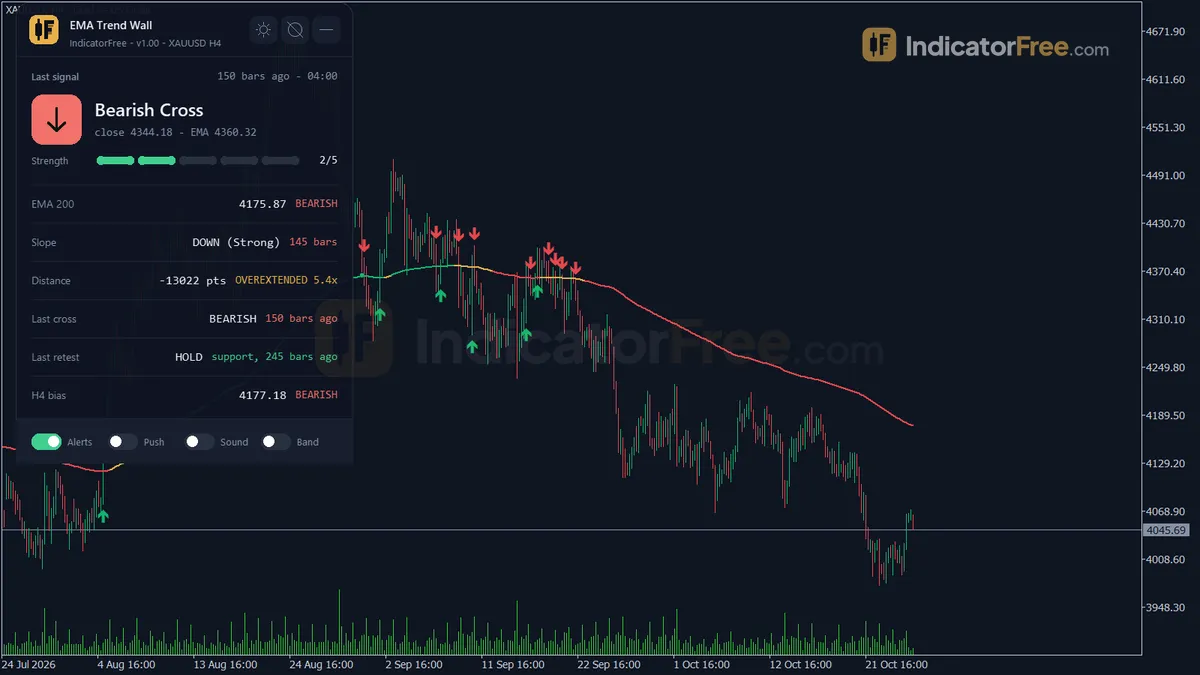
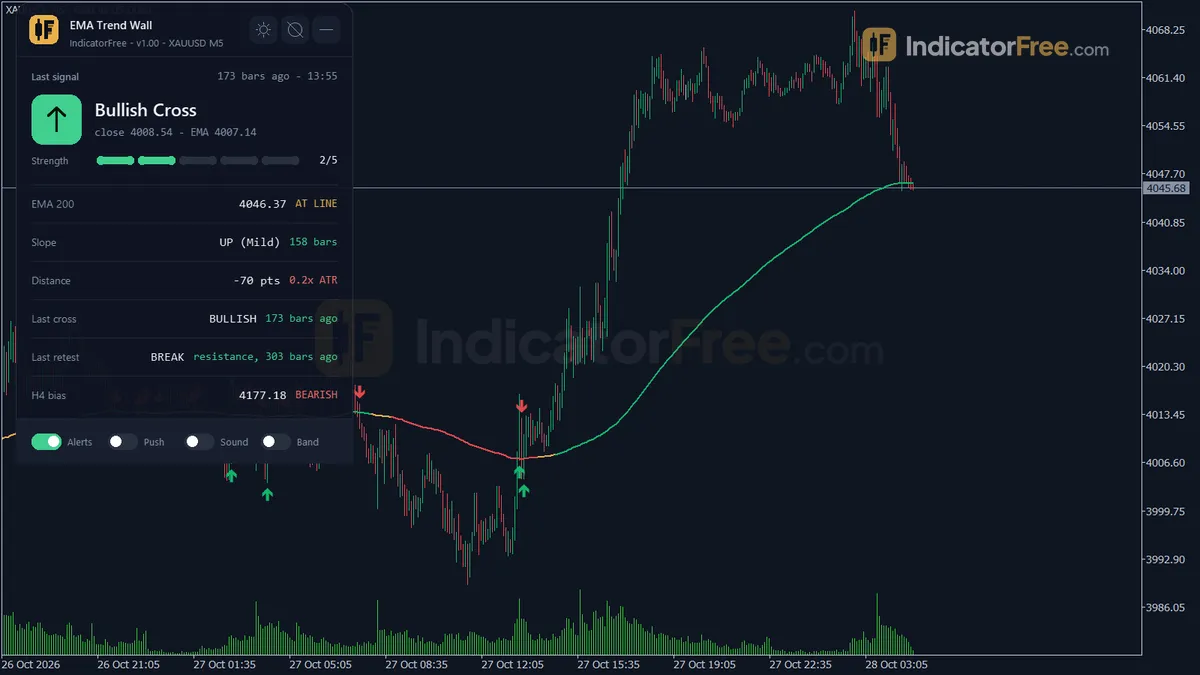
- Repainted
- 0 / 290
- Signals / week
- ≈ 22.1
- Tested on
- EURUSD M15
- Tested
- 2026-10-09
Overview
EMA Trend Wall is a free MT5 indicator for trend traders who watch the 200 EMA. It draws a 200-period EMA on your price chart, puts a thin ATR band around it, and places an arrow on a closed bar when price breaks through that band or comes back to retest it. In the Lab's repaint test on EURUSD M15, 0 of 290 signals changed after their bar closed, and no arrow showed up late.
It gives you a clear rule for one question: has price really crossed the line, or is it only touching it?
What EMA Trend Wall draws on your chart
The band is ATR-based, so it widens in fast markets (EMA and ATR are explained in the glossary).
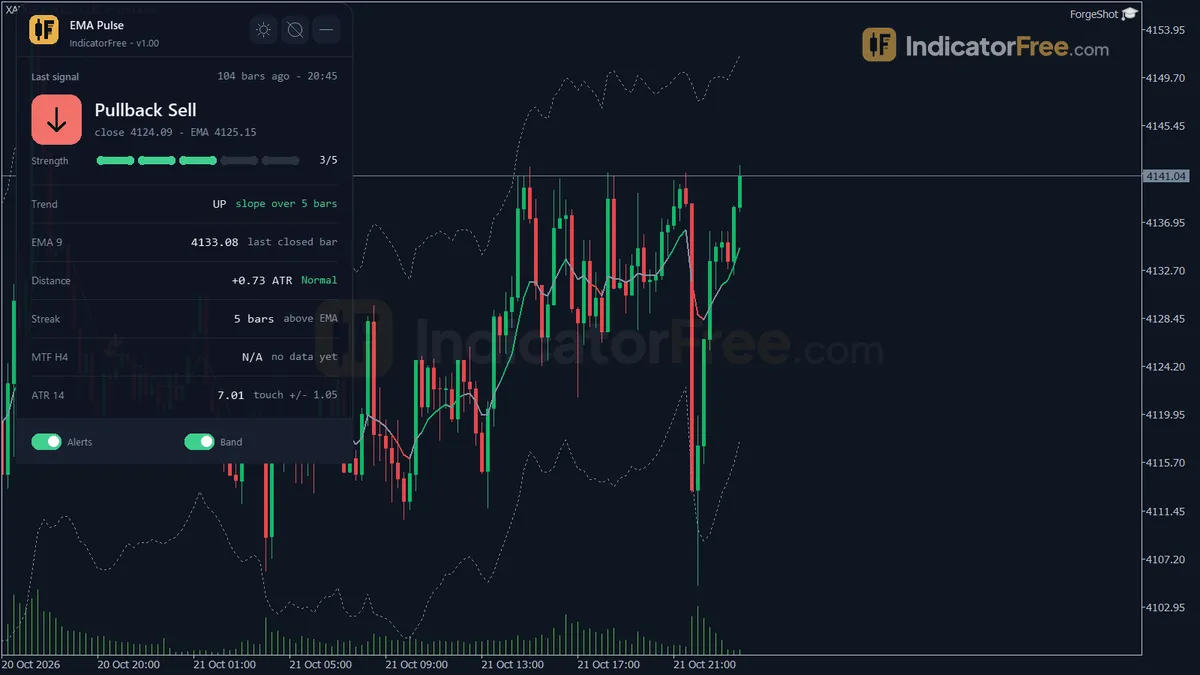
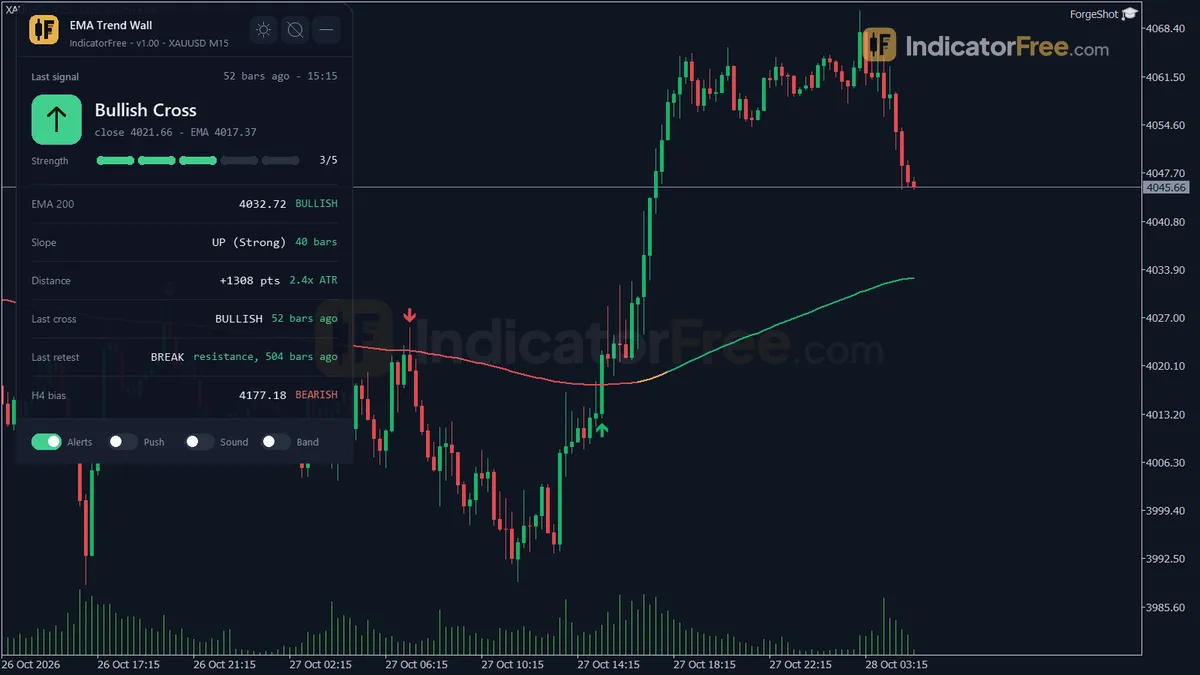
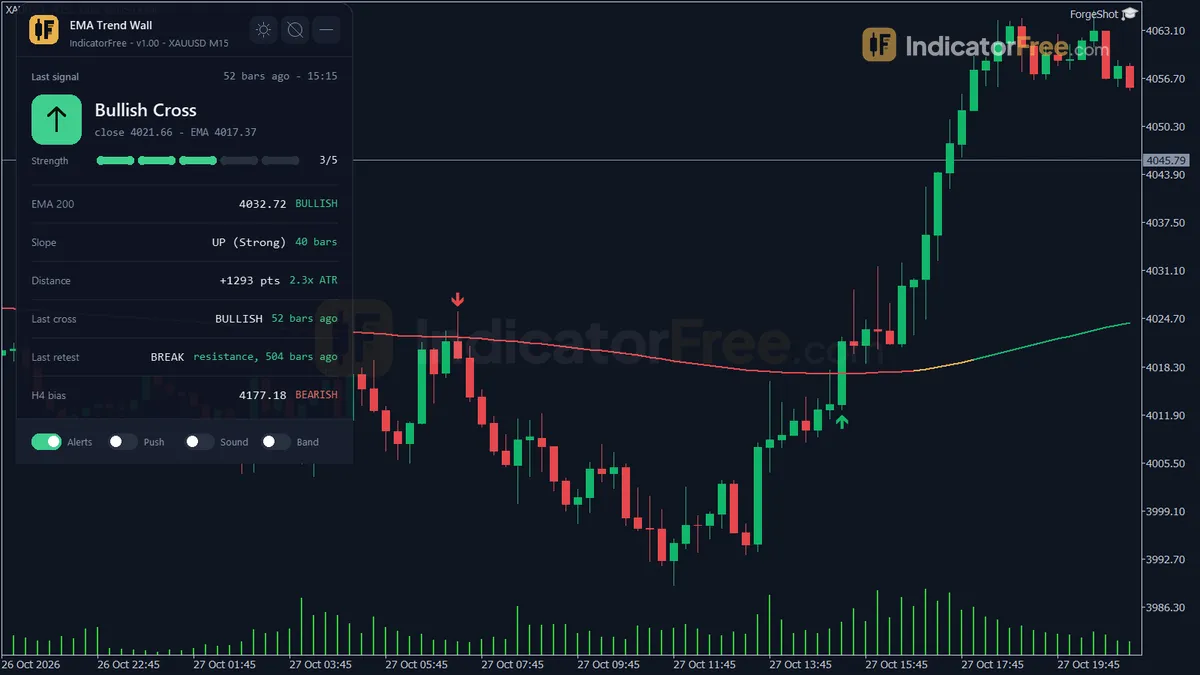
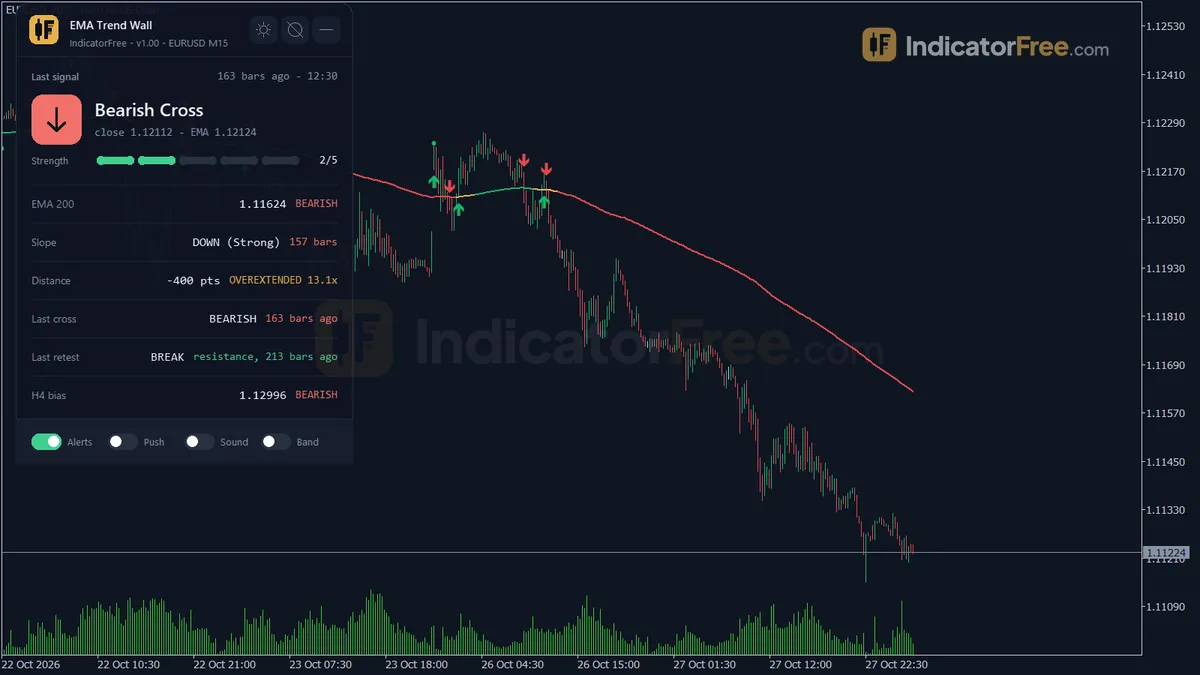
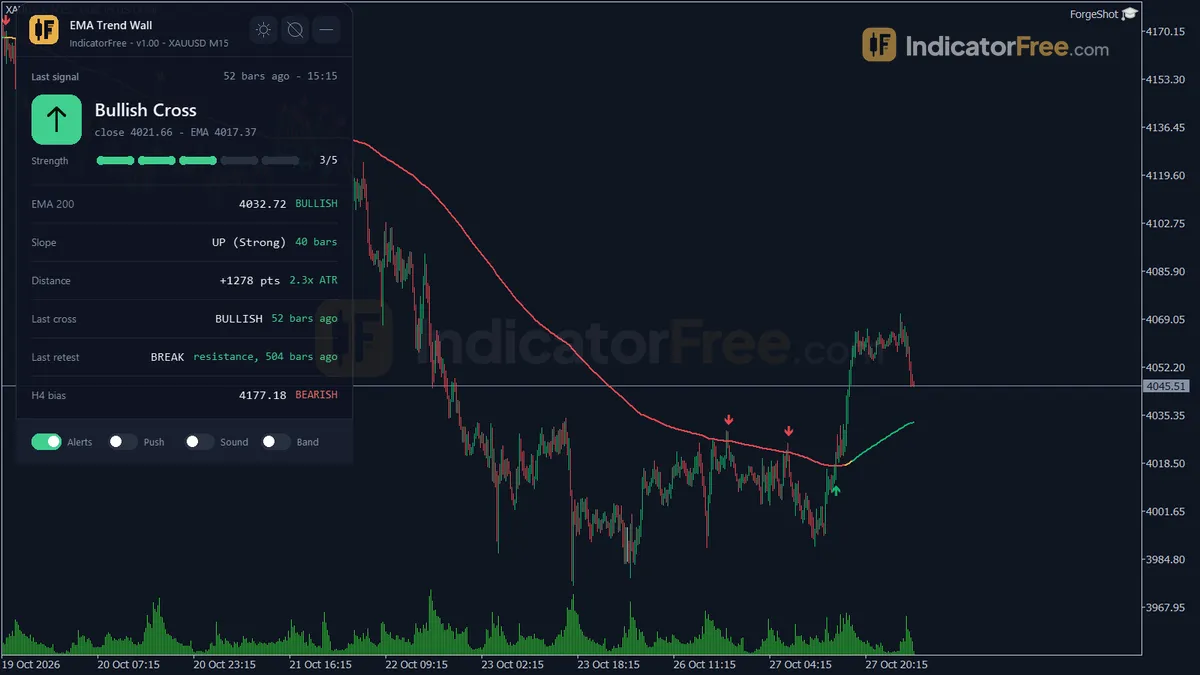
- EMA 200 line: colored by its slope as Up, Down or Flat. A flat line is gold.
- The wall: an upper and lower band edge at EMA ± BandATRMult × ATR(14). A close above the upper edge means a Bullish bias. A close below the lower edge means a Bearish bias. A close inside the band gives no side.
- Four arrows: Bullish Cross, Bearish Cross, Retest Hold and Retest Break.
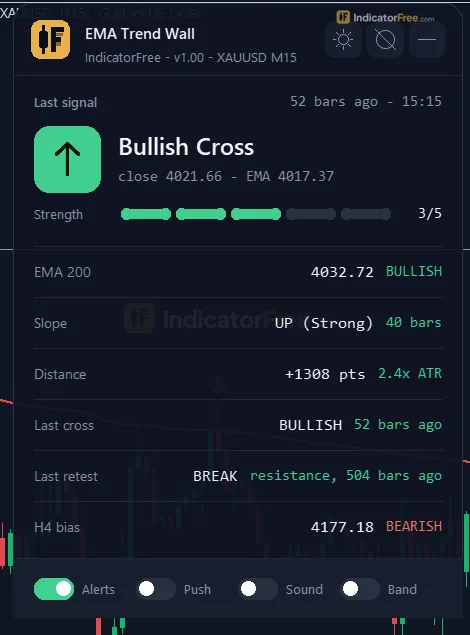
- Status panel: one block that sums up the trend state. It is explained in the How it works tab.
All four arrows are calculated on closed bars and draw on the main chart, not in a subwindow.
How the Lab tested it
The Lab ran version 1.00 on MT5 build 6230. The chart was EURUSD M15 from 2026-07-09 to 2026-10-08, using real ticks from Raw Trading Ltd. The repaint result above comes from that run.
The Lab then scored the same 290 signals. Each one was checked for whether price moved 1 ATR in the arrow's direction before it moved 1 ATR against it.
What the signal numbers mean for you
Across all 290 signals, 49.8% reached 1 ATR in their direction first. That is a coin flip, so the arrows give you no edge on their own. The median signal hit one of the two 1 ATR levels within 2 bars, which is about half an hour on M15. Only 3.8% hit neither level within 20 bars, so the market almost always moved soon after an arrow. On this chart the tool fired 22.1 signals per week.
The chart below breaks the result down by arrow type.
Bullish Cross, on 126 signals, did worse than a coin flip (45.2%). Bearish Cross, on 131 signals, did slightly better. The two Retest arrows scored highest, but on small samples: 26 Retest Hold and 7 Retest Break signals. Treat the retests as promising, not proven. All of these numbers come from one pair, one timeframe and one quarter.
How it works
- 1Calculates an EMA of the chosen price, seeded by a simple average of the first period, plus a 14-period ATR.
EMA = Price x k + EMA_prev x (1 - k), k = 2 / (EmaPeriod + 1)Inputs: EmaPeriod, MaAppliedPrice - 2Builds a band around the EMA. Above the band is bullish, below is bearish, inside is at the line.
Band = EMA +/- BandATRMult x ATRInputs: BandATRMult - 3Measures EMA slope over the lookback in ATR units and colours the line up, down or flat by the threshold.
Slope = (EMA - EMA lookback bars ago) / ATRInputs: SlopeLookback, SlopeFlatThresholdAtr, SlopeStrongThresholdAtr - 4Marks a cross when bias flips, and a retest after bars away from the band: hold or break.
Away if distance beyond band >= RetestMinDistanceAtr x ATR for RetestMinBarsAway barsInputs: RetestMinDistanceAtr, RetestMinBarsAway - 5Raises a stretch alert when the close is far from the EMA, and reads higher timeframe EMA bias.
Stretch if abs(Close - EMA) / ATR >= StretchAtrMultInputs: StretchAtrMult, HigherTFContext
Specifications
- Platform
- MetaTrader 5
- Version
- 1.00
- Type
- Indicator
- Window
- Main chart
- Draws
- 3 lines, 4 arrows, 1 panel
- Alerts
- popup, push, sound
- Repaints
- No (0 of 290 signals changed)
- Inputs
- 19
- Tested on
- MT5 build 6230 · 2026-10-09
Repaint test
No repaint detected. In a 9 Jul 2026 – 8 Oct 2026 test on EURUSD M15 (Raw Trading Ltd real ticks), 290 signals were logged at bar close and re-read at the end of the test: 0 changed. Arrows print on the bar that closes the signal, with no delay.
IndicatorFree — tested 2026-10-09 · MT5 build 6230 · Raw Trading Ltd real ticks. Results come from historical data, not live trading, and do not guarantee future results.
Signal statistics
Over 9 Jul 2026 – 8 Oct 2026 on EURUSD M15, the indicator printed 290 arrows. After 49.8% of them, price moved 1×ATR(14) in the arrow's direction before moving 1×ATR against it (median 2 bars). 3.8% reached neither level within 20 bars.
This measures price movement after the arrow, not a trading result. It includes no spread, commission, stop loss or position sizing.
What it draws
- A line (EMA 200) from buffer 0.
- A line (Band Upper) from buffer 2.
- A line (Band Lower) from buffer 3.
- Arrows (Bullish Cross) from buffer 4, drawn on the closed bar.
- Arrows (Bearish Cross) from buffer 5, drawn on the closed bar.
- Arrows (Retest Hold) from buffer 6, drawn on the closed bar.
- Arrows (Retest Break) from buffer 8, drawn on the closed bar.
- An on-chart panel (Status); values shown in the panel are not exposed as buffers.
Inputs
| Input | Default | What it does |
|---|---|---|
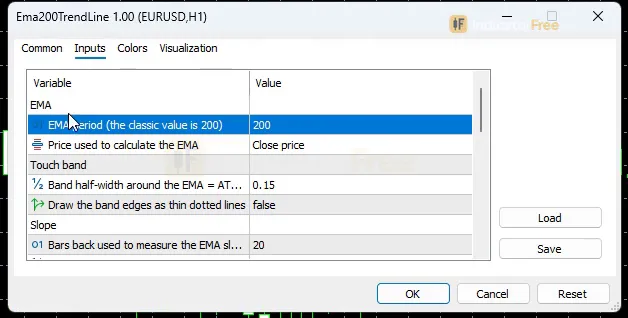
| EmaPeriod | 200 | EMA period (the classic value is 200) |
| MaAppliedPrice | Close | Price used to calculate the EMA |
| BandATRMult | 0.15 | Band half-width around the EMA = ATR(14) x this value |
| ShowTouchZone | false | Draw the band edges as thin dotted lines |
| SlopeLookback | 20 | Bars back used to measure the EMA slope |
| SlopeFlatThresholdAtr | 0.15 | Slope inside +/- this value (in ATR) = Flat (gold line) |
| SlopeStrongThresholdAtr | 0.6 | Slope at or beyond this value (in ATR) = Strong on the panel |
| RetestMinDistanceAtr | 1 | Distance beyond the band (in ATR) for price to count as away |
| RetestMinBarsAway | 5 | Bars in a row price must stay away before a touch counts as a Retest |
| StretchAtrMult | 3 | Distance from the EMA (in ATR) that triggers the Stretch alert |
| HigherTFContext | H4 | Timeframe for the panel bias row (Current = off) |
| EnablePopupAlert | true | Popup alert on a new closed-bar signal |
| EnablePushAlert | false | Push notification on a new closed-bar signal |
| EnableSoundAlert | false | Play a sound on a new closed-bar signal |
| SoundFileName | alert.wav | Sound file (in the MT5 Sounds folder) |
| Theme | Dark | Chart color theme |
| RestoreTheme | true | Restore the original chart colors when removed |
| PanelCorner | Left Upper | Chart corner for the panel |
| PanelScale | 1 | Panel size multiplier (DPI is applied automatically) |
How to read it
Install: copy the .ex5 file into the MQL5/Indicators folder (File → Open Data Folder), refresh the Navigator, then drag EMA Trend Wall onto a chart.
Reading the wall: EMA slope and band
The EMA color shows its slope, measured over the last SlopeLookback bars (default 20) in ATR units:
- Flat (gold): the slope is within ±SlopeFlatThresholdAtr (default 0.15 ATR). The EMA is not trending.
- Up / Down: the slope is outside that range.
- Strong: the panel labels the slope Strong when it reaches SlopeStrongThresholdAtr (default 0.6 ATR) or more.
The band edges are hidden by default. Set ShowTouchZone to true to see them as thin dotted lines. You will want to see them, because every arrow is defined by these edges and not by the EMA itself.
The four arrows and what to do with each
Bullish Cross and Bearish Cross
A Bullish Cross prints when a bar closes above the upper band edge and the previous bar did not. A Bearish Cross is the mirror: a close below the lower edge after a bar that did not close there. On EURUSD M15 these fired about 9.6 and 10 times per week.
Decision rule: take a Cross only when the EMA is not gold and the panel's higher-timeframe bias points the same way as the arrow. Skip it when the EMA is Flat. This filter is a rule of thumb. The Lab has not tested it.
Retest Hold
First, price must close at least RetestMinDistanceAtr × ATR beyond the band (default 1 ATR) for RetestMinBarsAway bars in a row (default 5). Then a bar touches the band and closes back on the EMA's trend side: at or above it when price came from above, at or below it when price came from below. This is the Retest Hold. It means the wall held on this touch. It fired about 2 times per week.
Decision rule: treat Retest Hold as a continuation entry in the direction of the earlier move. Skip it if the EMA has turned gold while price was away. This filter is a rule of thumb the Lab has not tested.
The EMA is drawn flat here for simplicity. On a live chart, take these arrows only when the EMA is sloping, not gold.
Retest Break
The setup is the same: price stays away for RetestMinBarsAway bars. This time, though, price comes back and closes through the far band edge. This is the Retest Break, and it means the wall gave way. Treat it as a warning to tighten or exit the old trade (57.1% on only 7 signals, so not proven). It is the rarest arrow, at about 0.5 per week.
Decision rule: use Retest Break as a signal to exit or stop adding to the old trend first. Only treat it as an entry once a Cross in the new direction agrees with it.
What the status panel shows
- The last cross and the last retest
- A strength value next to the latest cross or retest. The Lab did not test it, so read it as context, not as a filter
- The EMA value and the current bias
- The slope state and how many bars it has lasted
- The distance from price to the EMA, in points and in ATR
- The higher-timeframe bias, taken from HigherTFContext (default H4; set it to Current to turn the row off)
PanelCorner and PanelScale move and resize the panel. DPI scaling is applied automatically.
The inputs that change the signals
- BandATRMult: the width of the wall. A higher value gives fewer and later Crosses. A lower value gives more Crosses and more whipsaws.
- RetestMinBarsAway and RetestMinDistanceAtr: how far and how long price must stay away before a touch counts as a retest. Lower values give more retests that are looser.
- SlopeFlatThresholdAtr: raise it if you want more of the chart marked Flat, which also makes the Cross filter above stricter.
Alerts
Alerts fire once per new signal, on a closed bar. EnablePopupAlert is on by default and shows the MT5 alert window. EnablePushAlert sends the alert to the MT5 mobile app linked to your terminal. EnableSoundAlert plays SoundFileName (default alert.wav) from the MT5 Sounds folder. Push and sound are off by default. A separate Stretch alert fires when price is StretchAtrMult ATR from the EMA (default 3). It warns you that price is far from the wall, not that it will reverse.
A common misread: Crosses around a flat EMA
When the EMA is gold, price drifts back and forth through the narrow band and Crosses fire in both directions. You can spot it when a Bullish Cross and a Bearish Cross appear only a few bars apart and the panel shows the slope as Flat. Neither arrow is a trend start. Wait for the slope to turn Up or Down.
Installation
- 1Download Ema200TrendLine.ex5 from the button above (Google Drive).
- 2In MetaTrader 5: File → Open Data Folder → MQL5 → Indicators. Copy Ema200TrendLine.ex5 there.
- 3Restart MT5 or right-click Indicators in Navigator → Refresh.
- 4Drag EMA Trend Wall onto a chart. For push alerts, enable "Allow push notifications" under Tools → Options → Notifications.
- Tested on MT5 build 6230.
Key terms and guides
- Trade setup
- A trade setup is the full set of conditions that must be in place before you enter a trade: the market context, a price area, an entry trigger, a stop-loss level and a target, all decided in advance.
- Stop loss
- A stop loss is an order attached to a trade that closes it automatically when price moves against you to a level you chose in advance. It fixes the most you plan to lose on that trade before you open it. You enter it as a price in the order window.
- Trend
- A trend is the main direction price keeps moving in over a period. In an uptrend price makes higher highs and higher lows. In a downtrend it makes lower highs and lower lows.
- Market Noise
- Market noise is the small, random back-and-forth price movement that has no lasting direction. It comes from routine buying and selling, not from a real change in what traders think an asset is worth.
More on this subject: Trend & moving averages guide, terms and tools
User reviews
No reviews yet. Members who download the tool can review it here.
Sign in and download the tool to review it.
Build a checklist with it
EMA Trend Wall does one job on the chart: trend / context. Put it on the same chart as the tools below and the IndicatorFree panels merge into one checklist card, ordered trend, zone, signal, risk.
- Zone / levelAsian Session RangeAdds where price is: the zones and levels that EMA Trend Wall does not draw.
- Entry signalClimax VolumeAdds the entry signal: the moment to act once EMA Trend Wall has set the scene.
The Lab has not tested these combinations. Each tool is tested on its own; the card only lines up what each one says. Free members get 2 new tools a day. If one has to wait until tomorrow, install BlackBox to raise the limit to 5 a day (20 on a live account).
FAQ
Does EMA Trend Wall repaint?
No repaint detected. In a 9 Jul 2026 – 8 Oct 2026 test on EURUSD M15 (Raw Trading Ltd real ticks), 290 signals were logged at bar close and re-read at the end of the test: 0 changed. Arrows print on the bar that closes the signal, with no delay.
Can I use EMA Trend Wall in an EA?
Yes. Read buffer 4 (Bullish Cross) with iCustom() on bar 1 — the last closed bar.
Why can’t my EA read the zones?
Zones and the panel are chart objects, not indicator buffers, so iCustom() does not return them.
How do I get alerts on my phone?
Enter your MetaQuotes ID under Tools → Options → Notifications, tick "Enable push notifications", and keep the push alert input on.
Does it work on other pairs?
Tested on EURUSD only; other symbols not tested.
Can I use EMA Trend Wall on XAUUSD, indices or futures?
It runs on any MT5 chart, and its band, slope and retest thresholds are measured in ATR, so they adjust to each instrument's volatility. The Lab only tested EURUSD M15, so run it on past data first and watch how the Crosses behave before trading it.
Which timeframe should I use?
M15 is the only timeframe with Lab results. On other timeframes, expect fewer signals as you go higher and more flat-EMA whipsaws as you go lower, but the Lab has not measured this.
Does EMA Trend Wall work in MT4?
No. It is built for MT5 only, and MT4 cannot load an MT5 .ex5 file.
Can I switch it to a 50 or 100 EMA?
Yes, change EmaPeriod. All Lab numbers on this page are for the default of 200, so a shorter EMA is untested and will flip more often.
What does the Strong slope state on the panel mean for my trade?
It means the EMA has moved 0.6 ATR or more (SlopeStrongThresholdAtr) over the last SlopeLookback bars, so the trend is steep rather than just Up or Down. The Lab did not score arrows by slope state, so it is not known whether signals during a Strong slope do better.
Will it change my chart colors?
Yes. Theme (default Dark) recolors the chart while the indicator is loaded. With RestoreTheme left on true, your original colors come back when you remove it.
Changelog
- 1.00Initial release: 200-period EMA (adjustable) colored by ATR-normalized slope (Flat/Up/Down), with an ATR touch band around it. · 2026-10-09
Final verdict
Lab verdict: a 200 EMA wall that did not repaint (0 of 290 signals changed), and the retests are the arrows to watch
EMA Trend Wall does one job cleanly. It turns "price crossed the 200 EMA" into a fixed, closed-bar rule, and its arrows did not change after they printed. The panel gives you slope, distance and higher-timeframe bias in one block, so you don't need extra lines on the chart.
In the Lab chart in the Overview tab, the Cross arrows sit around a coin flip and the Retest arrows score higher, but on small samples. Retest Hold scored highest (61.5% on 26 signals), so it is the arrow to watch first, but test it on your own chart before you rely on it, and use it with the slope and bias filters.
Where it falls short
- The Crosses alone have no edge. They mark where price is. They don't predict where it goes next.
- No exits. It draws no stop loss, no target and no position size. You decide all three.
- It lags by design. A 200-period EMA turns slowly, so the first part of a new trend happens before the wall flips.
- One test market. Results cover EURUSD M15 only. Other pairs, gold, indices and other timeframes are untested.
The figure below sums up when it is worth using.
- –You trade with the trend and already respect the 200 EMA
- –You want pullbacks to the EMA marked by rules (Retest Hold)
- –You can check slope and higher-timeframe bias before acting
- –You want closed-bar alerts while you are away from the screen
- –You trade ranges or mean reversion
- –You want a complete system with stops and targets
- –You would act on every Cross arrow without a filter
- –You scalp the first move of a new trend
Settings to start with
Keep the defaults on EURUSD M15, because that is the only chart the Lab measured. Turn on EnablePushAlert to get every closed-bar arrow on your phone (about 22 per week on EURUSD M15). Stretch alerts, when price is 3 ATR or more from the EMA, also arrive on top of these arrows.
The following starting points are untested by the Lab, so compare each one with the default on your own chart before relying on it:
- On M5 or faster charts, try BandATRMult 0.25 to cut Crosses that come from noise.
- On H1, try HigherTFContext D1 so the bias row looks one level higher than H4.
- If retests are too rare for you, try RetestMinBarsAway 3. Expect looser setups.
An idea to pair it with
EMA Trend Wall tells you which side of the trend price is on, but it does not show swing structure. Downtrend labels HH/HL/LH/LL swings, so you could take a Retest Hold only when the swings agree with it. This is an idea to try. The Lab has not tested the pair.