Golden Cross
Free Golden Cross indicator for MT5: 50/200 MA lines, closed-bar cross arrows, regime shading and a status panel. Lab repaint test: 0 of 36 signals changed.
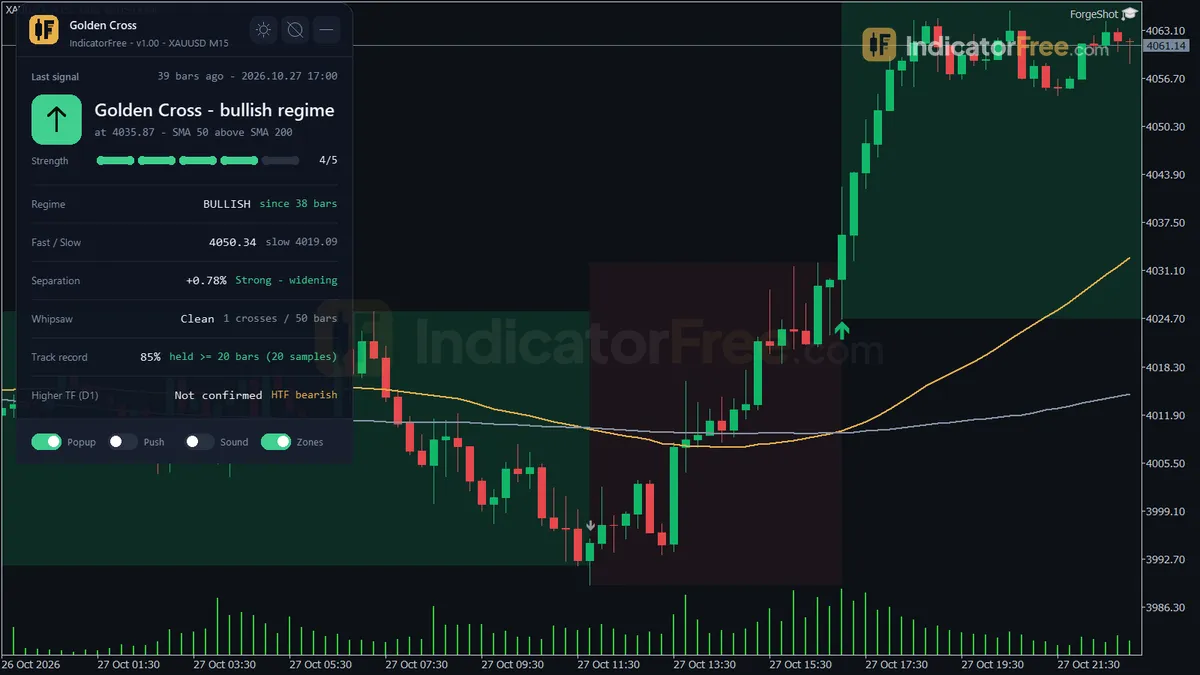
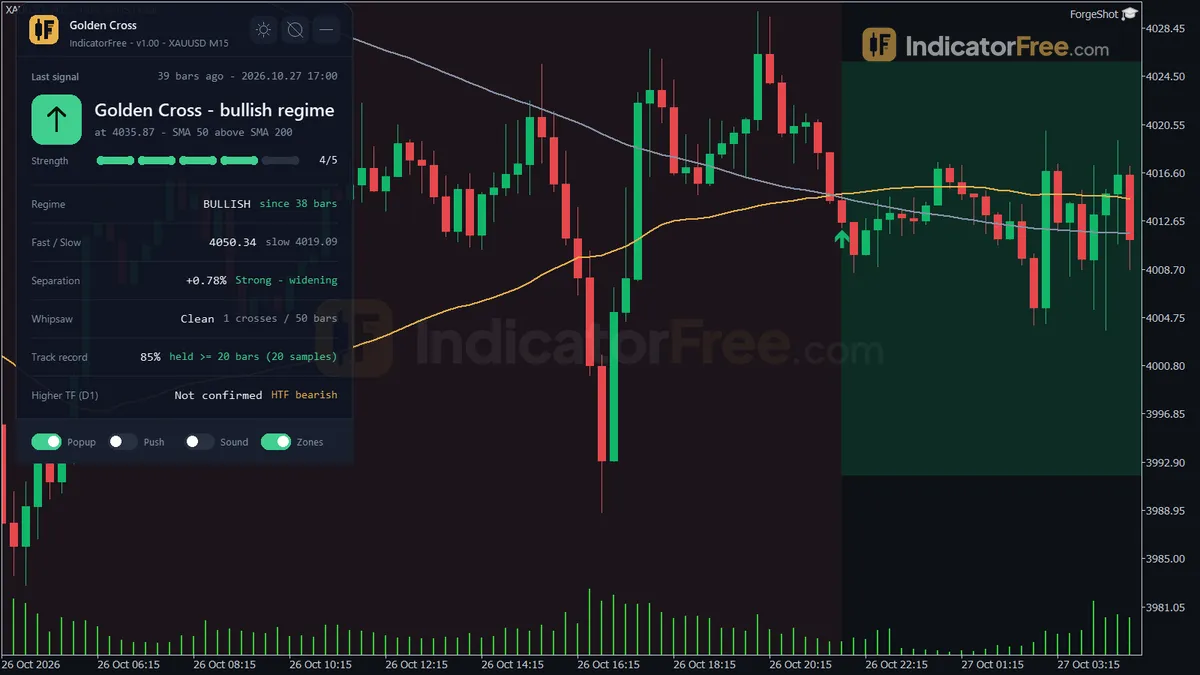
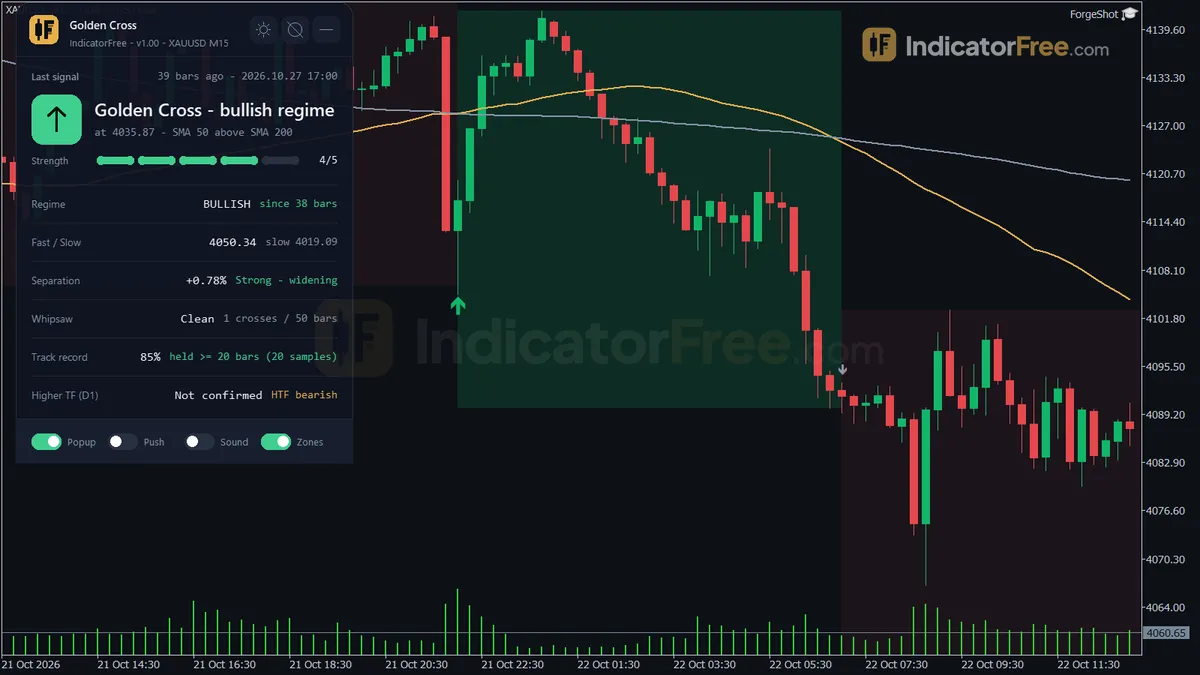
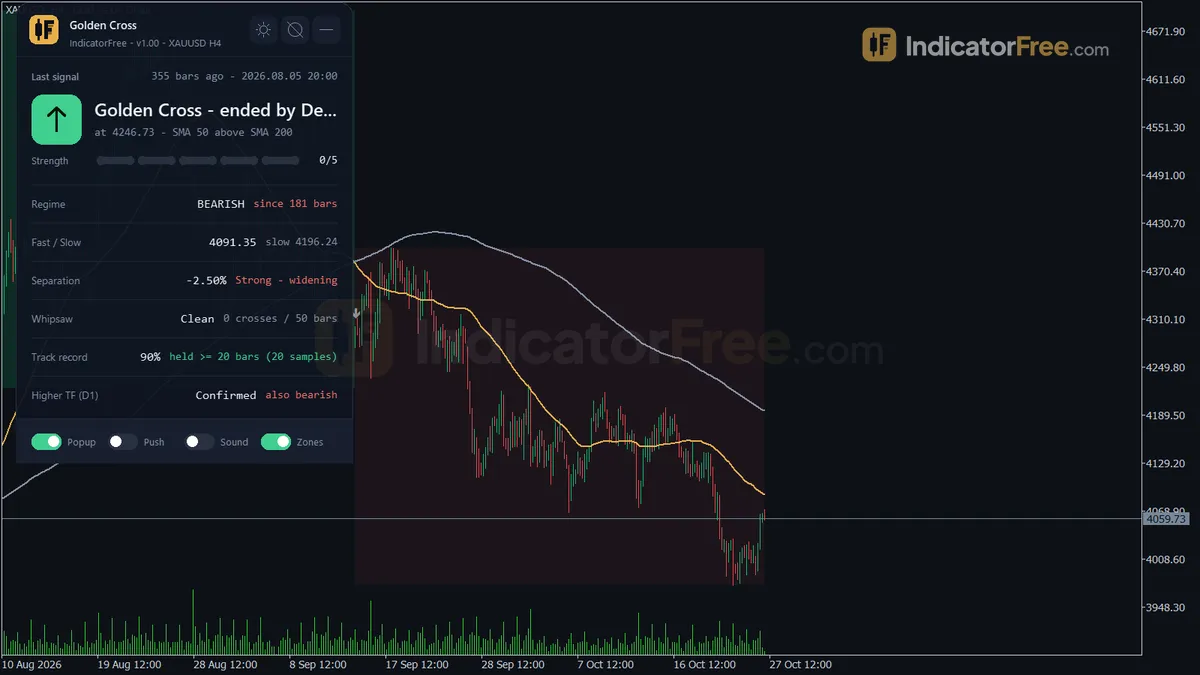
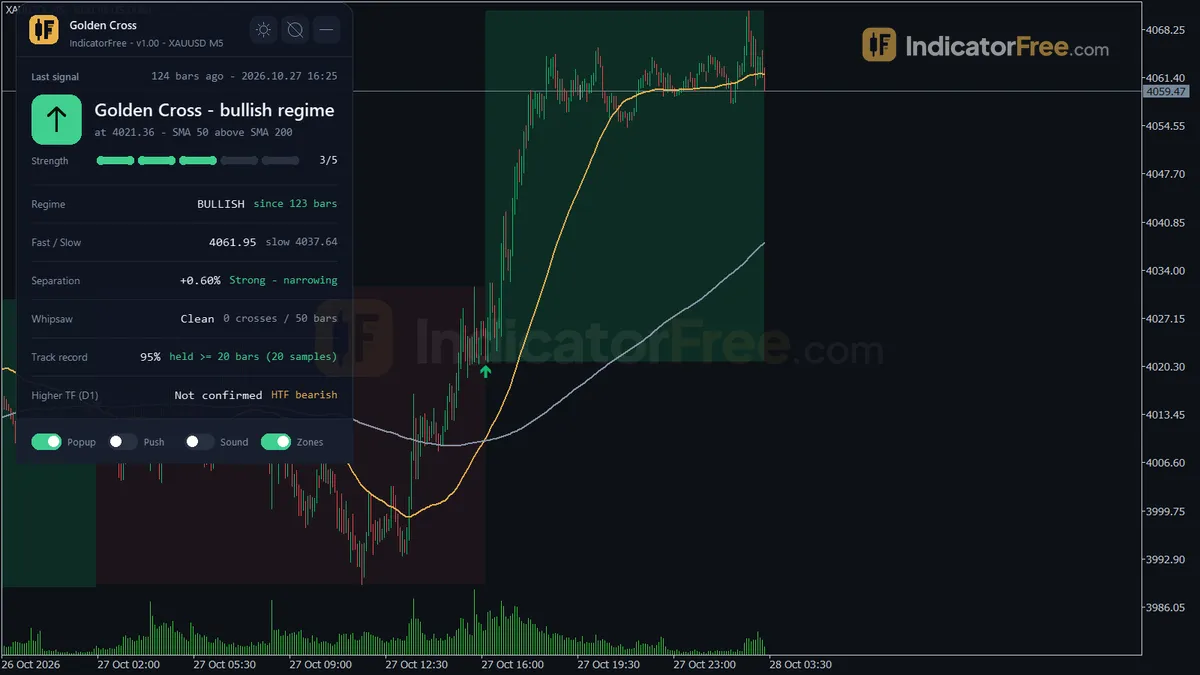
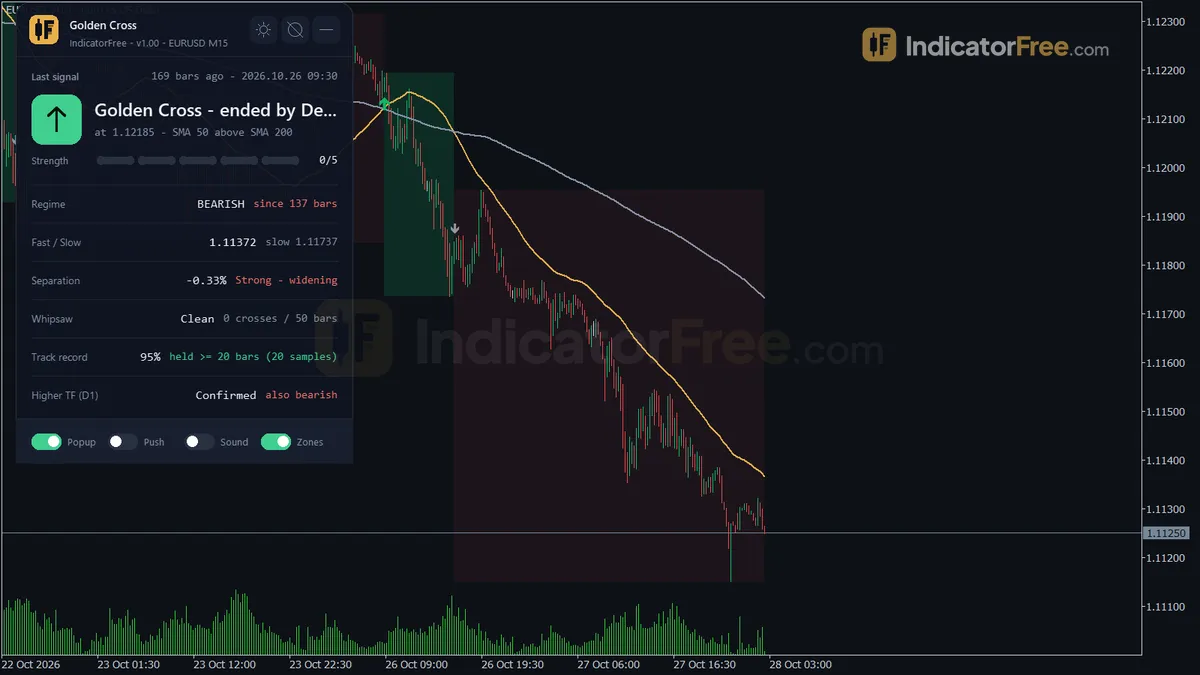
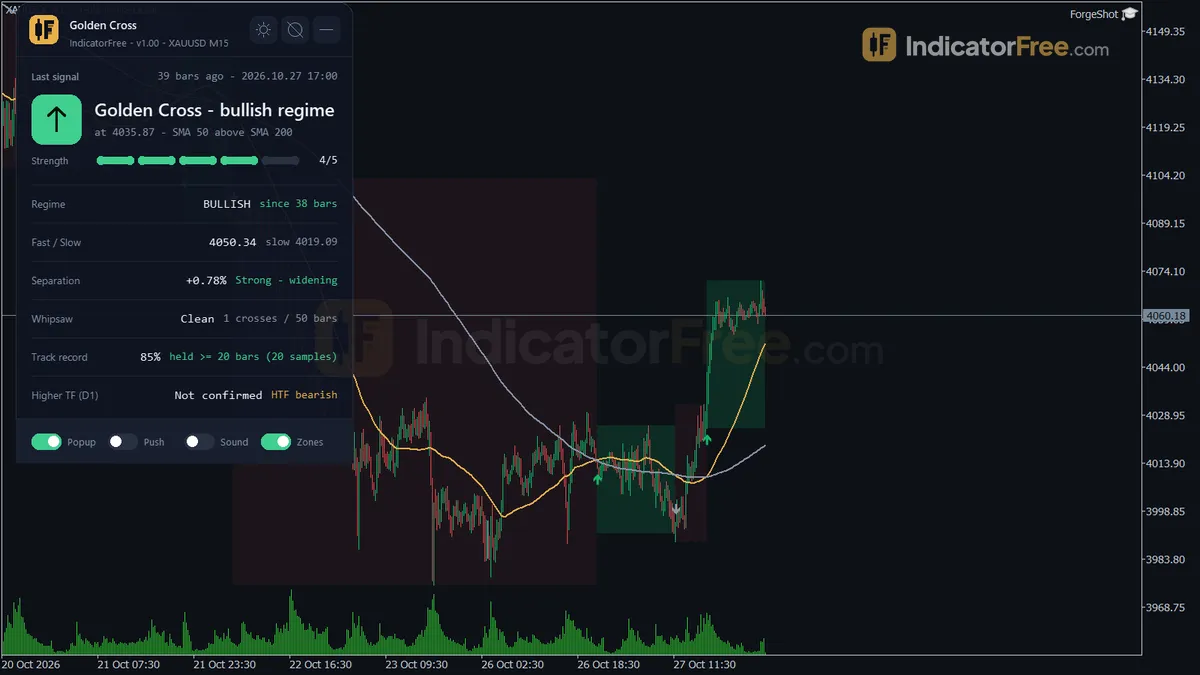
- Repainted
- 0 / 36
- Signals / week
- ≈ 2.8
- Tested on
- EURUSD M15
- Tested
- 2026-10-09
Overview
Golden Cross is a free MT5 trend indicator for swing and trend traders who want the classic 50/200 cross marked, alerted and checked for them. It draws a fast and a slow moving average on the main price chart (SMA 50 and SMA 200 by default). When the fast line closes above the slow one, it prints an arrow on that closed bar. In the Lab's repaint test, 0 of 36 signals changed after they appeared, and no arrow showed up late.
What it draws on your chart
A Golden Cross happens when a faster moving average closes above a slower one. Many traders read it as the start of a bullish trend. The opposite is a Death Cross: the fast line closes below the slow one.
All of these sit on the price chart itself. Nothing opens in a separate window below the chart.
- Fast MA and Slow MA lines. The two averages the crosses are measured on.
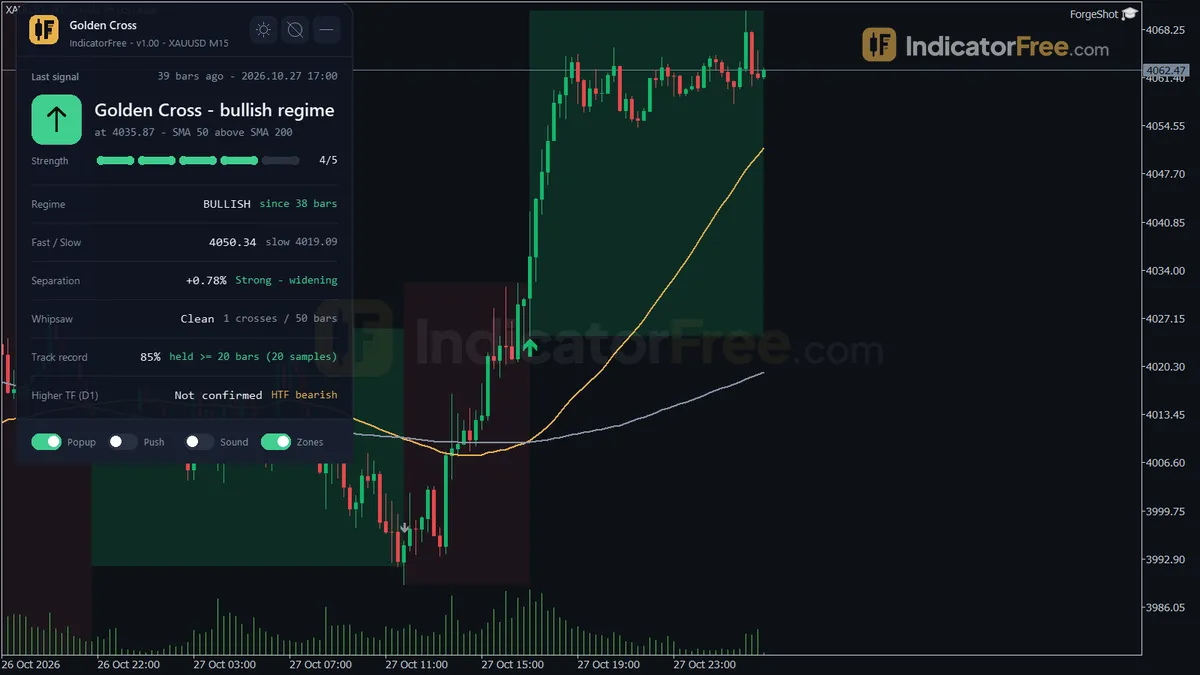
- Golden Cross arrow. The main signal. It appears on a closed bar where the fast MA is above the slow MA after being at or below it on the bar before.
- Death Cross arrow. The secondary signal. It is the mirror condition and ends the bullish regime.
- Regime Zone. Shaded rectangles that cover each bullish or bearish stretch, from one cross to the next.
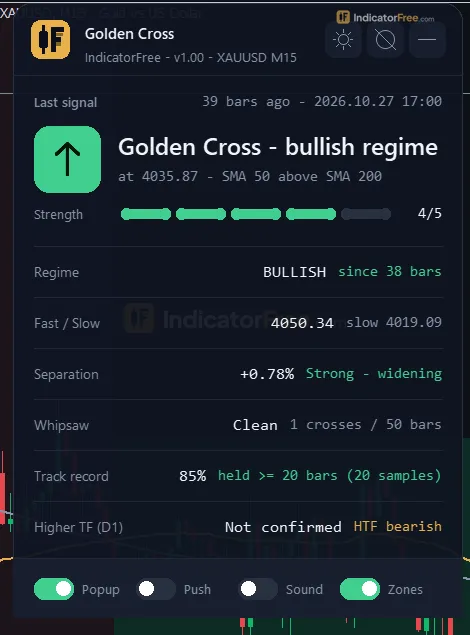
- Regime panel. An on-chart status box that turns the latest cross into a short checklist (see the How it works tab).
How the Lab tested it
The Lab tested version 1.00 (108.1 KB) on MT5 build 6230 on 2026-10-09. The data was EURUSD M15 from 2026-07-09 to 2026-10-08, using Raw Trading Ltd real ticks.
The test logged 36 arrows as they appeared. 0 of them changed or disappeared afterwards, and the longest arrow delay was 0 bars. In practice, an arrow you see on a past bar is the arrow you would have seen live. That makes it safe to judge the tool by scrolling back through history. It tells you nothing about whether the arrows make money.
What the signal numbers mean for you
On the same data the tool gave 2.8 signals a week: 1.4 Golden Crosses and 1.4 Death Crosses. Overall, 60% of the 36 signals moved 1 ATR in the arrow's direction before moving 1 ATR against it. ATR (average true range) is the typical size of one bar's move, so 1 ATR is a fair yardstick across symbols. 60% is better than a coin flip, but about 4 in 10 either went the wrong way first or went nowhere within 20 bars. Treat each arrow as a reason to look at the chart, not as an order.
The chart below splits that result by arrow type.
Scale zoomed in to show the difference (bars do not start at zero).
When a signal did reach 1 ATR, it usually got there quickly. The median was 3 bars, which is about 45 minutes on M15. Golden Crosses took a median of 3.0 bars and Death Crosses 4.0. Only 2.8% of all signals reached neither side within 20 bars. That share was 0.0% for Golden Crosses and 5.6% for Death Crosses, so the bullish arrow was the cleaner of the two in this test.
The sample is small. With 18 arrows per side, a single trade moves a percentage by more than 5 points, and only one symbol on one timeframe was tested. These numbers describe how the tool behaved, not a promise.
How it works
- 1Calculates a fast and a slow moving average on the chosen price.
Fast MA over FastPeriod, Slow MA over SlowPeriodInputs: FastPeriod, SlowPeriod, MAMethod, AppliedPrice - 2Golden Cross is marked when the fast average rises from at or below the slow one to above it.
Golden: Fast > Slow now and Fast <= Slow on previous bar - 3Warns of whipsaw when at least two crosses happened within the chop lookback.
Whipsaw if crosses in ChopLookbackBars >= 2Inputs: ChopLookbackBars - 4Tracks past Golden Crosses: after the track window, counts those where no Death Cross occurred in the window.
Held if Death Crosses within TrackWindowBars = 0Inputs: TrackWindowBars, TrackHistoryCount, MinTrackSample - 5Can read the same averages on a higher timeframe and, if required, only alert when they confirm the bullish side.
Higher timeframe confirms if Fast > Slow thereInputs: UseHigherTF, HigherTFMode, HigherTFManual, RequireHTFConfirm
Specifications
- Platform
- MetaTrader 5
- Version
- 1.00
- Type
- Indicator
- Window
- Main chart
- Draws
- 2 lines, 2 arrows, 1 zone, 1 panel
- Alerts
- popup, push, sound
- Repaints
- No (0 of 36 signals changed)
- Inputs
- 24
- Tested on
- MT5 build 6230 · 2026-10-09
Repaint test
No repaint detected. In a 9 Jul 2026 – 8 Oct 2026 test on EURUSD M15 (Raw Trading Ltd real ticks), 36 signals were logged at bar close and re-read at the end of the test: 0 changed. Arrows print on the bar that closes the signal, with no delay.
IndicatorFree — tested 2026-10-09 · MT5 build 6230 · Raw Trading Ltd real ticks. Results come from historical data, not live trading, and do not guarantee future results.
Signal statistics
Over 9 Jul 2026 – 8 Oct 2026 on EURUSD M15, the indicator printed 36 arrows. After 60% of them, price moved 1×ATR(14) in the arrow's direction before moving 1×ATR against it (median 3 bars). 2.8% reached neither level within 20 bars.
This measures price movement after the arrow, not a trading result. It includes no spread, commission, stop loss or position sizing.
What it draws
- A line (Fast MA) from buffer 0.
- A line (Slow MA) from buffer 1.
- Arrows (Golden Cross) from buffer 2, drawn on the closed bar.
- Arrows (Death Cross) from buffer 3, drawn on the closed bar.
- Rectangles (Regime Zone) drawn as chart objects, not buffers — they are not readable by iCustom() in an EA.
- An on-chart panel (Regime); values shown in the panel are not exposed as buffers.
Inputs
| Input | Default | What it does |
|---|---|---|
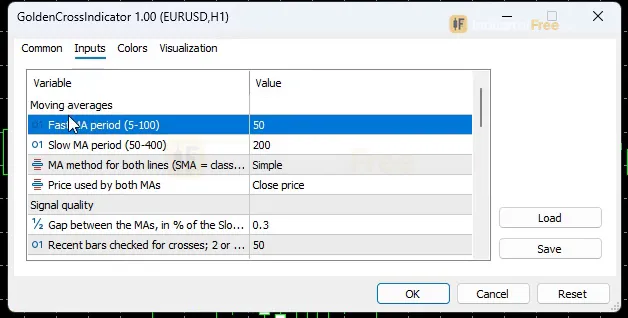
| FastPeriod | 50 | Fast MA period (5-100) |
| SlowPeriod | 200 | Slow MA period (50-400) |
| MAMethod | Sma | MA method for both lines (SMA = classic Golden Cross) |
| AppliedPrice | Close | Price used by both MAs |
| MinSeparationPct | 0.3 | Gap between the MAs, in % of the Slow MA, needed for the "Strong" label (0-5) |
| ChopLookbackBars | 50 | Recent bars checked for crosses; 2 or more crosses = whipsaw warning (10-300) |
| TrackWindowBars | 20 | Bars after each Golden Cross with no Death Cross for it to count as "held" (5-100) |
| TrackHistoryCount | 20 | Most recent completed Golden Crosses used for the track record % (5-50) |
| MinTrackSample | 3 | Minimum completed Golden Crosses before the % is shown (1-10) |
| UseHigherTF | true | Show whether the higher timeframe is in the same regime |
| HigherTFMode | Auto (D1 up to H4 charts, W1 on D1, off from W1) | Auto picks the higher timeframe; Manual uses HigherTFManual |
| HigherTFManual | D1 | Higher timeframe used when HigherTFMode = Manual |
| RequireHTFConfirm | false | Alert a Golden Cross only when the higher timeframe is also bullish |
| ShowMALines | true | Draw the Fast and Slow MA lines |
| ShowRegimeShading | true | Shade each bullish / bearish regime from cross to cross |
| ShowDashboard | true | Show the on-chart status panel |
| PanelScale | 1 | Panel size multiplier (DPI is applied automatically) |
| Theme | Dark | Chart color theme |
| RestoreTheme | true | Restore the original chart colors when removed |
| AlertPopup | true | Popup alert on a new Golden Cross |
| AlertPush | false | Push notification on a new Golden Cross |
| AlertSound | false | Play a sound on a new Golden Cross |
| AlertSoundFile | alert.wav | Sound file played on alert |
| AlertWhipsaw | false | Also alert when the whipsaw warning switches on |
How to read it
Install: copy the file into your MQL5\Indicators folder (File > Open Data Folder), refresh the Navigator, and drag Golden Cross onto a chart.
How to read the arrows, lines and shading
The sketch below shows the sequence you will see on a chart. Price falls, flattens and rallies. The Golden Cross arrow prints when the cross bar closes, and the bullish shading runs until a Death Cross closes the regime. In this sketch the rally fades and the Death Cross closes below the Golden Cross bar. This is the late-exit case the verdict warns about. The MA lines are left out to keep it readable.
Golden Cross arrow. It appears only after a bar closes with the fast MA above the slow MA, when the bar before had the fast MA at or below it. Read it as "the bullish regime starts here."
The most common misread. On the bar that is still forming, the two lines can look crossed while no arrow is drawn yet. That is expected, not a bug. The live cross can undo itself before the bar closes, and the indicator waits for the close. The second misread is trusting every arrow in a sideways market (see the whipsaw flag below).
Death Cross arrow. This is the mirror condition. Its first job is to close the bullish regime, so read it as "the bullish case is over" before you read it as a sell.
Regime Zone. Each rectangle shades one regime, from the cross that started it to the cross that ended it. The zones are never removed while the indicator runs, so on long charts they build up. If the chart gets crowded, set ShowRegimeShading to false.
How to read the Regime panel
The panel answers the questions you would otherwise check by hand:
- Last Golden Cross: how many bars ago it happened and how strong it was.
- Current regime: bullish or bearish.
- MA separation: the gap between the two MAs as a % of the Slow MA, with a strength label. A cross only earns Strong when the gap reaches
MinSeparationPct. - Whipsaw flag: turns on when the last
ChopLookbackBarsbars contain 2 or more crosses, which means the lines are tangled. - Track record %: of the last
TrackHistoryCountcompleted Golden Crosses on your chart, the share that "held", meaning no Death Cross came withinTrackWindowBarsbars. It appears only once at leastMinTrackSamplecrosses are complete. This is a live check on your own symbol and timeframe, not a Lab result. - Higher-timeframe confirmation: whether the higher timeframe is in the same regime (needs
UseHigherTFon).
The inputs to change first
| Input | Default | Range | What changing it does |
|---|---|---|---|
FastPeriod / SlowPeriod | 50 / 200 | 5-100 / 50-400 | Shorter periods give earlier but more frequent crosses. Longer periods give fewer, later crosses. |
MAMethod | SMA | MA methods | SMA is the classic Golden Cross. EMA and LWMA react faster; SMMA reacts slower. The setting applies to both lines. |
MinSeparationPct | 0.3 | 0-5 | Raise it so that only wide, decisive crosses get the Strong label. |
ChopLookbackBars | 50 | 10-300 | Sets how many bars the whipsaw flag checks. |
RequireHTFConfirm | false | on/off | When on, a Golden Cross only alerts if the higher timeframe is bullish too. |
TrackWindowBars | 20 | 5-100 | Sets how long a cross must survive to count as "held" in the track record. |
ShowMALines, ShowDashboard and PanelScale are display settings.
Where the alerts appear
Alerts fire on a new Golden Cross. AlertPopup is on by default and opens the MT5 Alert window. AlertPush sends the alert to the MetaTrader app on your phone, once your MetaQuotes ID is set in the terminal. AlertSound plays the file named in AlertSoundFile (default alert.wav). Turn on AlertWhipsaw if you also want an alert when the whipsaw warning switches on.
A decision rule for each arrow
This is a suggested way to use the panel. The Lab has not tested these filters.
Golden Cross. Only act on it when all three are true on the panel:
- the separation label says Strong;
- the whipsaw flag is off;
- the higher timeframe is in the same regime.
Check the label a few bars after the arrow. On the cross bar itself the gap is usually too small for Strong. If any of these fail, you can still note the cross. Just don't act on it yet.
Death Cross. If you are long from a Golden Cross, treat it as your exit. Only consider it as a short when the higher timeframe is bearish and the whipsaw flag is off.
Installation
- 1Download GoldenCrossIndicator.ex5 from the button above (Google Drive).
- 2In MetaTrader 5: File → Open Data Folder → MQL5 → Indicators. Copy GoldenCrossIndicator.ex5 there.
- 3Restart MT5 or right-click Indicators in Navigator → Refresh.
- 4Drag Golden Cross onto a chart. For push alerts, enable "Allow push notifications" under Tools → Options → Notifications.
- Tested on MT5 build 6230.
Key terms and guides
- Death cross
- A death cross is when a shorter moving average crosses below a longer one on a price chart, most often the 50-period below the 200-period. It confirms that momentum has already turned down.
- Moving average
- A moving average is a line drawn from the average closing price of a set number of recent candles, recalculated on every new candle. It smooths out price noise and shows which way the trend is pointing.
- Golden cross
- A golden cross is when the 50-period simple moving average crosses above the 200-period one and a candle closes with it still above. The classic version is read on the daily chart. Traders take it as a sign that a downtrend may be turning into an uptrend.
- Trend
- A trend is the main direction price keeps moving in over a period. In an uptrend price makes higher highs and higher lows. In a downtrend it makes lower highs and lower lows.
- Symbol
- A symbol is the short code a trading platform uses to name one tradable market, such as EURUSD for the euro against the US dollar or XAUUSD for gold. Every quote, chart and order is tied to exactly one symbol.
- Price Swing
- A price swing is one move in a single direction, from a turning low to a turning high or the reverse. You measure it in pips from one swing point to the next.
More on this subject: Trend & moving averages guide, terms and tools
User reviews
No reviews yet. Members who download the tool can review it here.
Sign in and download the tool to review it.
Build a checklist with it
Golden Cross does one job on the chart: entry signal. Put it on the same chart as the tools below and the IndicatorFree panels merge into one checklist card, ordered trend, zone, signal, risk.
- Trend / contextMarket Structure ShiftGolden Cross tells you when; this tells you which way the market leans, so you can skip signals against it.
- Zone / levelBreakout Zone FinderShows the zones and levels, so you can see whether a signal from Golden Cross fires at a level worth trading.
The Lab has not tested these combinations. Each tool is tested on its own; the card only lines up what each one says. Free members get 2 new tools a day. If one has to wait until tomorrow, install BlackBox to raise the limit to 5 a day (20 on a live account).
FAQ
Does Golden Cross repaint?
No repaint detected. In a 9 Jul 2026 – 8 Oct 2026 test on EURUSD M15 (Raw Trading Ltd real ticks), 36 signals were logged at bar close and re-read at the end of the test: 0 changed. Arrows print on the bar that closes the signal, with no delay.
Can I use Golden Cross in an EA?
Yes. Read buffer 2 (Golden Cross) with iCustom() on bar 1 — the last closed bar.
Why can’t my EA read the zones?
Zones and the panel are chart objects, not indicator buffers, so iCustom() does not return them.
How do I get alerts on my phone?
Enter your MetaQuotes ID under Tools → Options → Notifications, tick "Enable push notifications", and keep the push alert input on.
Does it work on other pairs?
Tested on EURUSD only; other symbols not tested.
Does the Golden Cross indicator work on gold, indices or synthetic indices like V75?
It attaches to any symbol your MT5 terminal shows, because it only needs price. The Lab tested it on EURUSD M15 only. On any other symbol, check the panel's track record % before you rely on the arrows.
Which timeframe should I use it on?
Any timeframe works, but the Lab measured only M15. In Auto mode, the higher-timeframe check uses D1 for charts up to H4 and W1 on a D1 chart, and switches off from W1 upwards. On weekly charts you lose that filter unless you set HigherTFMode to Manual.
Where should I put the stop loss?
The indicator does not give stops or targets. The Lab used a 1 ATR move as a measuring yardstick, not as a tested stop, so set your stop with your own method and size the position to it.
Why did my chart colours change when I added it?
The Theme input applies a Dark colour scheme by default. With RestoreTheme left on, your original chart colours come back when you remove the indicator.
Can I get an alert on a Death Cross?
No. The popup, push and sound alerts cover a new Golden Cross, and the whipsaw warning if you turn on AlertWhipsaw. You can see a Death Cross from its arrow, the change in shading and the regime line on the panel.
Changelog
- 1.00Initial release: classic 50/200 Golden Cross indicator (Fast MA default SMA 50, Slow MA default SMA 200) with a closed-bar, no-repaint Golden Cross arrow and a secondary Death Cross arrow that closes the regime. · 2026-10-09
Final verdict
Verdict: a clean 50/200 cross with its own filters built in
The arrows held up in the repaint test, so the history you scroll through is honest. Both arrow types came out slightly above 50% in a small Lab sample, and the Golden Cross was the cleaner one. The real gain over a plain two-MA template is the panel. Separation strength, the whipsaw flag, the higher-timeframe check and a running track record turn a lagging cross into a short checklist you can act on.
Where it falls short
- It is late by design. Two moving averages only cross after the move has started. You will rarely catch a bottom or a top.
- Sideways markets hurt it. The whipsaw flag warns you, but arrows still print during chop.
- The evidence is thin. The Lab test covers one symbol, one timeframe and three months.
- It is not a full trading plan. It sets no stop, no target and no position size.
The comparison below sums up when the tool is worth loading.
- –You trade swings and can wait for a closed bar
- –You want the 50/200 regime marked and alerted
- –The panel shows Strong and the higher timeframe agrees
- –You scalp M1-M5 and need many signals a day
- –The whipsaw flag is on
- –You need a tool that also gives entries, stops and targets
Settings to start with
Keep the defaults (SMA 50 / 200, MinSeparationPct 0.3) if you want the classic Golden Cross. The Lab tested version 1.00, whose defaults are SMA 50 / 200.
For intraday charts such as M15 or H1, you could try FastPeriod 20 and SlowPeriod 100 for earlier crosses. This is not tested by the Lab, so compare it with the default.
If popups come too often, turn RequireHTFConfirm on. That is also an untested starting point, so check over a few weeks whether the alerts you lose were the weak ones.
A pairing to try
The Golden Cross tells you the direction, but not whether the trend has any strength. Adding DMI lets you use its ADX line to skip crosses that form while the market isn't trending. This is an idea to try: the Lab has not tested the pair.