London Open Breakout
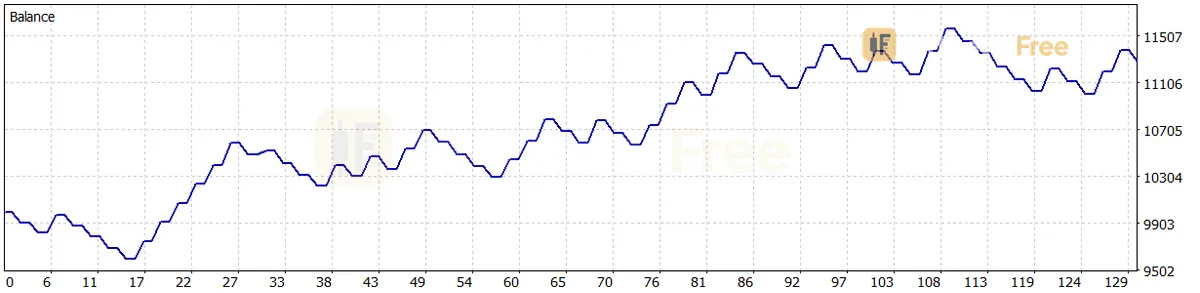
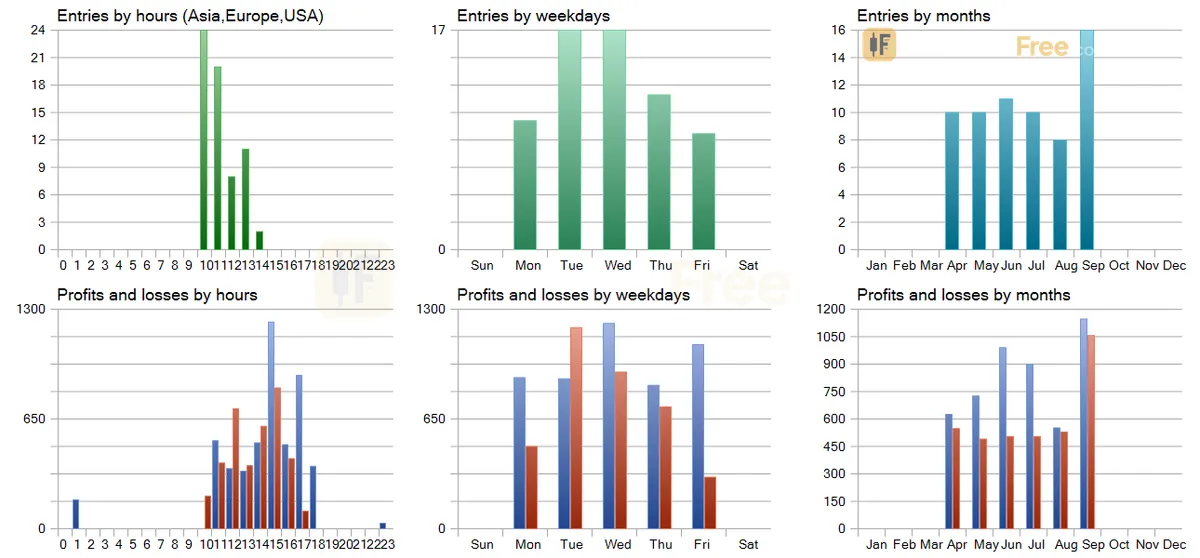
Free MT5 EA that trades one Asian-range breakout after the London open. Lab XAUUSD M15 test: 65 trades, profit factor 1.35, 6.71% max drawdown.
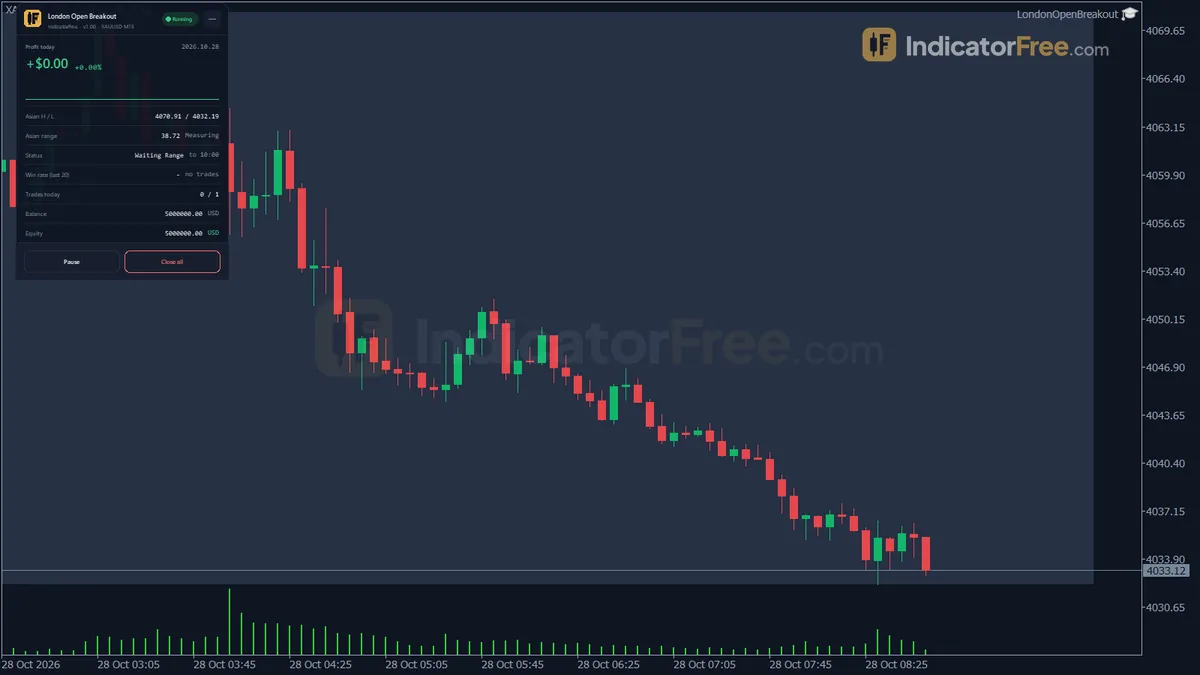
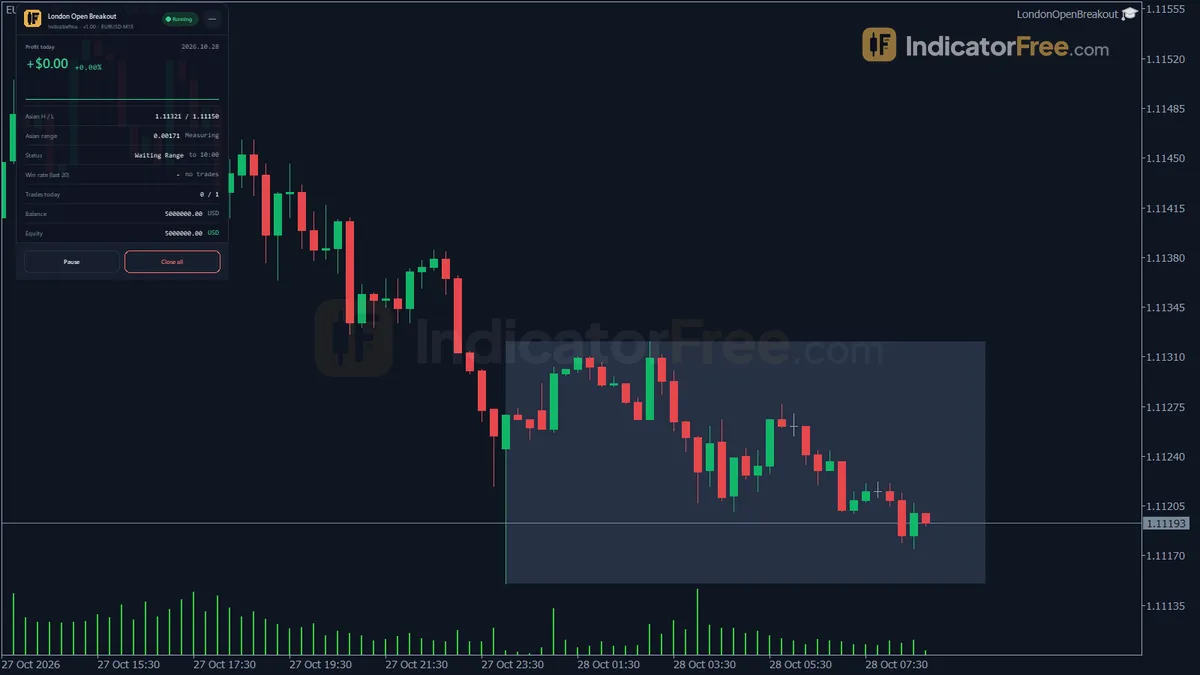
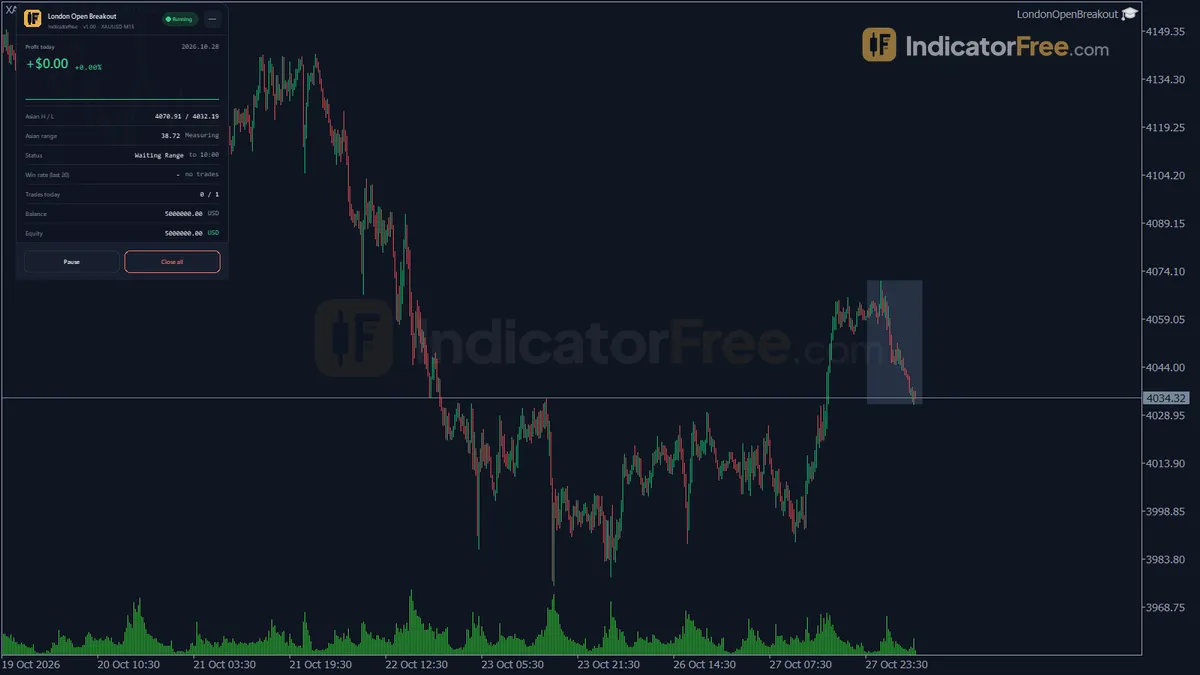
- Net profit
- $1,289.16
- Profit factor
- 1.35
- Max drawdown
- 6.71%
- Trades
- 65
Overview
London Open Breakout is a free MT5 Expert Advisor. After the London open it trades one breakout of the Asian range, at most once a day, with a stop capped by ATR. Lab test on XAUUSD M15 (2 Apr – 2 Oct 2026): 65 trades, profit factor 1.35, 6.71% max drawdown.
It is for traders who want a session breakout that runs on fixed rules with no manual input, and who can accept losing more trades than they win.
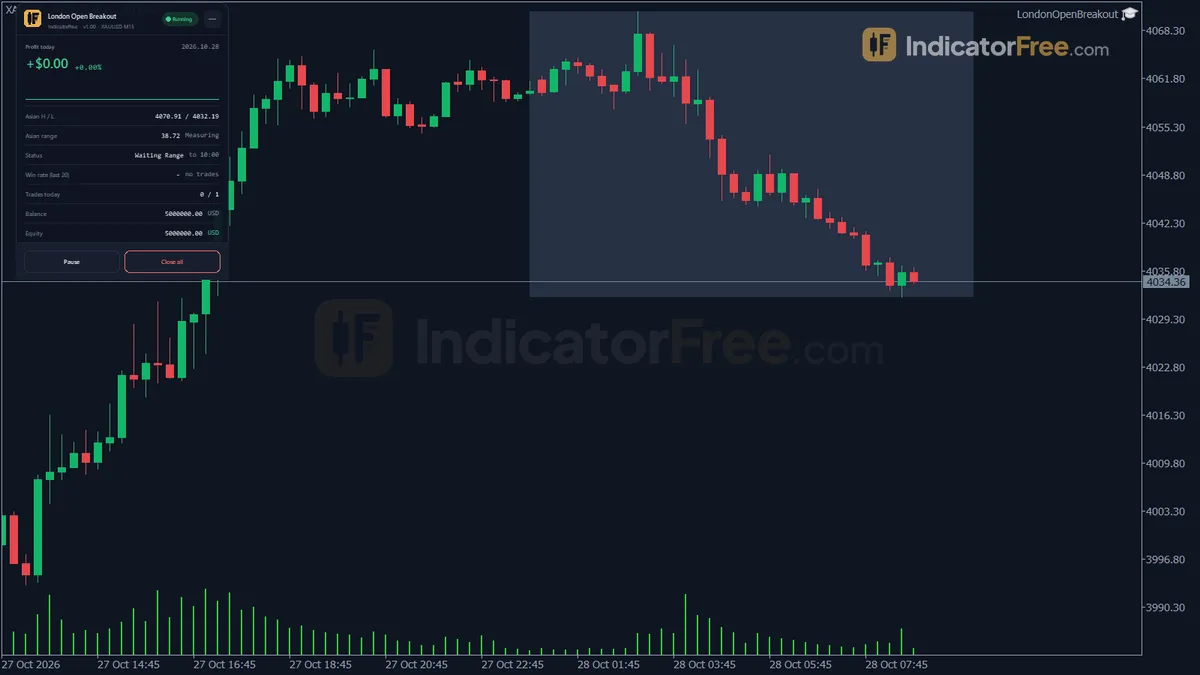
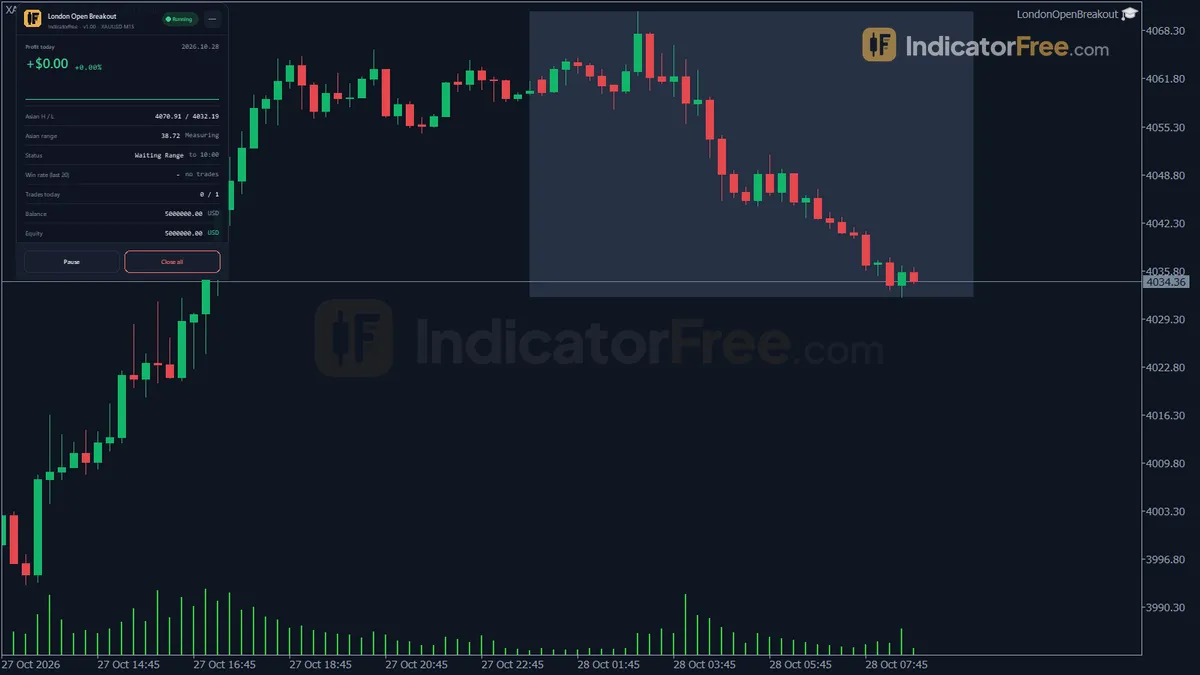
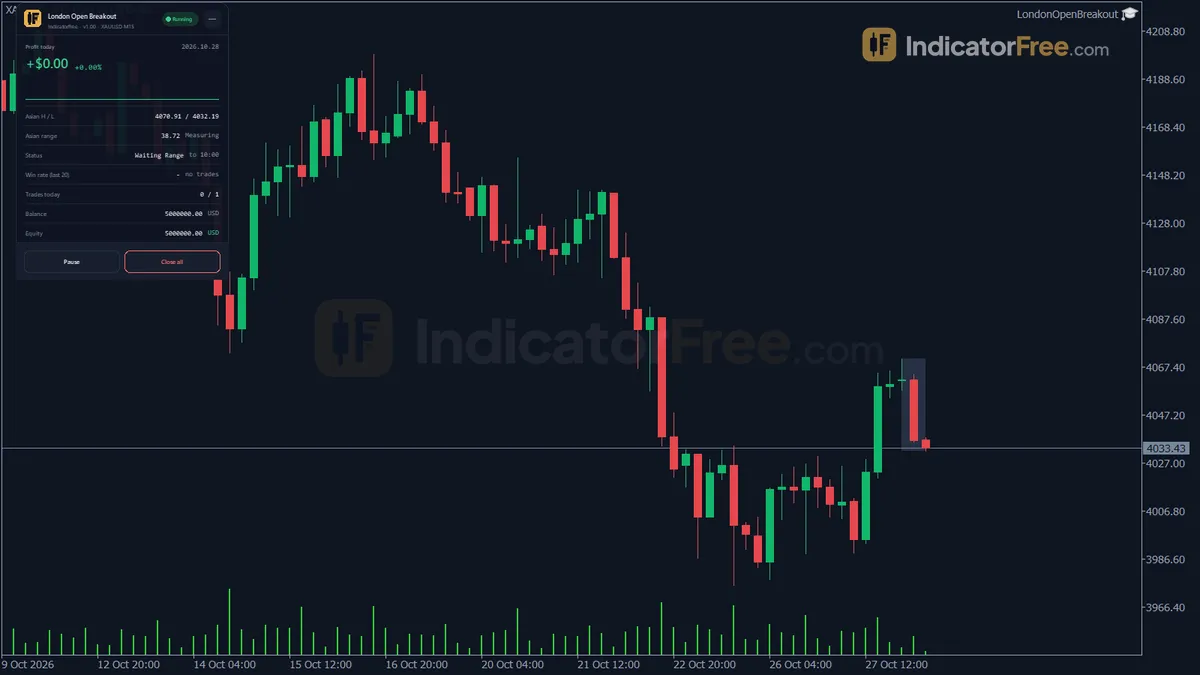
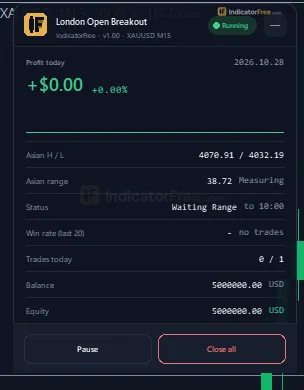
What it draws on your chart
- An Asian range box: a rectangle from the highest high to the lowest low between
AsianStartHourandLondonOpenHour. - Two breakout trigger lines: one a small ATR buffer above the box and one the same buffer below it. A close beyond one of these lines opens the trade.
- Stop loss and take profit lines: horizontal lines that show only while the EA has a position open on that symbol.
- An on-chart panel: today's profit in money and percent with an intraday sparkline, open positions, the Asian high and low, the range size and whether it passed the filter, EA status, the win rate of the last
WinRateTradesclosed trades, trades today, and balance and equity.
The box and the trigger lines are deleted when a new server day starts, so an old range never stays on the chart and gets mistaken for today's.
How the Lab tested it
The Lab ran the EA with its default inputs in the MT5 Strategy Tester on XAUUSD M15 from 2026-04-02 to 2026-10-02. It started with a 10,000 deposit and used 1-minute OHLC tick data on build 6230. Here is what each result means for you:
- Net profit 1,289.16 on the 10,000 deposit over six months.
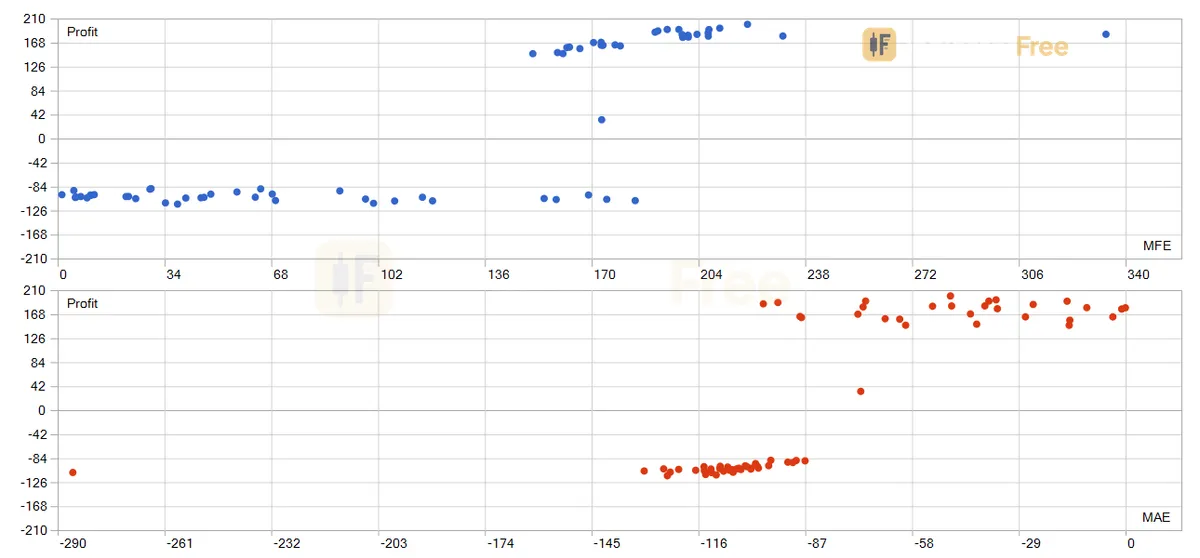
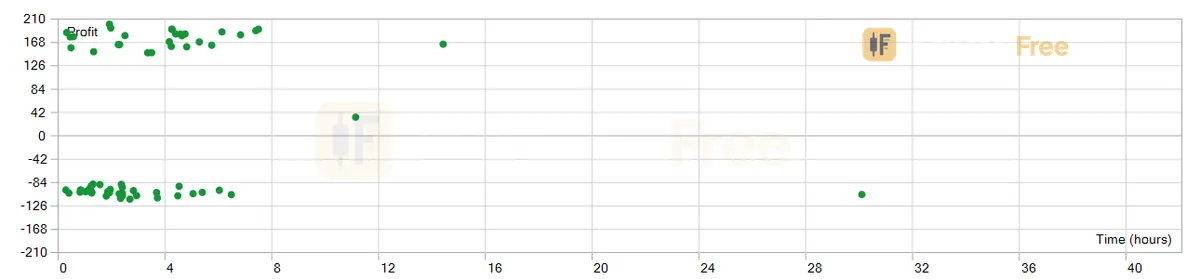
- Win rate 44.62%. Fewer than half the trades won. The profit comes from the target being 1.8 times the stop, so each win pays more than each loss costs. Expect losing streaks.
- Profit factor: gross profit divided by gross loss. At the level in the opening line, the EA made about 1.35 for every 1 it lost. That is a positive edge, but a thin one, and higher costs or slippage can erase it.
- Max drawdown: the largest drop from an equity peak, measured at the default 1% risk per trade. If you double
RiskPercent, expect roughly double the drawdown. - Trade count: six months gave fewer trades than trading days. On many days the range failed the filter or price never closed beyond a trigger line inside the entry window.
1-minute OHLC is modelled data, not real ticks. When the stop and the target are both reached inside the same minute, the tester has to guess which came first.
Who it suits
It suits traders who want the London breakout as a fixed, testable rule set: one trade a day, risk set as a percent of equity, and every position closed by the end of the day. The Lab tested it on gold, so XAUUSD on M15 is the setup with evidence behind it.
How it works
- 1Each day, measures the high and low from the start hour up to the London open hour.
Range high = highest High, Range low = lowest Low (range bars on RangeTF)Inputs: AsianStartHour, LondonOpenHour, RangeTF - 2At London open, takes ATR and skips the day if the range is too narrow or too wide.
skip if Range < MinRangeATRMult x ATR x sqrt(N bars) or Range > MaxRangeATRMult x ATR x sqrt(N bars)Inputs: ATRPeriod, MinRangeATRMult, MaxRangeATRMult - 3Sets trigger lines beyond the range. Buys on a close above the upper line, sells below the lower.
Upper = Range high + BreakoutBufferATR x ATR, Lower = Range low - BreakoutBufferATR x ATRInputs: BreakoutBufferATR, BreakoutWindowHours, MaxSpreadPoints - 4Stop sits at the far range edge plus buffer, capped by ATR. Target is stop times the ratio.
SL dist = min(entry to opposite range edge incl. buffer, SLCapATRMult x ATR), TP dist = SL dist x RR_RatioInputs: SLCapATRMult, RR_Ratio - 5Sizes lots to risk a percent of equity, halts on a daily loss limit, closes positions at end of day.
Lots = Equity x RiskPercent / 100 / (SL dist per lot value)Inputs: RiskPercent, MaxDailyLossPercent, EODCloseHour
Specifications
- Platform
- MetaTrader 5
- Version
- 1.00
- Type
- Expert Advisor
- Risk model
- Stop loss on every trade
- Smallest tested deposit
- $10,000
- Inputs
- 23
- Tested on
- MT5 build 6230 · 2026-10-02
Backtest
- Symbol / timeframe
- XAUUSD M15
- Period
- 2 Apr 2026 – 2 Oct 2026
- Initial deposit
- $10,000
- Net profit
- $1,289.16
- Profit factor
- 1.35
- Max equity drawdown
- 6.71%
- Trades
- 65
- Winning trades
- 44.62%
IndicatorFree — tested 2026-10-02 · MT5 build 6230 · 1-minute OHLC. Results come from historical data, not live trading, and do not guarantee future results.
Inputs
| Input | Default | What it does |
|---|---|---|
| Theme | Dark | Chart color theme applied while the EA runs |
| RestoreTheme | true | Restore the original chart colors when the EA is removed |
| DashScale | 1.5 | Panel size multiplier (panel accepts 0.6 - 2.0) |
| WinRateTrades | 20 | Number of last closed EA trades used for the panel win rate |
| AsianStartHour | 0 | Server hour when the Asian range measurement starts |
| LondonOpenHour | 10 | Server hour when the range is locked and entries may begin |
| BreakoutWindowHours | 4 | Hours after LondonOpenHour during which a new entry is allowed |
| EODCloseHour | 23 | Server hour when all EA positions are closed (must be after LondonOpenHour) |
| RangeTF | M15 | Timeframe used to measure the range and confirm the breakout |
| ATRPeriod | 14 | ATR period used for the buffer, range filter and SL cap |
| BreakoutBufferATR | 0.1 | Breakout buffer beyond the range = this x ATR |
| MinRangeATRMult | 0.4 | Skip the day if the Asian range is below this x ATR |
| MaxRangeATRMult | 2.5 | Skip the day if the Asian range is above this x ATR |
| SLCapATRMult | 2 | Maximum SL distance = this x ATR |
| RR_Ratio | 1.8 | TP distance = SL distance x this ratio |
| RiskPercent | 1 | Percent of equity risked per trade (sets the lot size) |
| MaxSpreadPoints | 300 | Skip the entry if the current spread is above this (points) |
| MaxDailyLossPercent | 3 | Stop new entries for the day after this % loss today (0 = off) |
| MagicNumber | 778801 | Magic number that identifies this EA's positions |
| TradeComment | LondonOpenBreakout | Comment attached to every order |
| AlertPopup | true | Popup alert on entries, skipped days and forced closes |
| AlertPush | false | Push notification to the MT5 mobile app |
| AlertSound | false | Play a sound with each alert |
How to read it
Reading the box, triggers and stop lines
The example below assumes ATR = 5. With the defaults, the buffer is 0.1 × 5 = 0.5 and the stop cap is 2 × 5 = 10. The box runs from 3332 to 3352, so the trigger lines sit at 3352.5 and 3331.5.
- Bar 13 spikes to 3353 but closes at 3351, so no trade opens. A wick through the line is not a signal; only a close beyond it counts.
- Bar 14 closes at 3354, above the upper trigger, and the EA buys.
- The stop would normally sit at the opposite trigger line, 3331.5. That is farther away than the 10 cap, so the cap applies. The stop goes 10 below the entry at 3344, inside the box. The target is 10 × 1.8 = 18 above the entry, at 3372.
A common misread is a stop line inside the box. When the range is wide, the ATR cap pulls the stop closer than the box edge. This is intended and is not a bug.
How one trading day runs
The EA runs through the same steps every day:
- 1Measure the rangeHighest High and lowest Low on RangeTF from AsianStartHour to LondonOpenHour
- 2Filter at London openSkip the day if Range < MinRangeATRMult x ATR x sqrt(N bars) or Range > MaxRangeATRMult x ATR x sqrt(N bars)
- 3Set trigger linesRange high + BreakoutBufferATR x ATR, range low - BreakoutBufferATR x ATR
- 4Wait for a close beyond a lineOnly within BreakoutWindowHours, spread at or below MaxSpreadPoints, daily loss limit not hit; at most one trade a day
- 5Place stop, target and lotsSL = min(distance to opposite edge incl. buffer, SLCapATRMult x ATR); TP = SL x RR_Ratio; lots from RiskPercent of equity
- 6ExitStop, target, or forced close at EODCloseHour
The range filter scales with the number of bars
The filter does not compare the range with ATR directly. Both limits are multiplied by √N, where N is the number of range bars on RangeTF.
With the defaults (00:00 to 10:00 server time on M15), the window holds many bars, so the real limits are much wider than the plain ATR multiples suggest:
- Too narrow: below
MinRangeATRMult× ATR × √N. - Too wide: above
MaxRangeATRMult× ATR × √N.
If you change RangeTF, AsianStartHour or LondonOpenHour, N changes and both limits move with it, so work them out again before you judge whether the filter is too strict or too loose.
Inputs to change first
| Input | Default | Why you would change it |
|---|---|---|
LondonOpenHour / AsianStartHour | 10 / 0 | These are server hours. Set LondonOpenHour to the server hour when London opens on your terminal, or the range will cover the wrong session. |
RiskPercent | 1 | Sets the lot size from your equity. This is the main control on drawdown. |
MaxSpreadPoints | 300 | Points depend on the symbol's digits. On a 5-digit FX pair, 300 points is 30 pips, which is very loose. |
BreakoutWindowHours | 4 | A shorter window drops late, slow breakouts. A longer one takes more of them. |
EODCloseHour | 23 | Closes every EA position at this hour. It must be later than LondonOpenHour. |
MinRangeATRMult / MaxRangeATRMult | 0.4 / 2.5 | The range quality filter. Remember the √N scaling explained above. |
MagicNumber (778801) and TradeComment mark the EA's positions. Give each chart a different magic number if you run the EA on several symbols.
Panel, theme and alerts
The panel is the quickest way to see whether today is live. Check the range filter state, then the trades-today count. DashScale resizes the panel within 0.6 – 2.0. Theme recolors the chart while the EA runs, and RestoreTheme puts your original colors back when you remove it.
Alerts fire on entries, skipped days and forced closes:
AlertPopup(on by default) shows an MT5 popup.AlertPushsends the alert to the MT5 mobile app.AlertSoundplays a sound with each alert.
Decision rule
- A skipped-day alert means the day is over. Do not take the breakout by hand, because the filter rejected that range.
- An entry alert means leave the trade alone. Let the stop, the target or
EODCloseHourclose it, even if price slips back into the box. The Lab result is for the rules as written; closing trades by hand turns it into a different, untested system.
Installation
- 1Download LondonOpenBreakout.ex5 from the button above (Google Drive).
- 2In MetaTrader 5: File → Open Data Folder → MQL5 → Experts. Copy LondonOpenBreakout.ex5 there.
- 3Restart MT5 or right-click Expert Advisors in Navigator → Refresh.
- 4Drag London Open Breakout onto a chart and switch on Algo Trading in the toolbar.
- Tested on MT5 build 6230.
Key terms and guides
- Average True Range
- Average True Range (ATR) is a volatility indicator that shows how far price typically moves per candle, gaps included, averaged over a set number of candles. It measures the size of moves, not their direction.
- Sideways market
- A sideways market, also called a range-bound market, a trading range or consolidation, is a phase when price moves back and forth between a fairly flat high and a fairly flat low instead of trending.
- Auto trading button
- The auto trading button is the master on/off switch on a trading platform that allows or blocks trading robots from sending orders. When it is off, a robot can still watch the chart, but it cannot open, change or close any trade.
- Guide: How to Learn the Heiken Ashi Strategy: Candles, Rules and Real Prices
- Guide: What Is Parabolic SAR in Trading? The Dots, the Maths and the Stop
- Guide: What Is Bull Bear Power? How to Read Elder's Bull and Bear Power
More on this subject: Breakouts & sessions guide, terms and tools
User reviews
No reviews yet. Members who download the tool can review it here.
Sign in and download the tool to review it.
FAQ
Does it work on other pairs?
Tested on XAUUSD only; other symbols not tested.
What were London Open Breakout's backtest results?
On XAUUSD M15 from 2 Apr 2026 – 2 Oct 2026, starting with $10,000, it closed 65 trades: profit factor 1.35, maximum equity drawdown 6.71%, 44.62% winning trades. These are historical results, not a promise.
How much money do I need to run it?
The smallest deposit tested was $10,000 on XAUUSD. Run it on a demo account first.
Which inputs control the risk?
SLCapATRMult (default 2): Maximum SL distance = this x ATR. RR_Ratio (default 1.8): TP distance = SL distance x this ratio. RiskPercent (default 1): Percent of equity risked per trade (sets the lot size). MaxSpreadPoints (default 300): Skip the entry if the current spread is above this (points). MaxDailyLossPercent (default 3): Stop new entries for the day after this % loss today (0 = off).
When does it trade?
AsianStartHour (default 0): Server hour when the Asian range measurement starts. LondonOpenHour (default 10): Server hour when the range is locked and entries may begin. BreakoutWindowHours (default 4): Hours after LondonOpenHour during which a new entry is allowed. EODCloseHour (default 23): Server hour when all EA positions are closed (must be after LondonOpenHour).
Does every trade have a stop loss?
Yes. Every order is sent with a stop loss.
Does the EA wait for a retest of the range before entering?
No. It enters when a RangeTF bar closes beyond a trigger line inside BreakoutWindowHours. There is no retest step, so pullbacks into the box are not part of its logic.
If the first trade is stopped out, will it trade the other side?
No. It takes at most one breakout per day. After a stop-out it waits for the next server day and a new range.
Does my chart timeframe matter?
The range and the breakout close are measured on RangeTF (M15 by default), not on the chart timeframe. The Lab screenshots show it attached to H4 and M5 charts, but the backtest results are for M15 only.
Can I run it on EURUSD, indices or other symbols?
It attaches to any MT5 symbol, and one Lab screenshot shows it on EURUSD. However, the only tested result is XAUUSD. Demo-test any other symbol first and check MaxSpreadPoints against that symbol's digits.
What deposit does the Lab suggest?
The Lab lists 10,000 as the minimum deposit for the tested settings. The EA sizes lots from RiskPercent of equity, but the Lab has not tested smaller accounts.
Changelog
- 1.00Initial release: Asian session range breakout EA for MT5. Measures the Asian range on a configurable timeframe and server-time window, filters range quality against ATR, trades at most one ATR-capped-SL breakout per day. · 2026-10-02
Final verdict
What it does well
The EA turns the London breakout into one fixed trade a day. Entries need a closed bar, the stop has a hard ATR cap, and size is set as a percent of equity. On the six-month gold test this produced a positive profit factor with a single-digit drawdown at 1% risk.
Two design choices deal with the usual breakout complaints:
- At most one trade a day. If the first breakout fails, the EA does not reverse into the opposite side and lose twice.
- The range filter skips sessions that are too quiet or too stretched to be worth trading.
Where it falls short
- Thin evidence. The Lab tested one symbol over one six-month window. That is a start, not proof the edge holds in other conditions.
- No protection against fakeouts. The EA has no retest step and no trend filter. A close beyond the trigger that then reverses goes straight to the stop. With more losers than winners, a run of these is normal.
- The end-of-day close can cut winners. A trade still heading for its target is closed at
EODCloseHour. - Server time is your job. If
LondonOpenHourdoes not match London on your server, the EA measures and trades the wrong session.
- –You trade XAUUSD on M15 like the Lab test
- –LondonOpenHour matches London open in your server time
- –You accept more losing trades than winning ones
- –You will let SL, TP or EODCloseHour close every trade
- –You want a retest or trend confirmation before entry
- –You want several trades a day
- –Your symbol's spread often sits above MaxSpreadPoints
- –You tend to override trades by hand
Settings to start with
Start with the defaults on XAUUSD M15, since that is what the Lab tested. Your only required change is matching LondonOpenHour and AsianStartHour to your server clock.
If you want a gentler start on a demo, try RiskPercent 0.5. This is not tested by the Lab, so compare it with the default. On a 5-digit FX pair, try MaxSpreadPoints around 30, which is 3 pips. This is also not tested by the Lab, and FX results are unknown.
A tool to pair it with
Failed breakouts are this EA's main weakness. You could run False Breakout Trap on the same chart to see whether the breakout it labels near the trigger line is marked FALSE or CONFIRMED, and decide whether to keep the EA enabled on symbols where FALSE labels pile up. This is an idea to try; the Lab has not tested the pair.