Engulfing Pattern Finder
Free Engulfing Pattern Finder indicator MT5: marks bullish and bearish engulfing candles with arrows and zones. Lab: 0 of 1,071 signals repainted.
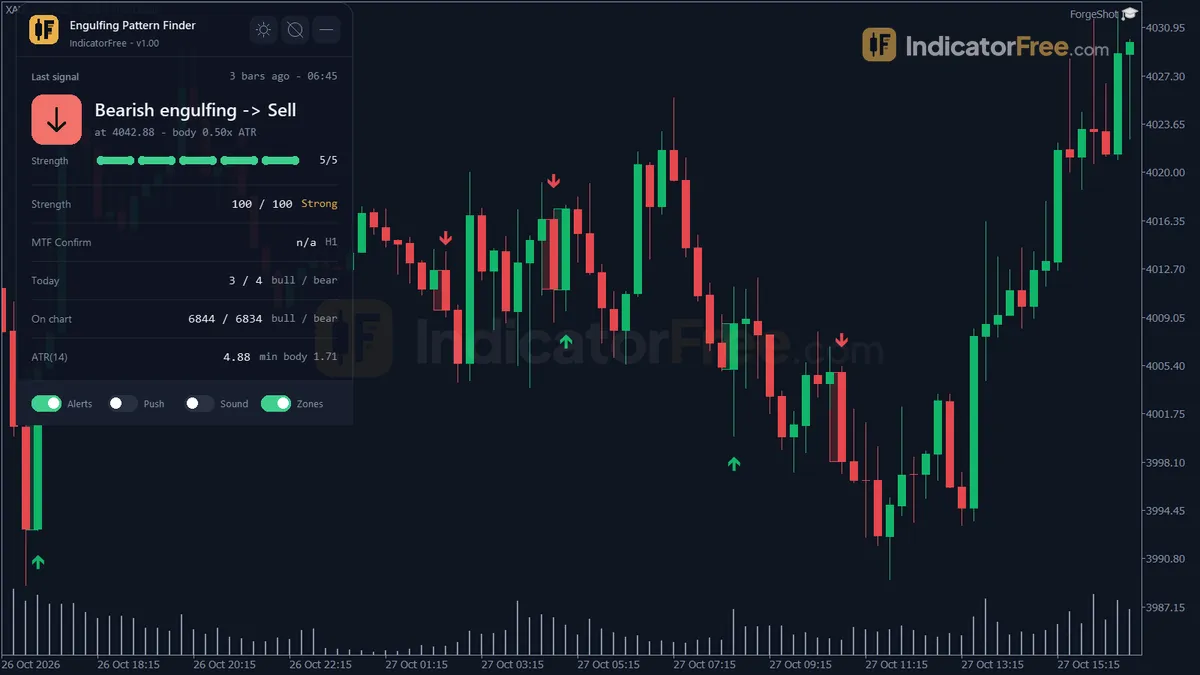
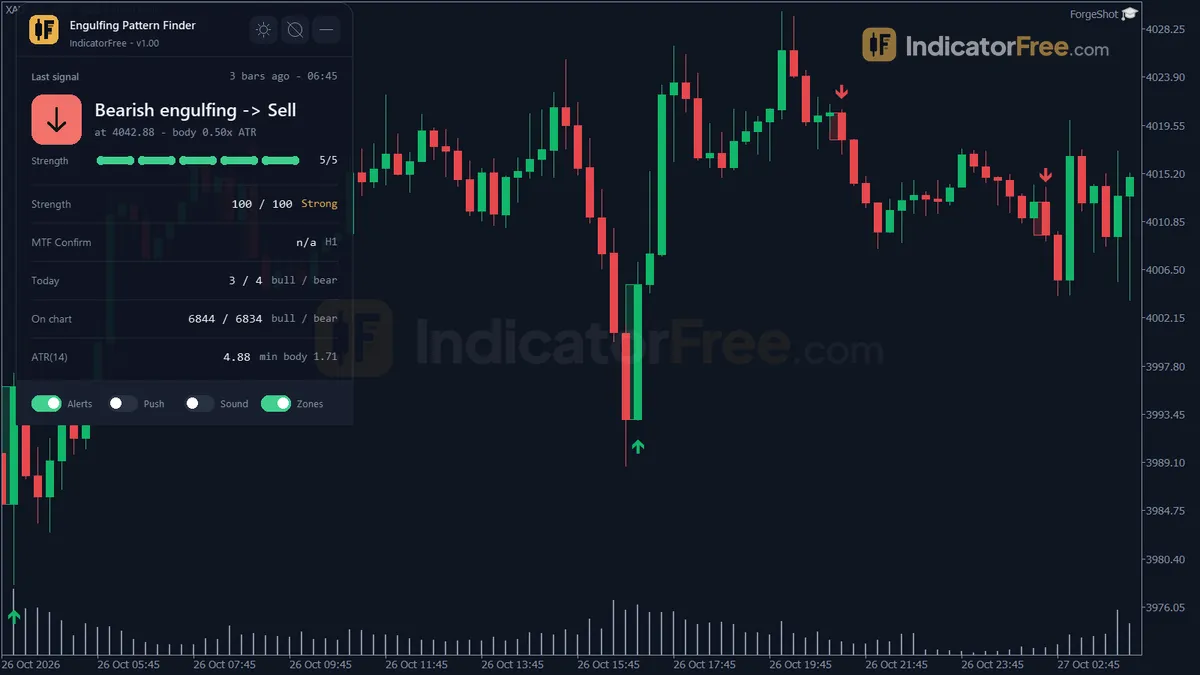
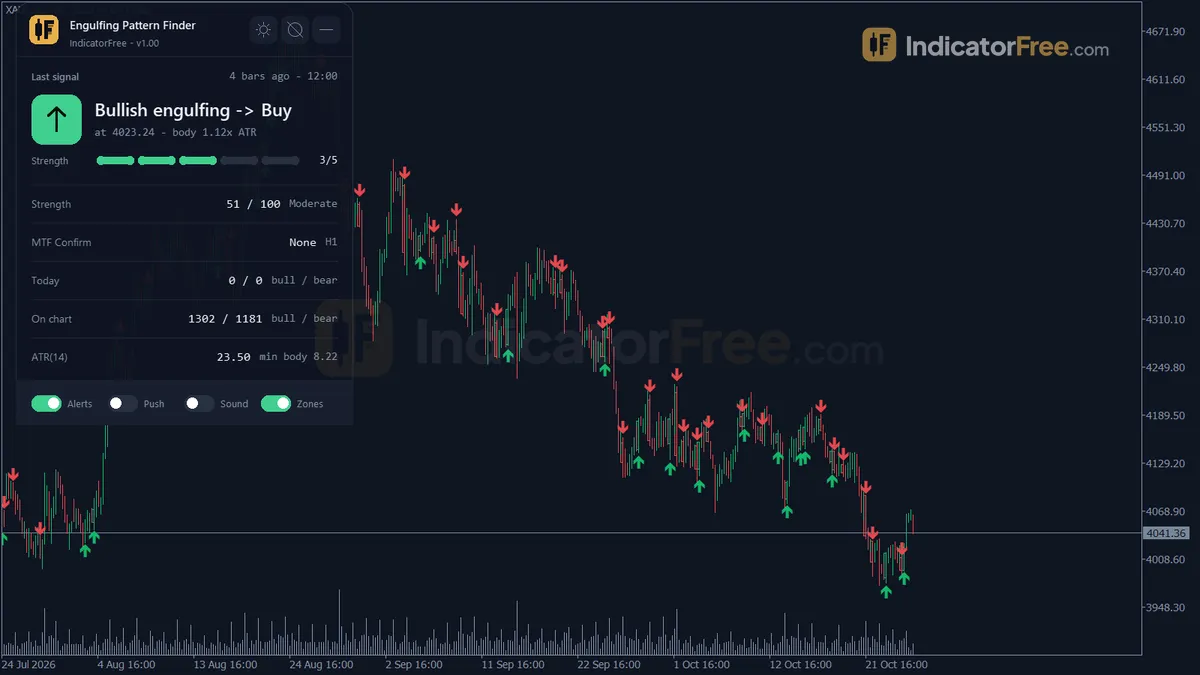
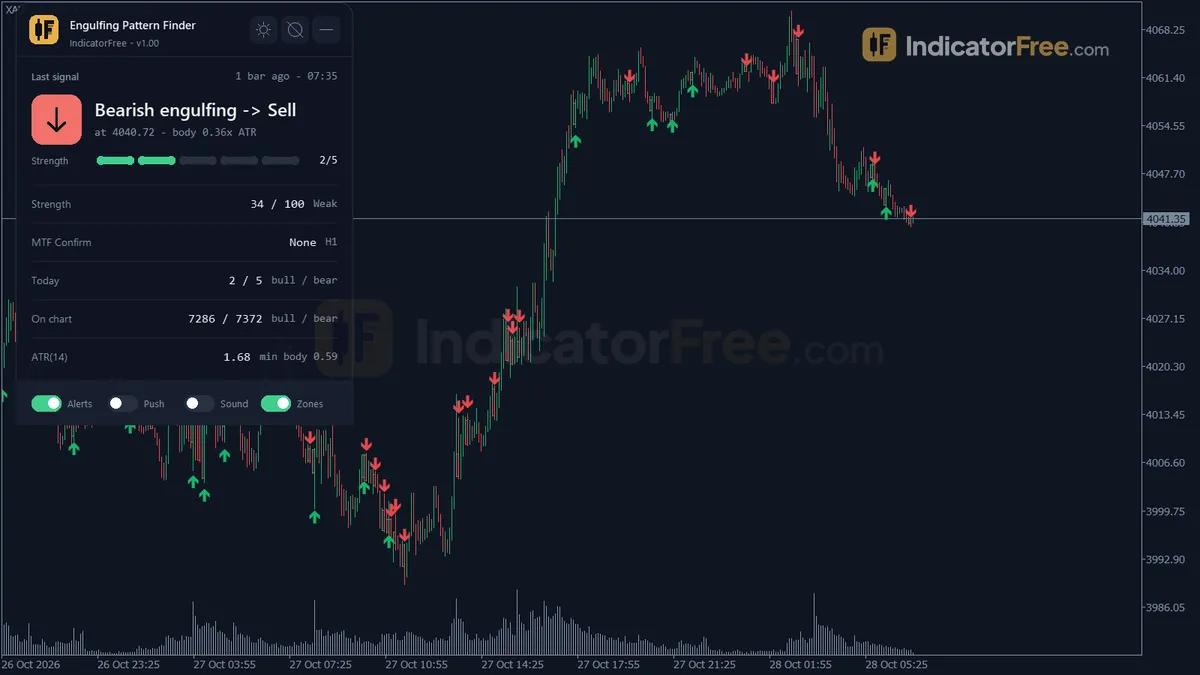
- Repainted
- 0 / 1,071
- Signals / week
- ≈ 84.3
- Tested on
- EURUSD M15
- Tested
- 2026-10-04
Overview
The Engulfing Pattern Finder indicator MT5 marks every bullish and bearish engulfing candle on your main price chart. Each one gets an arrow, an optional box over the two candle bodies and a signal panel. In the Lab's EURUSD M15 test, 0 of 1,071 signals changed after they appeared. 46.3% of them reached 1 ATR in the signal's direction before 1 ATR against it.
It helps price-action traders who use engulfing candles as a trigger at levels they have already picked. It finds, size-filters and alerts each pattern on closed bars, so you don't have to scan charts by eye.
What the indicator puts on your chart
An engulfing pattern is a two-candle pattern: the second candle's body fully covers the opposite-coloured body before it. The tool measures candle size with ATR (average true range), so it ignores tiny engulfings in a quiet market.
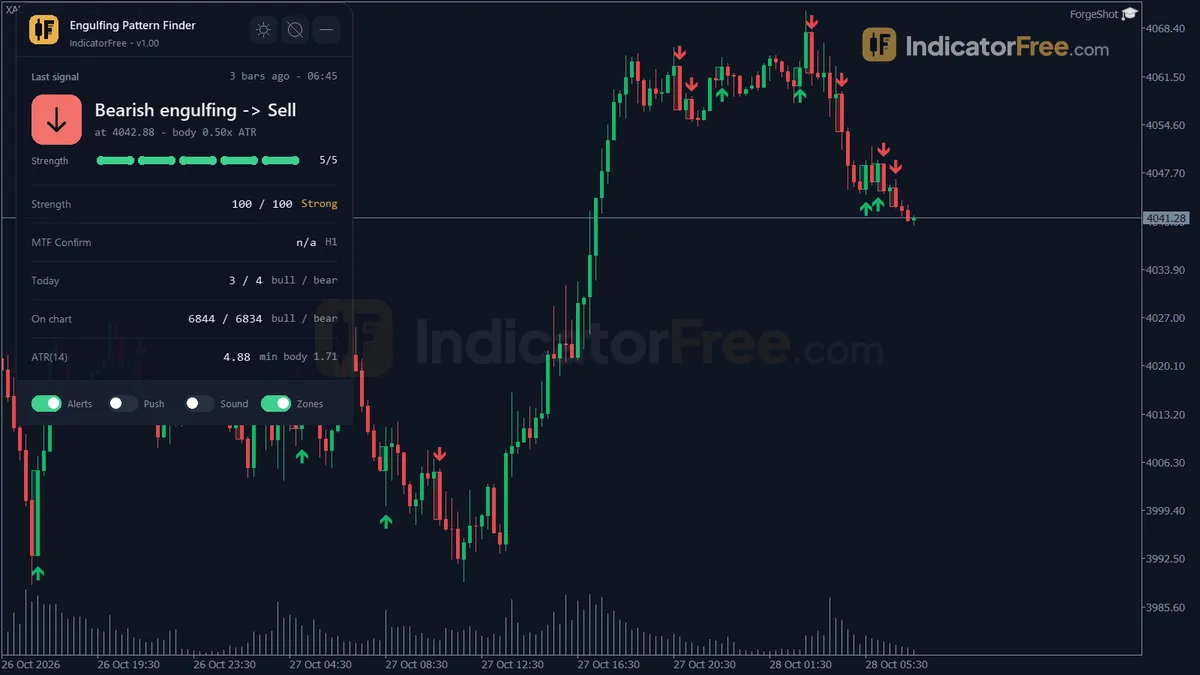
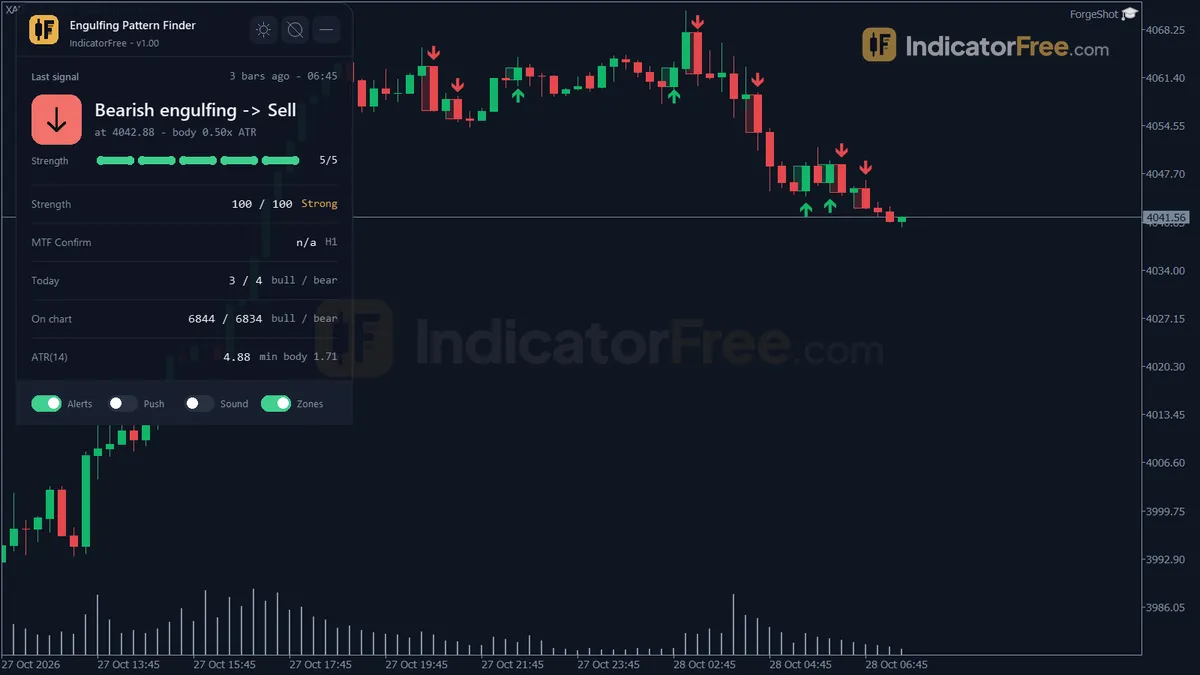
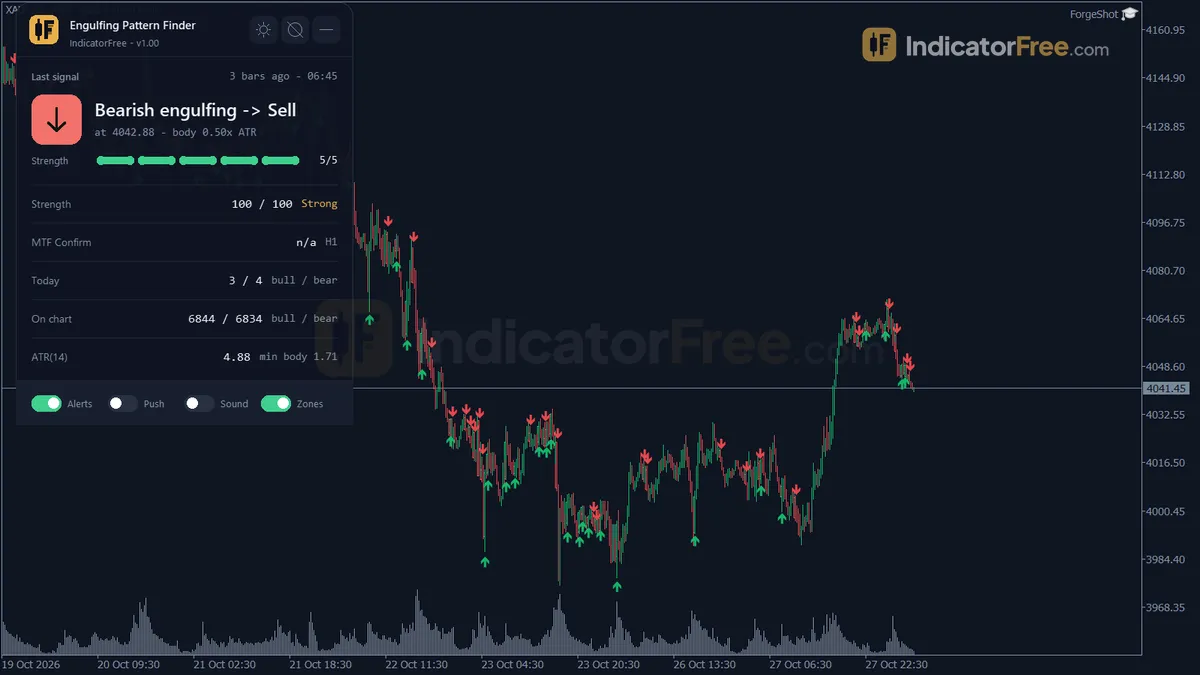
- Bullish Engulfing arrow (buffer 0): drawn below a bullish candle that engulfs the bearish candle before it.
- Bearish Engulfing arrow (buffer 1): drawn above a bearish candle that engulfs the bullish candle before it.
- Engulf Zone: a rectangle over the two bodies. When the chart holds too many boxes, the oldest one is deleted.
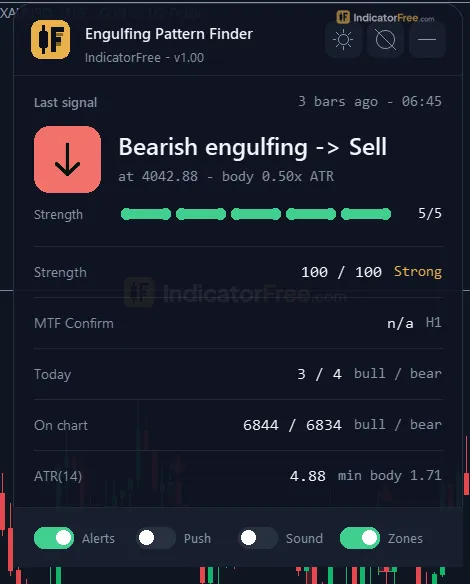
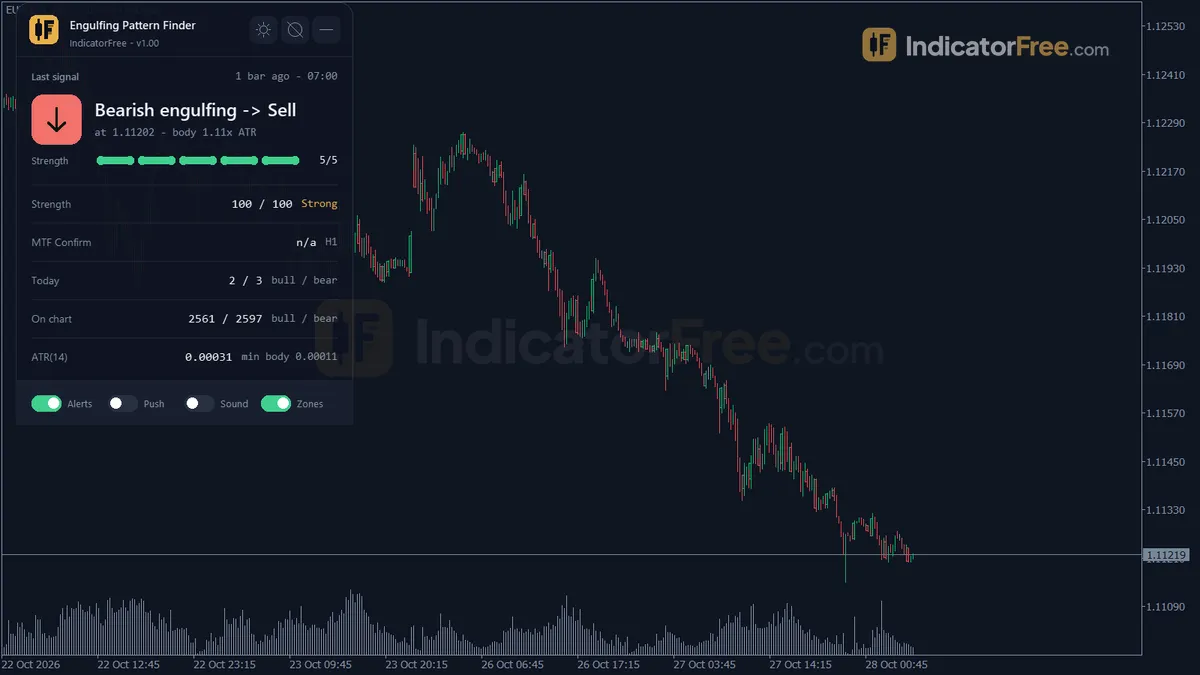
- Signal panel: the last engulfing direction and how many bars ago it fired, a strength score, a higher-timeframe badge, and today's bull/bear count and ATR.
Everything draws on the price chart. Nothing opens in a separate subwindow.
How the Lab tested it, and what the numbers mean for you
The Lab tested version 1.00 (92.3 KB) on MT5 build 6230 on 2026-10-04. The test ran on EURUSD M15 from 2026-07-06 to 2026-10-02 with real ticks from Raw Trading Ltd. The Lab logged each arrow when it appeared and checked whether it later moved or disappeared. The maximum arrow delay was 0 bars: each arrow appears on the engulfing candle itself as soon as that candle closes, not one bar later.
The chart below splits the 1 ATR result by direction.
Scale zoomed in to show the difference (bars do not start at zero).
What this means for you:
- Less than a coin flip. On its own, an arrow gave no edge in the direction it points. Treat it as a trigger to use inside your own plan, not as a trade by itself. The 2-point gap between bearish and bullish signals is small on roughly 500 signals each, so don't read it as a rule.
- You find out fast. The median signal hit one of the two 1 ATR marks within 2 bars, about 30 minutes on M15. Only 2% (1.5% bullish, 2.4% bearish) touched neither mark within 20 bars.
- It fires a lot. It averaged 84.3 signals per week (41.1 bullish, 43.2 bearish), about 17 per trading day on a five-day week. Trading every arrow is not a plan, which is why the filter inputs matter.
The test measures price movement only. It is not a backtest of trades with stops, targets or costs.
Who it is for
It is built for traders who already mark their levels and want a closed-bar trigger with alerts when a strong engulfing prints there. It also suits traders learning to spot the pattern: the box and the strength score show why each candle qualified.
How it works
- 1On each closed candle, the tool reads the average true range (ATR) as a yardstick for candle size.
ATR = average true range over the chosen periodInputs: InpATRPeriod - 2A candle engulfs when its body covers the previous opposite body and is big enough versus ATR and that body.
Body = |Close - Open|, need Body at least r1 x ATR and at least r2 x PriorBodyInputs: InpMinBodyATRRatio, InpMinEngulfRatio - 3Optionally, the previous candle must be the lowest low (bullish) or highest high (bearish) of the recent bars.Inputs: InpRequireSwingContext, InpSwingLookback
- 4Each signal gets a strength score from 0 to 100, blending body size against the prior body and ATR.
Score = 100 x (0.6 x Body/PriorBody + 0.4 x Body/ATR) / 3, limited to 0-100 - 5An arrow is placed beyond the signal candle's low or high, with an optional box over both bodies.
Arrow = Low - k x ATR (bullish) or High + k x ATR (bearish)Inputs: InpArrowOffsetATR, InpShowZoneBox, InpMaxZones
Specifications
- Platform
- MetaTrader 5
- Version
- 1.00
- Type
- Indicator
- Window
- Main chart
- Draws
- 2 arrows, 1 zone, 1 panel
- Alerts
- popup, push, sound
- Repaints
- No (0 of 1,071 signals changed)
- Inputs
- 17
- Tested on
- MT5 build 6230 · 2026-10-04
Repaint test
No repaint detected. In a 6 Jul 2026 – 2 Oct 2026 test on EURUSD M15 (Raw Trading Ltd real ticks), 1,071 signals were logged at bar close and re-read at the end of the test: 0 changed. Arrows print on the bar that closes the signal, with no delay.
IndicatorFree — tested 2026-10-04 · MT5 build 6230 · Raw Trading Ltd real ticks. Results come from historical data, not live trading, and do not guarantee future results.
Signal statistics
Over 6 Jul 2026 – 2 Oct 2026 on EURUSD M15, the indicator printed 1,071 arrows. After 46.3% of them, price moved 1×ATR(14) in the arrow's direction before moving 1×ATR against it (median 2 bars). 2% reached neither level within 20 bars.
This measures price movement after the arrow, not a trading result. It includes no spread, commission, stop loss or position sizing.
What it draws
- Arrows (Bullish Engulfing) from buffer 0, drawn on the closed bar.
- Arrows (Bearish Engulfing) from buffer 1, drawn on the closed bar.
- Rectangles (Engulf Zone) drawn as chart objects, not buffers — they are not readable by iCustom() in an EA.
- An on-chart panel (Signal); values shown in the panel are not exposed as buffers.
Inputs
| Input | Default | What it does |
|---|---|---|
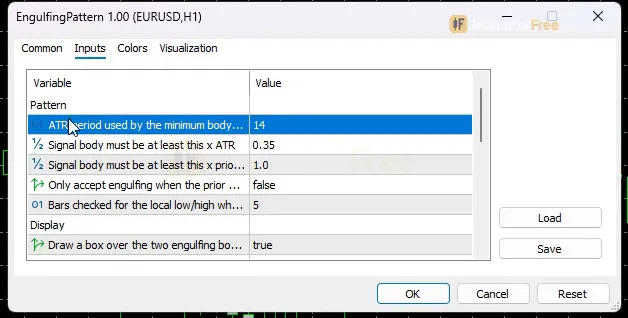
| InpATRPeriod | 14 | ATR period used by the minimum body filter |
| InpMinBodyATRRatio | 0.35 | Signal body must be at least this x ATR |
| InpMinEngulfRatio | 1 | Signal body must be at least this x prior body (1.0 = classic) |
| InpRequireSwingContext | false | Only accept engulfing when the prior bar is the local low/high |
| InpSwingLookback | 5 | Bars checked for the local low/high when swing context is on |
| InpShowZoneBox | true | Draw a box over the two engulfing bodies |
| InpMaxZones | 50 | Maximum zone boxes kept on chart (oldest removed first) |
| InpArrowOffsetATR | 0.3 | Arrow distance from High/Low as a fraction of ATR |
| InpShowMTF | true | Show the higher-timeframe engulfing badge on the panel |
| InpMTFTimeframe | H1 | Timeframe checked for the MTF badge |
| InpEnableAlertPopup | true | Popup alert on a new engulfing signal |
| InpEnableAlertPush | false | Push notification on a new engulfing signal |
| InpEnableAlertSound | false | Play a sound on a new engulfing signal |
| InpSoundFile | alert.wav | Sound file played when sound alerts are on |
| PanelScale | 1 | Panel size multiplier (DPI is applied automatically) |
| Theme | Dark | Chart color theme |
| RestoreTheme | true | Restore the original chart colors when removed |
How to read it
Install: copy the file into your MQL5/Indicators folder (File > Open Data Folder), refresh the Navigator, then drag the indicator onto a chart.
How one engulfing signal forms
Every arrow passes the same checks, in this order, on a fully closed bar:
- 1Candle closesOnly closed bars are checked; the forming bar never gets an arrow
- 2Read ATRAverage true range over InpATRPeriod bars, used as the size yardstick
- 3Body covers the prior opposite bodyBullish: open <= prior close and close >= prior open. Bearish: the mirror
- 4Size filtersBody >= InpMinBodyATRRatio x ATR and >= InpMinEngulfRatio x prior body
- 5Optional swing checkIf InpRequireSwingContext is on, the prior bar must be the lowest low / highest high of InpSwingLookback bars
- 6Draw and alertArrow, Engulf Zone box, strength score on the panel, alert
Reading the arrows, boxes and panel
The picture below is an illustration of typical signals, not a Lab result. A bullish arrow sits under the candle that engulfs a small bearish body at the bottom of a drop. A bearish arrow sits over the candle that engulfs a small bullish body at the top of a rally.
- Arrow position: each arrow sits InpArrowOffsetATR x ATR below the candle's low (bullish) or above its high (bearish). That keeps it clear of the wick on any volatility.
- Engulf Zone box: covers both bodies. It shows you the price area where the pattern formed.
- Strength score (panel): Score = 100 x (0.6 x Body/PriorBody + 0.4 x Body/ATR) / 3, limited to 0-100. With the defaults, the weakest signal that can pass has a body equal to the prior body and 0.35 ATR: 100 x (0.6 x 1 + 0.4 x 0.35) / 3 = 24.7. A body 4 times the prior body and 1.5 ATR scores 100 x (2.4 + 0.6) / 3 = 100. The Lab has not measured whether high-score signals do better, so use the score to compare candles, not as a hit rate.
The inputs to change first
| Input | Default | What changing it does |
|---|---|---|
| InpMinBodyATRRatio | 0.35 | Main filter. Raise it for fewer, larger signal candles; lower it to catch small ones |
| InpRequireSwingContext | false | When true, the prior bar must be the local low (bullish) or high (bearish). This removes mid-range engulfings |
| InpSwingLookback | 5 | How many bars count as "local" when swing context is on. More bars means stricter |
| InpMinEngulfRatio | 1 | 1.0 is the classic rule. Higher values demand a body larger than the prior body, not just equal |
| InpMTFTimeframe | H1 | Timeframe the panel badge checks. Set it above your chart timeframe |
| InpATRPeriod | 14 | ATR length for the body filter, arrow offset and score |
| InpShowZoneBox / InpMaxZones | true / 50 | Turn boxes off, or cap how many stay on the chart (oldest removed first) |
| InpArrowOffsetATR | 0.3 | Arrow distance from the candle, as a fraction of ATR |
Display inputs: PanelScale (1) resizes the panel, and DPI is applied automatically. Theme (Dark) recolours the chart. RestoreTheme (true) puts your original colours back when you remove the indicator.
Alerts and where they appear
There are three alert channels, and each fires on a new engulfing signal:
- InpEnableAlertPopup (on by default): the MT5 Alert window on your terminal.
- InpEnableAlertPush (off): a push notification to the MetaTrader app on your phone, once push notifications are set up in your terminal.
- InpEnableAlertSound (off): plays InpSoundFile (default alert.wav).
Signals come only from closed bars, so an alert means the pattern is already final.
A decision rule for each arrow
Bullish Engulfing: take it only if all three hold:
- The prior bar is the local low (swing context on, or check it yourself).
- The Engulf Zone sits at a support level you had marked before the arrow appeared.
- The higher-timeframe badge does not show the opposite direction.
Skip it when it prints in the middle of a range, especially between recent bearish arrows.
Bearish Engulfing: the mirror rule. Require a local high, a resistance level you had already marked, and no opposite higher-timeframe badge.
Size your stop in ATR (the panel shows today's ATR). Then decide in advance what you will do if price has not moved your way within a few bars, because most signals in the Lab test were decided that fast.
The common misread: treating the arrow as an entry price
The arrow marks a candle that has already closed. By then the engulfing body has moved price a long way, at least 0.35 ATR with the defaults and often much more. The earliest realistic entry is the next bar's open. If the signal candle is very large (the strength score shows this), a stop beyond the pattern will be wide. Judge that before you act on the alert.
Installation
- 1Download EngulfingPattern.ex5 from the button above (Google Drive).
- 2In MetaTrader 5: File → Open Data Folder → MQL5 → Indicators. Copy EngulfingPattern.ex5 there.
- 3Restart MT5 or right-click Indicators in Navigator → Refresh.
- 4Drag Engulfing Pattern Finder onto a chart. For push alerts, enable "Allow push notifications" under Tools → Options → Notifications.
- Tested on MT5 build 6230.
Key terms and guides
- low volatility
- Low volatility means price is moving in small steps: candles are short, the range is narrow, and readings such as the Average True Range sit below their usual level for that market. It describes how far price moves, not which direction it goes.
- Indicator buffer
- An indicator buffer is the list of numbers an indicator stores, one value per candle, for each line, histogram or arrow it draws. Expert Advisors and alerts read these buffers to get the indicator's values.
- Candlestick
- A candlestick is one bar on a price chart that shows four prices for a set period: the open, high, low and close. A thick body spans the open and close, and thin wicks reach the high and low.
- Engulfing pattern
- An engulfing pattern is a two-candle reversal signal. The second candle's body is the opposite color and fully covers the body of the candle before it, which shows that the other side has taken control of price.
- Guide: What Is a Fair Value Gap in Forex? How to Spot and Trade One
- Guide: How to Read Candlestick Charts: Bodies, Wicks and Shapes Explained
More on this subject: Price action & SMC guide, terms and tools
User reviews
No reviews yet. Members who download the tool can review it here.
Sign in and download the tool to review it.
Build a checklist with it
Engulfing Pattern Finder does one job on the chart: entry signal. Put it on the same chart as the tools below and the IndicatorFree panels merge into one checklist card, ordered trend, zone, signal, risk.
- Trend / contextEMA Lead GaugeEngulfing Pattern Finder tells you when; this tells you which way the market leans, so you can skip signals against it.
- Zone / levelFixed Range ProfileShows the zones and levels, so you can see whether a signal from Engulfing Pattern Finder fires at a level worth trading.
The Lab has not tested these combinations. Each tool is tested on its own; the card only lines up what each one says. Free members get 2 new tools a day. If one has to wait until tomorrow, install BlackBox to raise the limit to 5 a day (20 on a live account).
FAQ
Does Engulfing Pattern Finder repaint?
No repaint detected. In a 6 Jul 2026 – 2 Oct 2026 test on EURUSD M15 (Raw Trading Ltd real ticks), 1,071 signals were logged at bar close and re-read at the end of the test: 0 changed. Arrows print on the bar that closes the signal, with no delay.
Can I use Engulfing Pattern Finder in an EA?
Yes. Read buffer 0 (Bullish Engulfing) with iCustom() on bar 1 — the last closed bar.
Why can’t my EA read the zones?
Zones and the panel are chart objects, not indicator buffers, so iCustom() does not return them.
How do I get alerts on my phone?
Enter your MetaQuotes ID under Tools → Options → Notifications, tick "Enable push notifications", and keep the push alert input on.
Does it work on other pairs?
Tested on EURUSD only; other symbols not tested.
Which timeframes and symbols can I run it on?
It attaches to any chart, but the Lab only measured EURUSD M15. On other symbols or timeframes, watch the panel's daily bull/bear count for a few sessions. Then tune InpMinBodyATRRatio before you rely on the alerts.
Why did my chart colours change when I added it?
The Theme input (Dark by default) recolours the chart. With RestoreTheme left at true, your original colours come back when you remove the indicator.
Does it require a gap between the two candles, or count wicks?
No to both. A bullish signal needs open = prior open, so an open equal to the prior close counts. Only the bodies are compared; wicks are ignored.
Can an Expert Advisor read its signals?
Bullish Engulfing arrows are in buffer 0 and Bearish Engulfing arrows in buffer 1, so an EA can read them from those buffers. The Lab has not tested it inside an EA.
Changelog
- 1.00Initial release: bullish/bearish engulfing detection on fully closed bars only (no repaint), ATR-based minimum body filter (InpMinBodyATRRatio), minimum engulf ratio vs. · 2026-10-05
Final verdict
A clean, non-repainting engulfing scanner, not a signal edge
The tool does its job reliably. It finds every engulfing that meets its rules, and in the Lab's real-tick run it never moved or removed an arrow after it appeared. The ATR body filter and the strength score let you tell a strong engulfing from a token one at a glance. With alerts, you don't have to watch the chart.
What it does not give you is direction. In the Lab's test, raw arrows reached 1 ATR in their own direction slightly less often than against it, and on M15 they fire many times a day. The value comes from what you add: the level, the swing context and the higher-timeframe view.
What it cannot do
- It does not place trades or set stops and targets. It is an indicator, not an EA.
- It does not judge location. A textbook engulfing in the middle of nowhere gets the same arrow as one at a key level.
- Its numbers come from one symbol (EURUSD), one timeframe (M15) and one three-month window. Other pairs and timeframes are untested.
Who should skip it
- You want a buy/sell system to follow without your own levels.
- You trade M1 or M5 and don't want a steady stream of alerts. Test there first, because the Lab has not.
- Your engulfing definition includes wicks or requires a gap between the candles. This tool tests bodies only.
Settings to start with
These are untested starting points, not Lab results. Compare each with the default on your own chart.
- M15: InpRequireSwingContext true with InpSwingLookback 5, and InpMinBodyATRRatio 0.5. You should get fewer arrows, all at local turns.
- H1: set InpMTFTimeframe to H4 so the badge checks a timeframe above your chart.
- Away from the screen: turn on InpEnableAlertPush.
An idea to pair it with
The engulfing arrow tells you when buyers or sellers took over a candle, but not where that matters. Order Block Locator or Imbalance Zones can supply the zones, so you would act only on engulfings that form inside them. This is an idea to try: the Lab has not tested the pair.