Imbalance Zones
Free MT5 indicator that draws bullish and bearish imbalance zones from ATR-sized candles. Lab: 0 of 687 signals changed in the repaint test.
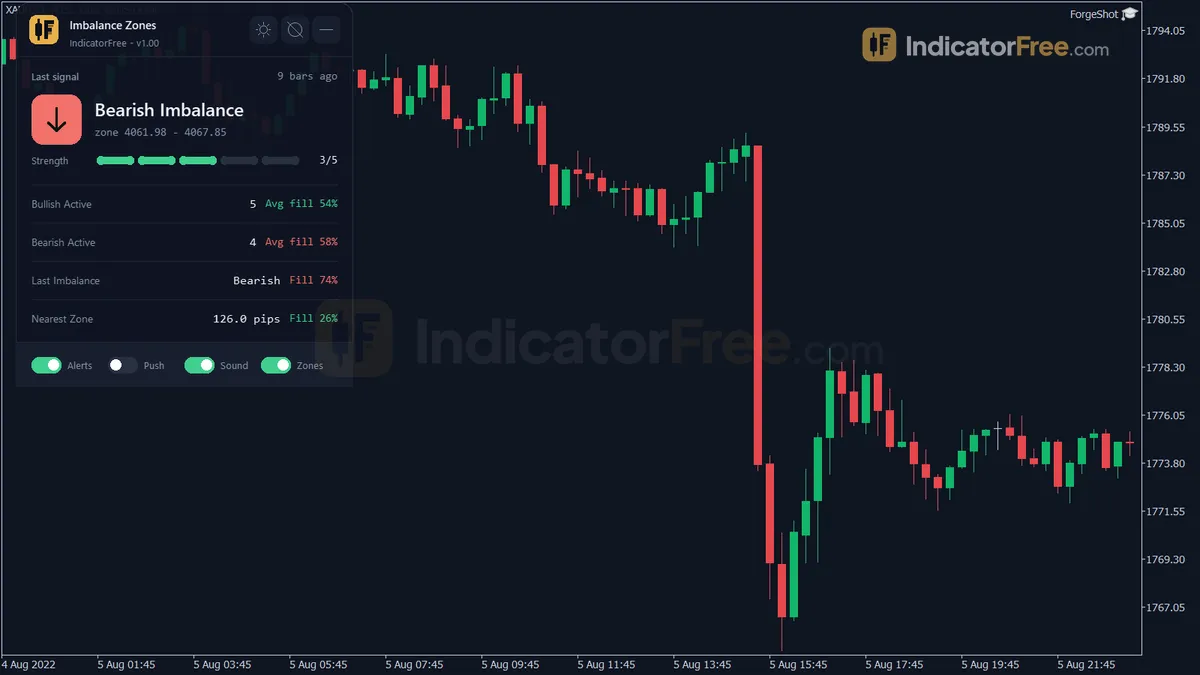
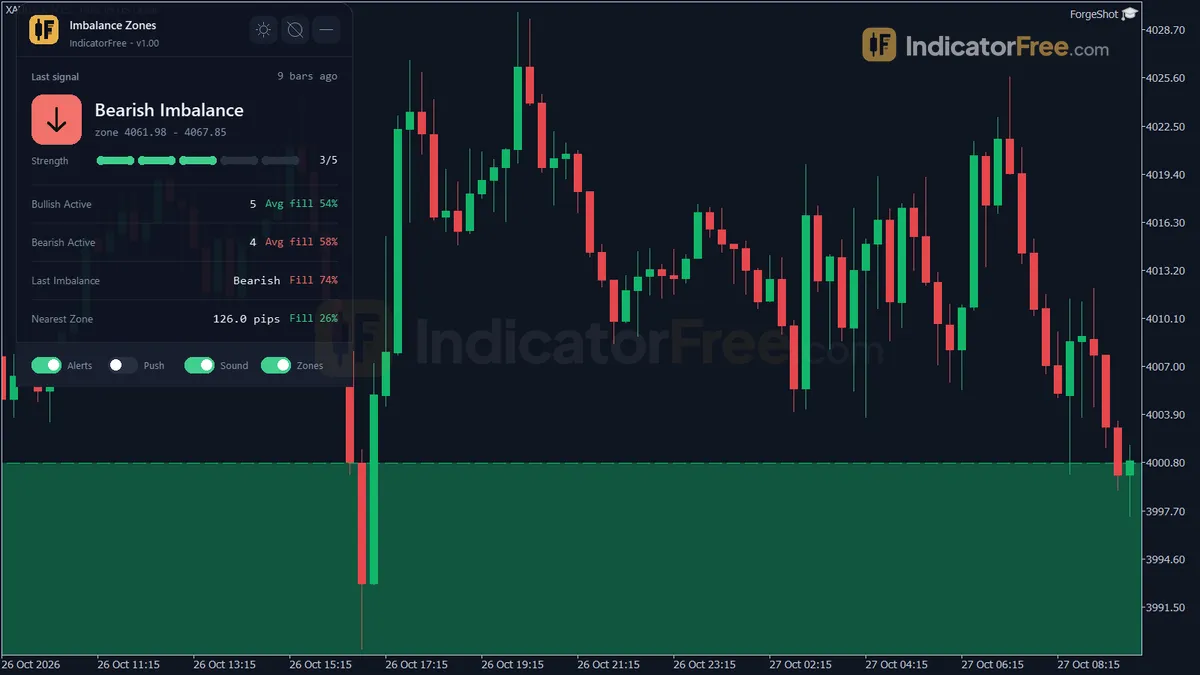
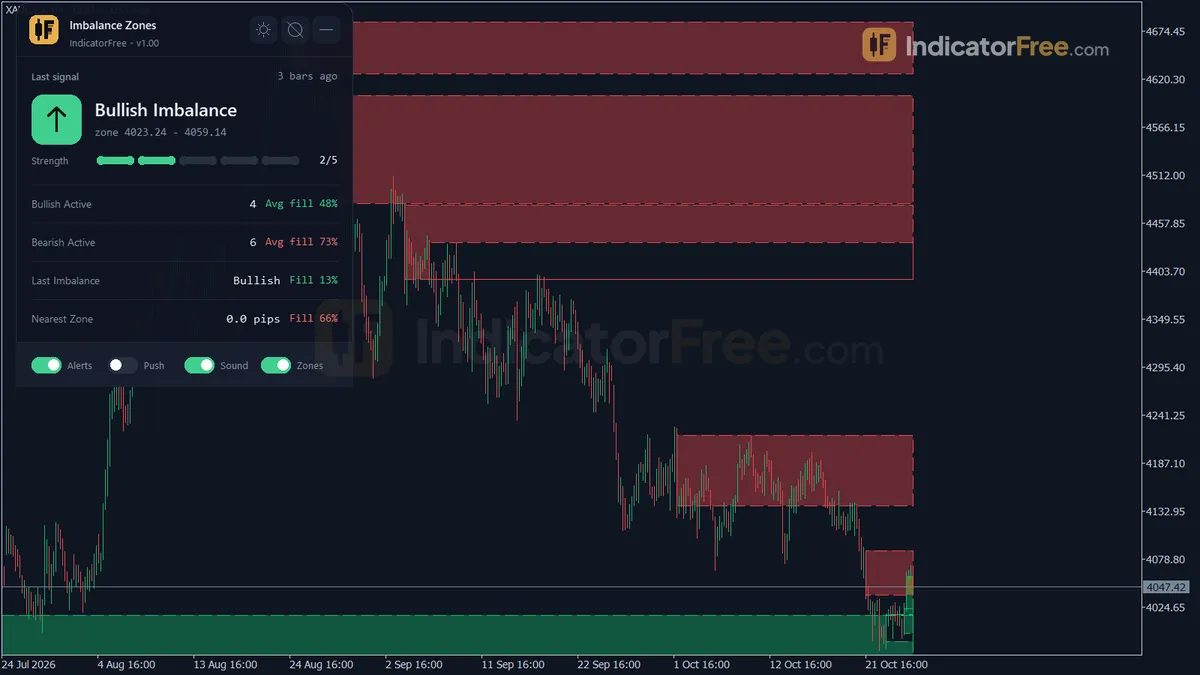
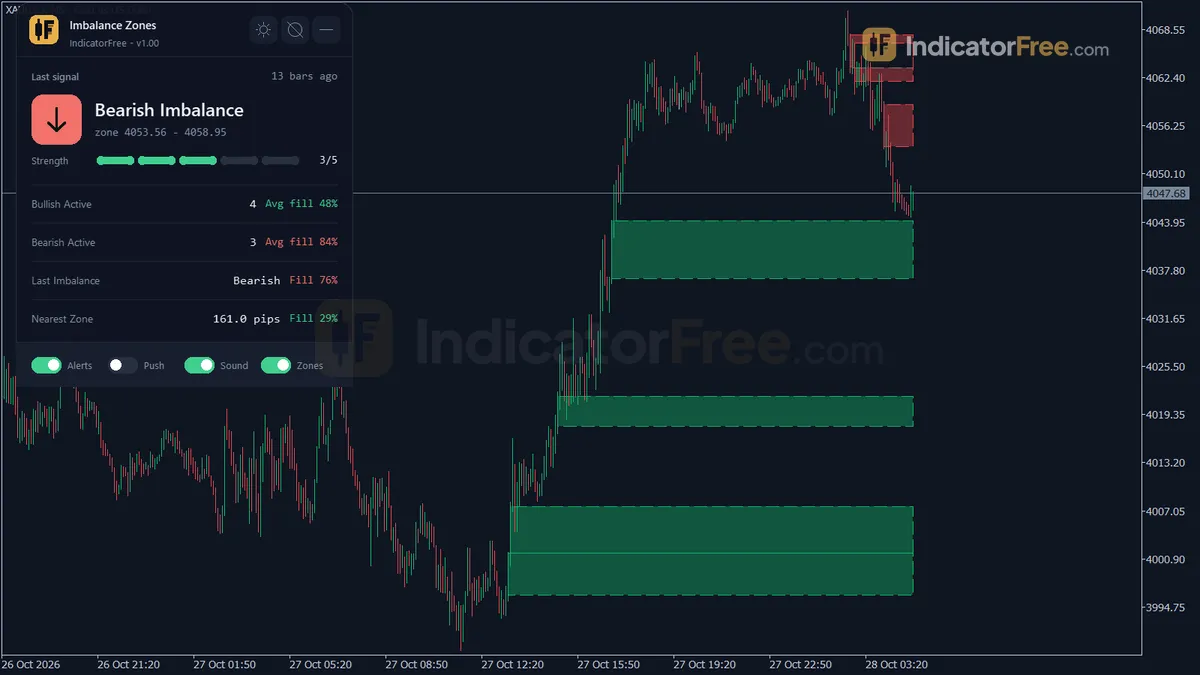
- Repainted
- 0 / 687
- Signals / week
- ≈ 54
- Tested on
- EURUSD M15
- Tested
- 2026-10-04
Overview
For traders who wait for price to come back into an imbalance, Imbalance Zones for MT5 marks each closed candle whose range is at least 1.2 × ATR and draws that candle's body as a zone on the main chart. In the Lab's repaint test, 0 of 687 signals changed. It suits traders on intraday charts who want return areas drawn by a fixed rule instead of by eye.
What it draws on your chart
An imbalance is a stretch of price that one side pushed through so fast that the other side barely traded there. Many traders expect price to come back and fill it. The idea is close to the fair value gap, but this tool doesn't look for the classic three-candle gap. It flags one strong candle, called the displacement candle, and boxes its body.
On the chart you get:
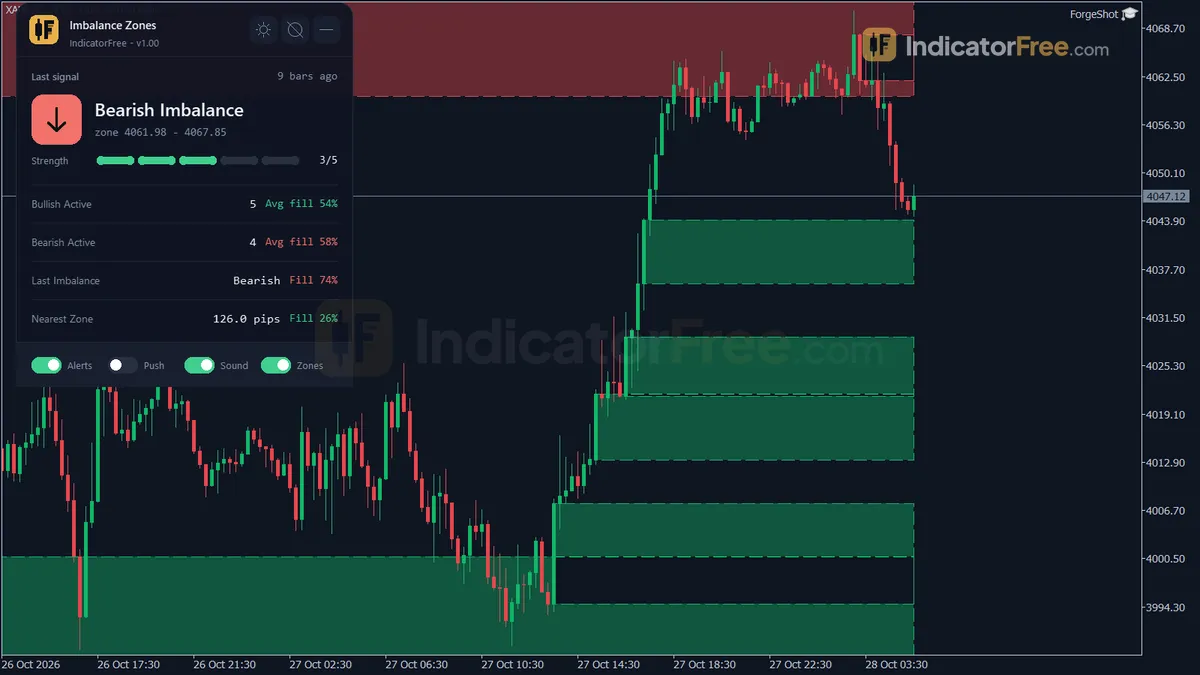
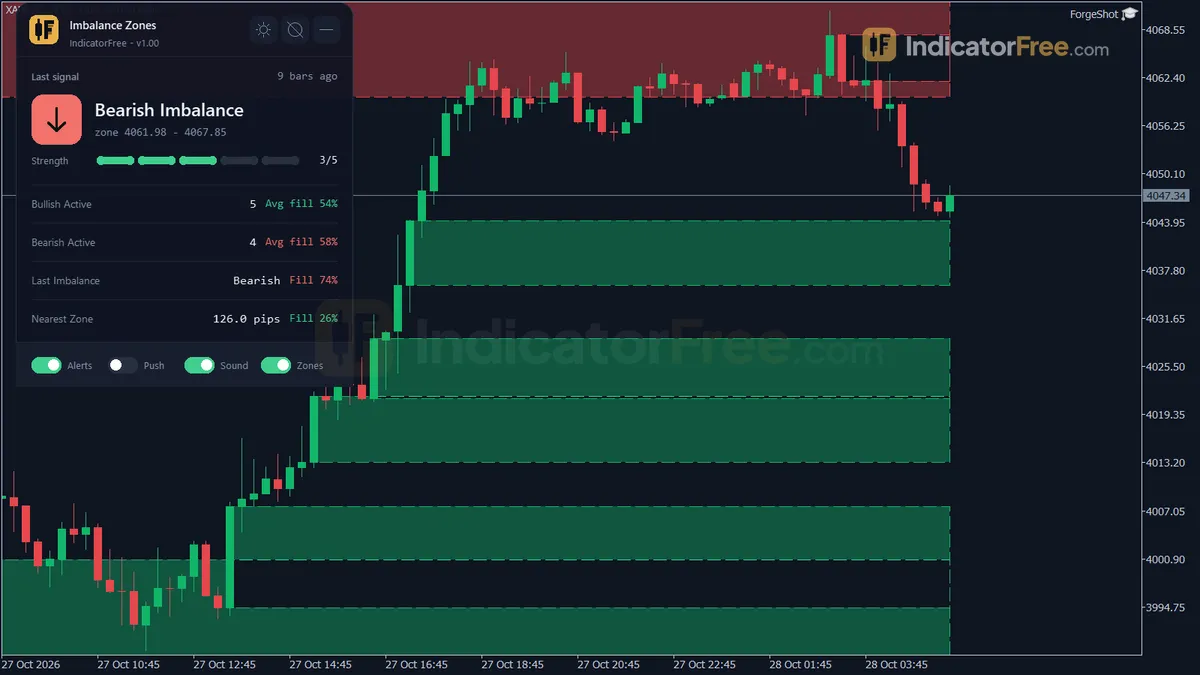
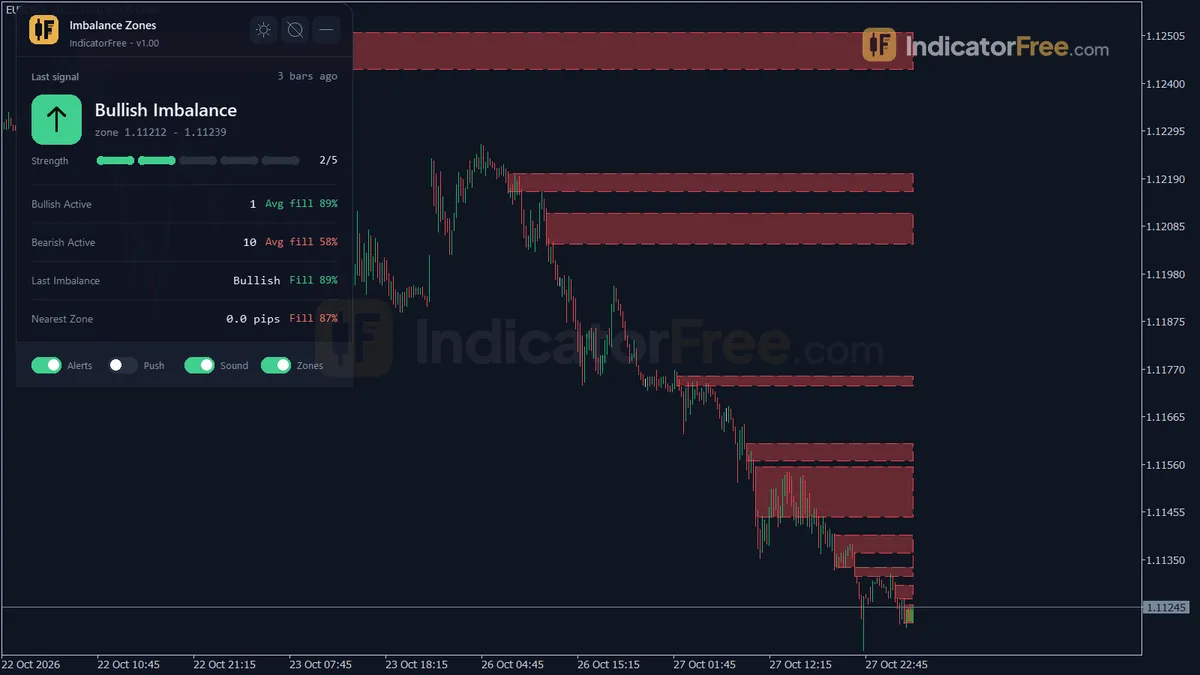
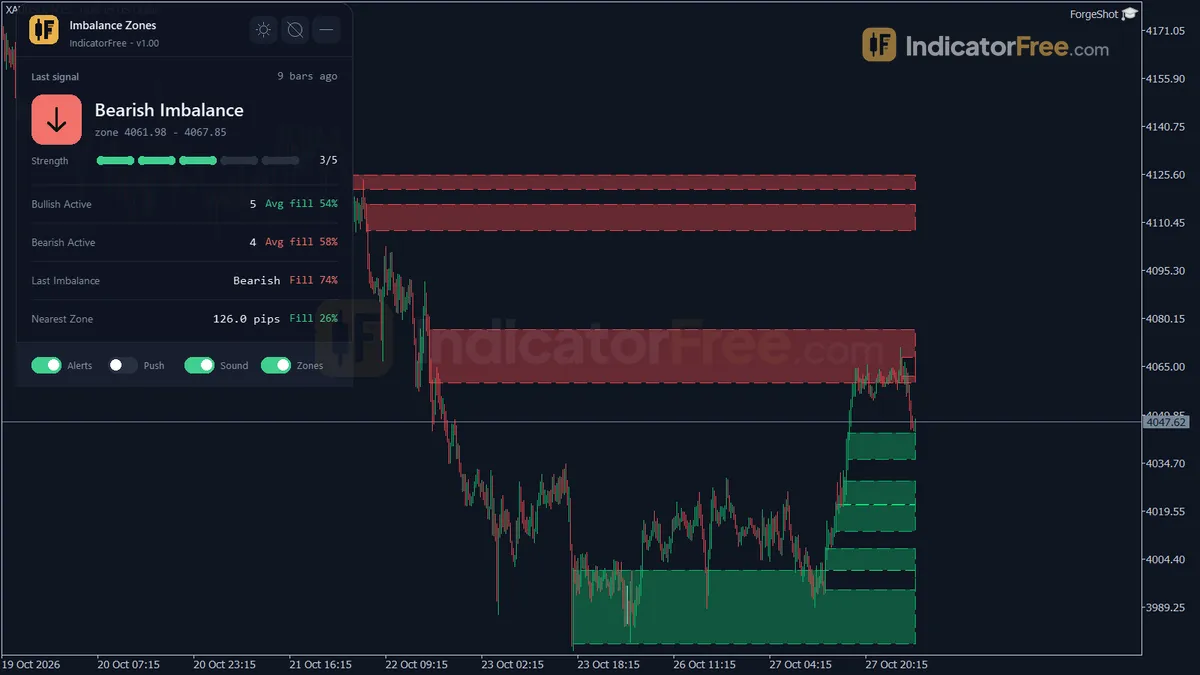
- Bullish and Bearish Imbalance zones: rectangles in green or red that start at the displacement candle's body and run right until price fills them.
- Arrows under or over each imbalance candle. These are hidden by default (
ShowArrows= false). - MTF Imbalance: dotted lines that show zones from a higher timeframe. They are off by default.
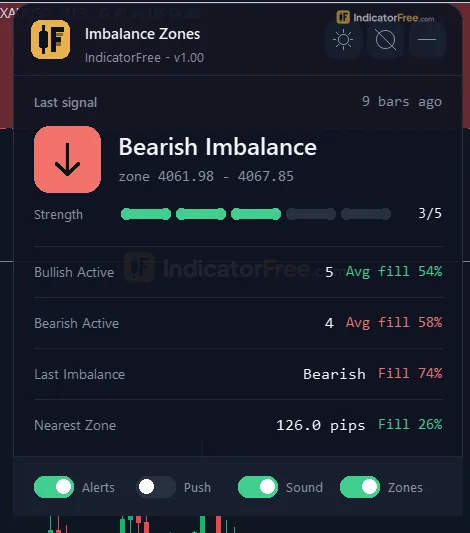
- Imbalance Stats panel: the last imbalance and its strength, how many bullish and bearish zones are active with their average fill, the distance to the nearest zone in pips, and the number of bullish and bearish MTF zones.
How the Lab tested it
The Lab ran version 1.00 (105.6 KB) on MT5 build 6230 on 2026-10-04. The data was EURUSD M15 from 2026-07-06 to 2026-10-02 on real ticks from Raw Trading Ltd. The test logged both arrow buffers (bullish and bearish) on every tick and then checked whether any past arrow moved or disappeared.
Repaint result: 0 of 687 signals changed, and the maximum arrow delay was 0 bars. Each arrow printed on the closed candle that triggered it, and later ticks never moved or removed it. The test logged the arrow buffers only. Zones and alerts use the same closed-candle condition, but the Lab did not log them separately.
What the follow-through numbers tell you
The Lab also checked what price did after each signal. It recorded whether price moved 1 ATR in the signal's direction before it moved 1 ATR against it.
Scale zoomed in to show the difference (bars do not start at zero).
Overall, 47.2% of the 687 signals hit +1 ATR first. That is a little worse than a coin flip. The median time to hit either level was 2 bars, and only 0.9% of signals touched neither level within 20 bars.
In practice, price moves fast right after an imbalance candle, but the direction of that move is close to random. The candle on its own is not an entry. The zone it leaves behind is the part you work with.
How it works
- 1Calculates ATR and steps through closed bars with an engine that finds a strong displacement candle leaving a gap.Inputs: DisplacementATRPeriod
- 2The displacement candle must be large versus ATR and have a body that fills enough of its range.
Range >= DisplacementMultiplier x ATR and body ratio >= MinBodyRatioInputs: DisplacementMultiplier, MinBodyRatio - 3Session-open gaps can be skipped. Zones are stored per direction up to a cap and dropped when too old.Inputs: ExcludeSessionOpenGap, MaxZonesPerDirection, MaxZoneAgeBars
- 4Strength starts at 2, plus one each at size ratio 1.5 and 2.0 times the multiplier, and body ratio 0.85.
Strength = 2 + [ratio >= 1.5 x mult] + [ratio >= 2.0 x mult] + [body >= 0.85], max 5 - 5Zones are marked mitigated by the chosen rule and optionally kept for some bars. Optionally repeats on a higher timeframe.Inputs: MitigationMode, ShowMitigatedZones, MitigatedZoneKeepBars, EnableMTF, MTFTimeframe
Specifications
- Platform
- MetaTrader 5
- Version
- 1.00
- Type
- Indicator
- Window
- Main chart
- Draws
- 2 arrows, 2 zones, 1 panel
- Alerts
- popup, push, sound
- Repaints
- No (0 of 687 signals changed)
- Inputs
- 26
- Tested on
- MT5 build 6230 · 2026-10-04
Repaint test
No repaint detected. In a 6 Jul 2026 – 2 Oct 2026 test on EURUSD M15 (Raw Trading Ltd real ticks), 687 signals were logged at bar close and re-read at the end of the test: 0 changed. Arrows print on the bar that closes the signal, with no delay.
IndicatorFree — tested 2026-10-04 · MT5 build 6230 · Raw Trading Ltd real ticks. Results come from historical data, not live trading, and do not guarantee future results.
Signal statistics
Over 6 Jul 2026 – 2 Oct 2026 on EURUSD M15, the indicator printed 687 arrows. After 47.2% of them, price moved 1×ATR(14) in the arrow's direction before moving 1×ATR against it (median 2 bars). 0.9% reached neither level within 20 bars.
This measures price movement after the arrow, not a trading result. It includes no spread, commission, stop loss or position sizing.
What it draws
- Arrows (Bullish Imbalance) from buffer 0, drawn on the closed bar.
- Arrows (Bearish Imbalance) from buffer 1, drawn on the closed bar.
- Rectangles (Bullish/Bearish Imbalance) drawn as chart objects, not buffers — they are not readable by iCustom() in an EA.
- Rectangles (MTF Imbalance) drawn as chart objects, not buffers — they are not readable by iCustom() in an EA.
- An on-chart panel (Imbalance Stats); values shown in the panel are not exposed as buffers.
Inputs
| Input | Default | What it does |
|---|---|---|
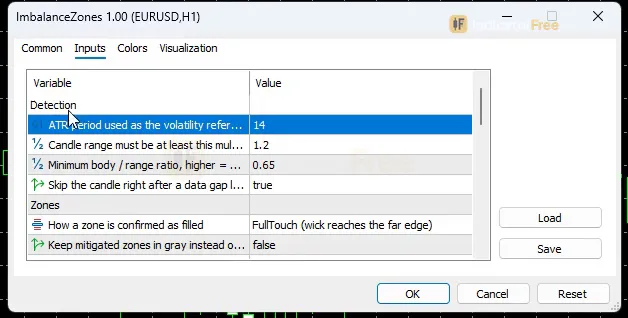
| DisplacementATRPeriod | 14 | ATR period used as the volatility reference (5-50) |
| DisplacementMultiplier | 1.2 | Candle range must be at least this multiple of ATR (0.5-3.0) |
| MinBodyRatio | 0.65 | Minimum body / range ratio, higher = smaller wicks (0.30-0.95) |
| ExcludeSessionOpenGap | true | Skip the candle right after a data gap longer than 3 bars (weekend/holiday) |
| MitigationMode | FullTouch (wick reaches the far edge) | How a zone is confirmed as filled |
| ShowMitigatedZones | false | Keep mitigated zones in gray instead of deleting them at once |
| MitigatedZoneKeepBars | 50 | Bars a gray mitigated zone stays before it is deleted (0-2000) |
| MaxZonesPerDirection | 20 | Max active zones per direction; the oldest is removed first (5-100) |
| MaxZoneAgeBars | 500 | Active zones older than this many bars are removed, 0 = no limit (0-5000) |
| EnableMTF | false | Project imbalance zones of a higher timeframe as dotted lines |
| MTFTimeframe | H1 | Higher timeframe (used only when higher than the chart timeframe) |
| AlertOnNewZone | true | Alert when a new imbalance zone is confirmed on a closed candle |
| AlertOnMitigation | false | Alert when a zone is mitigated |
| UsePopupAlert | true | Popup alert window |
| UsePushAlert | false | Push notification to the MT5 mobile app |
| UseSoundAlert | true | Play a sound |
| SoundFile | alert.wav | Sound file in the terminal Sounds folder |
| BullishColor | C'18,183,106' | Bullish zone and arrow color |
| BearishColor | C'229,72,77' | Bearish zone and arrow color |
| ZoneFillAlpha | 40 | Zone fill strength in % (blended with the chart background, 0 = no fill) |
| ShowZoneBorder | true | Draw a dashed border around active zones |
| ShowArrows | false | Show a small arrow under/over each imbalance candle |
| Theme | Dark | Chart color theme |
| RestoreTheme | true | Restore the original chart colors when the indicator is removed |
| PanelTheme | Auto (follow chart background) | Panel colors: auto from chart background, dark or light |
| PanelScale | 1 | Panel size factor (0.6-2.0), DPI is applied automatically |
How to read it
Install: copy the .ex5 file into your terminal's MQL5/Indicators folder, refresh the Navigator, and drag Imbalance Zones onto a chart.
How one zone forms and ends
- 1Candle closesRange is at least DisplacementMultiplier x ATR(DisplacementATRPeriod)
- 2Body checkBody / range is at least MinBodyRatio; when ExcludeSessionOpenGap is on, the candle after a data gap is skipped
- 3Zone drawnRectangle from the candle body, green for bullish, red for bearish; new-zone alert fires
- 4Zone endsMitigated per MitigationMode, older than MaxZoneAgeBars, or the oldest one past MaxZonesPerDirection
The chart below shows a typical bullish zone from start to finish. In the default FullTouch mode, a bullish zone counts as filled only when a wick reaches its far edge, which is the bottom of the box. Dipping into the box is not enough.
How to read each element
- A colored zone is an active return area. Green zones sit below the move that created them, and red zones sit above it.
- A zone that vanishes was removed by design: it was mitigated, it got older than
MaxZoneAgeBars, or it was the oldest one whenMaxZonesPerDirectionwas exceeded. That is not repainting. A common misread is to treat a missing zone as a moved signal. Check whether price touched the far edge or the box simply aged out. - A gray zone shows up only when
ShowMitigatedZonesis on. It is already filled and stays visible forMitigatedZoneKeepBarsbars as history. Don't trade it. - Dotted MTF lines mark zones from
MTFTimeframe. They are filled on closed candles of that timeframe and age in that timeframe's bars. They appear only whenMTFTimeframeis higher than your chart. On an H1 chart with the default H1 setting, they never show. - Panel: the most useful field is the nearest-zone distance in pips. The Lab facts do not define how "strength" and "average fill" are calculated, so read them as background information. Don't base a rule on them.
Inputs to change first
DisplacementMultiplier(default 1.2, range 0.5–3.0) is the main filter. Raise it for fewer, larger zones. Lower it for more, smaller ones.MinBodyRatio(default 0.65, range 0.30–0.95). Raise it to keep only candles with small wicks.MaxZonesPerDirection(default 20, range 5–100). At default settings the Lab logged 54 signals per week on EURUSD M15, so expect a busy chart. Lowering this cap is the quickest way to declutter, because the oldest zone is removed first.MaxZoneAgeBars(default 500, 0 = no limit) clears zones price has ignored for a long time.MitigationModedecides when a zone counts as filled. The defaultFullTouchneeds a wick to reach the far edge.ExcludeSessionOpenGap(default on) skips the candle right after a data gap longer than 3 bars, such as the weekend open. Leave it on, because a gap candle is big for reasons that have nothing to do with order flow.Themerecolors your chart (default Dark).RestoreThemeputs your original colors back when you remove the indicator.
Untested starting point for M5 charts: try DisplacementMultiplier 1.5 and MaxZonesPerDirection 10. The Lab has not tested this, so compare it with the default on your own symbol first.
Alerts and where they appear
AlertOnNewZone (on by default) fires when a new zone is confirmed on a closed candle. AlertOnMitigation (off by default) fires when a zone is filled. You can choose how alerts reach you:
UsePopupAlert(on by default): an alert window in the terminal.UseSoundAlert(on by default): playsSoundFilefrom the terminal's Sounds folder.UsePushAlert(off by default): sends a notification to the MT5 mobile app.
Decision rule
- Don't trade the displacement candle itself. Wait for price to come back into the zone.
- For a bullish zone: consider a long only while price trades inside the box and no wick has reached the bottom edge. Once the bottom is touched, the zone is gone and so is the idea. Bearish zones work the same way in reverse.
- When the nearest zone is far: if the panel's nearest-zone distance is larger than what your symbol usually covers in a few bars, there is nothing to act on yet.
Installation
- 1Download ImbalanceZones.ex5 from the button above (Google Drive).
- 2In MetaTrader 5: File → Open Data Folder → MQL5 → Indicators. Copy ImbalanceZones.ex5 there.
- 3Restart MT5 or right-click Indicators in Navigator → Refresh.
- 4Drag Imbalance Zones onto a chart. For push alerts, enable "Allow push notifications" under Tools → Options → Notifications.
- Tested on MT5 build 6230.
Key terms and guides
- Volatility expansion
- Volatility expansion is when a market moves from small, quiet candles to clearly larger ones, so the average distance price travels per candle rises. Traders usually measure it with the Average True Range (ATR).
- ATR multiplier
- An ATR multiplier is the number you multiply the Average True Range (ATR) by to set a distance on the chart. It is used most often for a stop loss: 1.5 × an ATR of 10 pips gives a 15-pip stop.
- Spike
- A spike is a sudden price move, usually within one or a few candles, that is several times larger than the market's normal range just before it. The normal range is often measured with the Average True Range (ATR).
- Fresh zone
- A fresh zone is a supply or demand zone that price has not come back to since the strong move that created it. Traders expect unfilled orders to still sit there, so they treat the first return as the best entry.
- Order Fill
- An order fill is the moment your buy or sell order is actually executed: it is matched at a real price and opens (or closes) a position, for the full size or only part of it.
- Displacement
- Displacement is a sudden, one-sided price move. It is made of one to three large-bodied candles that close beyond a recent swing level and often leave a fair value gap behind, which shows that large orders pushed the market.
- Guide: FOMO Trading: Why You Chase Price Moves and a Routine to Stop It
- Guide: How to Read Forex Charts: Candlesticks, Trends and Timeframes
- Guide: What Is Fundamental Analysis? How News and Data Move Currencies
More on this subject: Price action & SMC guide, terms and tools
User reviews
No reviews yet. Members who download the tool can review it here.
Sign in and download the tool to review it.
Build a checklist with it
Imbalance Zones does one job on the chart: zone / level. Put it on the same chart as the tools below and the IndicatorFree panels merge into one checklist card, ordered trend, zone, signal, risk.
- Trend / contextEMA PulseAdds the trend side: which way the market leans before you act on Imbalance Zones.
- Entry signalEngulfing Pattern FinderAdds the entry signal: the moment to act once Imbalance Zones has set the scene.
The Lab has not tested these combinations. Each tool is tested on its own; the card only lines up what each one says. Free members get 2 new tools a day. If one has to wait until tomorrow, install BlackBox to raise the limit to 5 a day (20 on a live account).
FAQ
Does Imbalance Zones repaint?
No repaint detected. In a 6 Jul 2026 – 2 Oct 2026 test on EURUSD M15 (Raw Trading Ltd real ticks), 687 signals were logged at bar close and re-read at the end of the test: 0 changed. Arrows print on the bar that closes the signal, with no delay.
Can I use Imbalance Zones in an EA?
Yes. Read buffer 0 (Bullish Imbalance) with iCustom() on bar 1 — the last closed bar.
Why can’t my EA read the zones?
Zones and the panel are chart objects, not indicator buffers, so iCustom() does not return them.
How do I get alerts on my phone?
Enter your MetaQuotes ID under Tools → Options → Notifications, tick "Enable push notifications", and keep the push alert input on.
Does it work on other pairs?
Tested on EURUSD only; other symbols not tested.
Can I test Imbalance Zones on past data before trading with it?
Yes. Run it in visual mode in the MT5 Strategy Tester on your own symbol and timeframe, and watch how zones form and get filled. The Lab's numbers come only from EURUSD M15, so your own check matters.
Why don't I see the MTF lines after turning on EnableMTF?
`MTFTimeframe` is used only when it is higher than your chart's timeframe. With the default H1, the lines appear on M30 and lower charts but not on H1 or higher. Pick a higher `MTFTimeframe` for those charts.
Why are there no arrows on my chart?
`ShowArrows` is off by default, so the indicator shows only zones. Turn it on if you want a small arrow under or over each imbalance candle.
Does it work on gold, indices or crypto?
The detection uses ATR, so the threshold adjusts to each symbol's volatility. The Lab tested only EURUSD M15, though, and has no results for other markets.
Is it really free, and does it need DLL imports?
It is free to download, like every tool on IndicatorFree. The Lab facts do not list any DLL requirement. Install it as a normal .ex5 indicator.
Changelog
- 1.00Initial release: single-candle Imbalance (Improper Price Action) detection using ATR-normalized displacement plus a minimum body/range ratio, drawn as a rectangle zone from the candle's body. · 2026-10-04
Final verdict
Where it earns its place
The Lab's repaint test is the strongest point: arrows printed on the closed candle and never moved. Every zone comes from a fixed rule (ATR-sized range plus a minimum body ratio), so two traders who use the same inputs see the same boxes. The gap filter, the age limit and the per-direction cap keep the chart under control without manual cleanup.
Where it falls short
The displacement candle gives no directional edge. Its follow-through was close to a coin flip in the Lab test, so the tool marks where to look, not which way to trade. It finds single-candle imbalances, not the three-candle fair value gap that many traders expect. The Lab measured only EURUSD M15, so results on other symbols and timeframes are unknown. Zones and alerts were not logged separately in the repaint test. The tool also recolors your chart unless you change Theme.
Who should skip it
Skip it if you want a buy or sell arrow to follow on its own. Skip it if you trade three-candle FVGs strictly by the book, or if you can't stand a busy chart and don't want to adjust filters.
Settings to start with
Start with the defaults and turn on ShowMitigatedZones for a week. Watching zones go gray teaches you how price fills them on your symbol. Then raise DisplacementMultiplier one step at a time until each zone stands for a candle you would have noticed anyway. That approach is not tested by the Lab, so judge it against the default.
You could also add the Order Block Locator: it marks the order block where a move started, and Imbalance Zones marks the gap the move left behind. Together they show two places price might come back to. Treat this as an idea to try, because the Lab has not tested the pair.