Dynamic Support Line
Free MT5 indicator that draws a rising dynamic support line with Touch Bounce and Support Break arrows. Lab: 0 of 487 arrows repainted on EURUSD M15.
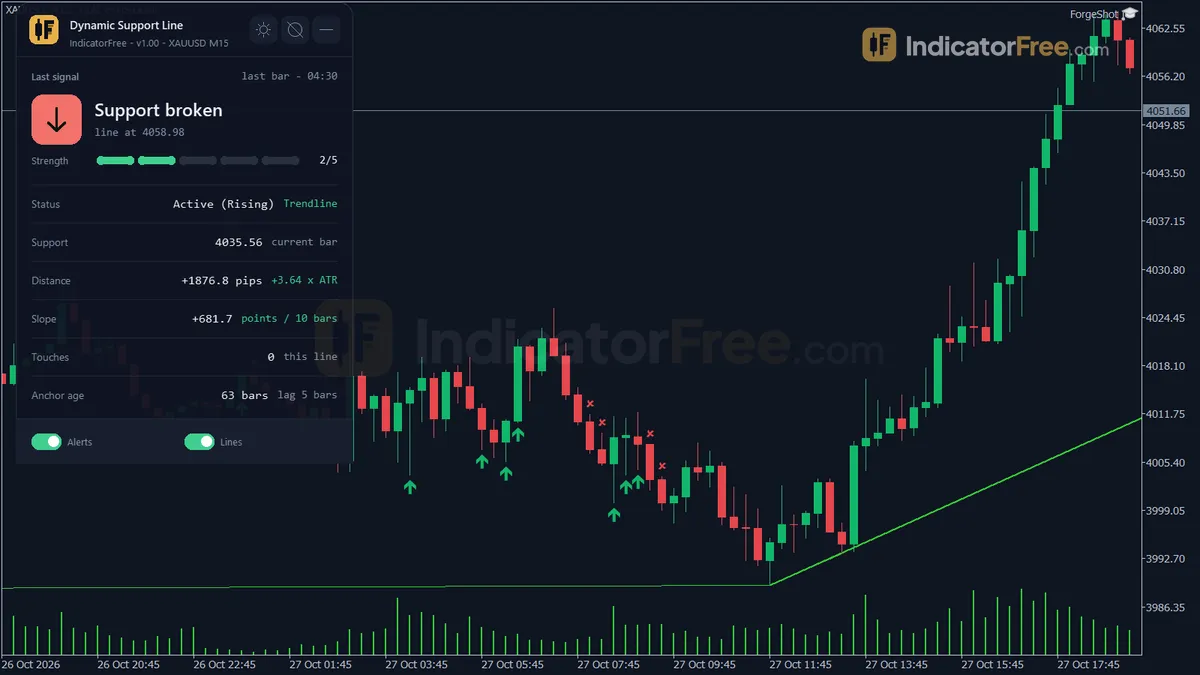
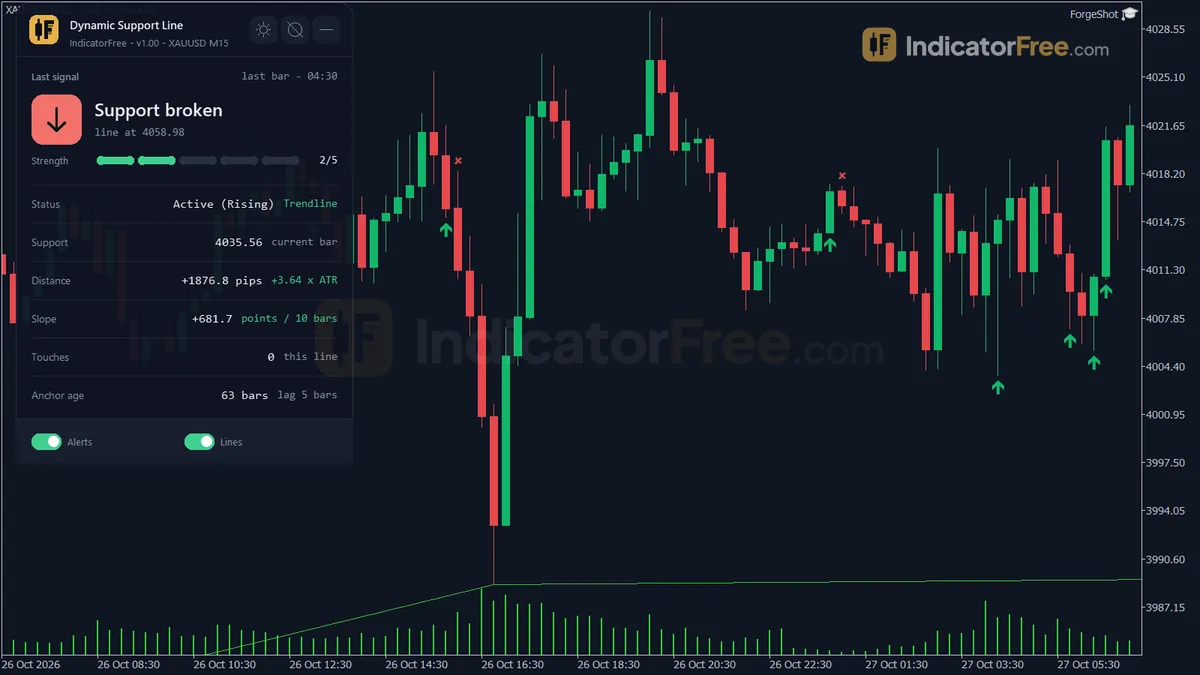
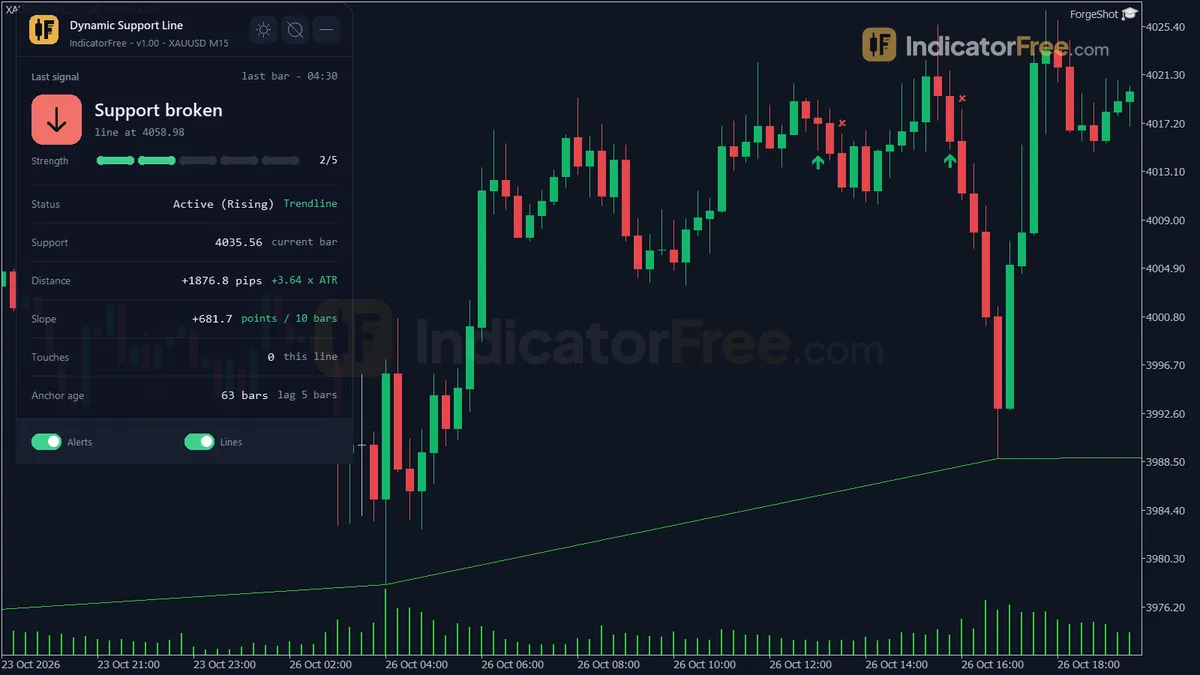
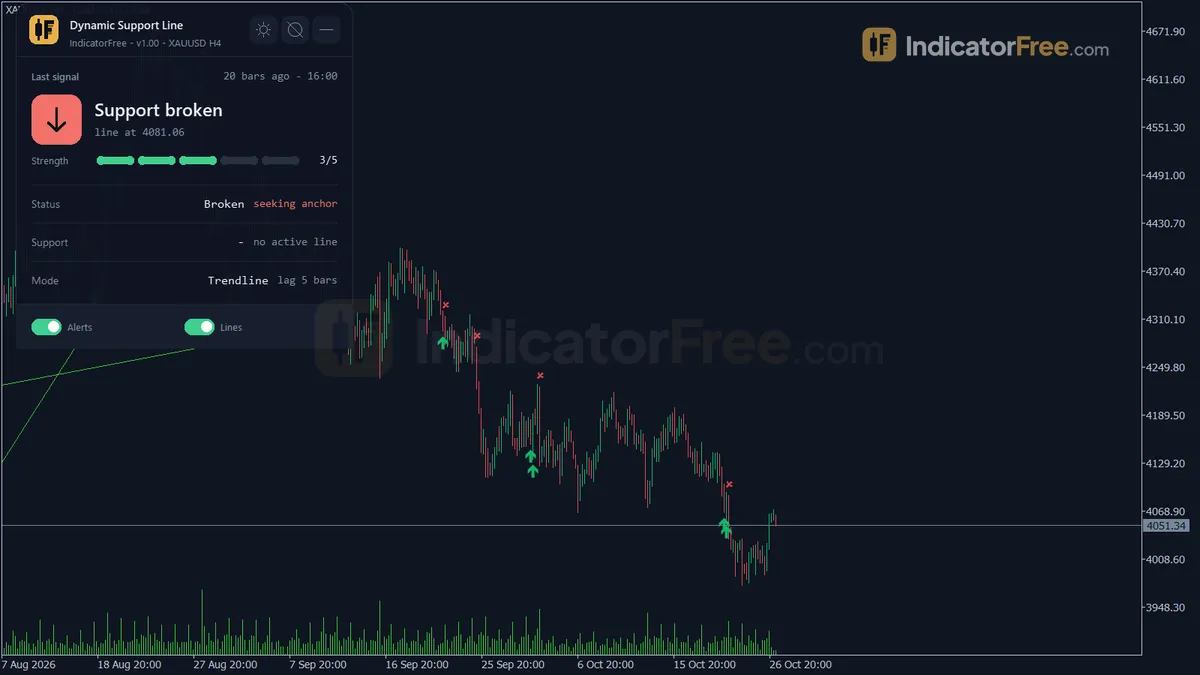
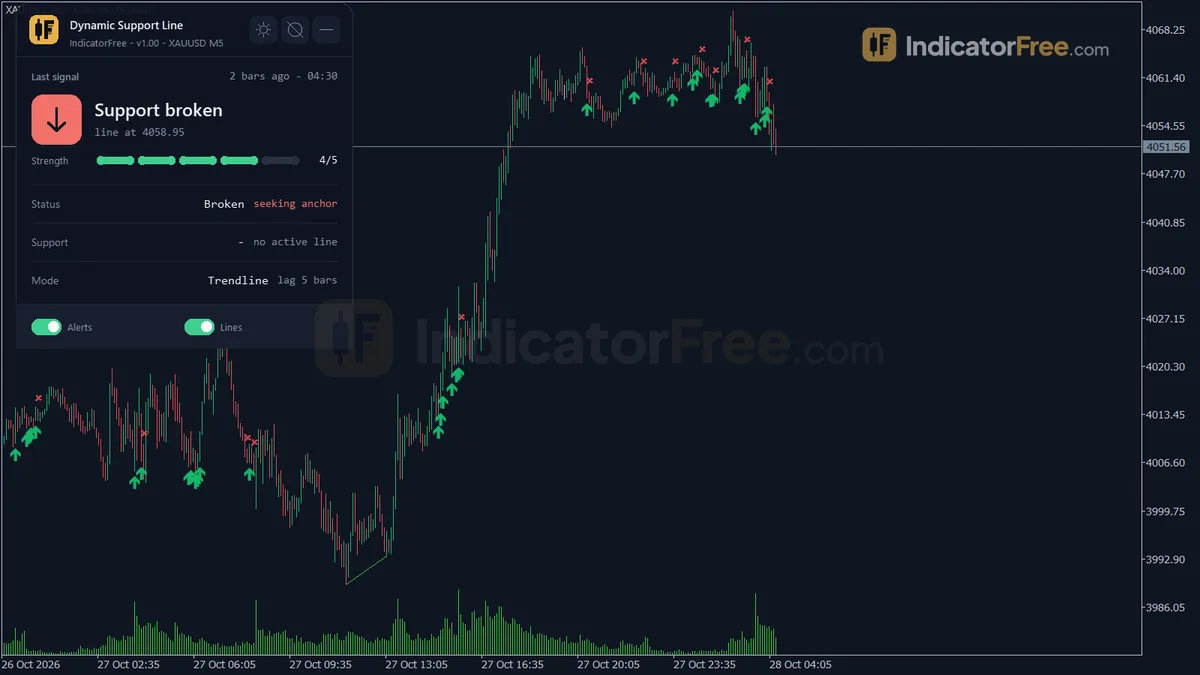
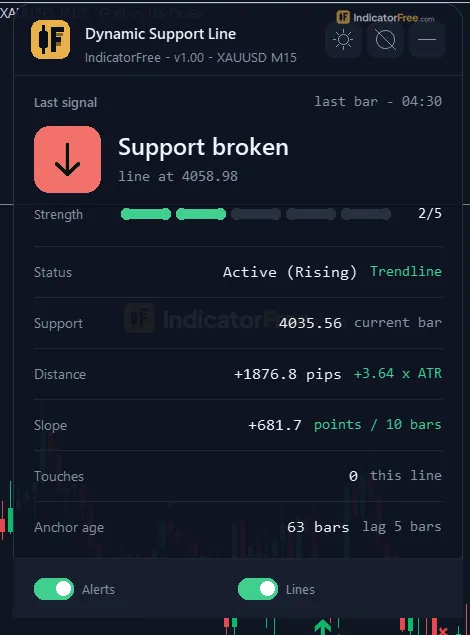
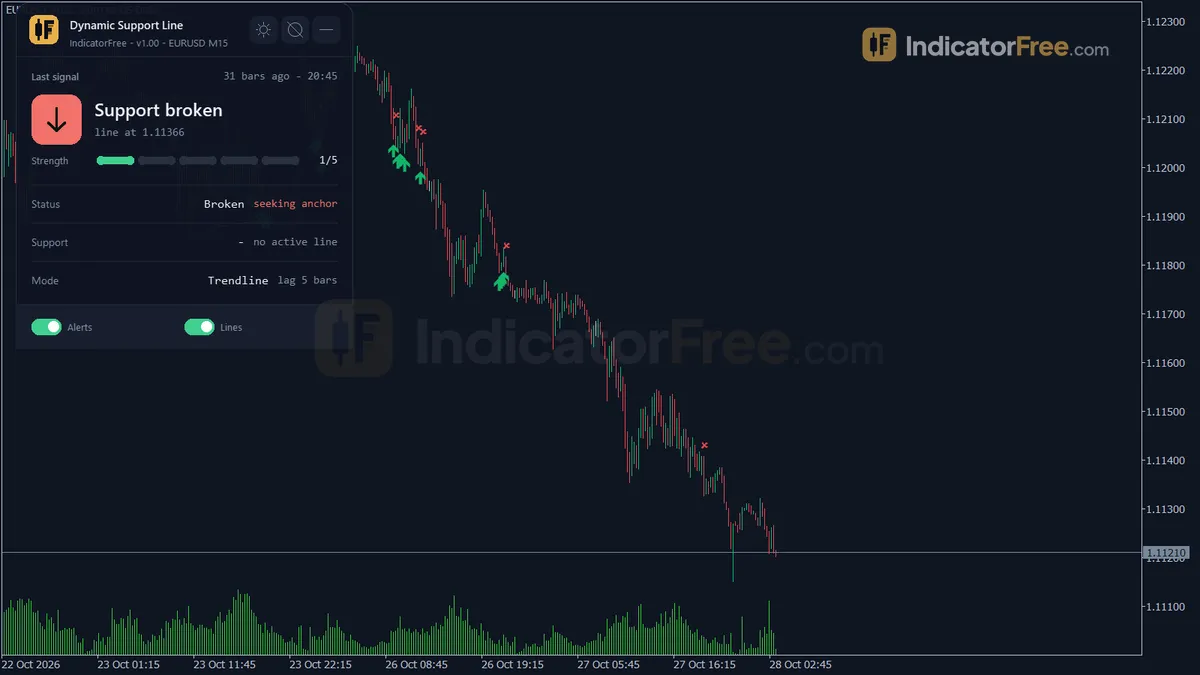
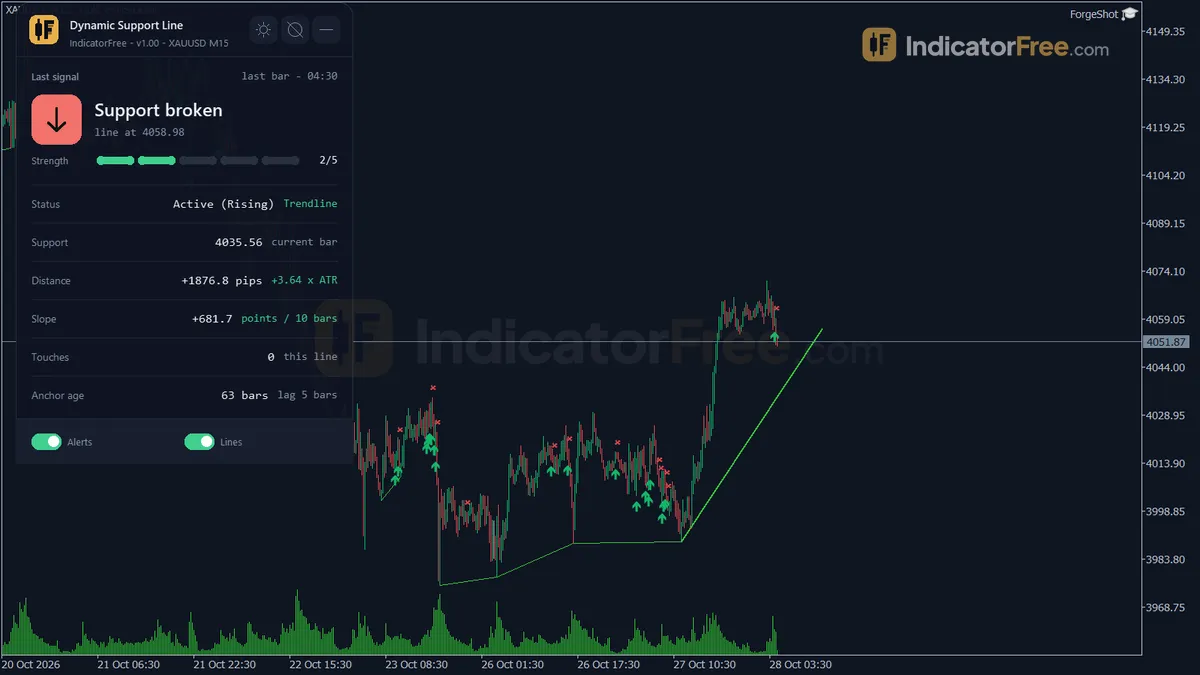
- Repainted
- 0 / 487
- Signals / week
- ≈ 38.3
- Tested on
- EURUSD M15
- Tested
- 2026-10-05
Overview
Dynamic Support Line is a free MT5 indicator that draws a rising dynamic support line on your main chart. It suits you if you trade pullbacks in a rising market and want the support drawn, measured in ATR and alerted for you. It's a level and alert tool, and you add the decision on top. It builds that line from two confirmed swing lows or from an EMA-minus-ATR band, and it marks Touch Bounce and Support Break arrows on closed bars. In the Lab's repaint test on EURUSD M15, 0 of 487 arrows changed after they appeared.
What it draws on your chart
Two ways to build the line, set by SupportMode:
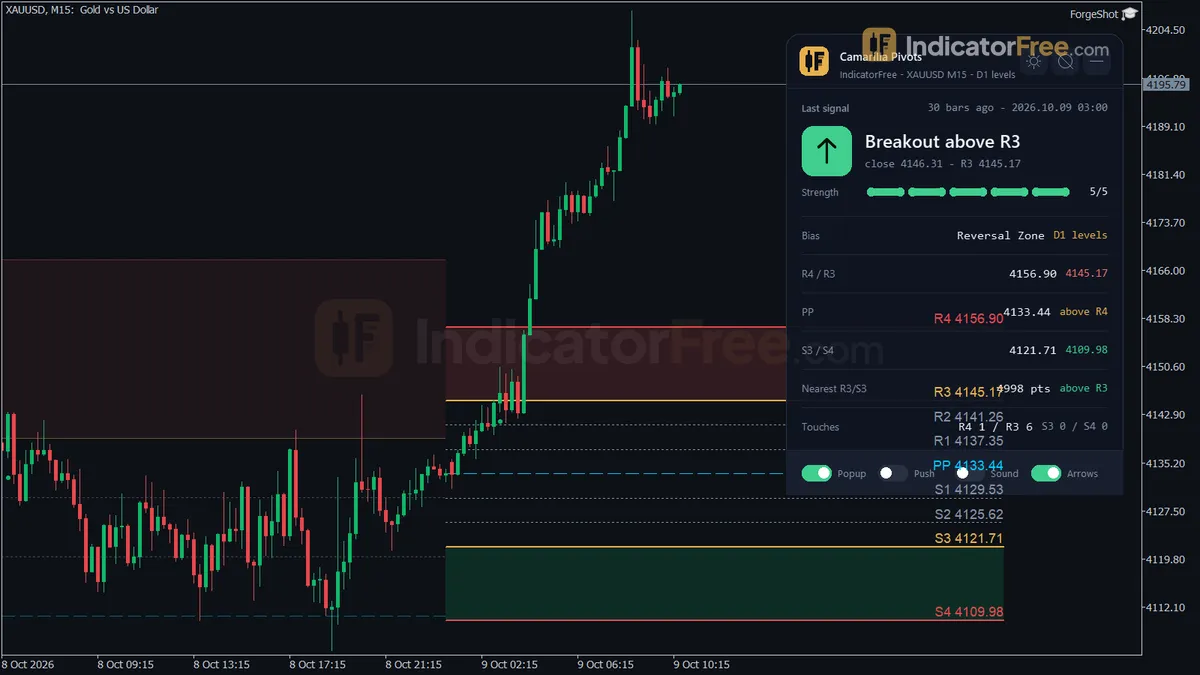
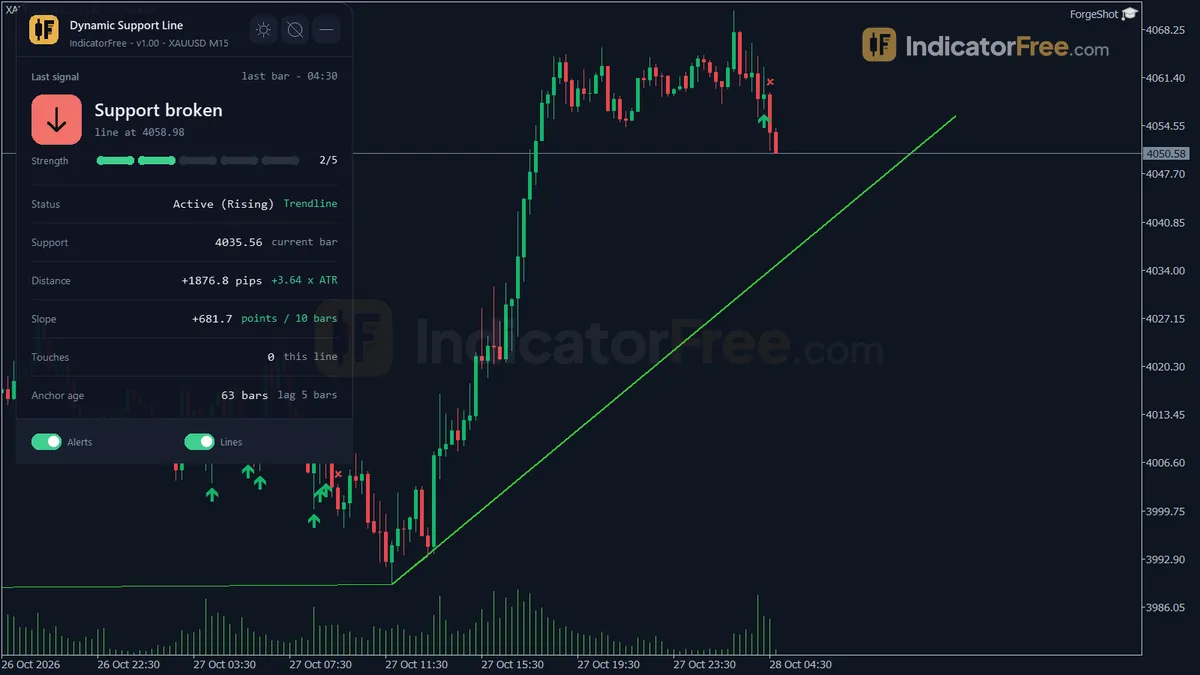
- Dynamic Support Line (SwingTrendline mode): a rising trendline through two confirmed swing lows, projected to the right of the current bar. When a close breaks it, the line is deleted. If
ShowBrokenLinesis on, it stays on the chart as a grey dashed line instead. - MA Support Band (MovingAverageBand mode): a line set at an EMA minus a share of ATR. It only shows while the EMA is rising. While price holds above it, support is holding. A close below it marks the support as broken.
- Touch Bounce and Support Break arrows, covered in the next tab.
- Support Status panel: the last touch or break signal, line status and mode, current support price, distance to it in pips and in ATR, slope in points per 10 bars, touch count and anchor age.
How the Lab tested it
The Lab tested version 1.00 (108.3 KB) on MT5 build 6230 on 2026-10-05. The test ran on EURUSD M15 from 2026-07-06 to 2026-10-02, using real ticks from Raw Trading Ltd.
Every arrow was logged when it printed, then checked again at the end of the run. 0 of 487 arrows changed or disappeared, and the maximum arrow delay was 0 bars. Each arrow showed up on the bar that triggered it, not a few bars later. What you see in history is what you would have seen live.
What the signal numbers mean for you
For each arrow, the Lab checked whether price moved 1 ATR in the arrow's direction (up for a bounce, down for a break) before it moved 1 ATR against it. Across all arrows, 44.8% went the arrow's way first. That's slightly worse than a coin flip, so taken alone as 1:1 trades the arrows lose more often than they win, and spread or commission makes that worse.
Price resolved quickly. The median was 2 bars to hit one side, which is about 30 minutes on M15. Only 1.6% of arrows reached neither side within 20 bars, so your stop gets tested quickly either way. The test also logged 38.3 arrows a week on a single pair, which is several a day. You need a filter to choose which ones to take.
The two arrow types score almost the same, as the chart below shows.
Scale zoomed in to show the difference (bars do not start at zero).
How it works
- 1Reads ATR and works in one of two modes: a trendline through swing lows, or a band under an EMA.
Mode set by SupportMode | ATR over ATRPeriodInputs: SupportMode, ATRPeriod - 2Trendline mode: finds swing lows, keeps the latest few, and draws a line through a pair, projected forward.
Swing Low: Low below LeftBars before and RightBars afterInputs: LeftBars, RightBars, MaxAnchorSearch, ProjectBarsForward - 3Band mode: builds a support band below an EMA, active only while the EMA has risen several bars running.
Band = EMA - MABandATRMult x ATR | active if EMA rose for MinSlopeBars barsInputs: MAPeriod, MABandATRMult, MinSlopeBars - 4Counts a touch when the low reaches support and the bar closes above it, warns when price nears it.
Touch: Low <= Support + TouchATRMult x ATR and Close > SupportInputs: TouchATRMult, ApproachATRMult - 5Marks a break when a close falls below the support by a buffer, and retires the line.
Break: Close < Support - BreakATRMult x ATR (band mode: Close < Band)Inputs: BreakATRMult, ShowBrokenLines
Specifications
- Platform
- MetaTrader 5
- Version
- 1.00
- Type
- Indicator
- Window
- Main chart
- Draws
- 2 arrows, 1 line, 1 zone, 1 panel
- Alerts
- popup, push, sound
- Repaints
- No (0 of 487 signals changed)
- Inputs
- 26
- Tested on
- MT5 build 6230 · 2026-10-05
Repaint test
No repaint detected. In a 6 Jul 2026 – 2 Oct 2026 test on EURUSD M15 (Raw Trading Ltd real ticks), 487 signals were logged at bar close and re-read at the end of the test: 0 changed. Arrows print on the bar that closes the signal, with no delay.
IndicatorFree — tested 2026-10-05 · MT5 build 6230 · Raw Trading Ltd real ticks. Results come from historical data, not live trading, and do not guarantee future results.
Signal statistics
Over 6 Jul 2026 – 2 Oct 2026 on EURUSD M15, the indicator printed 487 arrows. After 44.8% of them, price moved 1×ATR(14) in the arrow's direction before moving 1×ATR against it (median 2 bars). 1.6% reached neither level within 20 bars.
This measures price movement after the arrow, not a trading result. It includes no spread, commission, stop loss or position sizing.
What it draws
- Arrows (Touch Bounce) from buffer 0, drawn on the closed bar.
- Arrows (Support Break) from buffer 1, drawn on the closed bar.
- A line (MA Support Band) from buffer 2.
- Rectangles (Dynamic Support Line) drawn as chart objects, not buffers — they are not readable by iCustom() in an EA.
- An on-chart panel (Support Status); values shown in the panel are not exposed as buffers.
Inputs
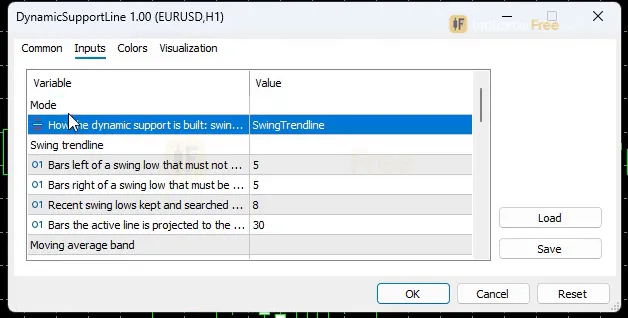
| Input | Default | What it does |
|---|---|---|
| SupportMode | SwingTrendline | How the dynamic support is built: swing-low trendline or EMA - ATR band |
| LeftBars | 5 | Bars left of a swing low that must not be lower (2-15) |
| RightBars | 5 | Bars right of a swing low that must be higher = confirmation lag (2-15) |
| MaxAnchorSearch | 8 | Recent swing lows kept and searched back for a valid anchor pair (2-20) |
| ProjectBarsForward | 30 | Bars the active line is projected to the right of the current bar (5-200) |
| MAPeriod | 50 | EMA period of the band (10-200) |
| MABandATRMult | 0.5 | Band = EMA minus this x ATR (0.1-2.0) |
| MinSlopeBars | 3 | The EMA must rise this many bars in a row for the band to be active (1-10) |
| ATRPeriod | 14 | ATR period for break / touch / approach distances (5-50) |
| BreakATRMult | 0.3 | Trendline breaks on a close below it by more than this x ATR (0.1-1.5) |
| TouchATRMult | 0.15 | A low within this x ATR above the line counts as a touch (0.05-1.0) |
| ApproachATRMult | 1 | Approach alert when the low is within this x ATR above the line (0.2-3.0) |
| EnableAlerts | true | Master switch for all alerts |
| AlertOnApproach | true | Alert when price approaches the dynamic support |
| AlertOnTouch | true | Alert on a touch / bounce signal |
| AlertOnBreak | true | Alert when the dynamic support is broken |
| AlertPopup | true | Use popup alerts in the terminal |
| AlertPush | false | Use push notifications to the phone |
| AlertSound | true | Play a sound |
| ShowBrokenLines | false | Keep broken trendlines on the chart (grey, dashed) instead of deleting them |
| LineColorActive | clrLimeGreen | Color of the active line and of the MA band |
| LineColorBroken | clrGray | Color of broken trendlines when they are kept |
| ShowDashboard | true | Show the status panel |
| PanelScale | 1 | Panel size multiplier (DPI is applied automatically) |
| Theme | Dark | Chart color theme |
| RestoreTheme | true | Restore the original chart colors when the indicator is removed |
How to read it
Install: copy the file into MQL5/Indicators (File > Open Data Folder), refresh the Navigator and drag Dynamic Support Line onto a chart.
The drawing below shows how the line, the anchors and both arrows sit on the chart.
Reading the Touch Bounce arrow
The up arrow prints when all three of these are true:
- a support line is active;
- a closed bar's low reaches the line, or comes within
TouchATRMultx ATR above it; - that bar still closes above the line.
It tells you support was tested and held on a finished bar. In the test it fired 265 times, or 20.8 a week, and 1.5% of those reached neither 1 ATR target within 20 bars.
Decision rule: take a Touch Bounce only if the last swing high is at least 1 ATR above your entry, the same distance the Lab measured with. Skip it if price would hit that high sooner. This filter was not tested by the Lab. If you take it, put your stop more than BreakATRMult x ATR below the line. That's the point where the indicator itself would call the line broken.
Reading the Support Break arrow
The down arrow prints when a closed bar finishes below the active line by more than BreakATRMult x ATR in SwingTrendline mode, or below the band in MovingAverageBand mode. In the test it fired 222 times, or 17.5 a week, and 1.8% reached neither target within 20 bars.
Decision rule: first treat it as an exit for any long trade that relied on this line. Take it as a short only if the break bar also closes below the most recent swing low. Without that, you only know the uptrend has paused. You don't yet have a downtrend.
Three common misreads
- The line to the right of the current bar is a projection, not a forecast.
ProjectBarsForwardonly extends it so you can see where support would sit if the slope holds. - A wick through the line is not a break. In SwingTrendline mode, only a close more than
BreakATRMultx ATR below the line counts. A wick that dips through and closes above is a touch, and a bar that closes below the line by less thanBreakATRMultx ATR prints neither arrow. - The approach alert is not a signal. It only warns you that price is getting close. No arrow prints until a bar closes.
The inputs to change first
| Input | Default (range) | What changing it does |
|---|---|---|
SupportMode | SwingTrendline | MovingAverageBand swaps the swing-low trendline for an EMA minus ATR band |
RightBars | 5 (2-15) | Bars that must print higher after a low before it counts as a swing low. This is the confirmation lag: lower values give earlier lines from weaker lows, higher values give more lag |
LeftBars | 5 (2-15) | Bars to the left that must not be lower. Higher values keep only bigger swing lows |
MaxAnchorSearch | 8 (2-20) | How many recent swing lows are searched for a valid anchor pair |
TouchATRMult | 0.15 (0.05-1.0) | Lower values mean the low must come closer to the line, so you get fewer Touch Bounce arrows |
BreakATRMult | 0.3 (0.1-1.5) | Higher values need a deeper close below the line, so you get fewer Support Break arrows (trendline mode) |
ATRPeriod | 14 (5-50) | The ATR used for touch, break and approach distances |
MAPeriod | 50 (10-200) | Band mode only: the EMA length |
MABandATRMult | 0.5 (0.1-2.0) | Band mode only: how far below the EMA the band sits, in ATR |
MinSlopeBars | 3 (1-10) | Band mode only: how many bars in a row the EMA must rise before the band shows |
ProjectBarsForward | 30 (5-200) | How far the active line is drawn to the right |
Alerts and where they appear
Three events can alert you, and each has its own switch:
- Approach (
AlertOnApproach): the low comes withinApproachATRMultx ATR above the line. The default is 1, with a range of 0.2-3.0. - Touch (
AlertOnTouch): a Touch Bounce arrow prints. - Break (
AlertOnBreak): a Support Break arrow prints.
EnableAlerts switches all of them on or off at once. Alerts arrive as a popup in the terminal (AlertPopup, on), a sound (AlertSound, on) or a push notification to your phone (AlertPush, off by default).
Use ShowDashboard and PanelScale (DPI is applied automatically) for the panel. Theme sets the chart color theme, and with RestoreTheme on, your original chart colors come back when you remove the indicator.
Installation
- 1Download DynamicSupportLine.ex5 from the button above (Google Drive).
- 2In MetaTrader 5: File → Open Data Folder → MQL5 → Indicators. Copy DynamicSupportLine.ex5 there.
- 3Restart MT5 or right-click Indicators in Navigator → Refresh.
- 4Drag Dynamic Support Line onto a chart. For push alerts, enable "Allow push notifications" under Tools → Options → Notifications.
- Tested on MT5 build 6230.
Key terms and guides
- Swing high
- A swing high is a candle whose high is above the highs of the candles on both sides of it. It marks a peak where buyers stopped pushing and price turned lower, at least for a while.
- Moving average
- A moving average is a line drawn from the average closing price of a set number of recent candles, recalculated on every new candle. It smooths out price noise and shows which way the trend is pointing.
- Swing low
- A swing low is a candle whose low sits below the lows of the candles on both sides of it. It marks a turning point where selling stopped and price bounced, and traders use it as a floor for reading trend and placing stops.
- Trend line
- A trend line is a straight line drawn across rising swing lows or falling swing highs. Traders use it to read the direction of a trend, time entries when price comes back to it and spot when a trend is failing.
- Commission
- Commission is a fee your broker charges for executing a trade, usually a fixed amount per lot, per share or per order. It is separate from the spread and is charged whether the trade wins or loses.
- Price Swing
- A price swing is one move in a single direction, from a turning low to a turning high or the reverse. You measure it in pips from one swing point to the next.
More on this subject: Supply, demand & key levels guide, terms and tools
User reviews
No reviews yet. Members who download the tool can review it here.
Sign in and download the tool to review it.
Build a checklist with it
Dynamic Support Line does one job on the chart: zone / level. Put it on the same chart as the tools below and the IndicatorFree panels merge into one checklist card, ordered trend, zone, signal, risk.
- Trend / contextBreak of StructureAdds the trend side: which way the market leans before you act on Dynamic Support Line.
- Entry signalBox BreakoutAdds the entry signal: the moment to act once Dynamic Support Line has set the scene.
The Lab has not tested these combinations. Each tool is tested on its own; the card only lines up what each one says. Free members get 2 new tools a day. If one has to wait until tomorrow, install BlackBox to raise the limit to 5 a day (20 on a live account).
FAQ
Does Dynamic Support Line repaint?
No repaint detected. In a 6 Jul 2026 – 2 Oct 2026 test on EURUSD M15 (Raw Trading Ltd real ticks), 487 signals were logged at bar close and re-read at the end of the test: 0 changed. Arrows print on the bar that closes the signal, with no delay.
Can I use Dynamic Support Line in an EA?
Yes. Read buffer 0 (Touch Bounce) with iCustom() on bar 1 — the last closed bar.
Why can’t my EA read the zones?
Zones and the panel are chart objects, not indicator buffers, so iCustom() does not return them.
How do I get alerts on my phone?
Enter your MetaQuotes ID under Tools → Options → Notifications, tick "Enable push notifications", and keep the push alert input on.
Does it work on other pairs?
Tested on EURUSD only; other symbols not tested.
The support line jumped to a new spot. Is the indicator repainting?
The arrows stay fixed once they print. The line works differently: it's built from swing lows that only count `RightBars` bars after the low, so a new line can appear after the fact. A broken line is also deleted unless `ShowBrokenLines` is on. Judge the tool by its arrows, and turn on `ShowBrokenLines` if you want to keep a record of old lines. The drawn line (not the arrows) can be redrawn when a new swing-low anchor pair confirms, so a line that moves is not a repainted signal.
Which pairs and timeframes can I use it on?
The Lab measured it only on EURUSD M15. You can load it on other charts, but there are no Lab numbers for them, so check it in the Strategy Tester on your own pair and timeframe before you rely on it.
How do I get the alerts on my phone?
Set `AlertPush` to true, because it's off by default. Your MT5 terminal must also be set up for push notifications with your mobile MetaQuotes ID. The alerts come from the chart on your computer, so the terminal has to stay running.
Should I use SwingTrendline or MovingAverageBand mode?
SwingTrendline follows real swing lows and breaks on a close more than `BreakATRMult` x ATR below the line, but it lags by `RightBars`. MovingAverageBand is smoother and only shows while the EMA is rising, and a close below the band counts as a break. The Lab report doesn't split its numbers by mode, so test the band yourself before you switch.
Changelog
- 1.00Initial release: dynamic support indicator for MetaTrader 5 with two selectable modes, SwingTrendline (validated rising swing-low trendline) and MovingAverageBand (EMA minus ATR band). · 2026-10-09
Final verdict
Verdict: a clean support-line tool, not an entry system
The build is solid. Arrows held in the repaint test (see Overview), so what you see in history matches what printed live in the Lab's run. The two modes cover both swing-based traders and moving-average traders. The panel's ATR distance and slope save you measuring by hand, and the approach alert warns you before price reaches support.
The weak point is the signal edge. Neither arrow type went the arrow's way more than half the time. Treat the arrows as places to look closely, not as orders to place.
Its limits
- It fires a lot on M15. Without a filter, you'll be overtrading.
The table below sums up when it helps and when to leave it off the chart.
- –The market is making higher lows and you trade pullbacks
- –You want the support price, its distance in ATR and alerts handled for you
- –You add your own target or trend filter before taking an arrow
- –The market is falling, because it only builds rising support
- –You want resistance levels or setups at highs
- –You want arrows you can trade with no filter
- –You need a line the moment a low prints, since confirmation lags RightBars bars
Settings to start with
Run the defaults first so you can compare against the Lab's conditions. Then try one change at a time. None of these values were tested by the Lab, so compare each one with the default in the Strategy Tester's visual mode:
- Fewer, tighter touches:
TouchATRMult0.10. - Fewer shallow breaks:
BreakATRMult0.5. - Less lag on H1 and above:
RightBars3. Lines will come from weaker lows. - While you're learning the tool: turn
ShowBrokenLineson so you can see where earlier lines failed.
An idea to pair it with
To help choose which touches to take, try it alongside Fibonacci Retracement, a pairing the Lab has not tested.