Break of Structure
Free MT5 indicator that marks Break of Structure and CHoCH on closed bars, with zones, a panel and alerts. Lab repaint test: 0 of 714 checks changed.
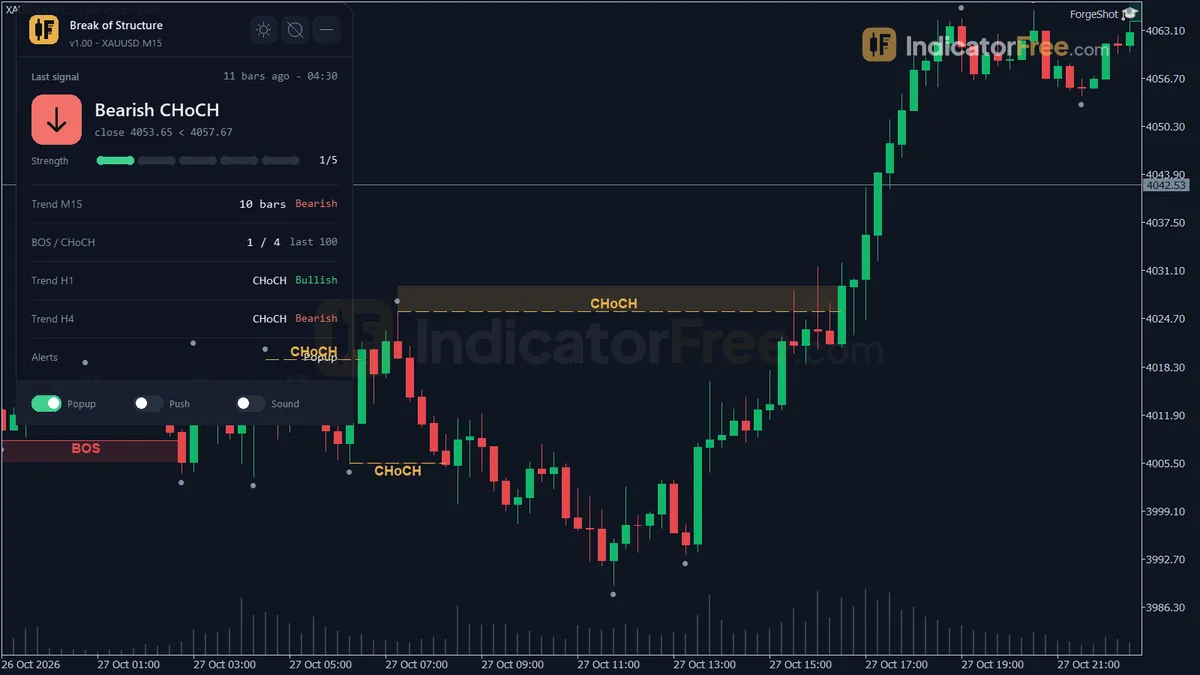
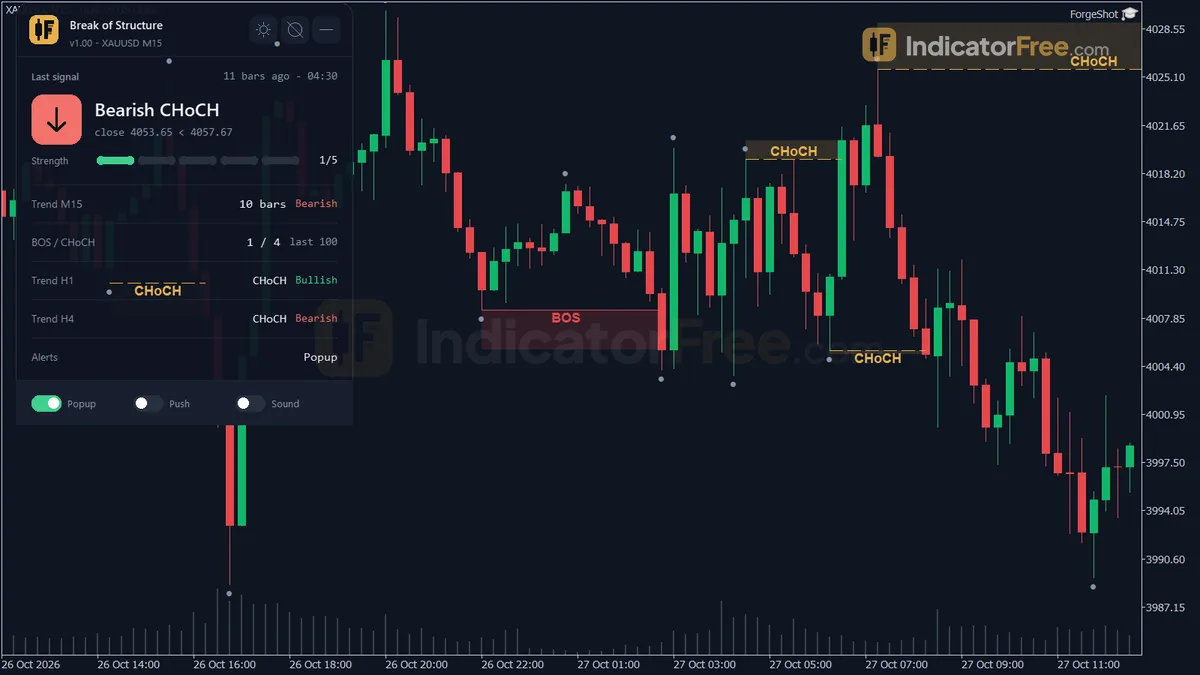
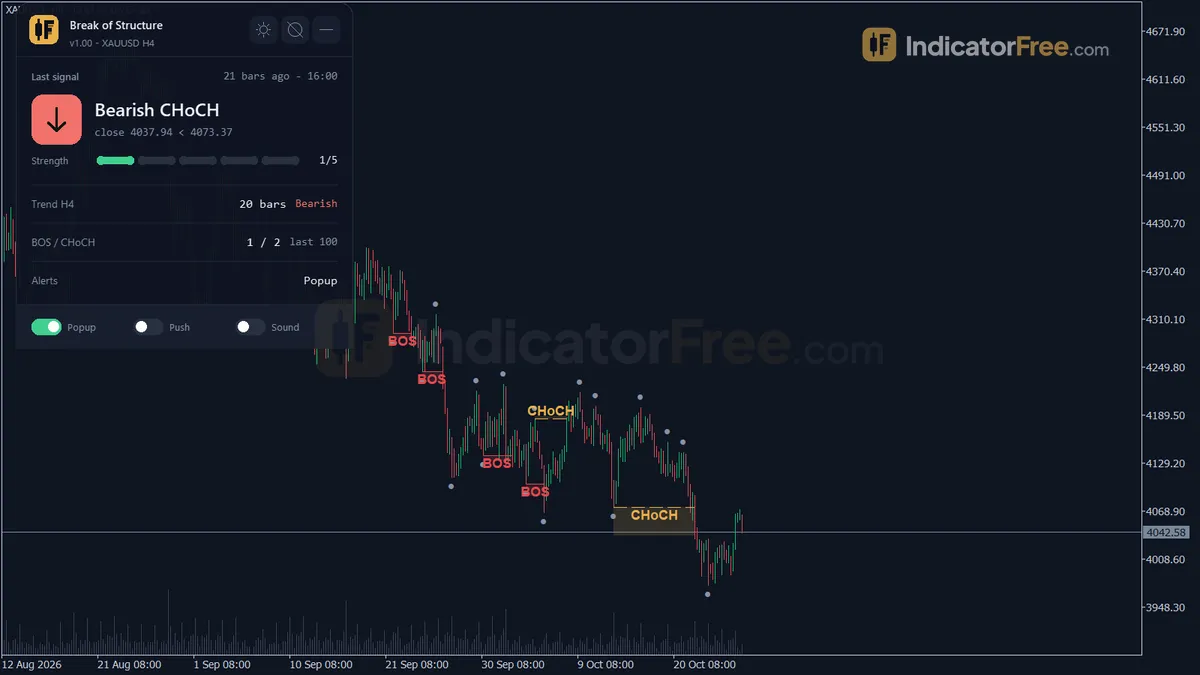
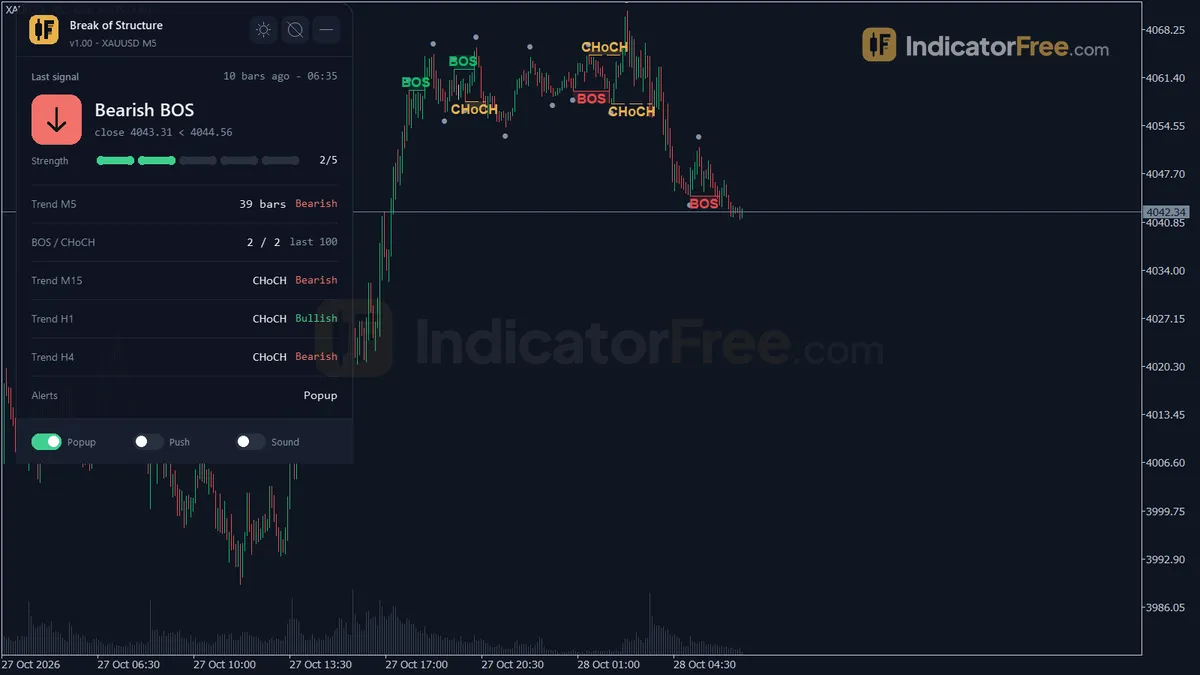
- Repainted
- Not tested
- Signals / week
- —
- Tested on
- —
- Tested
- 2026-10-04
Overview
Break of Structure is a free MT5 indicator that works on the main price chart, for traders who trade market structure and want swings and breaks marked the same way every time. When a closed bar breaks a confirmed swing high or low, it draws a line, a shaded zone and a "BOS" or "CHoCH" label, and it marks every swing with a small dot. In the Lab's repaint test, 0 of 714 checks changed after the fact. Once a break is drawn, it stays put.
What it draws on your chart
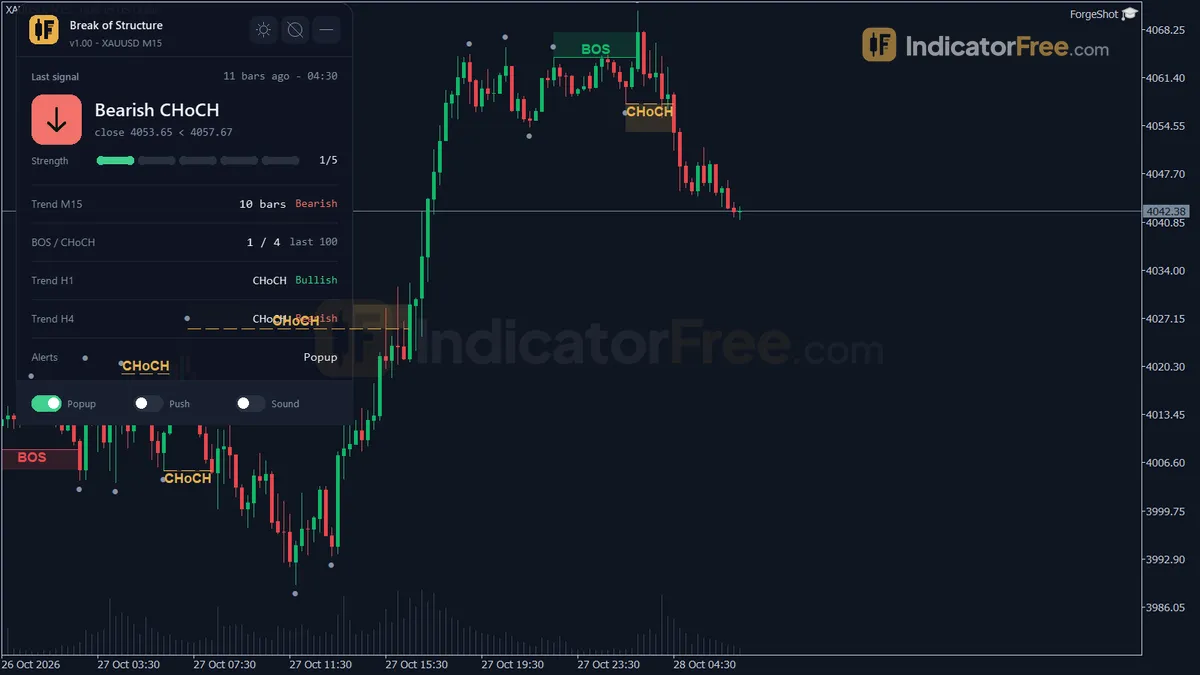
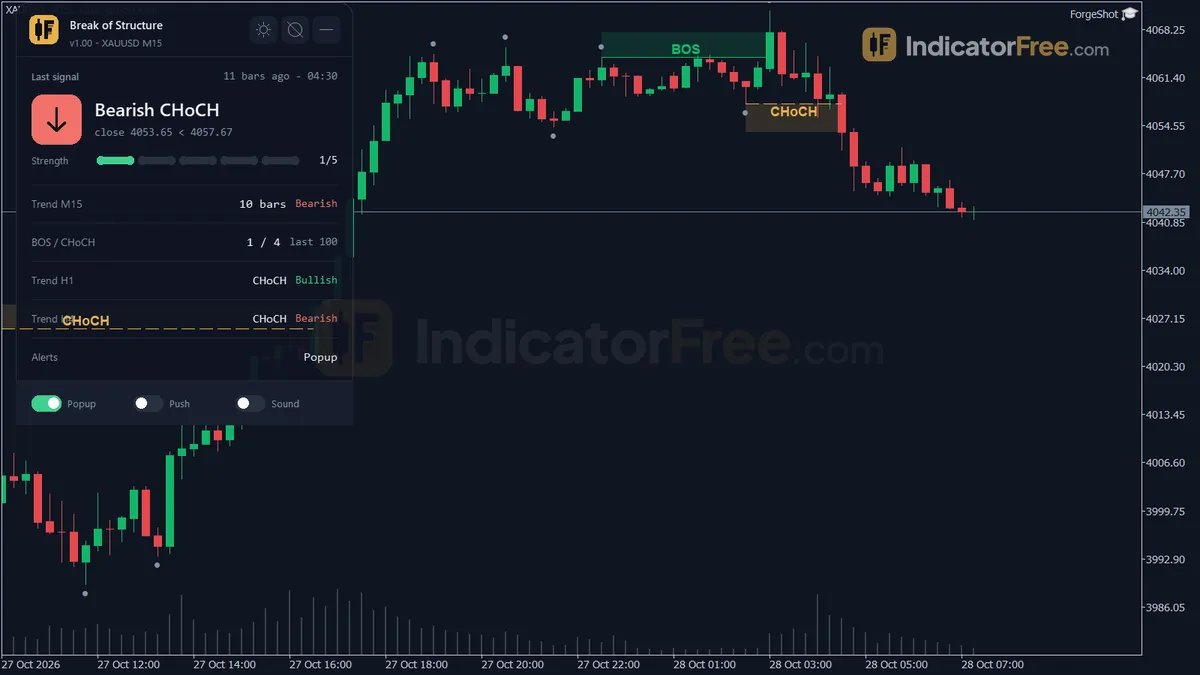
A break of structure (BOS) happens when price breaks a swing in the direction of the current trend. That is a sign the trend is continuing. A change of character (CHoCH) is a break against the trend, which is the first warning that the trend may be turning. The glossary covers both ideas in full. Here is what the tool puts on screen:
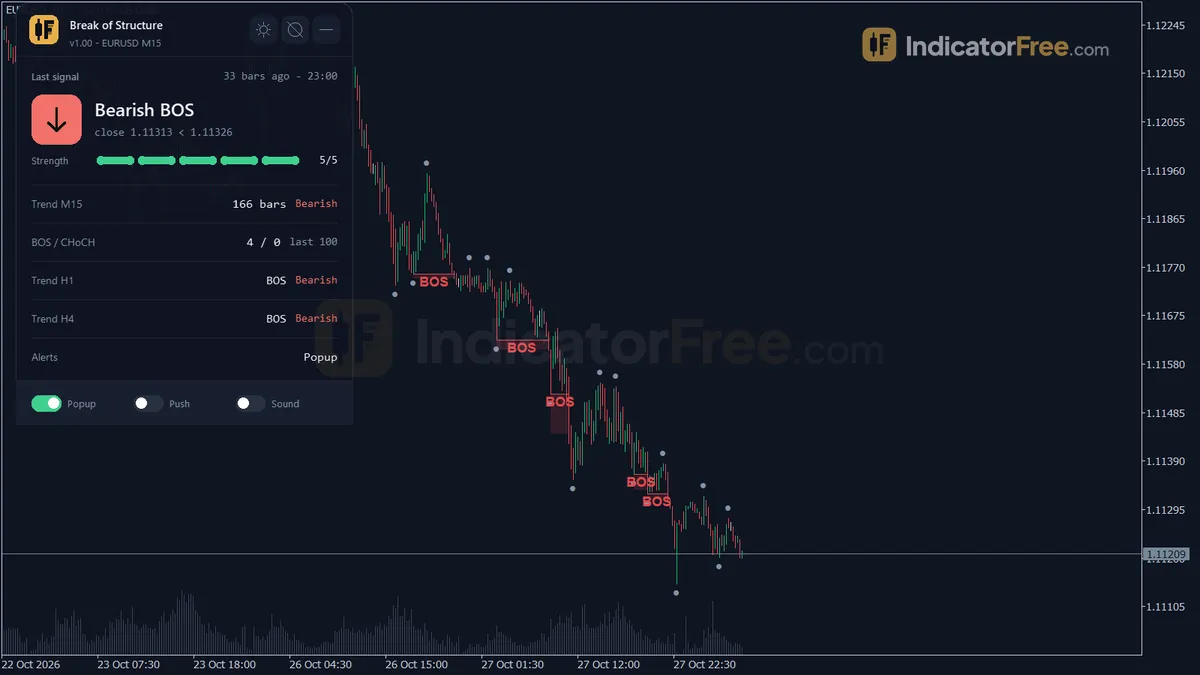
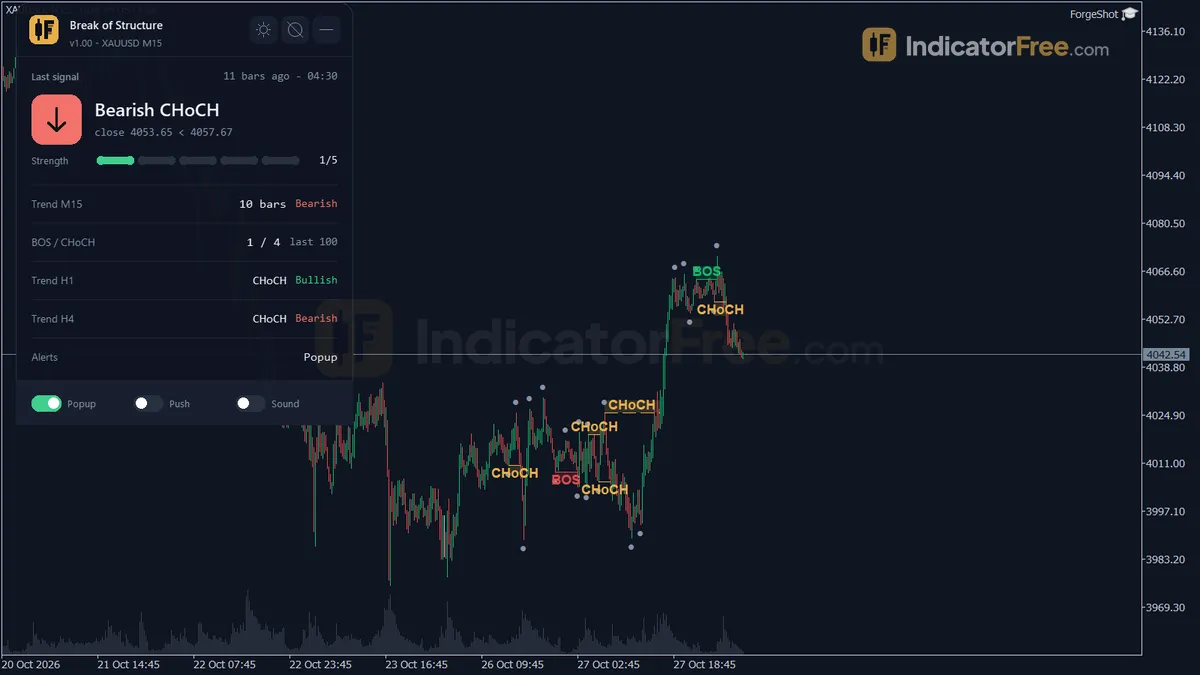
- BOS / CHoCH lines put a line at the broken swing level, with its BOS or CHoCH label.
- Break zones are rectangles that mark where structure broke.
- Swing points are small dots on each confirmed swing high and low.
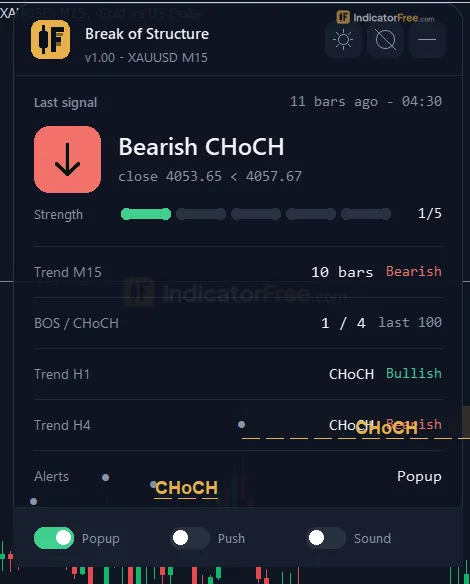
- The Structure panel shows the last BOS or CHoCH and how many bars ago it happened, the current trend, BOS and CHoCH counts over recent bars, the trend on up to three higher timeframes, and which alert channels are on.
Everything draws in the main chart window. The indicator does not open a subwindow.
What the Lab tested and what 0 of 714 means
The Lab tested version 1.00 (96.1 KB) and finished on 2026-10-04. The Lab ran 714 repaint checks on v1.00 in MetaTrader 5 (build 6230) and none changed. The release notes do not describe the check procedure, symbol or timeframe, so read the result as a check on the code's logic, not on one market.
For you, this means a BOS you see in history is one you would also have seen live. Labels do not jump to a better bar later. The reason is the design: the tool only reads closed bars and only uses swings that are already confirmed.
Who it is for
The tool suits traders who already build trades around higher highs, higher lows and their breaks, and who want those breaks marked objectively, with alerts. It also helps if you are learning structure. Watching where the tool puts its dots and labels shows you which swings count under a fixed rule.
How it works
- 1Finds swing highs and lows: a bar whose high or low beats the set number of bars on both sides.
Swing high if High > High of K bars left and K bars right (K = SwingLookback)Inputs: SwingLookback - 2Remembers the latest unbroken swing high and low. A close beyond one marks a structure break.
Bullish break: Close > last swing high. Bearish break: Close < last swing low - 3Labels a break BOS when it follows the trend, or CHoCH when it goes against it, then flips the trend.
CHoCH if break direction is opposite to trend, else BOS - 4Draws markers on the closed bar, fades old ones after the set bars, and counts BOS in a row.Inputs: ZoneFadeBars, ShowSwingMarkers
- 5
Specifications
- Platform
- MetaTrader 5
- Version
- 1.00
- Type
- Indicator
- Window
- Main chart
- Draws
- 3 zones, 1 panel
- Alerts
- popup, push, sound
- Repaints
- not tested
- Inputs
- 16
- Tested on
- MT5 build 6230 · 2026-10-04
Repaint test
Repaint: not tested. This indicator draws zone, panel, which the IndicatorFree harness cannot read through iCustom().
IndicatorFree — tested 2026-10-04 · MT5 build 6230. Results come from historical data, not live trading, and do not guarantee future results.
What it draws
- Rectangles (BOS / CHoCH Lines) drawn as chart objects, not buffers — they are not readable by iCustom() in an EA.
- Rectangles (Break Zones) drawn as chart objects, not buffers — they are not readable by iCustom() in an EA.
- Rectangles (Swing Points) drawn as chart objects, not buffers — they are not readable by iCustom() in an EA.
- An on-chart panel (Structure); values shown in the panel are not exposed as buffers.
Inputs
| Input | Default | What it does |
|---|---|---|
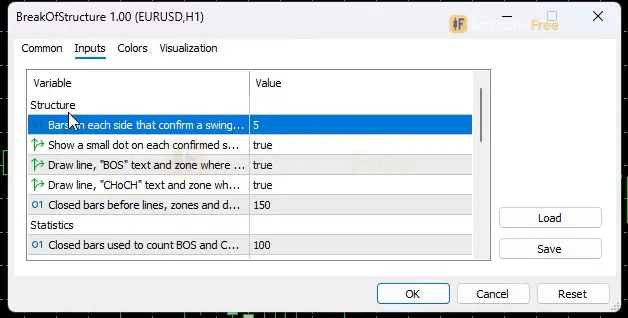
| SwingLookback | 5 | Bars on each side that confirm a swing high/low (2-15) |
| ShowSwingMarkers | true | Show a small dot on each confirmed swing high/low |
| ShowBOSLabel | true | Draw line, "BOS" text and zone where structure breaks with the trend |
| ShowCHoCHLabel | true | Draw line, "CHoCH" text and zone where structure breaks against the trend |
| ZoneFadeBars | 150 | Closed bars before lines, zones and dots are deleted (0 = never) |
| StatsLookbackBars | 100 | Closed bars used to count BOS and CHoCH on the panel (20-500) |
| EnableAlertPopup | true | Popup alert on a new BOS/CHoCH (start state, also switchable on the panel) |
| EnableAlertPush | false | Push notification on a new BOS/CHoCH (start state, also switchable on the panel) |
| EnableAlertSound | false | Sound on a new BOS/CHoCH (start state, also switchable on the panel) |
| ShowMTFPanel | true | Show the trend of up to 3 higher timeframes on the panel |
| MTF1 | M15 | Higher timeframe 1 (skipped if not above the chart timeframe) |
| MTF2 | H1 | Higher timeframe 2 (skipped if not above the chart timeframe) |
| MTF3 | H4 | Higher timeframe 3 (skipped if not above the chart timeframe) |
| Theme | Dark | Chart color theme |
| RestoreTheme | true | Restore the original chart colors when the indicator is removed |
| PanelScale | 1 | Panel size multiplier (DPI is applied automatically) |
How to read it
Install in one line
Copy the file into File → Open Data Folder → MQL5 → Indicators, refresh the Navigator, then drag Break of Structure onto a chart.
How to read the lines, zones and dots
The chart below shows the order things appear in. First come swing dots. Then a BOS forms as price breaks a swing high with the uptrend. After a higher low forms, a CHoCH forms as price breaks that low against the trend.
The swings in this picture are only a few bars apart so they fit. On a real chart with the default SwingLookback of 5, they sit further apart. On your chart, zones extend to the right until ZoneFadeBars removes them; the picture cuts them short to stay readable.
Two rules for reading it:
- A BOS says the trend shown on the panel just made a new swing in its own direction.
- A CHoCH says price broke the last swing that protected the trend. Treat it as a warning, not a reversal.
How one break forms
- 1Swing confirmedA high or low needs SwingLookback bars on each side (default 5) before it gets a dot
- 2Bar closesOnly closed bars are checked, so a candle still forming never triggers a break
- 3Break classifiedWith the current trend = BOS; against it = CHoCH
- 4Drawn and alertedLine, label and zone appear, the panel updates and the alerts you turned on fire
- 5Cleaned upObjects are deleted ZoneFadeBars closed bars later (0 keeps them)
The common misread: "the dot showed up late"
A swing dot can only appear once SwingLookback bars have closed after the high or low. With the default of 5, the dot appears 5 bars after the actual turn. That delay is the price of a signal that does not repaint. It is not a bug.
The same delay applies to breaks. Because breaks are measured from confirmed swings, a high or low that has not yet been confirmed gives no level to break.
Reading the Structure panel
The panel shows the last break and how many bars ago it happened, so you can tell a fresh signal from an old one. It also shows the BOS and CHoCH counts over the last StatsLookbackBars closed bars (default 100). A run of BOS with almost no CHoCH points to a clean trend. The higher-timeframe rows tell you whether the larger charts agree with the break you are looking at.
The inputs to change first
- SwingLookback (2–15, default 5). This is the most important setting. Lower values find more, smaller swings and more labels, including more CHoCH flips in ranges. Higher values keep only the bigger swings, with fewer signals that arrive later.
- ShowBOSLabel / ShowCHoCHLabel. Switch one off if you only trade continuation or only want early warnings.
- ZoneFadeBars (default 150). This sets how many closed bars old lines, zones and dots stay on the chart. Lower it to keep a busy M1 chart clean. Set it to 0 to keep every object.
- MTF1–MTF3 (defaults M15, H1, H4). These choose the higher timeframes on the panel. Pick ones above the chart timeframe you trade.
- StatsLookbackBars (20–500). This sets how far back the panel counts BOS and CHoCH.
- PanelScale (default 1). Raise it if the panel is too small on your screen.
Alerts
The tool alerts you when a new BOS or CHoCH appears. Popups are on by default. Push notifications and sound are off. Set the starting state with EnableAlertPopup, EnableAlertPush and EnableAlertSound, or turn each channel on or off from the panel while the indicator runs. Because breaks are confirmed on closed bars, an alert always refers to a finished candle.
Decision rules for each signal
These are reading rules, not Lab results:
- BOS: act on it only when the panel's higher-timeframe trends point the same way. Skip a BOS that breaks against the higher timeframes. In our reading, on a lower chart that can be just noise inside a bigger pullback.
- CHoCH: do not reverse on the label alone. Wait for a BOS in the new direction before you treat the trend as changed. Until then, use the CHoCH to tighten or close a trade that ran with the old trend.
- Skip both when the panel's BOS and CHoCH counts are close over StatsLookbackBars. Labels in a range flip back and forth and lead nowhere.
Installation
- 1Download BreakOfStructure.ex5 from the button above (Google Drive).
- 2In MetaTrader 5: File → Open Data Folder → MQL5 → Indicators. Copy BreakOfStructure.ex5 there.
- 3Restart MT5 or right-click Indicators in Navigator → Refresh.
- 4Drag Break of Structure onto a chart. For push alerts, enable "Allow push notifications" under Tools → Options → Notifications.
- Tested on MT5 build 6230.
Key terms and guides
- Entry Trigger
- An entry trigger is the specific event on the chart, such as a candle closing past a level or price breaking a small swing, that tells you to open the trade now instead of only watching the setup.
- Pullback
- A pullback is a short, temporary move against the main trend: price dips during an uptrend or rallies during a downtrend, then turns back the trend's way. Traders use it to enter a trend at a better price.
- Price Swing
- A price swing is one move in a single direction, from a turning low to a turning high or the reverse. You measure it in pips from one swing point to the next.
- Break of structure
- A break of structure (BOS) happens when a candle closes beyond the last swing high in an uptrend, or the last swing low in a downtrend. It confirms that the trend has started a new leg in the same direction.
- Guide: Trading Plan Template: Write Your Entry, Exit and Risk Rules on One Page
- Guide: Trading Journal: What to Record, a Free Template and a Review Routine
- Guide: What Is Technical Analysis? A Beginner's Guide to Reading Price Charts
More on this subject: Price action & SMC guide, terms and tools
User reviews
No reviews yet. Members who download the tool can review it here.
Sign in and download the tool to review it.
Build a checklist with it
Break of Structure does one job on the chart: trend / context. Put it on the same chart as the tools below and the IndicatorFree panels merge into one checklist card, ordered trend, zone, signal, risk.
- Zone / levelBreakout Zone FinderAdds where price is: the zones and levels that Break of Structure does not draw.
- Entry signalBox BreakoutAdds the entry signal: the moment to act once Break of Structure has set the scene.
The Lab has not tested these combinations. Each tool is tested on its own; the card only lines up what each one says. Free members get 2 new tools a day. If one has to wait until tomorrow, install BlackBox to raise the limit to 5 a day (20 on a live account).
FAQ
Does Break of Structure repaint?
Repaint: not tested. This indicator draws zone, panel, which the IndicatorFree harness cannot read through iCustom().
Why can’t my EA read the zones?
Zones and the panel are chart objects, not indicator buffers, so iCustom() does not return them.
How do I get alerts on my phone?
Enter your MetaQuotes ID under Tools → Options → Notifications, tick "Enable push notifications", and keep the push alert input on.
Which timeframe works best with the Break of Structure indicator?
It runs on any timeframe, and the Lab's notes do not name a best one. Lower charts give more labels and more noise, so most traders read the break on their trading chart and check the panel's higher-timeframe trends before acting.
Why does the panel show fewer than three higher timeframes?
MTF1, MTF2 and MTF3 are skipped when they are not above your chart's timeframe. On an H1 chart with the defaults (M15, H1, H4), only H4 shows, so set them to higher timeframes.
How do I get BOS alerts on my phone?
Turn on EnableAlertPush, or switch on push from the panel. Your MT5 terminal must also have push notifications set up with your MetaQuotes ID from the mobile app.
Does it work on gold, indices or crypto?
It only reads swing highs, swing lows and closed bars, so it draws on any symbol your MT5 shows. The Lab's notes do not name the symbol it was tested on, so check how it behaves on your own market before you rely on it.
Will it change my chart colours?
Yes. The Theme input (default Dark) recolours the chart. With RestoreTheme left on, your original colours come back when you remove the indicator.
Changelog
- 1.00Initial release: Break of Structure and Change of Character detection from fractal-confirmed swing highs/lows, closed-bar only, no repaint (0/714 repaint checks verified in MetaTrader 5). · 2026-10-04
Final verdict
Where it earns its place
The core claim holds: breaks are drawn on closed bars, from confirmed swings, and the repaint test found no signal that moved. What you scroll back through is what you would have seen live. The panel puts the age of the last break, recent BOS/CHoCH counts and higher-timeframe trends in one place.
Where it falls short
- It lags by design. Every swing waits SwingLookback bars to confirm, so the tool will never catch the exact top or bottom.
- It only covers structure. There are no order blocks, fair value gaps, entries, stop-losses or targets. You decide where to enter and where to put your stop.
- There is no follow-through number. The Lab has not measured how often price kept going after a BOS, so treat each label as context, not a trade signal.
- It does not judge break quality. A small break of a minor swing gets the same label as a decisive one.
If you want a ready-made entry arrow, or you scalp the first bars of a move, skip this tool.
- –You trade trend continuation and want BOS marked without bias
- –You want an early CHoCH warning to manage an open trade
- –You check higher-timeframe trend before acting on a lower chart
- –You review past setups and need signals that did not move
- –You need entries, stops or targets drawn for you
- –You trade the exact turn and cannot accept a SwingLookback-bar delay
- –You want order blocks or fair value gaps from the same tool
Settings to start with
Start on the defaults and change one thing at a time. The suggestions below are starting points the Lab has not tested, so compare each one with the default on your own charts:
- M1–M5: try SwingLookback 8 and ZoneFadeBars 80 to cut down small flips and clutter.
- H4 and above: try SwingLookback 3 so swings confirm sooner.
- Chart on H1: set MTF1 to H4, MTF2 to D1 and MTF3 to W1.
- Phone alerts: turn on EnableAlertPush.
An idea to pair it with
An idea the Lab has not tested: pair it with Liquidity Sweep to see whether a stop grab came before a CHoCH.