Camarilla Pivots
Free Camarilla Pivots indicator for MT5: R4–S4 levels, shaded zones, breakout and reversal arrows with alerts. Lab test: 0 of 115 signals repainted.
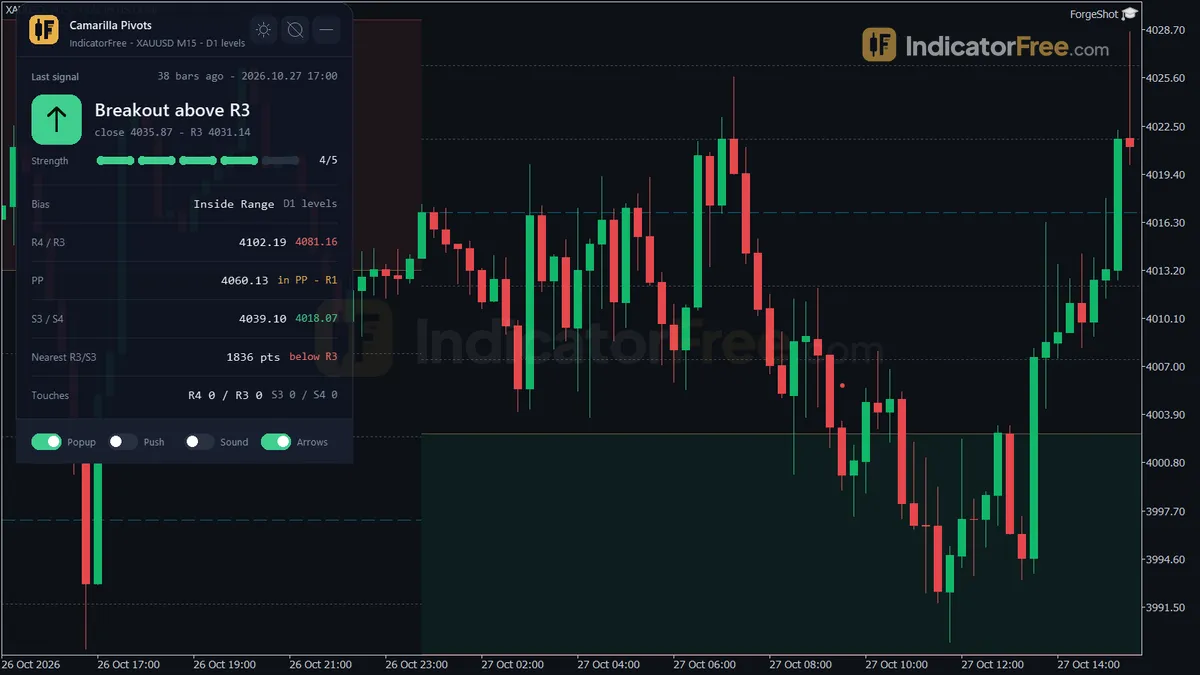
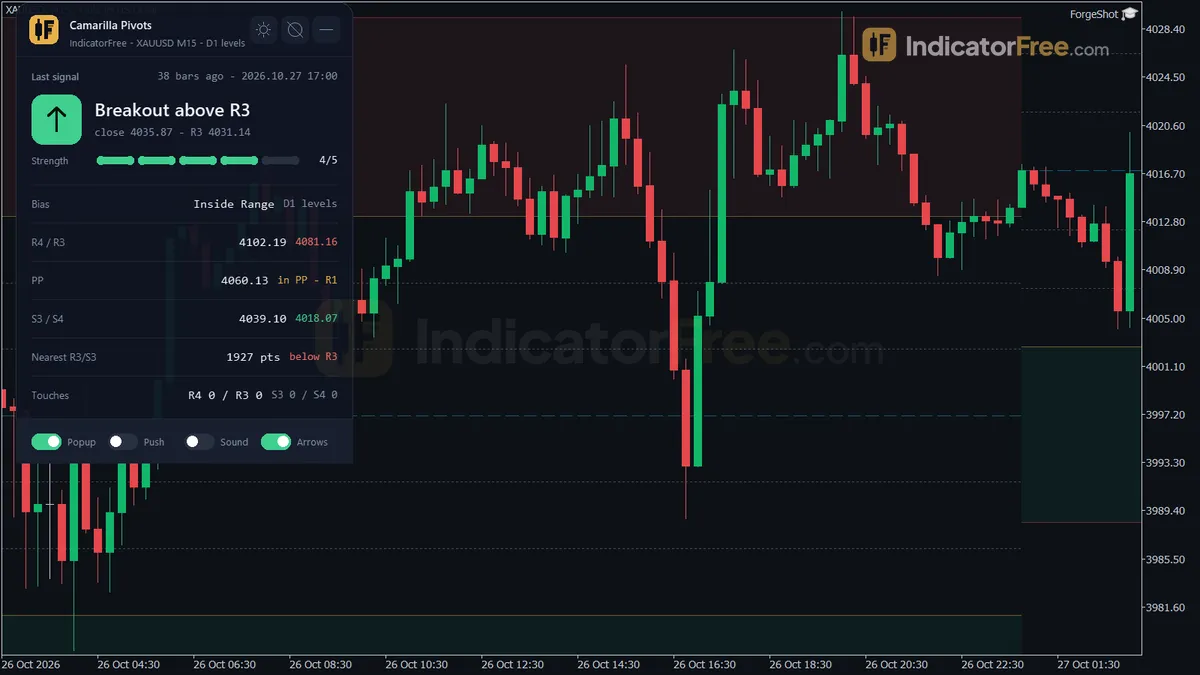
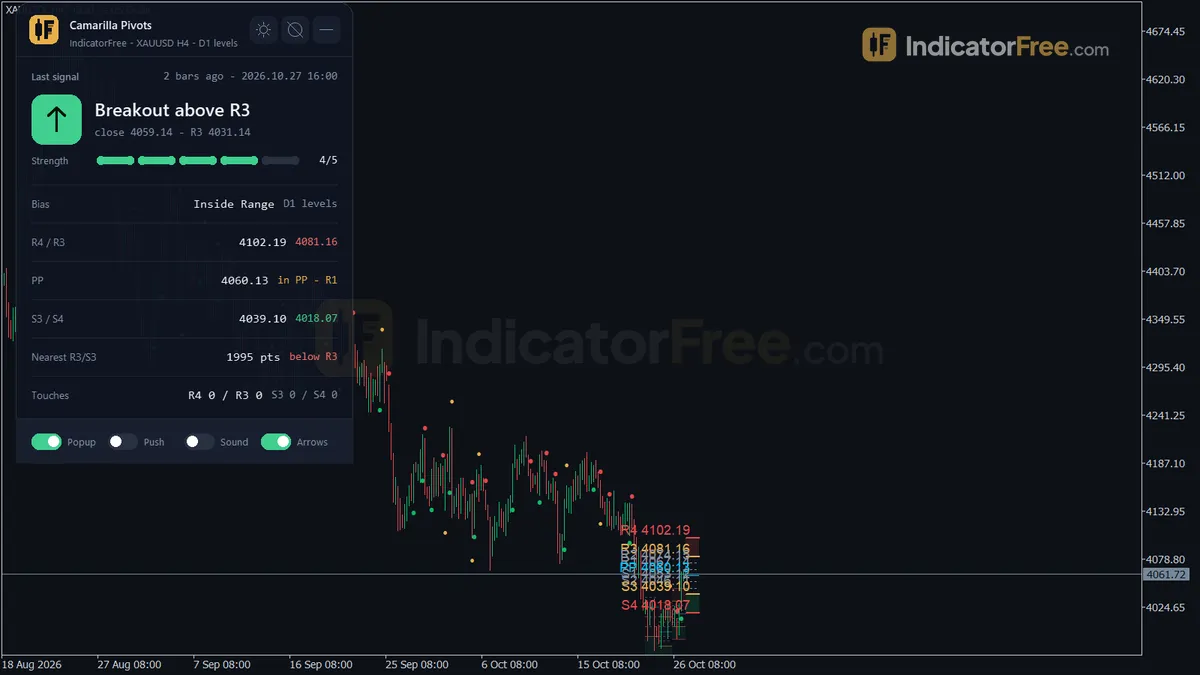
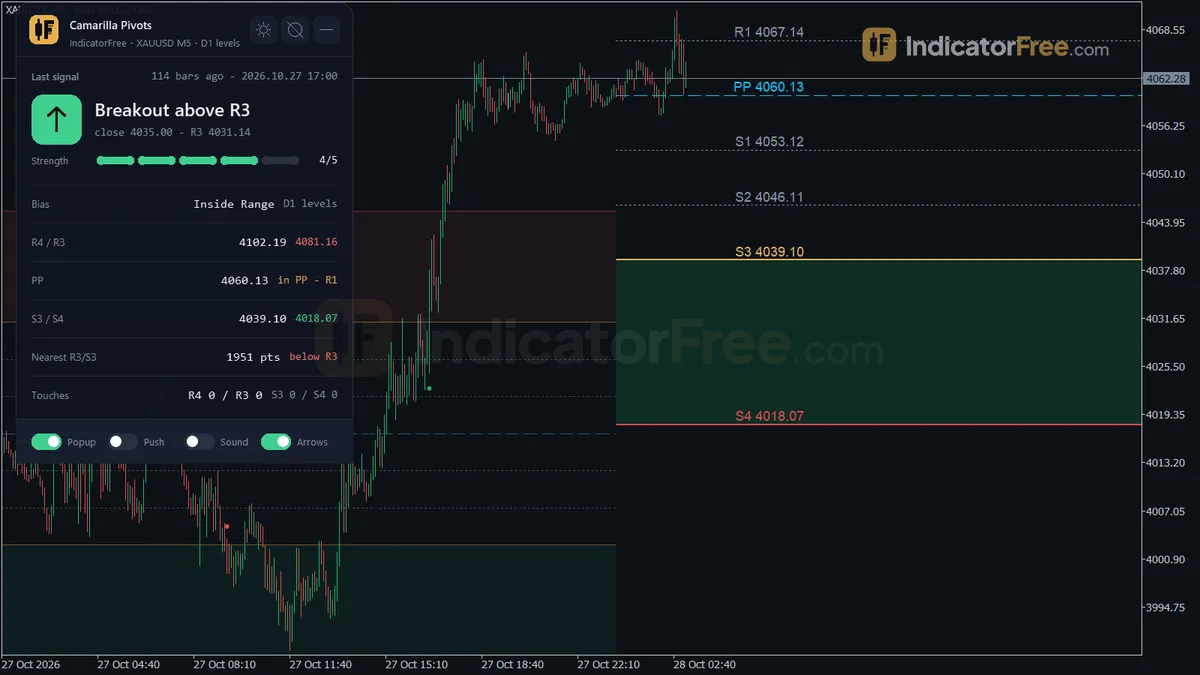
- Repainted
- 0 / 115
- Signals / week
- ≈ 8.7
- Tested on
- EURUSD M15
- Tested
- 2026-10-09
Overview
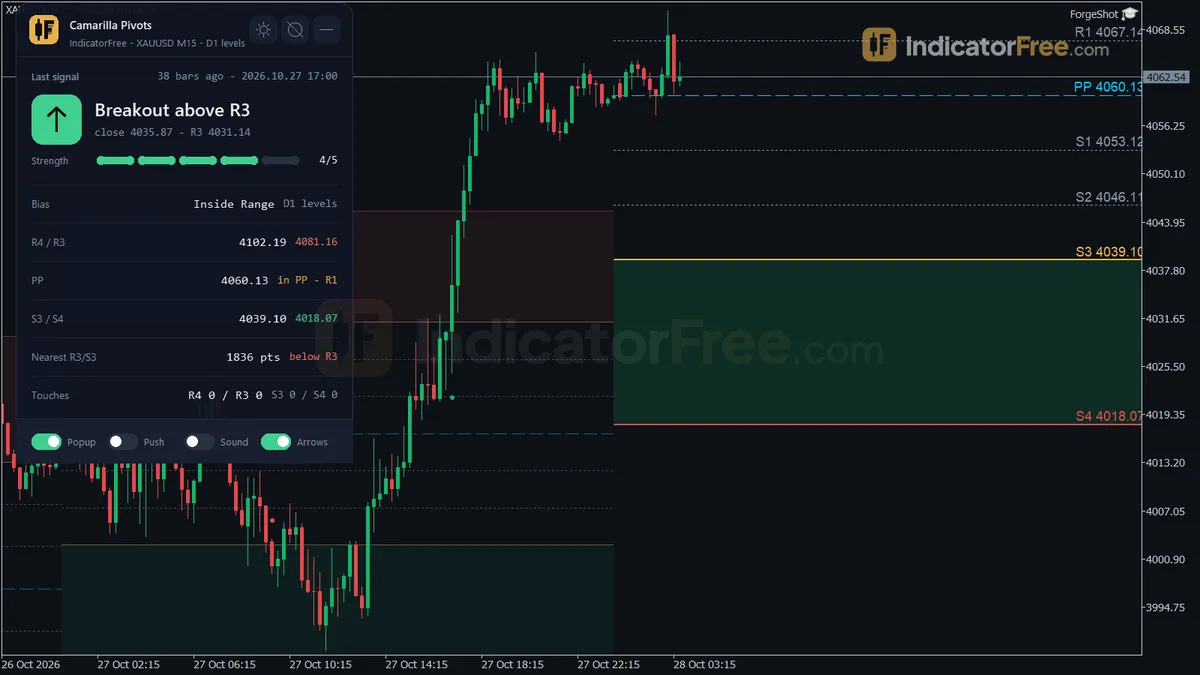
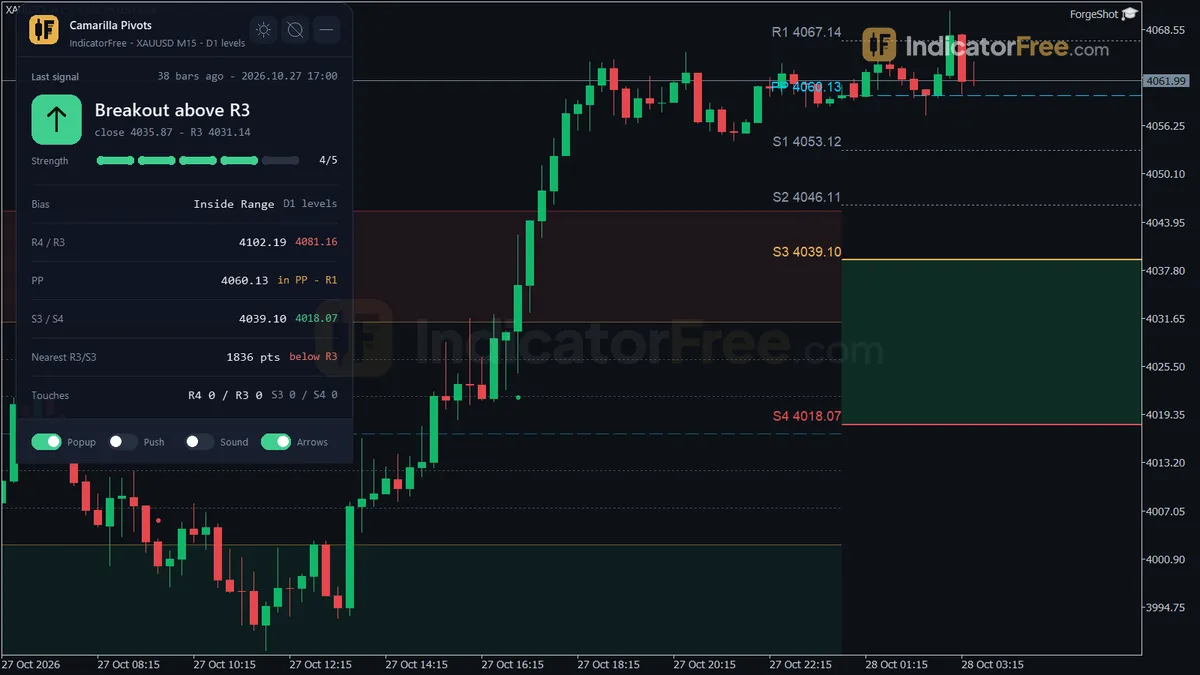
The Camarilla Pivots indicator for MT5 is built for intraday traders who already trade pivots. It draws the nine Camarilla levels (R4–R1, the pivot PP and S1–S4) on your main chart from the previous closed Daily, Weekly or Monthly bar. It also shades the R3–R4 and S3–S4 zones and adds four types of breakout and reversal arrows. In the Lab's repaint test, 0 of 115 arrows changed after they appeared.
What it puts on your chart
Camarilla pivots are a type of pivot point. They place support and resistance levels around the previous period's close, using that period's high-low range. Traders usually watch the outer levels, R3/S3 and R4/S4, most closely.
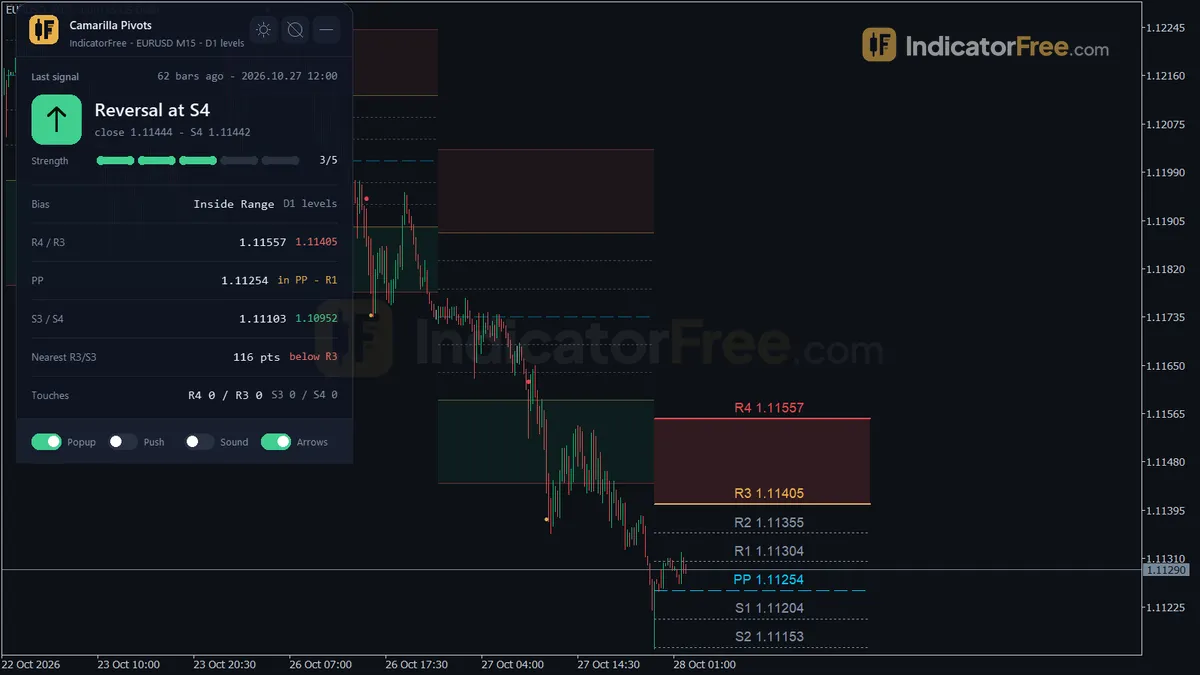
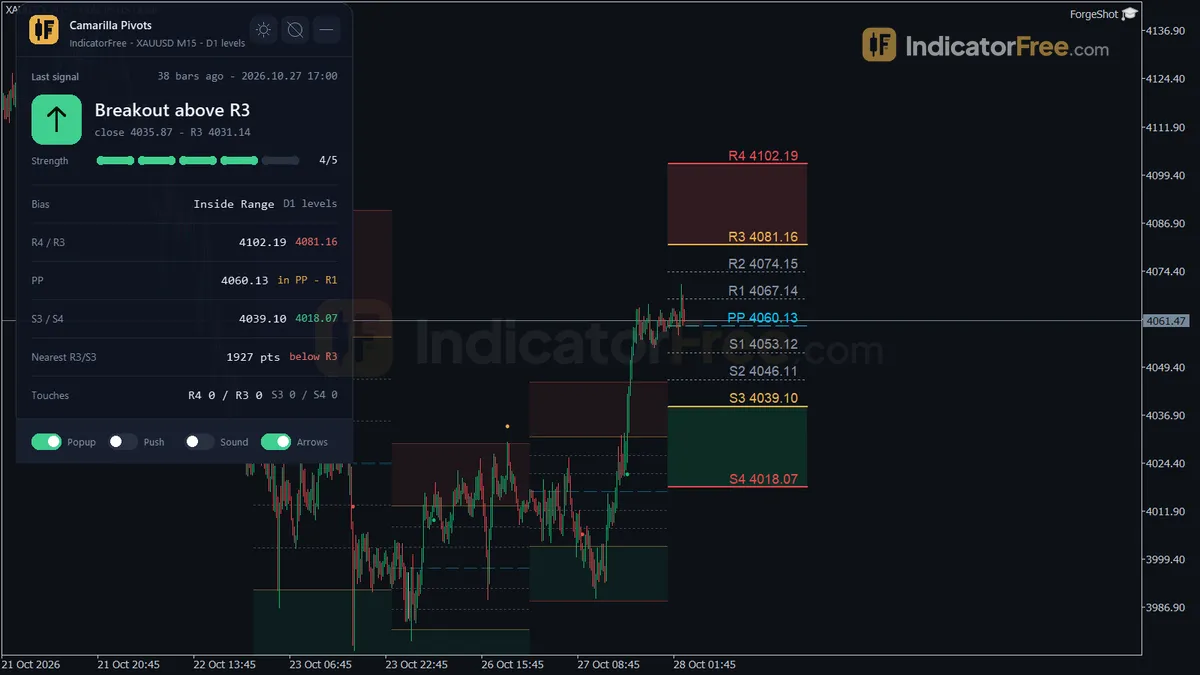
The indicator draws in the main chart window, not in a subwindow:
- Level lines with tags. R4 to S4 are redrawn each time a new anchor period starts. Older periods stay on the chart, faded, up to
MaxHistoryPeriods. - Breakout zones. The R3–R4 and S3–S4 areas are shaded rectangles.
- Four arrows. Breakout Up, Breakout Down, Reversal Up and Reversal Down. Each type can fire only once per anchor period.
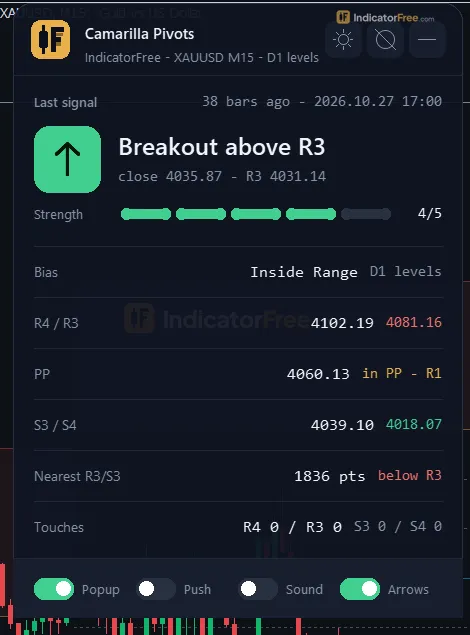
- A status panel named "Camarilla". It shows:
- the last signal, with its strength and how many bars ago it fired
- the bias
- R4/R3, PP with the bracket price is in, and S3/S4
- the distance in points to the nearer of R3 or S3
- how many times price has touched R4, R3, S3 and S4 this period
The panel shows the bias and strength readings as the indicator reports them. The Lab did not test either one as a filter.
Version 1.00 (104.5 KB) was tested on MT5 build 6230 on 2026-10-09.
How the Lab tested it and what the numbers mean
The Lab ran the indicator on EURUSD M15 from 2026-07-09 to 2026-10-08, replaying real ticks from Raw Trading Ltd. It logged every arrow as it appeared, then checked whether any arrow later moved or disappeared. None did, and the maximum arrow delay was 0 bars. An arrow appears when its bar closes and stays where it is, so what you see in history is what you would have seen live.
On the same 115 signals, the Lab measured which came first after each arrow: a move of 1 ATR in the arrow's direction, or 1 ATR against it.
- 40% reached 1 ATR in the arrow's direction first. The other 60% hit 1 ATR against first, because every signal reached one mark or the other. That is worse than a coin flip. The arrows show where price is acting at a key level. They are not a trading system on their own.
- The median was 2 bars until the first 1-ATR mark was hit, on either side. On M15 that is usually about half an hour, so the outcome comes quickly.
- None of the 115 signals stayed between both marks for 20 bars. Every signal resolved within 20 bars.
- 8.7 signals per week on average across all four arrows. That is about 1–2 arrows a day across all four types on EURUSD M15.
The chart below splits the 1-ATR-first result by arrow type. The two reversal arrows did better than the two breakout arrows, and Breakout Up was the weakest. The reversal samples are small (18 and 19 signals), so treat the gap as a hint, not a rule.
Who it is for
It fits traders on M5 to H1 who already plan trades around the R3/S3 and R4/S4 levels. It saves you calculating and drawing those levels at the start of each anchor period (each day by default), and it alerts you when a bar closes through or rejects one.
It does not suit traders who want an arrow they can follow blindly. Use it to mark your levels and confirm setups, and make the final entry decision with your own filter.
How it works
- 1Reads the high, low and close of the previous bar of the anchor period: day, week or month.
Previous period High, Low, CloseInputs: AnchorPeriod - 2Builds nine levels from the close and the previous range, from R4 down to S4.
R4 = Close + Range x 1.1 / 2 | R3 = Close + Range x 1.1 / 4 | S3, S4 mirror below - 3Marks a breakout when a bar closes above R3 or below S3 from the other side.
Breakout up: Close > R3 and previous Close <= R3Inputs: ShowSignalArrows - 4Marks a reversal when price reaches S4 or R4 and the bar closes back on the inner side.
Reversal up: Low <= S4 and Close > S4 | reversal down: High >= R4 and Close < R4 - 5Each signal fires once per period, and the number of touches of R4, R3, S3 and S4 is counted.
Touch: High >= Level and Low <= LevelInputs: MaxHistoryPeriods, ShowLevels, ShowBreakoutZoneFill
Specifications
- Platform
- MetaTrader 5
- Version
- 1.00
- Type
- Indicator
- Window
- Main chart
- Draws
- 4 arrows, 3 zones, 1 panel
- Alerts
- popup, push, sound
- Repaints
- No (0 of 115 signals changed)
- Inputs
- 14
- Tested on
- MT5 build 6230 · 2026-10-09
Repaint test
No repaint detected. In a 9 Jul 2026 – 8 Oct 2026 test on EURUSD M15 (Raw Trading Ltd real ticks), 115 signals were logged at bar close and re-read at the end of the test: 0 changed. Arrows print on the bar that closes the signal, with no delay.
IndicatorFree — tested 2026-10-09 · MT5 build 6230 · Raw Trading Ltd real ticks. Results come from historical data, not live trading, and do not guarantee future results.
Signal statistics
Over 9 Jul 2026 – 8 Oct 2026 on EURUSD M15, the indicator printed 115 arrows. After 40% of them, price moved 1×ATR(14) in the arrow's direction before moving 1×ATR against it (median 2 bars). 0% reached neither level within 20 bars.
This measures price movement after the arrow, not a trading result. It includes no spread, commission, stop loss or position sizing.
What it draws
- Arrows (Breakout Up) from buffer 9, drawn on the closed bar.
- Arrows (Breakout Down) from buffer 10, drawn on the closed bar.
- Arrows (Reversal Up) from buffer 11, drawn on the closed bar.
- Arrows (Reversal Down) from buffer 12, drawn on the closed bar.
- Rectangles (Camarilla Levels) drawn as chart objects, not buffers — they are not readable by iCustom() in an EA.
- Rectangles (Breakout Zones) drawn as chart objects, not buffers — they are not readable by iCustom() in an EA.
- Rectangles (Level Tags) drawn as chart objects, not buffers — they are not readable by iCustom() in an EA.
- An on-chart panel (Camarilla); values shown in the panel are not exposed as buffers.
Inputs
| Input | Default | What it does |
|---|---|---|
| Theme | Dark | Chart color theme applied while the indicator runs |
| RestoreTheme | true | Restore the original chart colors when removed |
| AnchorPeriod | Daily | Period whose previous closed High/Low/Close builds the levels |
| ShowLevels | true | Draw the R4-R1, PP and S1-S4 lines with level tags |
| ShowBreakoutZoneFill | true | Shade the R3-R4 and S3-S4 zones |
| MaxHistoryPeriods | 3 | Older periods still drawn (faded) next to the current one (1-10) |
| LineLabelOffset | 5 | Points between a level line and its tag (0-50) |
| ShowSignalArrows | true | Draw breakout and reversal arrows |
| EnableAlertPopup | true | Show an MT5 popup alert on a new signal |
| EnablePushNotification | false | Send a push notification on a new signal |
| EnableSoundAlert | false | Play a sound on a new signal |
| AlertSoundFile | alert.wav | Sound file played on alert |
| ShowPanel | true | Show the on-chart status panel |
| PanelScale | 1 | Panel size multiplier (DPI is applied automatically) |
How to read it
To install, copy the .ex5 file into your terminal's MQL5/Indicators folder, refresh the Navigator, and drag the indicator onto a chart.
The four arrows and when they fire
Every arrow uses closed bars only. A wick through a level is not enough to trigger one. Each arrow type fires only on its first qualifying bar in the current anchor period.
| Arrow | Fires when | Per week (Lab) | Buffer |
|---|---|---|---|
| Breakout Up | A bar closes above R3 after the previous bar closed at or below R3 | 3 | 9 |
| Breakout Down | A bar closes below S3 after the previous bar closed at or above S3 | 2.9 | 10 |
| Reversal Up | A bar's low reaches S4 or lower, then the bar closes above S4 | 1.4 | 11 |
| Reversal Down | A bar's high reaches R4 or higher, then the bar closes below R4 | 1.4 | 12 |
The chart below is an illustration of a typical session. It shows a wick above R3 that produces no arrow, the close through R3 that does, and a later rejection at R4.
Common misreads to avoid
- "Price broke R3 again and there's no arrow." Each arrow type fires only once per anchor period. With a Daily anchor, a second close above R3 on the same day gets no new Breakout Up arrow. The indicator is working as designed.
- "It missed the wick through R4." Reversal arrows need the bar to close back inside the level. If the bar closes beyond R4, there is no Reversal Down arrow. That bar may be the start of a stronger breakout instead.
- "The arrow came late." Arrows appear when the signal bar closes, not while it is still forming. On M15, that means you see the arrow up to 15 minutes after price first crossed the level.
Decision rule for each arrow
These are reading rules, not Lab results:
- Breakout arrows (R3/S3): Before entering, check the distance from the close to R4 (or S4). If that distance is less than 1 ATR, there is little room before the reversal zone, so skip the trade. Breakout Up was the weakest arrow in the test, so it needs the strictest filter, such as agreement with a higher-timeframe trend.
- Reversal arrows (R4/S4): Take the trade only if the signal bar closes at least a quarter of its own range back inside R4 (or S4). If it closes less than that inside the level, skip it as a weak rejection. This threshold is an untested starting point, not tested by the Lab. Your stop belongs beyond the wick of the signal bar, because that wick is the level price rejected.
Inputs to change first
AnchorPeriod(Daily by default) sets which previous bar the levels are built from: Daily, Weekly or Monthly. This is the main setting. It changes every level and how often each arrow can fire.MaxHistoryPeriods(3, range 1–10) sets how many older periods stay on the chart, faded. Lower it if the chart looks cluttered.ShowBreakoutZoneFillandShowLevelsturn the shading and the lines on or off.LineLabelOffset(5 points, range 0–50) moves the level tags away from the lines.ShowSignalArrowsturns off the arrows if you only want the levels.ShowPanelandPanelScale(1) control the status panel. DPI scaling is applied automatically.Theme(Dark) recolors the chart while the indicator runs.RestoreTheme(true) puts your original colors back when you remove it.
Alerts
A new signal can alert you in three ways:
- Popup:
EnableAlertPopupis on by default. Alerts appear in the MT5 Alert window. - Push notification:
EnablePushNotificationsends the alert to the MT5 mobile app. It only works if push notifications are already set up in your terminal. - Sound:
EnableSoundAlertplays the file named inAlertSoundFile(alert.wav by default).
Because arrows only fire on closed bars, every alert comes from a finished bar.
Installation
- 1Download CamarillaPivots.ex5 from the button above (Google Drive).
- 2In MetaTrader 5: File → Open Data Folder → MQL5 → Indicators. Copy CamarillaPivots.ex5 there.
- 3Restart MT5 or right-click Indicators in Navigator → Refresh.
- 4Drag Camarilla Pivots onto a chart. For push alerts, enable "Allow push notifications" under Tools → Options → Notifications.
- Tested on MT5 build 6230.
Key terms and guides
- Pivot point
- A pivot point is a price level calculated from the previous period's high, low and close. Support levels (S1–S3) and resistance levels (R1–R3) are built around it, and traders use them as the day's likely turning points.
- Wick
- A wick is the thin line above or below a candlestick's body. It marks the highest and lowest prices traded in that period that price could not hold until the candle closed.
- Indicator buffer
- An indicator buffer is the list of numbers an indicator stores, one value per candle, for each line, histogram or arrow it draws. Expert Advisors and alerts read these buffers to get the indicator's values.
- Trend
- A trend is the main direction price keeps moving in over a period. In an uptrend price makes higher highs and higher lows. In a downtrend it makes lower highs and lower lows.
- Symbol
- A symbol is the short code a trading platform uses to name one tradable market, such as EURUSD for the euro against the US dollar or XAUUSD for gold. Every quote, chart and order is tied to exactly one symbol.
More on this subject: Supply, demand & key levels guide, terms and tools
User reviews
No reviews yet. Members who download the tool can review it here.
Sign in and download the tool to review it.
Build a checklist with it
Camarilla Pivots does one job on the chart: zone / level. Put it on the same chart as the tools below and the IndicatorFree panels merge into one checklist card, ordered trend, zone, signal, risk.
- Trend / contextBreak of StructureAdds the trend side: which way the market leans before you act on Camarilla Pivots.
- Entry signalBox BreakoutAdds the entry signal: the moment to act once Camarilla Pivots has set the scene.
The Lab has not tested these combinations. Each tool is tested on its own; the card only lines up what each one says. Free members get 2 new tools a day. If one has to wait until tomorrow, install BlackBox to raise the limit to 5 a day (20 on a live account).
FAQ
Does Camarilla Pivots repaint?
No repaint detected. In a 9 Jul 2026 – 8 Oct 2026 test on EURUSD M15 (Raw Trading Ltd real ticks), 115 signals were logged at bar close and re-read at the end of the test: 0 changed. Arrows print on the bar that closes the signal, with no delay.
Can I use Camarilla Pivots in an EA?
Yes. Read buffer 9 (Breakout Up) with iCustom() on bar 1 — the last closed bar.
Why can’t my EA read the zones?
Zones and the panel are chart objects, not indicator buffers, so iCustom() does not return them.
How do I get alerts on my phone?
Enter your MetaQuotes ID under Tools → Options → Notifications, tick "Enable push notifications", and keep the push alert input on.
Does it work on other pairs?
Tested on EURUSD only; other symbols not tested.
Can I turn off just one arrow type, for example Breakout Up?
No. There is no setting for a single arrow type. `ShowSignalArrows` turns all four arrow types on or off together.
Do the panel's touch counts reset?
Yes. The panel counts touches of R4, R3, S3 and S4 in the current anchor period only, so the counts start again when a new period begins.
Can an EA read the signals?
Yes. The arrows are stored in indicator buffers: 9 for Breakout Up, 10 for Breakout Down, 11 for Reversal Up and 12 for Reversal Down. An EA can read them with iCustom on closed bars.
Should I use it on a D1 chart?
Not with the Daily anchor. The levels would change on every bar, and each arrow could fire at most once per bar. On D1, switch `AnchorPeriod` to Weekly or Monthly. That setup is not tested by the Lab.
Changelog
- 1.00Initial release: 9-level Camarilla pivot ladder (R4-R1, PP, S1-S4) from the previous closed Daily/Weekly/Monthly bar, separate breakout (R3/S3 close-through) and reversal (R4/S4 wick-and-reject) signal arrows, shaded. · 2026-10-09
Final verdict
What it does well
The repaint result (see the Lab test in the overview) is the main reason to trust this tool. You can scroll back through history and judge the signals honestly.
The ladder, zones, panel and alerts also save real work every session. Touch counts and the distance to R3/S3 are shown on the panel, so you don't have to measure them yourself.
Where it falls short
You need your own filter and an exit plan before you act on an arrow.
The test covered one symbol and one timeframe over three months. Results on gold, indices, or on H1 and higher are unmeasured.
The levels come only from the previous period's high, low and close. They know nothing about news, sessions or trend.
The once-per-period rule is a trade-off. It keeps the chart clean but skips repeat tests of the same level.
The chart below shows when the tool fits your trading and when to leave it alone.
- –You already trade R3/S3 and R4/S4 and want them drawn automatically
- –You trade intraday below the anchor period (for example M15 with a Daily anchor)
- –You add your own filter before acting on an arrow
- –You want closed-bar alerts at key levels
- –You want arrows to follow without any other check
- –Your chart timeframe equals the anchor (D1 chart with a Daily anchor)
- –You need a signal on every retest of a level
- –You only trade symbols or timeframes the Lab has not tested and won't test them yourself
Settings to start with
- M5–M30: Keep the defaults, with
AnchorPeriod= Daily. The Lab's test chart was M15. M5 and M30 are not tested by the Lab. - H1–H4: Try
AnchorPeriod= Weekly so each level lasts several sessions. This is not tested by the Lab, so compare it with the default on your own chart first. - Cleaner chart: Try
MaxHistoryPeriods= 1 so only the previous period stays visible. This is a cosmetic starting point, not tested by the Lab. - Alerts: Turn on
EnablePushNotificationif you won't be watching the chart. Leave the popup on as a backup.
Overall, it is a well-built pivot tool that's worth downloading if pivots are already part of your plan. The arrows are reminders that price is at a key level, not instructions to trade.