Bollinger Bands
Free Bollinger Bands indicator for MT5 with touch, close-beyond and reversion signals, a %B panel and alerts. Lab: 0 of 1517 signals repainted.
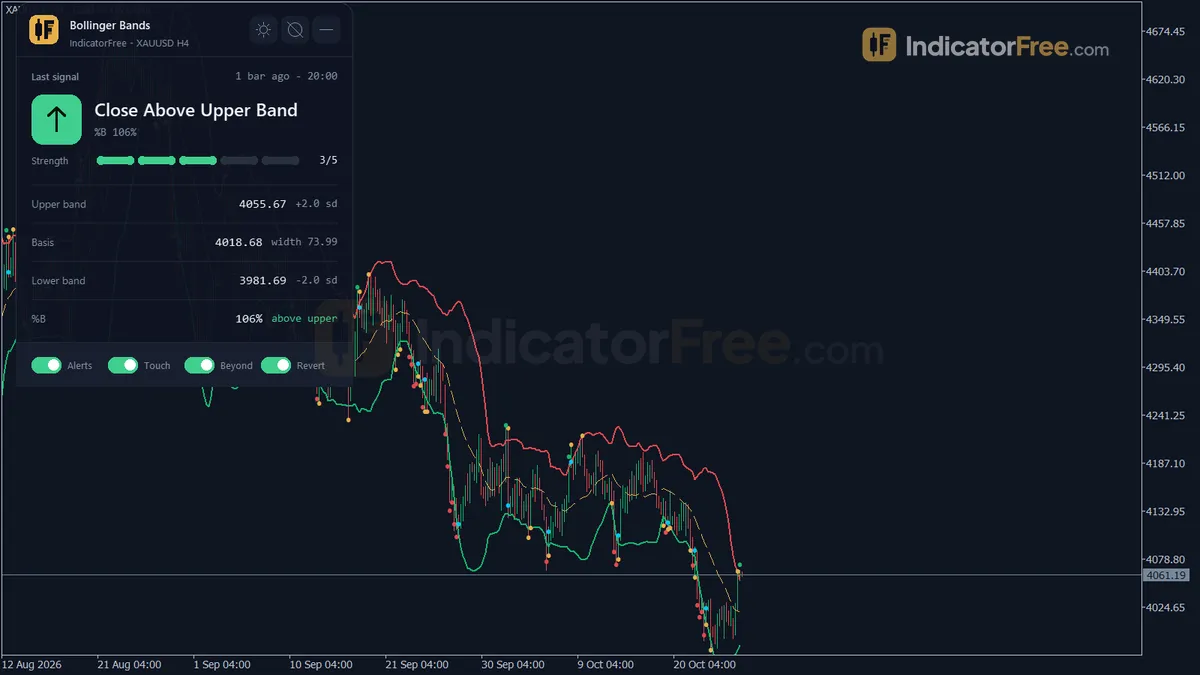
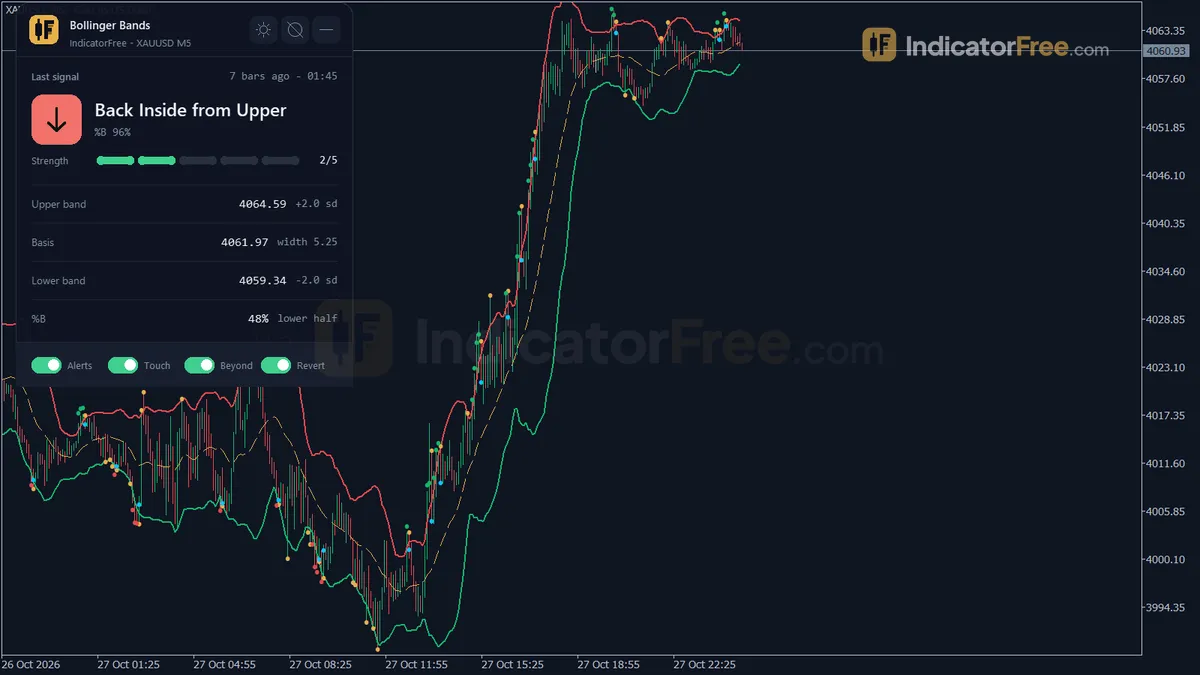
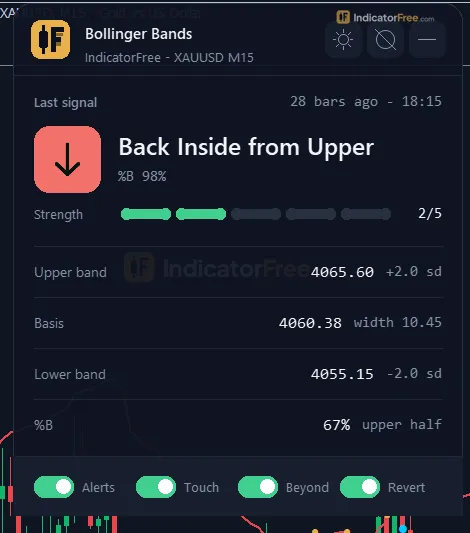
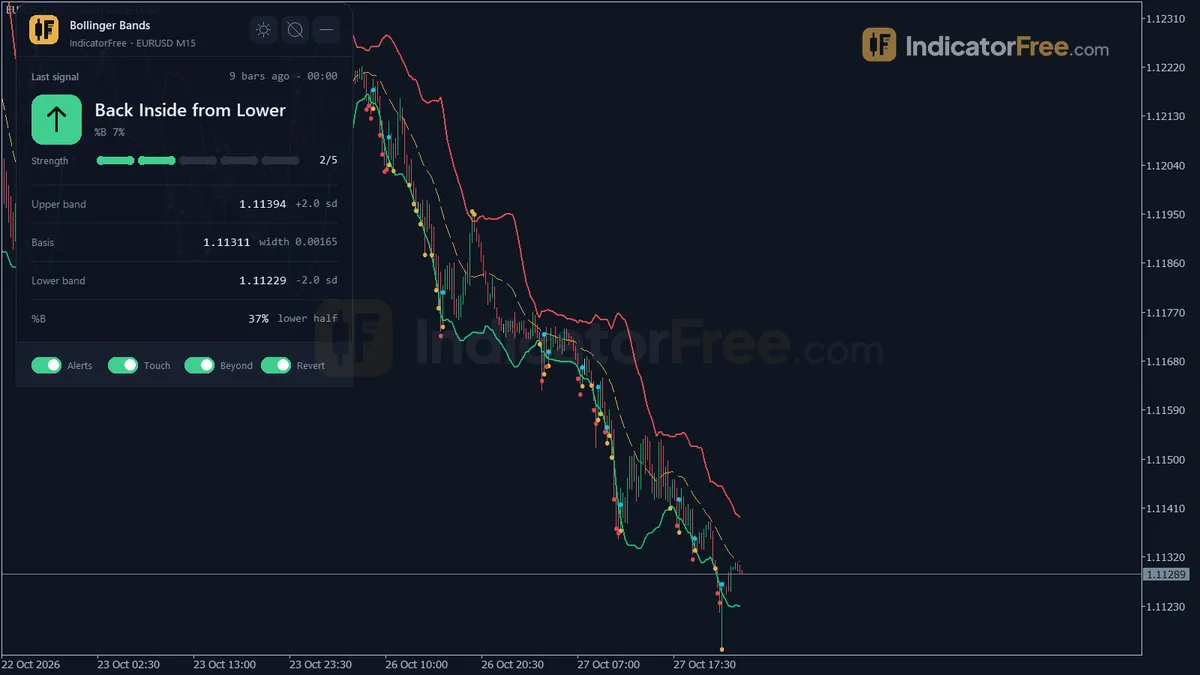
- Repainted
- 0 / 1,517
- Signals / week
- ≈ 115.5
- Tested on
- EURUSD M15
- Tested
- 2026-10-09
Overview
This free Bollinger Bands indicator for MT5 draws a Basis line plus an Upper and Lower Band on your main price chart. It marks four band signals on closed bars and shows a status panel. In the Lab's repaint test on EURUSD M15, 0 of 1517 signals changed after they appeared. It helps you if you already trade band touches or band breakouts and want them marked and alerted the same way on every bar.
What the indicator puts on your chart
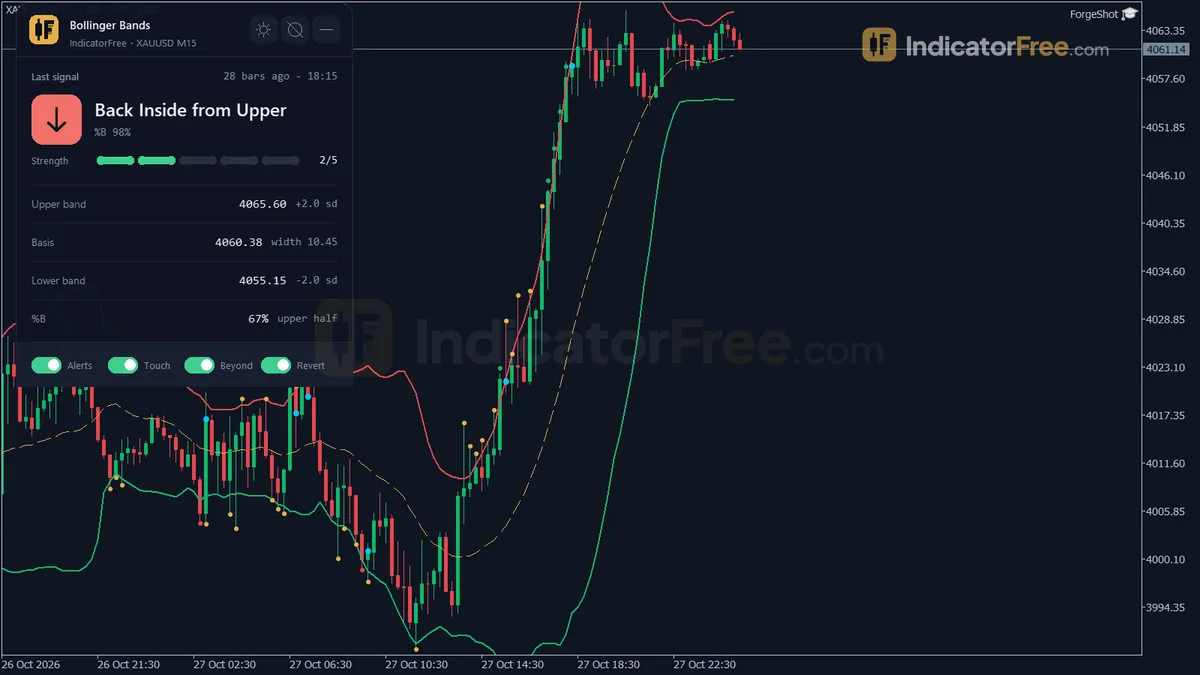
It draws Bollinger Bands: standard-deviation bands around a 20-bar SMA at the default settings.
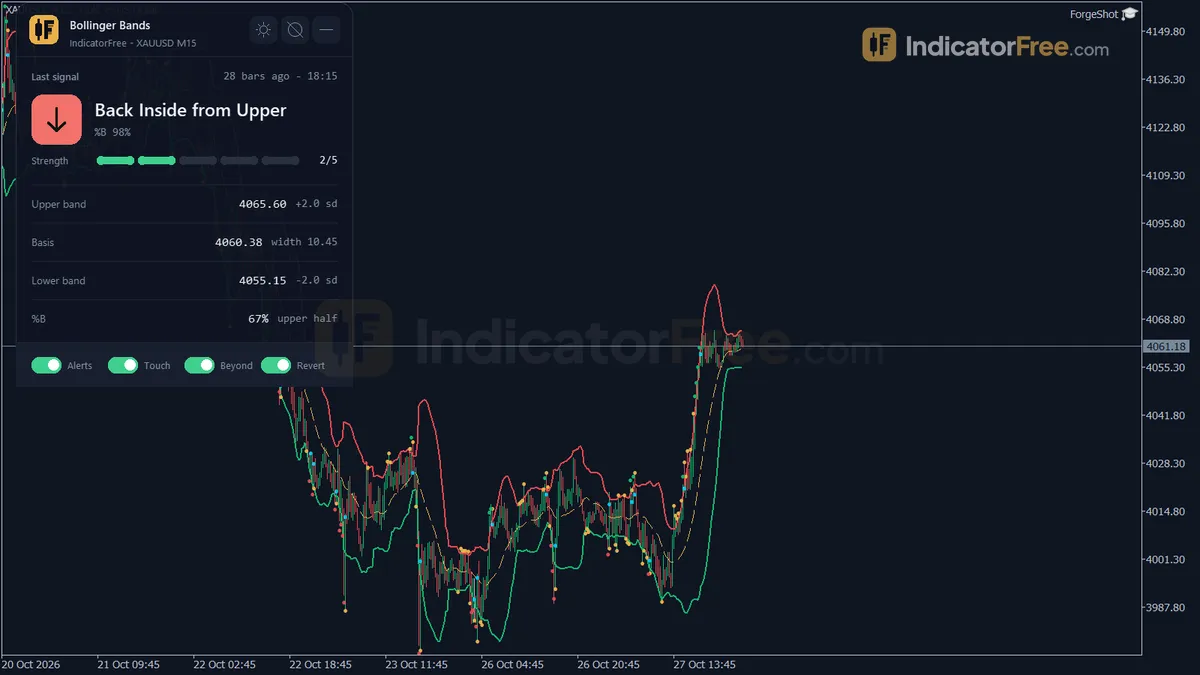
Here the Basis is a simple moving average of the last InpPeriod bars. The Upper Band and Lower Band sit InpDeviations standard deviations away from it. The four signals are listed in the table under How it works, along with how to read the Bands panel.
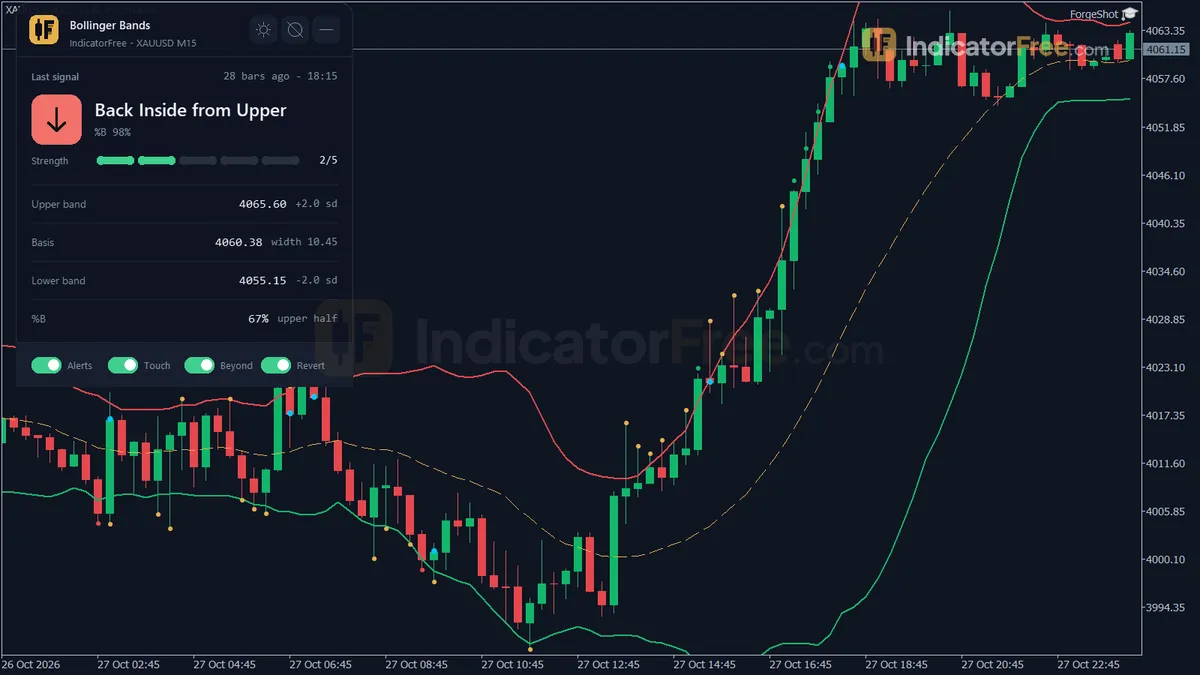
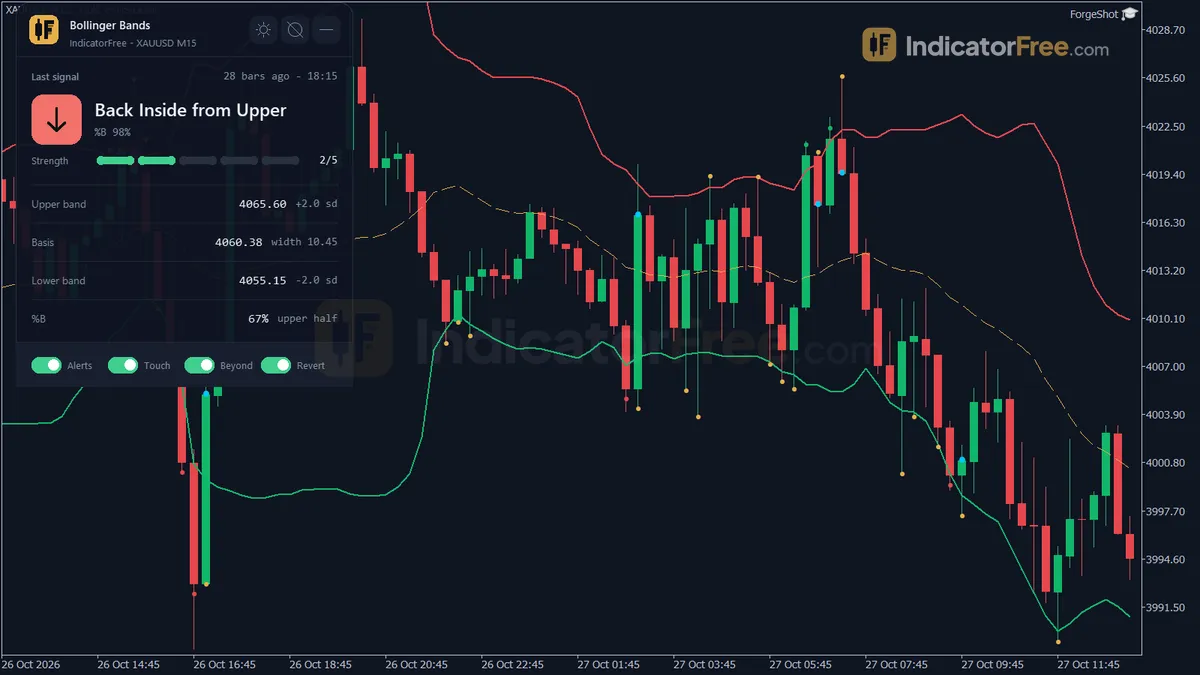
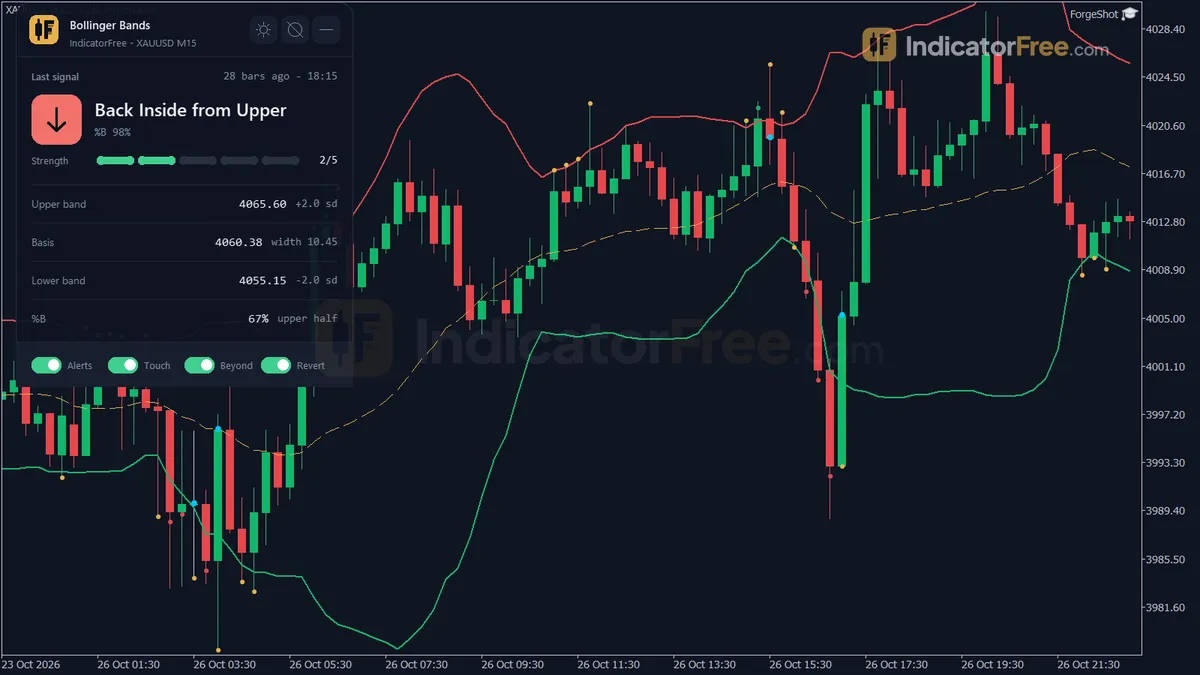
The drawing below shows where each mark sits.
How the Lab tested it
The Lab tested version 1.00 (file size 103.7 KB) on MT5 build 6230 on 2026-10-09. The data was EURUSD M15 from 2026-07-09 to 2026-10-08, using Raw Trading Ltd real ticks.
For the repaint check, every signal over that period was logged and then compared with the finished chart. No signal changed, and the largest arrow delay was 0 bars. So a mark you see after a bar closes is the same mark you will see later when you scroll back. In the Lab's EURUSD M15 test, no arrow changed or disappeared after its bar closed.
What the 1 ATR test tells you
The Lab also checked where price went after each signal, measured in ATR (Average True Range, the average size of a bar). Overall, 50.3% of signals reached 1 ATR in the signal's direction before reaching 1 ATR against it. The direction counted for each signal is set by which band fired, upper or lower. The median signal got to one side or the other in 2 bars. Only 0.4% reached neither side within 20 bars.
In plain words, a signal from this tool is close to a coin flip on its own. It shows where price is relative to the bands, not where it goes next. Moves resolve quickly: 2 bars on M15 is about half an hour. Moves resolve within about 2 bars either way, so any edge has to come from your own setup; the signal only marks the moment. The split by signal type below shows that none of the four stands out.
Scale zoomed in to show the difference (bars do not start at zero).
Who it is for
Traders who already have a band-based plan; it reads and alerts, it does not decide for you.
How it works
- 1Takes the chosen price for each bar, such as close, typical, weighted or median.
Typical = (High + Low + Close) / 3Inputs: InpAppliedPrice - 2Draws the basis as a simple average of that price, with bands a set number of standard deviations away.
Upper/Lower = SMA +/- InpDeviations x standard deviation over InpPeriodInputs: InpPeriod, InpDeviations - 3Calculates %B, the close's position between the lower and upper band.
%B = (Close - Lower) / (Upper - Lower) x 100 - 4Signals closes beyond a band, repeated ones as a trend ride, and touches where the close stays inside.
Beyond: Close >= Upper or Close <= Lower | touch: High >= Upper or Low <= LowerInputs: InpShowTouchSignal, InpShowCloseBeyondSignal - 5Flags a return inside the bands after a close beyond them, and shows the %B zone on a higher timeframe.
Reversion: Close back inside after previous bar beyond | higher timeframe = chart x 4 or 6Inputs: InpShowReversionSignal, InpUseHTFContext, InpHTFMultiplier, InpHTFCustom
Specifications
- Platform
- MetaTrader 5
- Version
- 1.00
- Type
- Indicator
- Window
- Main chart
- Draws
- 3 lines, 4 arrows, 1 panel
- Alerts
- popup, push, sound
- Repaints
- No (0 of 1,517 signals changed)
- Inputs
- 17
- Tested on
- MT5 build 6230 · 2026-10-09
Repaint test
No repaint detected. In a 9 Jul 2026 – 8 Oct 2026 test on EURUSD M15 (Raw Trading Ltd real ticks), 1,517 signals were logged at bar close and re-read at the end of the test: 0 changed. Arrows print on the bar that closes the signal, with no delay.
IndicatorFree — tested 2026-10-09 · MT5 build 6230 · Raw Trading Ltd real ticks. Results come from historical data, not live trading, and do not guarantee future results.
Signal statistics
Over 9 Jul 2026 – 8 Oct 2026 on EURUSD M15, the indicator printed 1,517 arrows. After 50.3% of them, price moved 1×ATR(14) in the arrow's direction before moving 1×ATR against it (median 2 bars). 0.4% reached neither level within 20 bars.
This measures price movement after the arrow, not a trading result. It includes no spread, commission, stop loss or position sizing.
What it draws
- A line (Basis) from buffer 0.
- A line (Upper Band) from buffer 1.
- A line (Lower Band) from buffer 2.
- Arrows (Band Touch) from buffer 3, drawn on the closed bar.
- Arrows (Close Above Band) from buffer 4, drawn on the closed bar.
- Arrows (Close Below Band) from buffer 5, drawn on the closed bar.
- Arrows (Band Reversion) from buffer 6, drawn on the closed bar.
- An on-chart panel (Bands); values shown in the panel are not exposed as buffers.
Inputs
| Input | Default | What it does |
|---|---|---|
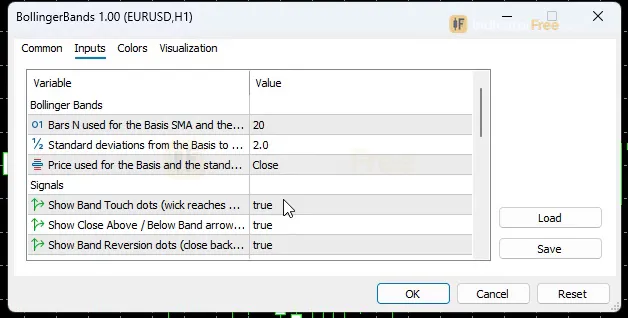
| InpPeriod | 20 | Bars N used for the Basis SMA and the standard deviation (5-200) |
| InpDeviations | 2 | Standard deviations from the Basis to the Upper / Lower band (0.5-4.0) |
| InpAppliedPrice | Close | Price used for the Basis and the standard deviation |
| InpShowTouchSignal | true | Show Band Touch dots (wick reaches a band, close back inside) |
| InpShowCloseBeyondSignal | true | Show Close Above / Below Band arrows (close at or beyond a band) |
| InpShowReversionSignal | true | Show Band Reversion dots (close back inside after a close beyond) |
| InpAlertPopup | true | Popup alert when a shown signal appears on a closed bar |
| InpAlertPush | false | Send a push notification to the MT5 mobile app |
| InpAlertSound | false | Play a sound with the alert |
| InpSoundFile | alert.wav | Sound file in the MT5 Sounds folder |
| InpUseHTFContext | true | Show the higher timeframe band zone on the panel |
| InpHTFMultiplier | x4 current timeframe (M15 -> H1) | Higher timeframe = current timeframe x4 / x6, or Custom |
| InpHTFCustom | H1 | Higher timeframe used when the multiplier is Custom |
| InpShowPanel | true | Show the status panel |
| PanelScale | 1 | Panel size multiplier (DPI is applied automatically) |
| InpTheme | Dark | Chart color theme |
| InpRestoreTheme | true | Restore the original chart colors when the indicator is removed |
How to read it
To install, copy the file into your MT5 MQL5/Indicators folder, refresh the Navigator and drag Bollinger Bands onto a chart. It draws on the price chart itself, not in a separate window.
Reading the three lines
- Basis: the middle line, a simple moving average of
InpPeriodbars. - Upper Band: a close at or above it is a close beyond the upper band and counts toward the upper Band Walk, which is the run of closes beyond a band. A close below it is inside the bands.
- Lower Band: a close at or below it is a close beyond the lower band and counts toward the lower Band Walk. A close above it is inside.
Note the words "at or" in both rules. A close exactly on a band already counts as beyond it.
The four signals and what each one means
Every signal is checked on a closed bar, so nothing appears in the middle of a candle. On the Lab's EURUSD M15 data all four together fired 115.5 times a week, about 23 per trading day. That is a lot of marks, and it is why the rules below matter.
| Signal | Fires when | Where the mark sits | Per week (EURUSD M15) |
|---|---|---|---|
| Band Touch | High reaches the upper band or low reaches the lower band, but the bar closes strictly inside | Dot at that high or low | 55 |
| Close Above Band | Bar closes at or above the upper band | Arrow | 16.1 |
| Close Below Band | Bar closes at or below the lower band | Arrow | 14.2 |
| Band Reversion | Previous bar closed at or beyond a band, this bar closes strictly inside | Dot at the close | 30.2 |
Two or more Close Above (or Close Below) arrows in a row are labeled Trend Ride.
Reading the Bands panel
The Bands panel shows the last band signal and how many bars ago it fired, the upper band, the basis with the band width, the lower band, %B, the Band Walk count and the higher timeframe band zone.
- %B: above 1 means the close is beyond the upper band, below 0 means it is beyond the lower band, and between 0 and 1 means it is inside the bands.
- Higher timeframe band zone: shows where price sits against the bands on the higher timeframe set by
InpHTFMultiplier, so you can see whether that timeframe is pressing the same band your chart just touched.
A decision rule for each signal
These are reading rules, not Lab results:
- Band Touch: treat it as "price tested the edge and was pushed back". Consider a range fade only if the Band Walk count on that side is not already running, and the higher timeframe band zone on the panel does not show price pressing the same band.
- Close Above / Close Below Band: a single arrow is a breakout attempt, not an order to fade it. If a second one prints (Trend Ride), stop looking for counter-trend trades on that side.
- Band Reversion: this is the earliest sign a run beyond the band has ended. If you want a counter-trend idea after a Trend Ride, wait for this dot and put your invalidation beyond the extreme of the bars that closed outside.
The misread to watch for
The most common mistake is reading a Close Above Band arrow as "overbought, sell". It only says the bar closed beyond the band. When it repeats into a Trend Ride, price is walking the band, and fading it means standing in front of the move.
The second mistake is mixing up the two dots. A Touch dot sits on a wick and the bar never closed outside. A Reversion dot sits on a close and always follows a bar that did close outside. If you see a dot without a close beyond the band one bar earlier, it is a Touch.
One bar can carry both dots. If the previous bar closed beyond a band and this bar's wick reaches the band again but it closes inside, you see two dots on the same candle: the Touch dot at the wick tip and the Reversion dot at the close. Read that bar as a Reversion whose wick retested the band.
Inputs to change first
InpDeviations(default 2, range 0.5-4.0) drives all four signals. Raise it and the bands move further out, so you get fewer touches and closes beyond. Lower it and you get more.InpPeriod(default 20, range 5-200) sets how many bars the Basis and the standard deviation use. Shorter makes the bands react faster and pinch more often. Longer makes them steadier.InpAppliedPrice(default Close) picks the price the Basis and the deviation are built from.InpShowTouchSignal,InpShowCloseBeyondSignalandInpShowReversionSignalturn each signal type on or off. Switching off the type you do not trade cuts both chart clutter and alerts.InpUseHTFContext(on by default) adds the higher timeframe band zone to the panel.InpHTFMultipliersets that timeframe to the current one x4 (default, M15 -> H1) or x6. You can also choose Custom, which usesInpHTFCustom(default H1).
Alerts and where they appear
Alerts fire when a signal you have switched on appears on a closed bar. InpAlertPopup (on by default) opens the MT5 alert window. InpAlertPush (off by default) sends a push notification to the MT5 mobile app. InpAlertSound (off by default) plays InpSoundFile, which is alert.wav from the MT5 Sounds folder unless you change it.
Installation
- 1Download BollingerBands.ex5 from the button above (Google Drive).
- 2In MetaTrader 5: File → Open Data Folder → MQL5 → Indicators. Copy BollingerBands.ex5 there.
- 3Restart MT5 or right-click Indicators in Navigator → Refresh.
- 4Drag Bollinger Bands onto a chart. For push alerts, enable "Allow push notifications" under Tools → Options → Notifications.
- Tested on MT5 build 6230.
Key terms and guides
- Bollinger Bands
- Bollinger Bands are a volatility indicator made of three lines: a 20-period moving average with an upper and a lower band two standard deviations away. The bands widen when price swings more and narrow when it calms down.
- Trade setup
- A trade setup is the full set of conditions that must be in place before you enter a trade: the market context, a price area, an entry trigger, a stop-loss level and a target, all decided in advance.
- Moving average
- A moving average is a line drawn from the average closing price of a set number of recent candles, recalculated on every new candle. It smooths out price noise and shows which way the trend is pointing.
More on this subject: Volatility & ranges guide, terms and tools
User reviews
No reviews yet. Members who download the tool can review it here.
Sign in and download the tool to review it.
Build a checklist with it
Bollinger Bands does one job on the chart: zone / level. Put it on the same chart as the tools below and the IndicatorFree panels merge into one checklist card, ordered trend, zone, signal, risk.
- Trend / contextDMIAdds the trend side: which way the market leans before you act on Bollinger Bands.
- Entry signalGolden CrossAdds the entry signal: the moment to act once Bollinger Bands has set the scene.
The Lab has not tested these combinations. Each tool is tested on its own; the card only lines up what each one says. Free members get 2 new tools a day. If one has to wait until tomorrow, install BlackBox to raise the limit to 5 a day (20 on a live account).
FAQ
Does Bollinger Bands repaint?
No repaint detected. In a 9 Jul 2026 – 8 Oct 2026 test on EURUSD M15 (Raw Trading Ltd real ticks), 1,517 signals were logged at bar close and re-read at the end of the test: 0 changed. Arrows print on the bar that closes the signal, with no delay.
Can I use Bollinger Bands in an EA?
Yes. Read buffer 3 (Band Touch) with iCustom() on bar 1 — the last closed bar.
Why can’t my EA read the zones?
Zones and the panel are chart objects, not indicator buffers, so iCustom() does not return them.
How do I get alerts on my phone?
Enter your MetaQuotes ID under Tools → Options → Notifications, tick "Enable push notifications", and keep the push alert input on.
Does it work on other pairs?
Tested on EURUSD only; other symbols not tested.
Does it give the same band values as the built-in MT5 Bollinger Bands?
Yes. It uses a simple moving average Basis and population standard deviation for the Upper and Lower bands, which matches the MT5 built-in formula. With the same period, deviation and price, the lines should line up.
Which timeframe and pairs should I use it on?
It runs on any chart, but the Lab only measured EURUSD M15. On any other symbol or timeframe, watch how many signals it prints for a week before you trade them, and don't assume the Lab numbers carry over.
Will it change my chart colors?
It applies a chart theme set by InpTheme (Dark by default). With InpRestoreTheme left on, your original chart colors come back when you remove the indicator.
Can I hide the panel or make it bigger?
Set InpShowPanel to false to hide it. PanelScale changes its size (1 is the default), and screen DPI is applied automatically, so you only change it if the panel still looks too small or too large.
Changelog
- 1.00Initial release: Bollinger Bands (Basis SMA + population-standard-deviation Upper/Lower bands, matching the MT5 built-in formula) with a %B readout, a Band Walk counter, non-repainting Band Touch / Close Above-Below. · 2026-10-09
Final verdict
Where it earns its place
This is a clean, honest band tool. The repaint result means its marks and alerts can be trusted as a record of what happened on closed bars. In the Lab's EURUSD M15 test, no arrow changed or disappeared after its bar closed. It also puts %B, the Band Walk count and a higher timeframe band zone in one panel, so you can judge position without adding more indicators. Each signal type can be switched off with its alerts, which matters for a tool this busy.
What it cannot do
- It does not predict direction. The Lab's 1 ATR results sit at coin-flip level for every signal type, so the signals need your own filter or setup.
- It was measured on one symbol (EURUSD), one timeframe (M15) and three months. Other pairs, other timeframes and quieter or wilder periods are untested.
- It gives no stop, target or exit. The Lab measured 1 ATR moves, not trades.
- It has no squeeze signal. The panel shows band width, but no mark or alert fires when the bands pinch.
- Because signals wait for the bar to close, an intrabar touch is only marked once the bar finishes. On high timeframes that can be a long wait.
Skip it if
Skip it if you want an arrow that tells you to buy or sell. Skip it too if you will not trim the signals down to the one or two types your plan actually uses, because at the default settings the Touch dots alone will bury the rest. The comparison below sums up the fit.
- –You already trade band touches, band breakouts or reversions and want them marked the same way every bar
- –You want closed-bar alerts for one or two signal types
- –You check %B, Band Walk and the higher timeframe zone before you decide
- –You want the indicator to pick buy or sell for you
- –You need stops, targets or exits from the tool
- –You trade a symbol or timeframe and will not first check how often it signals there
Settings to start with
Start on the defaults (InpPeriod 20, InpDeviations 2, Close). That is where the Lab numbers come from. Then switch off every signal type you do not trade. For most traders that means turning InpShowTouchSignal off, unless touches are your setup.
If you trade M1-M5 and the chart still looks crowded, try InpDeviations 2.5. This is not tested by the Lab, so compare it with the default on your own chart before you trust it. If the default x4 higher timeframe sits too close to your chart timeframe, try InpHTFMultiplier x6. That is also an untested starting point.
An idea to pair it with
To know whether a band signal comes in a calm or a stretched market, you could read it next to Deviation Spectrum. Its Low/Normal/High/Extreme volatility regimes show how wide the swings around the band are right now. This is an idea to try, not a Lab result: the Lab has not tested the pair.