Deviation Spectrum
Free MT5 indicator showing a standard deviation histogram with Low/Normal/High/Extreme volatility regimes. Lab repaint test: 0 of 448 signals changed.
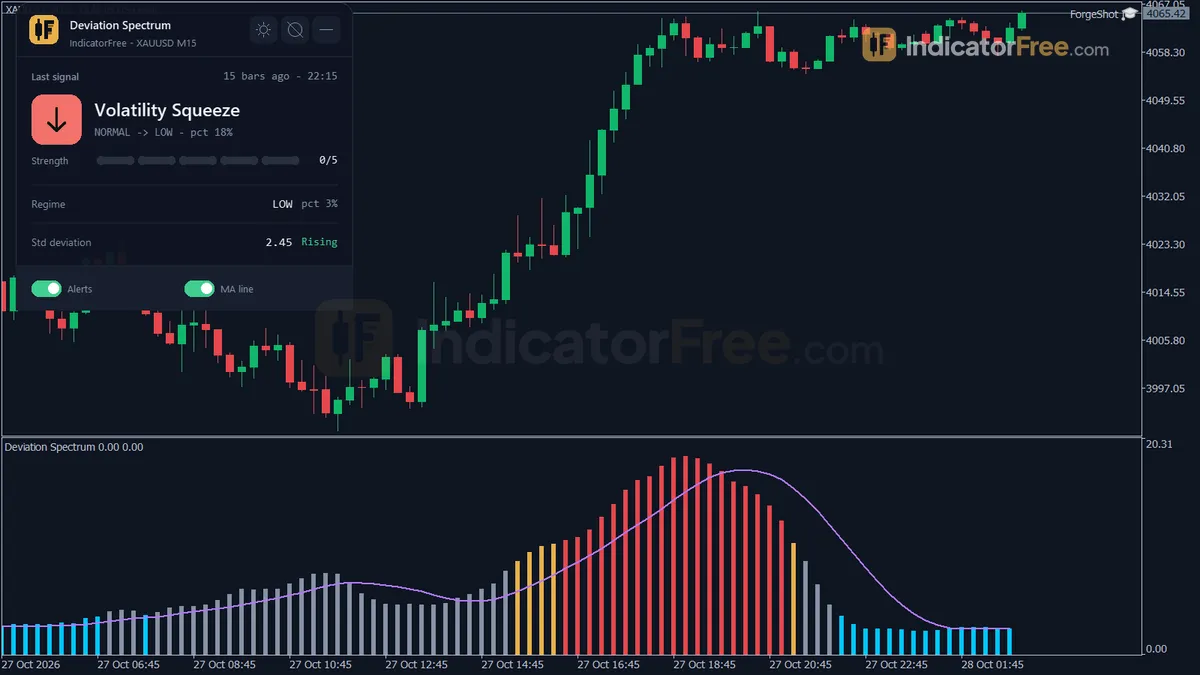
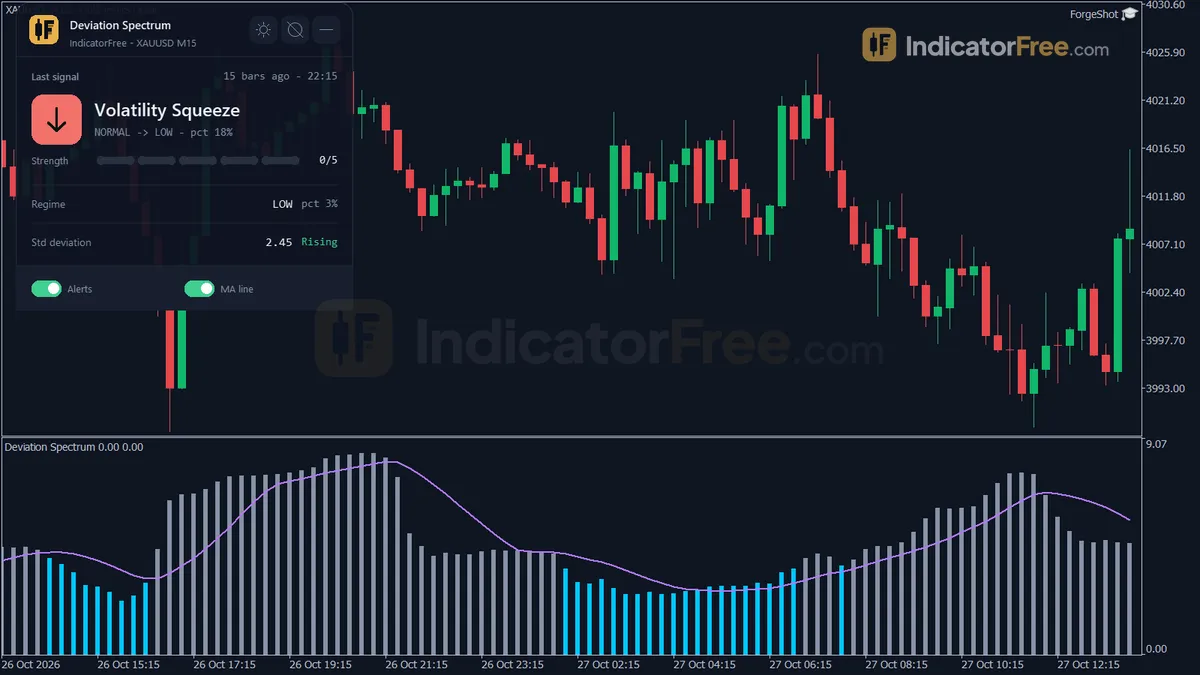
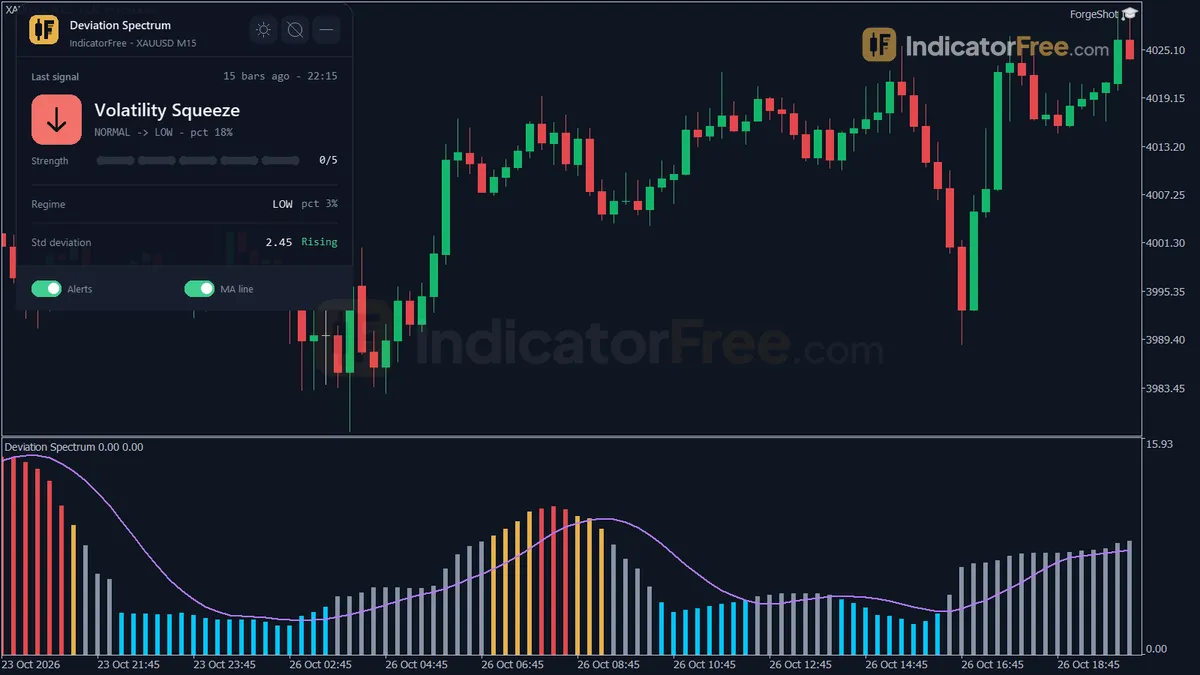
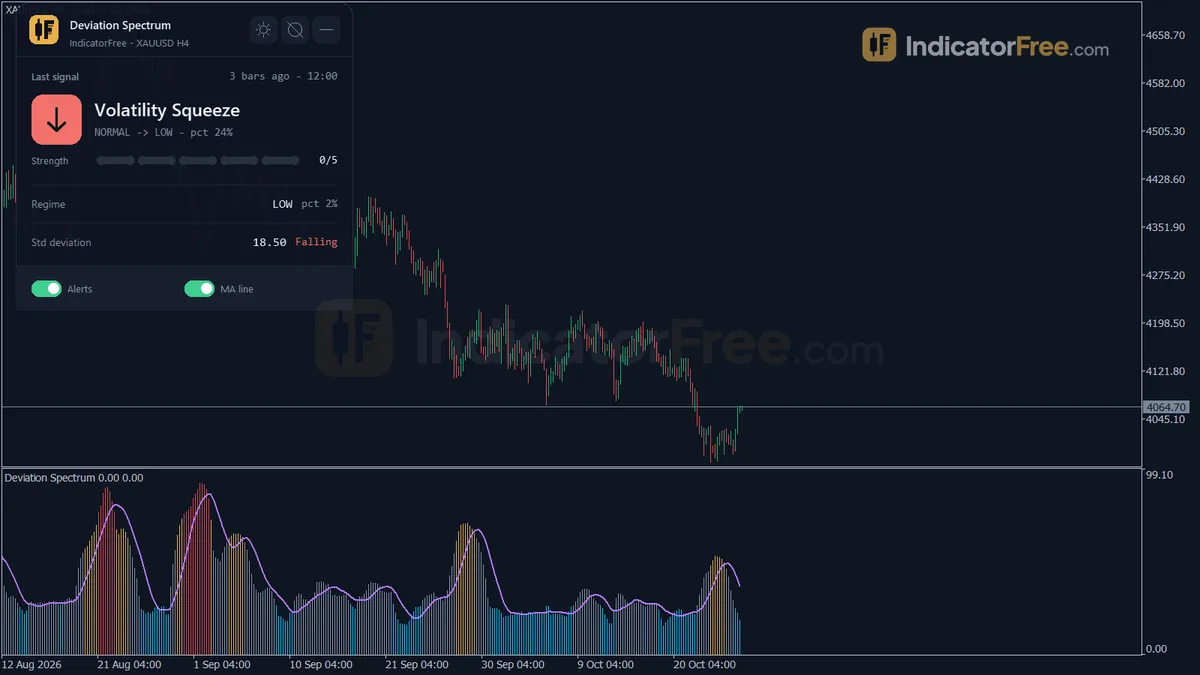
- Repainted
- 0 / 448
- Signals / week
- —
- Tested on
- EURUSD M15
- Tested
- 2026-10-09
Overview
Deviation Spectrum is a free MT5 volatility indicator. It draws the standard deviation of price as a four-color histogram in a sub-window, adds a smoothed StdDev MA line, and shows a regime panel that labels the market Low, Normal, High or Extreme, as a volatility filter for breakout and range traders. In the Lab's repaint test on EURUSD M15, 0 of 448 logged signals changed after their bar closed.
It helps you see whether the market is quiet or stretched before you choose a breakout or a range approach.
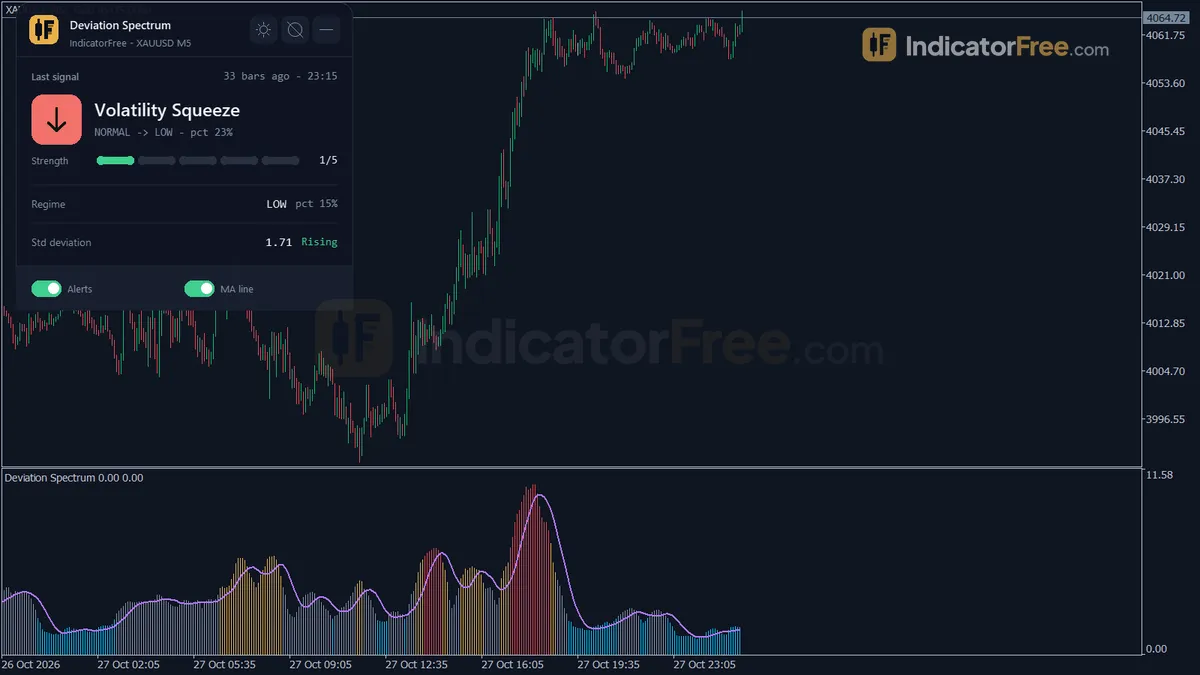
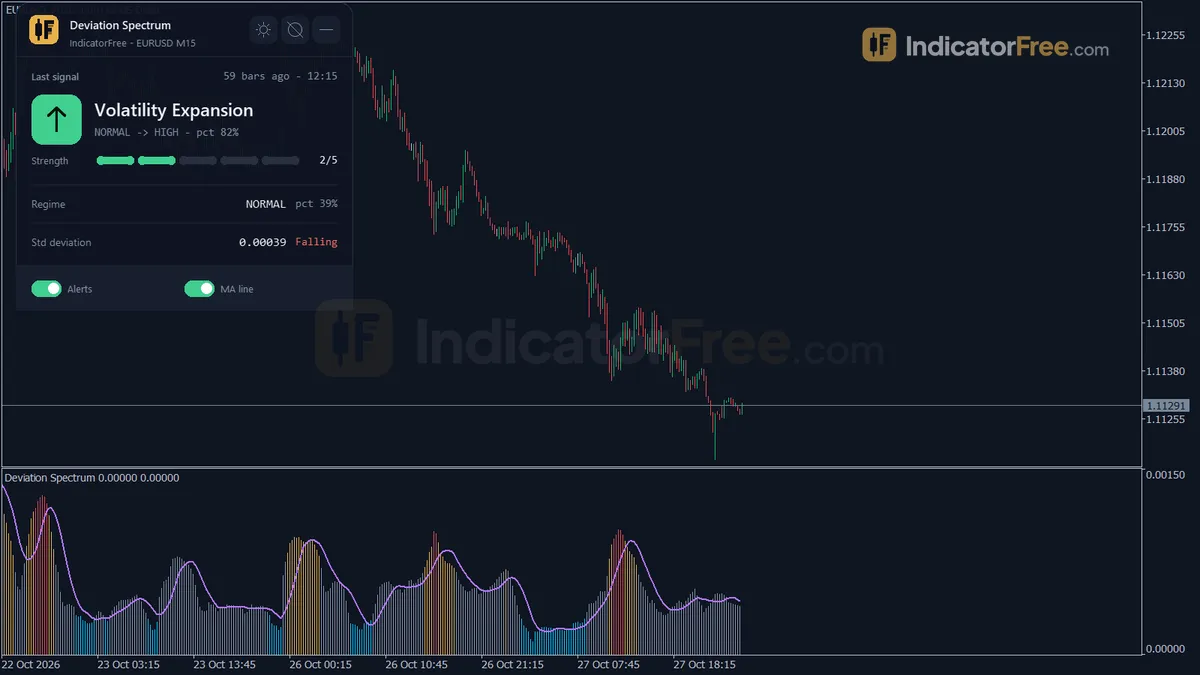
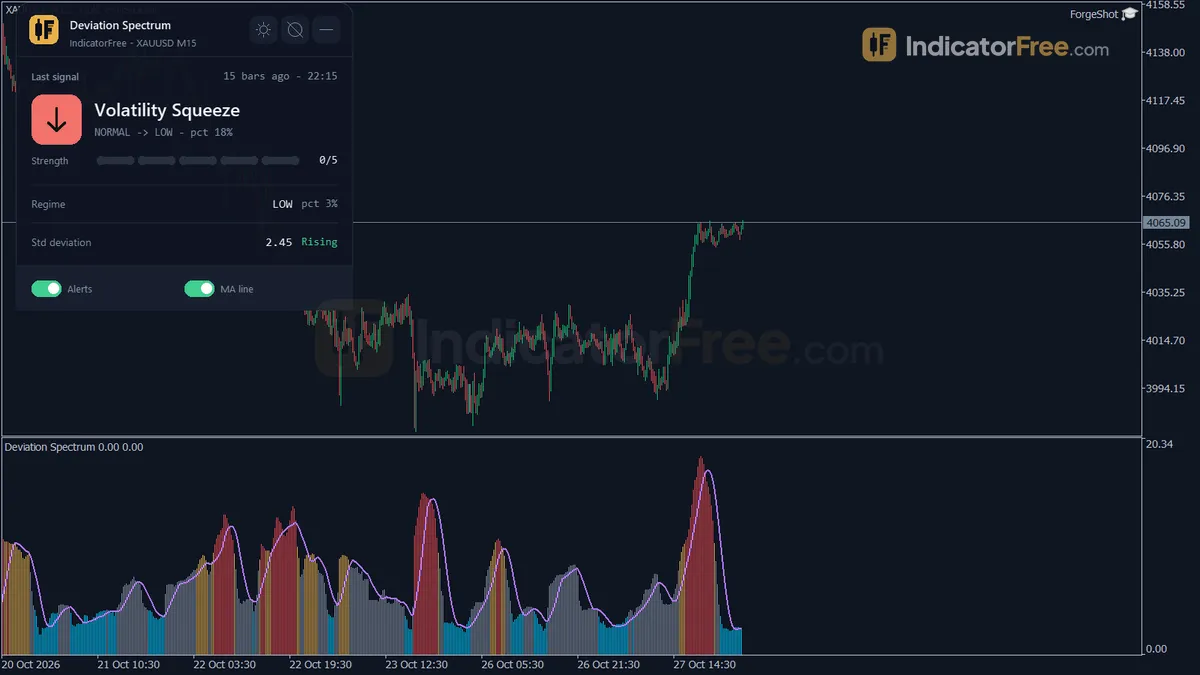
What Deviation Spectrum draws in the sub-window
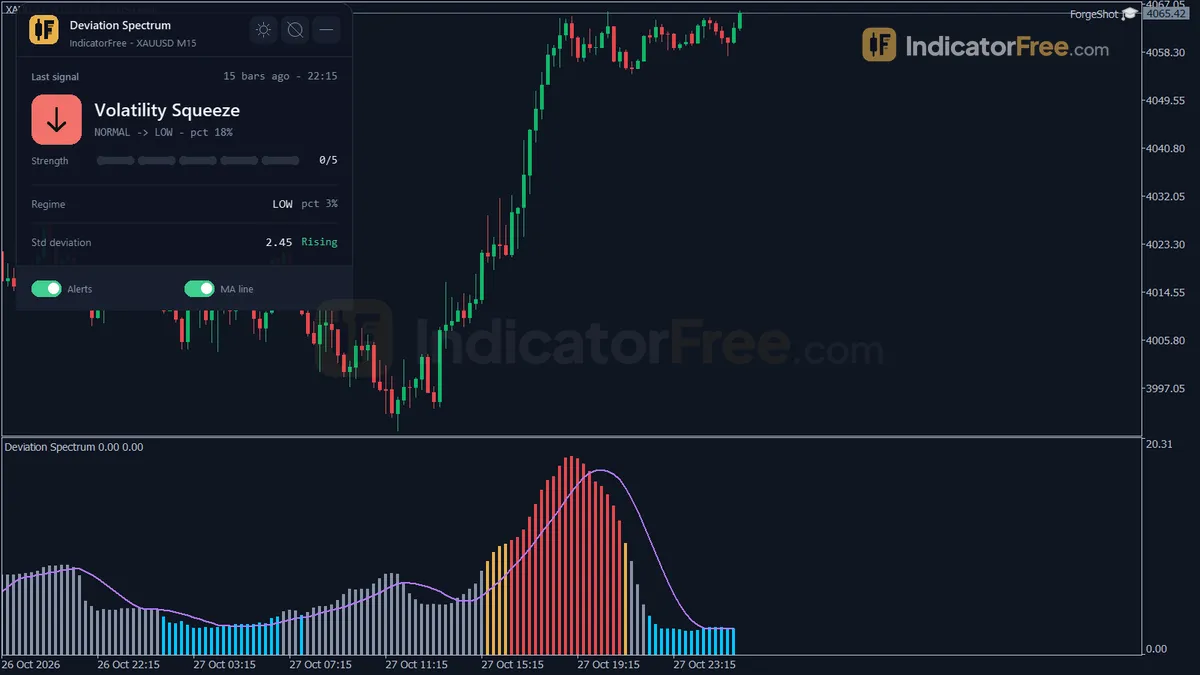
The indicator plots three volatility readings below your chart:
- Standard Deviation histogram. This is the standard deviation (how widely price swings around its MA, never negative) of the applied price around its moving average over
MAPeriodbars. It is always zero or positive, so it measures how big the moves are, not which way they go. The four colors show the current regime. - StdDev MA line. This is a simple moving average of the histogram over
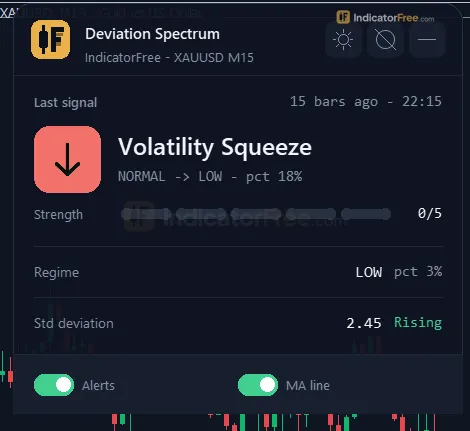
SmoothPeriodbars. When the histogram is above the line, volatility is Rising. When it is below, volatility is Falling. - Regime panel. It shows the last regime change and how many bars ago it happened, the standard deviation in price and in pips, its percentile rank, the current regime, Rising or Falling, how many bars the current regime has lasted, and the StdDev MA value.
The regime comes from a percentile rank. The current value is ranked against the last LookbackBars closed values. With the defaults, a rank below 25 is Low (a squeeze), 75 or above is High, and 90 or above is Extreme. Anything in between is Normal. Because each chart is ranked against its own history, a Low regime means "quiet for this symbol" and not a fixed number of pips.
What the Lab tested and what the numbers mean for you
The Lab ran version 1.00 (93.8 KB) on MT5 build 6230. It used EURUSD M15 from 2026-07-09 to 2026-10-08 with real ticks from Raw Trading Ltd, and logged every regime-change signal as the bars printed.
- 0 of 448 signals changed after they appeared. A regime change you see in history is the same one you would have seen live.
- Maximum delay: 0 bars. Each signal appeared on the closed bar where the change happened, with no extra bars of lag.
The Lab did not measure what price did after a regime change. Nothing on this page tells you whether a squeeze led to a profitable breakout. This tool tells you the state of volatility and leaves direction to you.
How it works
- 1Takes the chosen price and its moving average over the period.
MA = SMA, EMA, SMMA or LWMA of price over MAPeriodInputs: AppliedPrice, MAPeriod, MAMethod - 2Computes standard deviation of price around that average, then smooths it with a simple average.
StdDev = sqrt(sum((Price - MA)^2) / MAPeriod)Inputs: MAPeriod, SmoothPeriod - 3Ranks the current deviation as a percentile against up to the lookback bars.
Percentile = 100 x bars with StdDev <= current / bars in windowInputs: LookbackBars - 4Classifies the regime as Low, Normal, High or Extreme by percentile cutoffs, colors the line and counts bars in regime.
Low < LowPercentile <= Normal < HighPercentile <= High < ExtremePercentile <= ExtremeInputs: LowPercentile, HighPercentile, ExtremePercentile - 5Flags expansion when it moves from Normal or lower into High or Extreme, and squeeze when it drops into Low.Inputs: EnableAlerts
Specifications
- Platform
- MetaTrader 5
- Version
- 1.00
- Type
- Indicator
- Window
- Separate window
- Draws
- 1 histo, 1 line, 1 panel
- Alerts
- popup, push, sound
- Repaints
- No (0 of 448 signals changed)
- Inputs
- 17
- Tested on
- MT5 build 6230 · 2026-10-09
Repaint test
No repaint detected. In a 9 Jul 2026 – 8 Oct 2026 test on EURUSD M15 (Raw Trading Ltd real ticks), 448 signals were logged at bar close and re-read at the end of the test: 0 changed. Arrows print on the bar that closes the signal, with no delay.
IndicatorFree — tested 2026-10-09 · MT5 build 6230 · Raw Trading Ltd real ticks. Results come from historical data, not live trading, and do not guarantee future results.
What it draws
- A histogram (Standard Deviation) in a separate window.
- A line (StdDev MA) from buffer 2.
- An on-chart panel (Regime); values shown in the panel are not exposed as buffers.
Inputs
| Input | Default | What it does |
|---|---|---|
| AppliedPrice | Close | Price used for the MA and the standard deviation |
| MAPeriod | 20 | Bars N used for the MA and the standard deviation (5-200) |
| MAMethod | Sma | Moving average method the deviation is measured from |
| SmoothPeriod | 10 | SMA period of the standard deviation used for Rising / Falling (2-50) |
| LookbackBars | 500 | Closed bars of standard deviation used for the percentile rank (100-2000) |
| LowPercentile | 25 | Percentile below which the regime is Low / squeeze (5-40) |
| HighPercentile | 75 | Percentile from which the regime is High (60-95) |
| ExtremePercentile | 90 | Percentile from which the regime is Extreme (80-99) |
| EnableAlerts | true | Alert on a closed-bar regime change (expansion or squeeze) |
| AlertPopup | true | Show a popup alert in the terminal |
| AlertPush | false | Send a push notification to the MT5 mobile app |
| AlertSound | false | Play a sound with the alert |
| SoundFile | alert.wav | Sound file in the MT5 Sounds folder |
| ShowDashboard | true | Show the status panel |
| PanelScale | 1 | Panel size multiplier (DPI is applied automatically) |
| Theme | Dark | Chart color theme |
| RestoreTheme | true | Restore the original chart colors when the indicator is removed |
How to read it
Install it
To install it, open File → Open Data Folder in desktop MT5, copy the file into MQL5\Indicators, refresh the Navigator and drag Deviation Spectrum onto a chart.
Read the histogram colors as regimes, not directions
The picture below shows a typical sequence: a long Low stretch, then a break into High and Extreme as volatility expands.
Read it in two layers:
- Regime (color): how today's volatility ranks against this chart's recent history.
- Rising or Falling (histogram vs. StdDev MA): whether volatility is building or fading inside that regime.
An Extreme bar that is already under its MA means the burst is fading. A Low bar that pushes above its MA shows volatility rising inside the squeeze. The panel switches to Rising.
Common misread: taking a tall histogram as a bearish or bullish signal. The value can never go below zero, so a sharp rally and a sharp sell-off look the same. Check direction on the price chart.
How one regime signal forms
Every signal is calculated on closed bars only:
- 1Bar closesStandard deviation of AppliedPrice around its MA over MAPeriod bars (default 20)
- 2Percentile rankValue ranked against the last LookbackBars closed values (default 500)
- 3Regime setBelow 25 = Low, 75+ = High, 90+ = Extreme, otherwise Normal
- 4Regime changed?Alert on that closed bar: an expansion or a squeeze
Inputs to change first
| Input | Default (range) | What changing it does |
|---|---|---|
MAPeriod | 20 (5-200) | Bars used for the MA and the deviation. Lower reacts faster and is noisier. Higher is slower and smoother. |
LookbackBars | 500 (100-2000) | How much history the percentile is ranked against. More bars give a steadier idea of what is "normal" for the symbol. |
LowPercentile | 25 (5-40) | Lower means fewer, tighter squeezes. |
HighPercentile / ExtremePercentile | 75 (60-95) / 90 (80-99) | Higher means only bigger expansions count as High or Extreme. |
SmoothPeriod | 10 (2-50) | Length of the StdDev MA. A shorter MA flips between Rising and Falling more often. |
AppliedPrice (Close) and MAMethod (Sma) set which price is measured and which average it is measured from. Leave them at the defaults unless you need the readings to match another tool.
Where the alerts appear
With EnableAlerts on, the indicator alerts once per closed-bar regime change, either an expansion or a squeeze:
AlertPopup(on by default): a popup in the desktop terminal.AlertPush(off): a push notification to the MT5 mobile app.AlertSound(off): playsSoundFile(defaultalert.wavfrom the MT5 Sounds folder).
Decision rules for each regime
These are suggested ways to use each regime. The Lab tested repainting only, not trade outcomes.
- Low (squeeze): this is a setup, not an entry. Wait for the expansion alert on a closed bar, then take direction from your own price method.
- Normal: no edge from volatility. Trade your usual plan.
- High and Rising: volatility supports breakout or trend methods, if your entry rules agree. Widen stops to match the larger deviation shown in pips on the panel.
- Extreme: skip new breakout entries. Use the panel's bars-in-regime count to see how long it has lasted.
- Range trading: fade the edges of a range only in Low or Normal while volatility is Falling. Stand aside when the histogram crosses above its MA.
Installation
- 1Download StdDevRegimeGauge.ex5 from the button above (Google Drive).
- 2In MetaTrader 5: File → Open Data Folder → MQL5 → Indicators. Copy StdDevRegimeGauge.ex5 there.
- 3Restart MT5 or right-click Indicators in Navigator → Refresh.
- 4Drag Deviation Spectrum onto a chart. For push alerts, enable "Allow push notifications" under Tools → Options → Notifications.
- Tested on MT5 build 6230.
Key terms and guides
- Trade setup
- A trade setup is the full set of conditions that must be in place before you enter a trade: the market context, a price area, an entry trigger, a stop-loss level and a target, all decided in advance.
- Moving average
- A moving average is a line drawn from the average closing price of a set number of recent candles, recalculated on every new candle. It smooths out price noise and shows which way the trend is pointing.
- Trend
- A trend is the main direction price keeps moving in over a period. In an uptrend price makes higher highs and higher lows. In a downtrend it makes lower highs and lower lows.
- Symbol
- A symbol is the short code a trading platform uses to name one tradable market, such as EURUSD for the euro against the US dollar or XAUUSD for gold. Every quote, chart and order is tied to exactly one symbol.
- Pip
- A pip is the standard unit for measuring how far a currency price moves: 0.0001 on most forex pairs and 0.01 on pairs quoted in Japanese yen. Traders count stops, targets and spreads in pips.
More on this subject: Volatility & ranges guide, terms and tools
User reviews
No reviews yet. Members who download the tool can review it here.
Sign in and download the tool to review it.
Build a checklist with it
Deviation Spectrum does one job on the chart: risk / volatility. Put it on the same chart as the tools below and the IndicatorFree panels merge into one checklist card, ordered trend, zone, signal, risk.
- Trend / contextDMIAdds the trend side: which way the market leans before you act on Deviation Spectrum.
- Entry signalGolden CrossAdds the entry signal: the moment to act once Deviation Spectrum has set the scene.
The Lab has not tested these combinations. Each tool is tested on its own; the card only lines up what each one says. Free members get 2 new tools a day. If one has to wait until tomorrow, install BlackBox to raise the limit to 5 a day (20 on a live account).
FAQ
Does Deviation Spectrum repaint?
No repaint detected. In a 9 Jul 2026 – 8 Oct 2026 test on EURUSD M15 (Raw Trading Ltd real ticks), 448 signals were logged at bar close and re-read at the end of the test: 0 changed. Arrows print on the bar that closes the signal, with no delay.
Why can’t my EA read the zones?
Zones and the panel are chart objects, not indicator buffers, so iCustom() does not return them.
How do I get alerts on my phone?
Enter your MetaQuotes ID under Tools → Options → Notifications, tick "Enable push notifications", and keep the push alert input on.
Why does it open in a separate window?
It plots values on their own scale, so MT5 draws it below the price chart.
Does it work on other pairs?
Tested on EURUSD only; other symbols not tested.
Can I run Deviation Spectrum on MT5 for Android or iPhone?
No. The mobile MT5 apps do not run custom indicators. Run it on desktop MT5 with `AlertPush` turned on and your MetaQuotes ID entered in the desktop terminal, and regime-change alerts will reach your phone.
I copied the file but it does not show up in the Navigator. What is wrong?
Make sure you copied it into `MQL5\Indicators` inside the data folder of the same terminal you are using. Then right-click Indicators in the Navigator and choose Refresh, or restart MT5.
Why did my chart colors change when I added it?
The `Theme` input (Dark by default) applies a color theme to the chart. Pick a different theme in the inputs if you prefer, and leave `RestoreTheme` on so your original colors come back when you remove the indicator.
How often will it alert me on M1 or M5?
There is no fixed rate. It alerts once on each closed bar where the regime changes, and the Lab did not count alerts per timeframe. If the popups get in the way, turn `AlertPopup` off and check the panel's last regime change and bars-ago count instead.
Changelog
- 1.00Initial release: MT5-standard standard deviation (price vs. its own moving average) with a historical percentile volatility regime (Low / Normal / High / Extreme), a 4-color sub-window histogram, a smoothed. · 2026-10-09
Final verdict
Lab verdict: a clean, non-repainting volatility filter, not a signal tool
Deviation Spectrum does one job well. It turns raw standard deviation into a regime you can read at a glance, ranked against the symbol's own history. The repaint test supports trusting what you see on past bars, because no logged signal moved or arrived late.
Strengths
- Regime changes stay fixed once printed, so you can review history honestly before using it live.
- Because thresholds are percentiles, not pips, the same settings can be used on any symbol. The Lab tested EURUSD only.
- The panel puts the deviation in pips next to the regime, which is useful for sizing stops.
Limits
- It has no direction. It cannot tell you whether a squeeze will break up or down.
- The Lab measured repainting, not outcomes. There is no Lab number on what price did after a regime change.
- The repaint test covered one symbol on one timeframe. Other markets are untested.
- A squeeze can last a long time, and an alert on every regime change can be noisy on low timeframes.
The comparison below shows when it earns its place on your chart:
- –You already have an entry method and need a volatility filter
- –You trade breakouts and want to know when a squeeze ends
- –You size stops from current volatility in pips
- –You want buy and sell arrows
- –You expect it to predict breakout direction
- –You trade only on a phone (custom indicators need desktop MT5)
Settings to start with
Start with the shipped defaults listed in the input table.
Once you have a feel for the colors, these are reasonable starting points to try. None of them were tested by the Lab, so compare each against the default before relying on it:
- On M1:
LookbackBars1500 (about 25 hours of history instead of about 8). Untested by the Lab. - Fewer, stronger squeezes:
LowPercentile15. - Less alert noise from High:
HighPercentile80, keepingExtremePercentileabove it at 90.