Envelope Bands
Free Envelope Bands indicator for MT5: MA bands with Reversion Buy/Sell arrows, trend and volatility gates. Lab: 0 of 179 signals repainted.
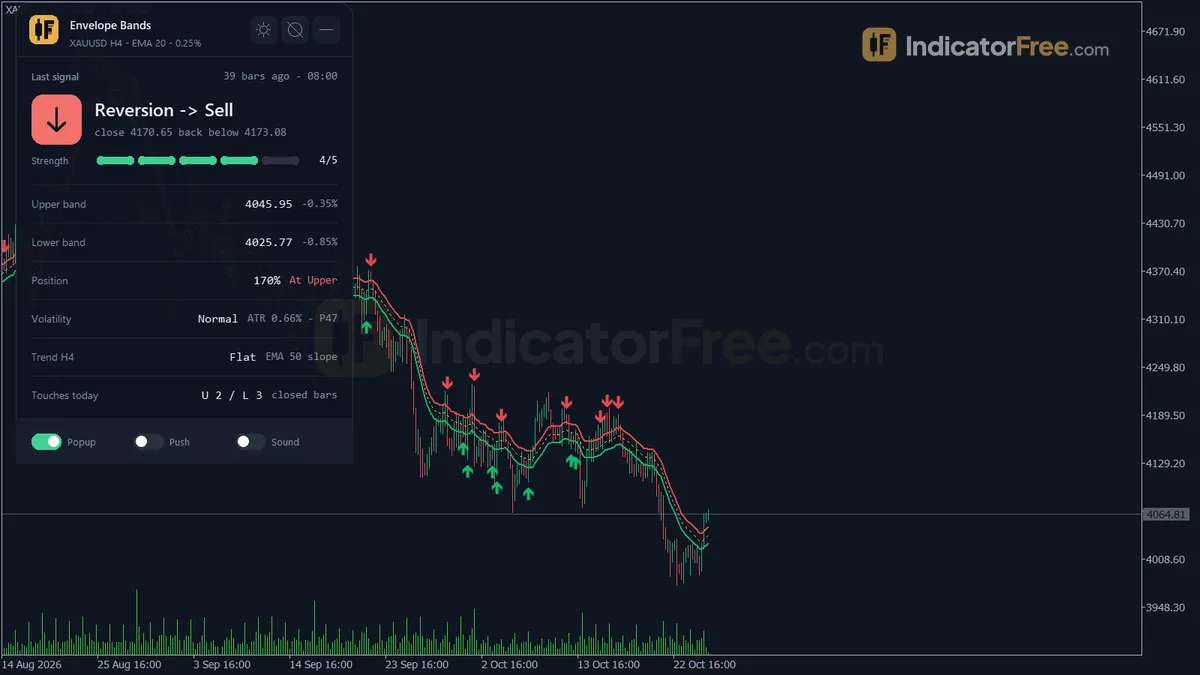
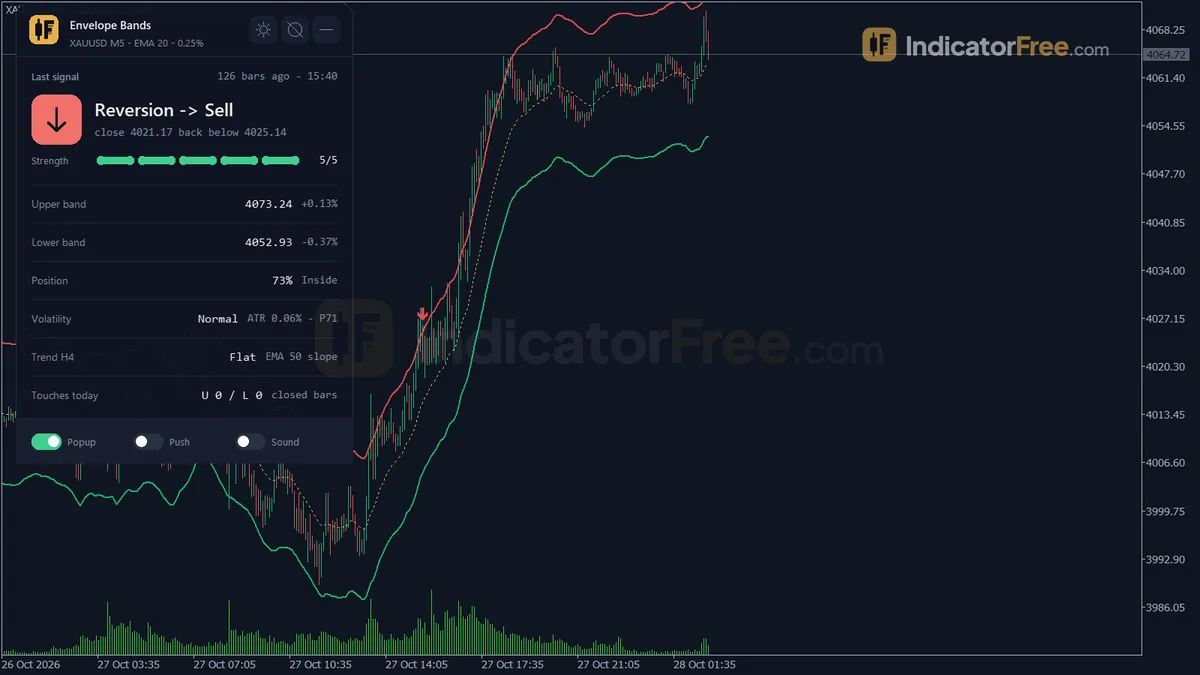
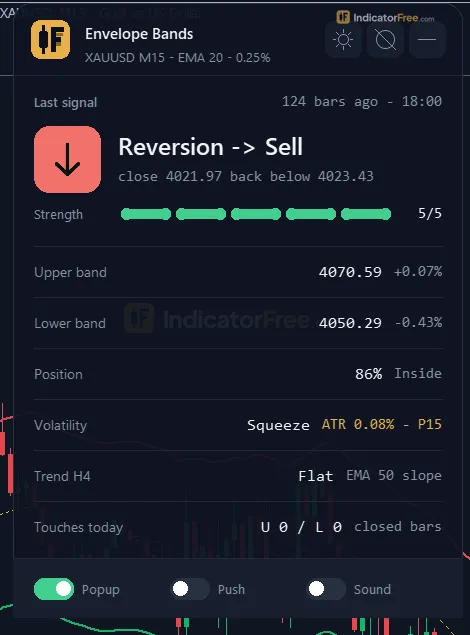
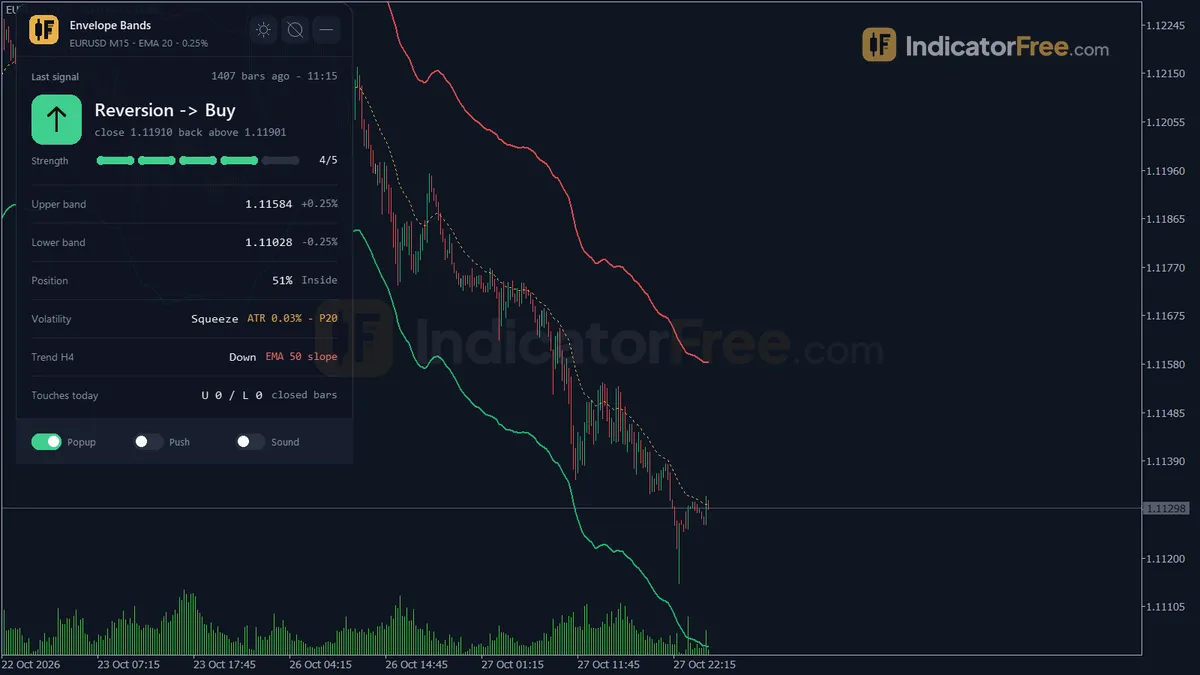
- Repainted
- 0 / 179
- Signals / week
- ≈ 13.6
- Tested on
- XAUUSD M15
- Tested
- 2026-10-09
Overview
Envelope Bands is a free MT5 indicator that draws a moving average with an upper and a lower band on the price chart. It marks Reversion Buy and Reversion Sell arrows when price closes back inside the envelope. In the Lab's repaint test on XAUUSD M15, 0 of 179 signals changed after their bar closed, and no arrow showed up late.
It suits traders who fade stretched moves back toward an average and want those moves flagged on closed bars, with filters that skip the riskiest setups.
What it draws on your chart
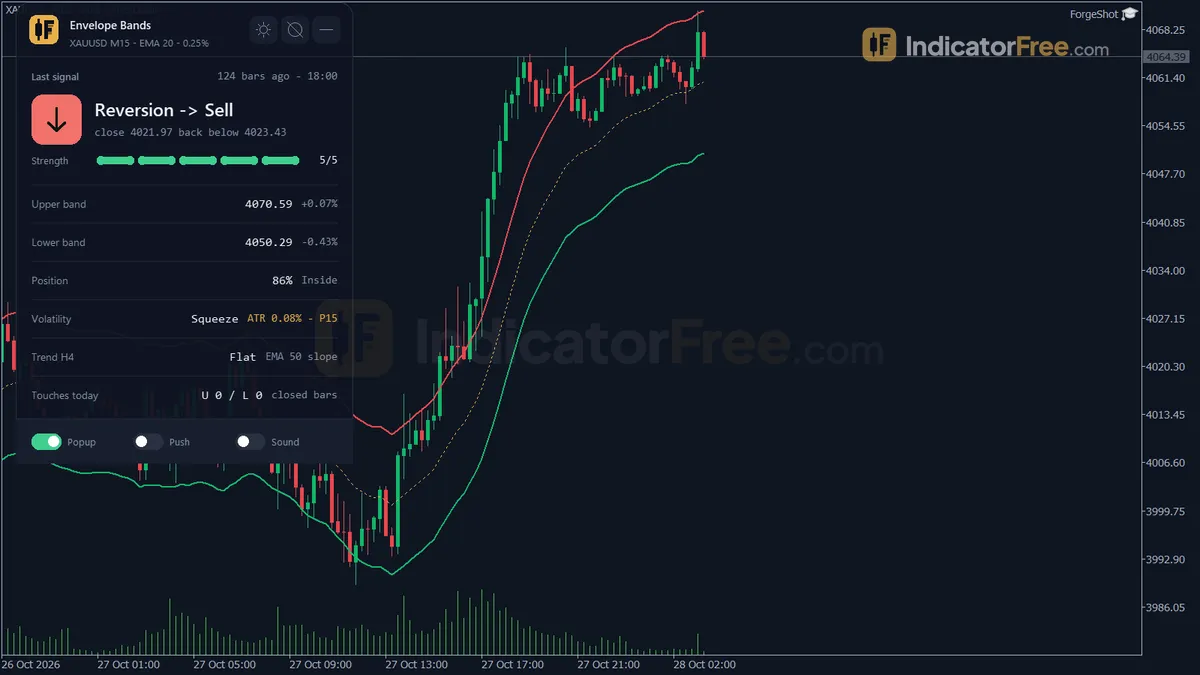
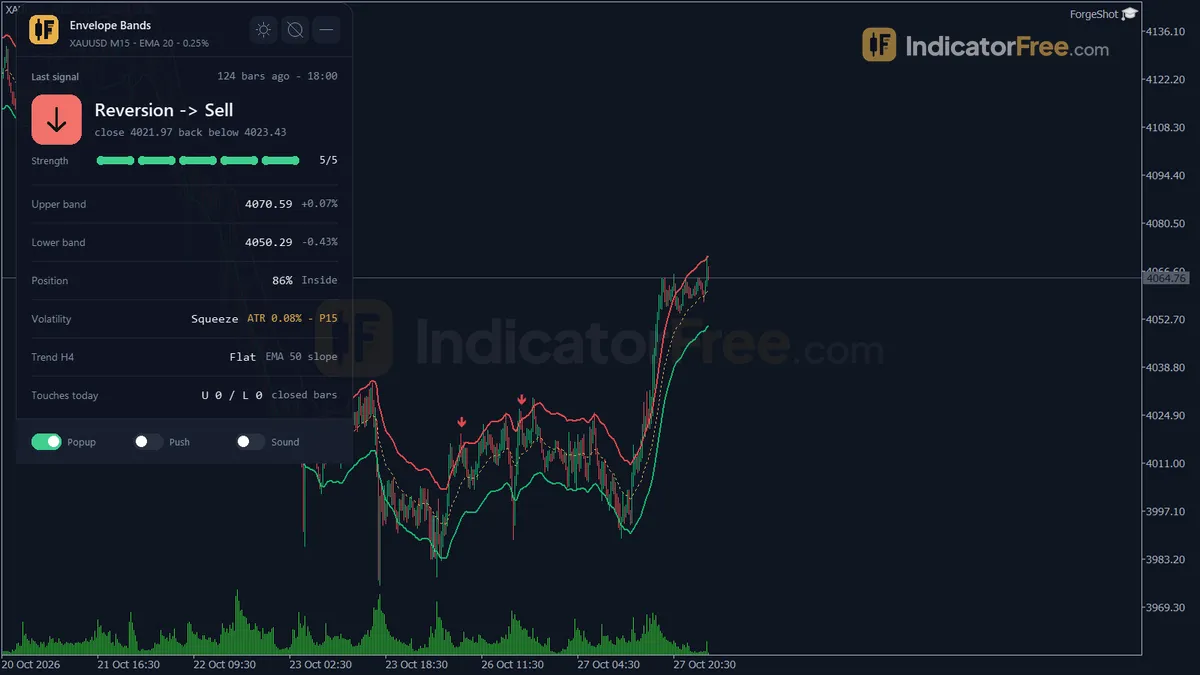
The tool sits on the main chart, not in a subwindow. An envelope is a moving average with two bands set a fixed distance above and below it. Price closing outside a band means it has stretched away from its average. (See the glossary term Envelopes.)
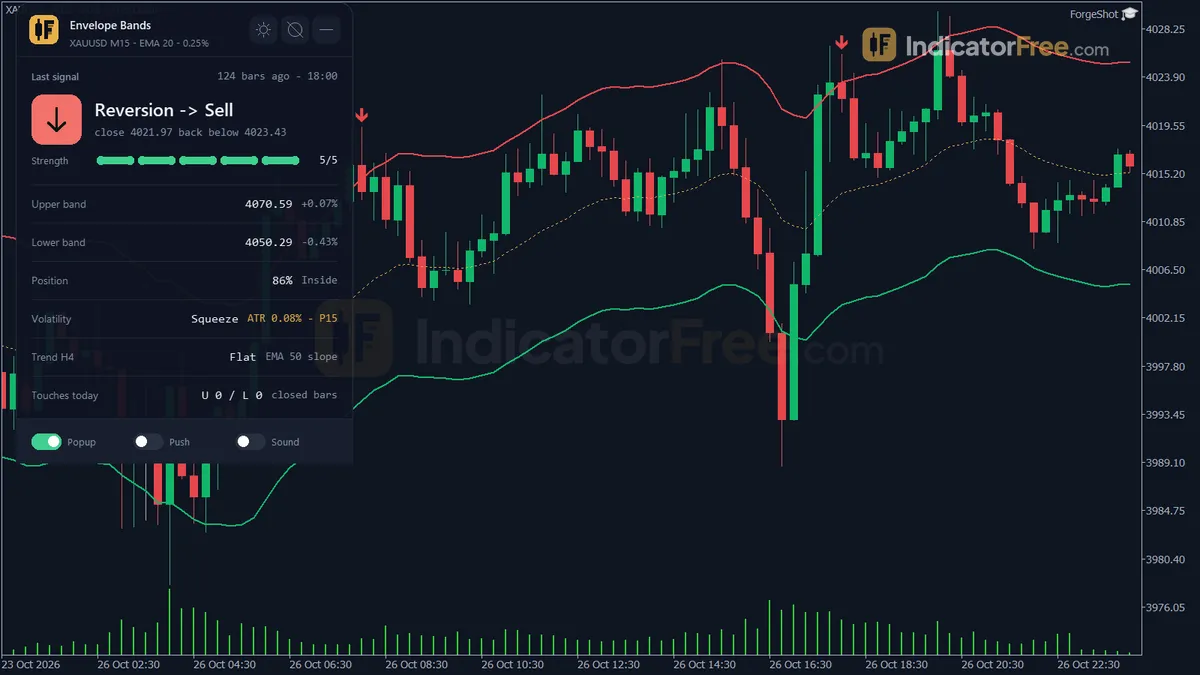
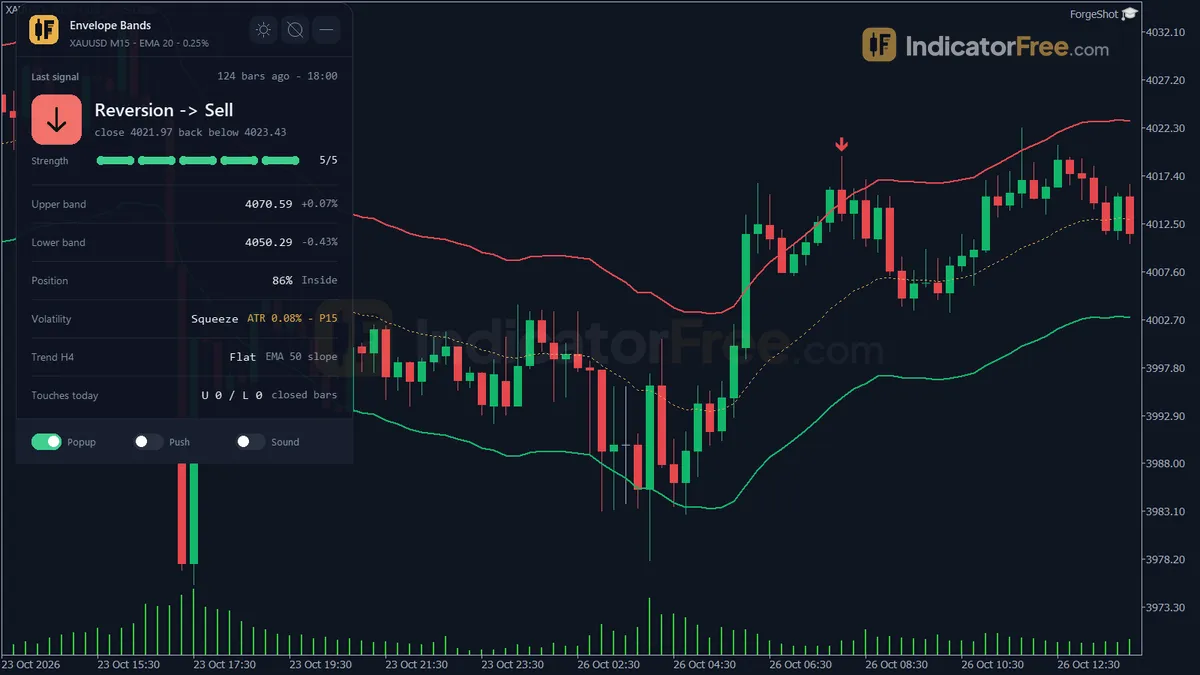
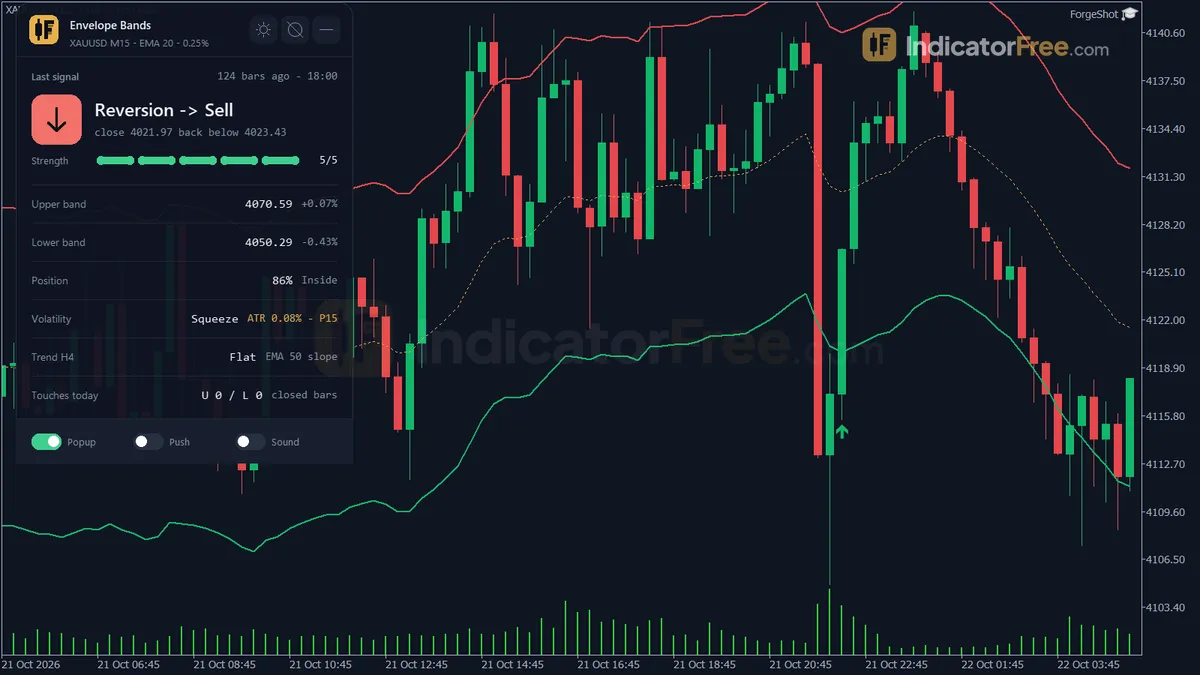
You get three lines (Upper Band, Middle MA, Lower Band), two reversion arrows, two optional touch dots and an on-chart panel called Envelope. You can set the band width as a fixed percent of the MA or as ATR x a multiplier.
How the Lab tested it
The Lab ran version 1.30 (110 KB) on MT5 build 6230. The test used XAUUSD M15 from 2026-07-28 to 2026-10-27 with real ticks from Raw Trading Ltd. Every arrow was logged as it appeared, then checked again later in history.
- Repaint: 0 of 179 signals changed or vanished. An arrow you see on a closed bar stays there.
- Arrow delay: 0 bars at most. Each arrow printed on the bar that triggered it, not a bar later.
What the signal numbers mean for you
For each arrow, the Lab checked whether price moved 1 ATR in the arrow's direction before it moved 1 ATR against it. The chart below splits that result by arrow type.
Scale zoomed in to show the difference (bars do not start at zero).
In plain words, 44.7% of 179 signals reached the 1 ATR target first. That is below a coin flip, so taking every arrow with an equal stop and target lost more often than it won in this sample. Sells (48.7% of 78) did better than buys (41.6% of 101) over this period.
The median signal hit one of the two 1 ATR levels within 2 bars. None of them (0) was still unresolved after 20 bars. These setups play out fast, so judge each one within the first few bars.
The tool printed about 13.6 signals a week: 7.7 buys and 5.9 sells. That is enough to be choosy and skip any arrow that fails your own checks.
How it works
- 1Calculates a middle moving average of the chosen price, using the chosen type and period.
Middle = MA(price, MAPeriod)Inputs: MAPeriod, MAType, AppliedPrice - 2Sets the bands either a fixed percent of the average away, or ATR times a multiplier away.
Percent: MA x (1 +/- DeviationPercent / 100). ATR: MA +/- ATR x ATRMultiplierInputs: EnvelopeMode, DeviationPercent, ATRPeriod, ATRMultiplier - 3Ranks current volatility, ATR as percent of the average, against recent bars. A high rank can block reversion signals.
Width % = ATR / MA x 100, Rank = share of recent bars with lower widthInputs: SqueezeLookback, BlockInExpansion - 4Reversion buy: prior close at or below the lower band, then a bullish close back inside. Sell is the mirror.
Buy if Close_prev <= Lower_prev and Close > Lower and Close > OpenInputs: SignalMode - 5Optionally skips signals against the higher timeframe EMA slope, or after several closes outside the band in a row.Inputs: UseTrendFilter, HTFTimeframe, HTFEMAPeriod, MaxClosesOutside
Specifications
- Platform
- MetaTrader 5
- Version
- 1.30
- Type
- Indicator
- Window
- Main chart
- Draws
- 3 lines, 4 arrows, 1 panel
- Alerts
- popup, push, sound
- Repaints
- No (0 of 179 signals changed)
- Inputs
- 23
- Tested on
- MT5 build 6230 · 2026-10-09
Repaint test
No repaint detected. In a 28 Jul 2026 – 27 Oct 2026 test on XAUUSD M15 (Raw Trading Ltd real ticks), 179 signals were logged at bar close and re-read at the end of the test: 0 changed. Arrows print on the bar that closes the signal, with no delay.
IndicatorFree — tested 2026-10-09 · MT5 build 6230 · Raw Trading Ltd real ticks. Results come from historical data, not live trading, and do not guarantee future results.
Signal statistics
Over 28 Jul 2026 – 27 Oct 2026 on XAUUSD M15, the indicator printed 179 arrows. After 44.7% of them, price moved 1×ATR(14) in the arrow's direction before moving 1×ATR against it (median 2 bars). 0% reached neither level within 20 bars.
This measures price movement after the arrow, not a trading result. It includes no spread, commission, stop loss or position sizing.
What it draws
- A line (Upper Band) from buffer 0.
- A line (Middle MA) from buffer 1.
- A line (Lower Band) from buffer 2.
- Arrows (Reversion Buy) from buffer 3, drawn on the closed bar.
- Arrows (Reversion Sell) from buffer 4, drawn on the closed bar.
- Arrows (Touch Upper) from buffer 5, drawn on the closed bar.
- Arrows (Touch Lower) from buffer 6, drawn on the closed bar.
- An on-chart panel (Envelope); values shown in the panel are not exposed as buffers.
Inputs
| Input | Default | What it does |
|---|---|---|
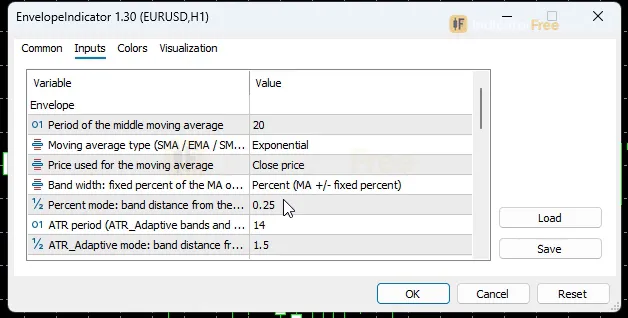
| MAPeriod | 20 | Period of the middle moving average |
| MAType | Ema | Moving average type (SMA / EMA / SMMA / LWMA) |
| AppliedPrice | Close | Price used for the moving average |
| EnvelopeMode | Percent (MA +/- fixed percent) | Band width: fixed percent of the MA or ATR x multiplier |
| DeviationPercent | 0.25 | Percent mode: band distance from the MA on each side, in percent |
| ATRPeriod | 14 | ATR period (ATR_Adaptive bands and the volatility regime) |
| ATRMultiplier | 1.5 | ATR_Adaptive mode: band distance from the MA = ATR x this value |
| UseTrendFilter | true | Block reversion buys when the HTF EMA slopes down and sells when it slopes up |
| HTFTimeframe | H4 | Higher timeframe used for the EMA slope |
| HTFEMAPeriod | 50 | EMA period on the higher timeframe |
| SignalMode | ReversionOnly | Signals to plot and alert: band touches, reversions or both |
| ShowArrows | true | Draw signal arrows and touch dots on the chart |
| SqueezeLookback | 100 | Bars used to rank the volatility (ATR %) percentile (Squeeze < 20, Expansion > 80) |
| BlockInExpansion | true | No reversion when the previous bar's volatility percentile is above 80 (breakout) |
| MaxClosesOutside | 3 | No reversion after this many closes in a row outside the band (walking the band); 0 = off |
| EnableAlertPopup | true | Show a popup Alert() when a signal appears on a closed bar |
| EnableAlertPush | false | Send a push notification to the MT5 mobile app |
| EnableAlertSound | false | Play a sound |
| AlertSoundFile | alert.wav | Sound file played when sound alerts are on |
| ShowDashboard | true | Show the on-chart panel |
| PanelScale | 1 | Panel size multiplier (DPI is applied automatically) |
| Theme | Dark | Chart color theme |
| RestoreTheme | true | Restore the original chart colors when the indicator is removed |
How to read it
The three lines and what a close beyond them means
The Middle MA is a moving average of price (EMA 20 on Close by default). The Upper Band and Lower Band sit above and below it.
- A close at or above the Upper Band counts as an upper band touch (overbought).
- A close at or below the Lower Band counts as a lower band touch (oversold).
- A close between the bands means price is inside the envelope.
In the default Percent mode, each band sits DeviationPercent away from the MA. Here is the math so you can check your chart. At a price of 2,000, 0.25% is 2,000 x 0.0025 = 5.00 per side. At 1.1000, it is 1.1000 x 0.0025 = 0.00275 (27.5 pips). The same setting gives very different widths on different symbols.
What a Reversion Buy looks like
A Reversion Buy needs two bars. First, a bar closes at or below the Lower Band. Then the next bar closes back above it as a bullish candle. The arrow prints on that second bar once it closes. Reversion Sell is the mirror image at the Upper Band, with a bearish candle.
Three gates that block a reversion
A close back inside the band is not enough on its own. The steps below show every condition a Reversion Buy must pass. Each gate can be switched off.
- 1Previous bar closes at or below the Lower BandA lower band touch
- 2This bar closes back above the Lower BandIt must be a bullish candle
- 3Trend gateWith UseTrendFilter on, blocked if the HTF EMA slope is Down
- 4Expansion gateWith BlockInExpansion on, blocked if the previous bar's volatility percentile is above 80
- 5Walking-the-band gateBlocked after MaxClosesOutside or more closes in a row at or below the Lower Band
- 6Arrow prints on the closed barAlerts fire at the same moment
For Reversion Sell, the gates flip. The trend gate blocks it when the HTF EMA slopes Up. The streak gate counts closes at or above the Upper Band.
Touch dots and SignalMode
SignalMode picks what gets plotted and alerted:
- ReversionOnly (default): only the reversion arrows.
- TouchOnly: only the Touch Upper and Touch Lower dots.
- Both: arrows and dots together.
A touch dot just means a bar closed at or beyond a band. It is not a trade signal.
Inputs to change first
| Input | Default | What changing it does |
|---|---|---|
| EnvelopeMode | Percent | ATR_Adaptive sets the band distance to ATR x ATRMultiplier (default 1.5), so the bands widen and shrink with volatility instead of staying a fixed percent. |
| DeviationPercent | 0.25 | Percent mode only. A higher value means wider bands, fewer touches and fewer arrows. A lower value means more of both. |
| MAPeriod / MAType | 20 / EMA | A shorter period hugs price more closely. SMA, SMMA and LWMA change how fast the middle line reacts. |
| UseTrendFilter / HTFTimeframe / HTFEMAPeriod | on / H4 / 50 | Sets the trend that reversions may not fight. Turning it off lets through more arrows that go against the trend. |
| MaxClosesOutside | 3 | A lower value skips reversions sooner when price walks along a band. 0 turns this gate off. |
| BlockInExpansion / SqueezeLookback | on / 100 | Skips reversions during breakout volatility. SqueezeLookback sets how many bars rank the ATR % (Squeeze below 20, Expansion above 80). |
Reading the Envelope panel
The panel shows:
- the last signal
- the upper and lower band values
- where price sits in the envelope
- the volatility regime (ATR as a percent of the MA) and its percentile
- the higher-timeframe trend
- today's band touch count
Check the percentile and the HTF trend before you act on an arrow. They tell you which gates are close to blocking the next one.
Alerts
Alerts fire only on a closed bar, for the signals SignalMode allows. You can turn on three kinds:
- EnableAlertPopup (on by default): an MT5 popup.
- EnableAlertPush: a notification to the MT5 mobile app.
- EnableAlertSound: plays the file named in AlertSoundFile (alert.wav by default).
A decision rule for each arrow
- Reversion Buy: act only after the arrow bar has closed. Look for room back up to the Middle MA. If a new close lands at or below the Lower Band, the idea is wrong, so get out.
- Reversion Sell: the same rule, mirrored at the Upper Band.
- Stalled trade: in the Lab sample, the median signal hit one of the two 1 ATR levels within 2 bars. If yours has gone nowhere after several bars, treat that as a warning, not patience paying off.
These are ways to manage an arrow. The Lab has not tested them as a system.
A common misread
Many traders treat the first close outside a band as the entry. That close is only a touch. The reversion arrow comes one bar later, and only if price closes back inside with the right candle colour.
When price keeps closing outside the band bar after bar, it is walking the band. That is a trend, not a stretch, and MaxClosesOutside is there to keep you out of it.
Installation
- 1Download EnvelopeIndicator.ex5 from the button above (Google Drive).
- 2In MetaTrader 5: File → Open Data Folder → MQL5 → Indicators. Copy EnvelopeIndicator.ex5 there.
- 3Restart MT5 or right-click Indicators in Navigator → Refresh.
- 4Drag Envelope Bands onto a chart. For push alerts, enable "Allow push notifications" under Tools → Options → Notifications.
- Tested on MT5 build 6230.
Key terms and guides
- Overbought
- Overbought means a momentum oscillator, usually the RSI, has moved above a high threshold such as 70, showing a price move is stretched and may pause or turn down.
- Bollinger Band width
- Bollinger Band width is the distance between the upper and lower Bollinger Bands, in pips or as a percent of the middle band. A low width means price is quiet and compressed. A rising width means volatility is expanding.
- Moving average
- A moving average is a line drawn from the average closing price of a set number of recent candles, recalculated on every new candle. It smooths out price noise and shows which way the trend is pointing.
- Higher Timeframe
- A higher timeframe is any chart period longer than the one you trade on, such as the daily chart for someone trading the 1-hour chart. Traders use it to see the bigger trend and the main price levels around their smaller-chart trades.
- Oversold
- Oversold means price has fallen so far and so fast that a momentum oscillator, most often the RSI, reads below its lower line (usually 30). It shows that selling is stretched. It does not promise a bounce.
- Candlestick
- A candlestick is one bar on a price chart that shows four prices for a set period: the open, high, low and close. A thick body spans the open and close, and thin wicks reach the high and low.
More on this subject: Volatility & ranges guide, terms and tools
User reviews
No reviews yet. Members who download the tool can review it here.
Sign in and download the tool to review it.
Build a checklist with it
Envelope Bands does one job on the chart: zone / level. Put it on the same chart as the tools below and the IndicatorFree panels merge into one checklist card, ordered trend, zone, signal, risk.
- Trend / contextDMIAdds the trend side: which way the market leans before you act on Envelope Bands.
- Entry signalFalse Breakout TrapAdds the entry signal: the moment to act once Envelope Bands has set the scene.
The Lab has not tested these combinations. Each tool is tested on its own; the card only lines up what each one says. Free members get 2 new tools a day. If one has to wait until tomorrow, install BlackBox to raise the limit to 5 a day (20 on a live account).
FAQ
Does Envelope Bands repaint?
No repaint detected. In a 28 Jul 2026 – 27 Oct 2026 test on XAUUSD M15 (Raw Trading Ltd real ticks), 179 signals were logged at bar close and re-read at the end of the test: 0 changed. Arrows print on the bar that closes the signal, with no delay.
Can I use Envelope Bands in an EA?
Yes. Read buffer 3 (Reversion Buy) with iCustom() on bar 1 — the last closed bar.
Why can’t my EA read the zones?
Zones and the panel are chart objects, not indicator buffers, so iCustom() does not return them.
How do I get alerts on my phone?
Enter your MetaQuotes ID under Tools → Options → Notifications, tick "Enable push notifications", and keep the push alert input on.
Does it work on other pairs?
Tested on XAUUSD only; other symbols not tested.
Which timeframes and symbols can I use Envelope Bands on?
It runs on any MT5 chart, but the Lab tested only XAUUSD M15, so other symbols and timeframes are unmeasured. In Percent mode, the band width scales with price, so check whether DeviationPercent gives a sensible number of touches on your symbol before you trust the arrows.
Is there an MT4 version?
No. This file is built for MT5, and the Lab tested it on MT5 build 6230.
Why does the Middle MA sit below price during an uptrend?
A moving average follows price with a delay, so in a steady rise it trails underneath. A shorter MAPeriod, or switching MAType, makes it track price more closely, but it also changes where the bands sit.
Do the Lab numbers cover the Touch Upper and Touch Lower dots?
No. The Lab scored only the Reversion Buy and Reversion Sell arrows. The touch dots that SignalMode TouchOnly or Both adds were not measured.
Will the Dark theme change my chart colours for good?
No, as long as RestoreTheme stays on (the default). Your original chart colours come back when you remove the indicator.
Changelog
- 1.30Added an anti-trend gate for Reversion signals. New input BlockInExpansion (default on) skips a reversion when the volatility percentile of the previous closed bar is above 80, because a close outside the band during a. · 2026-10-09
- 1.20Reworked the volatility regime: it now ranks real volatility (ATR as a percent of the MA) in both band modes. · 2026-10-09
- 1.10Fixed the higher-timeframe trend filter: the indicator now waits for the HTF EMA data before calculating history and recalculates all signals once when that data becomes ready, so historical Reversion Buy/Sell arrows. · 2026-10-09
- 1.00Initial release: classic Envelope indicator (moving average with percent or ATR-adaptive bands) with closed-bar Reversion Buy/Sell signals, optional higher-timeframe trend filter, popup/push/sound alerts, and an IFKit. · 2026-10-09
Final verdict
Where it earns its place
The signals are clean. Arrows print on the closed bar and stayed put in the repaint test. You can trust that what you see in history is what you would have seen live.
The three gates (HTF trend, volatility expansion, walking the band) remove the setups that usually break mean-reversion traders. The panel shows the state behind each gate on one screen.
Where it falls short
The arrows have no edge on their own. In the Lab sample, fewer than half reached 1 ATR before going 1 ATR against. A trader who takes every arrow with an equal stop and target is fighting the numbers.
Buys did worse than sells over the test period. The Lab tested only one symbol and one timeframe, so results on other charts are unknown.
The tool has no exits. It does not place a stop or a target, and it cannot tell you that a range is about to break.
Skip it if
- You trade breakouts or ride trends. The tool is built to fade stretched moves, and its gates exist to keep you out of trends.
- You want a complete system that tells you what to do on every arrow.
- You cannot wait for the bar to close. The signal needs that close to exist.
Settings to start with
Start with the defaults on M15. That is the setup the Lab measured.
Two untested ideas to compare against the defaults (the Lab has not tested either):
- On symbols whose volatility swings a lot through the day, try EnvelopeMode ATR_Adaptive with the default ATRMultiplier 1.5.
- If too many arrows fire inside strong moves, try MaxClosesOutside 2.
While you are learning, set SignalMode to Both so you can see each touch that comes before an arrow.
An idea to pair it with
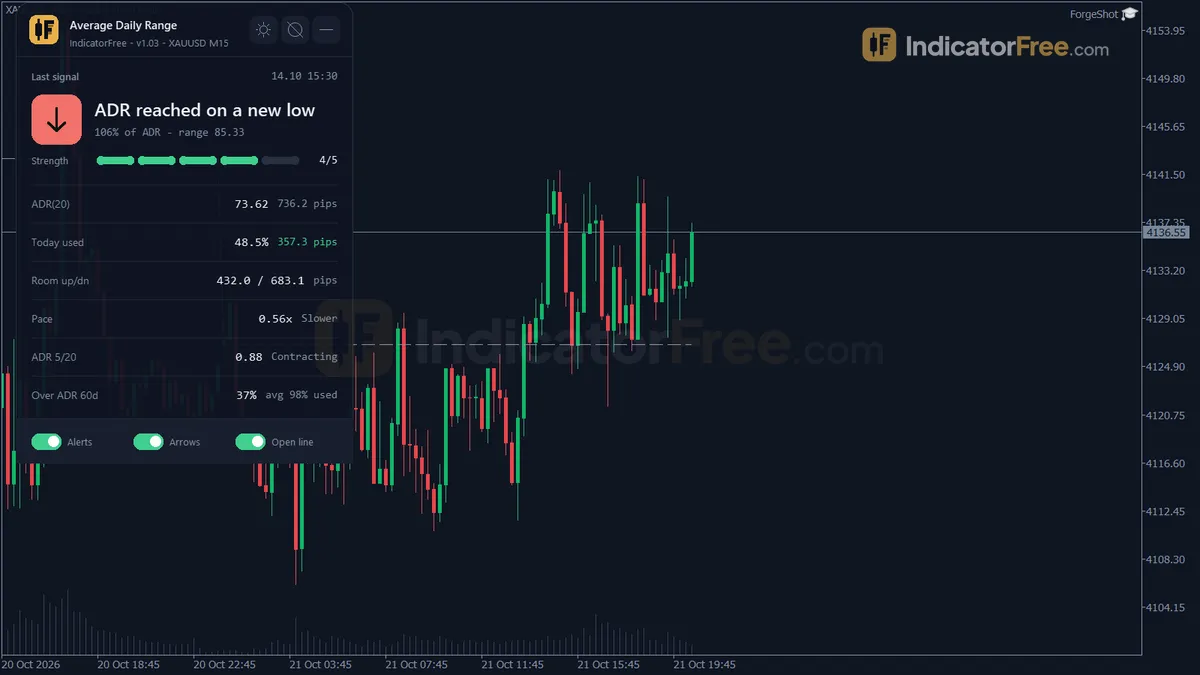
Average Daily Range shows how much of the day's usual range price has already covered. A Reversion Sell after the day has already stretched far up is easier to judge with that context. This is an idea to try. The Lab has not tested the pair.