ADX
Free ADX indicator for MT5: ADX, +DI/-DI, shaded strength zones and filtered DI-cross arrows. Lab repaint test: 0 of 1,463 signals changed.
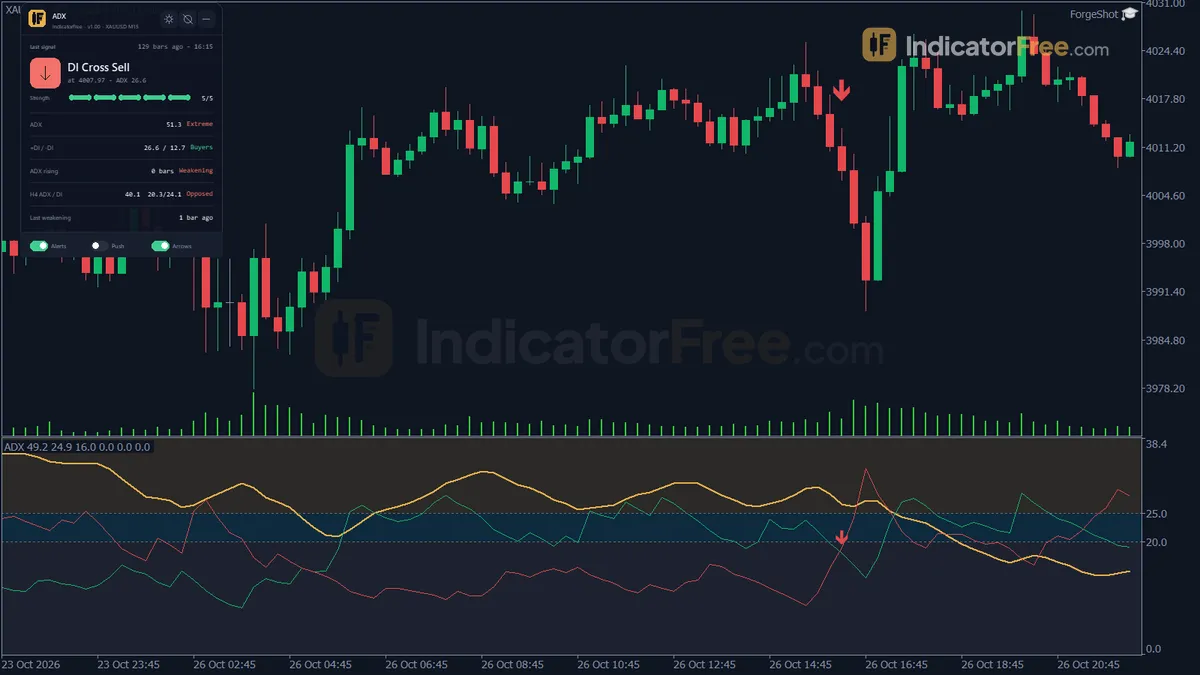
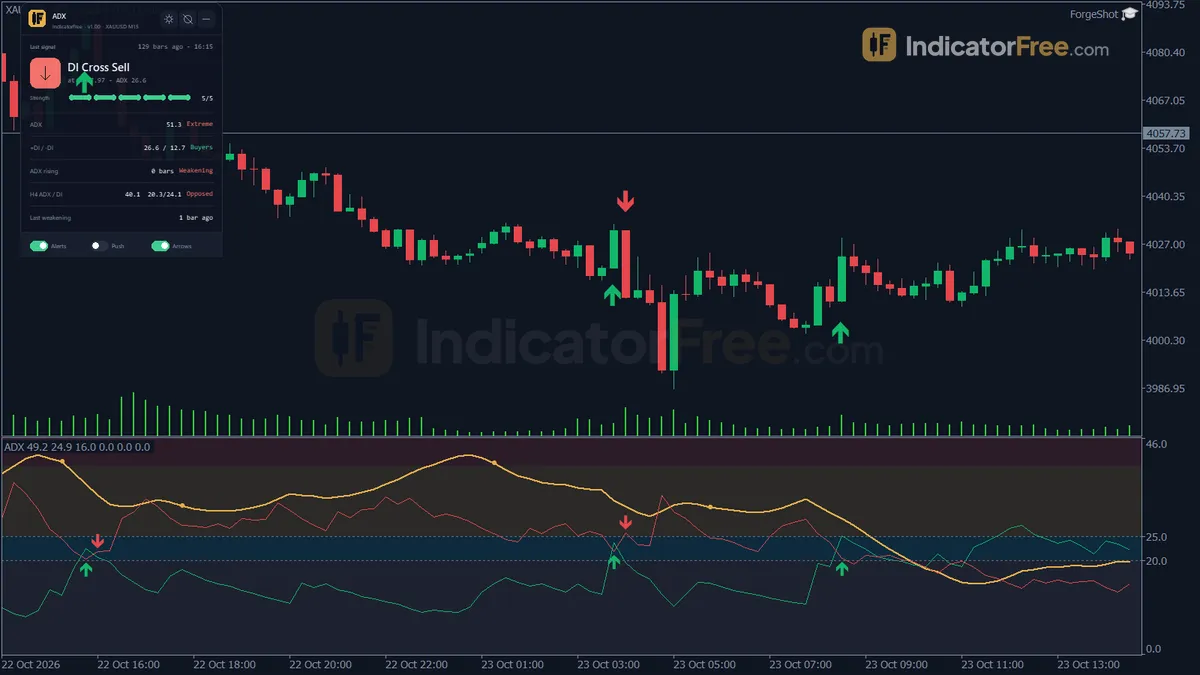
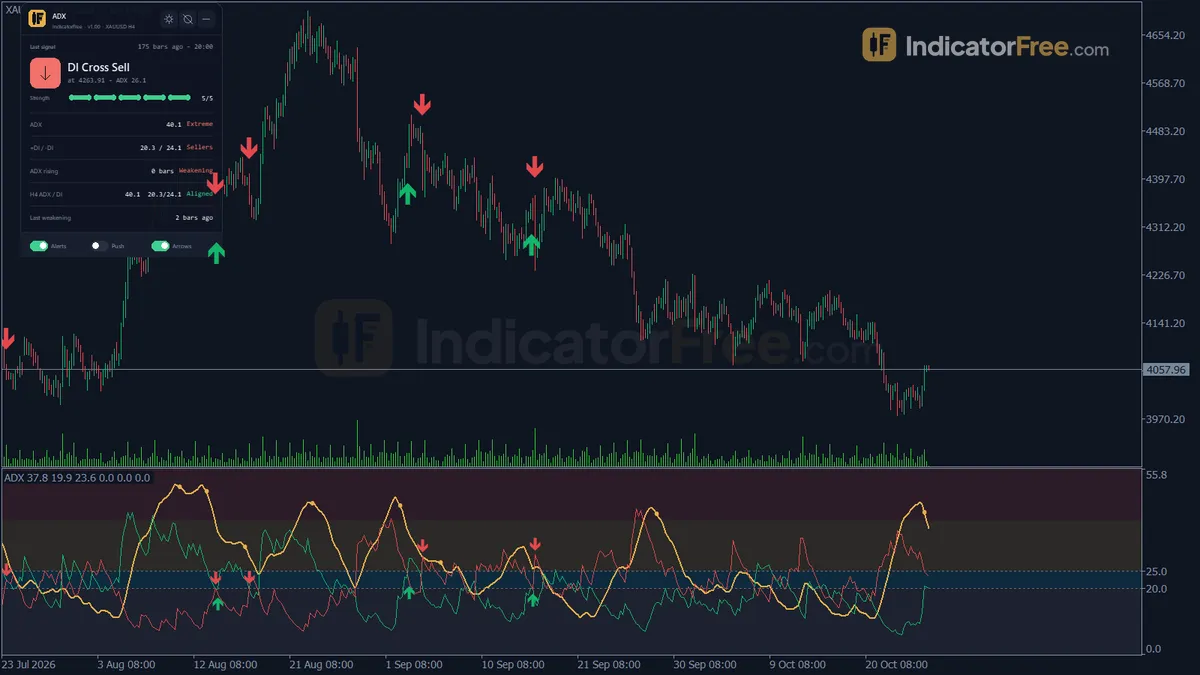
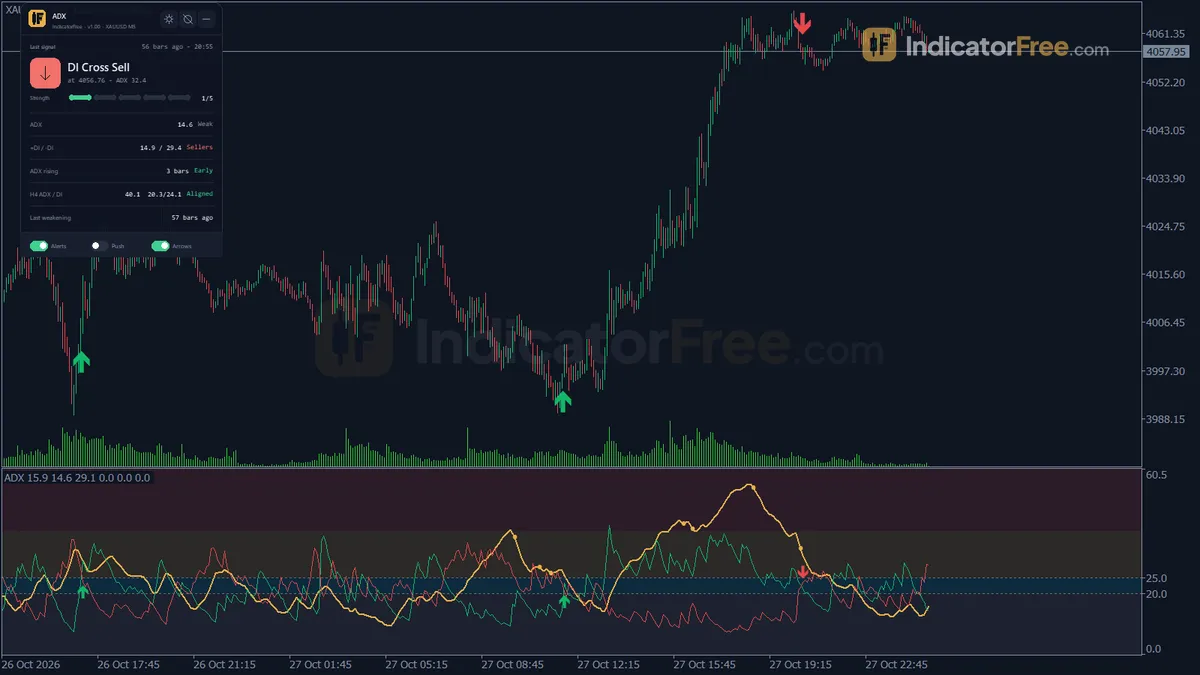
- Repainted
- 0 / 1,463
- Signals / week
- —
- Tested on
- EURUSD M15
- Tested
- 2026-10-09
Overview
ADX for MT5 draws the ADX line, +DI and -DI in a separate window shaded into four strength bands. It marks a +DI/-DI cross only when ADX confirms a trend, and copies that arrow onto the price chart. In the Lab's repaint test, 0 of 1,463 logged signals changed after they appeared.
It helps trend traders decide whether a move is strong enough to follow, and spot the point where a strong trend starts to fade.
What it draws in the ADX window and on your candles
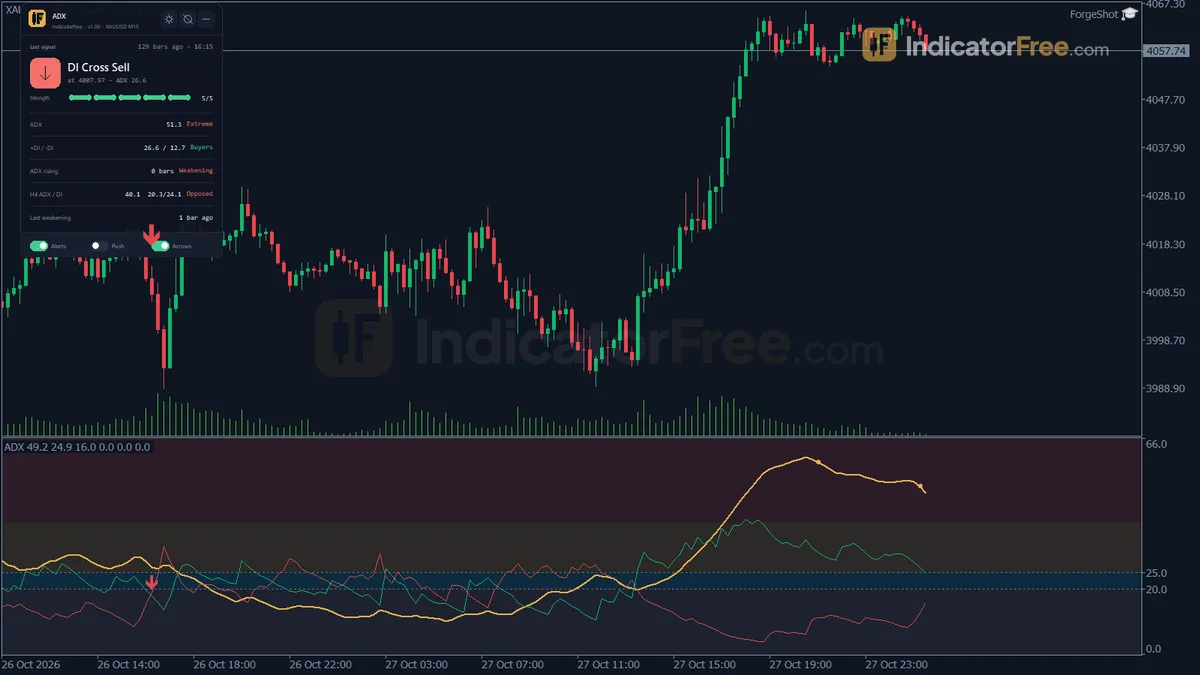
The Average Directional Index (ADX) measures how strong a trend is, not which way it is going. +DI and -DI show whether upward or downward movement is in control. This version smooths all three lines with Wilder's method and adds four things the plain indicator does not have:
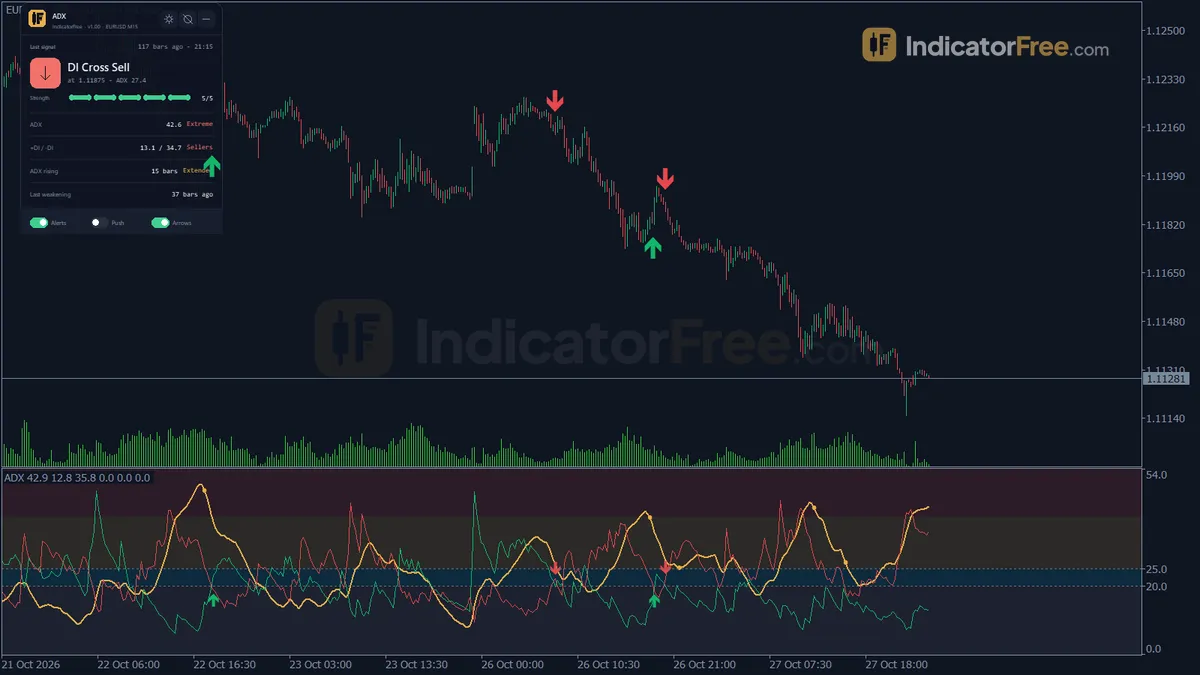
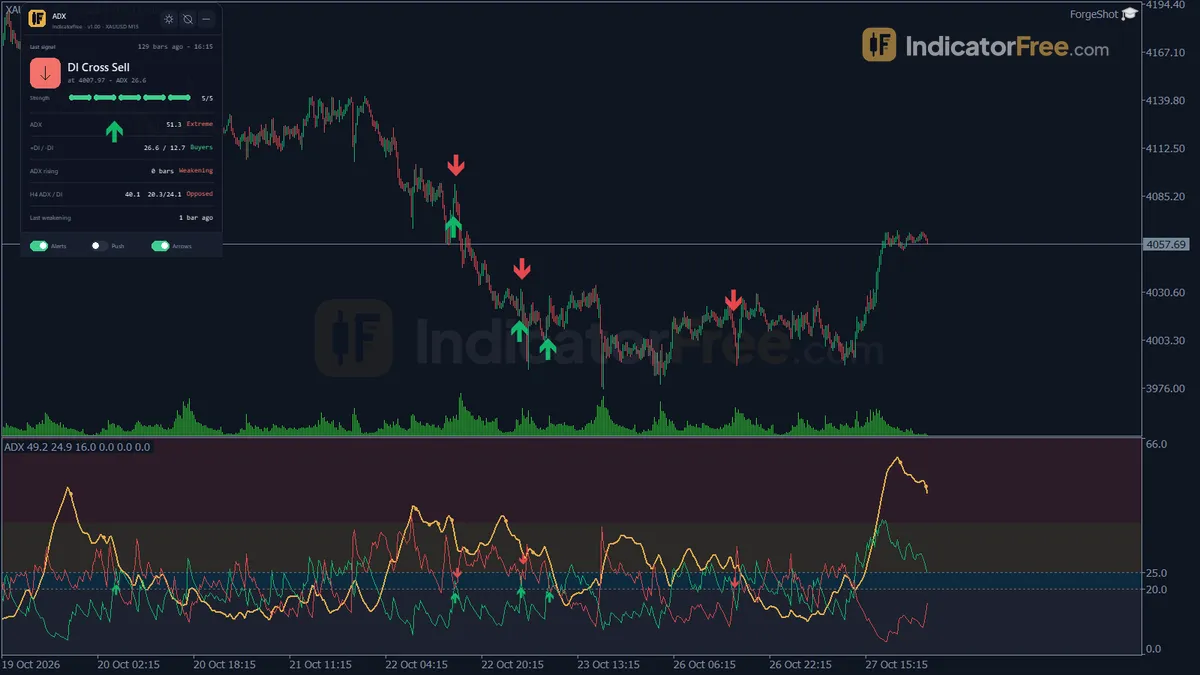
- Strength Zones: four shaded bands in the ADX window (Weak, Building, Strong, Extreme). They are split at your three level inputs and stay until you remove the indicator.
- Buy Cross / Sell Cross arrows: DI crosses that pass the ADX filter. They show in the ADX window and below or above the candle on the price chart.
- Trend Weakening marks: a warning when a very strong trend starts to lose strength.
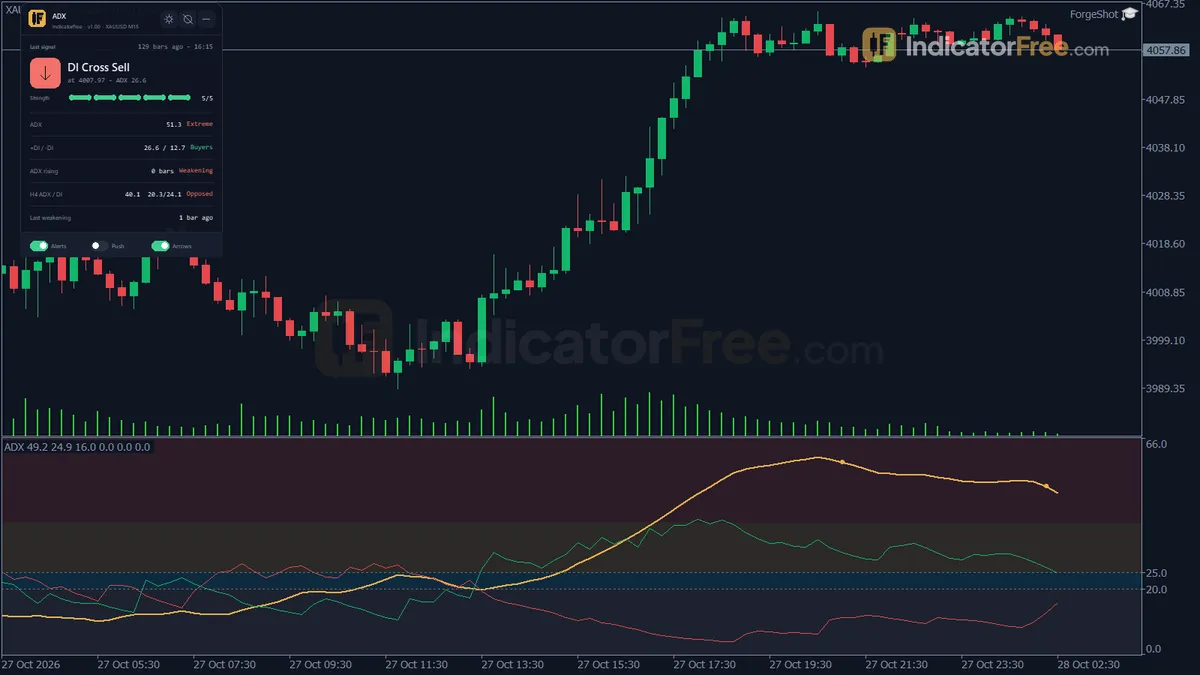
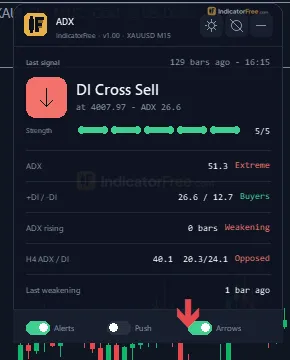
- Trend Status panel: the last filtered cross, the ADX value and its band, +DI and -DI, the ADX rising streak, the higher-timeframe ADX and DI, and the last weakening mark.
The chart below shows how these pieces line up on a typical up-move. ADX climbs out of the weak band, a Buy Cross prints once ADX passes 25, and a weakening mark appears after ADX peaks above 40.
How the Lab tested it and what the numbers mean
The Lab ran version 1.00 on MT5 build 6230 (tested 2026-10-09). The test used EURUSD M15 from 2026-07-09 to 2026-10-08, with real ticks from Raw Trading Ltd. Every signal was logged as it appeared, then checked again later to see whether it had changed.
- 0 of 1,463 signals changed. A Buy Cross or Sell Cross arrow you see on a closed bar stays where it is. For those arrows, what you review by eye on past bars is what you would have seen live. A Trend Weakening mark appears when the second lower ADX bar closes, and is drawn one bar back on the first lower bar.
- Maximum arrow delay: 0 bars. The arrow prints on the bar where the filtered cross closes, not a few bars later.
This shows the indicator does not repaint. It does not show the indicator makes money. The Lab did not measure how often the arrows led to winning trades, and only EURUSD M15 was tested.
Who it is for
It suits traders who already trade with the trend and want a strength filter that decides on its own which DI crosses to ignore. It also suits anyone who wants a single panel showing whether the current and higher timeframes agree.
How it works
- 1Computes True Range and up and down directional movement for every bar, then smooths them with the Wilder method.
TR = max(High - Low, abs(High - PrevClose), abs(Low - PrevClose)) | smoothed = prev - prev / N + newInputs: InpPeriod - 2Turns the smoothed values into +DI and -DI as a percent of smoothed True Range.
+DI = 100 x smoothed +DM / smoothed TR | -DI = 100 x smoothed -DM / smoothed TR - 3Calculates ADX as the Wilder average of DX, which measures the gap between the two DI lines.
DX = 100 x abs(+DI - -DI) / (+DI + -DI) | ADX = (ADX_prev x (N - 1) + DX) / NInputs: InpPeriod - 4Buys when +DI crosses above -DI, sells on the opposite cross, only if ADX reaches the trend level.
Buy: +DI crosses above -DI and ADX >= InpTrendLevelInputs: InpTrendLevel, InpShowArrows - 5Shades zones by ADX level, flags weakening after a strong peak, and reads ADX on a higher timeframe.
Zones: weak < InpWeakLevel < trend < InpTrendLevel < strong < InpStrongLevelInputs: InpWeakLevel, InpStrongLevel, InpShowZones, InpUseMTF, InpMTFTimeframe
Specifications
- Platform
- MetaTrader 5
- Version
- 1.00
- Type
- Indicator
- Window
- Separate window
- Draws
- 3 lines, 3 arrows, 1 zone, 1 panel
- Alerts
- popup, push, sound
- Repaints
- No (0 of 1,463 signals changed)
- Inputs
- 14
- Tested on
- MT5 build 6230 · 2026-10-09
Repaint test
No repaint detected. In a 9 Jul 2026 – 8 Oct 2026 test on EURUSD M15 (Raw Trading Ltd real ticks), 1,463 signals were logged at bar close and re-read at the end of the test: 0 changed. Arrows print on the bar that closes the signal, with no delay.
IndicatorFree — tested 2026-10-09 · MT5 build 6230 · Raw Trading Ltd real ticks. Results come from historical data, not live trading, and do not guarantee future results.
What it draws
- A line (ADX) from buffer 0.
- A line (+DI) from buffer 1.
- A line (-DI) from buffer 2.
- Arrows (Buy Cross) from buffer 3, drawn on the closed bar.
- Arrows (Sell Cross) from buffer 4, drawn on the closed bar.
- Arrows (Trend Weakening) from buffer 5, drawn on the closed bar.
- Rectangles (Strength Zones) drawn as chart objects, not buffers — they are not readable by iCustom() in an EA.
- An on-chart panel (Trend Status); values shown in the panel are not exposed as buffers.
Inputs
| Input | Default | What it does |
|---|---|---|
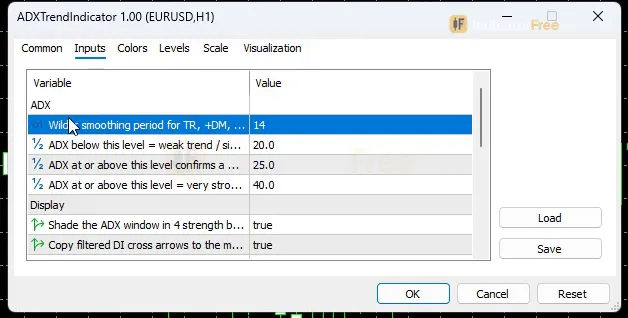
| InpPeriod | 14 | Wilder smoothing period for TR, +DM, -DM and ADX (2-100) |
| InpWeakLevel | 20 | ADX below this level = weak trend / sideways |
| InpTrendLevel | 25 | ADX at or above this level confirms a DI cross signal |
| InpStrongLevel | 40 | ADX at or above this level = very strong trend (possible exhaustion) |
| InpShowZones | true | Shade the ADX window in 4 strength bands |
| InpShowArrows | true | Copy filtered DI cross arrows to the main chart |
| InpEnableAlertPopup | true | Popup alert on a filtered DI cross |
| InpEnableAlertPush | false | Push notification on a filtered DI cross |
| InpEnableAlertSound | true | Play a sound on a filtered DI cross |
| InpUseMTF | true | Show higher timeframe ADX / DI rows on the panel |
| InpMTFTimeframe | H4 | Higher timeframe to compare (if lower than the chart, the chart timeframe is used) |
| PanelScale | 1 | Panel size multiplier (DPI is applied automatically) |
| Theme | Dark | Chart color theme |
| RestoreTheme | true | Restore the original chart colors when the indicator is removed |
How to read it
Install in one line
Copy the .ex5 file (96.9 KB) into your MQL5\Indicators folder (in MT5: File > Open Data Folder > MQL5 > Indicators), refresh the Navigator and drag ADX onto a chart. Version 1.00, tested on MT5 build 6230.
Reading the three lines and the four bands
With the default levels, the bands read like this:
| ADX value | Band | What it tells you |
|---|---|---|
| below 20 | Weak | No real trend, sideways market |
| 20 to 25 | Building | A trend may be forming but is not confirmed |
| 25 to 40 | Strong | Trend confirmed, so DI crosses get arrows |
| 40 and above | Extreme | Very strong trend; crosses still get arrows, but may come late in the move |
Common misread: ADX falling in an uptrend means the trend is slowing, not a sell signal. ADX rising while price falls means the downtrend is getting stronger.
Buy Cross and Sell Cross: why some crosses get no arrow
A Buy Cross prints when, on a closed bar, +DI crosses above -DI while ADX is at or above InpTrendLevel. A Sell Cross is the mirror: -DI crosses above +DI with the same ADX condition. Buy arrows sit below the candle on the price chart and sell arrows sit above it.
The drawing below shows the filter at work. The two crosses look the same, but only one happens while ADX is above the trend level.
The Trend Weakening mark
It appears when ADX closes lower for the second bar in a row, after reaching InpStrongLevel within the previous 20 bars. The mark sits on the first bar of that decline. It describes a slowdown that has already started; it does not predict a reversal. Treat it as a warning about the trend you are in, not as a signal to trade the other way.
The inputs to change first
- InpTrendLevel (default 25): the gate for every arrow. Raise it and you get fewer, later arrows. Lower it and you get more arrows, including some in choppy markets.
- InpStrongLevel (default 40): sets where the Extreme band starts, and which peaks count for Trend Weakening marks.
- InpPeriod (default 14, range 2-100): the Wilder smoothing length. A shorter period reacts faster but gives more crosses. A longer one is smoother but slower.
- InpWeakLevel (default 20): only moves the border between the Weak and Building bands. It does not affect the arrows.
- InpUseMTF / InpMTFTimeframe (default on, H4): adds higher-timeframe ADX and DI rows to the panel. If you pick a timeframe lower than your chart, the chart timeframe is used.
- InpShowArrows and InpShowZones: turn these off to keep the price chart or the ADX window clean. PanelScale resizes the panel.
Alerts
Popup and sound alerts are on by default; push notifications are off. All three fire on a filtered DI cross only. Push alerts go to the MT5 mobile app linked to your terminal.
A decision rule for each signal
- Buy Cross: treat it as a long setup only if the panel's higher-timeframe +DI is above -DI and ADX is rising. Skip it if ADX is already in the Extreme band, because entries there tend to come late in the move.
- Sell Cross: the mirror. Take it only if the higher-timeframe -DI leads and ADX is rising, and skip it in the Extreme band.
- Trend Weakening: stop adding to the position and consider tightening your exit. Do not reverse on this mark alone.
These are rules of thumb for reading the tool. The Lab has not tested their results.
Installation
- 1Download ADXTrendIndicator.ex5 from the button above (Google Drive).
- 2In MetaTrader 5: File → Open Data Folder → MQL5 → Indicators. Copy ADXTrendIndicator.ex5 there.
- 3Restart MT5 or right-click Indicators in Navigator → Refresh.
- 4Drag ADX onto a chart. For push alerts, enable "Allow push notifications" under Tools → Options → Notifications.
- Tested on MT5 build 6230.
Key terms and guides
- Sideways market
- A sideways market, also called a range-bound market, a trading range or consolidation, is a phase when price moves back and forth between a fairly flat high and a fairly flat low instead of trending.
- ADX
- ADX (Average Directional Index) is a trend-strength indicator that scores from 0 to 100 how strongly price is trending, in either direction, while its +DI and -DI lines show whether buyers or sellers are in control.
- Candlestick
- A candlestick is one bar on a price chart that shows four prices for a set period: the open, high, low and close. A thick body spans the open and close, and thin wicks reach the high and low.
- Trend
- A trend is the main direction price keeps moving in over a period. In an uptrend price makes higher highs and higher lows. In a downtrend it makes lower highs and lower lows.
More on this subject: Trend & moving averages guide, terms and tools
User reviews
No reviews yet. Members who download the tool can review it here.
Sign in and download the tool to review it.
Build a checklist with it
ADX does one job on the chart: trend / context. Put it on the same chart as the tools below and the IndicatorFree panels merge into one checklist card, ordered trend, zone, signal, risk.
- Zone / levelLiquidity SweepAdds where price is: the zones and levels that ADX does not draw.
- Entry signalFalse Breakout TrapAdds the entry signal: the moment to act once ADX has set the scene.
The Lab has not tested these combinations. Each tool is tested on its own; the card only lines up what each one says. Free members get 2 new tools a day. If one has to wait until tomorrow, install BlackBox to raise the limit to 5 a day (20 on a live account).
FAQ
Does ADX repaint?
No repaint detected. In a 9 Jul 2026 – 8 Oct 2026 test on EURUSD M15 (Raw Trading Ltd real ticks), 1,463 signals were logged at bar close and re-read at the end of the test: 0 changed. Arrows print on the bar that closes the signal, with no delay.
Can I use ADX in an EA?
Yes. Read buffer 3 (Buy Cross) with iCustom() on bar 1 — the last closed bar.
Why can’t my EA read the zones?
Zones and the panel are chart objects, not indicator buffers, so iCustom() does not return them.
How do I get alerts on my phone?
Enter your MetaQuotes ID under Tools → Options → Notifications, tick "Enable push notifications", and keep the push alert input on.
Why does it open in a separate window?
It plots values on their own scale, so MT5 draws it below the price chart.
Does it work on other pairs?
Tested on EURUSD only; other symbols not tested.
Can I use the ADX indicator on M5 or M15 for intraday trading?
Yes, it calculates on any timeframe. On lower timeframes, set the panel's higher timeframe so you can see whether the bigger trend agrees; for M5, the untested starting point above is InpPeriod 20 with InpMTFTimeframe H1.
Will I get an alert when the trend weakens?
No. Popup, push and sound alerts fire only on a filtered Buy Cross or Sell Cross. To catch weakening marks, check the panel's last weakening row.
Does it change my chart colors?
Yes. The Theme input (default Dark) applies its own color scheme. With RestoreTheme left on, your original chart colors come back when you remove the indicator.
Will its values match the ADX already in MT5?
It will not match MT5's standard ADX, which uses different smoothing. It uses Wilder smoothing, the same method as MT5's ADX Wilder. The Lab did not compare values line by line.
Which pairs does it work on?
The calculation works the same on any symbol, including forex, indices and metals. The Lab tested it only on EURUSD, so the trend level that suits other markets is yours to check.
Changelog
- 1.00Initial release: Wilder-accurate ADX with +DI/-DI in a shaded 4-level strength window (Weak/Building/Strong/Extreme), DI-cross arrows filtered by an ADX trend threshold and copied to the main chart, trend weakening. · 2026-10-09
Final verdict
Verdict: a clean ADX that filters its own crosses
The best thing about this tool is that it does not repaint: the Lab's test found no changed or late arrows. The ADX filter also does a job most traders do by hand, which is ignoring DI crosses in flat markets. Having the higher-timeframe ADX and DI on the same panel saves you from switching charts.
What it cannot do
- It lags by design. ADX is a smoothed average, so a filtered cross usually comes after the move has already started.
- It has no price levels. It will not tell you where to put a stop or a target.
- It can still whipsaw. When ADX hovers around the trend level, crosses can pass the filter in a market that never really trends.
- There is no profit result. The Lab tested repainting only, not trading performance.
Who should skip it
Skip it if you want a complete buy/sell system, or early entries close to the turning point. Range traders can still use it, but only to check that ADX is in the Weak band before trading a range.
Here is a summary of when it fits and when it doesn't:
- –You trade with the trend and want weak-market crosses filtered out
- –You want the higher timeframe's ADX and DI on the same panel
- –You want a mark when a strong trend has started to slow (after two lower ADX closes)
- –You want entries right at the turning point
- –You need stop and target levels from the indicator
- –You expect arrows to work as a stand-alone system
Settings to start with
Start with the defaults (InpPeriod 14, levels 20/25/40, InpMTFTimeframe H4) for a few weeks so you learn what the bands look like on your pairs. On M5, try InpPeriod 20 and InpMTFTimeframe H1. This is an untested starting point, not a Lab result, so compare it with the defaults on the same chart before you rely on it.
An idea to pair it with
An idea the Lab has not tested: take an ADX arrow only when it agrees with the swing structure from Downtrend.