Drawdown Monitor
Free Drawdown Monitor indicator for MT5: tracks daily loss and max drawdown against prop-firm limits with 50%/80% warnings. Lab-tested on build 6230.
- Repainted
- Not tested
- Signals / week
- —
- Tested on
- —
- Tested
- 2026-10-10
Overview
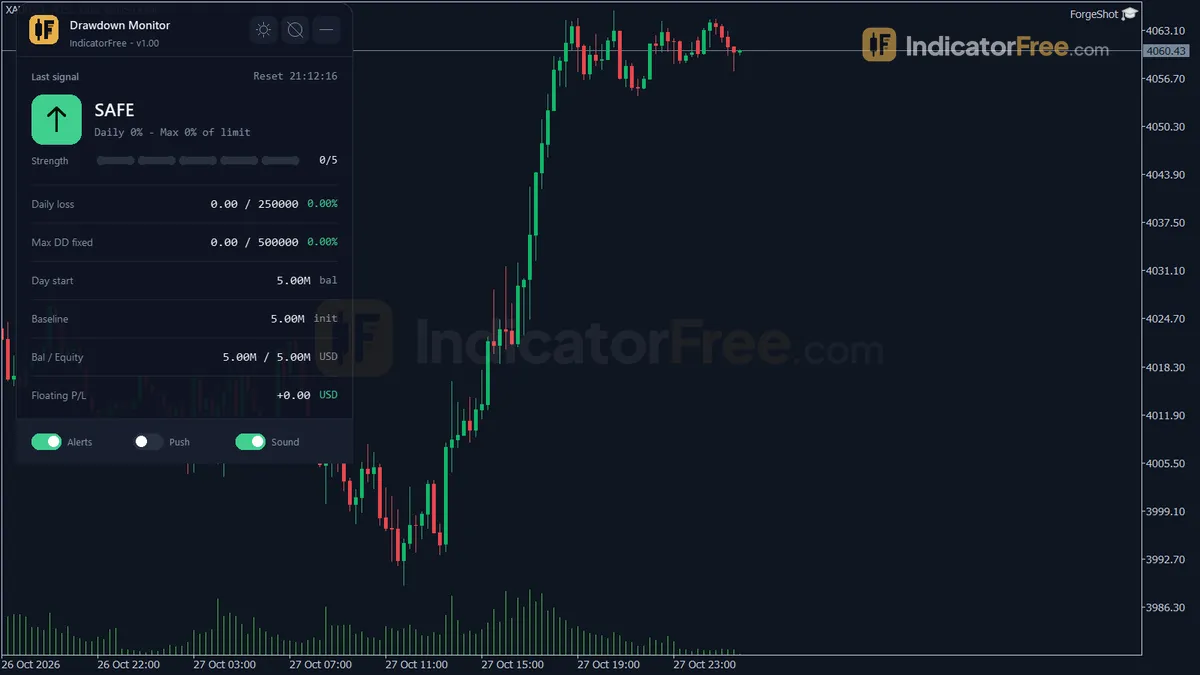
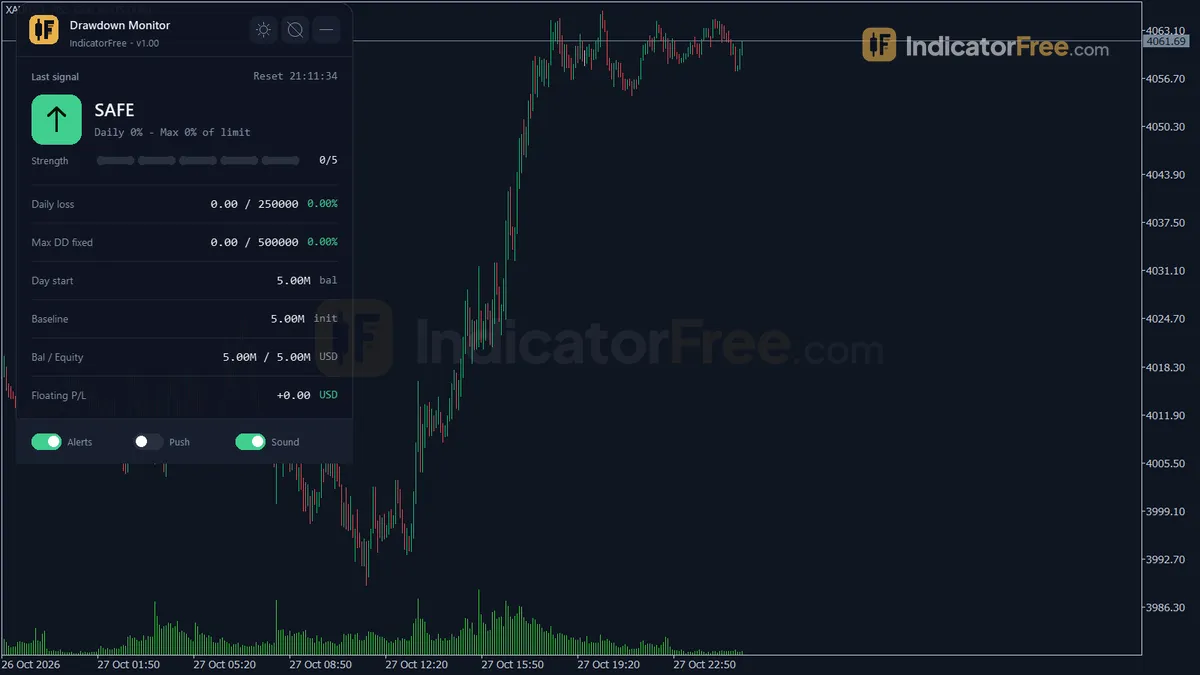
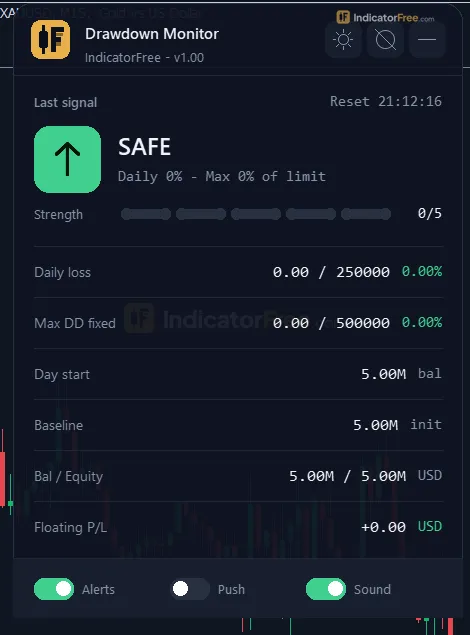
Drawdown Monitor is a free MT5 indicator that places a panel on your main chart (no subwindow) and tracks your daily loss and maximum drawdown against limits you set. By default it warns you when 50% and 80% of each limit is used. Lab test: version 1.00 was attached to a chart on MT5 build 6230 on 2026-10-10 and ran there. It is built for prop-firm challenge traders who cannot afford to break a loss rule.
What the panel tracks
- Daily loss limit:
DailyLimitPercent(default 5) of a daily baseline. The baseline is your balance or equity at the reset hour. - Max drawdown limit:
MaxDDLimitPercent(default 10) of a baseline. In Fixed mode the baseline is your starting balance. In Trailing mode it is your highest balance or equity.
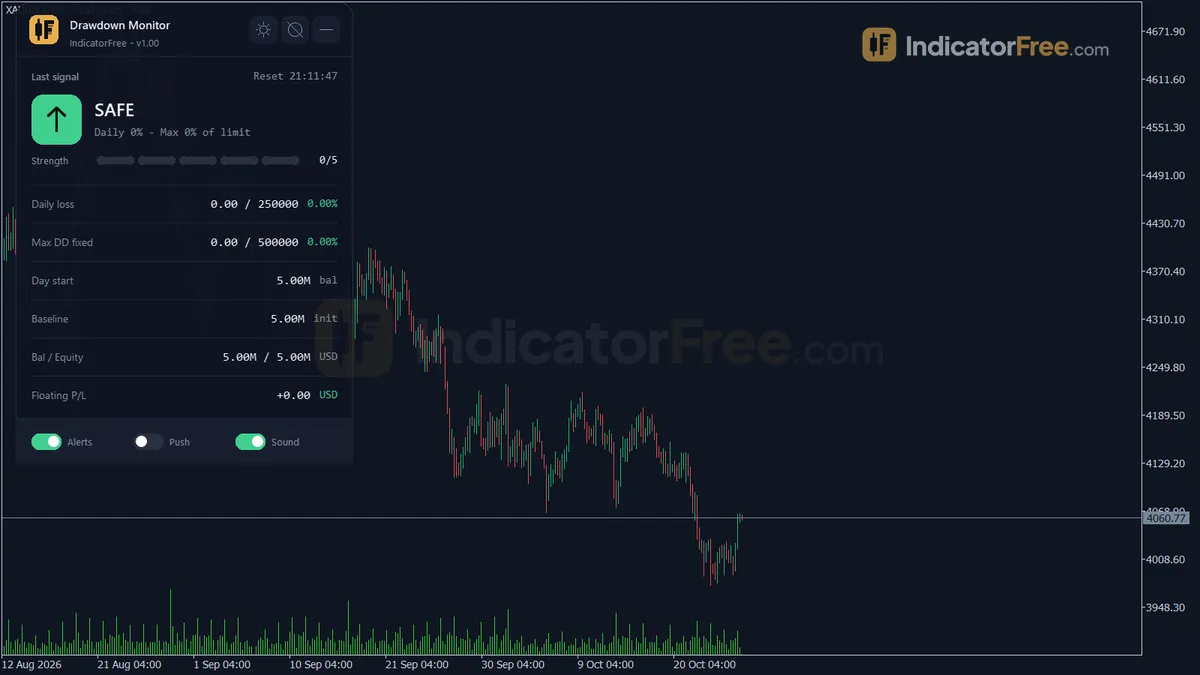
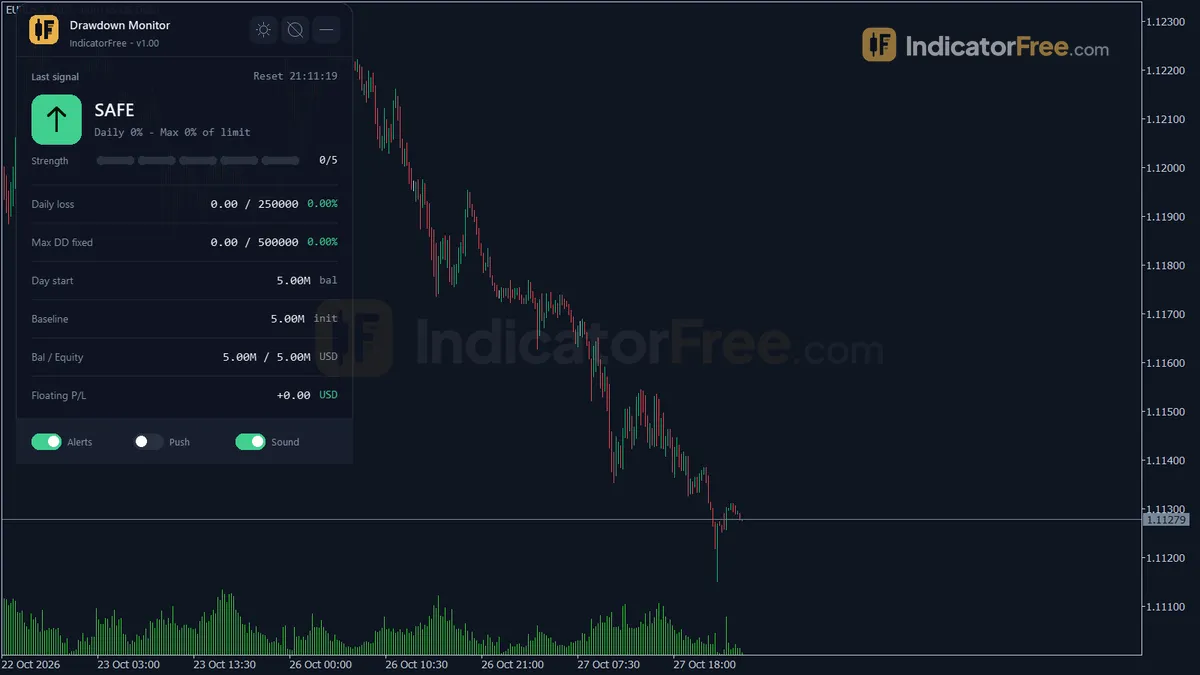
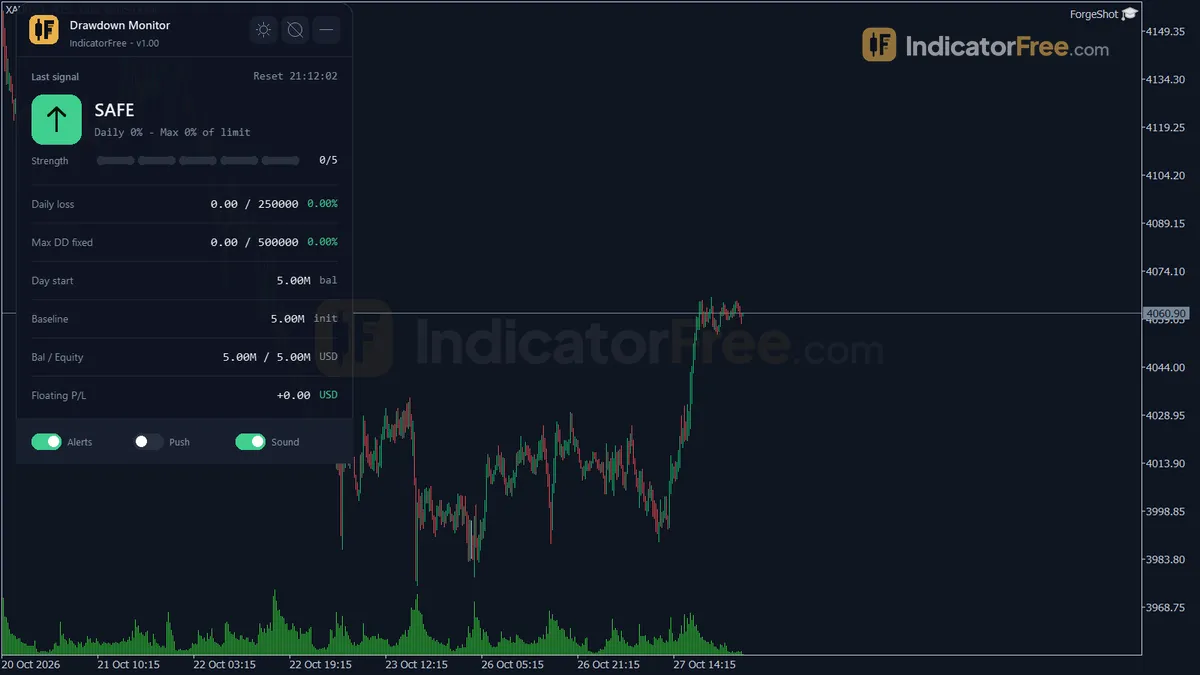
All of this appears on one panel on your main chart. The tool draws nothing on the price bars.
What the Lab checked, and what it did not
The tested file is 80.5 KB.
This is a risk monitor. It gives no buy or sell signals, so there is no hit rate or repaint score to report, and the Lab facts list none. Its warnings are only as correct as the inputs you give it (see the verdict).
Who it is for
- Traders in a prop-firm challenge or on a funded account with a daily loss rule and a max drawdown rule.
- Self-funded traders who set their own loss limits and want an alert before they break them.
It is not a trade journal or a statistics dashboard. If you want win rates, results per strategy or reports on past trades, this tool doesn't do that.
How it works
- 1Reads account balance and equity every second.
- 2At the daily reset hour, stores balance or equity as baseline. Daily loss is baseline minus equity, as percent.
Daily % = max(0, Baseline - Equity) / Baseline x 100Inputs: DailyResetHour, DailyBaselineSource - 3Max drawdown is measured from a fixed starting balance, or from the highest balance or equity reached.
Max DD % = max(0, Base - Equity) / Base x 100Inputs: MaxDDMode, InitialBalance - 4Compares each loss with its limit and warns at two warning levels and on breach, once per level.
Ratio = Loss % / Limit %Inputs: DailyLimitPercent, MaxDDLimitPercent, WarnLevel1Percent, WarnLevel2Percent
Specifications
- Platform
- MetaTrader 5
- Version
- 1.00
- Type
- Indicator
- Window
- Main chart
- Draws
- 1 panel
- Alerts
- popup, push, sound
- Repaints
- not tested
- Inputs
- 14
- Tested on
- MT5 build 6230 · 2026-10-10
Repaint test
Repaint: not tested. This indicator draws panel, which the IndicatorFree harness cannot read through iCustom().
IndicatorFree — tested 2026-10-10 · MT5 build 6230. Results come from historical data, not live trading, and do not guarantee future results.
What it draws
- An on-chart panel (Signal); values shown in the panel are not exposed as buffers.
Inputs
| Input | Default | What it does |
|---|---|---|
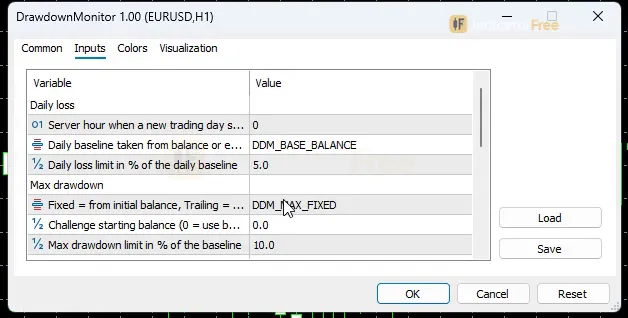
| DailyResetHour | 0 | Server hour when a new trading day starts (0-23) |
| DailyBaselineSource | DDM_BASE_BALANCE | Daily baseline taken from balance or equity at the reset |
| DailyLimitPercent | 5 | Daily loss limit in % of the daily baseline |
| MaxDDMode | DDM_MAX_FIXED | Fixed = from initial balance, Trailing = from highest balance/equity |
| InitialBalance | 0 | Challenge starting balance (0 = use balance at first run) |
| MaxDDLimitPercent | 10 | Max drawdown limit in % of the baseline |
| WarnLevel1Percent | 50 | Early warning at this % of a limit used |
| WarnLevel2Percent | 80 | Danger warning at this % of a limit used |
| EnableAlertPopup | true | Popup alert when a level is crossed |
| EnableNotification | false | Push notification when a level is crossed (needs MetaQuotes ID) |
| EnableSound | true | Play a sound when a level is crossed |
| Theme | DDM_THEME_DARK | Chart theme (None keeps your chart colors) |
| RestoreTheme | true | Restore the original chart colors on removal |
| PanelScale | 1 | Panel size multiplier (DPI is applied automatically) |
How to read it
Reading the warnings: share of a limit, not share of your account
Every warning level is a share of a limit used, not a share of your account. With DailyLimitPercent at 5 and WarnLevel1Percent at 50, the first warning fires when you have used half of today's loss allowance. It does not mean you have lost 50% of the account.
Read each warning as "how much of my allowed loss is gone". The mock-up below shows how that looks on a panel, using example values.
Install
Copy the file into your terminal's MQL5/Indicators folder, refresh the Navigator (or restart MT5), and drag Drawdown Monitor onto any chart.
The inputs to set first
InitialBalance: the default 0 uses your balance when the indicator first runs. If you attach it partway through a challenge, after some wins or losses, enter the challenge starting balance. Otherwise the max drawdown baseline will be wrong.MaxDDMode: chooseDDM_MAX_FIXEDif your firm measures drawdown from the starting balance. Choose Trailing if the floor moves up with your highest balance or equity. In Trailing mode the baseline rises after every new high, so a profit you give back counts as drawdown.DailyBaselineSource: balance (default) or equity at the reset. Pick the one your firm's daily rule uses. If you have open trades at the reset, the two give different baselines.DailyResetHour: the server hour when your firm starts a new trading day.DailyLimitPercentandMaxDDLimitPercent: type in your firm's exact rule values. The defaults are only placeholders.WarnLevel1PercentandWarnLevel2Percent: how early you want each warning. Lower values give you more room to react, but you will get more alerts.
PanelScale changes the panel size. DPI scaling is applied automatically.
How one warning forms
- 1Daily resetAt DailyResetHour the daily baseline is taken from balance or equity (DailyBaselineSource)
- 2Limits setToday's allowance = DailyLimitPercent of that baseline; max drawdown uses MaxDDLimitPercent in Fixed or Trailing mode
- 3Early warningLoss reaches WarnLevel1Percent of a limit and the enabled alerts fire
- 4Danger warningLoss reaches WarnLevel2Percent of a limit and the alerts fire again
- 5LimitLoss equals the limit you set: no room left under your rule
Alerts
An alert fires each time a warning level is crossed, through any channel you have switched on:
- Popup (
EnableAlertPopup, on by default): appears in the MT5 alert window. - Sound (
EnableSound, on by default). - Push (
EnableNotification, off by default): goes to the MetaTrader app on your phone. You need to enter your MetaQuotes ID in the terminal first.
As with any MT5 indicator, alerts can only fire while the terminal is running with the indicator attached to a chart.
A decision rule for each state
- No warning: trade your plan as normal.
- Early warning: open new trades only if their stop loss fits inside the allowance you have left. Reduce your position size.
- Danger warning: stop opening new trades. If it is the daily limit, you are done for the day. If it is the max drawdown limit, stop until you have reviewed what went wrong.
- At the limit: you have used up the room your rule allows. Any further loss breaks the rule.
Installation
- 1Download DrawdownMonitor.ex5 from the button above (Google Drive).
- 2In MetaTrader 5: File → Open Data Folder → MQL5 → Indicators. Copy DrawdownMonitor.ex5 there.
- 3Restart MT5 or right-click Indicators in Navigator → Refresh.
- 4Drag Drawdown Monitor onto a chart. For push alerts, enable "Allow push notifications" under Tools → Options → Notifications.
- Tested on MT5 build 6230.
Key terms and guides
- Maximum drawdown
- Maximum drawdown is the largest fall of an account or strategy from a high point to the lowest point that follows, before a new high is made. It is shown in money and as a percentage.
- Balance
- Balance is the money in your trading account counting only closed trades, deposits, withdrawals and charges the broker has booked. It ignores the profit or loss on positions that are still open.
- Drawdown limit
- A drawdown limit is the largest fall in account value you allow, in percent or money, before you stop trading or cut size. It can cover the whole account (maximum drawdown limit) or a single day (daily drawdown limit).
- Daily loss limit
- A daily loss limit is the most money you allow your account to lose in one trading day. When closed losses plus open losses reach that amount, you stop trading until the next day.
- Win rate
- Win rate is the share of your closed trades that ended in profit: winning trades divided by total trades, times 100. On its own it does not show whether a strategy makes money, because it ignores how big the wins and losses are.
- Account equity
- Account equity is what your trading account is worth right now: your balance plus the floating profit or loss on every open trade. With no trades open, equity and balance are the same number.
More on this subject: Backtesting & statistics guide, terms and tools
User reviews
No reviews yet. Members who download the tool can review it here.
Sign in and download the tool to review it.
Build a checklist with it
Drawdown Monitor does one job on the chart: risk / volatility. Put it on the same chart as the tools below and the IndicatorFree panels merge into one checklist card, ordered trend, zone, signal, risk.
- Trend / contextDowntrendAdds the trend side: which way the market leans before you act on Drawdown Monitor.
- Entry signalChange of CharacterAdds the entry signal: the moment to act once Drawdown Monitor has set the scene.
The Lab has not tested these combinations. Each tool is tested on its own; the card only lines up what each one says. Free members get 2 new tools a day. If one has to wait until tomorrow, install BlackBox to raise the limit to 5 a day (20 on a live account).
FAQ
Does Drawdown Monitor repaint?
Repaint: not tested. This indicator draws panel, which the IndicatorFree harness cannot read through iCustom().
Why can’t my EA read the zones?
Zones and the panel are chart objects, not indicator buffers, so iCustom() does not return them.
How do I get alerts on my phone?
Enter your MetaQuotes ID under Tools → Options → Notifications, tick "Enable push notifications", and keep the push alert input on.
Does Drawdown Monitor repaint?
It draws no arrows, lines or zones on the price bars, only a panel that follows your account, so repainting doesn't apply in the usual sense. The Lab facts list no repaint test for it.
Which timeframe or pair should I attach it to?
Its limits are worked out from your balance and equity, not from price bars, so you can pick any chart. Choose one you keep open while you trade.
My firm's trading day doesn't start at midnight. What do I change?
Set `DailyResetHour` (0-23) to the hour your firm's day rolls over, in your broker's server time rather than your local time. The default is 0.
Will it change my chart colors?
Yes, by default. `Theme` starts on dark. Choose None to keep your own colors. With `RestoreTheme` on (the default), your original colors come back when you remove the indicator.
Can it close my trades when I hit the limit?
No. It is an indicator, so it can only warn you with a popup, sound or push notification. Closing positions is still up to you.
Changelog
- 1.00Initial release: real-time daily loss and max drawdown (Fixed or Trailing) tracking against prop-firm style limits, with a two-level early warning system (default 50% / 80%, adjustable), a live countdown to the next. · 2026-10-10
Final verdict
The verdict: a focused rule-keeper that is only as good as your setup
Drawdown Monitor does one job: it keeps both prop-style loss rules in view and warns you twice before either one is reached. That is its main strength. It covers the daily rule and the max drawdown rule together, with Fixed or Trailing modes and three alert channels, in a small 80.5 KB file that ran on build 6230 in the Lab.
Limits to know before you rely on it
- The Lab facts contain no check of the panel's figures against a prop firm's own dashboard. On your first day, compare its readings with your firm's figures before you trust it on its own.
- Every figure depends on your inputs. A wrong reset hour, the wrong baseline source or a wrong
InitialBalancewill move each warning. - It cannot know your firm's special rules. If your firm counts something the inputs don't cover, the panel won't show it.
- This is version 1.00, the first release.
Settings to start with
- Keep
WarnLevel1Percentat 50 andWarnLevel2Percentat 80 for your first week, then adjust if the warnings come too early or too late. This is a suggestion, not tested by the Lab. - Switch
EnableNotificationon if you sometimes trade away from the screen. This is a suggestion, not tested by the Lab, so compare it with the default.
- –You trade under a daily loss rule and a max drawdown rule
- –Your firm uses fixed or trailing drawdown
- –You want a warning before the limit, not after
- –You can set the reset hour and baseline to match your firm
- –You need positions closed automatically at the limit
- –You want win rates or reports on past trades
- –You have no loss limits to track
- –Your firm's rules depend on things the inputs cannot set