Centerline Cross
Free MT5 RSI 50-cross indicator with confirmed arrows, a chop flag and a multi-timeframe panel. Lab repaint test: 0 of 772 signals changed.
- Repainted
- 0 / 772
- Signals / week
- —
- Tested on
- EURUSD M15
- Tested
- 2026-10-05
Overview
Centerline Cross is a free MT5 indicator. It plots Wilder's RSI in a subwindow and puts an arrow on the bar that confirms a cross of the 50 line. A status panel sits on the chart. In the Lab's EURUSD M15 repaint test, 0 of 772 logged signals changed after they appeared, and no arrow came later than its bar.
It suits traders who use RSI to judge trend direction rather than to call tops and bottoms. It also suits traders who want to backtest by eye on arrows that stayed where they were drawn in the Lab's test.
What Centerline Cross draws on your chart
The tool draws four things:
- RSI Line: Wilder's RSI with a 14-bar period by default. It sits in its own subwindow with the 50 centerline and, if you leave them on, the 70 / 30 reference levels.
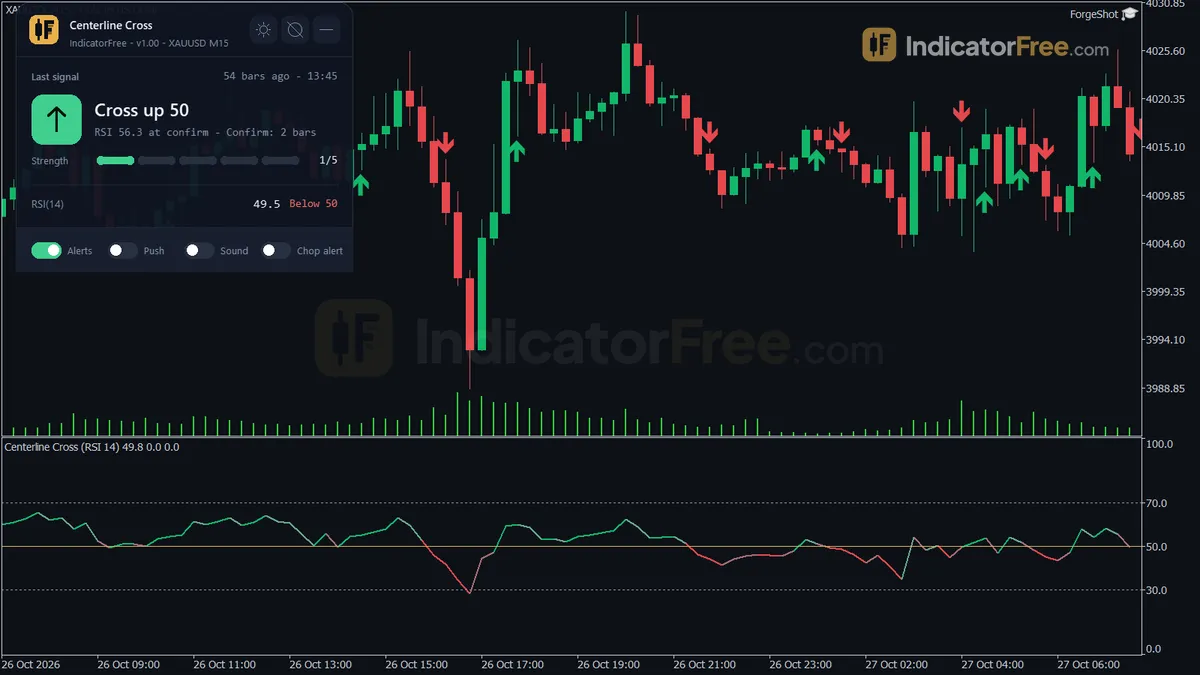
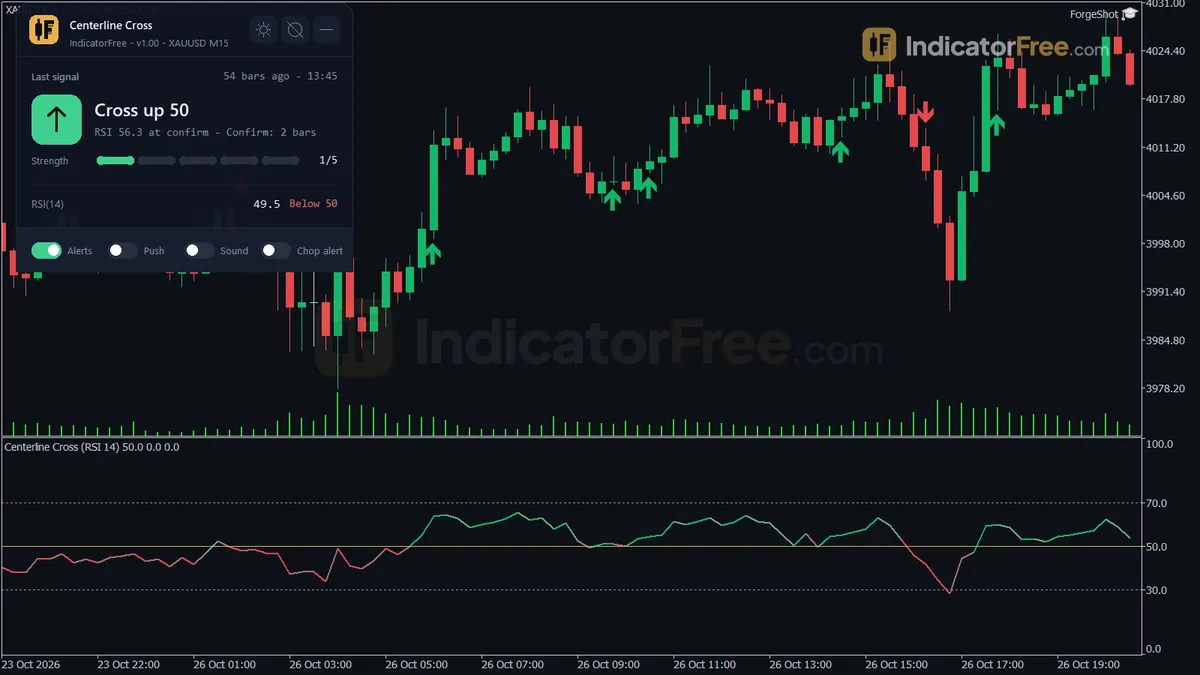
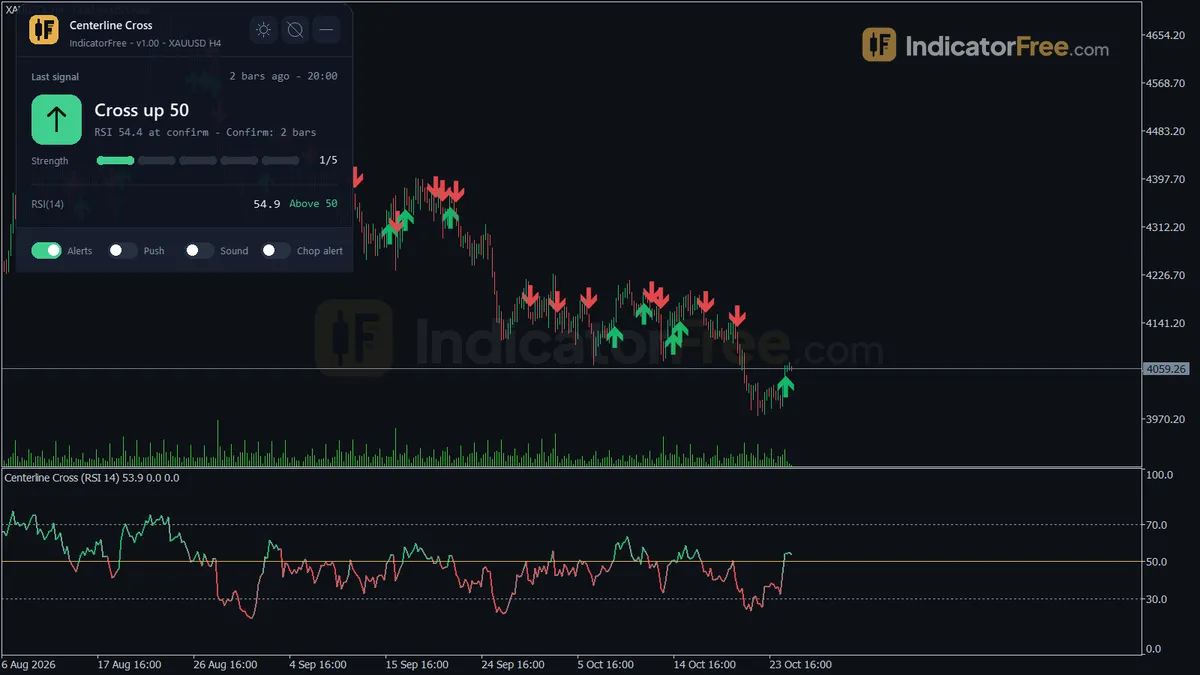
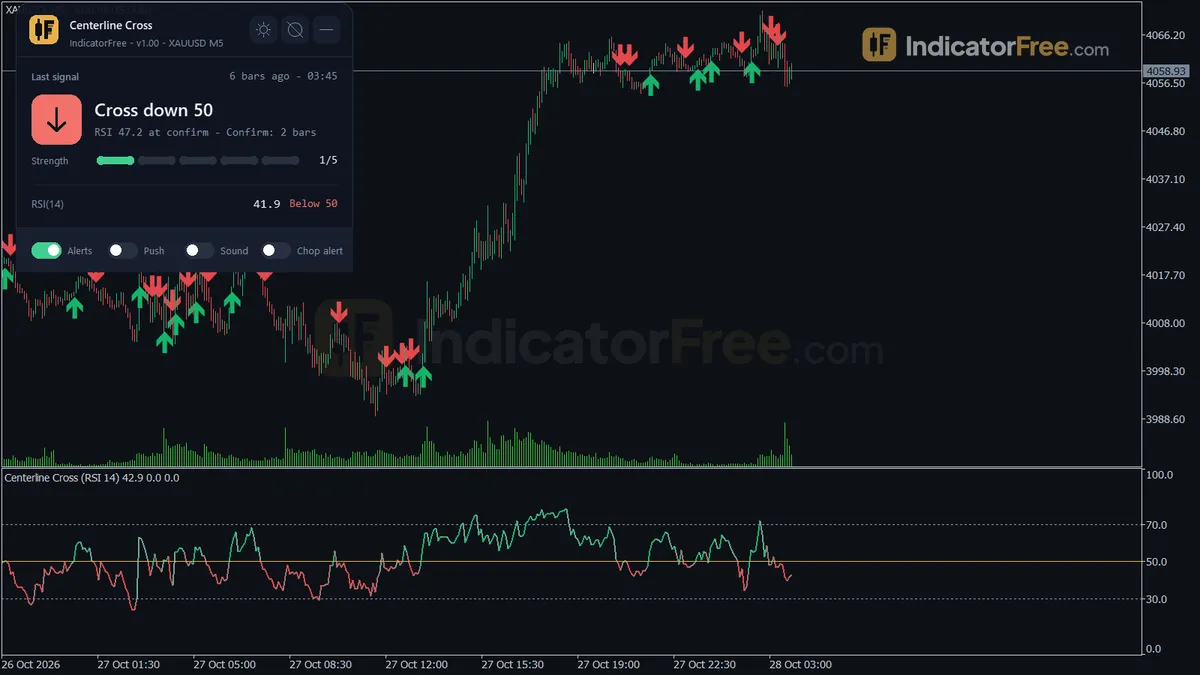
- Cross Up arrow: drawn only after RSI has crossed above 50 and stayed there for ConfirmBars closed bars (default 2).
- Cross Down arrow: the mirror of Cross Up, below 50. Both arrows can also be drawn on the main price chart.
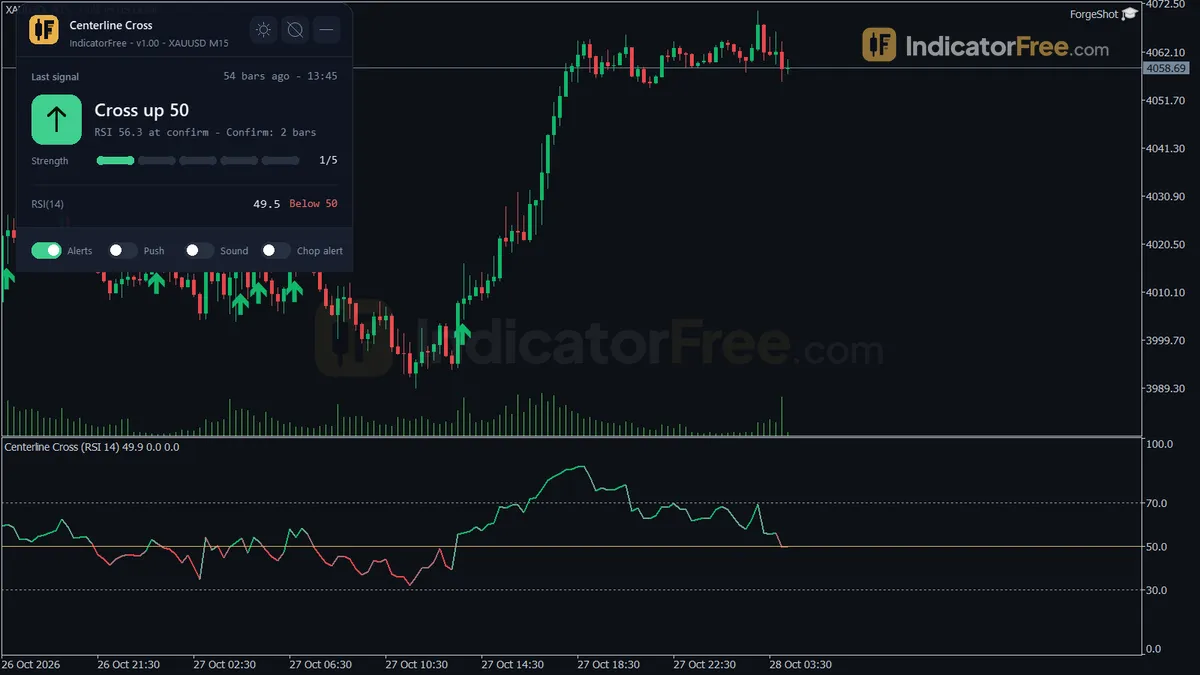
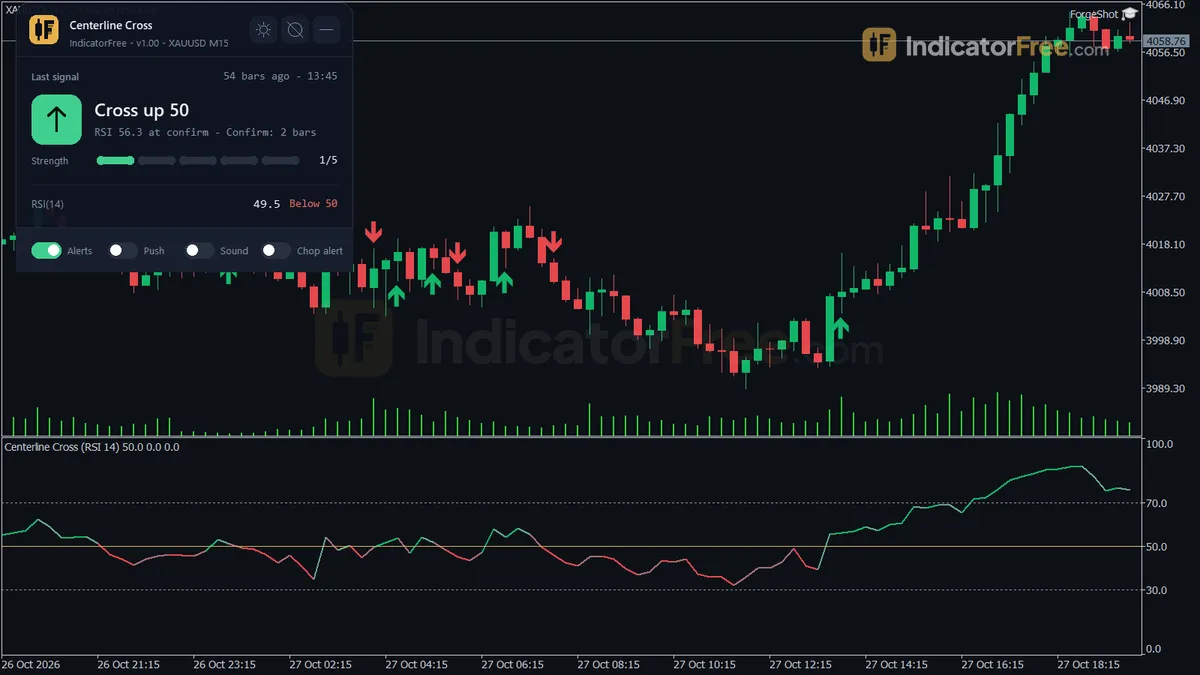
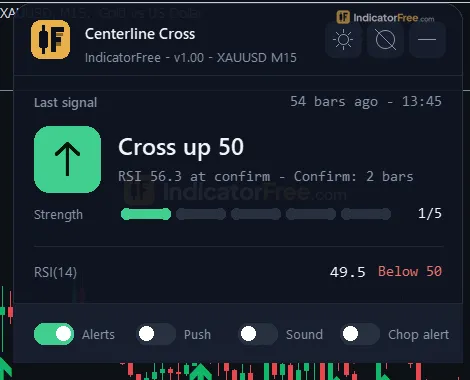
- Centerline panel: shows the last confirmed cross and its age, the current RSI and its distance to 50, and the number of raw 50 crosses in the lookback window, with a CHOP flag. It also shows which side of 50 the RSI is on for up to 3 higher timeframes.
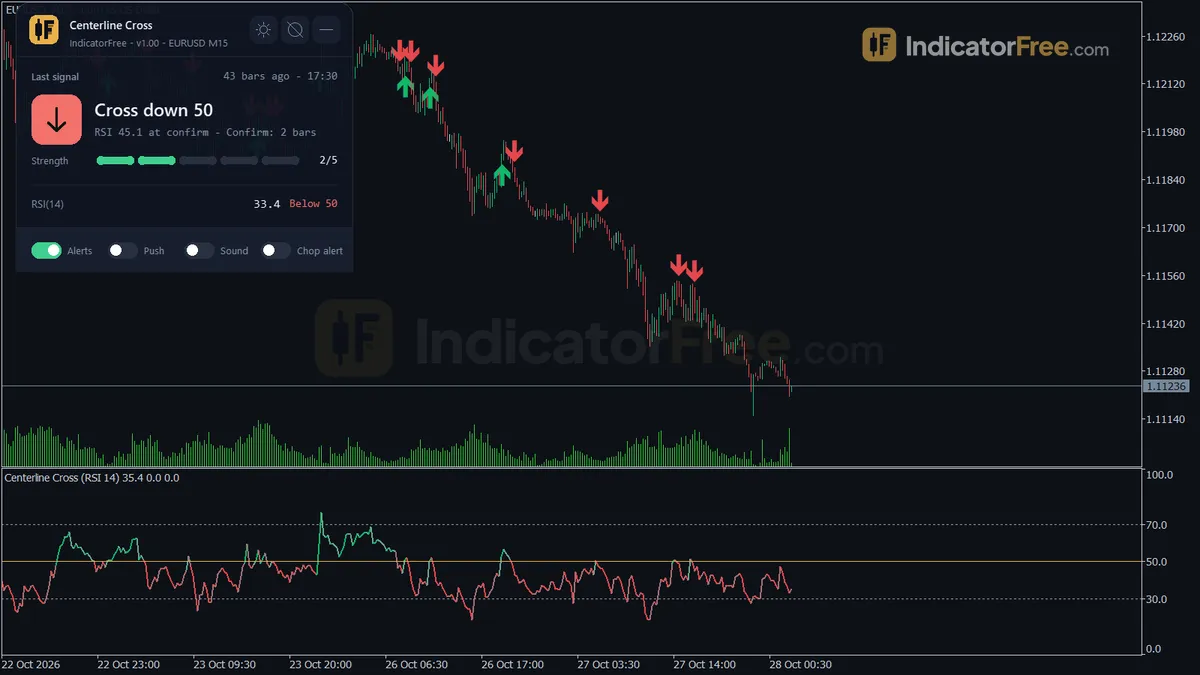
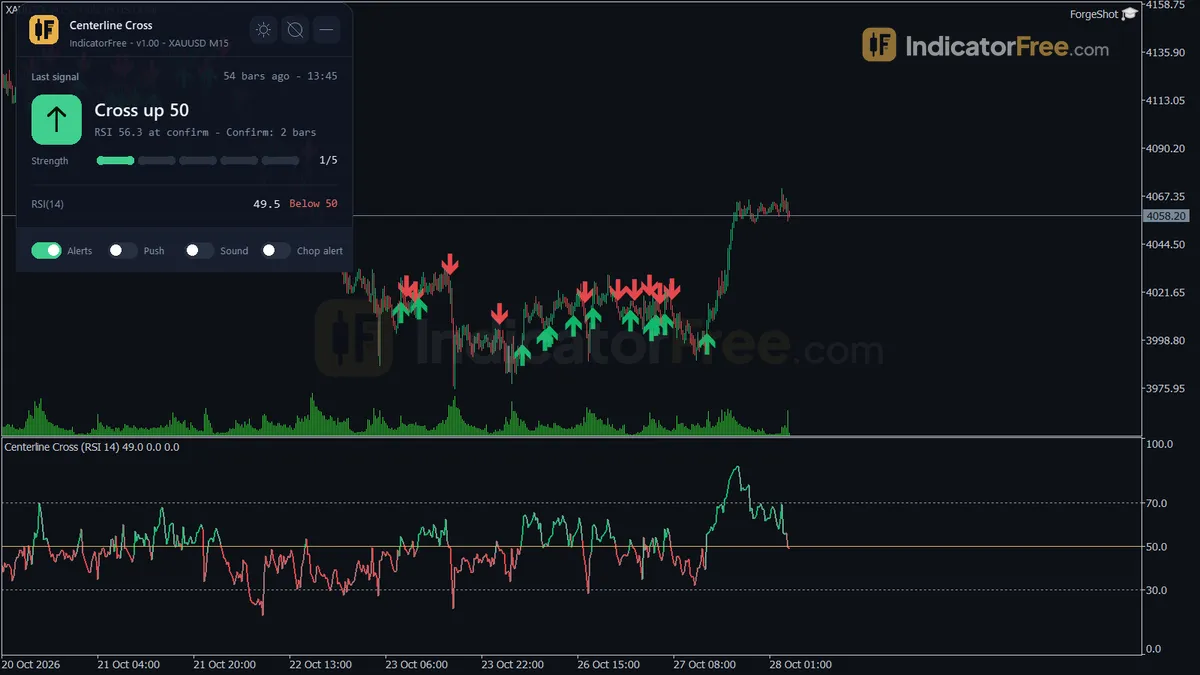
The figure shows why the confirmation step matters. Raw crosses that fall straight back get no arrow. A cross that holds gets one.
How the Lab tested it
The Lab ran version 1.00 on MT5 build 6230 on 2026-10-05. Test setup:
- Symbol / timeframe: EURUSD, M15
- Period: 2026-07-06 to 2026-10-02
- Tick data: real ticks from Raw Trading Ltd
- Signals logged: 772
- Signals that changed afterwards: 0
- Largest arrow delay: 0 bars
What these numbers mean for you
0 of 772 signals changed. In the Lab's EURUSD M15 test, every arrow on history was the arrow you would have got live. The indicator did not move, add or delete arrows after the fact, so a visual backtest on that setup was not flattered by hindsight.
0 bars of arrow delay. Each arrow appeared on the bar that confirmed it, not one or more bars later. The only wait is the one you choose with ConfirmBars.
What the test does not tell you. The Lab measured whether the signals were stable. It did not measure what price did after them. A signal that doesn't repaint can still lose money, so treat the arrows as a direction filter that you combine with your own entry and exit plan.
How it works
- 1Calculates RSI from closing prices using Wilder smoothing.
RSI = 100 - 100 / (1 + AvgGain / AvgLoss)Inputs: RSIPeriod - 2Colours the line by side of 50 and whether RSI is moving away from 50.
Above 50 or below 50 | growing if abs(RSI - 50) increases - 3Counts consecutive bars on the same side of 50 and signals when the run reaches the confirm count.
Signal when run of bars above (or below) 50 = ConfirmBarsInputs: ConfirmBars, ShowChartArrows, ArrowHistoryBars - 4Counts raw 50 crosses over the lookback and flags chop when they reach the threshold.
Chop if crosses of 50 in StatsLookbackBars >= ChopCrossThresholdInputs: StatsLookbackBars, ChopCrossThreshold - 5Shows RSI of three other timeframes using the same period, and optional overbought and oversold bands.
RSI on each timeframe from its recent closesInputs: MTF1, MTF2, MTF3, ShowExtremeBands
Specifications
- Platform
- MetaTrader 5
- Version
- 1.00
- Type
- Indicator
- Window
- Separate window
- Draws
- 1 line, 2 arrows, 1 panel
- Alerts
- popup, push, sound
- Repaints
- No (0 of 772 signals changed)
- Inputs
- 20
- Tested on
- MT5 build 6230 · 2026-10-05
Repaint test
No repaint detected. In a 6 Jul 2026 – 2 Oct 2026 test on EURUSD M15 (Raw Trading Ltd real ticks), 772 signals were logged at bar close and re-read at the end of the test: 0 changed. Arrows print on the bar that closes the signal, with no delay.
IndicatorFree — tested 2026-10-05 · MT5 build 6230 · Raw Trading Ltd real ticks. Results come from historical data, not live trading, and do not guarantee future results.
What it draws
- A line (RSI Line) from buffer 0.
- Arrows (Cross Up) from buffer 2, drawn on the closed bar.
- Arrows (Cross Down) from buffer 3, drawn on the closed bar.
- An on-chart panel (Centerline); values shown in the panel are not exposed as buffers.
Inputs
| Input | Default | What it does |
|---|---|---|
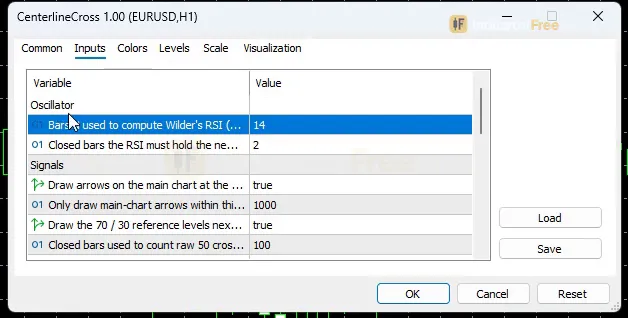
| RSIPeriod | 14 | Bars N used to compute Wilder's RSI (5-50) |
| ConfirmBars | 2 | Closed bars the RSI must hold the new side of 50 to confirm a cross (1 = no filter, 1-5) |
| ShowChartArrows | true | Draw arrows on the main chart at the bar that confirms a 50 cross |
| ArrowHistoryBars | 1000 | Only draw main-chart arrows within this many recent bars |
| ShowExtremeBands | true | Draw the 70 / 30 reference levels next to the 50 centerline |
| StatsLookbackBars | 100 | Closed bars used to count raw 50 crosses (panel + chop alert, 20-500) |
| ChopCrossThreshold | 6 | Raw 50 crosses in the lookback window that flag CHOP (3-30) |
| EnableAlertPopup | true | Popup alert on a new confirmed 50 cross |
| EnableAlertPush | false | Push notification on a new confirmed 50 cross |
| EnableAlertSound | false | Sound alert on a new confirmed 50 cross |
| EnableChopAlert | false | Also alert when raw crosses reach ChopCrossThreshold |
| AlertSoundFile | alert.wav | Sound file played on alert |
| ShowMTFPanel | true | Show the RSI side of 50 on higher timeframes in the panel |
| MTF1 | M15 | Higher timeframe 1 (skipped if not above the chart timeframe) |
| MTF2 | H1 | Higher timeframe 2 (skipped if not above the chart timeframe) |
| MTF3 | H4 | Higher timeframe 3 (skipped if not above the chart timeframe) |
| ShowDashboard | true | Show the on-chart status panel |
| PanelScale | 1 | Panel size multiplier (DPI is applied automatically) |
| Theme | Dark | Chart color theme |
| RestoreTheme | true | Restore the original chart colors when removed |
How to read it
Install: copy the 94.5 KB file into your terminal's MQL5/Indicators folder, refresh the Navigator and drag Centerline Cross onto a chart.
Reading the RSI line against 50
Above 50 is a bullish lean and below 50 is a bearish lean. The 70 / 30 levels are context only, and no arrows fire from them.
Reading Cross Up and Cross Down arrows
A Cross Up needs three things. The previous bar's RSI must be at or below 50. A bar must then close with RSI above 50. After that, RSI must stay above 50 for ConfirmBars closed bars in a row, and the cross bar counts as the first of those bars. So with ConfirmBars 2 the arrow lands on the bar after the cross, and with ConfirmBars 1 it lands on the cross bar itself. Cross Down is the mirror image below 50.
Common misread: the RSI line pokes through 50, no arrow appears, and you assume the tool missed or deleted a signal. Neither happened. It was a raw cross that did not hold for ConfirmBars bars. You can check this in the panel's raw-cross count, which includes these crosses even though they get no arrow.
Reading the Centerline panel
The mock-up below shows what the panel reports.
- Last confirmed cross: its direction, how many bars ago it fired, and an origin tag that shows whether the move started from the overbought or the oversold side. A large age means the current RSI side has held for a long time.
- Current RSI and distance to 50: a reading close to 50 means the next cross could come soon.
- Raw crosses and CHOP: the number of raw 50 crosses in the last StatsLookbackBars closed bars. When that number reaches ChopCrossThreshold (default 6 in 100 bars), the panel shows CHOP. That means RSI keeps flipping across 50 in this window. The Lab has not measured how arrows perform under CHOP.
- Higher timeframes: which side of 50 the RSI is on for MTF1–MTF3. A timeframe that is not above your chart's timeframe is skipped.
Inputs to change first
| Input | Default | What changing it does |
|---|---|---|
| ConfirmBars | 2 | Range 1–5. Higher values give fewer, later arrows and filter out more whipsaws. At 1 there is no filter. |
| RSIPeriod | 14 | Range 5–50. A shorter period makes RSI cross 50 more often, and a longer one makes it cross less often. |
| ChopCrossThreshold | 6 | Range 3–30. Lower it to get the CHOP warning sooner. |
| StatsLookbackBars | 100 | Range 20–500. The window of closed bars used for the raw-cross count. |
| MTF1 / MTF2 / MTF3 | M15 / H1 / H4 | The higher timeframes listed in the panel. Set them above your chart timeframe or they are skipped. |
| ArrowHistoryBars | 1000 | How far back main-chart arrows are drawn. ShowChartArrows turns them off entirely. |
The display inputs are ShowExtremeBands, ShowDashboard, ShowMTFPanel, PanelScale and Theme. Theme recolours the chart. RestoreTheme is on by default and puts your original colours back when you remove the indicator.
Alerts and where they appear
Alerts fire on each new confirmed cross. Raw crosses do not trigger them.
- Popup (EnableAlertPopup) is on by default and appears in the terminal's alert window.
- Push (EnableAlertPush) is off by default. The mobile FAQ below explains how it reaches your phone.
- Sound (EnableAlertSound) is off by default and plays AlertSoundFile (
alert.wav). - Chop alert (EnableChopAlert) is off by default. When on, it also alerts when the raw-cross count reaches ChopCrossThreshold.
A decision rule for each arrow
This rule is a starting framework. The Lab has not tested it.
- Take a Cross Up only if the panel shows no CHOP flag and the higher-timeframe rows are above 50. Skip it if the nearest higher timeframe is below 50.
- Take a Cross Down only if there is no CHOP flag and the higher-timeframe rows are below 50.
- Enter at the open of the bar after the arrow. The arrow only appears once its bar has closed.
- Exit or tighten when an opposite confirmed arrow prints or CHOP appears (untested by the Lab).
- Stand aside while CHOP is showing, even when a fresh arrow prints. CHOP means raw 50 crosses in the last StatsLookbackBars bars have reached ChopCrossThreshold.
Installation
- 1Download CenterlineCross.ex5 from the button above (Google Drive).
- 2In MetaTrader 5: File → Open Data Folder → MQL5 → Indicators. Copy CenterlineCross.ex5 there.
- 3Restart MT5 or right-click Indicators in Navigator → Refresh.
- 4Drag Centerline Cross onto a chart. For push alerts, enable "Allow push notifications" under Tools → Options → Notifications.
- Tested on MT5 build 6230.
Key terms and guides
- Trade setup
- A trade setup is the full set of conditions that must be in place before you enter a trade: the market context, a price area, an entry trigger, a stop-loss level and a target, all decided in advance.
- RSI
- RSI (Relative Strength Index) is a momentum line from 0 to 100 that compares the size of recent gains with recent losses. Traders use it to spot overbought and oversold moves and to see when momentum is fading.
- Centerline cross
- A centerline cross happens when an oscillator such as RSI, Stochastic, CCI or MACD moves from one side of its middle value (50 or 0) to the other. It signals that momentum has switched from bearish to bullish, or the reverse.
- Backtest
- A backtest runs a trading strategy's rules over past price data to show how it would have traded: how many trades it took, how much it made or lost, and how deep the losing streaks went.
- Choppiness index
- The Choppiness Index (CHOP) is a 0–100 indicator that tells you whether a market is trending or moving sideways. High readings mean choppy, range-bound price. Low readings mean a directional move, but the indicator never says which direction.
- Trend
- A trend is the main direction price keeps moving in over a period. In an uptrend price makes higher highs and higher lows. In a downtrend it makes lower highs and lower lows.
More on this subject: Trend & moving averages guide, terms and tools
User reviews
No reviews yet. Members who download the tool can review it here.
Sign in and download the tool to review it.
Build a checklist with it
Centerline Cross does one job on the chart: entry signal. Put it on the same chart as the tools below and the IndicatorFree panels merge into one checklist card, ordered trend, zone, signal, risk.
- Trend / contextADXCenterline Cross tells you when; this tells you which way the market leans, so you can skip signals against it.
- Zone / levelAnchored VWAPShows the zones and levels, so you can see whether a signal from Centerline Cross fires at a level worth trading.
The Lab has not tested these combinations. Each tool is tested on its own; the card only lines up what each one says. Free members get 2 new tools a day. If one has to wait until tomorrow, install BlackBox to raise the limit to 5 a day (20 on a live account).
FAQ
Does Centerline Cross repaint?
No repaint detected. In a 6 Jul 2026 – 2 Oct 2026 test on EURUSD M15 (Raw Trading Ltd real ticks), 772 signals were logged at bar close and re-read at the end of the test: 0 changed. Arrows print on the bar that closes the signal, with no delay.
Can I use Centerline Cross in an EA?
Yes. Read buffer 2 (Cross Up) with iCustom() on bar 1 — the last closed bar.
Why can’t my EA read the zones?
Zones and the panel are chart objects, not indicator buffers, so iCustom() does not return them.
How do I get alerts on my phone?
Enter your MetaQuotes ID under Tools → Options → Notifications, tick "Enable push notifications", and keep the push alert input on.
Why does it open in a separate window?
It plots values on their own scale, so MT5 draws it below the price chart.
Does it work on other pairs?
Tested on EURUSD only; other symbols not tested.
Is there an MT4 version of Centerline Cross?
No. This file is built for MT5 only and will not load in MT4. The Lab tested it on MT5 build 6230.
Can I use it on MT5 for Android or iPhone?
The mobile MT5 apps cannot load custom indicators. Run it on a desktop or VPS terminal, set up notifications in that terminal and turn on EnableAlertPush. Each confirmed cross will then reach the MT5 app on your phone.
Can I automate it in an Expert Advisor?
Yes. It exposes confirmed-cross buffers for iCustom: buffer 0 is the RSI Line, buffer 2 is Cross Up and buffer 3 is Cross Down. Read them on closed bars so your EA sees the same signals as the chart.
Does setting ConfirmBars to 1 make the arrows repaint?
It shouldn't: crosses are still judged on closed bars. The Lab's repaint test ran on the default settings, so ConfirmBars 1 has not been verified.
Changelog
- 1.00Initial release: Wilder RSI(14) centerline (50-level) cross indicator for MT5 with a ConfirmBars whipsaw filter, confirmed-cross buffers for iCustom, trend-age counter, overbought/oversold origin tag, optional chop. · 2026-10-09
Final verdict
Verdict: a signal that stays put, not a full strategy
Centerline Cross does one job and does it cleanly. It tells you when RSI has really changed sides of 50, and the Lab's repaint test shows that its arrows stay where they were drawn.
Three features go beyond a plain RSI:
- the ConfirmBars whipsaw filter
- the CHOP warning, which tells you when 50 crosses have stopped meaning much
- the higher-timeframe rows, so you don't have to keep switching charts
Where it falls short
- No outcome data. The Lab tested stability, not results. Nothing here says the arrows make money.
- One market tested. The repaint check covered EURUSD M15 only. Other symbols and timeframes should behave the same way mechanically, but the Lab has not verified that.
- Built-in lag. A 50 cross already comes after the turn in price, and confirmation adds more. With ConfirmBars 2 you are at least one closed bar behind the cross.
- CHOP only warns. The flag tells you RSI is flipping. Standing aside is still your call.
When to use it and when to skip it
- –You trade with the trend and want RSI as a direction filter
- –You decide on closed bars and can wait for confirmation
- –You want to backtest by eye on arrows that don't move
- –You want confirmed-cross buffers to read in your own EA
- –You scalp and need entries inside the bar
- –You trade 70 / 30 reversals, not 50 crosses
- –Your market spends most of its time in tight ranges
Settings to start with
Start on the defaults (RSIPeriod 14, ConfirmBars 2) on M15, the setup the Lab ran. Adjust from there:
- On M5 or faster charts, try ConfirmBars 3 to filter out more whipsaws. This is an untested starting point, so compare it with the default on your own history.
- On an H1 chart, the default MTF1 (M15) and MTF2 (H1) are skipped. Try MTF1 H4, MTF2 D1 and MTF3 W1 so all three rows show. This is also untested.
- If you trade ranging pairs, turn on EnableChopAlert so you get an alert when it's time to step back.