Anchored VWAP
Free Anchored VWAP indicator for MT5: up to 3 anchors, volume-weighted bands, cross alerts and a status panel. Lab-checked on MT5 build 6230.
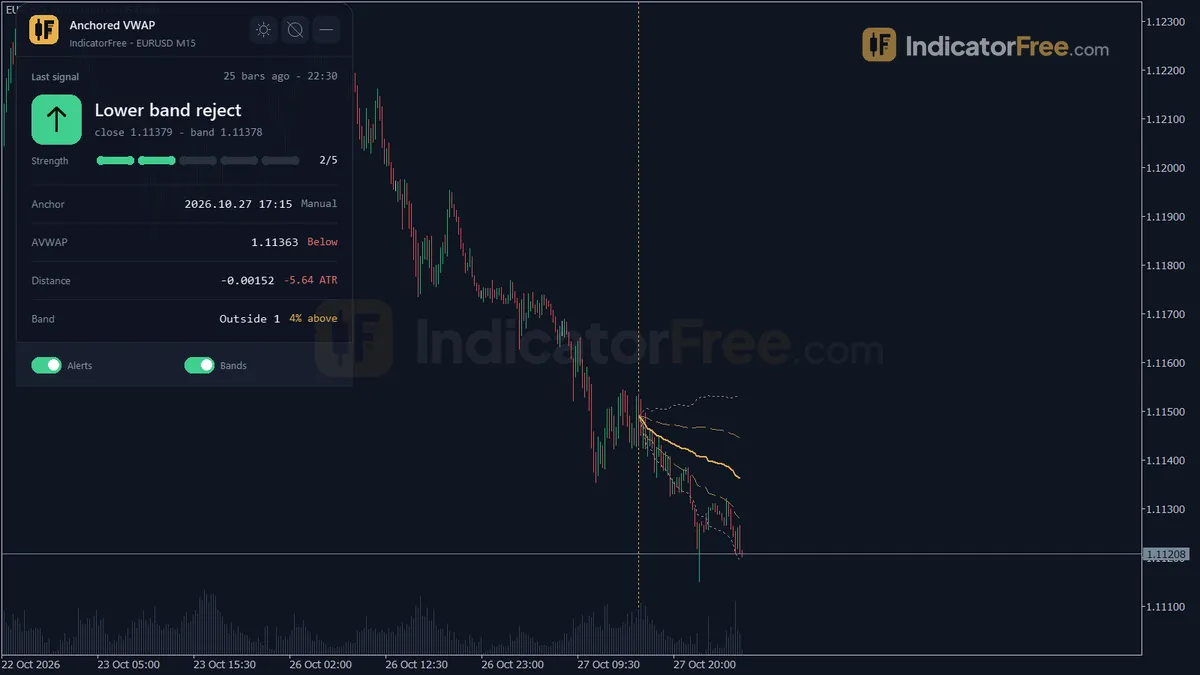
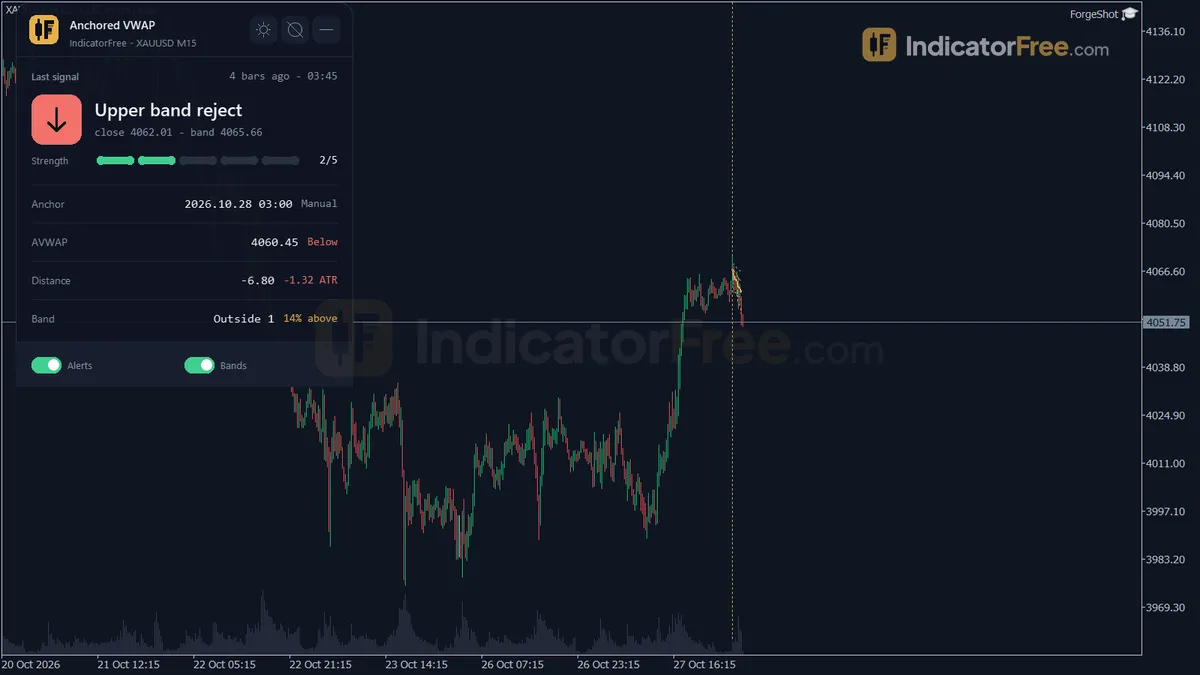
- Repainted
- Not tested
- Signals / week
- —
- Tested on
- —
- Tested
- 2026-10-09
Overview
Anchored VWAP is a free MT5 indicator for traders who want to see, from one chosen event onward, whether the average buyer or seller is in profit and how far price has moved from that average. It draws the anchored VWAP on the main price chart and was tested on MT5 build 6230 (2026-10-09). This is the volume-weighted average price, counted from a bar you pick, with two standard-deviation bands around it. The anchor can be a swing high or low, the start of the session, week or month, a fixed date, or a line you drag. One caveat: the Lab's repaint check on EURUSD M15 logged no signals, so there is no repaint figure yet.
What it draws on your chart
VWAP averages price by volume, so heavy bars count more than quiet ones. Anchoring only sets the bar where that averaging starts. Everything below is drawn on the price chart, not in a subwindow:
- Anchored VWAP (AVWAP 1): the main line, set by
AnchorMode. - Upper / Lower Band 1: the inner band. It sits
BandMultiplier1volume-weighted standard deviations from AVWAP 1 (default 1). - Upper / Lower Band 2: the outer band at
BandMultiplier2deviations (default 2). - AVWAP 2 and AVWAP 3: optional extra lines, each with its own automatic anchor. By default these are the week start and the month start. Both are off until you turn them on.
- Anchor Line: a vertical line on each active anchor bar. It moves when the anchor changes and is deleted when you turn that anchor off or remove the indicator.
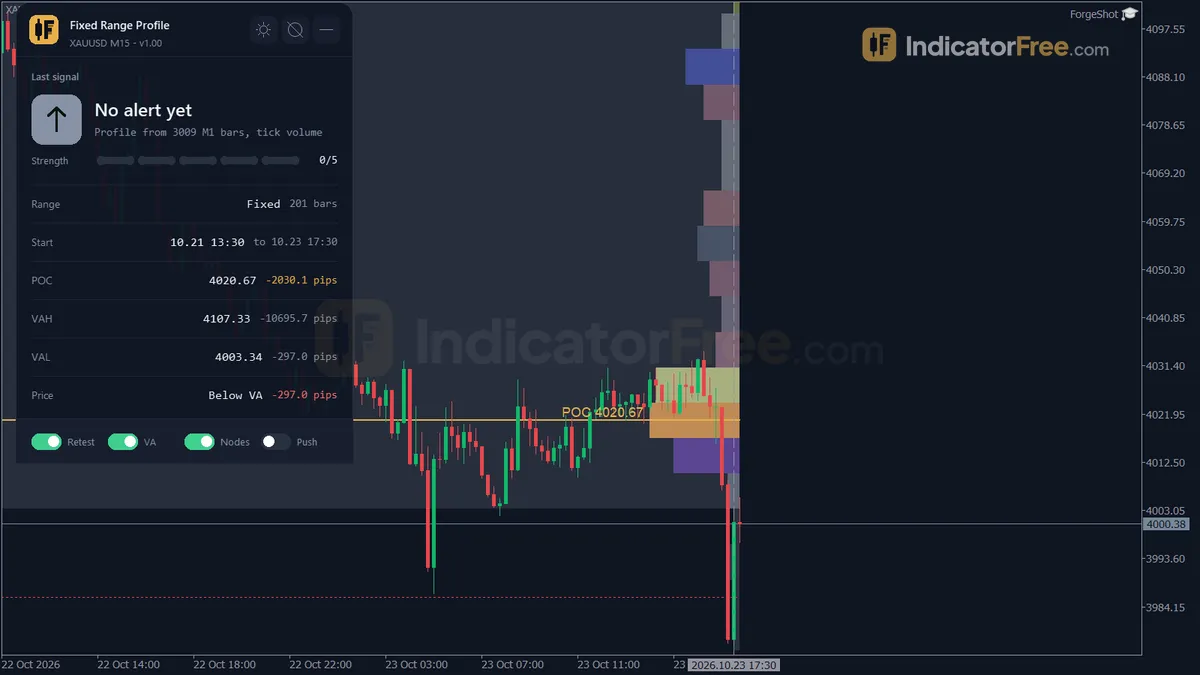
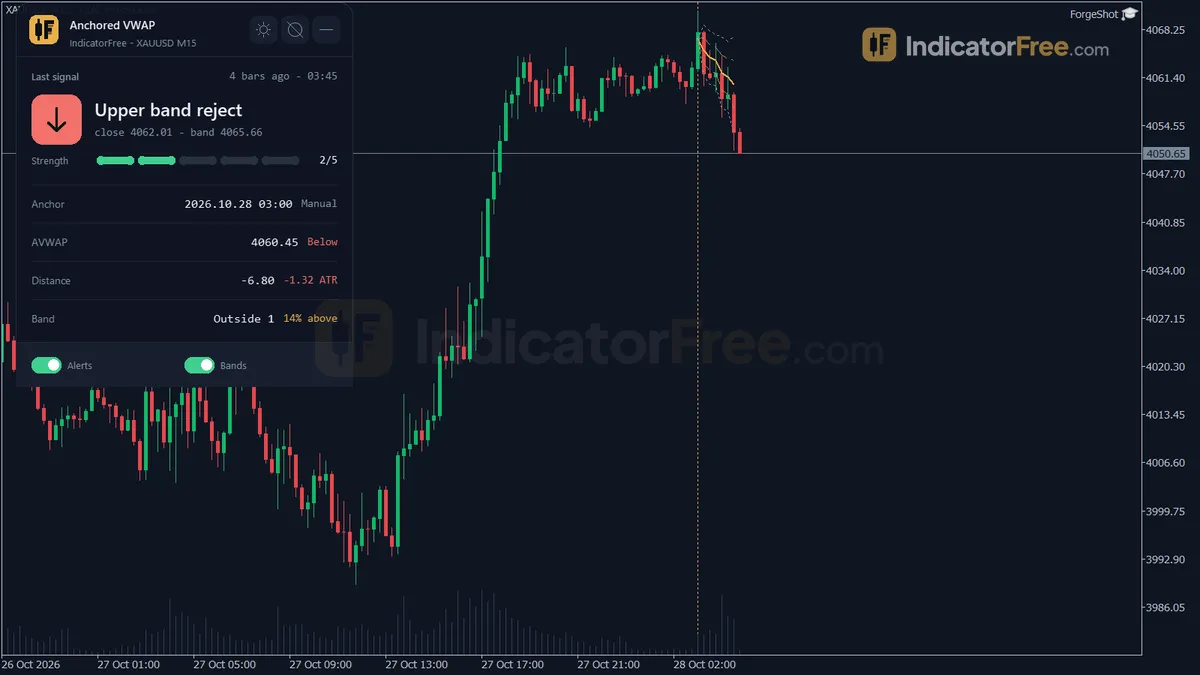
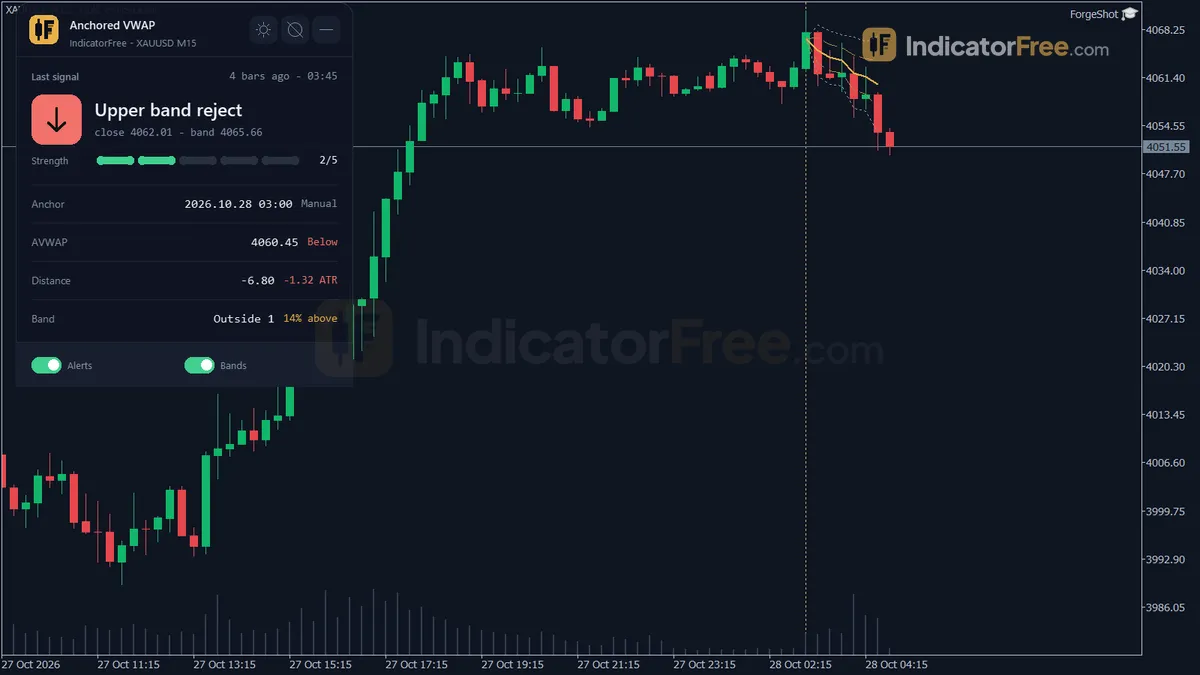
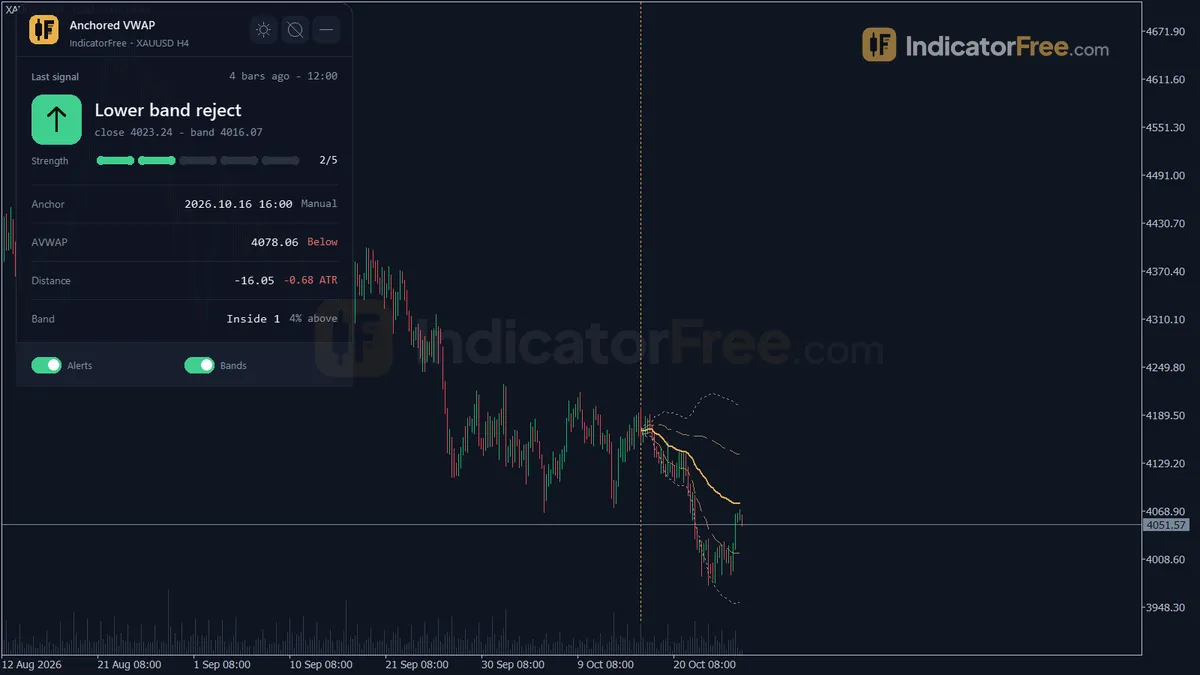
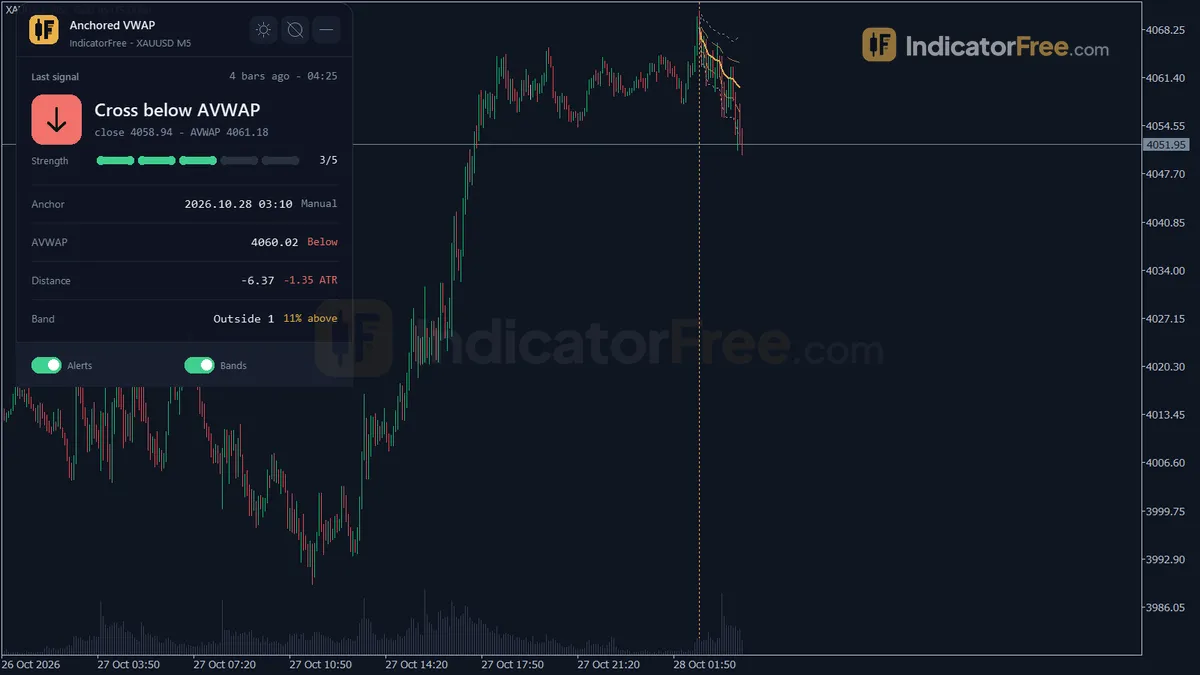
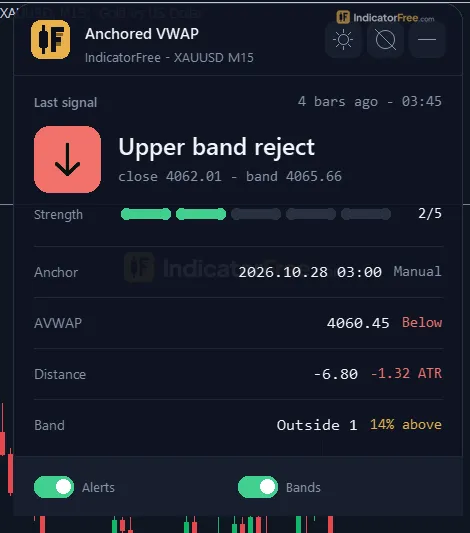
- AVWAP Status panel: shows the last cross or band-touch signal, the anchor time and mode, the AVWAP value and bias, and the distance in price and in ATR. It also shows the band position with the % of closes above AVWAP, plus the number of crosses and bars since the anchor.
The chart below is an illustration of a typical signal, with the anchor on a swing high. Bar 15 pokes through the line but closes below it, so it fires nothing. Bar 16 closes above it, and that is the cross the alert reports.
What the Lab checked and what it means for you
- Build and file: version 1.00 (108.3 KB) was tested on 2026-10-09 on MT5 build 6230.
- Repaint check: EURUSD M15, 2026.07.09 to 2026.10.08. The Lab records each signal as it fires live, then compares it with the same bars after recalculation; changed or vanished signals count as repaints. Result: no signals were logged.
The Lab ran the indicator on a current build, but the test window gave it no signals to compare before and after. That means there is no count of changed signals, and no number showing where price went after a cross or a band touch. Treat both alerts as prompts to look at the chart, not as tested entries.
Who gets the most from it
It suits traders who already frame the market as "since this swing" or "since Monday": intraday traders watching the session or week average, and swing traders who anchor on the last major high or low. If you want an arrow that tells you when to trade, this is the wrong kind of tool.
How it works
- 1Anchor: a manual line, a fixed date, the swing high or low of the lookback, or period start.
Swing anchor = highest High or lowest Low of last SwingLookbackBars barsInputs: AnchorMode, AnchorDate, SwingLookbackBars, MaxBarsBack - 2Averages typical price weighted by volume from the anchor to the current bar.
VWAP = sum(Typical x Volume) / sum(Volume) | Typical = (High + Low + Close) / 3Inputs: VolumeSource - 3Builds bands around VWAP from the volume-weighted standard deviation of typical price.
Band = VWAP +/- multiplier x standard deviationInputs: ShowBands, BandMultiplier1, BandMultiplier2, ShowSecondBand - 4Marks when the close crosses VWAP, and when price touches the first band and closes back inside.
Cross: Close moves from one side of VWAP to the other | touch: Low <= Lower band and Close > Lower band - 5Can run two more VWAPs from week, month or other period starts.
Same VWAP restarted at each period startInputs: EnableAnchor2, Anchor2Mode, EnableAnchor3, Anchor3Mode
Specifications
- Platform
- MetaTrader 5
- Version
- 1.00
- Type
- Indicator
- Window
- Main chart
- Draws
- 7 lines, 1 zone, 1 panel
- Alerts
- popup, push, sound
- Repaints
- not tested
- Inputs
- 23
- Tested on
- MT5 build 6230 · 2026-10-09
Repaint test
Repaint: not tested. This indicator draws line, zone, panel, which the IndicatorFree harness cannot read through iCustom().
IndicatorFree — tested 2026-10-09 · MT5 build 6230. Results come from historical data, not live trading, and do not guarantee future results.
What it draws
- A line (Anchored VWAP) from buffer 0.
- A line (Upper Band 1) from buffer 1.
- A line (Lower Band 1) from buffer 2.
- A line (Upper Band 2) from buffer 3.
- A line (Lower Band 2) from buffer 4.
- A line (AVWAP 2) from buffer 5.
- A line (AVWAP 3) from buffer 6.
- Rectangles (Anchor Line) drawn as chart objects, not buffers — they are not readable by iCustom() in an EA.
- An on-chart panel (AVWAP Status); values shown in the panel are not exposed as buffers.
Inputs
| Input | Default | What it does |
|---|---|---|
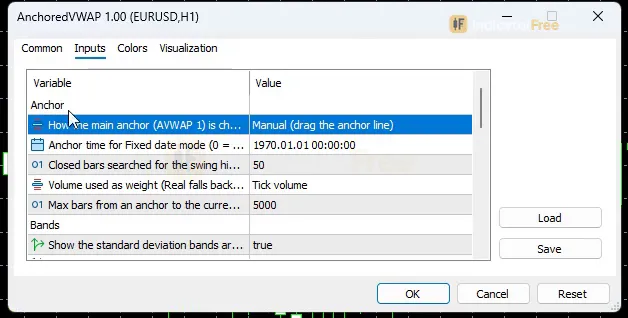
| AnchorMode | Manual (drag the anchor line) | How the main anchor (AVWAP 1) is chosen |
| AnchorDate | 0 | Anchor time for Fixed date mode (0 = today 00:00 server time) |
| SwingLookbackBars | 50 | Closed bars searched for the swing high / low anchor (10-500) |
| VolumeSource | Tick volume | Volume used as weight (Real falls back to Tick if the broker sends none) |
| MaxBarsBack | 5000 | Max bars from an anchor to the current bar (500-20000); older anchors are clamped |
| ShowBands | true | Show the standard deviation bands around AVWAP 1 |
| BandMultiplier1 | 1 | Inner band: AVWAP +/- k1 volume-weighted standard deviations (0.1-5.0) |
| BandMultiplier2 | 2 | Outer band: AVWAP +/- k2 volume-weighted standard deviations (0.1-5.0) |
| ShowSecondBand | true | Also show the outer band |
| EnableAnchor2 | false | Draw a second AVWAP from its own automatic anchor |
| Anchor2Mode | Week start (first bar since Monday) | How anchor 2 is chosen |
| EnableAnchor3 | false | Draw a third AVWAP from its own automatic anchor |
| Anchor3Mode | Month start (first bar of the month) | How anchor 3 is chosen |
| AlertOnCross | true | Alert when a closed bar crosses AVWAP 1 |
| AlertOnBandTouch | false | Alert when a wick reaches the inner band and the bar closes back inside |
| EnablePopup | true | Popup alert |
| EnablePush | false | Push notification to the MT5 mobile app |
| EnableSound | false | Play a sound with the alert |
| SoundFile | alert.wav | Sound file in the MT5 Sounds folder |
| ShowPanel | true | Show the status panel |
| PanelScale | 1 | Panel size multiplier (DPI is applied automatically) |
| Theme | Dark | Chart color theme |
| RestoreTheme | true | Restore the original chart colors when the indicator is removed |
How to read it
Install it in one line
Copy the file into MQL5\Indicators, refresh the Navigator and drag Anchored VWAP onto a chart. In the default Manual mode, drag the vertical Anchor Line to the bar you want to measure from.
Choose the anchor before anything else
The anchor decides what question the line answers, so set AnchorMode first.
| Anchor | Question it answers | Input that controls it |
|---|---|---|
| Manual (drag the line) | Since the bar I chose (news spike, breakout), who is in profit? | Drag the Anchor Line |
| Session / Week / Month start | Is price above the average paid this session, week or month? | AnchorMode, Anchor2Mode, Anchor3Mode |
| Swing High / Swing Low | Are traders who bought (or sold) since the last swing still in profit on average? | SwingLookbackBars: closed bars searched, 10-500, default 50 |
| Fixed date | What is the average since a date I care about? | AnchorDate (0 = today 00:00 server time) |
A larger SwingLookbackBars searches more closed bars (10-500) for the swing high/low anchor.
To add more lines, set EnableAnchor2 and EnableAnchor3 to true. Each extra line uses its own automatic anchor from Anchor2Mode and Anchor3Mode.
How to read each line
- Bias Above / Bias Below: the close is above or below AVWAP 1. Price is above or below the volume-weighted average since the anchor.
- Inside the inner band: the close sits between Upper Band 1 and Lower Band 1, near its average.
- Outside 1: the close is beyond Band 1, stretched by more than
BandMultiplier1deviations. - Outside 2: the close is beyond Band 2, the far stretch.
- AVWAP 2 and AVWAP 3 are plain reference lines. The bands and both alerts are built on AVWAP 1 only.
The AVWAP Status panel adds the context a single bar can't give you.
What the alerts do
AlertOnCross(on by default): fires when a closed bar crosses AVWAP 1.AlertOnBandTouch(off by default): fires when a wick reaches the inner band and the bar closes back inside it.- Delivery: a popup on the terminal (
EnablePopup, on), a push notification to the MT5 mobile app (EnablePush, off), and a sound (EnableSound, off). The sound playsSoundFile, which defaults to alert.wav in the MT5 Sounds folder.
Here is how a band-touch alert forms, step by step:
- 1Anchor setManual line, session/week/month start, swing or fixed date
- 2Line and bands builtAVWAP 1 plus or minus k1 volume-weighted standard deviations
- 3Wick reaches the inner bandUpper Band 1 or Lower Band 1 is touched during the bar
- 4Bar closes back insideA close outside the band is Outside 1, not a touch
- 5Alert sentPopup, push or sound, whichever you enabled
Decision rules to use with the alerts
These rules are a starting framework; the Lab has not measured them (its test window logged no signals).
- Cross alert: look at the panel first. If the panel shows several crosses since the anchor and the % of closes above AVWAP is near 50%, skip the cross. A cross up counts for more when most closes since the anchor (the % above AVWAP) were below the line before it.
- Band-touch alert: treat it as a possible move back toward AVWAP 1 only when bias isn't one-sided. If recent closes keep landing Outside 1 on the same side, a trend is leaning on the band. Skip touches that go against it.
- Outside 2: price is far from its average. Avoid starting a new trade in the direction of the stretch there. Wait for a close back inside.
Three common misreads
- A wick is not a cross. Only a closed bar on the other side of AVWAP 1 fires the cross alert, as bar 15 vs bar 16 shows on the chart in the first tab.
- The line changes when the anchor changes. When you drag the Anchor Line, or a new swing, session, week or month resets the anchor, the whole line is recalculated from the new bar. Don't compare a line from today with a screenshot taken under an older anchor.
- Tick volume is not exchange volume.
VolumeSourcedefaults to Tick volume. Real volume falls back to Tick when your broker sends none, which is common on forex feeds. The weights then count price updates, not lots traded.
Installation
- 1Download AnchoredVWAP.ex5 from the button above (Google Drive).
- 2In MetaTrader 5: File → Open Data Folder → MQL5 → Indicators. Copy AnchoredVWAP.ex5 there.
- 3Restart MT5 or right-click Indicators in Navigator → Refresh.
- 4Drag Anchored VWAP onto a chart. For push alerts, enable "Allow push notifications" under Tools → Options → Notifications.
- Tested on MT5 build 6230.
Key terms and guides
- Volume weighted average
- A volume weighted average is a price average where each price counts in proportion to the volume traded at it. Its best-known form, VWAP, restarts every session and shows the average price paid so far that day.
- Wick
- A wick is the thin line above or below a candlestick's body. It marks the highest and lowest prices traded in that period that price could not hold until the candle closed.
- Swing high
- A swing high is a candle whose high is above the highs of the candles on both sides of it. It marks a peak where buyers stopped pushing and price turned lower, at least for a while.
- Lot size
- Lot size is the volume of a trade, counted in lots. In forex, one standard lot is 100,000 units of the base currency, and the lot size you choose sets how much money each pip of price movement is worth.
- News spike
- A news spike is a sudden, oversized price move right after a scheduled economic release, such as a central bank rate decision. It often prints one candle many times larger than the candles before it.
- Swing low
- A swing low is a candle whose low sits below the lows of the candles on both sides of it. It marks a turning point where selling stopped and price bounced, and traders use it as a floor for reading trend and placing stops.
More on this subject: Volume & order flow guide, terms and tools
User reviews
No reviews yet. Members who download the tool can review it here.
Sign in and download the tool to review it.
Build a checklist with it
Anchored VWAP does one job on the chart: zone / level. Put it on the same chart as the tools below and the IndicatorFree panels merge into one checklist card, ordered trend, zone, signal, risk.
- Trend / contextEMA Trend WallAdds the trend side: which way the market leans before you act on Anchored VWAP.
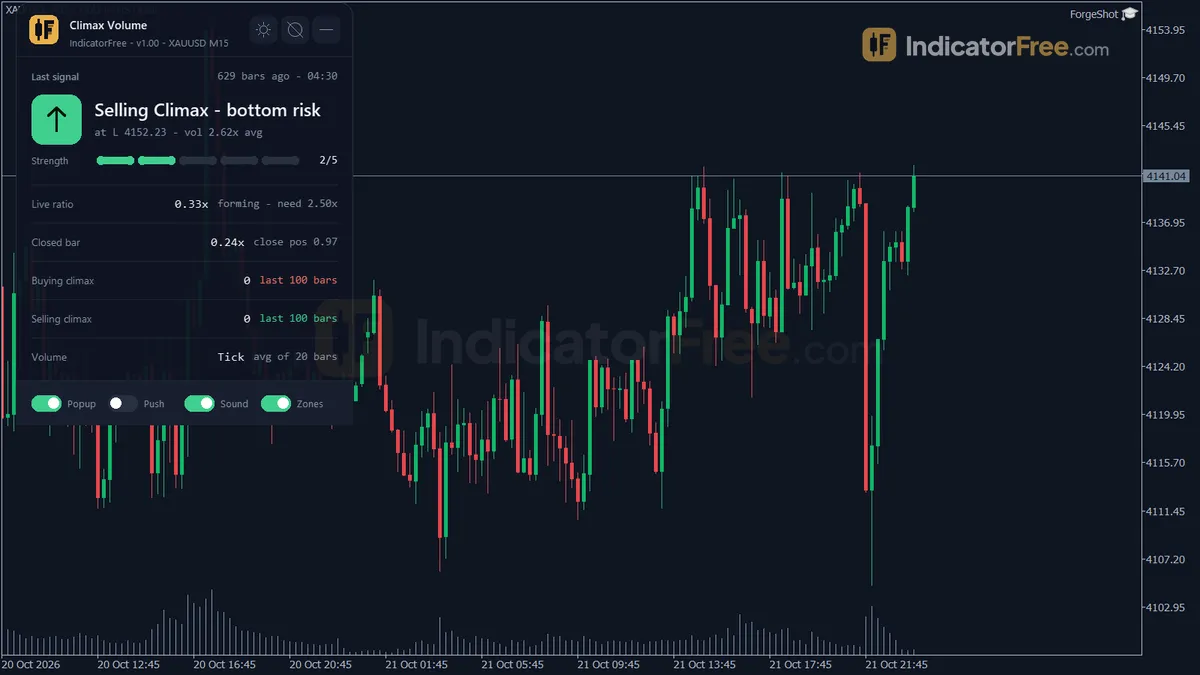
- Entry signalClimax VolumeAdds the entry signal: the moment to act once Anchored VWAP has set the scene.
The Lab has not tested these combinations. Each tool is tested on its own; the card only lines up what each one says. Free members get 2 new tools a day. If one has to wait until tomorrow, install BlackBox to raise the limit to 5 a day (20 on a live account).
FAQ
Does Anchored VWAP repaint?
Repaint: not tested. This indicator draws line, zone, panel, which the IndicatorFree harness cannot read through iCustom().
Why can’t my EA read the zones?
Zones and the panel are chart objects, not indicator buffers, so iCustom() does not return them.
How do I get alerts on my phone?
Enter your MetaQuotes ID under Tools → Options → Notifications, tick "Enable push notifications", and keep the push alert input on.
How do I remove the text box with the numbers on the chart?
That box is the AVWAP Status panel. Set ShowPanel to false to hide it, or lower PanelScale below 1 to make it smaller. The DPI adjustment happens automatically.
Why did my chart colors change when I added it?
The Theme input (default Dark) recolors the chart. With RestoreTheme left on true, your original colors come back when you remove the indicator.
Why doesn't my week or month line start on the real week or month start on M1 or M5?
MaxBarsBack (default 5000, range 500-20000) caps how far back an anchor can sit, and older anchors are clamped. On low timeframes such as M5 or M1, a month can hold more bars than the default 5000, so raise MaxBarsBack, up to its 20000 maximum. If the month start still sits further back than that, which can happen on M1, use the week anchor there instead.
How do I get the alerts on my phone?
Set EnablePush to true. The alert then goes to the MT5 mobile app linked to your terminal. Enter your MetaQuotes ID under Tools > Options > Notifications first. The terminal has to stay open, because the indicator sends the alert from there.
Which symbols and timeframes was it tested on?
The Lab ran it on EURUSD M15 from 2026.07.09 to 2026.10.08. Other symbols and timeframes are untested, so check how well the lines match the turns on your own chart before you trust them.
Changelog
- 1.00Initial release: Anchored VWAP indicator for MT5 with manual (drag), Session/Week/Month start, Swing High/Low and Fixed Date anchor modes, up to 3 simultaneous anchors, volume-weighted standard deviation bands. · 2026-10-09
Final verdict
Lab verdict: solid anchoring and bands, but no signal record yet
This tool is strongest at measuring. It lets you anchor by manual drag, session, week or month start, swing high, swing low, or a fixed date, and gives you up to three lines at once, two volume-weighted bands, and the AVWAP Status panel.
Its weak spot is proof. The only Lab result on its signals is an empty log, so nothing here shows that a cross or band touch leads anywhere.
What it cannot do:
- It doesn't give targets or stops.
- It doesn't build bands or bias around AVWAP 2 and 3.
- It can't tell you which anchor is the right one. That choice is yours, and a poor anchor gives a line that means little.
Use it when, skip it when
The split below sums up who should download it:
- –You can name the event you want to measure from (swing, session, week, month, news bar)
- –You want a mean line and stretch bands on the price chart
- –You use the panel as a filter for trades you already plan
- –You want entry arrows with a measured hit rate: there is none for this tool
- –You trade the cross alone, without checking crosses since the anchor
- –You need monthly anchors on M1: see the FAQ on MaxBarsBack
Settings to start with
None of the values below were tested by the Lab. Compare each one with the default before you rely on it.
- Intraday (M5-M15): set
AnchorModeto Session start and turn onEnableAnchor2with its default Week start. You then see today's and this week's average together. - Swing (H1-H4): set
AnchorModeto Swing Low or Swing High withSwingLookbackBars100 (default 50). Turn onEnableAnchor3for the month line. - Bands: keep
BandMultiplier11 andBandMultiplier22 until you have watched where your symbol usually turns. If price rarely reaches Band 2, try a lowerBandMultiplier2inside the allowed range of 0.1-5.0. - Alerts: leave
AlertOnBandTouchoff unless you trade pullbacks back toward the average. Otherwise it adds noise to the cross alert.
A pairing idea
Anchored VWAP weights every bar by volume, but it doesn't point out which bars carried unusual volume. For that, you could try Climax Volume next to it, as a separate read on unusually heavy bars, for example around a swing you use as an anchor. This is an idea to try: the Lab has not tested the pair.