CCI
Free CCI indicator for MT5: zone-colored CCI line, Buy/Sell and divergence arrows, alerts. Lab repaint test: 0 of 831 signals changed.
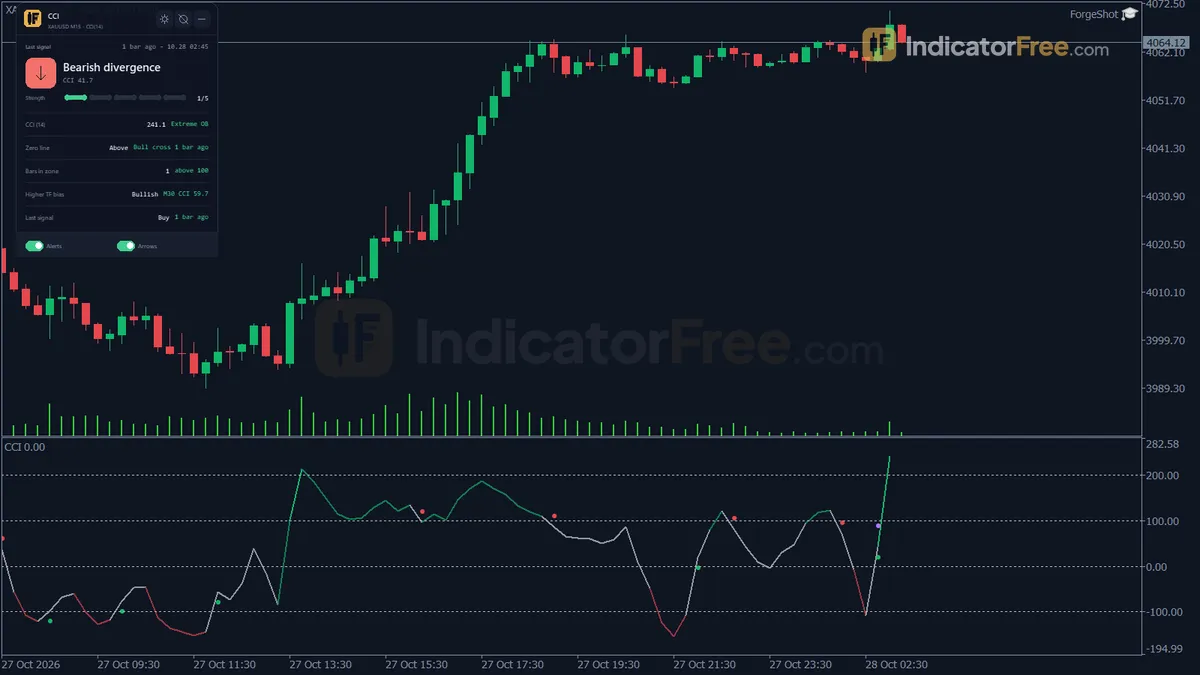
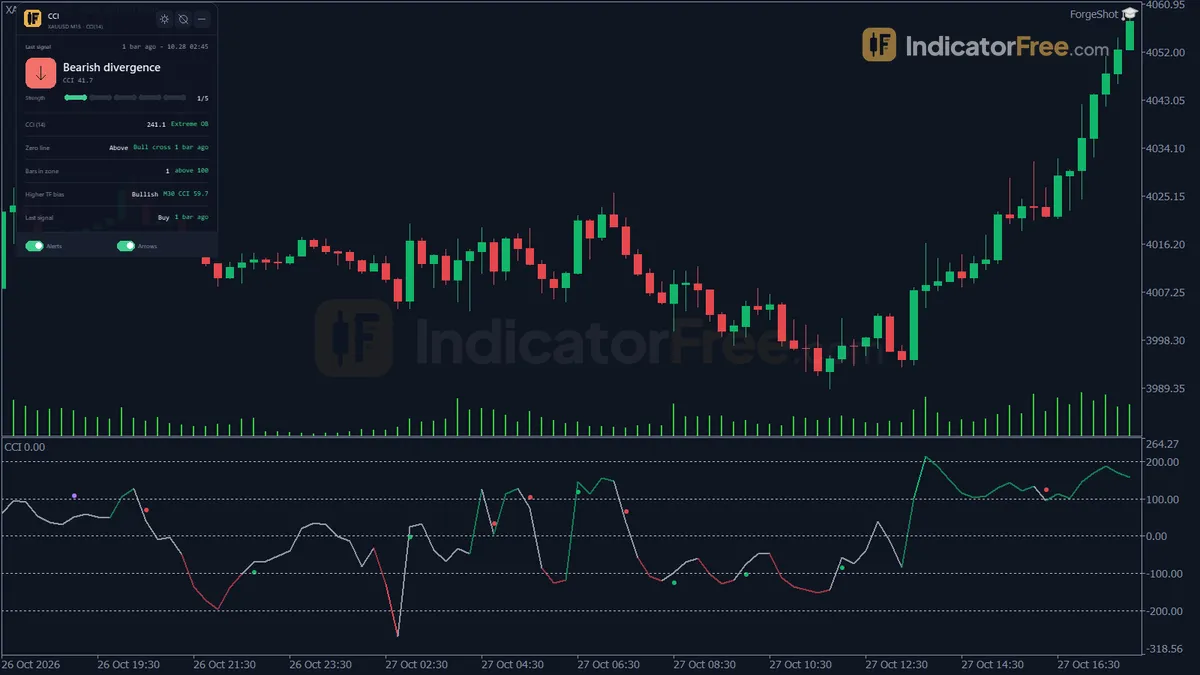
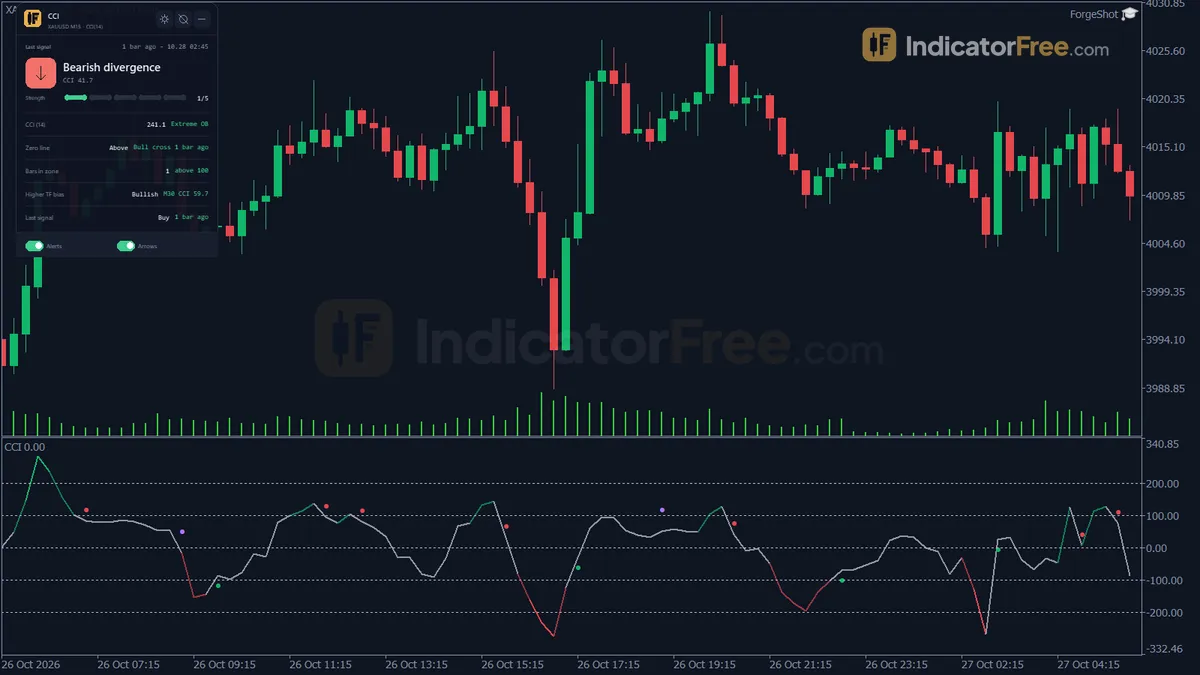
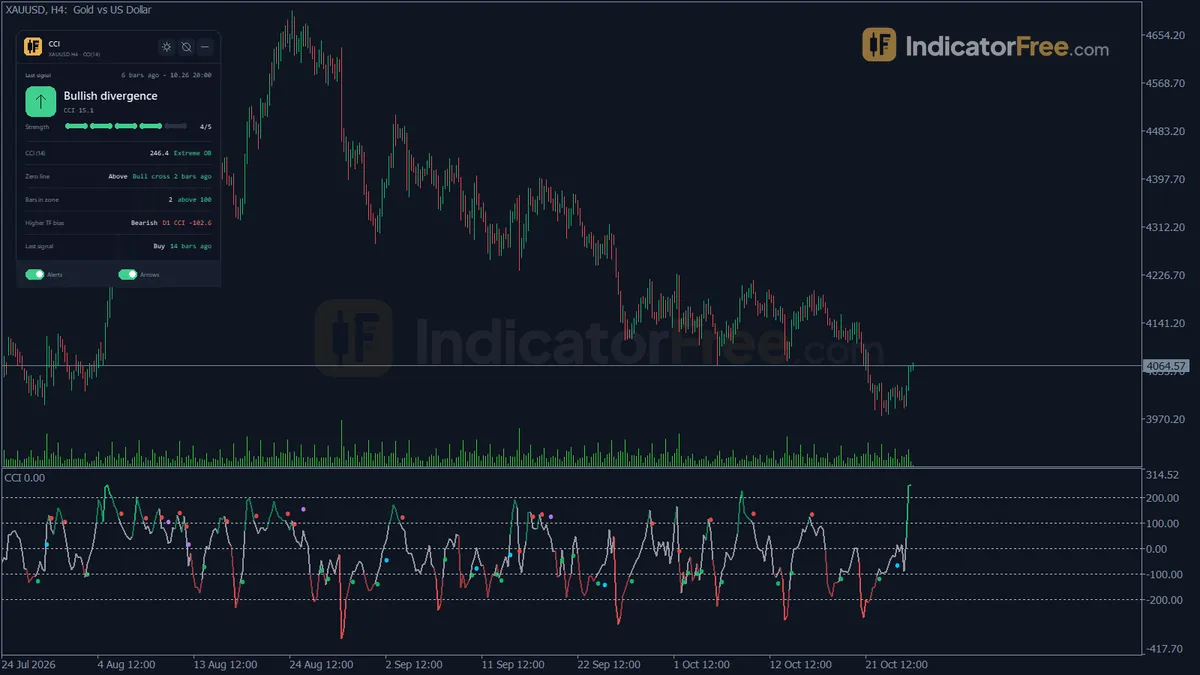
- Repainted
- 0 / 831
- Signals / week
- —
- Tested on
- EURUSD M15
- Tested
- 2026-10-09
Overview
The CCI indicator for MT5 is built for mean-reversion traders. It plots the Commodity Channel Index in its own window under your chart, colors the line by zone and prints Buy, Sell and divergence arrows. In the Lab's repaint test, 0 of 831 logged signals changed after they appeared, and no arrow came in later than the bar its condition was met on.
With it, the CCI reading, its alerts and a higher-timeframe check all sit on one chart.
What the CCI window draws
The Commodity Channel Index measures how far the typical price is from its own average, scaled by its mean deviation over the last InpCCIPeriod bars. This build uses the classic Lambert calculation.
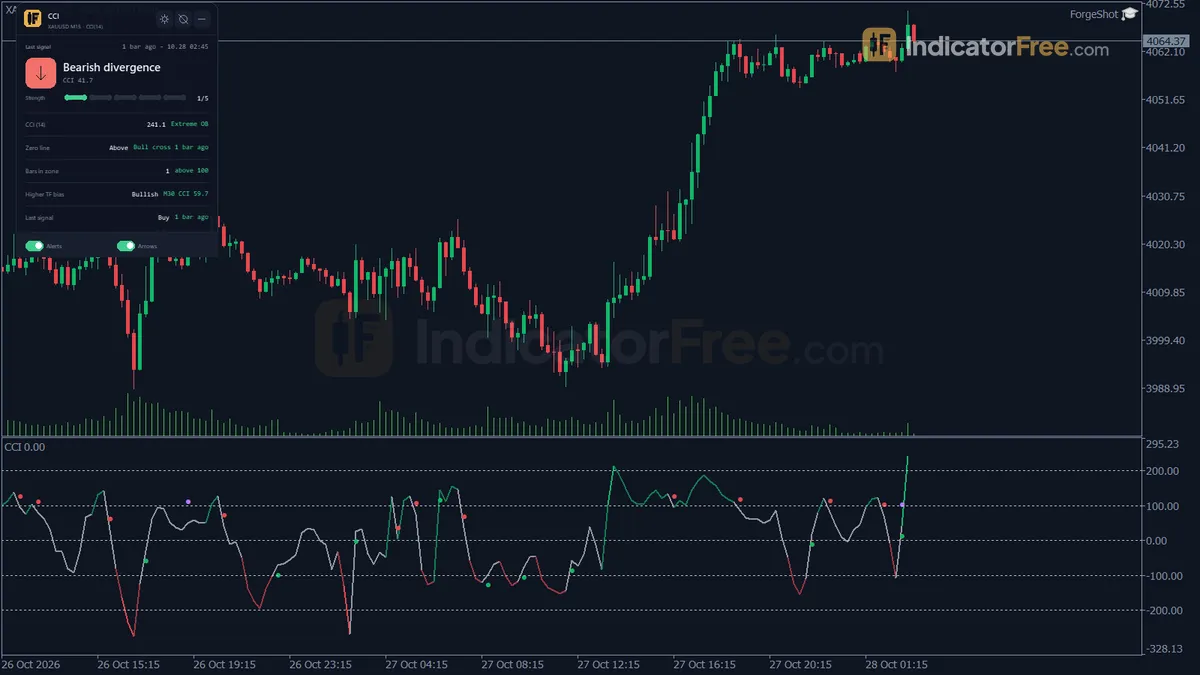
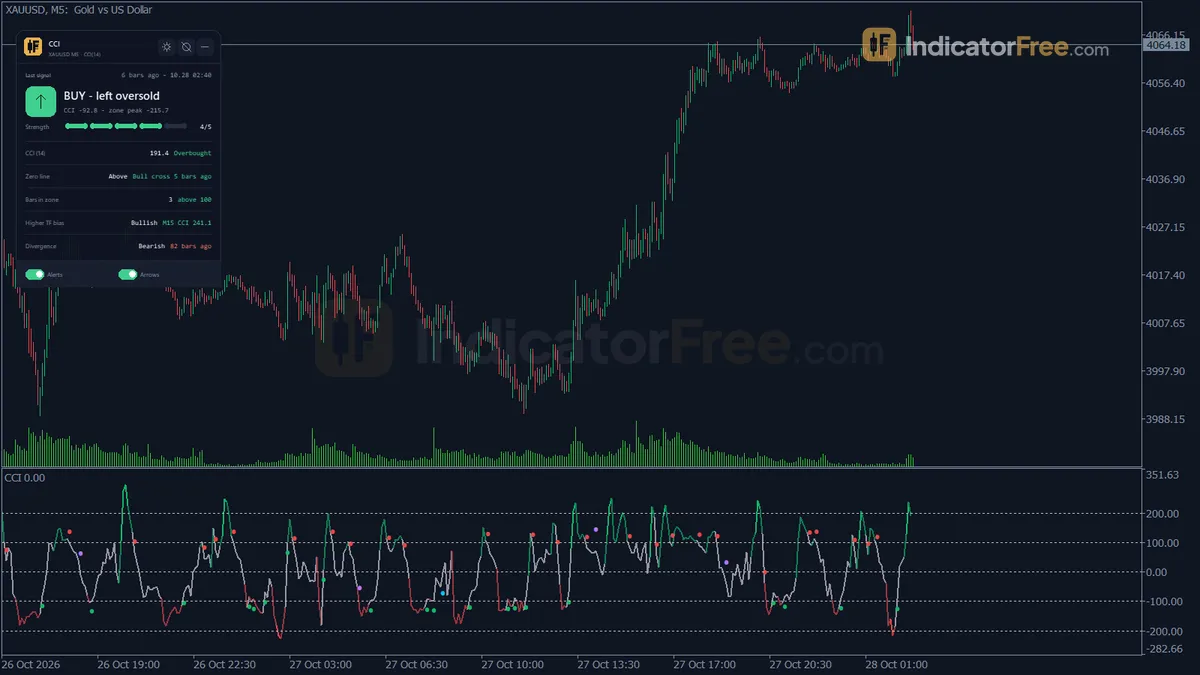
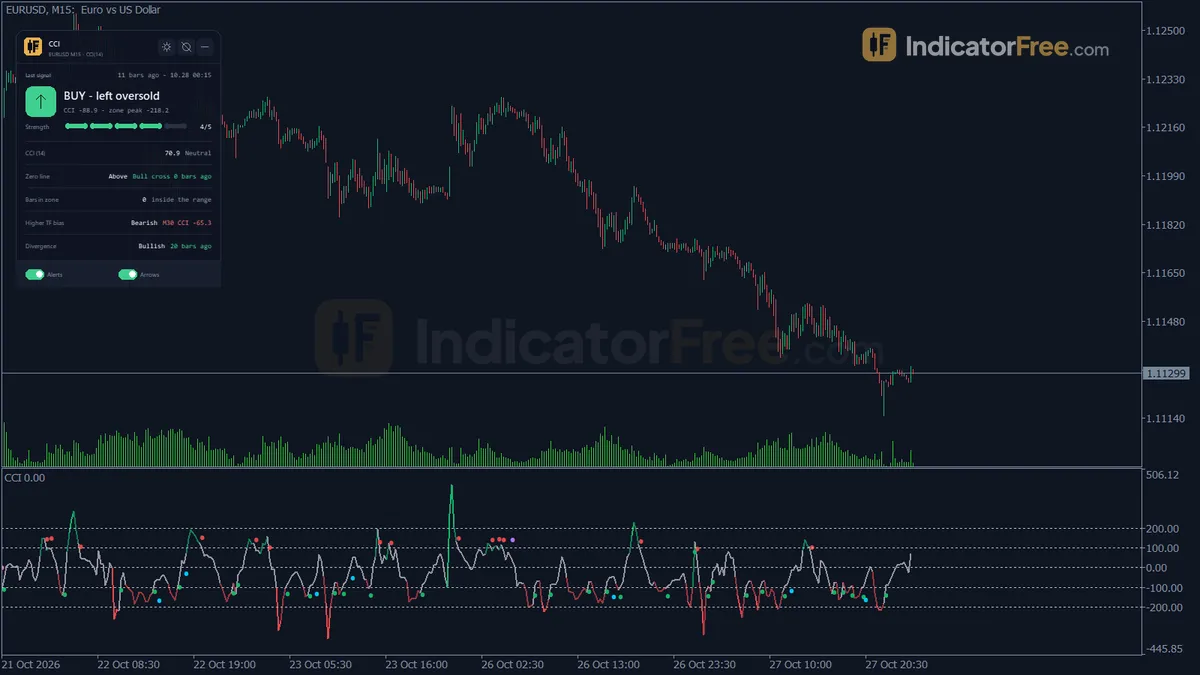
- CCI line: colored by zone. The zones are neutral, overbought (above InpOverboughtLevel), oversold (below InpOversoldLevel) and extreme (beyond ±InpExtremeLevel).
- Buy / Sell arrows: print when CCI moves back out of the oversold or overbought zone.
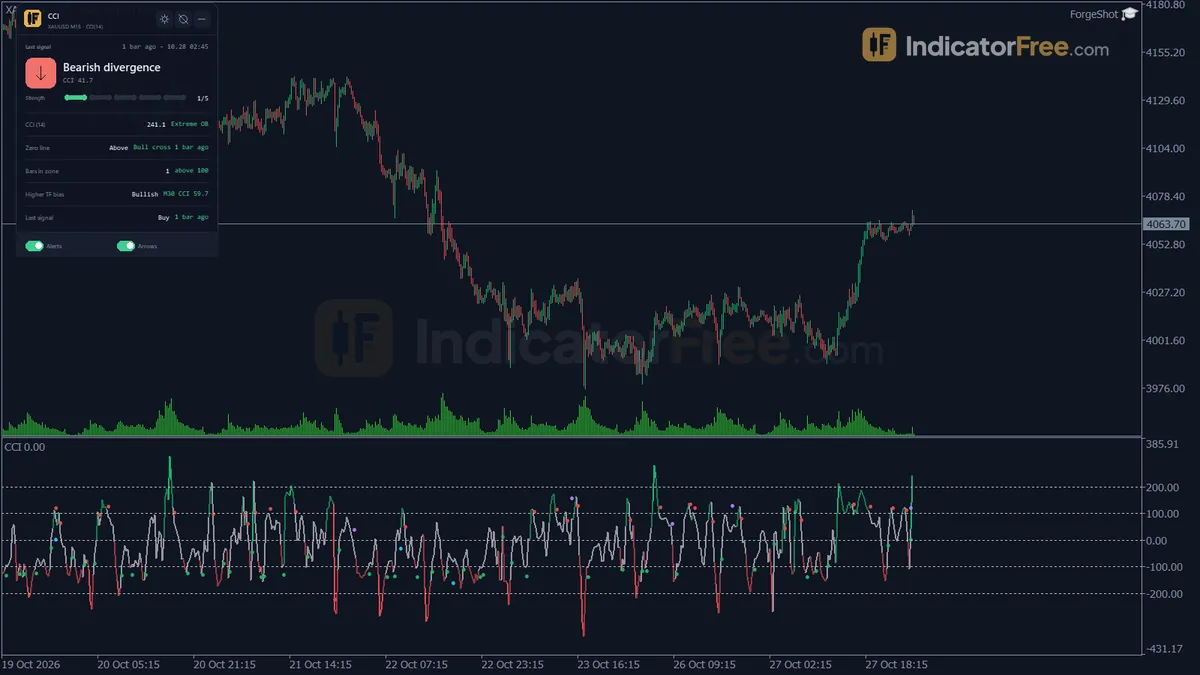
- Bull Div / Bear Div arrows: print when price makes a new closing swing and CCI does not confirm it.
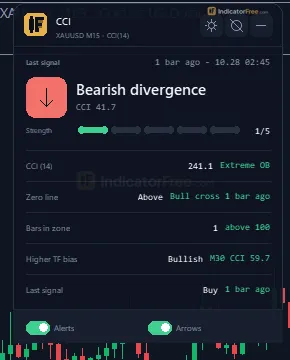
- CCI Status panel: a summary box in the chart corner you choose.
Version 1.00, 96.6 KB, tested on MT5 build 6230 on 2026-10-09.
How the Lab tested it for repainting
The Lab ran the indicator on EURUSD M15 from 2026-07-09 to 2026-10-08 on real ticks from Raw Trading Ltd. It logged every arrow as it appeared, then checked whether any arrow later moved or disappeared.
| Measured | Result |
|---|---|
| Signals logged | 831 |
| Signals that changed afterwards | 0 |
| Max arrow delay | 0 bars |
The 831 covers all four arrow types (Buy, Sell, Bull Div, Bear Div) over about three months of EURUSD M15. That works out to roughly 9 arrows per calendar day, or about 12 to 13 per weekday, so expect arrows often, not once in a while.
For you, this means the arrows in your chart history are the same arrows you would have seen live. You can scroll back and judge the signals honestly. Every condition is checked on closed bars, so nothing prints while a bar is still forming.
What the Lab did not measure
The repaint test shows that the signals stay put. It does not show whether they make money. The Lab has no figures on how often price moved in the arrow's direction, so treat the arrows as alerts to look at the chart, not as trades. Only EURUSD M15 was tested. On other symbols and timeframes, check the arrows yourself before you rely on them.
How it works
- 1Calculates the typical price of each bar.
Typical = (High + Low + Close) / 3 - 2Computes CCI as the distance of typical price from its average, scaled by mean deviation.
CCI = (Typical - SMA) / (constant x mean deviation) over InpCCIPeriodInputs: InpCCIPeriod - 3Colours CCI by zone: overbought, oversold, and extreme beyond the extreme level.
Overbought > InpOverboughtLevel | oversold < InpOversoldLevel | extreme beyond InpExtremeLevelInputs: InpOverboughtLevel, InpOversoldLevel, InpExtremeLevel - 4Buys when CCI crosses back above oversold, sells when it crosses back below overbought, and notes zero line crosses.
Buy: previous CCI <= oversold and CCI > oversoldInputs: ShowArrows - 5Optionally finds divergence between swing points of close and CCI, and reads CCI on a higher timeframe.
Bearish: higher swing high of Close with lower CCI than a previous overbought peakInputs: InpEnableDivergence, InpSwingStrength, InpDivergenceLookback, InpEnableHTFBias, InpHigherTF
Specifications
- Platform
- MetaTrader 5
- Version
- 1.00
- Type
- Indicator
- Window
- Separate window
- Draws
- 1 line, 4 arrows, 1 panel
- Alerts
- popup, push, sound
- Repaints
- No (0 of 831 signals changed)
- Inputs
- 17
- Tested on
- MT5 build 6230 · 2026-10-09
Repaint test
No repaint detected. In a 9 Jul 2026 – 8 Oct 2026 test on EURUSD M15 (Raw Trading Ltd real ticks), 831 signals were logged at bar close and re-read at the end of the test: 0 changed. Arrows print on the bar that closes the signal, with no delay.
IndicatorFree — tested 2026-10-09 · MT5 build 6230 · Raw Trading Ltd real ticks. Results come from historical data, not live trading, and do not guarantee future results.
What it draws
- A line (CCI) from buffer 0.
- Arrows (Buy) from buffer 2, drawn on the closed bar.
- Arrows (Sell) from buffer 3, drawn on the closed bar.
- Arrows (Bull Div) from buffer 4, drawn on the closed bar.
- Arrows (Bear Div) from buffer 5, drawn on the closed bar.
- An on-chart panel (CCI Status); values shown in the panel are not exposed as buffers.
Inputs
| Input | Default | What it does |
|---|---|---|
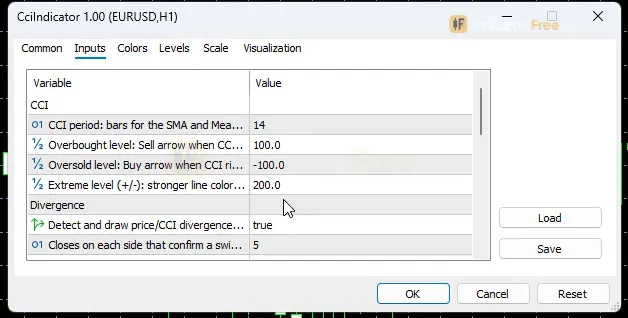
| InpCCIPeriod | 14 | CCI period: bars for the SMA and Mean Deviation of Typical Price (2-200) |
| InpOverboughtLevel | 100 | Overbought level: Sell arrow when CCI falls back below it, zone coloring (50-300) |
| InpOversoldLevel | -100 | Oversold level: Buy arrow when CCI rises back above it, zone coloring (-300 to -50) |
| InpExtremeLevel | 200 | Extreme level (+/-): stronger line color only, no signal (100-400) |
| InpEnableDivergence | true | Detect and draw price/CCI divergence on Close swings |
| InpSwingStrength | 5 | Closes on each side that confirm a swing; divergence prints this many bars after the swing (2-20) |
| InpDivergenceLookback | 100 | Maximum bars between the two swings compared for divergence (20-500) |
| InpEnableHTFBias | true | Show the CCI bias of a higher timeframe on the panel |
| InpHigherTF | CURRENT | Higher timeframe; Current or not above the chart = next standard timeframe |
| ShowArrows | true | Draw Buy / Sell and divergence arrows in the indicator window |
| InpEnableAlerts | true | Popup alert on a new Buy / Sell signal or divergence |
| InpEnablePush | false | Push notification on a new Buy / Sell signal or divergence |
| InpEnableSound | true | Play a sound on a new Buy / Sell signal or divergence |
| PanelScale | 1 | Panel size multiplier (screen DPI is applied automatically) |
| PanelCorner | Right Upper | Chart corner for the panel |
| Theme | Dark | Chart color theme |
| RestoreTheme | true | Restore the original chart colors when the indicator is removed |
How to read it
Install
Copy the file into the MQL5/Indicators folder of your MT5 data folder, refresh the Navigator and drag CCI onto a chart.
Note: it recolors your chart (Theme = Dark). RestoreTheme puts your colors back.
Reading the line and the zones
The line color tells you which zone CCI is in. Crossing ±InpExtremeLevel (default 200) only makes the color stronger. It never prints an arrow on its own. The chart below shows where the reversal arrows appear in relation to the levels.
Buy and Sell arrows: CCI leaves the zone
- Buy: on the closed bar CCI is above InpOversoldLevel (default -100), and on the previous closed bar it was at or below that level.
- Sell: on the closed bar CCI is below InpOverboughtLevel (default +100), and on the previous closed bar it was at or above that level.
These are mean-reversion signals. They fire as a stretched move starts to fade, not when it begins.
Divergence arrows: price and CCI disagree
Divergence uses closing prices only, so wicks are ignored. A swing has to be confirmed by closes on both sides, so the arrow arrives InpSwingStrength bars after the actual turning point. The steps below show how a Bull Div arrow forms. Bear Div works the same way with swing highs, a higher close, a lower CCI and the overbought level.
- 1Swing low on CloseClose lower than the 5 closes on each side (InpSwingStrength)
- 2Confirmed 5 bars laterThe arrow cannot print before those right-side closes exist
- 3Lower close than the previous swing lowPrevious swing no more than 100 bars older (InpDivergenceLookback)
- 4CCI higher than at the previous swingPrice fell further but momentum did not
- 5Previous swing CCI was at or below -100All true: Bull Div arrow and alert
The CCI Status panel
The panel lists the last Buy/Sell signal and the last divergence, with the confluence strength of the latest one (treat a weak reading as a reason to wait for more confirmation). It also shows the current CCI value and zone, which side of zero CCI is on, how many bars it has spent in the zone, and the higher-timeframe CCI bias. With InpHigherTF on CURRENT, or set to a timeframe that is not above the chart's, the bias comes from the next standard timeframe up. PanelScale and PanelCorner set its size and position.
Alerts
Every new Buy, Sell or divergence arrow can trigger a popup in the terminal (InpEnableAlerts, on), a sound (InpEnableSound, on) or a push notification to the MT5 app on your phone (InpEnablePush, off by default). Arrows appear inside the CCI window, not on the price chart. ShowArrows off hides the arrows in the CCI window.
Inputs to change first
| Input | Default | What changing it does |
|---|---|---|
| InpOverboughtLevel / InpOversoldLevel | 100 / -100 | Wider levels give fewer, more stretched signals. Narrower levels give more and earlier ones. |
| InpCCIPeriod | 14 | Longer periods smooth the line and cut the number of zone exits. Shorter periods react faster and add noise. |
| InpSwingStrength | 5 | Higher values confirm bigger swings but print divergence later. Lower values give faster, weaker swings. |
| InpHigherTF | CURRENT | Pick the timeframe whose CCI bias you want as a filter. |
A suggested filter for every arrow (editor's suggestion, not Lab-tested)
These rules are a starting filter from our editors. The Lab did not test them.
- Buy / Sell: take it only if the panel's higher-timeframe CCI bias points the same way. Skip a Sell while the higher timeframe is still bullish, and the reverse for a Buy.
- Bull / Bear Div: skip it if the arrow is more than InpSwingStrength bars old, or if CCI has already reached the opposite zone.
- No arrow, extreme color: do nothing. Extreme is a warning that the move is stretched, not an entry.
The misread that costs the most
A popular way to read CCI buys when it breaks above +100. These arrows do the opposite: the Sell prints when CCI falls back below +100. If you trade the arrows as breakout signals in a strong trend, you will be on the wrong side. A quick check: a valid Sell arrow always sits just under InpOverboughtLevel (+100 by default), after the line has been above it.
Installation
- 1Download CciIndicator.ex5 from the button above (Google Drive).
- 2In MetaTrader 5: File → Open Data Folder → MQL5 → Indicators. Copy CciIndicator.ex5 there.
- 3Restart MT5 or right-click Indicators in Navigator → Refresh.
- 4Drag CCI onto a chart. For push alerts, enable "Allow push notifications" under Tools → Options → Notifications.
- Tested on MT5 build 6230.
Key terms and guides
- Overbought
- Overbought means a momentum oscillator, usually the RSI, has moved above a high threshold such as 70, showing a price move is stretched and may pause or turn down.
- Bullish divergence
- Bullish divergence is when price makes a lower low but an oscillator such as RSI or MACD makes a higher low. It suggests selling pressure is fading and that a bounce or reversal up may follow.
- CCI
- The CCI (Commodity Channel Index) is a momentum oscillator that measures how far price has moved from its recent average. It is scaled so most readings sit between +100 and −100, and readings beyond those lines flag an unusually strong move.
- Oversold
- Oversold means price has fallen so far and so fast that a momentum oscillator, most often the RSI, reads below its lower line (usually 30). It shows that selling is stretched. It does not promise a bounce.
- Market Noise
- Market noise is the small, random back-and-forth price movement that has no lasting direction. It comes from routine buying and selling, not from a real change in what traders think an asset is worth.
- Price Swing
- A price swing is one move in a single direction, from a turning low to a turning high or the reverse. You measure it in pips from one swing point to the next.
More on this subject: Oscillators & momentum guide, terms and tools
User reviews
No reviews yet. Members who download the tool can review it here.
Sign in and download the tool to review it.
Build a checklist with it
CCI does one job on the chart: entry signal. Put it on the same chart as the tools below and the IndicatorFree panels merge into one checklist card, ordered trend, zone, signal, risk.
- Trend / contextEMA Trend WallCCI tells you when; this tells you which way the market leans, so you can skip signals against it.
- Zone / levelBreakout Zone FinderShows the zones and levels, so you can see whether a signal from CCI fires at a level worth trading.
The Lab has not tested these combinations. Each tool is tested on its own; the card only lines up what each one says. Free members get 2 new tools a day. If one has to wait until tomorrow, install BlackBox to raise the limit to 5 a day (20 on a live account).
FAQ
Does CCI repaint?
No repaint detected. In a 9 Jul 2026 – 8 Oct 2026 test on EURUSD M15 (Raw Trading Ltd real ticks), 831 signals were logged at bar close and re-read at the end of the test: 0 changed. Arrows print on the bar that closes the signal, with no delay.
Can I use CCI in an EA?
Yes. Read buffer 2 (Buy) with iCustom() on bar 1 — the last closed bar.
Why can’t my EA read the zones?
Zones and the panel are chart objects, not indicator buffers, so iCustom() does not return them.
How do I get alerts on my phone?
Enter your MetaQuotes ID under Tools → Options → Notifications, tick "Enable push notifications", and keep the push alert input on.
Why does it open in a separate window?
It plots values on their own scale, so MT5 draws it below the price chart.
Does it work on other pairs?
Tested on EURUSD only; other symbols not tested.
Can I use this CCI indicator on TradingView or a crypto exchange?
No. It is an MT5 indicator and only runs inside MetaTrader 5. On other platforms you would need their built-in CCI, which will not have these arrows, the panel or the alerts.
Does it work on any pair or index?
CCI is calculated from each bar's high, low and close, so it runs on any symbol your MT5 shows, including indices and synthetic instruments. The Lab only tested EURUSD M15, so check the arrows in the history of your own symbol first.
Can I run two CCIs, for example a fast one and a slow one?
Yes. Add the indicator twice and give each copy a different InpCCIPeriod. Turn off alerts or arrows on one copy if the duplicate signals get noisy.
Why do I get several Sell arrows in one uptrend?
A new Sell prints every time CCI closes back below InpOverboughtLevel after being at or above it, so a trend that keeps pushing CCI over the level gives one Sell per pullback. Check the panel's higher-timeframe bias before acting on them.
Can I turn off divergence and keep only Buy/Sell?
Yes. Set InpEnableDivergence to false. The Bull Div and Bear Div arrows and their alerts stop, and the reversal arrows keep working.
Changelog
- 1.00Initial release: Lambert-accurate CCI line colored by zone (Neutral/Overbought/Oversold/Extreme), Buy/Sell reversal arrows when CCI re-enters from +/-100, automatic price/CCI divergence detection on confirmed Close. · 2026-10-09
Final verdict
Where it holds up
The signal rules are fully stated and checkable. The Lab found no repainting, so you can review the chart history at face value. Divergence uses closes only, so a single wick cannot trigger it. Alerts, the higher-timeframe bias and the zone readout all come in one indicator.
Where it falls short
- It has no proven edge. The Lab tested repainting, not outcomes, so you have to forward-test the arrows yourself.
- It is built for reversals. In a strong trend, CCI can leave and re-enter the zone again and again, and each re-entry gives a counter-trend arrow.
- Divergence arrives late by design: InpSwingStrength bars after the swing.
- It gives no entry price, stop or target. Your own plan has to supply the risk.
- There is no arrow for zero-line crosses. The panel only shows which side of zero CCI is on.
- –You trade fades and pullbacks after stretched moves
- –You check the higher-timeframe bias before acting
- –You want popup, sound or push alerts instead of watching the chart
- –You treat divergence as a heads-up, not an entry
- –You trade breakouts and want buys above +100
- –You need a tool with measured follow-through
- –You want arrows on the price chart itself
- –You trade on TradingView or another non-MT5 platform
Settings to start with
Start with the defaults (period 14, ±100, swing strength 5) and turn on InpEnablePush if you trade away from the screen.
If you get too many arrows on a noisy lower timeframe, try InpOverboughtLevel 150 and InpOversoldLevel -150. This is not tested by the Lab, so compare it with the default on the same chart. If you trade M5 and the divergence arrows feel too late, try InpSwingStrength 3. That is also untested, and it will produce more, smaller swings.