Gap Zone Finder
Free MT5 indicator that draws fair value gap zones with a 50% line and alerts. Lab repaint test: 0 of 813 signals changed on EURUSD M15.
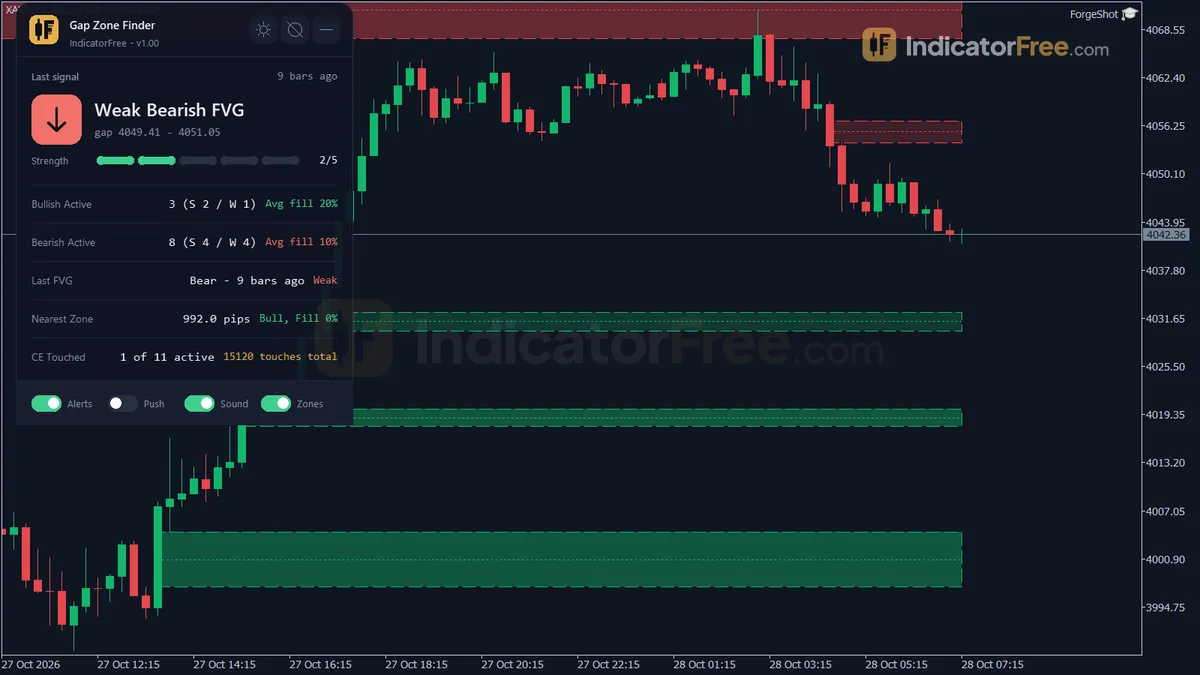
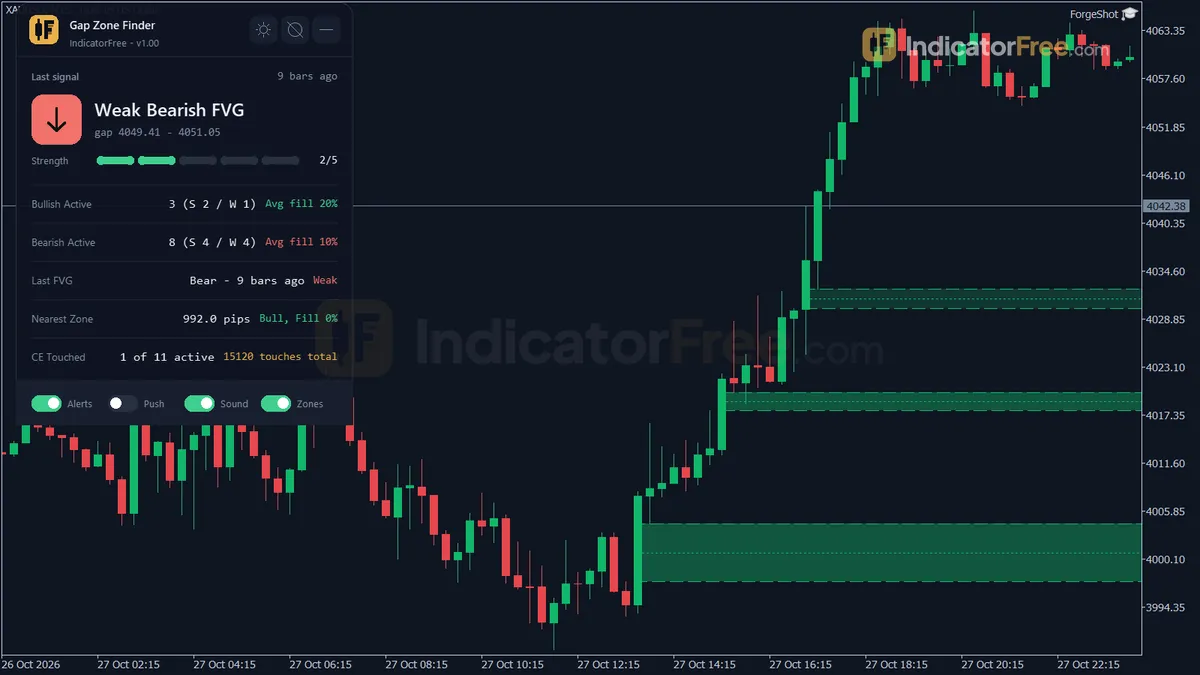
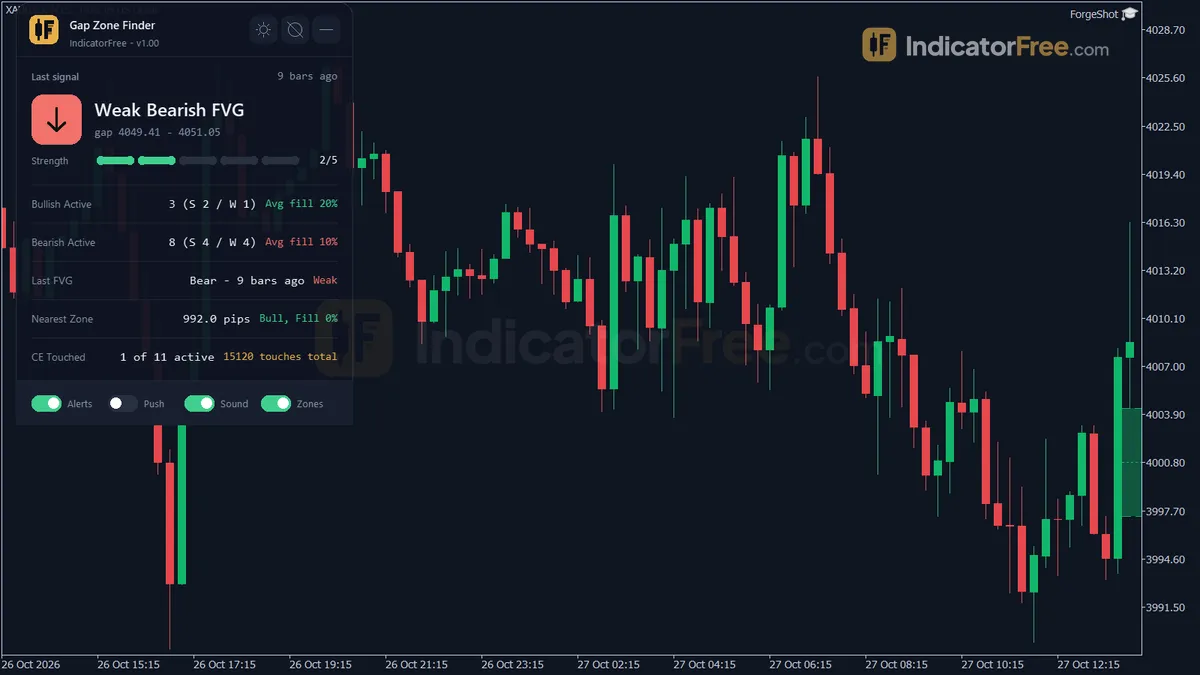
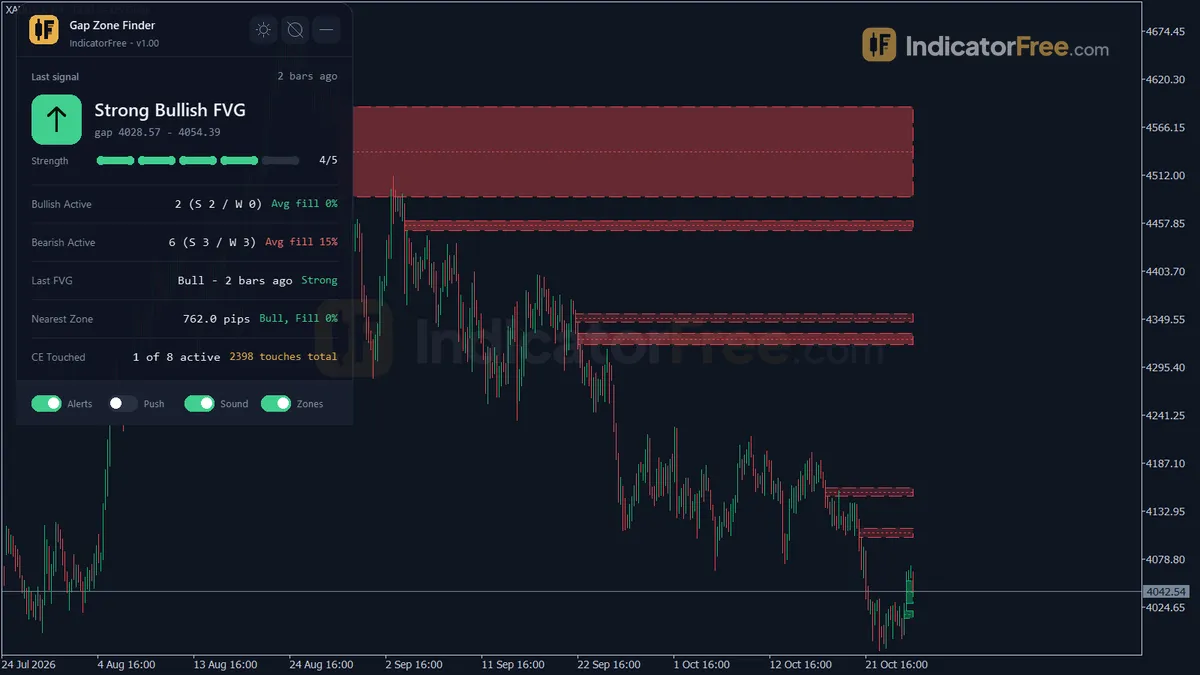
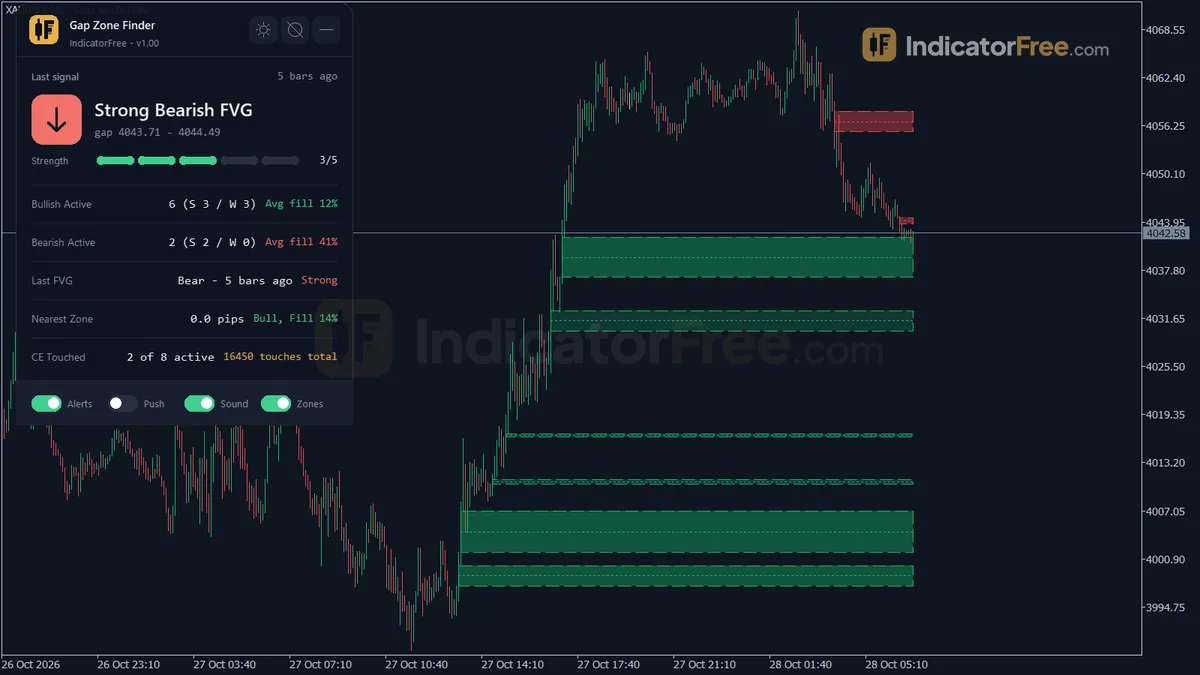
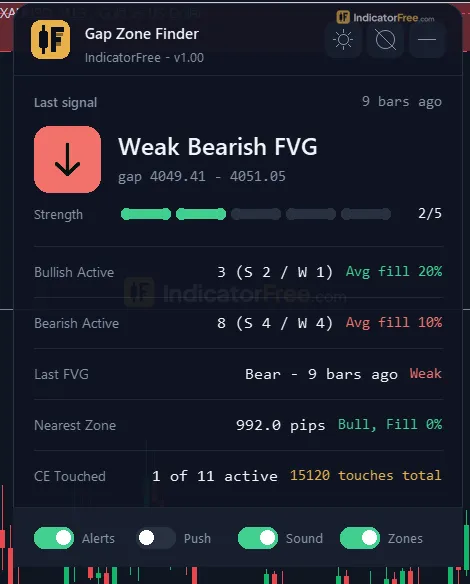
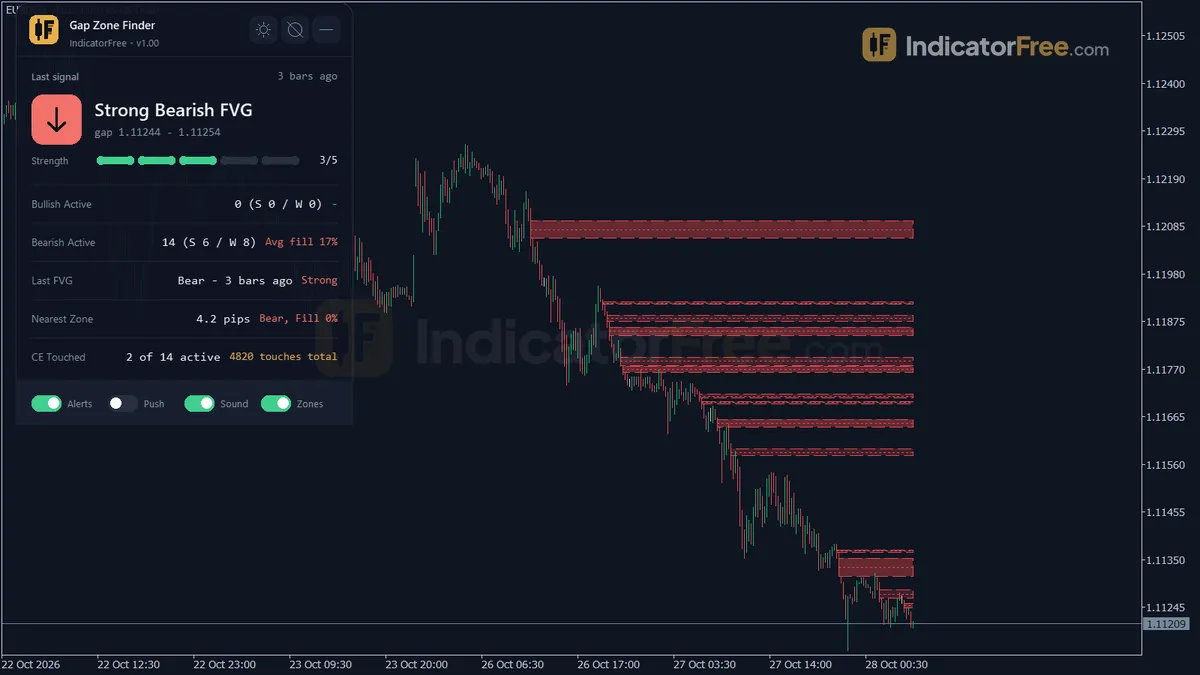
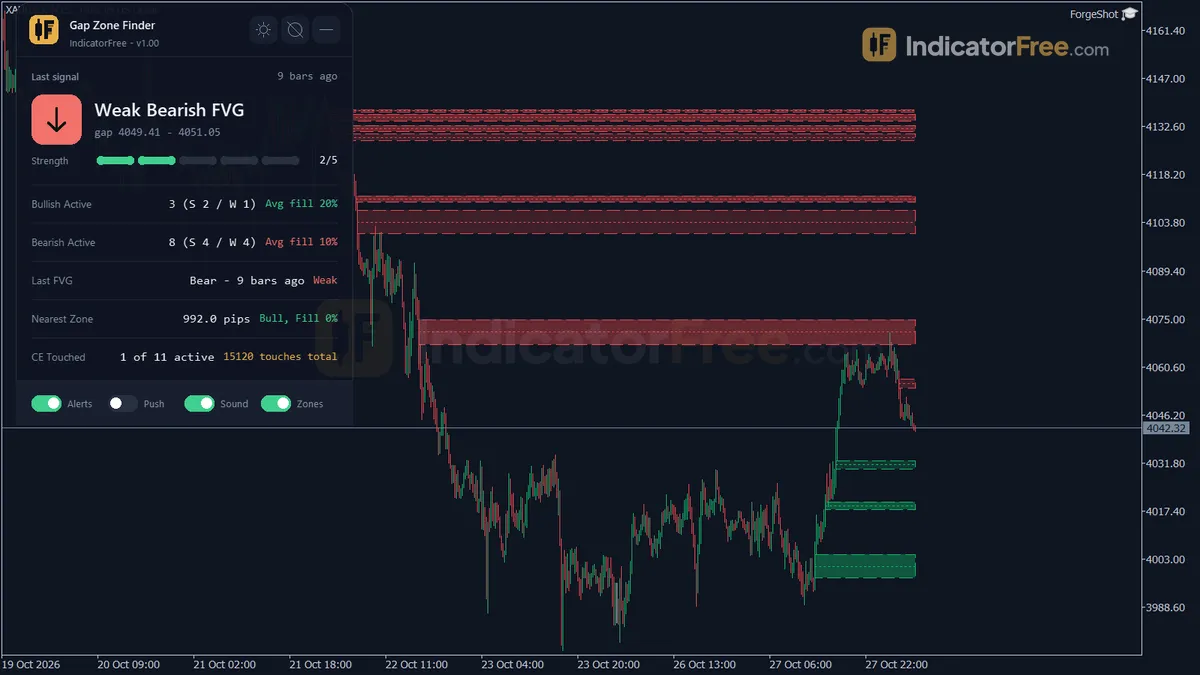
- Repainted
- 0 / 813
- Signals / week
- ≈ 63.9
- Tested on
- EURUSD M15
- Tested
- 2026-10-04
Overview
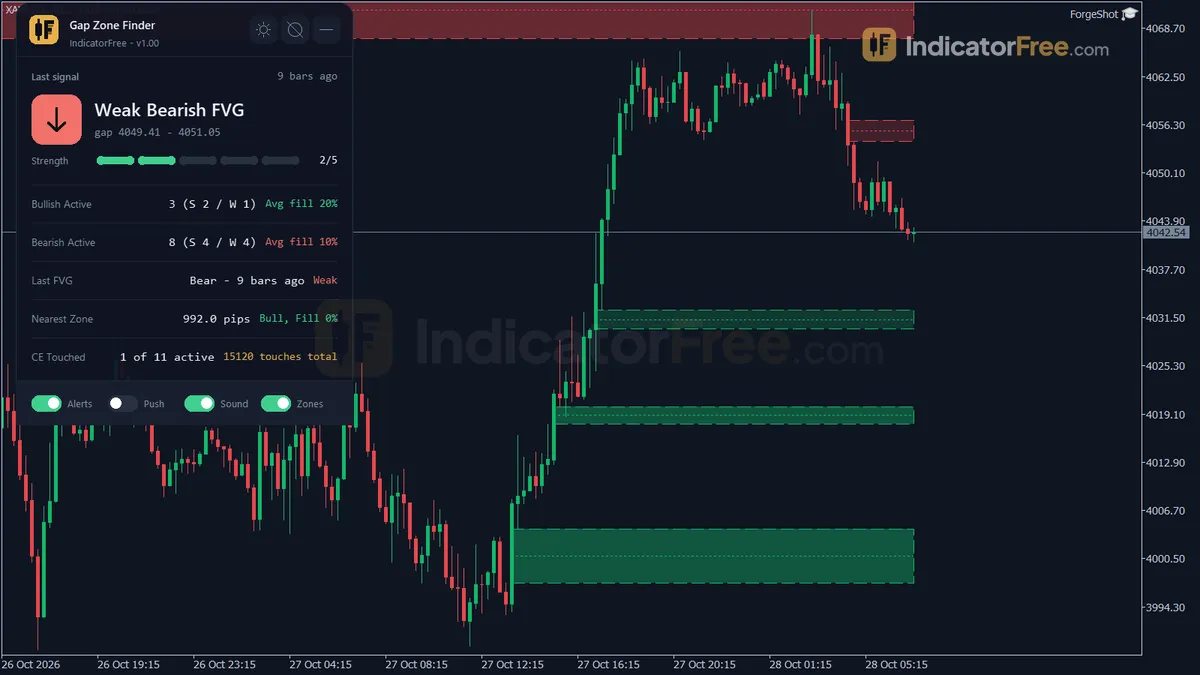
The Gap Zone Finder indicator for MT5 draws each fair value gap (FVG) on the main chart as a colored zone with a 50% line, and adds a stats panel. In the Lab's repaint test on EURUSD M15, 0 of 813 logged signals changed after they appeared. It helps traders who already trade gap retests and want the zones found, graded and cleared for them.
What it puts on your chart
A fair value gap is a three-candle pattern where the wicks of the first and third candle do not overlap, so only the middle candle crosses that price range. The glossary explains the concept; this page covers the tool.
- Bullish / Bearish FVG zones: rectangles, green and red by default, each graded Strong or Weak.
- CE Line: the Consequent Encroachment (50%) level of every active zone.
- MTF FVG: dash-dot lines for the gaps of a higher timeframe, drawn only after you turn on
EnableMTF. - FVG Stats panel, row by row:
- Last FVG with grade and strength: what just formed, and whether it is Strong or Weak, without searching the chart.
- Active bullish and bearish zones with Strong/Weak split and average fill: which side has more open zones, and how much of them price has already filled.
- Nearest zone distance in pips: whether a retest is close or still far away.
- CE touches: how often price has reached the 50% level of a zone.
- MTF bullish/bearish zone count: which way the higher-timeframe gaps lean.
How the Lab tested it
The Lab ran version 1.00 (111.9 KB) on MT5 build 6230 on 2026-10-04. The data was EURUSD M15 from 2026-07-06 to 2026-10-02, on Raw Trading Ltd real ticks.
Each signal is a new FVG, logged from the indicator's arrow buffers on the candle where the zone is confirmed.
For the repaint test, every signal was logged when it printed and checked again later. The maximum arrow delay was 0 bars, so a signal is not placed on the chart late and then made to look early.
What the numbers mean for you
The Lab then asked a harder question of the same signals: after a new gap, did price travel 1 ATR in the gap's direction before it travelled 1 ATR against it? The chart below shows the answer for each side.
Scale zoomed in to show the difference (bars do not start at zero).
Both sides are under half. A new gap on its own was slightly worse than a coin flip as a direction call, so treat the zone as a place to watch, not as an entry signal.
Three more numbers shape how you use it:
- Median of 2 bars to the hit. Half of the signals that reached a 1 ATR level did so within 2 M15 bars, so a retest entry often has little time to set up.
- 1.7% of signals reached neither level within 20 bars. Very few gaps were followed by a flat market.
- 63.9 signals per week (31.3 bullish and 32.6 bearish). That is far too many to trade one by one, so you need a filter: raise
MinGapATRMultipleor setShowWeakFVGto false. The Lab has not measured how much either one cuts the count.
How it works
- 1Calculates ATR and steps through closed bars with a gap engine that looks for three-candle gaps.Inputs: DisplacementATRPeriod
- 2A gap counts only if big enough in ATR and points, may need displacement, and can skip session-open gaps.
Gap size >= MinGapATRMultiple x ATR and >= MinGapPointsInputs: MinGapATRMultiple, MinGapPoints, RequireDisplacementDirection, ExcludeSessionOpenGap - 3Gaps are strong when the middle candle body ratio reaches the threshold, else weak. Overlapping gaps within set bars merge.
Strong if body ratio >= StrongBodyRatioThresholdInputs: StrongBodyRatioThreshold, ShowWeakFVG, ConsolidateOverlapBars - 4Strength starts at 2, or 3 if strong, plus one at fill ratio 0.5 and one at 1.0. Max 5.
Strength = 2 or 3 + [ratio >= 0.5] + [ratio >= 1.0], max 5Inputs: ShowCELine - 5Zones are marked mitigated by the chosen rule, then removed when old. Can repeat on a higher timeframe.Inputs: MitigationMode, MitigatedZoneKeepBars, MaxZonesPerDirection, MaxZoneAgeBars, EnableMTF, MTFTimeframe
Specifications
- Platform
- MetaTrader 5
- Version
- 1.00
- Type
- Indicator
- Window
- Main chart
- Draws
- 2 arrows, 3 zones, 1 panel
- Alerts
- popup, push, sound
- Repaints
- No (0 of 813 signals changed)
- Inputs
- 32
- Tested on
- MT5 build 6230 · 2026-10-04
Repaint test
No repaint detected. In a 6 Jul 2026 – 2 Oct 2026 test on EURUSD M15 (Raw Trading Ltd real ticks), 813 signals were logged at bar close and re-read at the end of the test: 0 changed. Arrows print on the bar that closes the signal, with no delay.
IndicatorFree — tested 2026-10-04 · MT5 build 6230 · Raw Trading Ltd real ticks. Results come from historical data, not live trading, and do not guarantee future results.
Signal statistics
Over 6 Jul 2026 – 2 Oct 2026 on EURUSD M15, the indicator printed 813 arrows. After 46.4% of them, price moved 1×ATR(14) in the arrow's direction before moving 1×ATR against it (median 2 bars). 1.7% reached neither level within 20 bars.
This measures price movement after the arrow, not a trading result. It includes no spread, commission, stop loss or position sizing.
What it draws
- Arrows (Bullish FVG) from buffer 0, drawn on the closed bar.
- Arrows (Bearish FVG) from buffer 1, drawn on the closed bar.
- Rectangles (Bullish/Bearish FVG) drawn as chart objects, not buffers — they are not readable by iCustom() in an EA.
- Rectangles (CE Line) drawn as chart objects, not buffers — they are not readable by iCustom() in an EA.
- Rectangles (MTF FVG) drawn as chart objects, not buffers — they are not readable by iCustom() in an EA.
- An on-chart panel (FVG Stats); values shown in the panel are not exposed as buffers.
Inputs
| Input | Default | What it does |
|---|---|---|
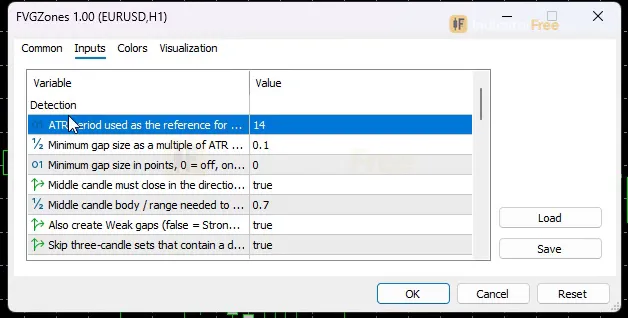
| DisplacementATRPeriod | 14 | ATR period used as the reference for the minimum gap size (5-50) |
| MinGapATRMultiple | 0.1 | Minimum gap size as a multiple of ATR (0.0-1.0) |
| MinGapPoints | 0 | Minimum gap size in points, 0 = off, only ATR is used (0-2000) |
| RequireDisplacementDirection | true | Middle candle must close in the direction of the gap |
| StrongBodyRatioThreshold | 0.7 | Middle candle body / range needed to grade a gap Strong (0.30-0.95) |
| ShowWeakFVG | true | Also create Weak gaps (false = Strong gaps only) |
| ExcludeSessionOpenGap | true | Skip three-candle sets that contain a data gap longer than 3 bars (weekend/holiday) |
| ConsolidateOverlapBars | 10 | Merge a new gap into an overlapping/touching active same-direction zone formed within N bars, 0 = off (0-100) |
| MitigationMode | FullTouch (wick reaches the far edge) | How a zone is confirmed as filled |
| ShowMitigatedZones | false | Keep mitigated zones in gray instead of deleting them at once |
| MitigatedZoneKeepBars | 50 | Bars a gray mitigated zone stays before it is deleted (0-2000) |
| MaxZonesPerDirection | 20 | Max active zones per direction; the oldest is removed first (5-100) |
| MaxZoneAgeBars | 500 | Active zones older than this many bars are removed, 0 = no limit (0-5000) |
| ShowCELine | true | Draw the Consequent Encroachment (50%) line of each active zone |
| EnableMTF | false | Project fair value gaps of a higher timeframe as dash-dot lines |
| MTFTimeframe | H1 | Higher timeframe (used only when higher than the chart timeframe) |
| AlertOnNewZone | true | Alert when a new FVG zone is confirmed on a closed candle |
| AlertOnCETouch | false | Alert when a closed candle touches the CE (50%) level of a zone |
| AlertOnMitigation | false | Alert when a zone is mitigated |
| UsePopupAlert | true | Popup alert window |
| UsePushAlert | false | Push notification to the MT5 mobile app |
| UseSoundAlert | true | Play a sound |
| SoundFile | alert.wav | Sound file in the terminal Sounds folder |
| BullishColor | C'18,183,106' | Bullish zone, CE line and arrow color |
| BearishColor | C'229,72,77' | Bearish zone, CE line and arrow color |
| ZoneFillAlpha | 40 | Zone fill strength in % (blended with the chart background, Weak zones lighter, 0 = no fill) |
| ShowZoneBorder | true | Draw a dashed border around active zones |
| ShowArrows | false | Show a small arrow under/over the third candle of each FVG |
| Theme | Dark | Chart color theme |
| RestoreTheme | true | Restore the original chart colors when the indicator is removed |
| PanelTheme | Auto (follow chart background) | Panel colors: auto from chart background, dark or light |
| PanelScale | 1 | Panel size factor (0.6-2.0), DPI is applied automatically |
How to read it
To install it, open the data folder from MT5 (File > Open Data Folder), copy the Gap Zone Finder file into MQL5/Indicators, refresh the Navigator and drag it onto a chart. It draws on the main chart window, not in a subwindow.
How a zone forms
The indicator only looks at three closed candles.
- Bullish FVG: the low of the third candle is above the high of the first.
- Bearish FVG: the high of the third candle is below the low of the first.
The gap must also be big enough. Its size has to reach the larger of MinGapATRMultiple x ATR (default 0.1, with the ATR period set by DisplacementATRPeriod, default 14) and MinGapPoints (default 0, which means only the ATR rule is used).
With RequireDisplacementDirection on, the middle candle must close in the direction of the gap.
Each zone then gets a grade. It is Strong when the body of the middle candle is at least StrongBodyRatioThreshold (default 0.7) of that candle's range, and Weak otherwise. Weak zones are filled lighter.
The figure below is an illustration of a typical bullish zone: where the box sits, where the CE Line runs, and a later candle that touches the CE Line without filling the zone.
If a new gap overlaps or touches an active zone of the same direction formed within ConsolidateOverlapBars bars (default 10), it is merged into that zone. You get one box, not a stack of them.
Reading a zone that disappears
A zone is mitigated when a closed candle fills it according to MitigationMode. The default is FullTouch, which means a wick has to reach the far edge of the zone.
By default a mitigated zone is deleted at once. Turn on ShowMitigatedZones and it turns gray and stays for MitigatedZoneKeepBars bars (default 50).
The common misread is to assume that a zone which vanished was filled. A zone is also removed in two other cases:
- It is older than
MaxZoneAgeBars(default 500 bars). - It is the oldest active zone when there are more than
MaxZonesPerDirection(default 20).
To tell the cases apart, switch ShowMitigatedZones on. Filled zones go gray; aged-out and dropped zones simply go. With the default MaxZoneAgeBars of 500 on M15, a zone ages out after roughly five trading days, so that case only applies to zones price has left alone for about a week.
The CE Line exists only while its zone is active and is removed with it.
Reading the MTF lines
MTF FVG lines follow the higher timeframe's own clock. They are mitigated on closed MTFTimeframe candles, and their age is counted in MTFTimeframe bars.
So a higher-timeframe line can stay on your chart for a while after lower-timeframe candles have traded through it. Wait for the higher-timeframe candle to close before you call that gap filled.
The inputs to change first
MinGapATRMultiple(0.0-1.0) is the main filter. Raise it to keep only larger gaps and cut the number of zones.ShowWeakFVGset to false creates Strong gaps only.EnableMTFadds the higher-timeframe lines.MitigationModedecides how a fill is confirmed, and so how long zones survive. Stay on the FullTouch default until you have checked the other options in the input's dropdown.ZoneFillAlpha(default 40%) andPanelScale(0.6-2.0) only change how the chart looks.
Alerts
There are three alert events, and all of them fire on closed candles:
AlertOnNewZone(on by default): a new FVG zone is confirmed.AlertOnCETouch(off by default): a candle touches the CE level of a zone.AlertOnMitigation(off by default): a zone is mitigated.
Out of the box you get a popup alert window in MT5 (UsePopupAlert) and a sound (UseSoundAlert). UsePushAlert is off by default; turn it on to get the same alerts as push notifications in the MT5 mobile app. The sound plays alert.wav from the terminal Sounds folder, and SoundFile lets you pick another.
A decision rule for each element
These rules are one way to use the drawings. They are not Lab-tested entries.
- Bullish FVG zone: look for longs only, and only when price comes back into the zone while it is still active. Skip it if price is running away from the zone, or if the zone is Weak and you have no other reason for the trade.
- Bearish FVG zone: the mirror image. Look for shorts on a return into an active zone, and skip the chase.
- CE Line: a touch tells you price has arrived at the middle of the gap, not that it will turn. Take it only with a rejection candle you would trade anyway.
- MTF FVG line: use it as context. Prefer chart-timeframe zones that point the same way as a nearby higher-timeframe gap, and be careful with zones that point against one.
- Mitigated zone: done. Do not trade a gray box.
Installation
- 1Download FVGZones.ex5 from the button above (Google Drive).
- 2In MetaTrader 5: File → Open Data Folder → MQL5 → Indicators. Copy FVGZones.ex5 there.
- 3Restart MT5 or right-click Indicators in Navigator → Refresh.
- 4Drag Gap Zone Finder onto a chart. For push alerts, enable "Allow push notifications" under Tools → Options → Notifications.
- Tested on MT5 build 6230.
Key terms and guides
- ATR multiplier
- An ATR multiplier is the number you multiply the Average True Range (ATR) by to set a distance on the chart. It is used most often for a stop loss: 1.5 × an ATR of 10 pips gives a 15-pip stop.
- Order Fill
- An order fill is the moment your buy or sell order is actually executed: it is matched at a real price and opens (or closes) a position, for the full size or only part of it.
- Higher Timeframe
- A higher timeframe is any chart period longer than the one you trade on, such as the daily chart for someone trading the 1-hour chart. Traders use it to see the bigger trend and the main price levels around their smaller-chart trades.
- Imbalance
- An imbalance is a price zone that one fast candle crossed because one side heavily outnumbered the other, leaving almost no two-way trading. On a chart it shows as a gap between the wicks of the candles before and after that fast candle.
- Candlestick
- A candlestick is one bar on a price chart that shows four prices for a set period: the open, high, low and close. A thick body spans the open and close, and thin wicks reach the high and low.
- Pip
- A pip is the standard unit for measuring how far a currency price moves: 0.0001 on most forex pairs and 0.01 on pairs quoted in Japanese yen. Traders count stops, targets and spreads in pips.
More on this subject: Supply, demand & key levels guide, terms and tools
User reviews
No reviews yet. Members who download the tool can review it here.
Sign in and download the tool to review it.
Build a checklist with it
Gap Zone Finder does one job on the chart: zone / level. Put it on the same chart as the tools below and the IndicatorFree panels merge into one checklist card, ordered trend, zone, signal, risk.
- Trend / contextEMA PulseAdds the trend side: which way the market leans before you act on Gap Zone Finder.
- Entry signalDisplacementAdds the entry signal: the moment to act once Gap Zone Finder has set the scene.
The Lab has not tested these combinations. Each tool is tested on its own; the card only lines up what each one says. Free members get 2 new tools a day. If one has to wait until tomorrow, install BlackBox to raise the limit to 5 a day (20 on a live account).
FAQ
Does Gap Zone Finder repaint?
No repaint detected. In a 6 Jul 2026 – 2 Oct 2026 test on EURUSD M15 (Raw Trading Ltd real ticks), 813 signals were logged at bar close and re-read at the end of the test: 0 changed. Arrows print on the bar that closes the signal, with no delay.
Can I use Gap Zone Finder in an EA?
Yes. Read buffer 0 (Bullish FVG) with iCustom() on bar 1 — the last closed bar.
Why can’t my EA read the zones?
Zones and the panel are chart objects, not indicator buffers, so iCustom() does not return them.
How do I get alerts on my phone?
Enter your MetaQuotes ID under Tools → Options → Notifications, tick "Enable push notifications", and keep the push alert input on.
Does it work on other pairs?
Tested on EURUSD only; other symbols not tested.
Which timeframe should I use Gap Zone Finder on?
The Lab's numbers come from EURUSD M15 only, so that is the one setup with evidence behind it. On any other timeframe or symbol, treat the zones as untested and check them against your own charts first. `MTFTimeframe` is used only when it is higher than the chart timeframe.
Can it send alerts to my phone?
Yes, once you turn on `UsePushAlert`.
Why are there no arrows on my chart?
`ShowArrows` is off by default, so you only see the zones. Turn it on to get a small arrow under or over the third candle of each FVG.
Will it change my chart colors?
Yes, it applies a chart color theme, and the default `Theme` is Dark. With `RestoreTheme` on, which is the default, your original chart colors come back when you remove the indicator.
Does it count weekend gaps as fair value gaps?
Not by default. With `ExcludeSessionOpenGap` on, it skips any three-candle set that contains a data gap longer than 3 bars, such as a weekend or holiday break.
Changelog
- 1.00Initial release: ICT-accurate Fair Value Gap detection on closed candles (wick-to-wick, three-candle structure), no repaint.; ATR + fixed-point minimum gap filter to remove insignificant gaps. · 2026-10-04
Final verdict
What it does well
Gap Zone Finder does the mechanical part of FVG trading reliably: 0 of 813 signals changed and the maximum delay was 0 bars on EURUSD M15. It works only on closed candles, so a zone you see in your history is the zone you would have seen live.
It also cleans up after itself. Zones are merged, mitigated, aged out and capped per direction, so the chart stays readable without manual work.
Where it falls short
The direction test is the honest limit. A fresh gap did not predict the next 1 ATR move better than chance in the Lab's sample, so the indicator finds zones and nothing more.
Keep three other limits in mind:
- The Lab tested one symbol, one timeframe and about three months. Other pairs and timeframes are untested.
- The Lab has no number for entries taken on a later return to the zone, which is how most traders use an FVG.
- The Lab numbers are not split by grade. "Strong" describes the middle candle; it is not a tested edge.
The figure below sums up who should use it and who should skip it.
- –You already trade FVG retests and want the zones drawn, graded and removed for you
- –You want alerts that fire only on closed candles
- –You want higher-timeframe gaps shown on a lower-timeframe chart
- –You have your own trend or structure filter to pick which zones to trade
- –You want a buy or sell arrow to follow without a plan
- –You need Lab-tested numbers for a symbol or timeframe other than EURUSD M15
- –You want a clean chart with few objects on it
- –You do not trade fair value gaps at all
Settings to start with
Start with the defaults on EURUSD M15, because that is the only setup the Lab measured.
If the chart is too busy, try the changes below. None of them were tested by the Lab, so compare each one with the default on your own chart.
MinGapATRMultiple0.3, to drop the smallest gaps.ShowWeakFVGfalse, to keep Strong zones only.MaxZonesPerDirection10, to show fewer old zones.EnableMTFtrue withMTFTimeframeH1, for higher-timeframe context on M15.AlertOnNewZonefalse andAlertOnCETouchtrue, so you are alerted when price returns to a zone and not every time one forms.