Golden Pocket Zones
Free MT5 indicator that boxes the 61.8–65% Golden Pocket of each swing and marks bounce arrows. Lab: 0 of 187 arrows repainted (EURUSD M15).
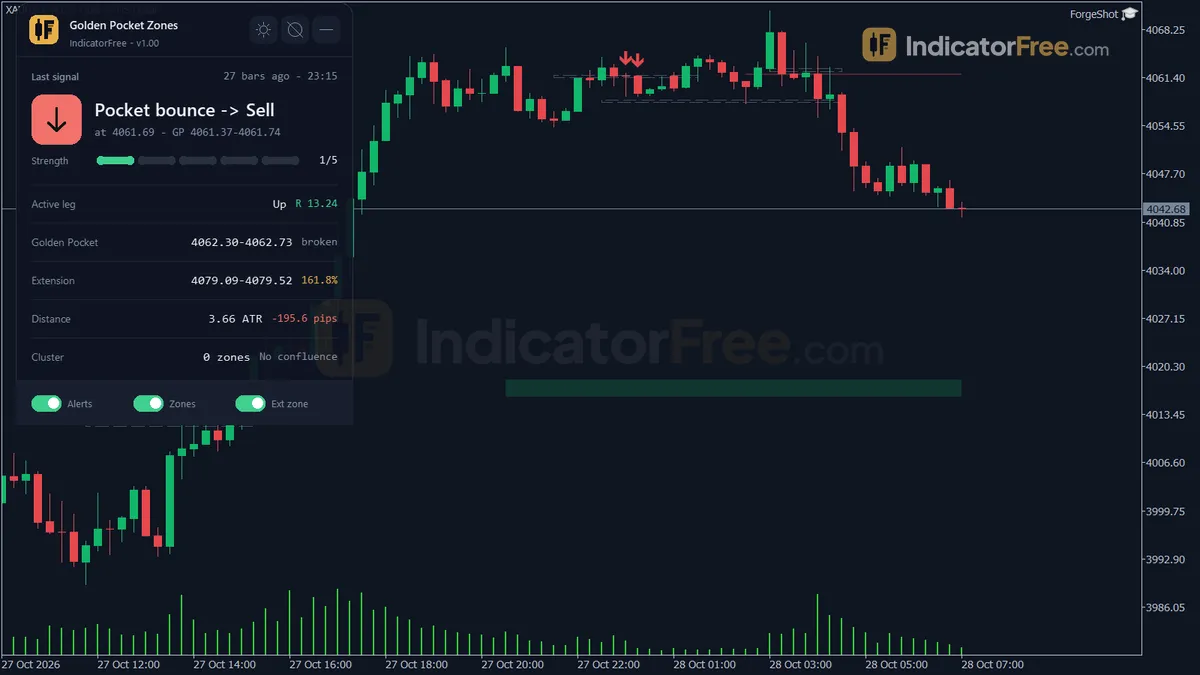
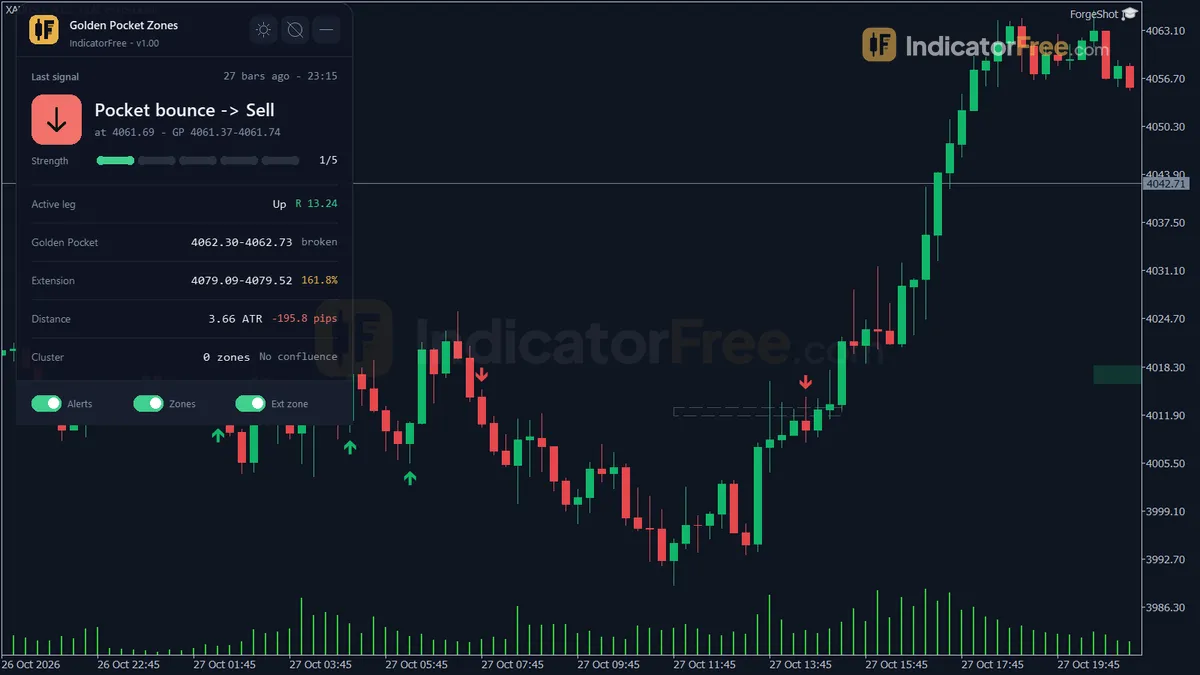
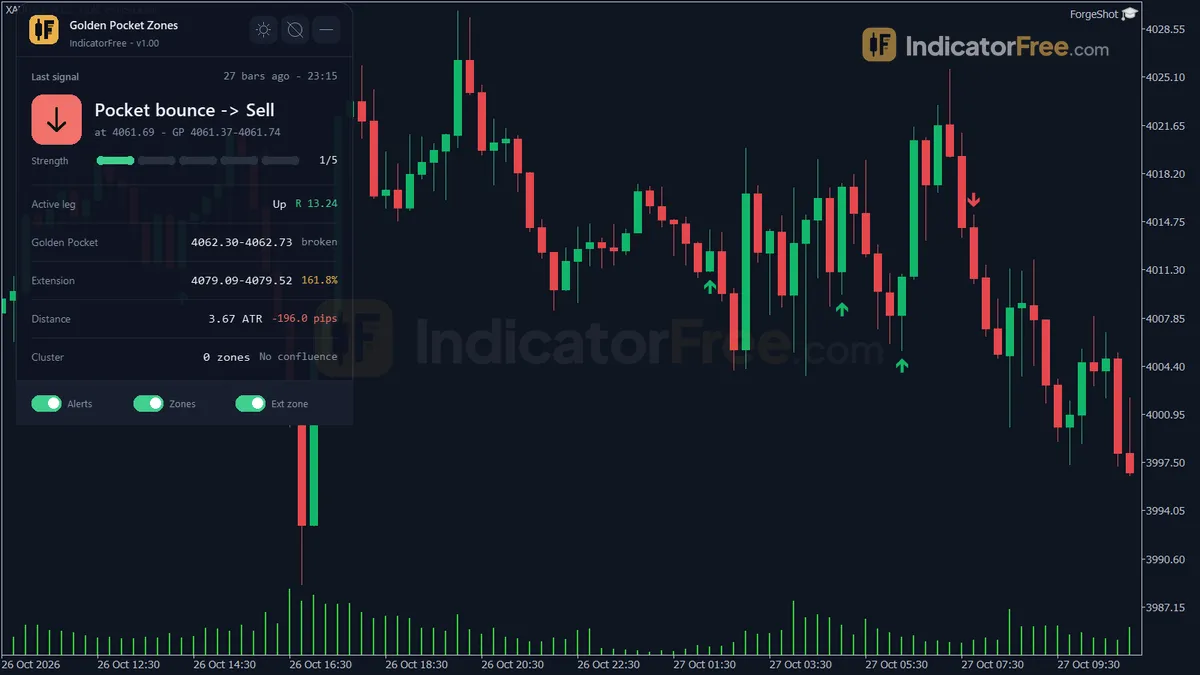
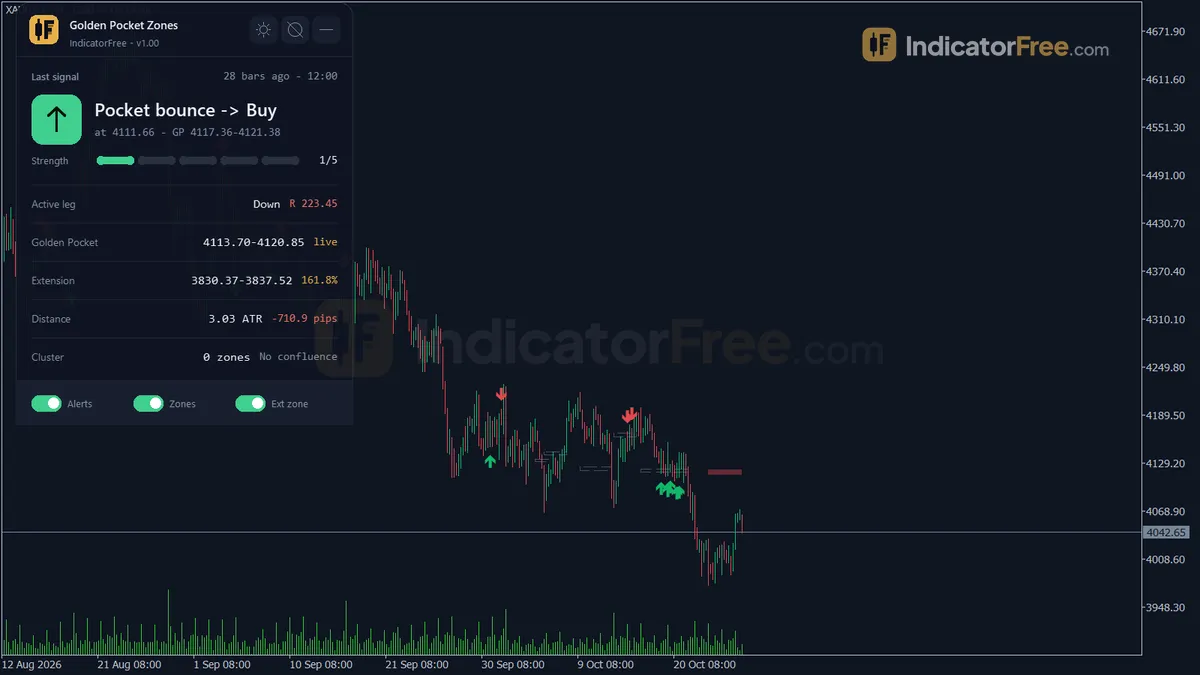
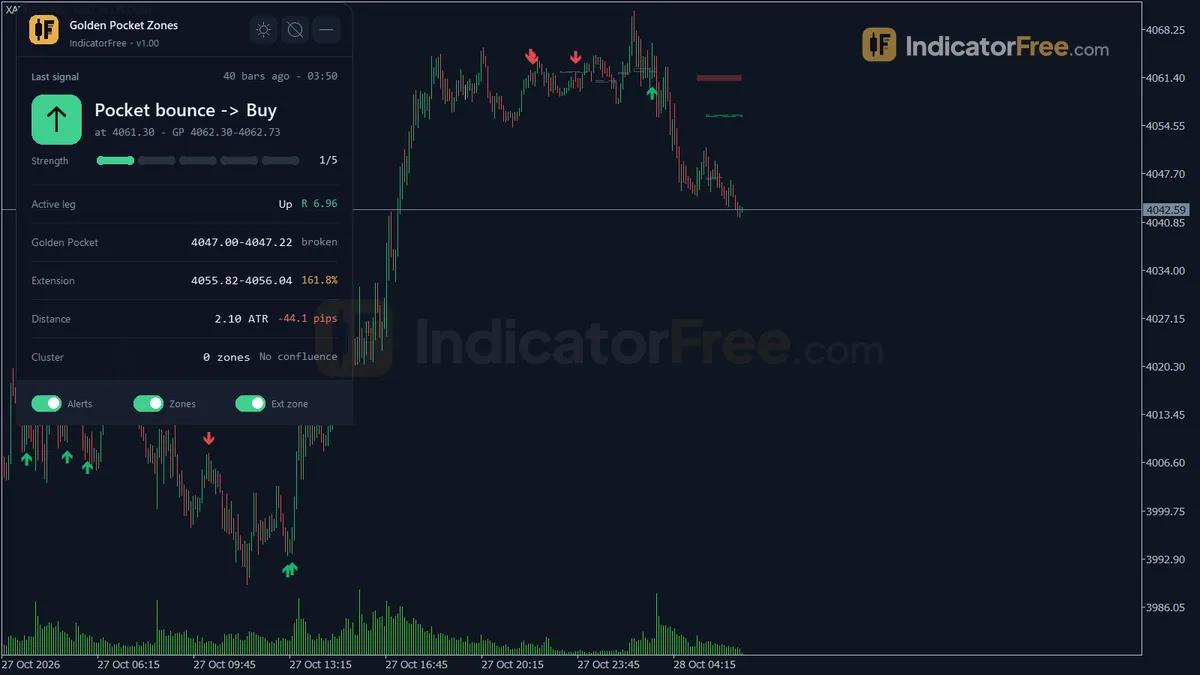
- Repainted
- 0 / 187
- Signals / week
- ≈ 14.7
- Tested on
- EURUSD M15
- Tested
- 2026-10-05
Overview
Golden Pocket Zones is a free MT5 indicator for pullback traders who already draw Fibonacci levels by hand. On your main chart it draws a box over the 61.8–65% pullback of each confirmed swing. When a closed bar rejects that box, it prints a Buy Bounce or Sell Bounce arrow. In the Lab's EURUSD M15 test, 58.9% of 187 arrows reached 1 ATR in their direction before price moved 1 ATR against them.
It draws the zone for each new swing, marks the bounce, and can alert you when price touches the pocket and again when the arrow prints.
What it draws on your chart
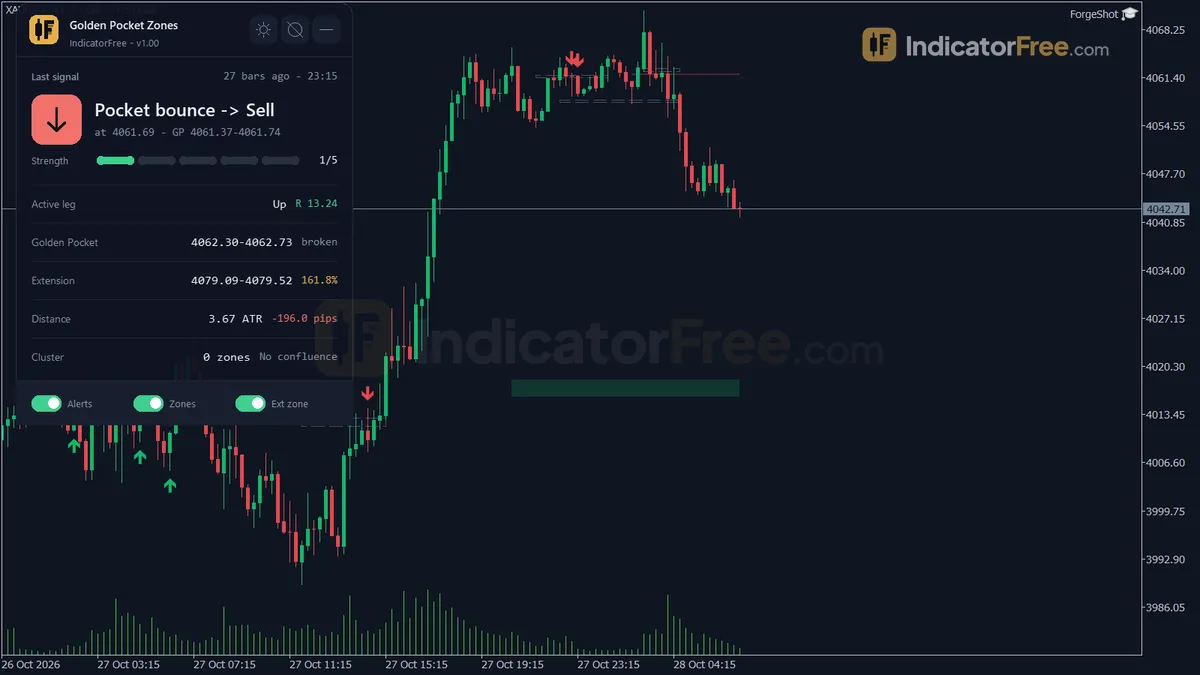
The Golden Pocket is the band between the 61.8% and 65% Fibonacci retracement of the last swing. The indicator finds swings by itself with an ATR-filtered ZigZag, so you never have to pick the swing high and low yourself.
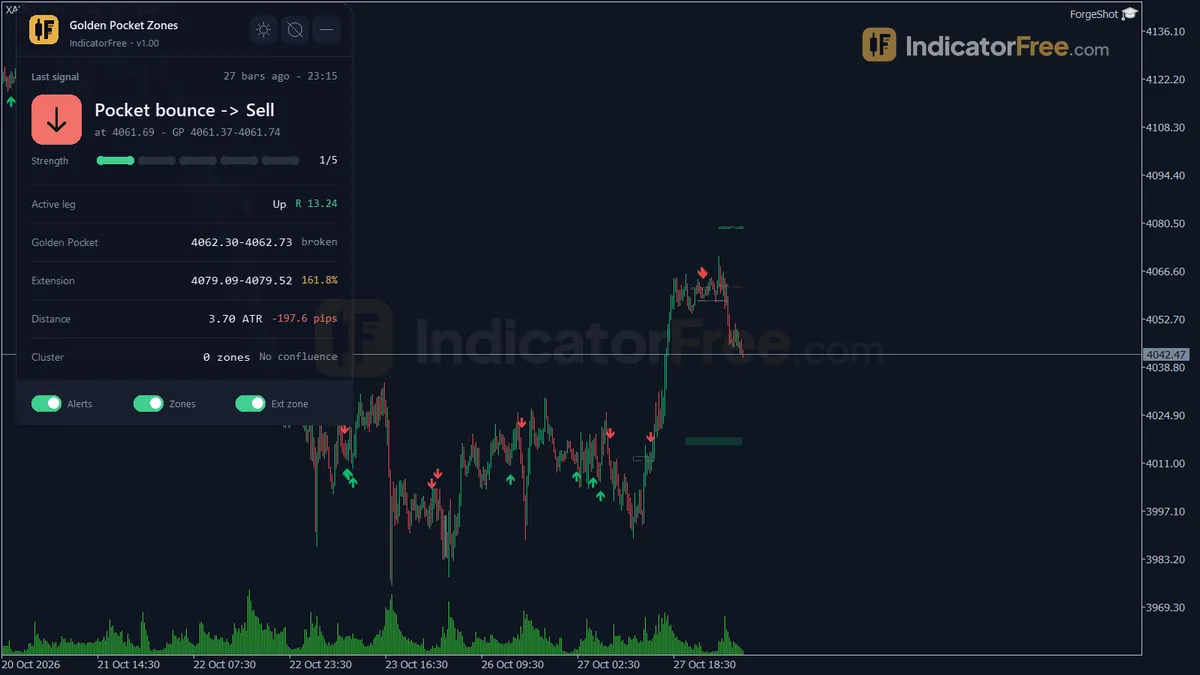
- Golden Pocket box for the current swing. Up to
HistoryPocketsolder pockets also stay on the chart (5 by default), drawn in fading colors. - Golden Extension box at 161.8–165% of the current swing.
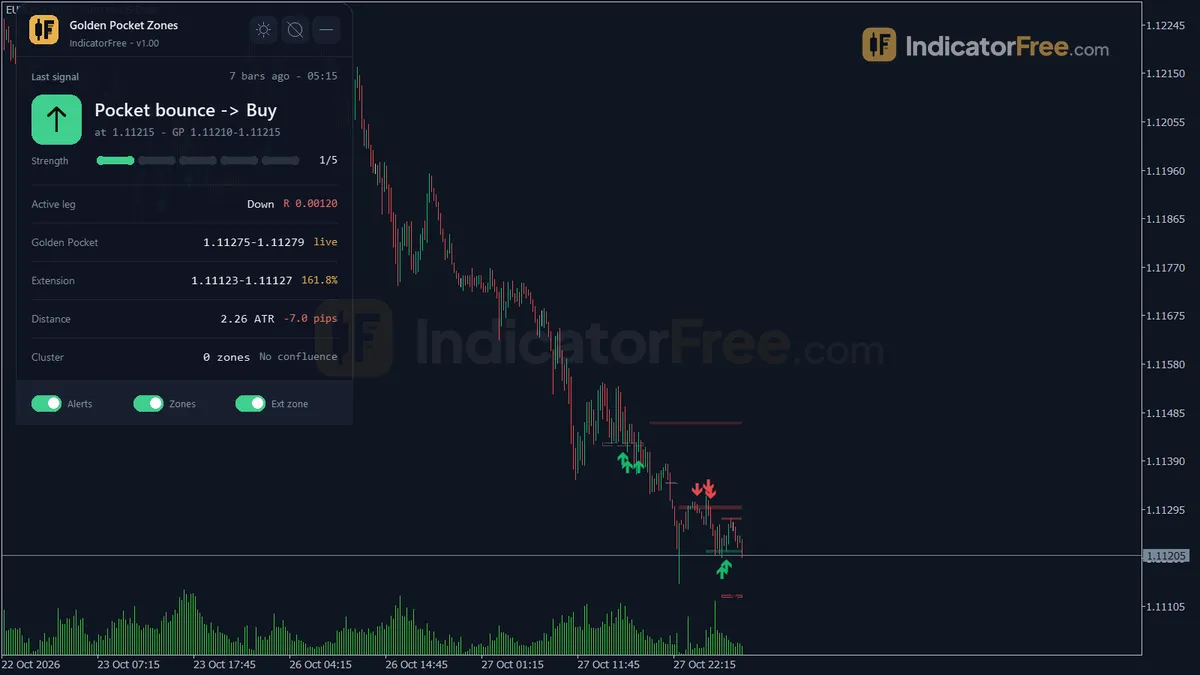
- Buy Bounce / Sell Bounce arrows on the closed bar that rejected the pocket.
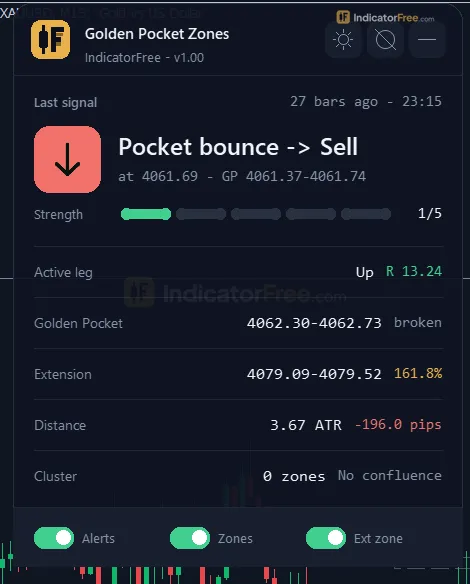
- Status panel showing:
- the last bounce signal and its strength (the strength scale is not documented)
- the active leg and swing size
- the pocket and extension prices
- the distance from Bid to the pocket in ATR
- a cluster score, built from the older pockets kept on the chart (its scale is not documented)
- higher-timeframe pocket alignment
Everything draws in the main price window, not in a subwindow. Version 1.00, file size 101 KB.
How the Lab tested it
The Lab ran version 1.00 on MT5 build 6230 (tested 2026-10-05). The test used EURUSD M15 with Raw Trading Ltd real ticks from 2026-07-06 to 2026-10-02. It ran two checks: does an arrow ever change after it prints, and what does price do next?
Repaint: the Lab logged 187 arrows. 0 of 187 changed afterwards, and the maximum arrow delay was 0 bars. So an arrow on a past bar is the same arrow you would have seen live when that bar closed. The history on your chart is a fair picture of how the signal behaved.
Follow-through: for each arrow the Lab checked whether price travelled 1 ATR in the arrow's direction before it travelled 1 ATR against it.
- 58.9% hit the target side first.
- 3.7% did neither within 20 bars.
- That leaves 37.4% (100 − 58.9 − 3.7) that went a full ATR against you first.
That is better than a coin flip but far from certain. Treat the arrow as an entry candidate, not a complete trading system.
The chart below splits that result by arrow type.
Scale zoomed in to show the difference (bars do not start at zero).
Sell Bounce arrows did better in this sample. They also reached their 1 ATR faster: the median was 2.0 bars, against 3.0 bars for buys. Within 20 bars, 3.4% of sells and 4.0% of buys reached neither side. This is one pair over one quarter, so the gap may reflect that quarter's market rather than a lasting bias. Don't trade only one side because of it.
On M15 you can expect about 14.7 arrows a week: 7.8 buys and 6.9 sells. That is enough to be picky and take only the arrows that pass your own filter.
Who it suits
It suits traders who enter on pullbacks in the direction of the last swing. It also suits anyone who wants an alert when price reaches the Golden Pocket, so they don't have to watch the chart. It is built as an entry tool. You still decide the trend, the stop and the exit.
How it works
- 1Calculates ATR and finds swing pivots using the set pivot bars. Swings smaller than a minimum ATR multiple are ignored.
Swing size >= MinSwingATRMult x ATRInputs: PivotBars, ATRPeriod, MinSwingATRMult - 2A zone engine builds a golden pocket zone from each qualifying swing and keeps the most recent pockets.Inputs: HistoryPockets
- 3A pocket is invalidated when price breaks through it by a set ATR multiple.
Break if price passes the pocket by PocketBreakATRMult x ATRInputs: PocketBreakATRMult - 4When price touches a pocket and bounces, draws a buy or sell arrow with a strength score and can alert.Inputs: AlertOnTouch, AlertOnConfirm, ShowClusterScore
- 5Optionally runs the same zone search on 1000 bars of a higher timeframe to check agreement.Inputs: HigherTFConfluence
Specifications
- Platform
- MetaTrader 5
- Version
- 1.00
- Type
- Indicator
- Window
- Main chart
- Draws
- 2 arrows, 2 zones, 1 panel
- Alerts
- popup, push, sound
- Repaints
- No (0 of 187 signals changed)
- Inputs
- 16
- Tested on
- MT5 build 6230 · 2026-10-05
Repaint test
No repaint detected. In a 6 Jul 2026 – 2 Oct 2026 test on EURUSD M15 (Raw Trading Ltd real ticks), 187 signals were logged at bar close and re-read at the end of the test: 0 changed. Arrows print on the bar that closes the signal, with no delay.
IndicatorFree — tested 2026-10-05 · MT5 build 6230 · Raw Trading Ltd real ticks. Results come from historical data, not live trading, and do not guarantee future results.
Signal statistics
Over 6 Jul 2026 – 2 Oct 2026 on EURUSD M15, the indicator printed 187 arrows. After 58.9% of them, price moved 1×ATR(14) in the arrow's direction before moving 1×ATR against it (median 2 bars). 3.7% reached neither level within 20 bars.
This measures price movement after the arrow, not a trading result. It includes no spread, commission, stop loss or position sizing.
What it draws
- Arrows (Buy Bounce) from buffer 0, drawn on the closed bar.
- Arrows (Sell Bounce) from buffer 1, drawn on the closed bar.
- Rectangles (Golden Pocket) drawn as chart objects, not buffers — they are not readable by iCustom() in an EA.
- Rectangles (Golden Extension) drawn as chart objects, not buffers — they are not readable by iCustom() in an EA.
- An on-chart panel (Status); values shown in the panel are not exposed as buffers.
Inputs
| Input | Default | What it does |
|---|---|---|
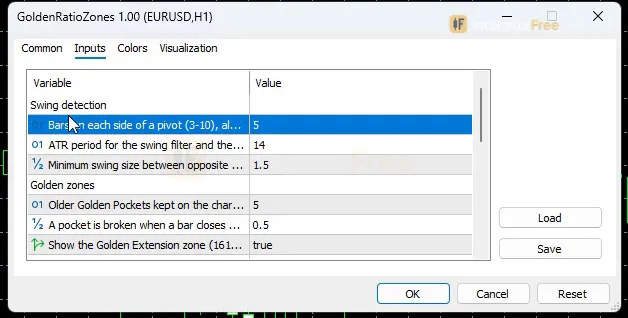
| PivotBars | 5 | Bars on each side of a pivot (3-10), also the confirmation lag in bars |
| ATRPeriod | 14 | ATR period for the swing filter and the break distance (5-50) |
| MinSwingATRMult | 1.5 | Minimum swing size between opposite pivots, in ATR (0.5-5.0) |
| HistoryPockets | 5 | Older Golden Pockets kept on the chart and used for the cluster score (1-10) |
| PocketBreakATRMult | 0.5 | A pocket is broken when a bar closes beyond it by this many ATR (0.1-2.0) |
| ShowExtension | true | Show the Golden Extension zone (161.8-165%) of the current swing |
| ShowClusterScore | true | Show the Golden Cluster score row on the panel |
| HigherTFConfluence | Off | Higher timeframe whose Golden Pocket is compared on the panel |
| PanelScale | 1 | Panel size multiplier (DPI is applied automatically) |
| AlertOnTouch | true | Alert once per pocket when a closed bar first touches the current Golden Pocket |
| AlertOnConfirm | true | Alert once per pocket when a bounce arrow prints |
| AlertPopup | true | Show a popup alert |
| AlertPush | false | Send a push notification |
| AlertSound | true | Play a sound |
| Theme | Dark | Chart color theme |
| RestoreTheme | true | Restore the original chart colors when the indicator is removed |
How to read it
How one Bounce arrow forms
Every arrow goes through the same steps. The Buy side is shown below; the Sell side is the mirror image.
- Swing confirmed. A pivot needs
PivotBarsbars on each side (5 by default), so a swing is only knownPivotBarsbars after its high or low. The gap between opposite pivots must be at leastMinSwingATRMult× ATR (1.5 by default). Smaller swings are ignored. - Pocket drawn. The box covers the 61.8–65% retracement of that leg.
- Touch. A closed bar's low reaches the 61.8% level. It must not go lower than the 65% level minus
PocketBreakATRMult× ATR. This is when the touch alert fires. - Bounce. The same bar closes bullish at or above the 65% level. A Buy Bounce arrow prints on that bar.
- Break. If a bar closes beyond the pocket by
PocketBreakATRMult× ATR, the pocket counts as broken (no longer valid for a bounce).
The chart below shows steps 2–4 on an up leg.
Reading the zones and the panel
- Current vs older pockets. The brightest box belongs to the current swing. The faded boxes are older pockets. The cluster score on the panel is built from these older pockets, so changing
HistoryPocketschanges what the score can see. - Golden Extension (161.8–165%). Only the current swing's extension is shown. It is replaced when a new swing is confirmed or when the last pivot is replaced by a more extreme one. Don't treat its first position as fixed.
- Distance to pocket in ATR. This tells you at a glance how far Bid is from the zone.
- Higher-timeframe alignment. With
HigherTFConfluenceset to Off (the default), this row has nothing to compare. Set it to a timeframe above your chart to see whether the higher timeframe's Golden Pocket lines up with yours.
The inputs to change first
| Input | Default (range) | What changing it does |
|---|---|---|
PivotBars | 5 (3–10) | Higher gives fewer, larger swings and a longer confirmation delay. Lower reacts sooner but finds more minor swings. |
MinSwingATRMult | 1.5 (0.5–5.0) | Raise it to ignore small swings, which gives fewer pockets and fewer arrows. |
PocketBreakATRMult | 0.5 (0.1–2.0) | Sets how far past the 65% level a wick can go and still count as a bounce. It also sets how far a close must go to break the pocket. Lower is stricter. |
HigherTFConfluence | Off | Turns on the higher-timeframe alignment row on the panel. |
HistoryPockets | 5 (1–10) | Sets how many older pockets stay on the chart and feed the cluster score. |
ATRPeriod | 14 (5–50) | Sets the ATR used for the swing filter and the break distance. Higher values give a steadier ATR. |
PanelScale resizes the panel (DPI is handled automatically). Theme switches between chart color themes.
Alerts
There are two alert events. Each fires once per pocket, after the bar closes:
AlertOnTouch: the first closed bar that touches the current Golden Pocket.AlertOnConfirm: a bounce arrow prints.
You can receive them as a popup in the MT5 Alerts window (AlertPopup, on), a sound (AlertSound, on) or a push notification (AlertPush, off by default).
A decision rule for each arrow
Buy Bounce: take it only if all three hold:
- The higher-timeframe row on the panel agrees, or your higher-timeframe chart is also in an up leg.
- Bid is still within about 1 ATR of the pocket when you act. Check the distance on the panel.
- You accept that the Lab's numbers describe a 1 ATR target against a 1 ATR stop.
If price has already run more than 1 ATR away, the move the Lab measured has mostly happened. Skip that arrow.
Sell Bounce: use the same rule in reverse. The higher timeframe should be in a down leg, and Bid should be within about 1 ATR above the pocket.
The 1 ATR distance check is a rule of thumb taken from how the Lab measured results. The Lab did not test it as a filter.
The misread to avoid
The touch alert is not an entry. It fires as soon as a closed bar reaches the pocket, before any rejection appears. The arrow needs the extra condition of a close back above the 65% level for buys, or below it for sells. If you enter on the touch alert, you are trading a different signal from the one the Lab tested.
Installation
- 1Download GoldenRatioZones.ex5 from the button above (Google Drive).
- 2In MetaTrader 5: File → Open Data Folder → MQL5 → Indicators. Copy GoldenRatioZones.ex5 there.
- 3Restart MT5 or right-click Indicators in Navigator → Refresh.
- 4Drag Golden Pocket Zones onto a chart. For push alerts, enable "Allow push notifications" under Tools → Options → Notifications.
- Tested on MT5 build 6230.
Key terms and guides
- Swing high
- A swing high is a candle whose high is above the highs of the candles on both sides of it. It marks a peak where buyers stopped pushing and price turned lower, at least for a while.
- Pullback
- A pullback is a short, temporary move against the main trend: price dips during an uptrend or rallies during a downtrend, then turns back the trend's way. Traders use it to enter a trend at a better price.
- Higher Timeframe
- A higher timeframe is any chart period longer than the one you trade on, such as the daily chart for someone trading the 1-hour chart. Traders use it to see the bigger trend and the main price levels around their smaller-chart trades.
- Fibonacci retracement
- A Fibonacci retracement is a set of horizontal levels drawn across one finished price move, at 23.6%, 38.2%, 50%, 61.8% and 78.6% of its size. Traders use them to judge where a pullback may pause before the original move resumes.
- Trend
- A trend is the main direction price keeps moving in over a period. In an uptrend price makes higher highs and higher lows. In a downtrend it makes lower highs and lower lows.
- Price Swing
- A price swing is one move in a single direction, from a turning low to a turning high or the reverse. You measure it in pips from one swing point to the next.
More on this subject: Supply, demand & key levels guide, terms and tools
User reviews
No reviews yet. Members who download the tool can review it here.
Sign in and download the tool to review it.
Build a checklist with it
Golden Pocket Zones does one job on the chart: zone / level. Put it on the same chart as the tools below and the IndicatorFree panels merge into one checklist card, ordered trend, zone, signal, risk.
- Trend / contextEMA PulseAdds the trend side: which way the market leans before you act on Golden Pocket Zones.
- Entry signalChange of CharacterAdds the entry signal: the moment to act once Golden Pocket Zones has set the scene.
The Lab has not tested these combinations. Each tool is tested on its own; the card only lines up what each one says. Free members get 2 new tools a day. If one has to wait until tomorrow, install BlackBox to raise the limit to 5 a day (20 on a live account).
FAQ
Does Golden Pocket Zones repaint?
No repaint detected. In a 6 Jul 2026 – 2 Oct 2026 test on EURUSD M15 (Raw Trading Ltd real ticks), 187 signals were logged at bar close and re-read at the end of the test: 0 changed. Arrows print on the bar that closes the signal, with no delay.
Can I use Golden Pocket Zones in an EA?
Yes. Read buffer 0 (Buy Bounce) with iCustom() on bar 1 — the last closed bar.
Why can’t my EA read the zones?
Zones and the panel are chart objects, not indicator buffers, so iCustom() does not return them.
How do I get alerts on my phone?
Enter your MetaQuotes ID under Tools → Options → Notifications, tick "Enable push notifications", and keep the push alert input on.
Does it work on other pairs?
Tested on EURUSD only; other symbols not tested.
Which timeframe should I use Golden Pocket Zones on?
M15 is the only timeframe the Lab tested; see Settings to start with.
Does it work on gold, indices or crypto?
All its distances are set in ATR rather than pips, so you don't need to convert inputs for a different symbol. The Lab tested EURUSD only, so behaviour on other markets is not measured.
Can I change the levels, for example to 0.705 or 0.786?
No. In version 1.00 the pocket is fixed at 61.8–65% and the extension at 161.8–165%, and there is no input to change them.
How do I get the alerts on my phone?
Set AlertPush to true. Then enable push notifications in your MT5 terminal options with the MetaQuotes ID from your MT5 mobile app. Touch and confirm alerts will then reach your phone, once per pocket each.
Will it change my chart colors?
It applies the Dark theme by default, and you can switch it with the Theme input. With RestoreTheme left on (the default), your original chart colors come back when you remove the indicator.
Changelog
- 1.00Initial release: ATR-filtered ZigZag swing detection, Golden Pocket (61.8-65%) and Golden Extension (161.8-165%) zones, up to 5 fading historical pockets with automatic ATR-based invalidation, Golden Cluster confluence. · 2026-10-05
Final verdict
Verdict: a clean pullback entry signal, not a full trading system
Golden Pocket Zones does one job, and the Lab data backs it: 0 of 187 arrows repainted and 58.9% reached 1 ATR first. It turns the Golden Pocket, which traders usually draw by hand, into a box that updates automatically. It checks for an ATR-based break and prints an arrow that did not repaint in the Lab. The arrows also resolve quickly: the median time to reach 1 ATR was 2 bars, which is about 30 minutes on M15. You find out quickly whether a trade is working.
The edge the Lab measured is modest. It comes from one pair, one timeframe and one quarter.
Where it falls short
- No exits. It gives no stop or target. The Golden Extension is a zone you can watch, but the Lab did not test it as a target.
- Swings arrive late. A swing only appears
PivotBarsbars after its high or low. On higher timeframes that delay can be long. - Sideways markets. In flat markets the legs flip often and pockets break quickly. Raise
MinSwingATRMultthere, or stay out. - Fixed levels. The zone is always 61.8–65%. You cannot set other Fibonacci ratios.
Skip it if
- You want a mechanical system that handles entries, stops and exits by itself.
- You scalp M1, where the confirmation delay matters most and nothing has been tested.
- You trade with Fibonacci levels outside 61.8–65%.
Settings to start with
On M15, start with the defaults. They are what the Lab tested. Turn on HigherTFConfluence with a timeframe one or two steps above your chart.
Two starting points for other timeframes. Neither was tested by the Lab, so compare each with the default before you rely on it:
- On H4, try
PivotBars3 to shorten the delay. - On M5, try
MinSwingATRMult2.0 to filter out small swings.
The comparison below sums up when the arrows fit and when they don't.
- –A clear swing just finished and price is pulling back into the box
- –The higher-timeframe row agrees with the arrow
- –Bid is still within about 1 ATR of the pocket
- –You have your own stop and exit plan
- –Price is moving sideways and legs keep flipping
- –Only the touch alert fired, no arrow yet (see The misread to avoid)
- –Price has already run well away from the pocket
- –You need levels other than 61.8–65%
The arrow does not check whether the larger trend is still intact. One idea is to pair it with Dynamic Support Line: take Buy Bounce arrows only while price holds above its rising support, and the reverse for sells. This is an idea to try. The Lab has not tested the pair.