Inside Bar Coil
Free Inside Bar Coil indicator for MT5: boxes chains of inside bars with an xN length tag. Lab-run on MT5 build 6230, checks closed bars only.
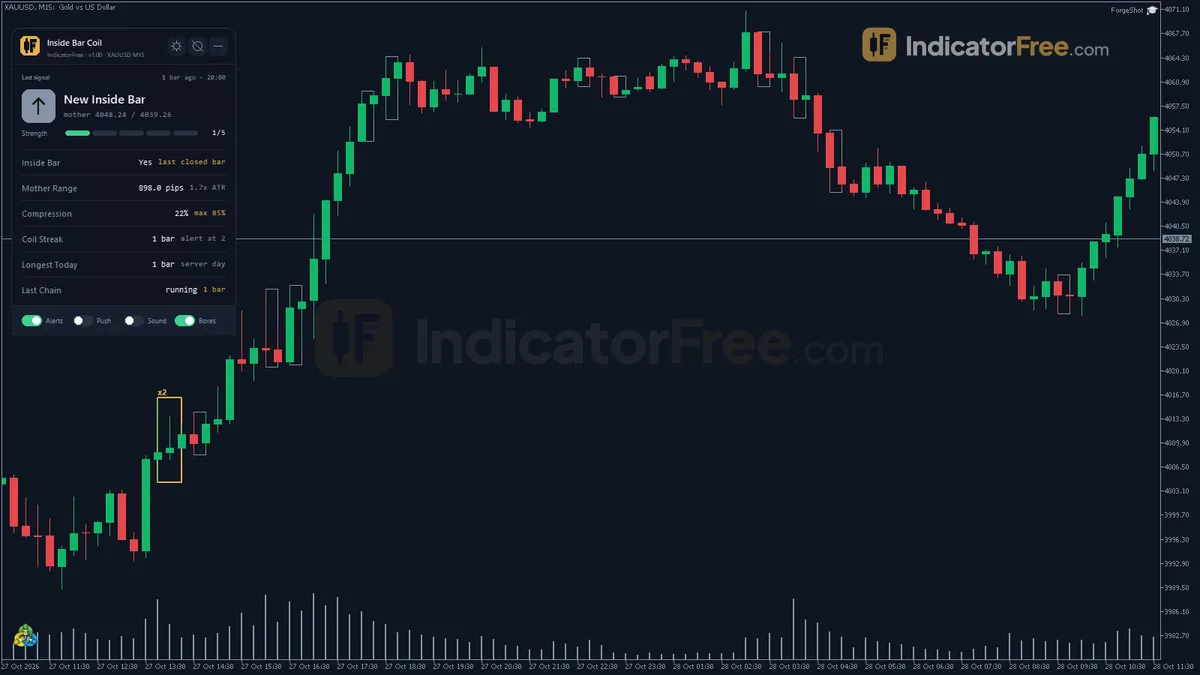
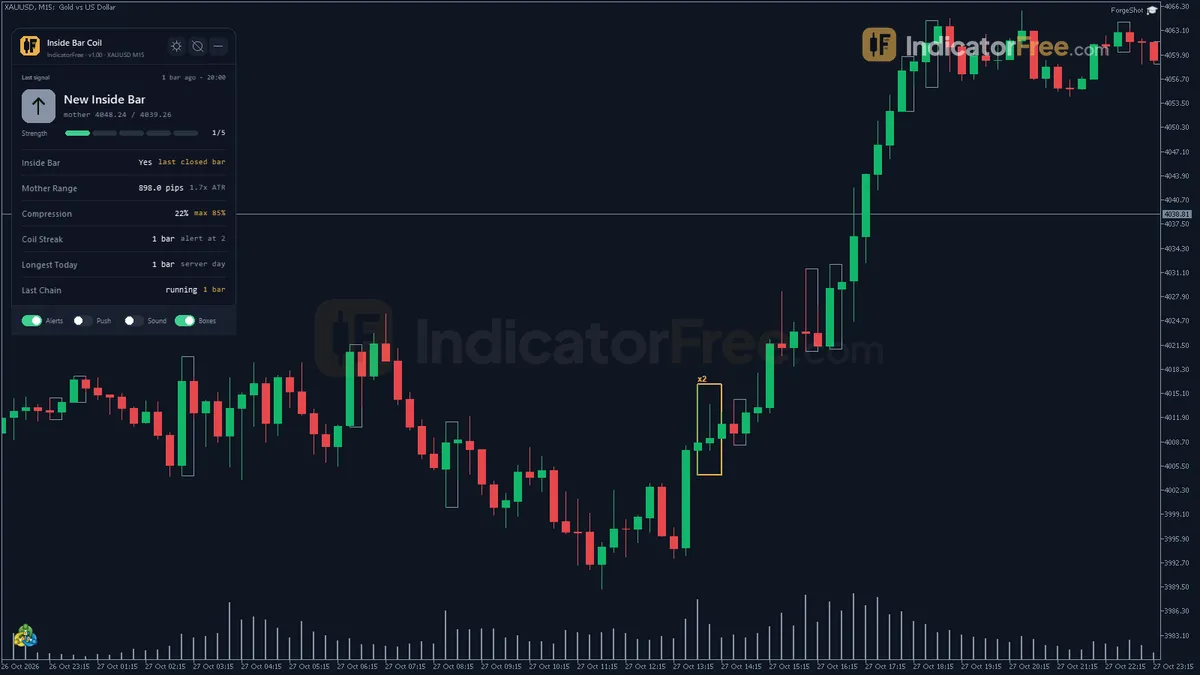
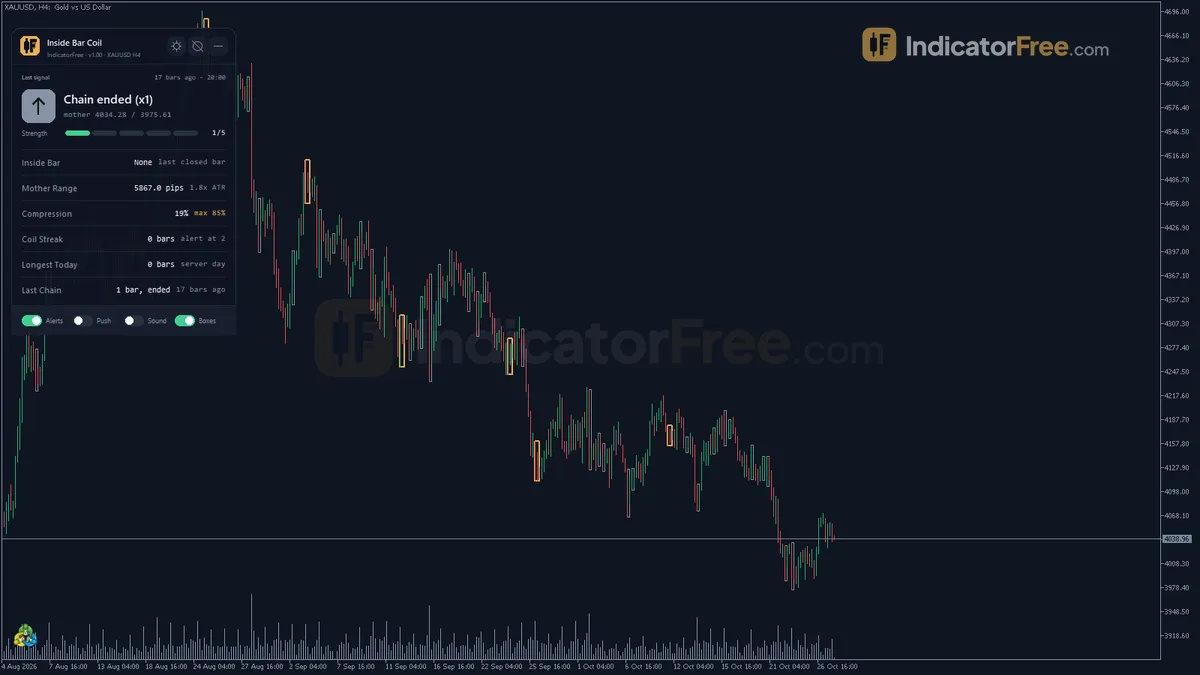
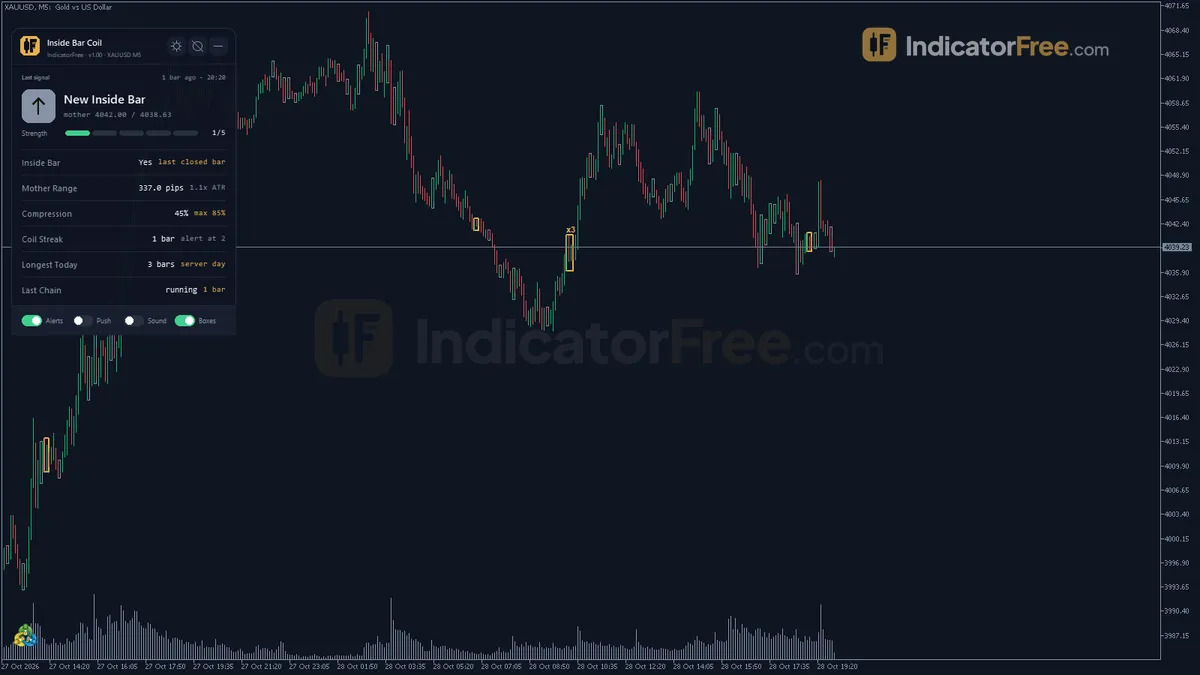
- Repainted
- Not tested
- Signals / week
- —
- Tested on
- —
- Tested
- 2026-10-05
Overview
Lab-tested on MT5 build 6230 (2026-10-05): 18 inputs, popup/push/sound alerts. Inside Bar Coil is a free MT5 indicator for traders who wait for price to compress before they act: it draws a box on your main price chart around each run of consecutive inside bars. The box spans the mother bar's high and low, and an xN tag shows how many inside bars the coil holds. It checks for inside bars on closed bars only, so a box does not appear in the middle of a forming candle.
What the indicator draws on your chart
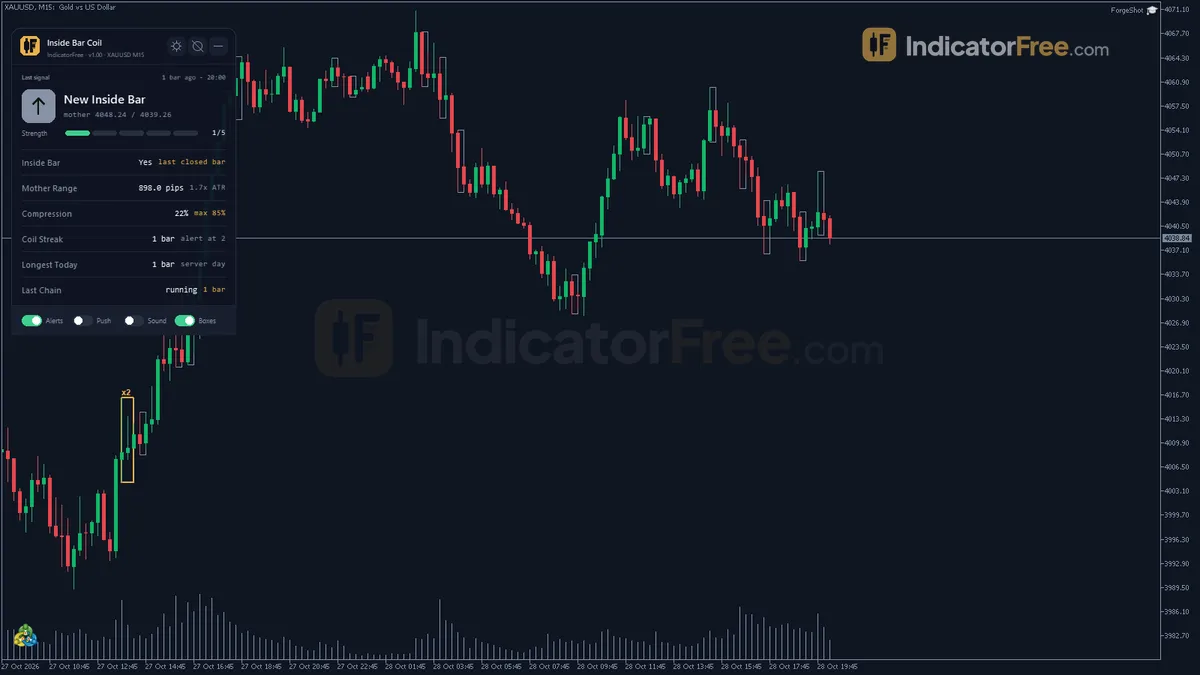
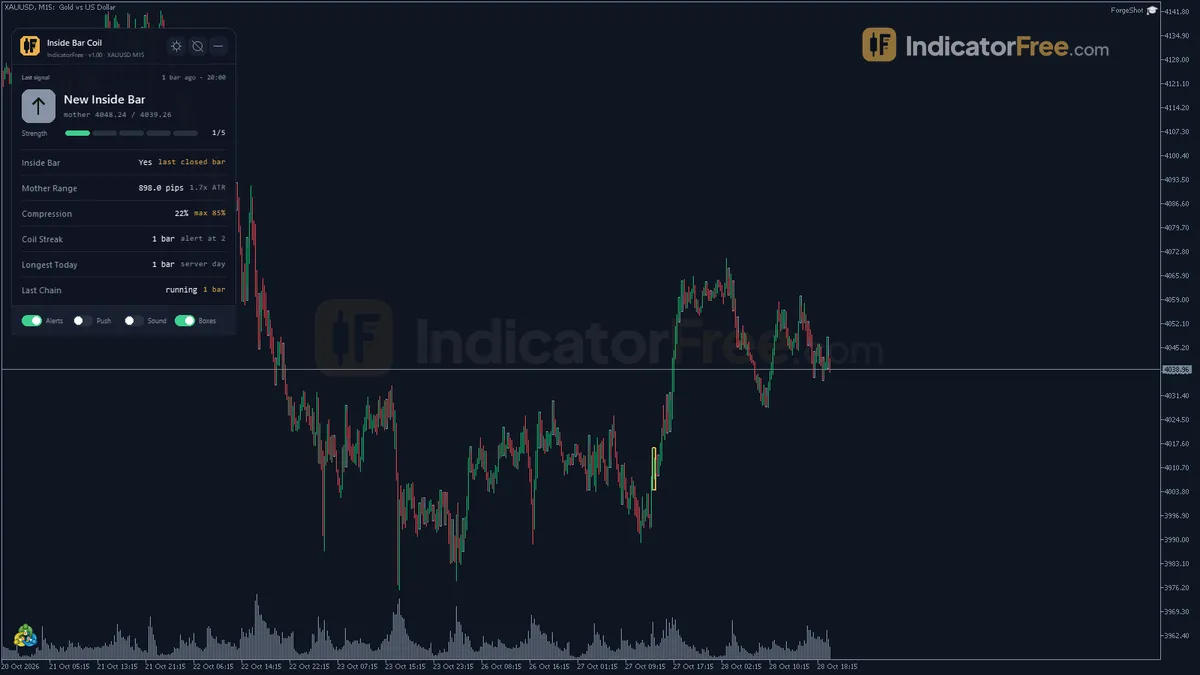
An inside bar is a candle whose high and low stay within the range of the candle before it, which is called the mother bar. A run of inside bars shows that price is compressing. Inside Bar Coil adds three things to the chart and does not open a subwindow:
- Inside Bar Coil box: a rectangle from the mother high to the mother low, highlighted when the run reaches your minimum length.
- Coil Length Tag: the xN label on each box.
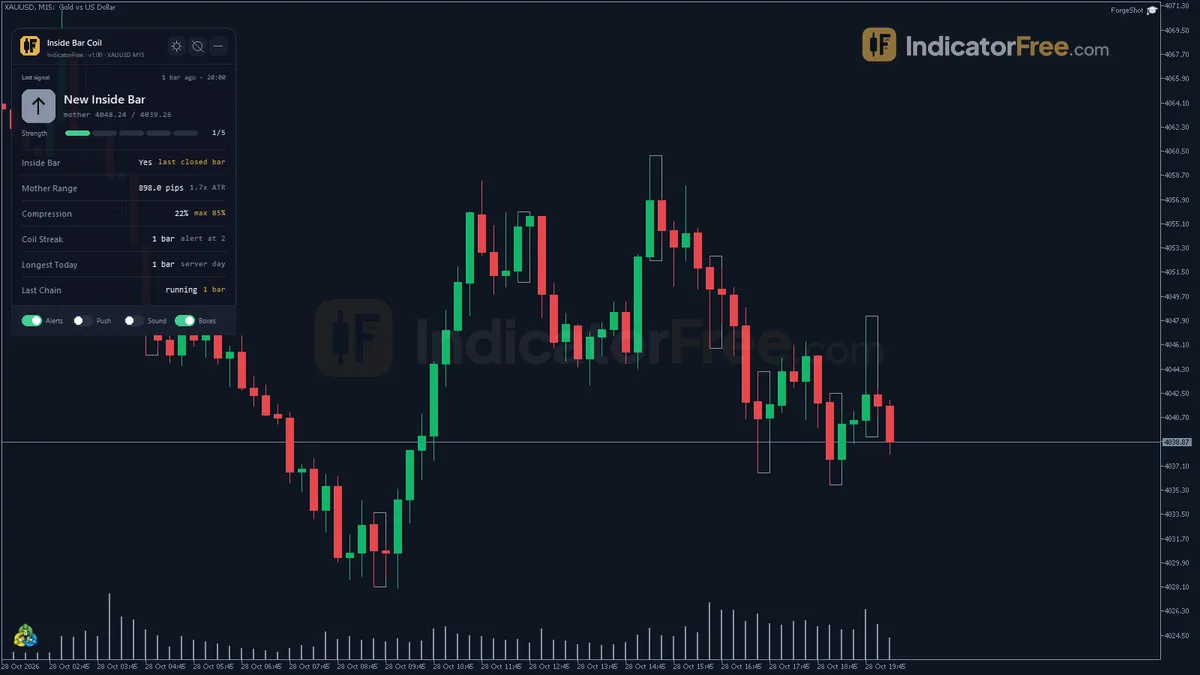
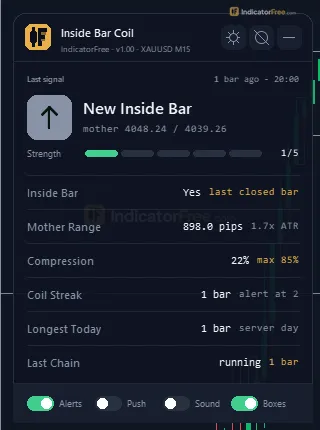
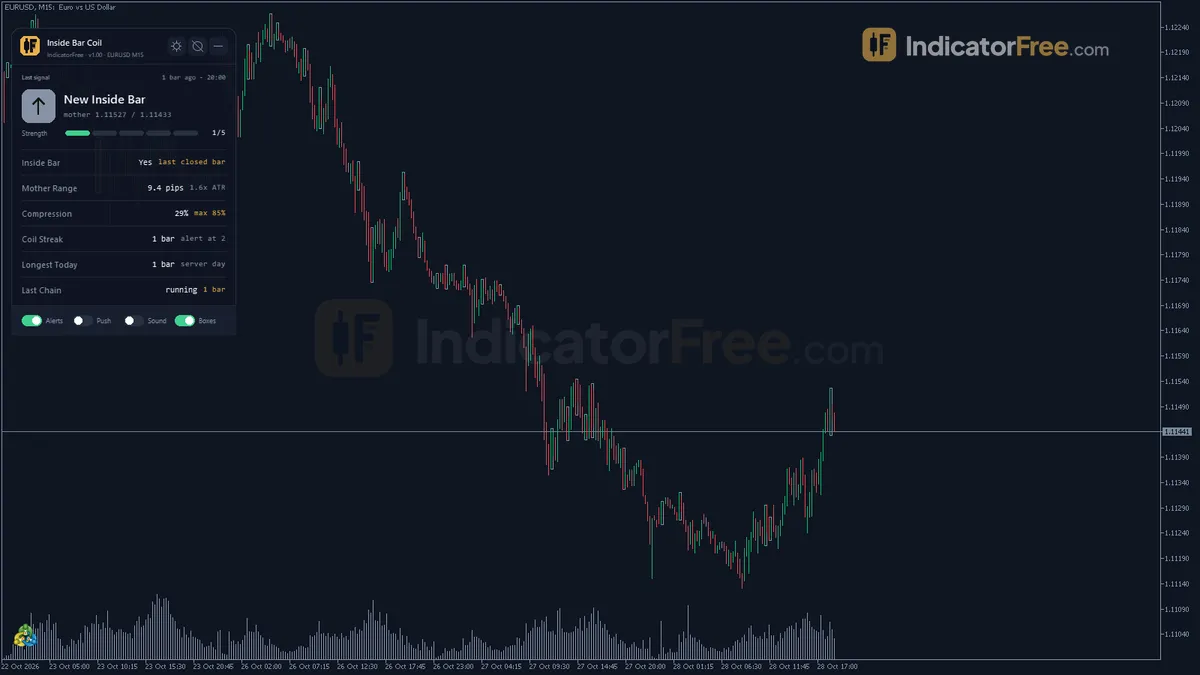
- Status panel: shows the current inside bar state, the mother range in pips and as an ATR multiple, the compression %, the current coil streak, the longest streak today and the last finished chain.
The chart below shows what a typical coil looks like on screen:
What the Lab checked and what it did not
The Lab attached version 1.00 (140 KB) to EURUSD on H4 and M5 and checked it over several weeks of history. Boxes appeared only after a bar closed, never on a forming candle. The oldest box was removed once the chart held more boxes than the default cap. Each box carried an xN tag counting its inside bars, and the panel showed the mother range in pips and ATR, the compression % and the coil streaks.
The Lab did not measure repainting or breakout results: there is no figure for how often price broke out of a coil, or in which direction.
Who it is for
It suits traders who already trade inside-bar or compression breakouts and want the coils found, measured and alerted automatically. Skip it if you are a scalper who enters intrabar, before the candle closes.
How it works
- 1A bar is inside when its high and low stay within the previous bar, strictly or allowing equal values.Inputs: InputStrictInside
- 2The mother bar must be a fraction of ATR, and the inside range a limited share of it.
Inside range / Mother range <= InputMaxInsideRangeRatioInputs: InputATRPeriod, InputMinMotherRangeATRMult, InputMaxInsideRangeRatio - 3Consecutive valid inside bars form a chain whose length is counted, with a box from the mother high to low.
- 4Boxes are limited to the chosen count and can be restricted to chains long enough to be significant.Inputs: InputMaxBoxesShown, InputShowOnlySignificantChains
Specifications
- Platform
- MetaTrader 5
- Version
- 1.00
- Type
- Indicator
- Window
- Main chart
- Draws
- 2 zones, 1 panel
- Alerts
- popup, push, sound
- Repaints
- not tested
- Inputs
- 18
- Tested on
- MT5 build 6230 · 2026-10-05
Repaint test
Repaint: not tested. This indicator draws zone, panel, which the IndicatorFree harness cannot read through iCustom().
IndicatorFree — tested 2026-10-05 · MT5 build 6230. Results come from historical data, not live trading, and do not guarantee future results.
What it draws
- Rectangles (Inside Bar Coil) drawn as chart objects, not buffers — they are not readable by iCustom() in an EA.
- Rectangles (Coil Length Tag) drawn as chart objects, not buffers — they are not readable by iCustom() in an EA.
- An on-chart panel (Status); values shown in the panel are not exposed as buffers.
Inputs
| Input | Default | What it does |
|---|---|---|
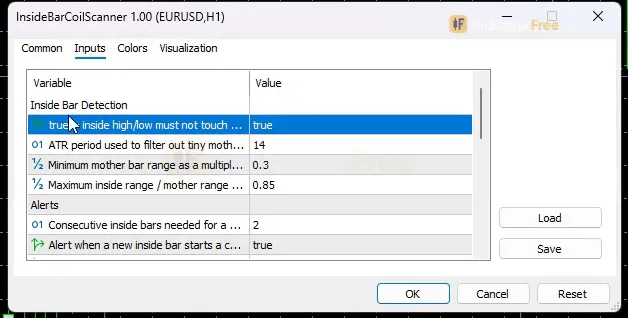
| InputStrictInside | true | true = inside high/low must not touch the mother high/low; false = touching allowed |
| InputATRPeriod | 14 | ATR period used to filter out tiny mother bars (5-50) |
| InputMinMotherRangeATRMult | 0.3 | Minimum mother bar range as a multiple of ATR (0 = filter off, max 2.0) |
| InputMaxInsideRangeRatio | 0.85 | Maximum inside range / mother range for a meaningful compression (0.10-1.00) |
| InputMinCoilLengthForAlert | 2 | Consecutive inside bars needed for a Coil Extend alert and a highlighted box (1-10) |
| InputAlertOnNewInsideBar | true | Alert when a new inside bar starts a chain |
| InputAlertOnCoilExtend | true | Alert when a chain grows and reaches InputMinCoilLengthForAlert |
| InputAlertPopup | true | Popup alert in the terminal |
| InputAlertPush | false | Push notification to the mobile app |
| InputAlertSound | false | Play a sound on alerts |
| SoundFile | alert.wav | Sound file played when sound alerts are on |
| InputMaxBoxesShown | 50 | Maximum boxes kept on the chart, the oldest is removed first (10-200) |
| InputShowOnlySignificantChains | false | true = only draw boxes for chains of at least InputMinCoilLengthForAlert inside bars |
| ShowBoxes | true | Show the boxes when the indicator starts (can be toggled on the panel) |
| ShowPanel | true | Show the on-chart status panel |
| PanelScale | 1 | Panel size multiplier (DPI is applied automatically) |
| Theme | Dark | Chart color theme |
| RestoreTheme | true | Restore the original chart colors when removed |
How to read it
How one coil forms
Each closed bar goes through the checks below in order. A box appears only when every check passes:
- 1Bar closes inside the previous barHigh and low within the previous bar; touching allowed only if InputStrictInside = false
- 2Mother bar is big enoughRange at least InputMinMotherRangeATRMult x ATR(InputATRPeriod); 0 turns the filter off
- 3Inside bar is compressed enoughInside range / Mother range <= InputMaxInsideRangeRatio
- 4Chain counted, box drawnBox from mother high to low, xN tag counts consecutive inside bars
- 5Chain reaches minimum lengthAt InputMinCoilLengthForAlert the box is highlighted and Coil Extend fires
Reading the box, the tag and the panel
- Plain box: a valid coil that is still shorter than InputMinCoilLengthForAlert. Treat it as early information only.
- Highlighted box: the chain has reached your minimum length. This is the coil worth watching.
- xN tag: the number of inside bars in the chain. A higher N means price stayed compressed for longer.
- Panel: the ATR multiple tells you whether the mother bar is large or small for the current market. The compression % tells you how tight the coil is.
Common misread: the box edges are the mother bar's high and low, not the high and low of the last inside bar. The box does not move up or down to follow the latest candle. Also, a new box is not a trade signal. The tool marks compression and gives no direction.
Inputs to change first
- InputMinCoilLengthForAlert (default 2, range 1-10): sets the chain length that highlights a box and fires Coil Extend. Raise it if you only want longer, rarer coils.
- InputShowOnlySignificantChains (default false): set it to true to draw boxes only for chains that reach that length. This removes most of the clutter.
- InputMinMotherRangeATRMult (default 0.3, max 2.0): raise it to ignore coils that form inside small, quiet mother bars.
- InputMaxInsideRangeRatio (default 0.85, range 0.10-1.00): lower it so that only tightly compressed inside bars count.
- InputStrictInside (default true): chooses strict or soft inside bars (see the FAQ).
InputATRPeriod (default 14, range 5-50) sets the ATR used by the mother-bar filter. InputMaxBoxesShown sets the box cap. ShowBoxes, ShowPanel, PanelScale, Theme and RestoreTheme only change how things look. Boxes can also be turned on and off from the panel.
Alerts
There are two alert events:
- New inside bar (InputAlertOnNewInsideBar): fires when an inside bar starts a chain.
- Coil Extend (InputAlertOnCoilExtend): fires when a chain grows and reaches InputMinCoilLengthForAlert.
Alerts can arrive as a terminal popup (InputAlertPopup, on by default), a push notification to the MT5 mobile app (InputAlertPush), or a sound (InputAlertSound, using SoundFile, default alert.wav). If you get too many alerts, keep Coil Extend on and turn New inside bar off.
A decision rule for each signal
- New inside bar alert: do not act. Note the mother high and low.
- Coil Extend or highlighted box: plan both sides. Wait for a bar to close outside the box, and only trade in the direction of that close. If price closes back inside the box on the next bar, treat the breakout as failed.
- Skip the coil when the panel shows a mother-bar ATR multiple below about 0.5x (an untested rule of thumb), or when the box sits right under a level that price has rejected before.
These rules are a way to use the boxes. The Lab has not tested them.
Installation
- 1Download InsideBarCoilScanner.ex5 from the button above (Google Drive).
- 2In MetaTrader 5: File → Open Data Folder → MQL5 → Indicators. Copy InsideBarCoilScanner.ex5 there.
- 3Restart MT5 or right-click Indicators in Navigator → Refresh.
- 4Drag Inside Bar Coil onto a chart. For push alerts, enable "Allow push notifications" under Tools → Options → Notifications.
- Tested on MT5 build 6230.
Key terms and guides
- ATR multiplier
- An ATR multiplier is the number you multiply the Average True Range (ATR) by to set a distance on the chart. It is used most often for a stop loss: 1.5 × an ATR of 10 pips gives a 15-pip stop.
- Inside bar
- An inside bar is a candle whose high and low both stay within the high and low of the candle just before it, called the mother bar. It shows the market pausing and its range shrinking before the next move.
- Candlestick
- A candlestick is one bar on a price chart that shows four prices for a set period: the open, high, low and close. A thick body spans the open and close, and thin wicks reach the high and low.
- Pip
- A pip is the standard unit for measuring how far a currency price moves: 0.0001 on most forex pairs and 0.01 on pairs quoted in Japanese yen. Traders count stops, targets and spreads in pips.
- Guide: What Is a Fair Value Gap in Forex? How to Spot and Trade One
- Guide: How to Read Candlestick Charts: Bodies, Wicks and Shapes Explained
More on this subject: Price action & SMC guide, terms and tools
User reviews
No reviews yet. Members who download the tool can review it here.
Sign in and download the tool to review it.
Build a checklist with it
Inside Bar Coil does one job on the chart: entry signal. Put it on the same chart as the tools below and the IndicatorFree panels merge into one checklist card, ordered trend, zone, signal, risk.
- Trend / contextADXInside Bar Coil tells you when; this tells you which way the market leans, so you can skip signals against it.
- Zone / levelOrder Block LocatorShows the zones and levels, so you can see whether a signal from Inside Bar Coil fires at a level worth trading.
The Lab has not tested these combinations. Each tool is tested on its own; the card only lines up what each one says. Free members get 2 new tools a day. If one has to wait until tomorrow, install BlackBox to raise the limit to 5 a day (20 on a live account).
FAQ
Does Inside Bar Coil repaint?
Repaint: not tested. This indicator draws zone, panel, which the IndicatorFree harness cannot read through iCustom().
Why can’t my EA read the zones?
Zones and the panel are chart objects, not indicator buffers, so iCustom() does not return them.
How do I get alerts on my phone?
Enter your MetaQuotes ID under Tools → Options → Notifications, tick "Enable push notifications", and keep the push alert input on.
Which timeframe works best for Inside Bar Coil?
The Lab ran it on H4 and M5 and did not rank one timeframe above the other. Higher timeframes usually give fewer and larger coils. Suggested starting values for M5 are in the verdict.
Why can I see a box but no xN tag?
The tag is hidden whenever it is wider than its box at your current zoom. Zoom in or widen the chart and it comes back. The box itself is still there.
Can I get the alerts on my phone?
Yes. Set InputAlertPush to true and turn on push notifications in MT5 with your mobile app's MetaQuotes ID. Popup is on by default, and sound is off by default.
Should I use strict or soft inside bars?
The default, InputStrictInside = true, counts only bars that do not touch the mother high or low, which gives cleaner coils. Setting it to false lets touching bars count, so you get more coils, but some will be weaker.
Will old boxes clutter the chart?
No more than 50 boxes stay on the chart by default. The oldest box is removed first, and you can set the cap anywhere from 10 to 200 with InputMaxBoxesShown.
Changelog
- 1.00Initial release: Inside Bar detection on closed bars only (strict or soft containment), ATR and compression-ratio filters, consecutive Inside Bars chained into a single "coil" box with an "xN" tag, compact IFKit status. · 2026-10-09
Final verdict
Lab verdict on Inside Bar Coil
Inside Bar Coil does one narrow job well: it finds chains of inside bars on closed candles, filters them by ATR size and compression ratio, and shows the chain length directly on the box. Its strengths are that it is configurable (18 inputs), it alerts on mobile, and it saves you from counting inside bars by eye. Its weakness is that it gives no direction and has no measured edge. You still choose the breakout side, and you must check any coil-breakout idea on your own history first.
- –You already trade inside-bar or compression breakouts
- –You want alerts when a coil reaches a set length
- –You want the mother range measured in pips and ATR
- –You can wait for a close outside the box
- –You want buy or sell arrows with a direction
- –You need a tested win rate before you trade a signal
- –You enter before the candle closes
- –Charts full of boxes distract you and you won't trim them
Starting settings
Start with the defaults. If the chart gets busy, set InputShowOnlySignificantChains to true. On M5, try InputMinCoilLengthForAlert 3 and InputMinMotherRangeATRMult 0.5 so that short coils inside small mother bars no longer qualify. These two values are an untested starting point, not a Lab result, so compare them with the defaults on your own chart. If you want only tight coils, try InputMaxInsideRangeRatio 0.70. That value is also untested by the Lab.
Pairing idea
An idea the Lab has not tested: run Liquidity Map alongside it to see whether a coil is pressing against a liquidity level.