Doji
Free Doji indicator for MT5. It sorts doji candles into four types and flags Dragonfly/Gravestone at swing ends. Lab: 0 of 259 signals repainted.
- Repainted
- 0 / 259
- Signals / week
- ≈ 20.4
- Tested on
- EURUSD M15
- Tested
- 2026-10-04
Overview
Doji is a free MT5 indicator for the main chart. It marks each doji candle once the bar has closed and that doji passes its filters. It sorts each one into Standard, Long-Legged, Dragonfly or Gravestone, and puts a special arrow on Dragonfly and Gravestone dojis that form at the end of a move. In the Lab's EURUSD M15 repaint test, 0 of 259 signals changed after they appeared.
It helps traders who already read candles and want dojis found, graded and filtered automatically. It is not a ready-made buy/sell system.
What Doji draws on your chart
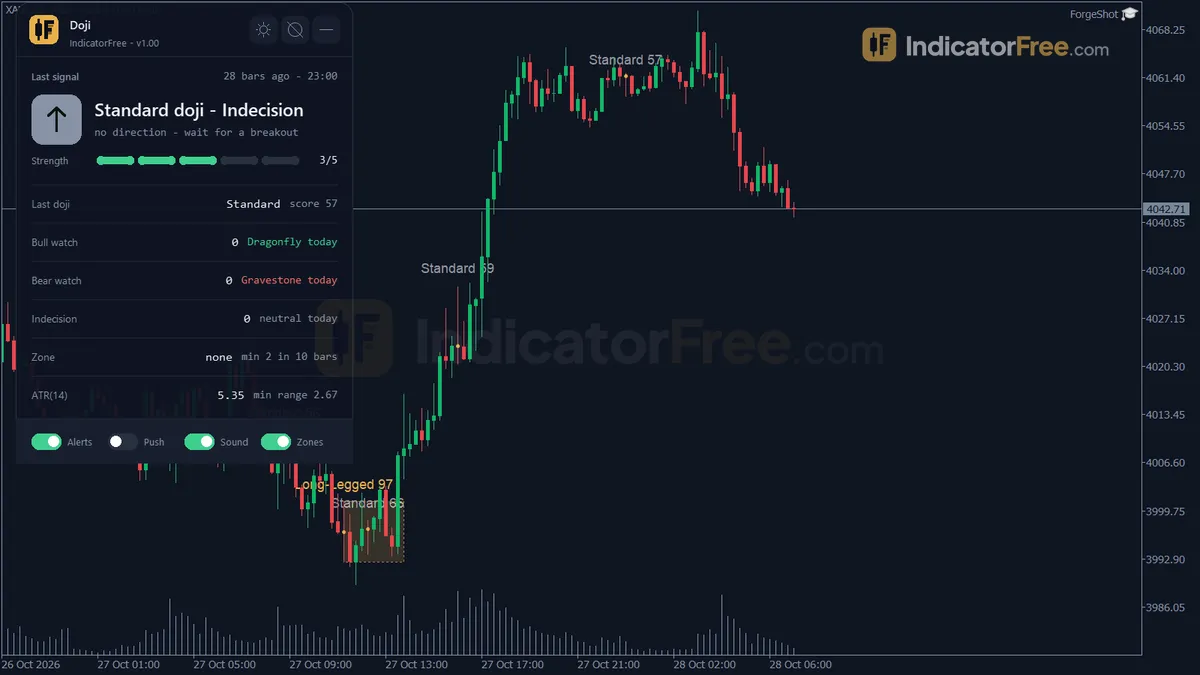
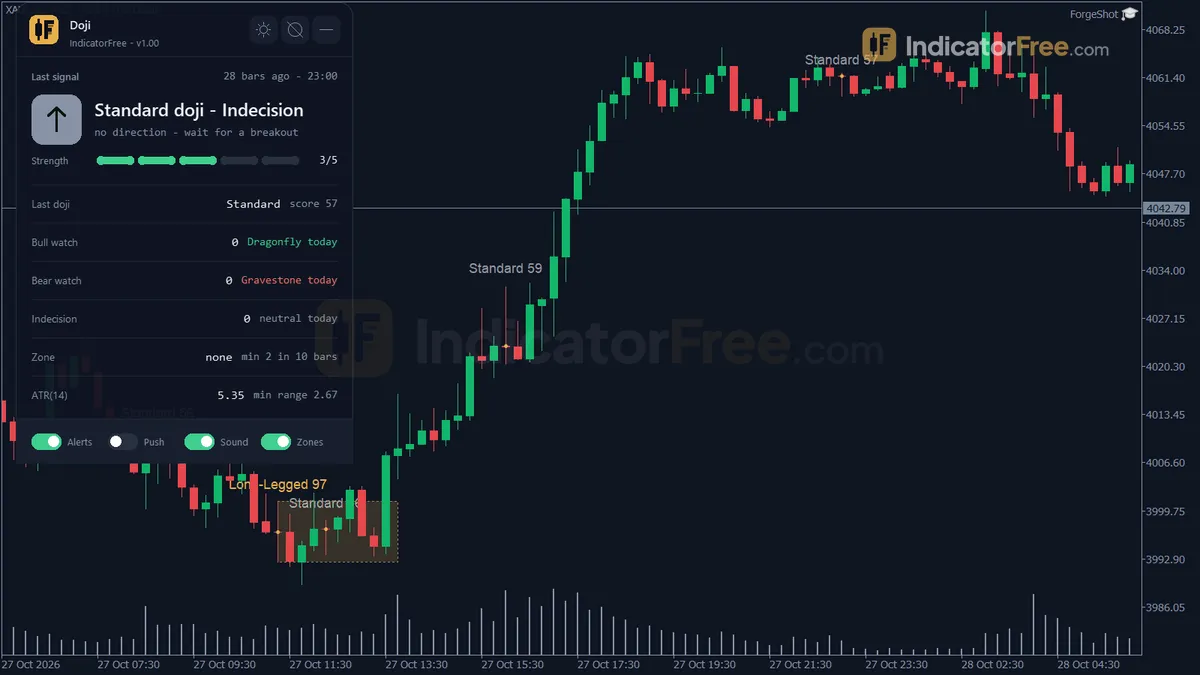
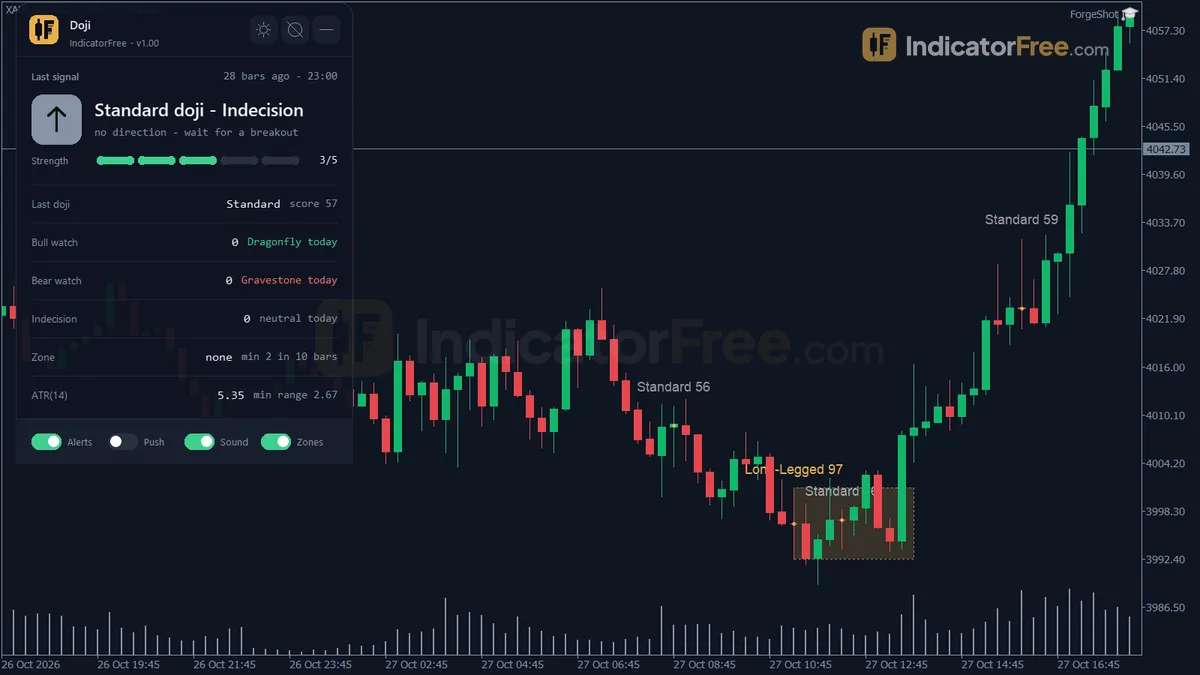
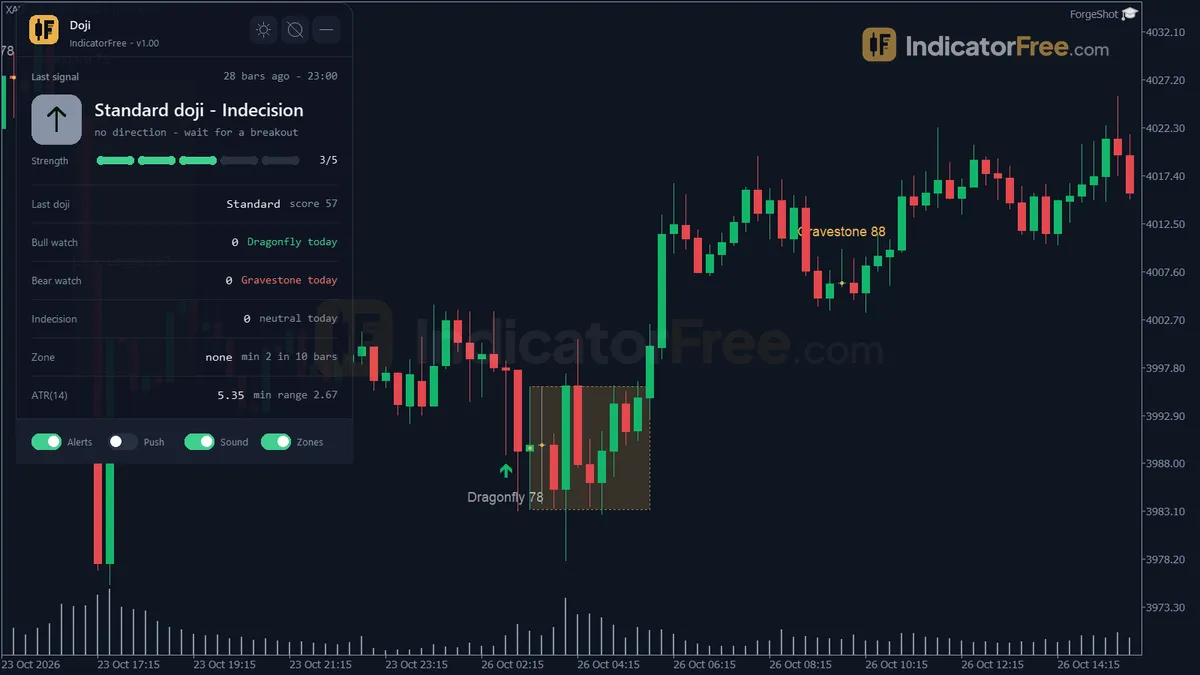
A doji is a candle that opens and closes at almost the same price, which shows indecision. The glossary covers the pattern itself. The indicator turns that idea into these objects:
- Bullish Watch arrow: a Dragonfly doji (long lower wick) after a fall, sitting at the recent swing low.
- Bearish Watch arrow: a Gravestone doji (long upper wick) after a rise, sitting at the recent swing high.
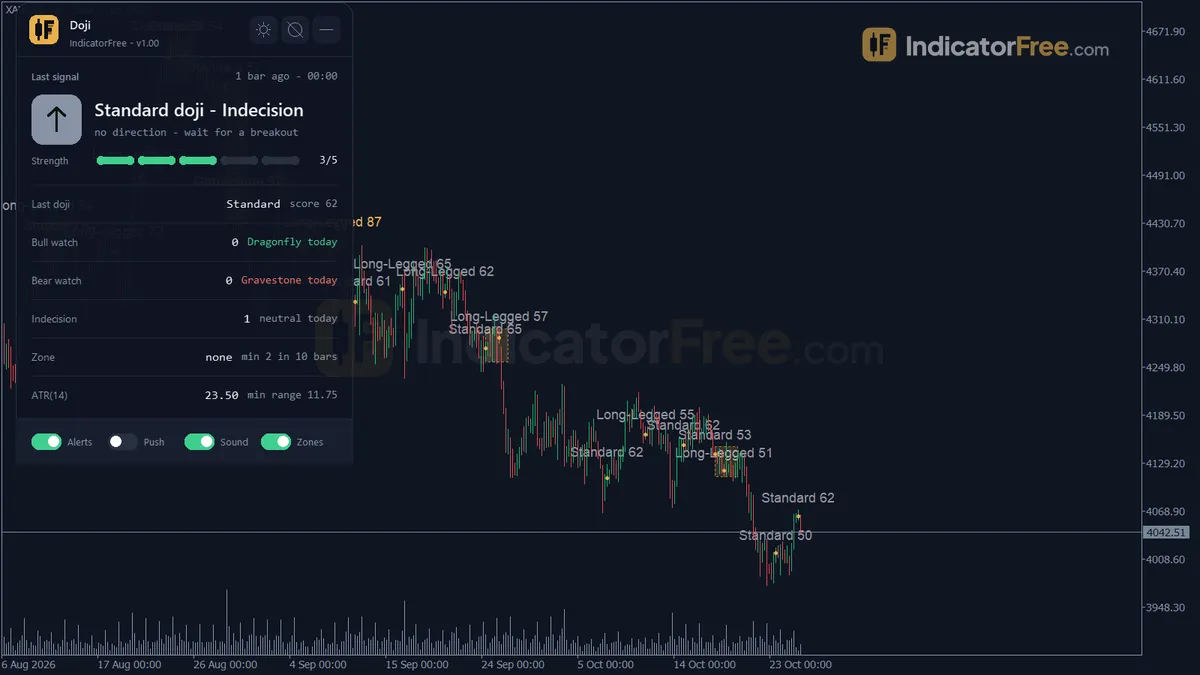
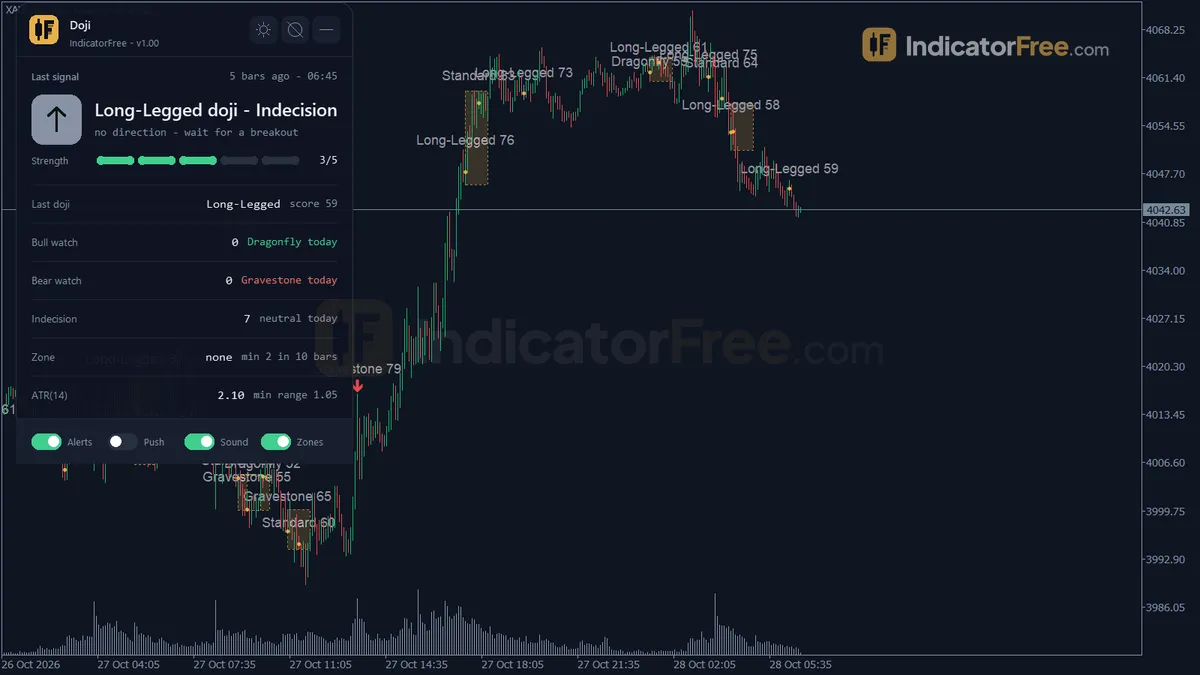
- Indecision Doji mark: any other doji that passes the filters (Standard, Long-Legged, or a Dragonfly/Gravestone without the trend and swing context).
- Indecision Zone box: drawn when at least
ClusterMinCountdojis form withinClusterLookbackBarsclosed bars. - Doji Score label: the doji type, plus its clarity score (0-100) when
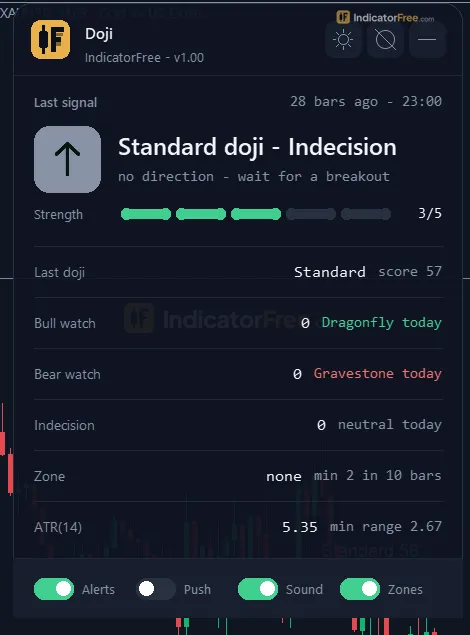
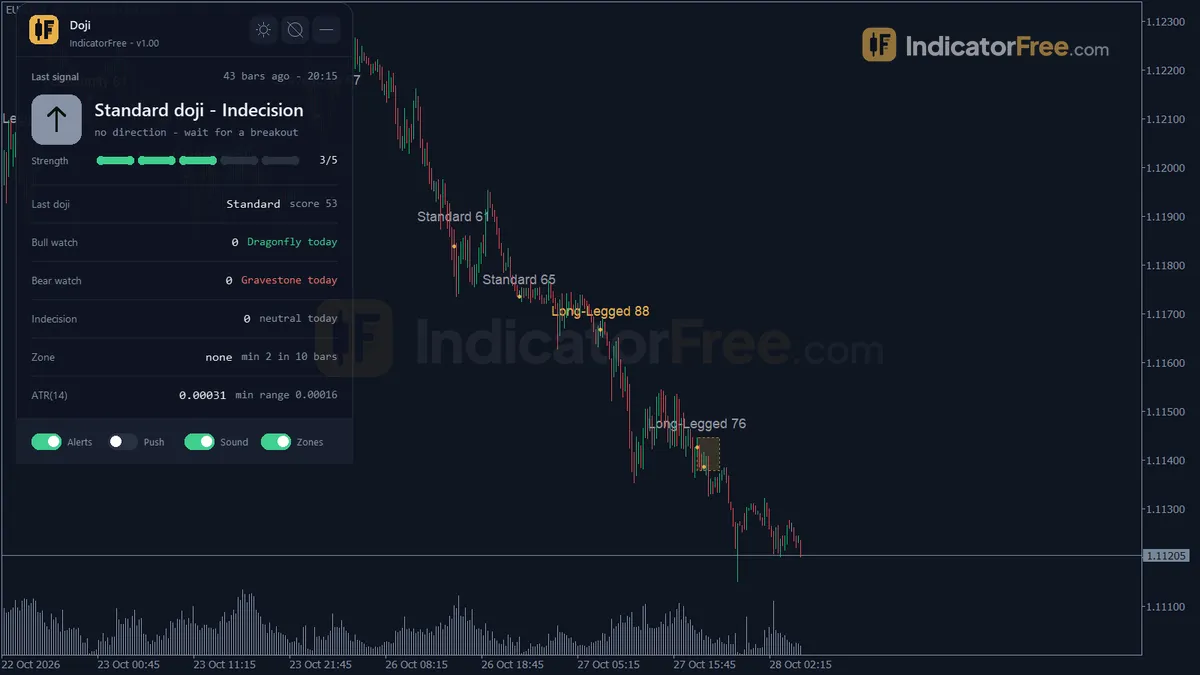
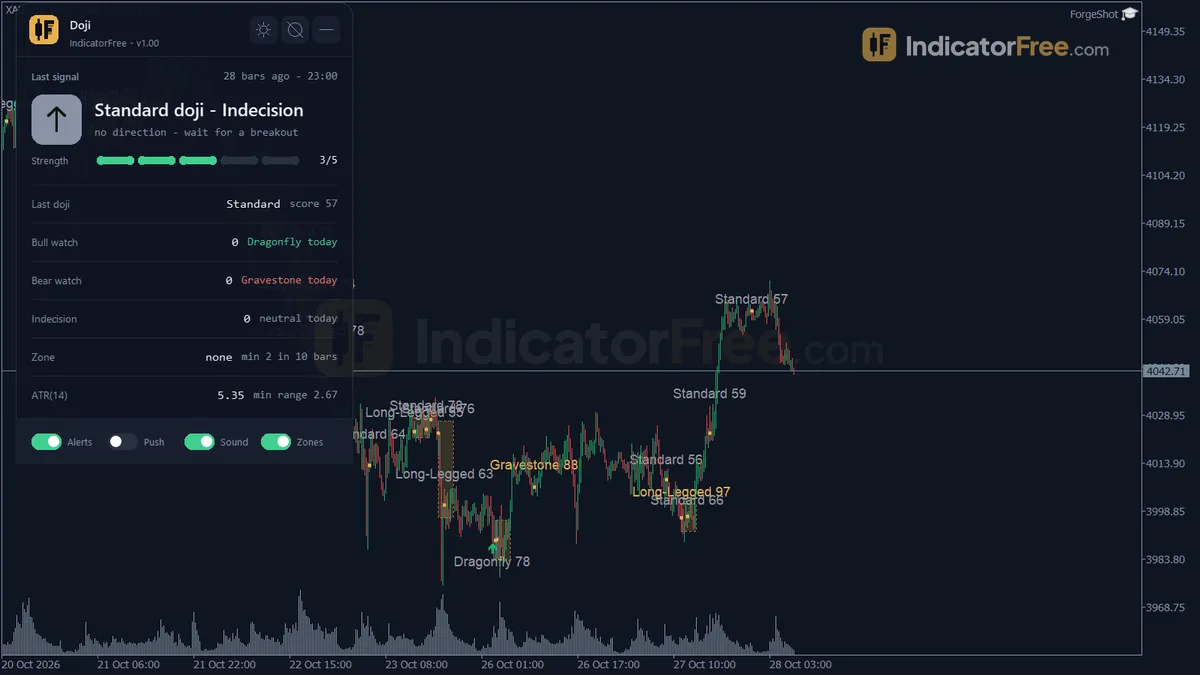
ShowScoreLabelis on. - Panel: shows the last doji's type, clarity score and watch level. It also shows today's bullish watch, bearish watch and indecision counts, the zone status and the current ATR.
The chart below shows how these marks sit on price: a Bullish Watch at the end of a drop, then two indecision dojis that create a zone.
How the Lab tested it
The Lab ran version 1.00 on EURUSD M15 from 2026-07-06 to 2026-10-02, using real ticks from Raw Trading Ltd, on MT5 build 6230. It logged 259 signals. Repaint means an arrow appears and later moves or disappears. In this test, 0 of 259 signals changed and the maximum arrow delay was 0 bars. Each mark appears on the doji bar as soon as that bar closes, and it stays there.
What the numbers mean for you
The Lab checked whether price moved 1 ATR in the signal's direction before it moved 1 ATR against it. Across all 259 signals the result was 48.3%, which is a coin flip. The doji tells you where to pay attention, not which way to trade.
After a doji, price moves fast. The median time to reach the 1 ATR mark was 2 bars, and only 1.5% of signals stayed inside 1 ATR either way for 20 bars. A doji is usually followed by a quick move, in either direction.
Almost all marks are indecision marks. On average there were 20.4 signals a week: 19.3 Indecision Doji, 0.6 Bullish Watch and 0.5 Bearish Watch. The chart below breaks the 1 ATR result down by signal type.
Read the Watch bars with care. They come from only 8 Bullish Watch and 6 Bearish Watch signals, which is too few to say whether either arrow has an edge. The Indecision result rests on 245 signals (1.6% hit neither level in 20 bars), so that one is reliable, and it says what an indecision candle should: no direction.
How it works
- 1Measures each closed bar's body and wicks as shares of its high-low range, with ATR for scale.
Body ratio = abs(Close - Open) / (High - Low)Inputs: ATRPeriod - 2Keeps bars with a tiny body and classifies them by wick shape: dragonfly, gravestone, long-legged or standard.
Doji if body ratio <= BodyRatioMax. Dragonfly if lower wick >= wick min and upper wick <= small maxInputs: BodyRatioMax, SmallWickMax, DragonflyGravestoneWickMin, LongLegWickMin - 3Scores clarity 0 to 100 from body smallness, wick fit and range size. Low range or score bars drop out.
Score = 0.45 x body score + 0.35 x wick score + 0.20 x range scoreInputs: MinClarityScore, MinRangeATRMultiple - 4Dragonfly at a swing low after a drop is bullish. Gravestone at a high after a rise is bearish.
Trend = Close change over PriorTrendBars >= MinTrendATRMultiple x ATRInputs: PriorTrendBars, MinTrendATRMultiple, SwingProximityATRMultiple - 5Shades an indecision zone when enough dojis appear within the lookback bars.
Zone = lowest Low to highest High of the dojisInputs: ClusterLookbackBars, ClusterMinCount, ShowFourPriceDoji
Specifications
- Platform
- MetaTrader 5
- Version
- 1.00
- Type
- Indicator
- Window
- Main chart
- Draws
- 3 arrows, 2 zones, 1 panel
- Alerts
- popup, push, sound
- Repaints
- No (0 of 259 signals changed)
- Inputs
- 27
- Tested on
- MT5 build 6230 · 2026-10-04
Repaint test
No repaint detected. In a 6 Jul 2026 – 2 Oct 2026 test on EURUSD M15 (Raw Trading Ltd real ticks), 259 signals were logged at bar close and re-read at the end of the test: 0 changed. Arrows print on the bar that closes the signal, with no delay.
IndicatorFree — tested 2026-10-04 · MT5 build 6230 · Raw Trading Ltd real ticks. Results come from historical data, not live trading, and do not guarantee future results.
Signal statistics
Over 6 Jul 2026 – 2 Oct 2026 on EURUSD M15, the indicator printed 259 arrows. After 48.3% of them, price moved 1×ATR(14) in the arrow's direction before moving 1×ATR against it (median 2 bars). 1.5% reached neither level within 20 bars.
This measures price movement after the arrow, not a trading result. It includes no spread, commission, stop loss or position sizing.
What it draws
- Arrows (Bullish Watch) from buffer 0, drawn on the closed bar.
- Arrows (Bearish Watch) from buffer 1, drawn on the closed bar.
- Arrows (Indecision Doji) from buffer 2, drawn on the closed bar.
- Rectangles (Indecision Zone) drawn as chart objects, not buffers — they are not readable by iCustom() in an EA.
- Rectangles (Doji Score) drawn as chart objects, not buffers — they are not readable by iCustom() in an EA.
- An on-chart panel (Doji); values shown in the panel are not exposed as buffers.
Inputs
| Input | Default | What it does |
|---|---|---|
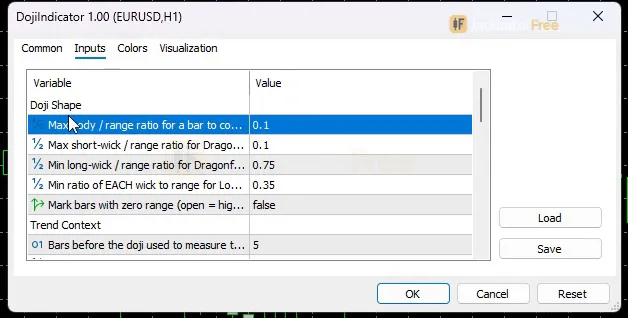
| BodyRatioMax | 0.1 | Max body / range ratio for a bar to count as a doji |
| SmallWickMax | 0.1 | Max short-wick / range ratio for Dragonfly and Gravestone |
| DragonflyGravestoneWickMin | 0.75 | Min long-wick / range ratio for Dragonfly and Gravestone |
| LongLegWickMin | 0.35 | Min ratio of EACH wick to range for Long-Legged |
| ShowFourPriceDoji | false | Mark bars with zero range (open = high = low = close) |
| PriorTrendBars | 5 | Bars before the doji used to measure the prior trend and swing |
| MinTrendATRMultiple | 0.5 | Min net move of the prior bars (x ATR) to confirm a trend |
| SwingProximityATRMultiple | 0.25 | Max distance (x ATR) from doji low/high to the prior swing low/high |
| ATRPeriod | 14 | ATR period used by the range filter, trend context and score |
| MinRangeATRMultiple | 0.5 | Min doji range as a multiple of ATR (0 = filter off) |
| MinClarityScore | 50 | Min clarity score (0-100) to draw and alert a doji |
| ShowIndecisionZone | true | Draw a box when several dojis cluster in a short window |
| ClusterLookbackBars | 10 | Window of closed bars used to count the doji cluster |
| ClusterMinCount | 2 | Min dojis inside the window to draw an Indecision Zone |
| MaxZones | 30 | Max zone boxes kept on chart (oldest removed first) |
| ShowShapes | true | Draw arrows, diamonds and text labels on the chart |
| ShowScoreLabel | true | Add the clarity score next to the doji type label |
| MaxLabels | 200 | Max doji text labels kept on chart (oldest removed first) |
| EnableAlertPopup | true | Popup alert when a new doji is confirmed |
| EnableAlertPush | false | Push notification when a new doji is confirmed |
| EnableAlertSound | true | Play a sound when a new doji is confirmed |
| SoundFile | alert.wav | Sound file played when sound alerts are on |
| MaxSpreadPoints | 0 | Block alerts while spread is above this (points, 0 = off) |
| DashShow | true | Show the on-chart panel |
| PanelScale | 1 | Panel size multiplier (DPI is applied automatically) |
| Theme | Dark | Chart color theme |
| RestoreTheme | true | Restore the original chart colors when removed |
How to read it
Install in one line
Copy the downloaded file (95.1 KB) into your MQL5\Indicators folder, refresh the Navigator, and drag Doji onto a chart. It draws on the price chart itself, not in a separate window below it.
How a Watch arrow forms
Every check runs on a closed bar, so nothing appears while a candle is still forming. The steps below are how a Bullish or Bearish Watch earns its arrow.
- 1Bar closesOnly closed bars are checked
- 2Shape testBody <= BodyRatioMax of range; long wick >= DragonflyGravestoneWickMin; short wick <= SmallWickMax
- 3Quality filtersClarity score >= MinClarityScore and range >= MinRangeATRMultiple x ATR
- 4Trend contextPrior PriorTrendBars bars fell (Dragonfly) or rose (Gravestone) by >= MinTrendATRMultiple x ATR
- 5Swing checkDoji low/high within SwingProximityATRMultiple x ATR of those bars' lowest low/highest high
- 6ResultAll passed: Bullish or Bearish Watch. Trend or swing failed: Indecision Doji
Reading each mark
- Bullish Watch: sellers drove price down to the swing low, and buyers pushed it all the way back to the open. Read "Watch" literally: it tells you to look at this spot, not to buy.
- Bearish Watch: the mirror case. Buyers were rejected at the swing high.
- Indecision Doji: a pause. A Long-Legged doji needs each wick to be at least
LongLegWickMinof the range. A Standard doji is a small body without those wick conditions. - Indecision Zone: a box around a cluster of dojis, where the market keeps stalling. Once there are more than
MaxZonesboxes, the oldest is deleted. - Doji Score label: the type and clarity score. Compare scores between dojis instead of trusting every mark the same. Once there are more than
MaxLabelslabels, the oldest is deleted.
The misread to avoid
A candle that clearly looks like a Dragonfly but carries an Indecision Doji mark is not a bullish signal. It failed the trend or swing check. Maybe it formed mid-range, or the prior bars did not fall far enough. Trust the mark type and the label, not the shape alone.
The second misread is calling it lag. The mark appears only after the doji bar closes, because a forming candle can still turn into something else. That wait is what keeps the marks from changing.
Inputs to change first
| Input | Default | What changing it does |
|---|---|---|
MinClarityScore | 50 | Higher = fewer, cleaner dojis drawn and alerted |
BodyRatioMax | 0.1 | Lower = only near-perfect dojis count |
MinRangeATRMultiple | 0.5 | Higher = skips tiny dojis in quiet sessions; 0 turns the filter off |
PriorTrendBars / MinTrendATRMultiple | 5 / 0.5 | Larger = Watch arrows only after longer or stronger moves |
SwingProximityATRMultiple | 0.25 | Smaller = Watch arrows only right at the swing extreme |
ClusterMinCount / ClusterLookbackBars | 2 / 10 | Higher count or shorter window = fewer, tighter zones |
ATRPeriod | 14 | Sets the ATR used by the range filter, trend context and score |
Alerts and where they appear
An alert fires each time a new doji is confirmed. Popups (EnableAlertPopup, on) open in the MT5 alert window. Sound (EnableAlertSound, on) plays SoundFile, which is alert.wav by default. Push (EnableAlertPush, off) goes to the MetaTrader mobile app linked to your terminal.
Version 1.00 has no switch to alert only on certain types, so most alerts will be Indecision dojis. Set MaxSpreadPoints above 0 to block alerts while the spread is wider than that many points.
Decision rules for each signal
The Lab suggests these rules for reading the marks. They were not part of the measured test.
- Bullish Watch: consider a long only if the next bar closes above the doji's high. Skip it if the doji sits inside an Indecision Zone.
- Bearish Watch: consider a short only if the next bar closes below the doji's low. Use the same zone rule.
- Indecision Doji: never a trade on its own. Use it as a reason to wait, or to tighten a stop on a trade you already have.
- Indecision Zone: wait for a bar to close outside the box. Then act only if your own setup points the same way.
Installation
- 1Download DojiIndicator.ex5 from the button above (Google Drive).
- 2In MetaTrader 5: File → Open Data Folder → MQL5 → Indicators. Copy DojiIndicator.ex5 there.
- 3Restart MT5 or right-click Indicators in Navigator → Refresh.
- 4Drag Doji onto a chart. For push alerts, enable "Allow push notifications" under Tools → Options → Notifications.
- Tested on MT5 build 6230.
Key terms and guides
- Wick
- A wick is the thin line above or below a candlestick's body. It marks the highest and lowest prices traded in that period that price could not hold until the candle closed.
- Swing high
- A swing high is a candle whose high is above the highs of the candles on both sides of it. It marks a peak where buyers stopped pushing and price turned lower, at least for a while.
- Doji
- A doji is a candlestick whose open and close are at, or almost at, the same price. It has a tiny body and wicks on one or both sides, which shows that buyers and sellers ended the period in balance.
- Swing low
- A swing low is a candle whose low sits below the lows of the candles on both sides of it. It marks a turning point where selling stopped and price bounced, and traders use it as a floor for reading trend and placing stops.
- Candlestick
- A candlestick is one bar on a price chart that shows four prices for a set period: the open, high, low and close. A thick body spans the open and close, and thin wicks reach the high and low.
- Trend
- A trend is the main direction price keeps moving in over a period. In an uptrend price makes higher highs and higher lows. In a downtrend it makes lower highs and lower lows.
- Guide: What Is a Fair Value Gap in Forex? How to Spot and Trade One
- Guide: How to Read Candlestick Charts: Bodies, Wicks and Shapes Explained
More on this subject: Price action & SMC guide, terms and tools
User reviews
No reviews yet. Members who download the tool can review it here.
Sign in and download the tool to review it.
Build a checklist with it
Doji does one job on the chart: entry signal. Put it on the same chart as the tools below and the IndicatorFree panels merge into one checklist card, ordered trend, zone, signal, risk.
- Trend / contextBreak of StructureDoji tells you when; this tells you which way the market leans, so you can skip signals against it.
- Zone / levelBollinger BandsShows the zones and levels, so you can see whether a signal from Doji fires at a level worth trading.
The Lab has not tested these combinations. Each tool is tested on its own; the card only lines up what each one says. Free members get 2 new tools a day. If one has to wait until tomorrow, install BlackBox to raise the limit to 5 a day (20 on a live account).
FAQ
Does Doji repaint?
No repaint detected. In a 6 Jul 2026 – 2 Oct 2026 test on EURUSD M15 (Raw Trading Ltd real ticks), 259 signals were logged at bar close and re-read at the end of the test: 0 changed. Arrows print on the bar that closes the signal, with no delay.
Can I use Doji in an EA?
Yes. Read buffer 0 (Bullish Watch) with iCustom() on bar 1 — the last closed bar.
Why can’t my EA read the zones?
Zones and the panel are chart objects, not indicator buffers, so iCustom() does not return them.
How do I get alerts on my phone?
Enter your MetaQuotes ID under Tools → Options → Notifications, tick "Enable push notifications", and keep the push alert input on.
Does it work on other pairs?
Tested on EURUSD only; other symbols not tested.
Which timeframe and pairs should I use the Doji indicator on?
The Lab tested it only on EURUSD M15. Its range, trend and swing filters are measured in ATR, so they scale to any symbol or timeframe. However, results elsewhere have not been measured, so check it on your own chart history before you rely on it.
Can I get alerts only for Bullish Watch and Bearish Watch?
Not in version 1.00. Every confirmed doji triggers an alert. To cut the noise, raise MinClarityScore or MinRangeATRMultiple, or turn popups off and check the panel's daily bullish and bearish watch counts.
Will the indicator change my chart colors?
Yes. Theme sets the chart colors (Dark by default). With RestoreTheme left on, your original colors come back when you remove the indicator. DashShow hides the panel, and PanelScale resizes it.
What does ShowFourPriceDoji do, and should I turn it on?
It marks bars with zero range, where open, high, low and close are all the same price. It is off by default. Most traders can leave it off, because a single-price bar has no wicks and shows no fight between buyers and sellers.
How do I get doji alerts on my phone?
Set EnableAlertPush to true. MT5 then sends each confirmed doji to the MetaTrader mobile app linked in your terminal's notification settings.
Changelog
- 1.00Initial release: detects and classifies doji candles on closed bars into Standard, Long-Legged, Dragonfly and Gravestone types. · 2026-10-05
Final verdict
A trustworthy doji finder, not a signal system
Doji is worth its download for one reason: what you see on old bars is what was there live. The repaint test showed no changes and no delay. That makes it safe to review history with, and safe to build your own rules on.
The classification is also more careful than a plain body-size check. A Dragonfly or Gravestone gets a Watch arrow only with a prior move and a nearby swing extreme behind it. The rest is honestly labelled indecision.
Where it falls short
- No direction edge. The Lab's 1 ATR test came out at coin-flip level, so the marks do not tell you which way to trade.
- Too few Watch arrows to judge. Only 14 Watch arrows appeared in the whole test period. Neither arrow type has proven itself yet.
- One market, one timeframe. Only EURUSD M15 was measured.
- No stops, targets or exits. You supply the trade plan.
- Noisy alerts. Every confirmed doji alerts, so at default settings almost all alerts are Indecision dojis.
Who should skip it
Skip it if you want arrows to trade mechanically, if you scalp directly from alerts, or if you need tested results for a market other than EURUSD M15 before you trust a tool. Use it if you already trade reversals or ranges and want dojis at swing extremes found and graded for you.
Settings to start with
Start with the defaults. They are exactly what the Lab tested on EURUSD M15. Then try these, one at a time:
MinClarityScore70 to cut Indecision marks and alerts. Not tested by the Lab, so compare it with the default.ClusterMinCount3 so zones appear only in real chop. Not tested by the Lab, so compare it with the default.- On H1 and higher,
PriorTrendBars8 so Watch arrows need a longer prior move. Not tested by the Lab, so compare it with the default.