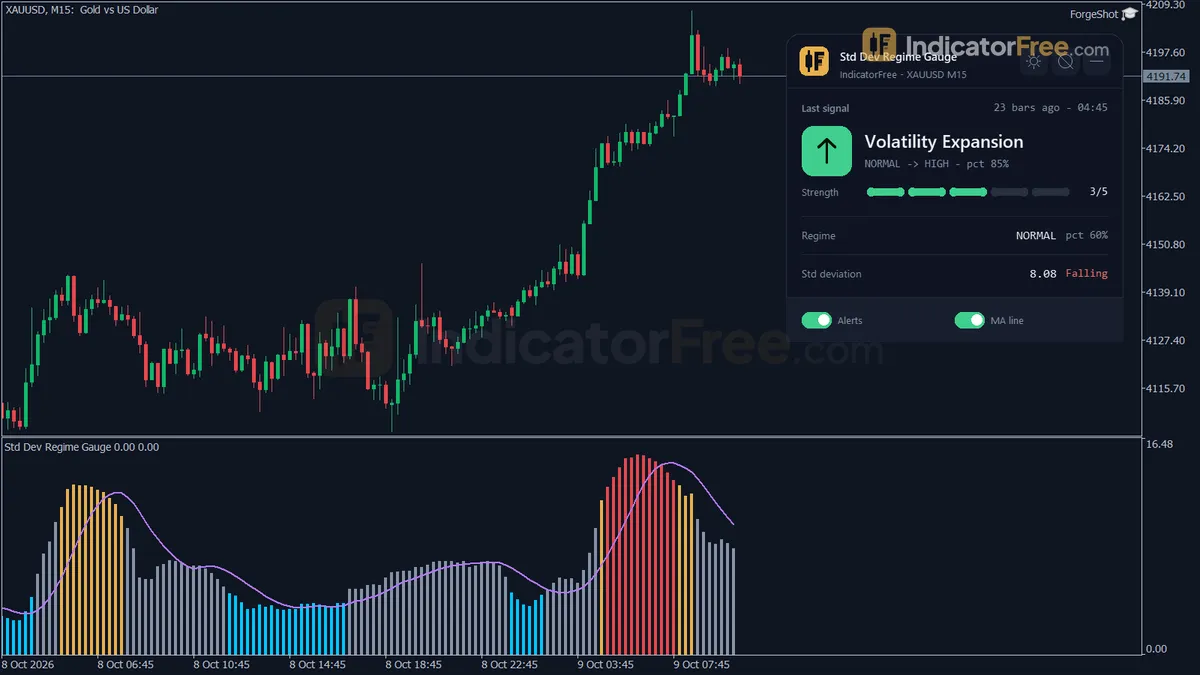
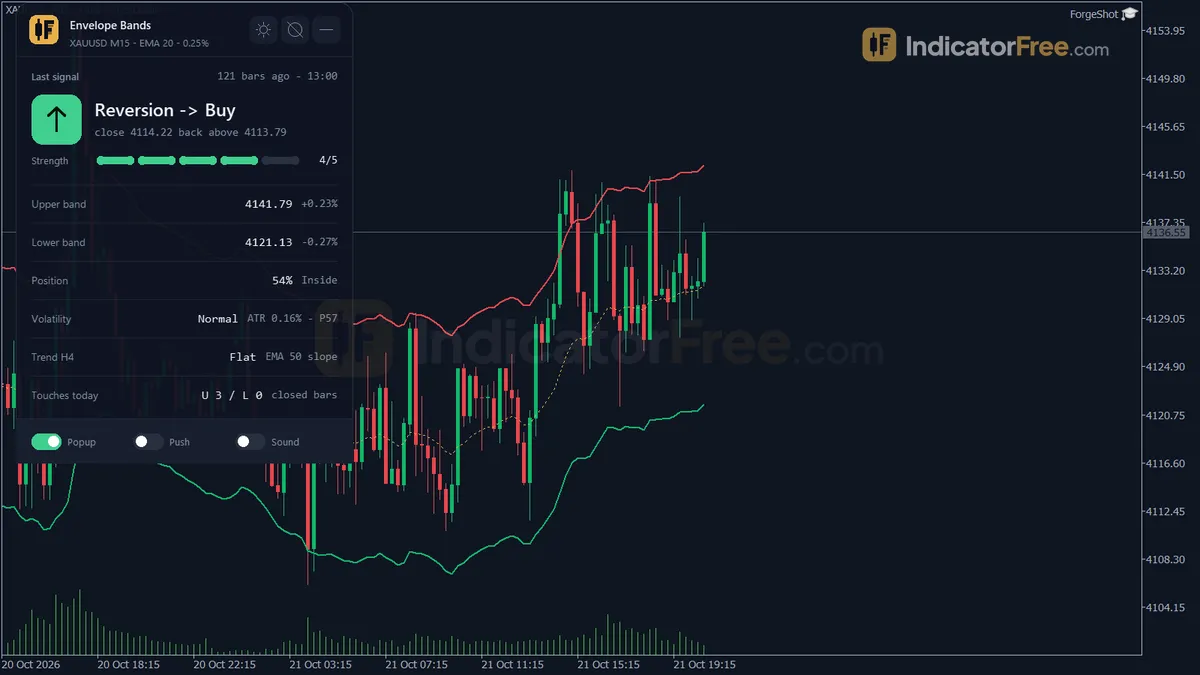
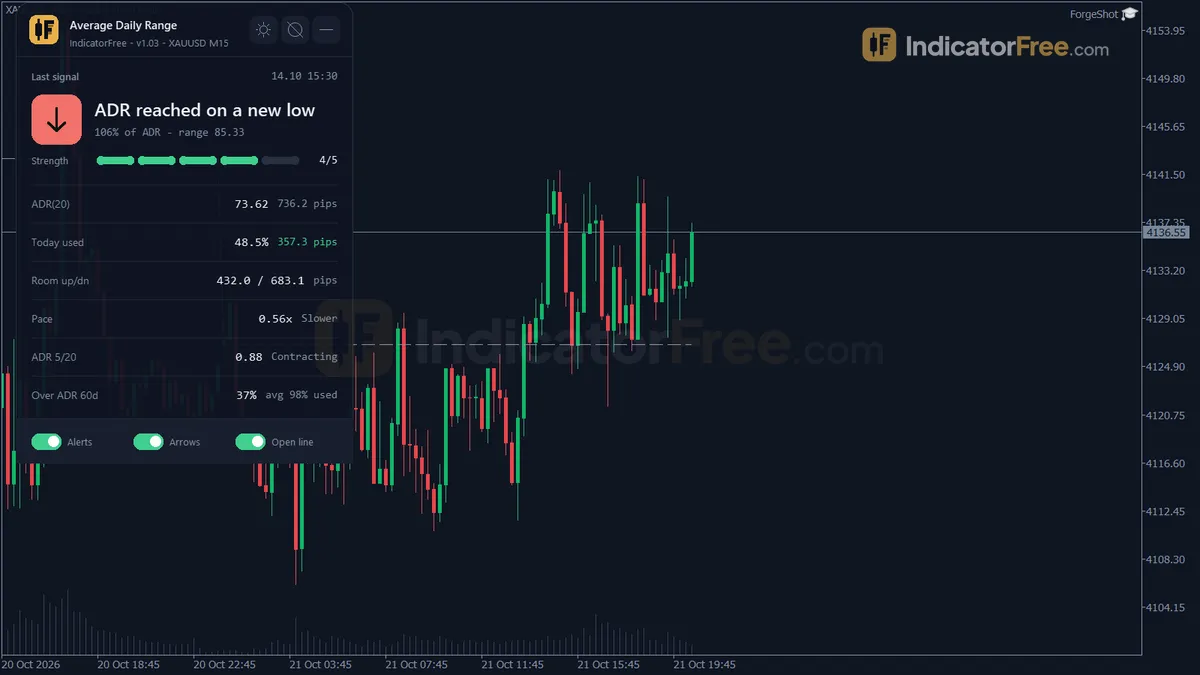
ATR Period
Free MT5 ATR indicator: fast, standard and slow ATR lines with Expansion/Contraction cross arrows and a panel. Lab: 0 of 555 signals changed.
- Repainted
- 0 / 555
- Signals / week
- —
- Tested on
- EURUSD M15
- Tested
- 2026-10-05
Overview
ATR Period is a free MT5 volatility indicator that draws three ATR lines (fast, standard and slow) in one subwindow below your chart. It marks an arrow when the fast line crosses the slow one and shows a values panel. In the Lab's repaint test, 0 of 555 logged signals changed. It suits traders who set stops from ATR or want to know when a quiet market is waking up.
What ATR Period draws
Average True Range (ATR) measures how far price usually travels per bar, including gaps. It shows volatility, not direction.
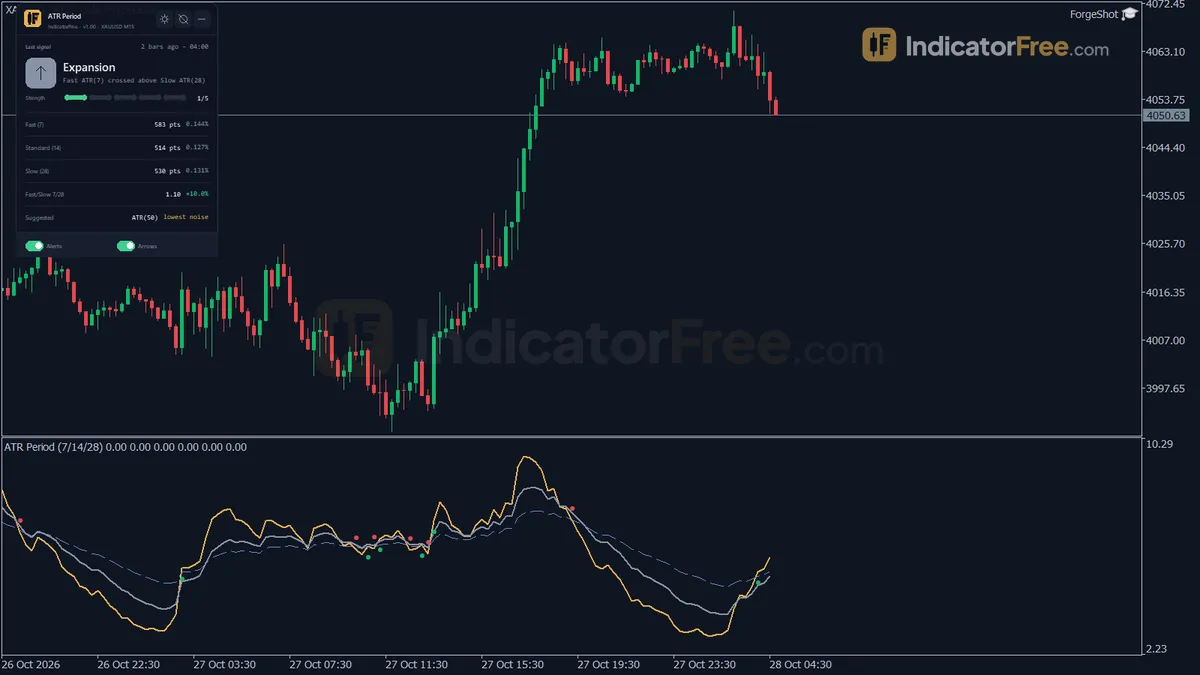
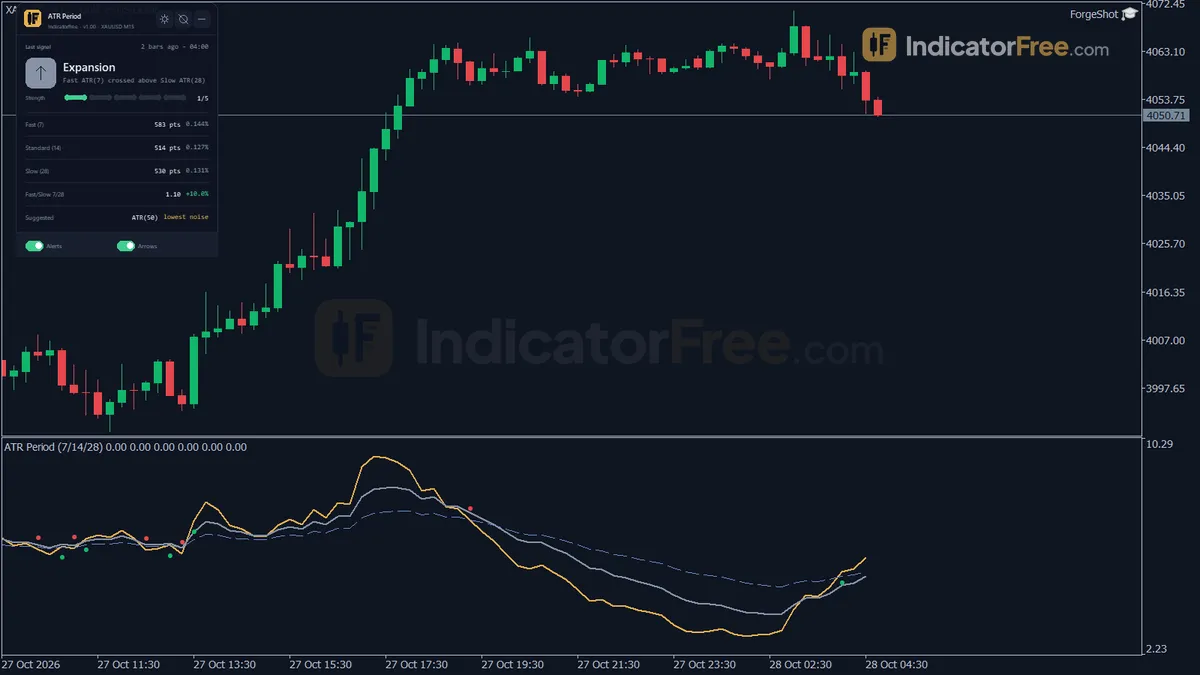
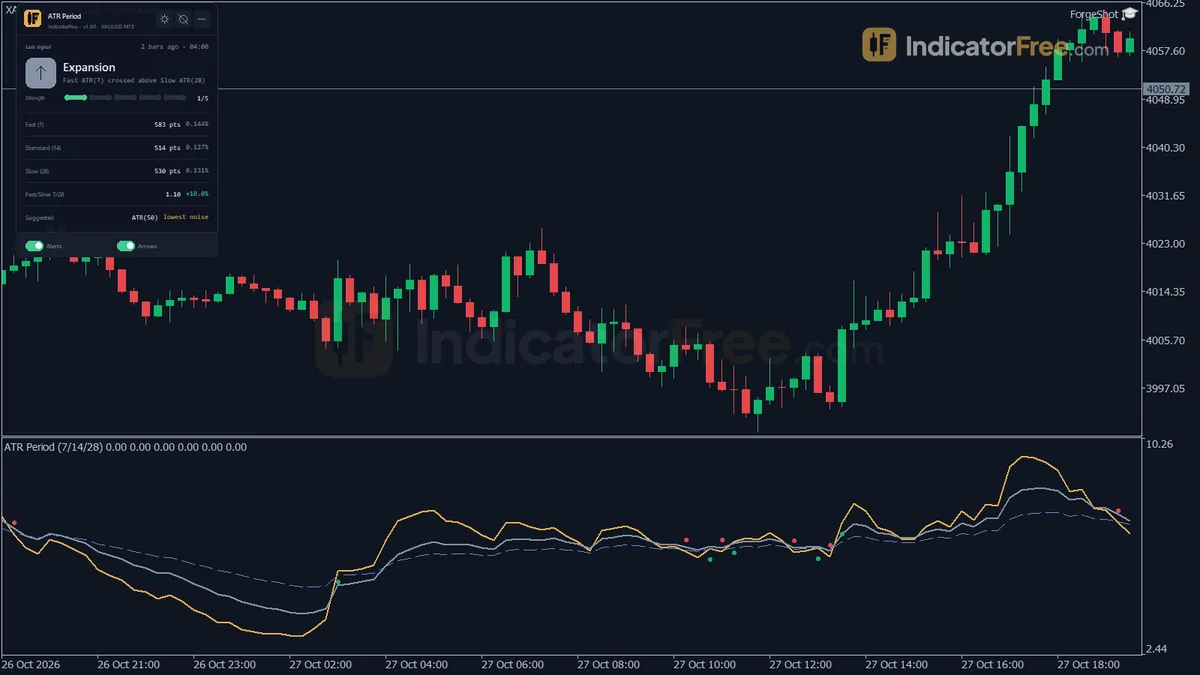
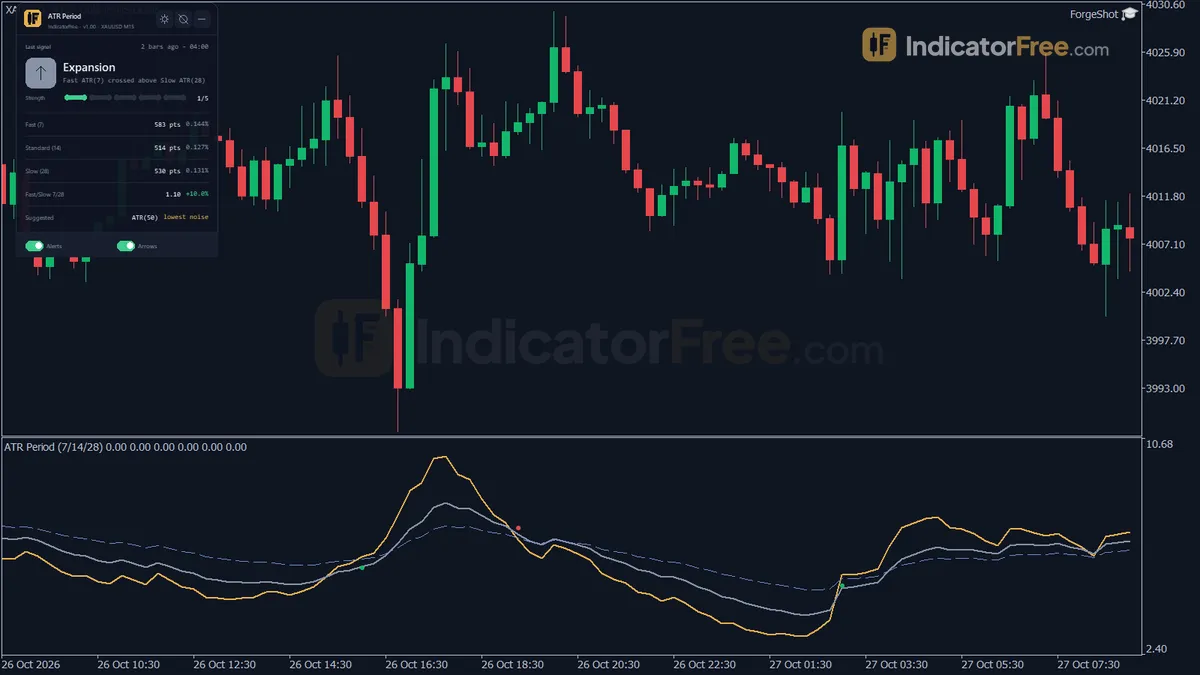
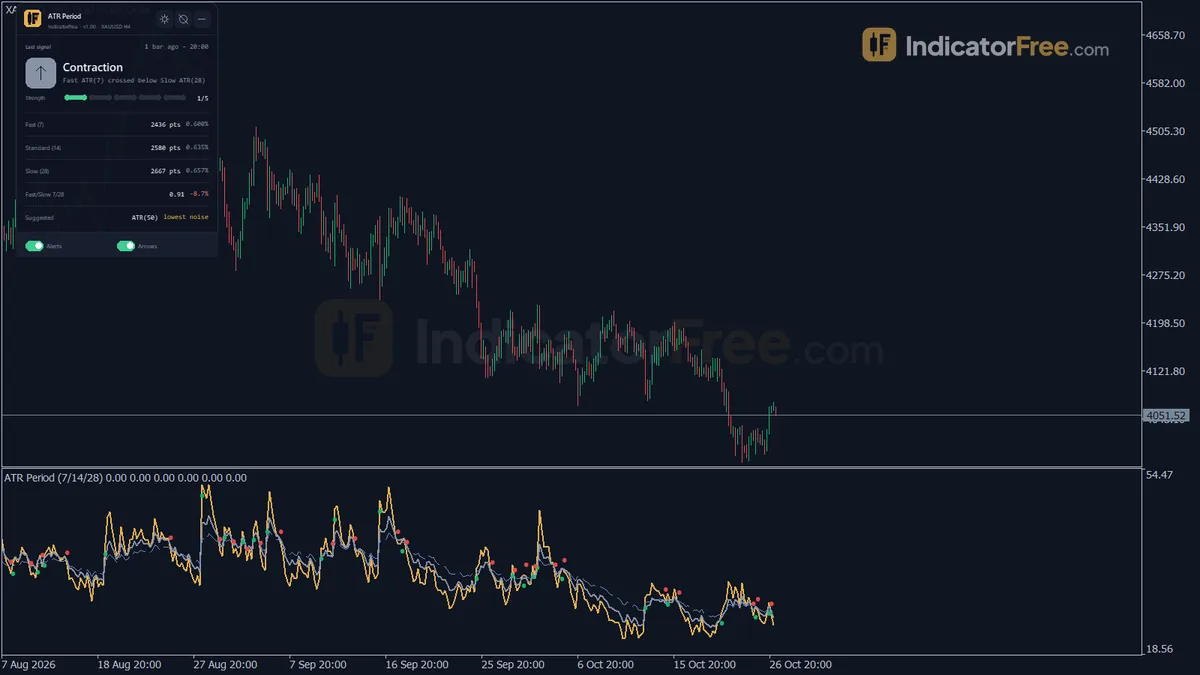
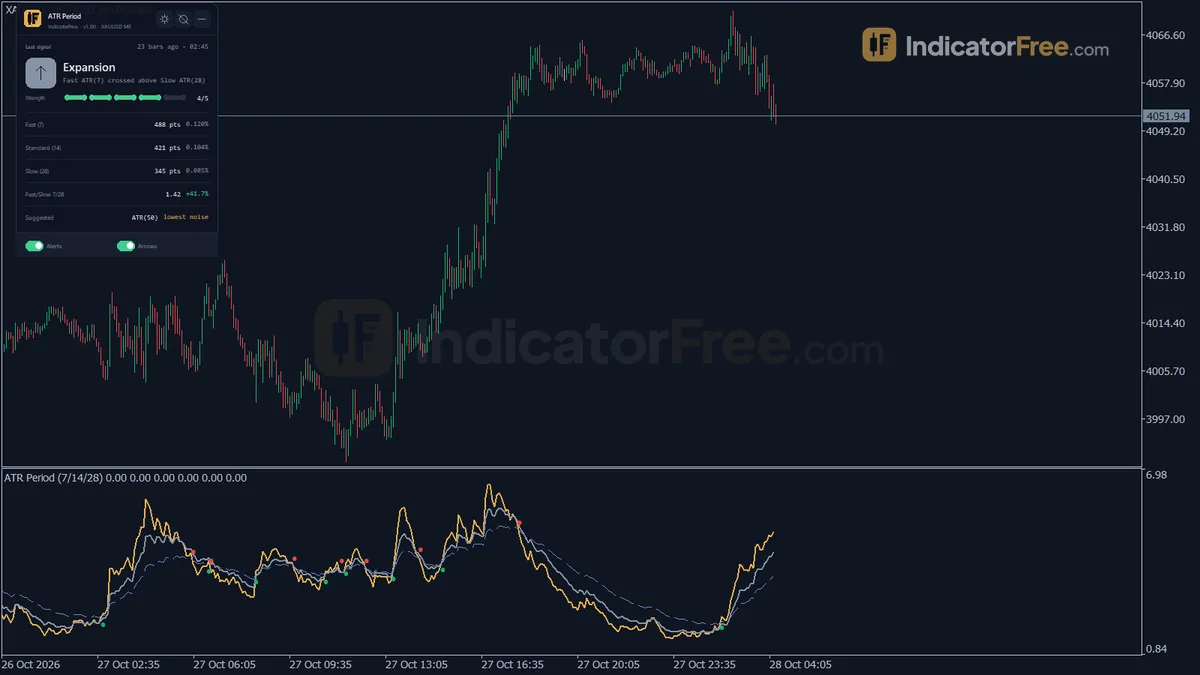
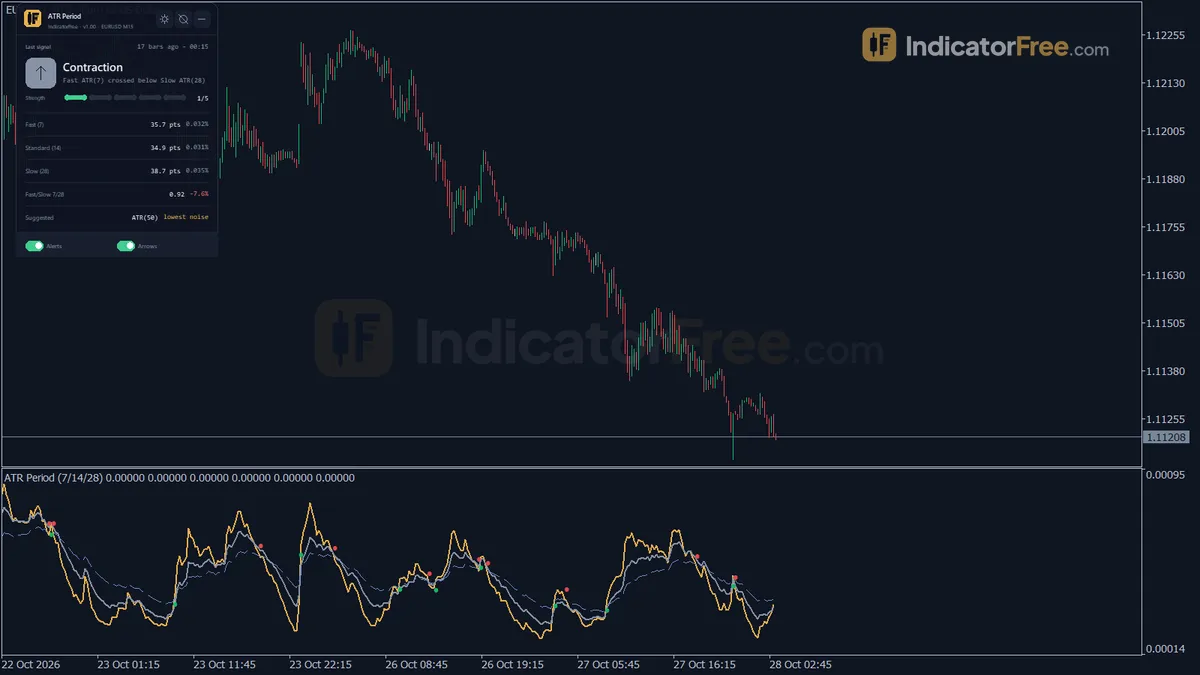
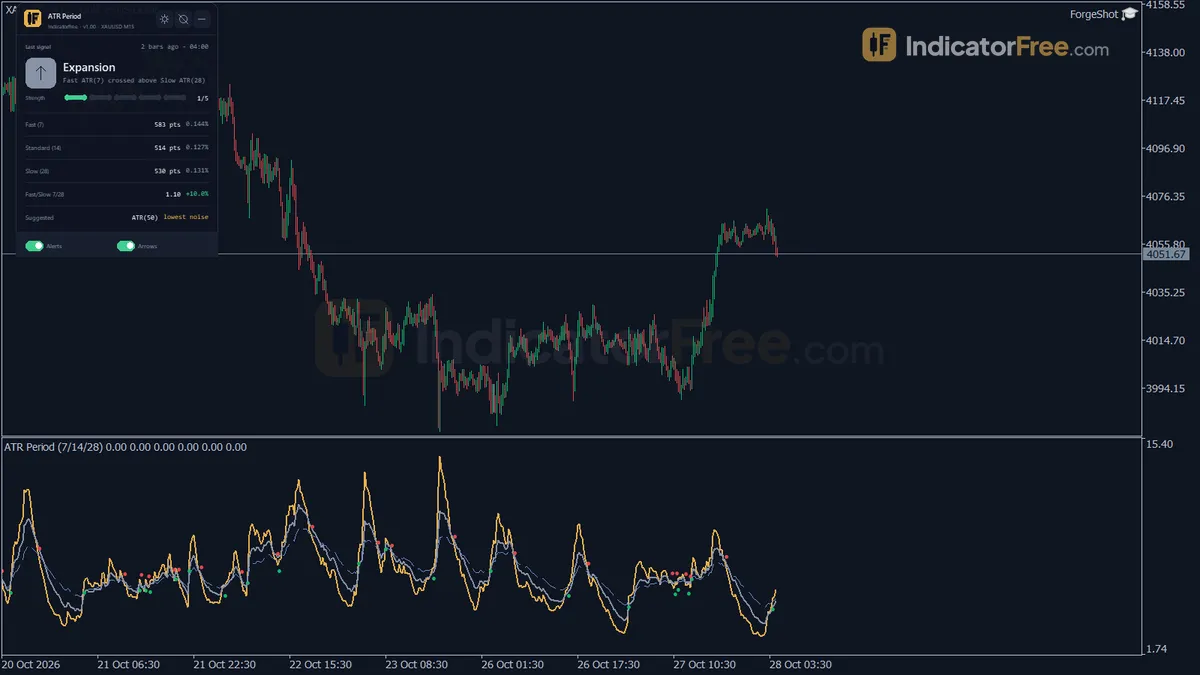
ATR Period puts three Wilder-smoothed ATR lines in one subwindow: ATR Fast, ATR Standard and ATR Slow. When the fast line crosses the slow line on a closed bar, the indicator places an arrow on the fast line. An Expansion Cross means short-term volatility has risen above its long-term baseline. A Contraction Cross means it has dropped back below. The ATR Values panel shows the numbers behind the lines. The gallery screenshot Full chart with the tool attached shows the real layout. The drawing below shows how one cycle looks.
How the Lab tested it
The Lab ran version 1.00 (141 KB file) on MT5 build 6230 on 2026-10-05. The repaint test replayed EURUSD M15 from 2026-07-06 to 2026-10-02 on Raw Trading Ltd real ticks, and the Lab logged every arrow as it appeared.
- 555 signals logged, 0 changed. No arrow moved or disappeared after it was printed. What you see on history is what you would have seen live.
- Maximum arrow delay: 0 bars. Each arrow sits on the bar where the cross happened. It appears when that bar closes, not one or more bars later.
This was a repaint test only. It shows the arrows are honest. It does not show whether they are profitable.
Who it is for
It suits traders who already use ATR for stop distance, position size or targets and want short-, medium- and long-term readings side by side. It also suits breakout traders who want a closed-bar note when volatility rises above its baseline.
How it works
- 1Calculates True Range for each bar from the high, low and previous close.
TR = max(High - Low, abs(High - PrevClose), abs(Low - PrevClose)) - 2Builds three Wilder-smoothed ATR lines using fast, standard and slow periods.
ATR = (ATR_prev x (Period - 1) + TR) / PeriodInputs: FastPeriod, StandardPeriod, SlowPeriod - 3Plots the ratio of fast ATR to slow ATR, showing whether volatility is expanding or contracting.
Ratio = Fast ATR / Slow ATR - 4Marks an up arrow when fast ATR crosses above slow ATR and a down arrow when it crosses below.
Expansion: Fast ATR crosses above Slow ATR | Contraction: Fast ATR crosses below Slow ATRInputs: ShowChartArrows - 5Optionally compares ATR periods 14, 20, 28 and 50 over the lookback and suggests the steadiest one.
CV = standard deviation of ATR / mean of ATR | lowest CV is suggestedInputs: EnableAutoSuggest, SuggestLookback
Specifications
- Platform
- MetaTrader 5
- Version
- 1.00
- Type
- Indicator
- Window
- Separate window
- Draws
- 3 lines, 2 arrows, 1 panel
- Alerts
- popup, push, sound
- Repaints
- No (0 of 555 signals changed)
- Inputs
- 16
- Tested on
- MT5 build 6230 · 2026-10-05
Repaint test
No repaint detected. In a 6 Jul 2026 – 2 Oct 2026 test on EURUSD M15 (Raw Trading Ltd real ticks), 555 signals were logged at bar close and re-read at the end of the test: 0 changed. Arrows print on the bar that closes the signal, with no delay.
IndicatorFree — tested 2026-10-05 · MT5 build 6230 · Raw Trading Ltd real ticks. Results come from historical data, not live trading, and do not guarantee future results.
What it draws
- A line (ATR Fast) from buffer 0.
- A line (ATR Standard) from buffer 1.
- A line (ATR Slow) from buffer 2.
- Arrows (Expansion Cross) from buffer 3, drawn on the closed bar.
- Arrows (Contraction Cross) from buffer 4, drawn on the closed bar.
- An on-chart panel (ATR Values); values shown in the panel are not exposed as buffers.
Inputs
| Input | Default | What it does |
|---|---|---|
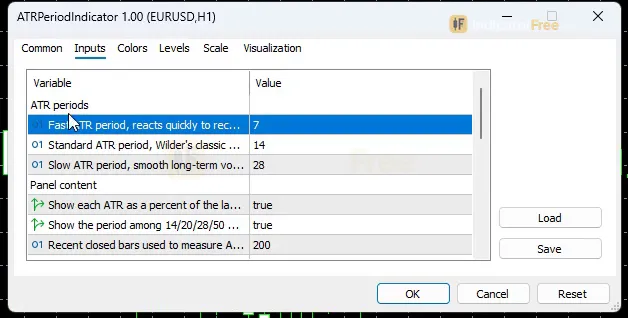
| FastPeriod | 7 | Fast ATR period, reacts quickly to recent volatility (3-20) |
| StandardPeriod | 14 | Standard ATR period, Wilder's classic default (10-50) |
| SlowPeriod | 28 | Slow ATR period, smooth long-term volatility baseline (20-100) |
| ShowPercentOfPrice | true | Show each ATR as a percent of the last close on the panel (off = raw price units) |
| EnableAutoSuggest | true | Show the period among 14/20/28/50 with the least noisy ATR line |
| SuggestLookback | 200 | Recent closed bars used to measure ATR noise for the suggestion (100-1000) |
| ShowChartArrows | true | Draw Fast/Slow cross arrows on the fast ATR line |
| EnableAlertPopup | true | Popup alert when the fast ATR crosses the slow ATR |
| EnableAlertPush | false | Push notification to the MT5 mobile app on a cross |
| EnableAlertSound | false | Play a sound on a cross |
| SoundFile | alert.wav | Sound file in the terminal Sounds folder |
| AlertCooldownBars | 5 | Minimum bars between two alerts (1-50) |
| ShowPanel | true | Show the status panel |
| PanelScale | 1 | Panel size multiplier, DPI is applied automatically (0.6-2.0) |
| Theme | Dark | Chart color theme |
| RestoreTheme | true | Restore the original chart colors when the indicator is removed |
How to read it
Reading the three ATR lines
All three lines use the same True Range and Wilder smoothing. Only the period differs.
- ATR Fast (FastPeriod) reacts within a few bars. Use it to see what the market is doing right now.
- ATR Standard (StandardPeriod) is the classic reading. Use it for stop and target distances.
- ATR Slow (SlowPeriod) is the baseline. Use it to judge whether today's volatility is high or low for this symbol.
When the fast line is above the slow line, recent bars are wider than normal. When it is below, the market is quieter than its usual pace.
How an Expansion or Contraction Cross forms
The arrows only check closed bars, so the bar that is still forming never shows one. The steps below show an Expansion Cross. A Contraction Cross is the mirror: the fast ATR was at or above the slow ATR on the previous closed bar and is below it now. The gallery close-ups (Close-up of the tool's own signal or zone, another occurrence, an earlier occurrence) show real arrows on the fast line.
- 1Bar closesFast ATR (FastPeriod) and Slow ATR (SlowPeriod) are read on the closed bar
- 2Check the previous closed barFast ATR was at or below Slow ATR
- 3Check this closed barFast ATR is now above Slow ATR
- 4Arrow on the fast lineDrawn if ShowChartArrows is on
- 5AlertSent through the channels you enabled, subject to the cooldown
What the ATR Values panel tells you
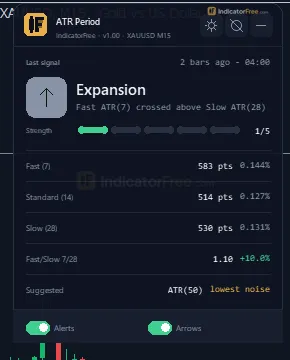
The panel shows the fast, standard and slow ATR in points. With ShowPercentOfPrice on (the default), it also shows each one as a percent of the last close. Turn it off to see raw price units instead. Percent of price lets you compare volatility across symbols with very different prices.
The panel also shows the Fast/Slow ratio. A ratio above 1 means the fast ATR is above the slow ATR (expansion). Below 1 means contraction. It also shows the last cross and the suggested lowest-noise period. See the gallery shot The on-chart panel, close up.
The suggestion compares periods 14, 20, 28 and 50 over the last SuggestLookback closed bars and picks the one with the lowest coefficient of variation (standard deviation of ATR divided by its mean). Least noisy means the smoothest line. It does not mean the best period for your stop.
Inputs to change first
The gallery shot Inputs window in MetaTrader 5 (default settings) shows the full list. These are the ones worth changing first:
- FastPeriod (default 7, range 3-20): lower values give earlier, more frequent crosses. Higher values give fewer, later ones.
- SlowPeriod (default 28, range 20-100): a higher value gives a steadier baseline, so a cross marks a bigger change in volatility.
- StandardPeriod (default 14, range 10-50): set it to the period your stop rule uses. If you prefer the panel's suggested period, it fits inside this range.
- SuggestLookback (default 200, range 100-1000): more bars give a suggestion based on a longer history.
- PanelScale (0.6-2.0) and Theme (default Dark): use these if the panel is too small or hard to read on your chart colours. RestoreTheme puts your original colours back when you remove the indicator.
Alerts
A cross can fire a popup in the MT5 terminal (EnableAlertPopup, on by default), a push notification to the MT5 mobile app (EnableAlertPush, off) or a sound (EnableAlertSound, off, using SoundFile, default alert.wav from the terminal Sounds folder). AlertCooldownBars (default 5, range 1-50) sets the minimum number of bars between two alerts, which stops a choppy crossover from flooding you with alerts.
A decision rule for each arrow
- Expansion Cross: treat it as "bars are getting wider". Act on it only when your own method already gives a direction, for example a breakout of a level you marked. Re-check your ATR-based stop, because the old distance is now likely too tight.
- Contraction Cross: treat it as "the move is losing range". Skip new breakout entries until the next Expansion Cross, and expect smaller targets.
- Skip both when arrows alternate every few bars. The fast and slow lines are moving together, so the crosses carry little information.
Two common misreads
- Reading the up arrow as a buy. An Expansion Cross can print during a sharp sell-off. Check price direction on the main chart, not in the subwindow.
- Expecting the arrow while the bar is still forming. The fast line can poke above the slow line mid-bar with no arrow. The arrow only appears if the cross is still there when the bar closes.
To install: copy the file into MQL5/Indicators, refresh the Navigator, and drag ATR Period onto a chart.
Installation
- 1Download ATRPeriodIndicator.ex5 from the button above (Google Drive).
- 2In MetaTrader 5: File → Open Data Folder → MQL5 → Indicators. Copy ATRPeriodIndicator.ex5 there.
- 3Restart MT5 or right-click Indicators in Navigator → Refresh.
- 4Drag ATR Period onto a chart. For push alerts, enable "Allow push notifications" under Tools → Options → Notifications.
- Tested on MT5 build 6230.
Key terms and guides
- Indicator buffer
- An indicator buffer is the list of numbers an indicator stores, one value per candle, for each line, histogram or arrow it draws. Expert Advisors and alerts read these buffers to get the indicator's values.
- ATR period
- The ATR period is the number of candles the Average True Range averages. A short period reacts fast to new volatility; a long period gives a smoother, slower reading.
- high volatility
- High volatility means price is moving much more per candle than is normal for that market and timeframe: bigger candles, wider ranges and an ATR well above its normal level. It describes the size of the moves, not their direction.
- low volatility
- Low volatility means price is moving in small steps: candles are short, the range is narrow, and readings such as the Average True Range sit below their usual level for that market. It describes how far price moves, not which direction it goes.
- Profile
- A profile in trading is a saved set of chart windows on your platform: which symbols are open, their timeframes, indicators and layout. The word also appears in volume profile, market profile and risk profile, which mean different things.
More on this subject: Volatility & ranges guide, terms and tools
User reviews
No reviews yet. Members who download the tool can review it here.
Sign in and download the tool to review it.
Build a checklist with it
ATR Period does one job on the chart: risk / volatility. Put it on the same chart as the tools below and the IndicatorFree panels merge into one checklist card, ordered trend, zone, signal, risk.
- Trend / contextDowntrendAdds the trend side: which way the market leans before you act on ATR Period.
- Entry signalClimax VolumeAdds the entry signal: the moment to act once ATR Period has set the scene.
The Lab has not tested these combinations. Each tool is tested on its own; the card only lines up what each one says. Free members get 2 new tools a day. If one has to wait until tomorrow, install BlackBox to raise the limit to 5 a day (20 on a live account).
FAQ
Does ATR Period repaint?
No repaint detected. In a 6 Jul 2026 – 2 Oct 2026 test on EURUSD M15 (Raw Trading Ltd real ticks), 555 signals were logged at bar close and re-read at the end of the test: 0 changed. Arrows print on the bar that closes the signal, with no delay.
Can I use ATR Period in an EA?
Yes. Read buffer 3 (Expansion Cross) with iCustom() on bar 1 — the last closed bar.
Why can’t my EA read the zones?
Zones and the panel are chart objects, not indicator buffers, so iCustom() does not return them.
How do I get alerts on my phone?
Enter your MetaQuotes ID under Tools → Options → Notifications, tick "Enable push notifications", and keep the push alert input on.
Why does it open in a separate window?
It plots values on their own scale, so MT5 draws it below the price chart.
Does it work on other pairs?
Tested on EURUSD only; other symbols not tested.
The panel text is hard to read on my light chart. Can I change it?
Pick a different option in the Theme input and raise PanelScale (up to 2.0) if the text is small. With RestoreTheme on, your original chart colours come back when you remove the indicator.
How do I get the cross alerts on my phone?
Set EnableAlertPush to true, and make sure push notifications are linked to your MT5 mobile app in the terminal settings. You can leave the popup on as well, or turn it off if you only want phone alerts.
Does the panel show ATR in pips?
It shows points, not pips. On a typical 5-digit forex quote, 10 points equal 1 pip. The percent-of-price figure is often easier to compare between pairs, gold and indices.
Can I use the suggested period as my stop period?
You can set StandardPeriod to it, since 14, 20, 28 and 50 all fit the input's range. The suggestion only picks the smoothest line, though, so check whether that stop distance suits how long you hold trades.
Changelog
- 1.00Initial release: three Wilder ATR lines (Fast/Standard/Slow period) plotted together in one subwindow, Expansion/Contraction cross alerts (popup/push/sound) with cooldown, ATR shown in points and percent of price,. · 2026-10-09
Final verdict
Where it earns its place
ATR Period shows three ATR readings in one subwindow, with closed-bar cross arrows that held up in the Lab's repaint test. The panel saves you arithmetic: it gives points, percent of price and the Fast/Slow ratio at a glance. That is useful when you size stops from ATR across symbols with very different prices. The period suggestion is a quick way to see which standard period gives the steadiest reading on a symbol.
What it cannot do
- No direction. ATR rises in rallies and sell-offs alike, so the arrows never say buy or sell.
- No outcome test. The Lab did not measure what price did after an Expansion or Contraction Cross, so there is no win rate behind the arrows.
- Narrow proof. Only one symbol and timeframe were tested. Other symbols and timeframes are untested.
- MT5 only. There is no MT4 version.
Who should skip it
The comparison below sums up when the tool fits.
- –You set stops or targets from ATR and want fast, standard and slow readings side by side
- –You want a closed-bar signal when short-term volatility moves past its baseline
- –You want to see which of 14/20/28/50 gives the smoothest ATR on a symbol
- –You compare volatility across symbols using percent of price
- –You want an arrow that tells you buy or sell
- –You need entries backed by a measured hit rate
- –One ATR line already covers everything you use
- –You trade on MT4
Settings to start with
Start with the defaults (7 / 14 / 28): you get a fast line that is half the classic period and a slow line that is double it. On M5 you could try FastPeriod 5 and SlowPeriod 50 for fewer, larger volatility shifts. This is an untested starting point, not a Lab result, so compare it with the default. If you swing trade on H4, keep the defaults and set StandardPeriod to the period your stop rule already uses.
One idea to try: use Donchian Channel Plus for the breakout direction, and take its breakouts only after an Expansion Cross from ATR Period. That way the channel picks the side and the ATR confirms the bars are widening. The Lab has not tested the pair.