Average True Range
Free MT5 ATR indicator: Wilder ATR line, 3 SL/TP levels at 1.0x/1.5x/2.0x ATR, volatility panel. 0 of 196 signals changed in the Lab repaint test.
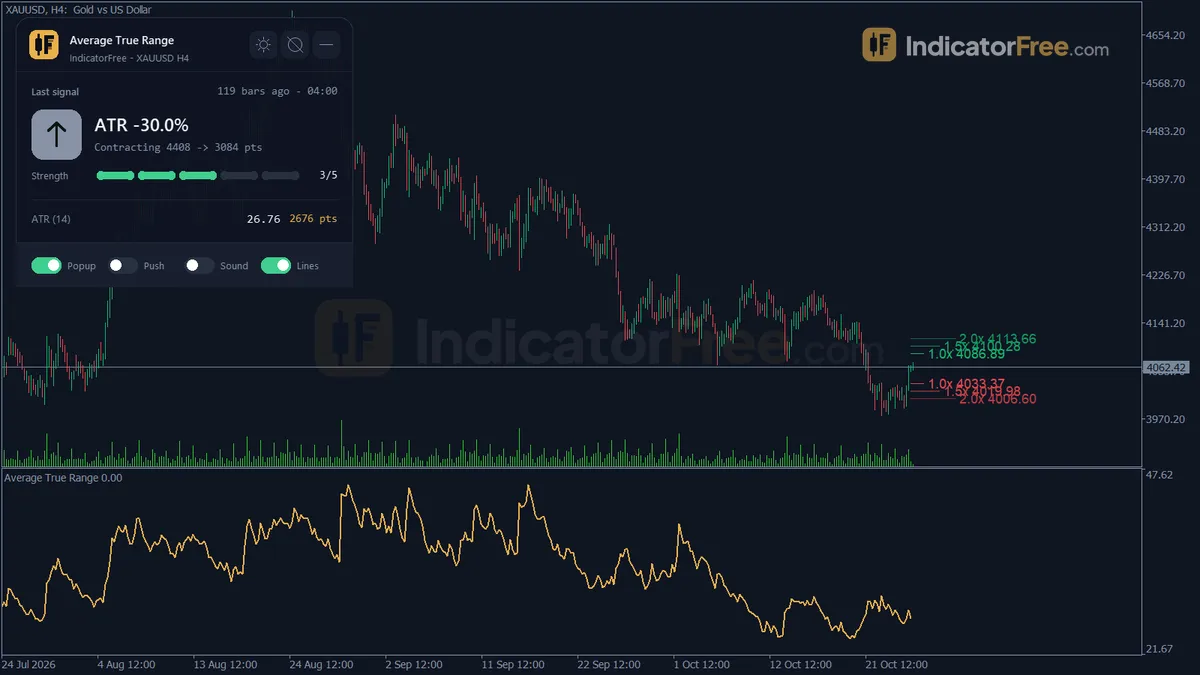
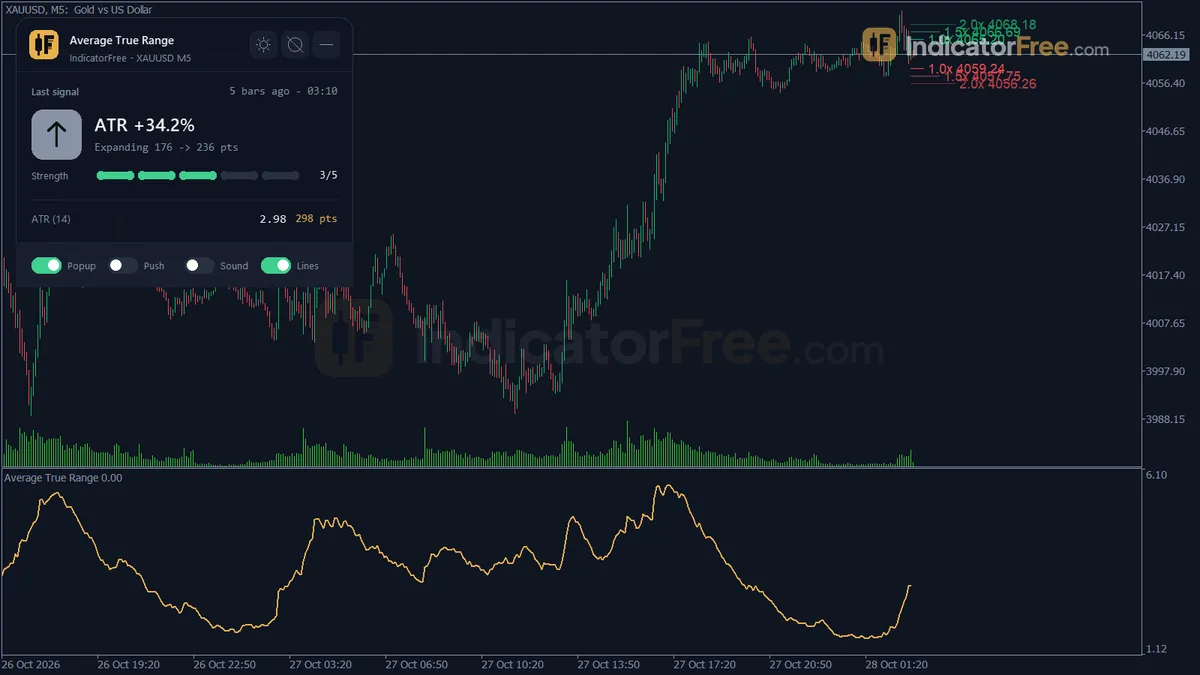
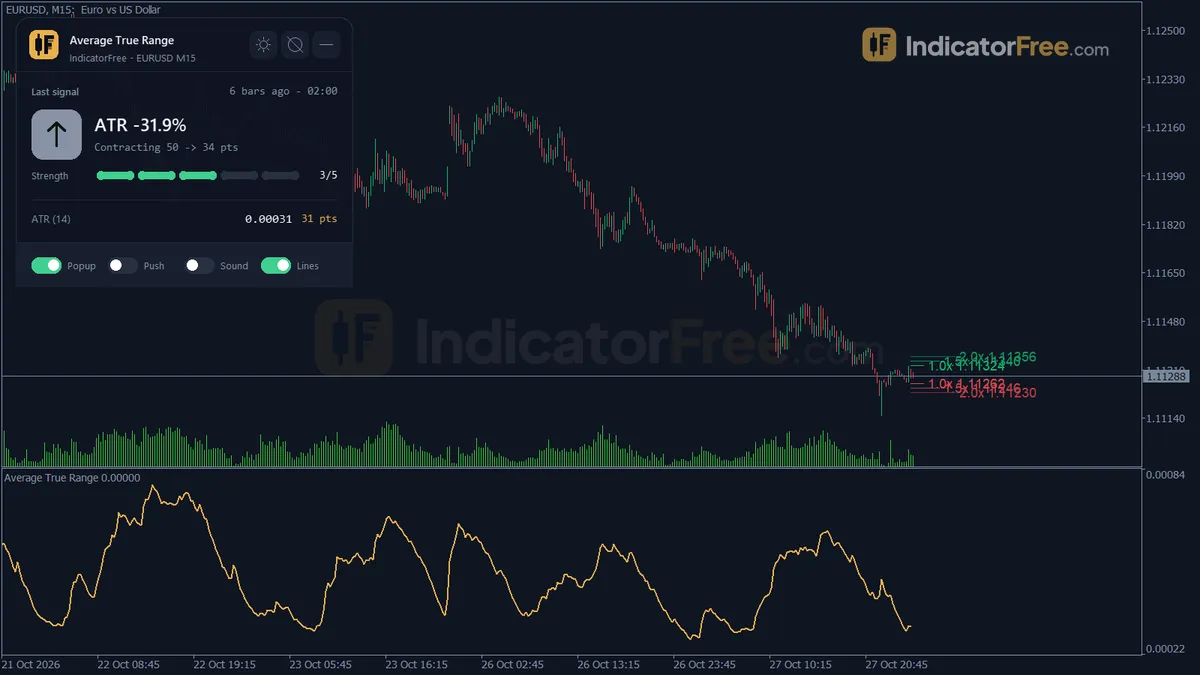
- Repainted
- 0 / 196
- Signals / week
- —
- Tested on
- EURUSD M15
- Tested
- 2026-10-09
Overview
For traders who set stops by hand: this Average True Range indicator for MT5 draws a Wilder ATR line in a subwindow, three SL/TP level pairs at 1.0x/1.5x/2.0x ATR on the main chart and a panel that turns ATR into pips, % and money. Lab repaint test on EURUSD M15: 0 of 196 logged signals changed.
What the indicator puts on your chart
Average True Range (ATR), here Wilder ATR, shows how big bars are, not which way they go.
The tool draws three things:
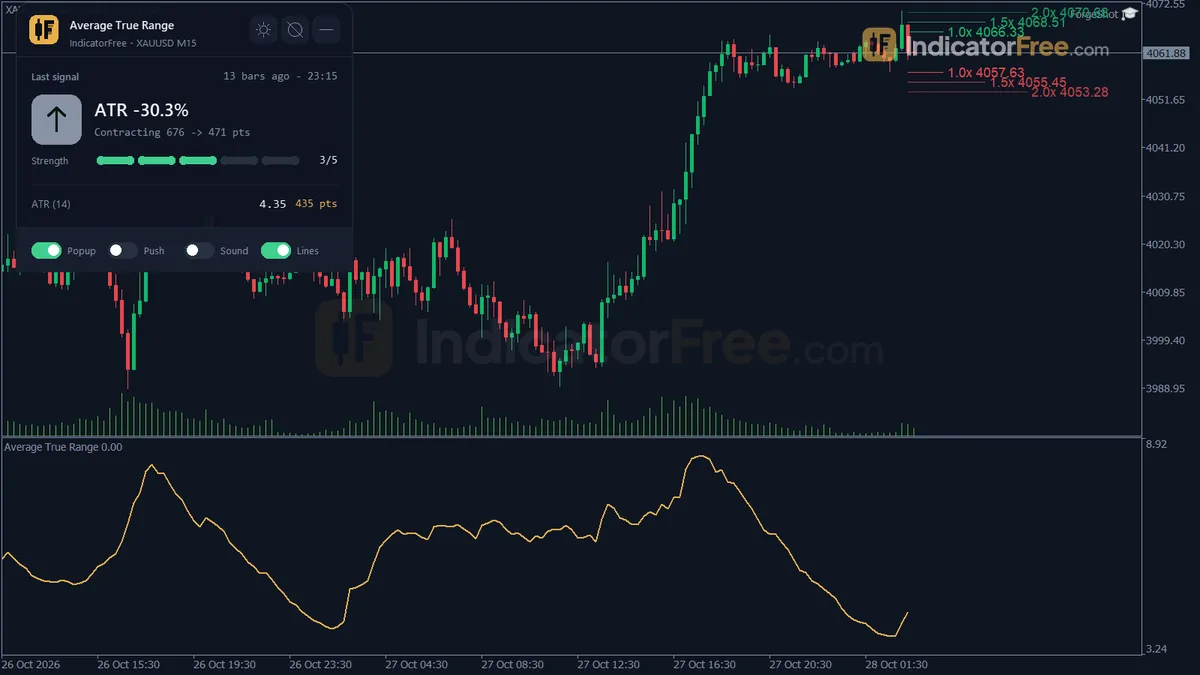
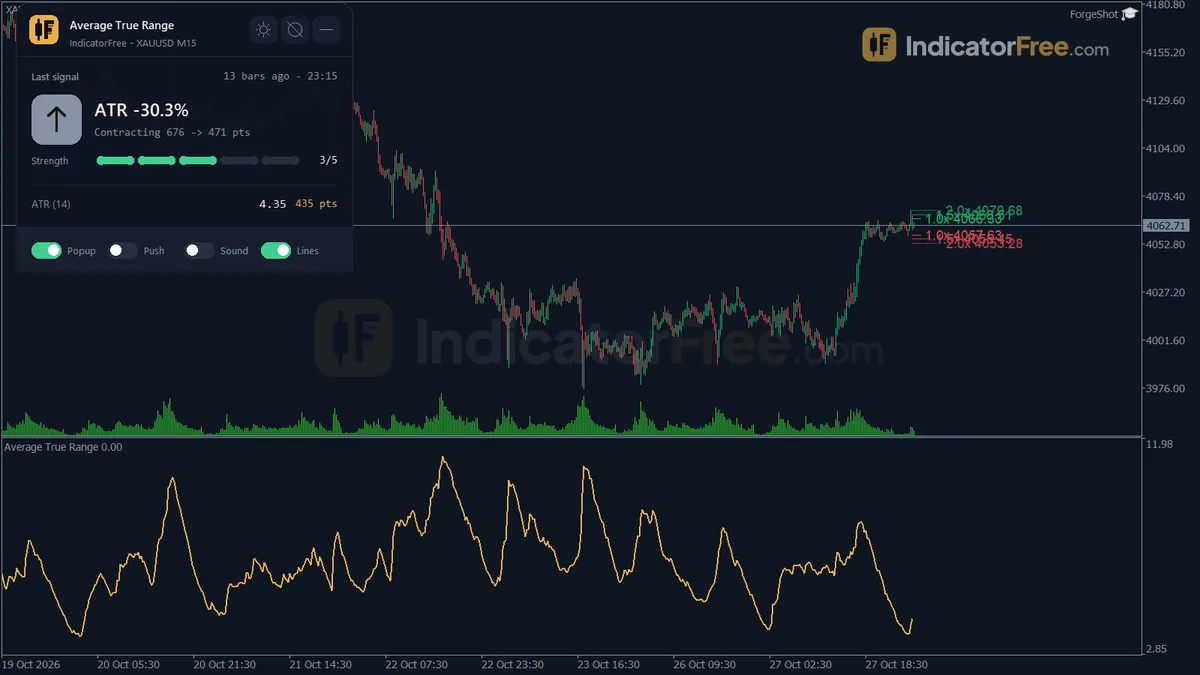
- ATR line (subwindow): the Wilder ATR, calculated on closed candles only.
- ATR SL/TP Levels (main chart): six lines at last close ± ATR × each multiplier.
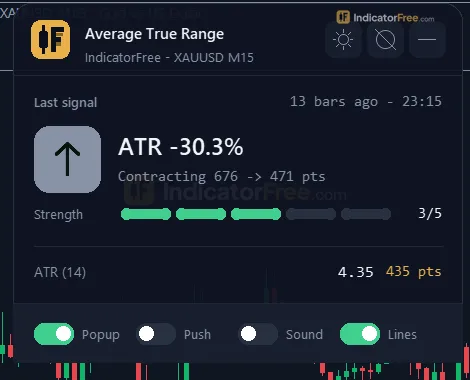
- Volatility panel: current ATR in price, points, pips, % of price and money, the SL/TP distances in points, ATR% on H1/H4/D1, and the last SL distance change alert.
How the Lab tested it for repainting
The Lab ran version 1.00 (91.5 KB) on MT5 build 6230. The test used EURUSD M15 from 2026-07-09 to 2026-10-08 with Raw Trading Ltd real ticks. It logged 196 signals as they appeared, then checked whether any of them changed later. This tool has no arrows; its values print on closed candles.
The chart below shows the result.
What this means for you: none of the 196 logged signals was redrawn or moved after it first appeared. A max delay of 0 bars means none of them showed up late. The test covers those logged signals, not every ATR value on the chart.
The test checks stability, not profit. The Lab did not measure whether stops placed at these levels win more trades.
Who it is for
It suits discretionary traders who set stops by hand and want a distance based on volatility, along with its money value, without doing the math. It also suits anyone who trades several symbols and needs one volatility number they can compare across them, which is ATR% of price.
If you want a tool that tells you when to buy or sell, this is not it.
How it works
- 1Calculates True Range for each bar from the high, low and previous close.
TR = max(High - Low, abs(High - PrevClose), abs(Low - PrevClose)) - 2Smooths True Range with the Wilder method to get ATR.
ATR = (ATR_prev x (Period - 1) + TR) / PeriodInputs: ATRPeriod - 3Converts the latest ATR to points and to money per lot using the symbol's tick size and tick value.
Money = ATR / TickSize x TickValue x LotsInputs: LotForMoney - 4Registers an event when ATR has changed from the last reference ATR by more than the set percent.
Change % = abs(ATR - Base) / Base x 100Inputs: ChangeAlertPercent - 5Optionally shows ATR as a percent of price on three other timeframes.
ATR % = ATR / Close x 100Inputs: ShowMTFTable
Specifications
- Platform
- MetaTrader 5
- Version
- 1.00
- Type
- Indicator
- Window
- Separate window
- Draws
- 1 line, 1 zone, 1 panel
- Alerts
- popup, push, sound
- Repaints
- No (0 of 196 signals changed)
- Inputs
- 14
- Tested on
- MT5 build 6230 · 2026-10-09
Repaint test
No repaint detected. In a 9 Jul 2026 – 8 Oct 2026 test on EURUSD M15 (Raw Trading Ltd real ticks), 196 signals were logged at bar close and re-read at the end of the test: 0 changed. Arrows print on the bar that closes the signal, with no delay.
IndicatorFree — tested 2026-10-09 · MT5 build 6230 · Raw Trading Ltd real ticks. Results come from historical data, not live trading, and do not guarantee future results.
What it draws
- A line (ATR) from buffer 0.
- Rectangles (ATR SL/TP Levels) drawn as chart objects, not buffers — they are not readable by iCustom() in an EA.
- An on-chart panel (Volatility); values shown in the panel are not exposed as buffers.
Inputs
| Input | Default | What it does |
|---|---|---|
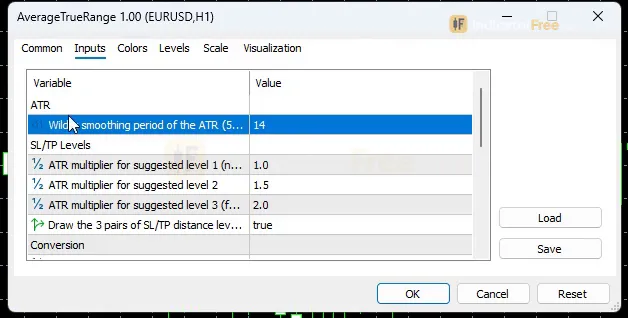
| ATRPeriod | 14 | Wilder smoothing period of the ATR (5-50) |
| SLMultiplier1 | 1 | ATR multiplier for suggested level 1 (nearest) |
| SLMultiplier2 | 1.5 | ATR multiplier for suggested level 2 |
| SLMultiplier3 | 2 | ATR multiplier for suggested level 3 (farthest) |
| ShowProjectionLines | true | Draw the 3 pairs of SL/TP distance levels on the main chart |
| LotForMoney | 1 | Lot size used to convert ATR into account money |
| ShowMTFTable | true | Show ATR% of H1/H4/D1 on the panel |
| ChangeAlertPercent | 30 | Alert when ATR changes this % from the last baseline (10-100) |
| EnableAlertPopup | true | Popup alert when the SL distance changes |
| EnableAlertPush | false | Push notification when the SL distance changes |
| EnableAlertSound | false | Sound alert when the SL distance changes |
| Theme | Dark | Chart color theme |
| RestoreTheme | true | Restore the original chart colors when removed |
| PanelScale | 1 | Panel size multiplier (DPI is applied automatically) |
How to read it
Install: copy the file into your MQL5/Indicators folder, refresh the Navigator and drag the indicator onto a chart.
Reading the ATR line
Read the current value on the panel, then compare it with recent bars to see whether volatility is expanding or contracting before you size a stop.
Common misread: a rising ATR is not bullish. A sharp sell-off pushes it up just as much as a rally does.
Reading the six SL/TP levels
The levels sit at the last closed bar's close, plus and minus ATR × SLMultiplier1 (1.0), SLMultiplier2 (1.5) and SLMultiplier3 (2.0). For a long trade, the lines below are stop candidates and the lines above are target candidates. For a short trade, flip them.
Here is an example with an illustrative ATR of 0.0015, which is 15 pips. The 1.0x level is 15 pips from the close, 1.5x is 22.5 pips and 2.0x is 30 pips.
The figure below shows how the levels sit around that close.
Second misread: the levels follow the last close, not your entry. They redraw on every new bar, so after you enter they keep moving. Read the distance once, when you enter, then set a fixed stop in your order. Don't trail the lines unless that is your plan.
Reading the panel
The panel shows the same ATR in several units, so you can use whichever one your risk plan works in. The money figure uses LotForMoney, which defaults to 1.0 lot. Set it to the lot size you actually trade, or the money number will overstate or understate your risk.
ATR% on H1/H4/D1 lets you compare volatility across timeframes and symbols, because it is scaled to price. Turn it off with ShowMTFTable.
The inputs to change first
| Input | Default | What changing it does |
|---|---|---|
ATRPeriod | 14 | Range 5-50. Lower values react faster to new volatility but jump more. Higher values are smoother and slower. |
SLMultiplier1/2/3 | 1.0 / 1.5 / 2.0 | Moves the three level pairs closer to or farther from the close. |
LotForMoney | 1.0 | Set to your real lot so the money figure matches your risk. |
ChangeAlertPercent | 30 | Range 10-100. How far ATR must move from its last baseline before an alert fires. |
ShowProjectionLines | true | Turns the six chart levels on or off. |
Theme (default Dark) recolors the chart. RestoreTheme puts your original colors back when you remove the indicator. PanelScale resizes the panel, and DPI scaling is applied on top automatically.
Alerts: what fires and where
One alert type exists: SL distance change. It fires when ATR moves ChangeAlertPercent from the last baseline. A popup in the terminal is on by default. Push notifications to your phone (EnableAlertPush) and sound (EnableAlertSound) are off by default. The latest alert also stays on the panel.
A decision rule you can use
This is a rule of thumb. The Lab did not test whether it improves results.
- Before you enter: if the stop your setup needs is closer than the 1.0x ATR level, it sits inside one average bar of noise. Widen it to at least 1.0x and cut your lot size so the money risk stays the same, or skip the trade.
- When the change alert fires: volatility has shifted by your threshold. Re-check the stop distance and lot size before your next entry, because the size that fit the old volatility may no longer fit.
Installation
- 1Download AverageTrueRange.ex5 from the button above (Google Drive).
- 2In MetaTrader 5: File → Open Data Folder → MQL5 → Indicators. Copy AverageTrueRange.ex5 there.
- 3Restart MT5 or right-click Indicators in Navigator → Refresh.
- 4Drag Average True Range onto a chart. For push alerts, enable "Allow push notifications" under Tools → Options → Notifications.
- Tested on MT5 build 6230.
Key terms and guides
- Session overlap
- A session overlap is the window when two major forex trading sessions are open at once, for example London and New York, roughly the New York morning. More banks and traders are active then, so volume and price movement usually rise.
- News spike
- A news spike is a sudden, oversized price move right after a scheduled economic release, such as a central bank rate decision. It often prints one candle many times larger than the candles before it.
- Position sizing
- Position sizing is the calculation that decides how many lots, shares or contracts you trade, so that being stopped out costs a fixed, pre-chosen part of your account.
- Risk per trade
- Risk per trade is the part of your account you accept losing if a single trade hits its stop loss, set as a percentage of the account or as a fixed sum of money. You decide it before you enter, and it sets your position size.
- Risk-reward ratio
- The risk-reward ratio compares what you can lose on a trade (entry to stop loss) with what you aim to gain (entry to take profit). At 1:2 you risk 1 unit to aim for 2.
- Stop loss
- A stop loss is an order attached to a trade that closes it automatically when price moves against you to a level you chose in advance. It fixes the most you plan to lose on that trade before you open it. You enter it as a price in the order window.
- Guide: What Is Revenge Trading? Why It Happens and a Routine to Stop It
- Guide: Drawdown Recovery: The Formula, Table and Time to Get Back to Breakeven
- Guide: Trading Plan Template: Write Your Entry, Exit and Risk Rules on One Page
More on this subject: Supply, demand & key levels guide, terms and tools
User reviews
No reviews yet. Members who download the tool can review it here.
Sign in and download the tool to review it.
Build a checklist with it
Average True Range does one job on the chart: risk / volatility. Put it on the same chart as the tools below and the IndicatorFree panels merge into one checklist card, ordered trend, zone, signal, risk.
- Trend / contextADXAdds the trend side: which way the market leans before you act on Average True Range.
- Entry signalClimax VolumeAdds the entry signal: the moment to act once Average True Range has set the scene.
The Lab has not tested these combinations. Each tool is tested on its own; the card only lines up what each one says. Free members get 2 new tools a day. If one has to wait until tomorrow, install BlackBox to raise the limit to 5 a day (20 on a live account).
FAQ
Does Average True Range repaint?
No repaint detected. In a 9 Jul 2026 – 8 Oct 2026 test on EURUSD M15 (Raw Trading Ltd real ticks), 196 signals were logged at bar close and re-read at the end of the test: 0 changed. Arrows print on the bar that closes the signal, with no delay.
Why can’t my EA read the zones?
Zones and the panel are chart objects, not indicator buffers, so iCustom() does not return them.
How do I get alerts on my phone?
Enter your MetaQuotes ID under Tools → Options → Notifications, tick "Enable push notifications", and keep the push alert input on.
Why does it open in a separate window?
It plots values on their own scale, so MT5 draws it below the price chart.
Does it work on other pairs?
Tested on EURUSD only; other symbols not tested.
Does it work on gold, indices, stocks or futures?
It calculates ATR from the candles on any chart your MT5 terminal loads. On symbols where a pip is unclear, such as gold, read the points and money lines on the panel instead. The Lab's test covered only EURUSD M15, so check that the points and money values look right on your symbol before you rely on them.
Can I change the chart colors if I can't read the panel?
Yes. Change the Theme input (the default is Dark) and use PanelScale to make the panel bigger. Keep RestoreTheme on so your original chart colors come back when you remove the indicator.
How do I get the volatility alert on my phone?
Set EnableAlertPush to true. As with any MT5 push alert, it only reaches you if your terminal is linked to the MT5 mobile app through your MetaQuotes ID and the terminal is running.
Changelog
- 1.00Initial release: Wilder ATR (Running Moving Average of True Range) plotted on closed candles, converted to points, pips, percent of price and account money, three SL/TP distance levels (1.0x/1.5x/2.0x ATR) projected. · 2026-10-09
Final verdict
Where it earns a place on your chart
Repaint test: 0 of 196 logged signals changed (EURUSD M15). Details in the overview.
The real time-saver is the panel. It turns one ATR into points, pips, percent and money, and it shows the three stop distances, so you don't have to convert units by hand on each symbol.
Its limits
- It gives no direction signal at all. It sizes trades and does not pick them.
- The levels are reference distances that move with each bar, not fixed stop orders.
- The Lab tested stability only, on one symbol and timeframe (EURUSD M15). No test shows that stops at 1.0x, 1.5x or 2.0x ATR improve results.
- The money figure depends on
LotForMoney.
The figure below sums up when it fits and when it doesn't.
- –You set stops by hand and want them scaled to current volatility
- –You trade several symbols and need one comparable number (ATR%)
- –You want a heads-up when volatility shifts enough to resize your position
- –You want buy/sell arrows or trend direction
- –Your strategy uses fixed stops at structure, not volatility
- –You already run an EA that sizes stops from ATR itself
Settings to start with
Start with the defaults: ATRPeriod 14 and multipliers 1.0/1.5/2.0. These are the shipped defaults.
If the levels jump around too much for you on low timeframes such as M5, try ATRPeriod 20 and ChangeAlertPercent 50 to calm the lines and cut alert noise. The Lab did not test this starting point, so compare it with the default for a week before you commit to it.
If you swing trade on H4 or D1 and the alerts arrive too rarely, lower ChangeAlertPercent toward 20. The Lab did not test this either.